Page 84 of 563
82
1-6. Theft deterrent system
ES350_U
■System maintenance
The vehicle has a maintenance-free type alarm system.
■Items to check before locking the vehicle
To prevent unexpected triggering of the alarm and vehicle theft, make sure of the
following:
●Nobody is in the vehicle.
●The windows and moon roof are closed before the alarm is set.
●No valuables or other personal items are left in the vehicle.
■Triggering of the alarm
The alarm may be triggered in the following situations:
(Stopping the alarm deactivates the alarm system.)
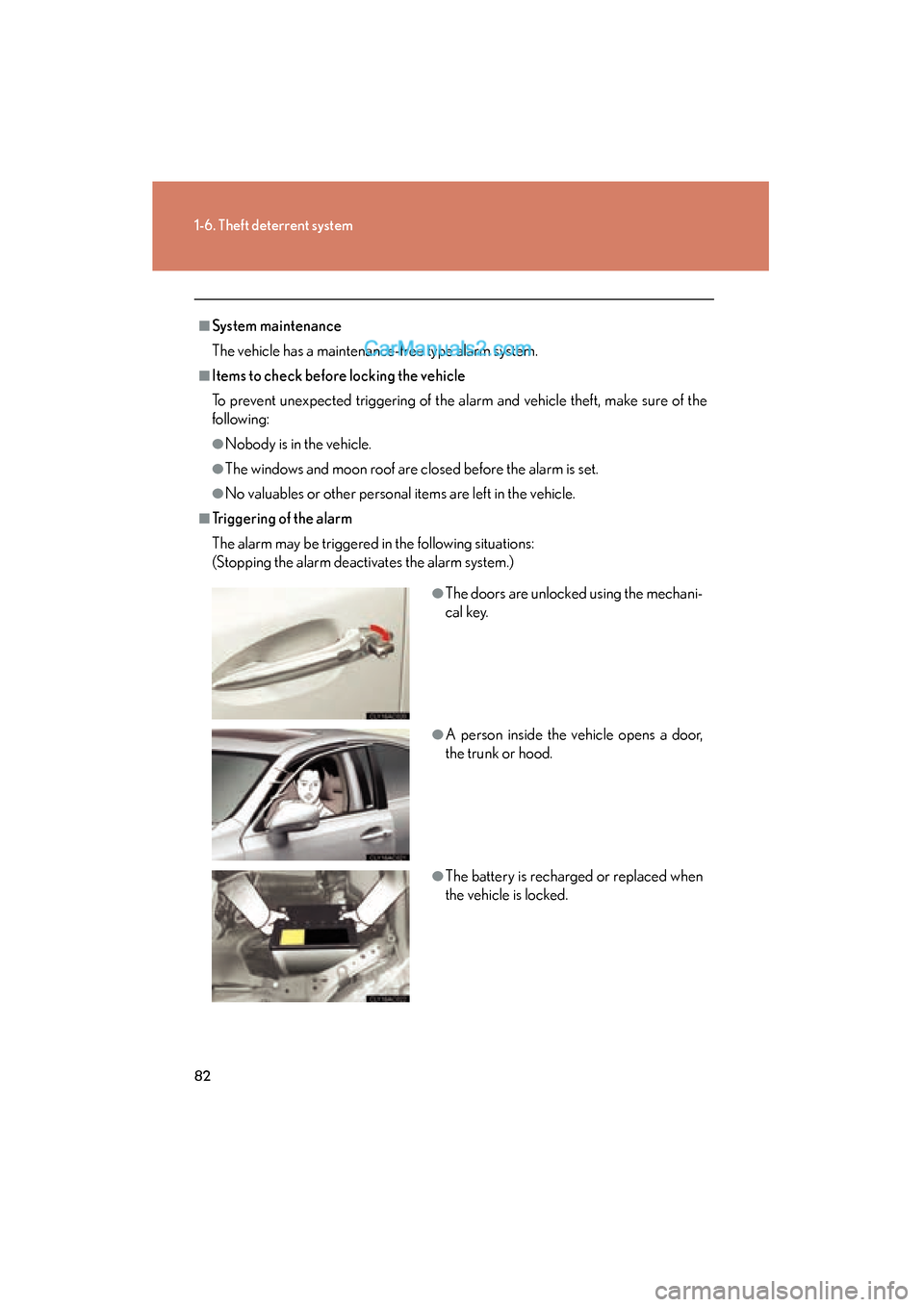
●The doors are unlocked using the mechani-
cal key.
●A person inside the vehicle opens a door,
the trunk or hood.
●The battery is recharged or replaced when
the vehicle is locked.
Page 85 of 563
83
1-6. Theft deterrent system
1
Before driving
ES350_U
■Panic mode
■When the battery is disconnected
Be sure to cancel the alarm system.
If the battery is discharged before canceling the alarm, the system may be triggered
when the battery is reconnected.
■Alarm-operated door lock
●When the alarm is operating, the doors are locked automatically to prevent
intruders.
●Do not leave the key inside the vehicle when the alarm is operating, and make
sure the key is not inside the vehicle when recharging or replacing the battery.
NOTICE
■To ensure the system operates correctly
Do not modify or remove the system. If modified or removed, the proper operation
of the system cannot be guaranteed.
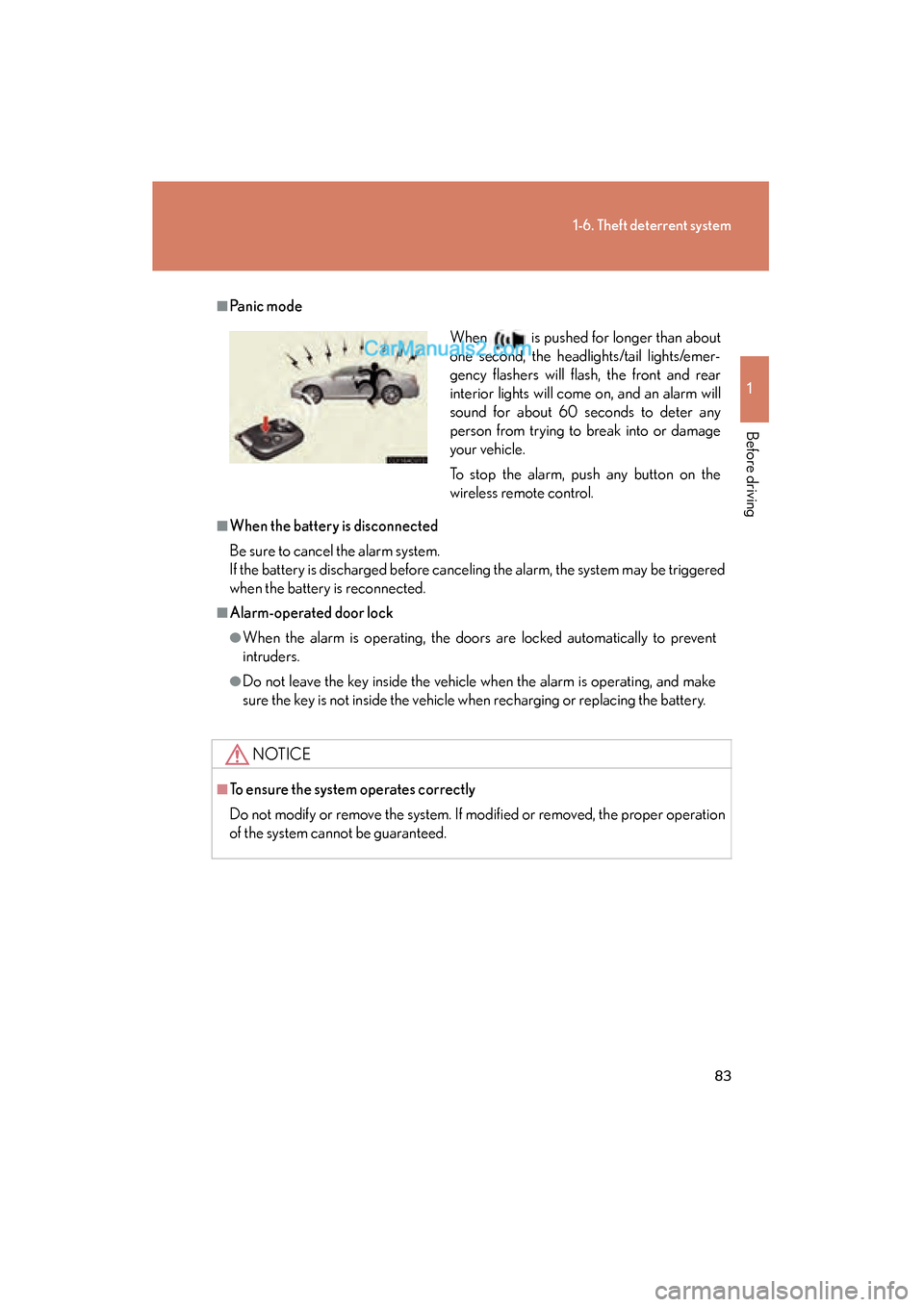
When is pushed for longer than about
one second, the headlights/tail lights/emer-
gency flashers will flash, the front and rear
interior lights will come on, and an alarm will
sound for about 60 seconds to deter any
person from trying to break into or damage
your vehicle.
To stop the alarm, push any button on the
wireless remote control.
Page 130 of 563

128
2-1. Driving procedures
ES350_U
■Auto power OFF function
If the vehicle is left in ACCESSORY mode for more than an hour with the shift lever
in P, the “ENGINE START STOP” switch will automatically turn off.
■Electronic key battery depletion
→P. 3 2
■When the electronic key battery is discharged
→P. 4 1 1
■Conditions affecting operation
→P. 3 0
■Note for the entry function
→P. 3 3
CAUTION
■When starting the engine
Always start the engine while sitting in the driver’s seat. Do not press the accelera-
tor pedal while starting the engine under any circumstances.
Doing so may cause an accident resulting in death or serious injury.
■Stopping the engine in an emergency
If you want to stop the engine in an emergency while driving the vehicle, press and
hold the “ENGINE START STOP” switch for more than 3 seconds, or press it
briefly 3 times or more in succession.
However, do not touch the “ENGINE START STOP” switch while driving except in
an emergency. Turning the engine off while driving will not cause loss of steering or
braking control, but the power assist to these systems will be lost. This will make it
more difficult to steer and brake, so you should pull over and stop the vehicle as
soon as it is safe to do so.
Page 363 of 563

Maintenance and care4
361
ES350_U
4-1. Maintenance and careCleaning and protecting the vehicle exterior............. 362
Cleaning and protecting the vehicle interior .............. 365
4-2. Maintenance Maintenance requirements ....................... 368
General maintenance .......... 370
Emission inspection and maintenance (I/M)
programs................................ 373 4-3. Do-it-yourself
maintenance
Do-it-yourself service precautions ............................ 374
Hood .......................................... 378
Positioning a floor jack ......... 379
Engine compartment ............ 381
Tires............................................ 394
Tire inflation pressure........... 403
Wheels ...................................... 407
Air conditioning filter ........... 409
Electronic key battery............ 411
Checking and replacing fuses ......................................... 413
Headlight aim (vehicles with discharge
headlights) ............................ 422
Light bulbs................................ 424
Page 413 of 563
411
4-3. Do-it-yourself maintenance
4
Maintenance and care
ES350_U
Electronic key battery
Replace the battery with a new one if it is discharged.
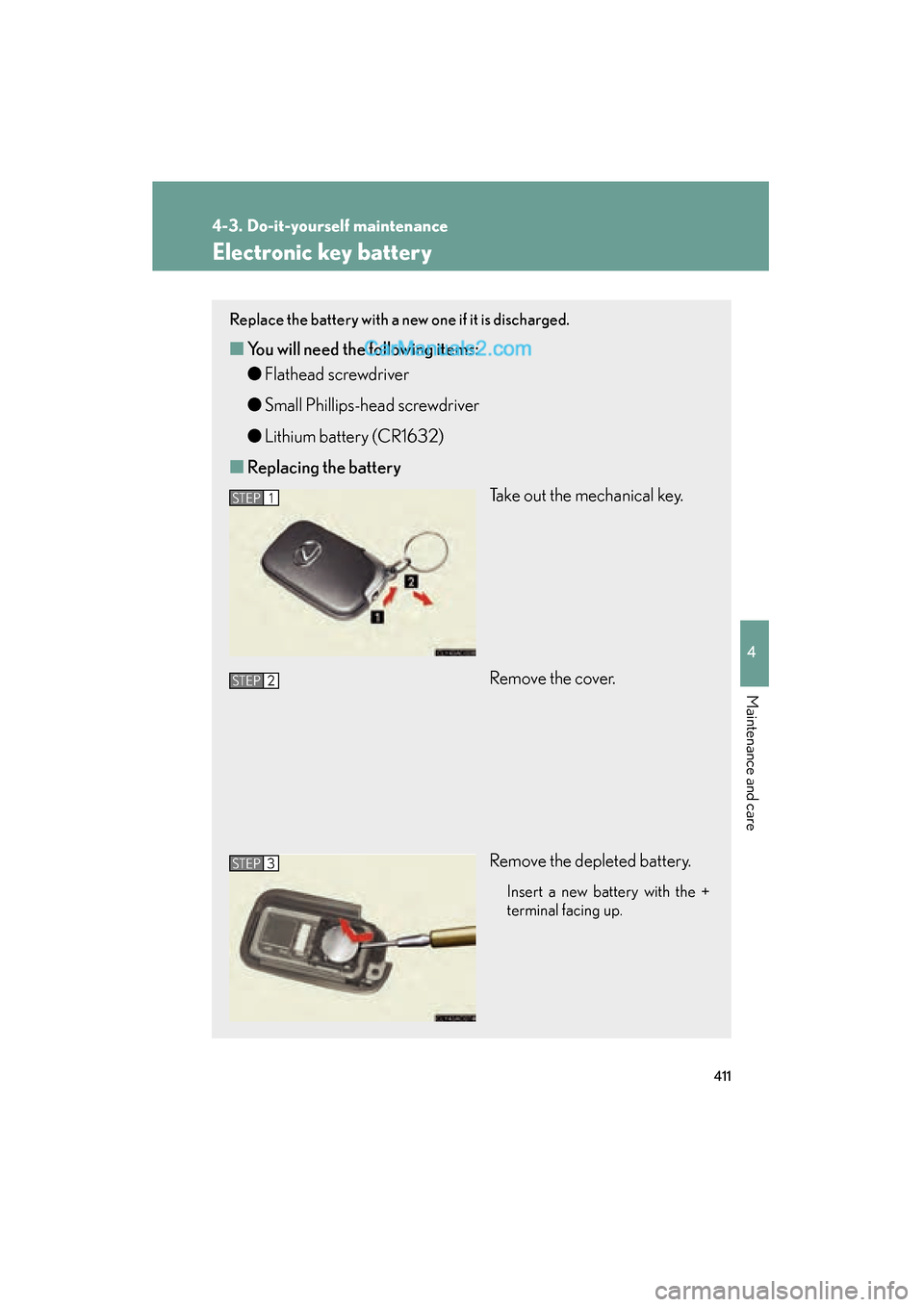
■You will need the following items:
●Flathead screwdriver
● Small Phillips-head screwdriver
● Lithium battery (CR1632)
■ Replacing the battery
Take out the mechanical key.
Remove the cover.
Remove the depleted battery.
Insert a new battery with the +
terminal facing up.
STEP1
STEP2
STEP3
Page 414 of 563

412
4-3. Do-it-yourself maintenance
ES350_U
■If the electronic key battery is discharged
The following symptoms may occur.
●The smart access system with push-button start and wireless remote control will
not function properly.
●The operational range is reduced.
■Use a CR1632 lithium battery
●Batteries can be purchased at your Lexus dealer, jewelers, or camera stores.
●Replace only with the same or equivalent type recommended by a Lexus dealer.
●Dispose of used batteries according to the local laws.
CAUTION
■Removed battery and other parts
Keep away from children. These parts are small and if swallowed by a child, they can
cause choking. Failure to do so could result in death or serious injury.
NOTICE
■For normal operation after replacing the battery
Observe the following precautions to prevent accidents.
●Always work with dry hands.
Moisture may cause the battery to rust.
●Do not touch or move any other components inside the remote control.
●Do not bend either of the battery terminals.
Page 435 of 563

When trouble arises5
433
ES350_U
5-1. Essential informationEmergency flashers............... 434
If your vehicle needs to be towed ...................................... 435
If you think something is wrong ....................................... 441
Fuel pump shut off system.... 442
Event data recorder .............. 443 5-2. Steps to take in an
emergency
If a warning light turns on or a warning buzzer
sounds... ................................. 445
If a warning message is displayed................................ 455
If you have a flat tire................ 467
If the engine will not start ..... 476
If the shift lever cannot be shifted from P ....................... 478
If you lose your keys ............... 479
If the electronic key does not operate properly.......... 480
If the vehicle battery is discharged ............................ 483
If your vehicle overheats ..... 486
If the vehicle becomes stuck........................................ 489
If your vehicle has to be stopped in an
emergency ............................ 490
Page 467 of 563
5
When trouble arises
465
5-2. Steps to take in an emergency
ES350_U
InteriorbuzzerExterior buzzerWarning messageDetailsCorrection
procedure
Once3 times
(Flashing)
Indicates that the
driver’s door has
been opened or
closed with the
shift lever in P, the
“ENGINE START
STOP” switch in
any mode other
than OFF and the
electronic key
outside of the
detection area.
Tu r n t h e
“ENGINE START
STO P ” s w i t c h
OFF or confirm
the location of the
electronic key.
Con-
tinuousCon-
tinuous
(Displayed alternately)
(Flashing)
Indicates that the
driver’s door has
been opened or
closed with the
shift lever out of P,
the “ENGINE
START STOP”
switch in any
mode other than
OFF and the elec-
tronic key outside
of the detection
area.
• Shift the shift lever to P.
• Confirm the
location of the
electronic key.
Once
(Flashing)
Indicates that the
key battery is low.Replace the bat-
tery. ( →P. 411)