Page 320 of 563
318
3-6. Using the storage features
ES350_U
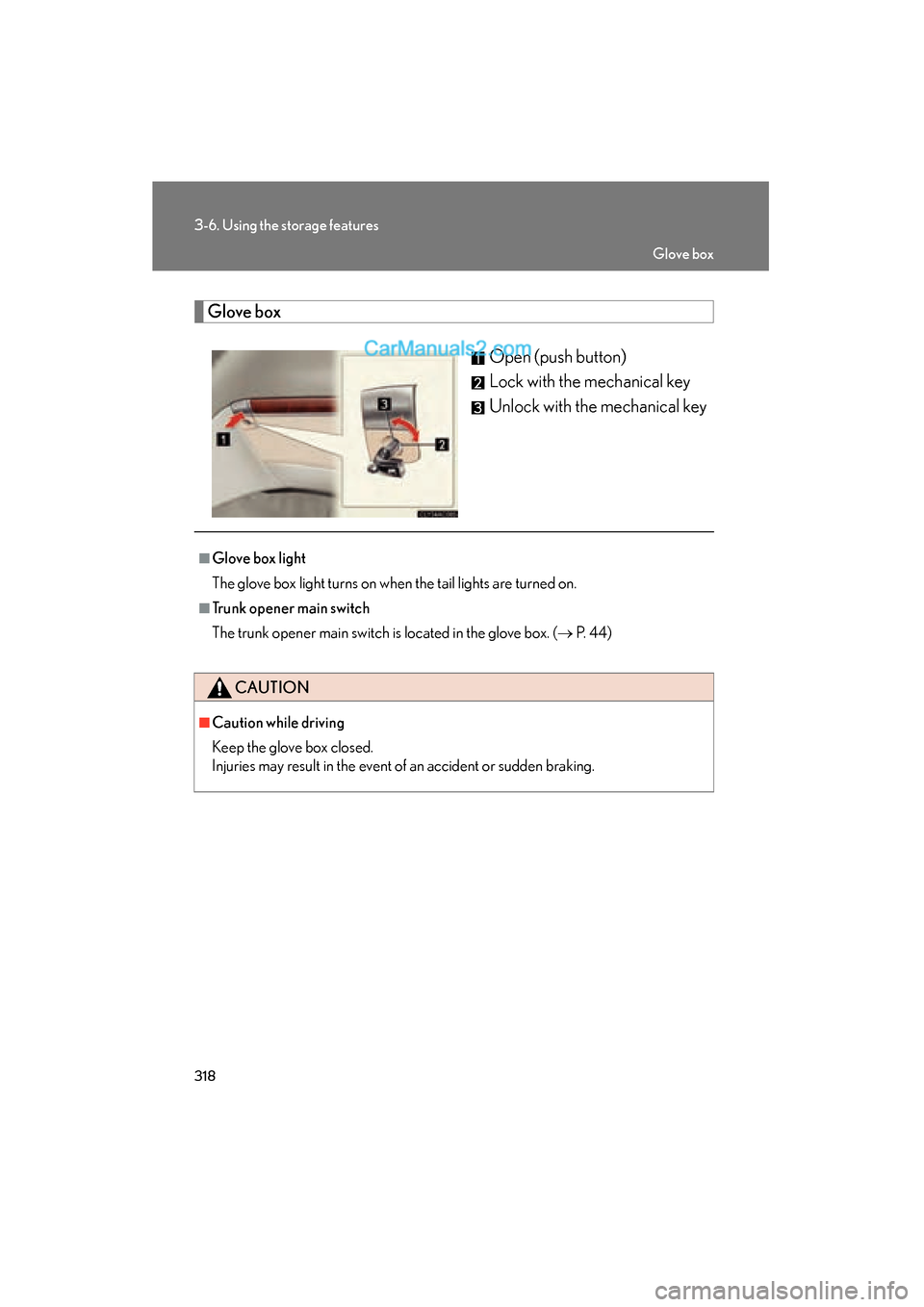
Glove boxOpen (push button)
Lock with the mechanical key
Unlock with the mechanical key
■Glove box light
The glove box light turns on when the tail lights are turned on.
■Trunk opener main switch
The trunk opener main switch is located in the glove box. ( → P. 4 4 )
CAUTION
■Caution while driving
Keep the glove box closed.
Injuries may result in the event of an accident or sudden braking.
Glove box
Page 328 of 563
326
3-7. Other interior features
ES350_U
Clock
■The clock is displayed when
The “ENGINE START STOP” switch is in ACCESSORY or IGNITION ON mode.
Without navigation systemAdjusts the hour.
Adjusts the minutes.
Rounds to the nearest hour.
*
*: e.g. 1:00 to 1:29 → 1:00
1:30 to 1:59 → 2:00
With navigation system
Adjusts the hour.
Adjusts the minutes.
Rounds to the nearest hour.
*
*: e.g. 1:00 to 1:29 → 1:00
1:30 to 1:59 → 2:00
Page 339 of 563
337
3-7. Other interior features
3
Interior features
ES350_U
Extended trunk
CAUTION
■When not in use
Ensure that the armrest door is closed.
In the event of sudden braking, items stored in the trunk may be thrown forward into
the cabin, resulting in injury.
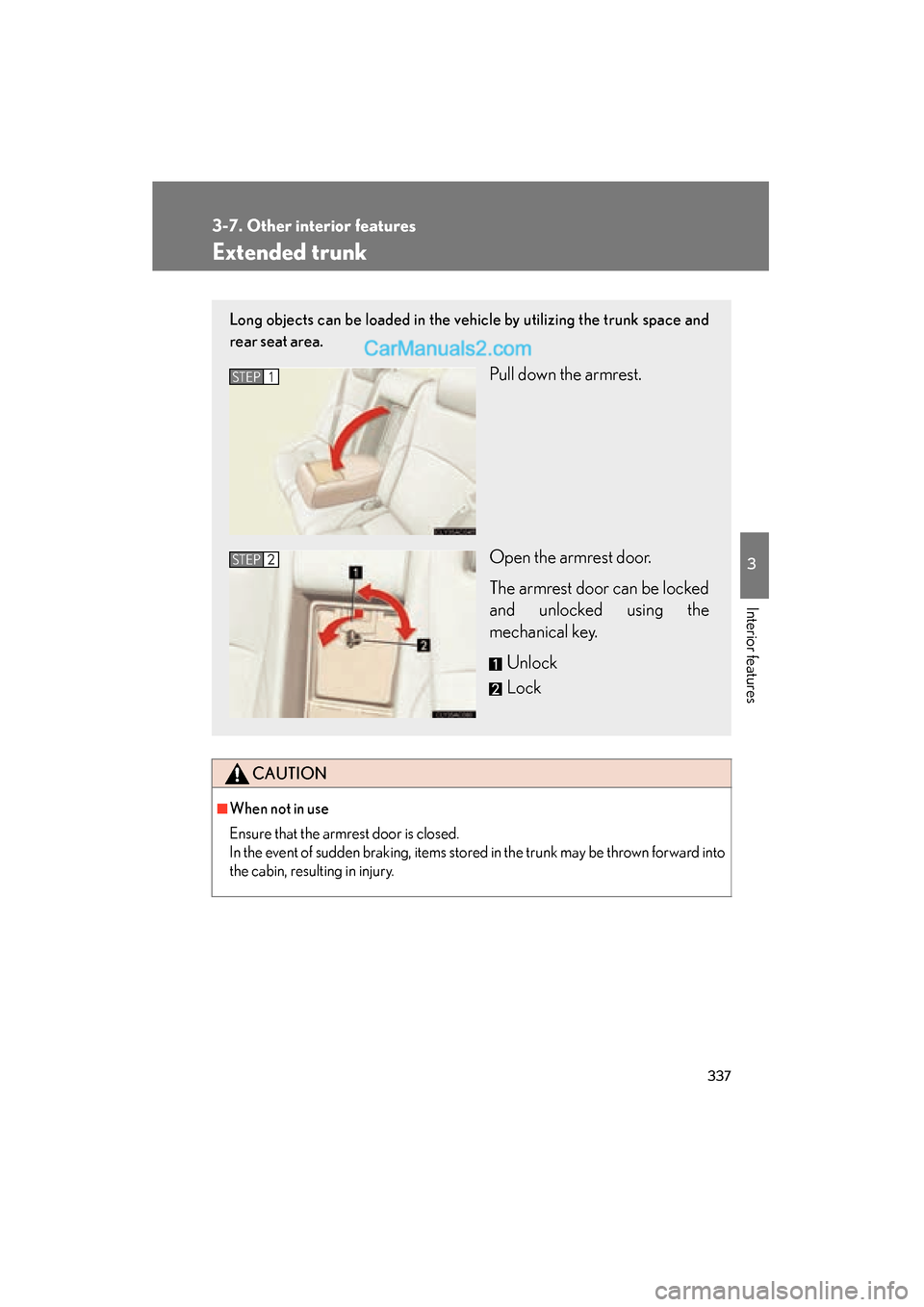
Long objects can be loaded in the vehicle by utilizing the trunk space and
rear seat area.
Pull down the armrest.
Open the armrest door.
The armrest door can be locked
and unlocked using the
mechanical key.Unlock
LockSTEP1
STEP2
Page 345 of 563
343
3-7. Other interior features
3
Interior features
ES350_U
Garage door opener
The garage door opener (HomeLink Universal Transceiver) is manufactured
under license from HomeLink.
Programming the HomeLink
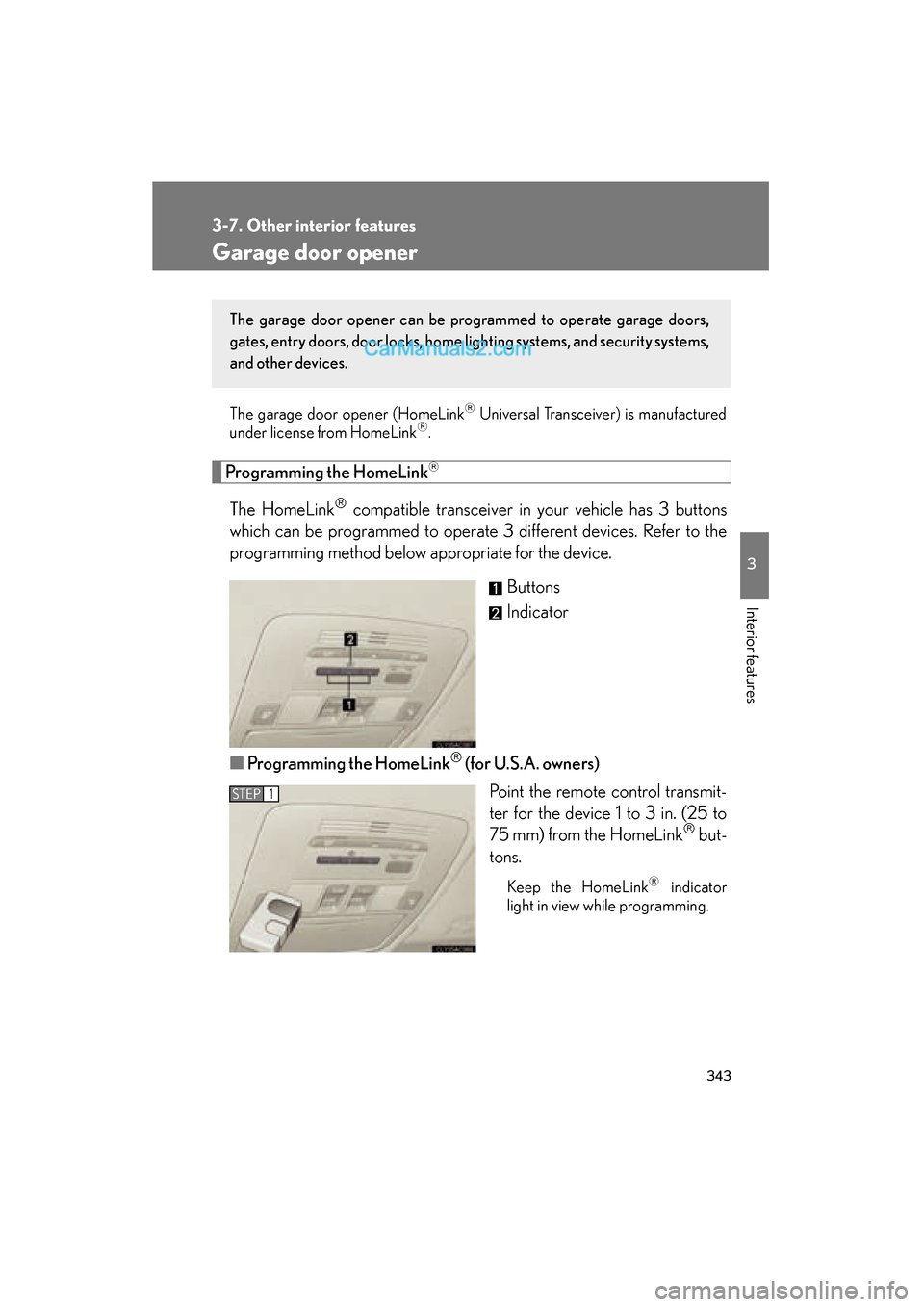
The HomeLink compatible transceiver in your vehicle has 3 buttons
which can be programmed to operate 3 different devices. Refer to the
programming method below appropriate for the device.
Buttons
Indicator
■ Programming the HomeLink
(for U.S.A. owners)
Point the remote control transmit-
ter for the device 1 to 3 in. (25 to
75 mm) from the HomeLink
but-
tons.
Keep the HomeLink indicator
light in view while programming.
The garage door opener can be pr ogrammed to operate garage doors,
gates, entry doors, door locks, home lighting systems, and security systems,
and other devices.
STEP1
Page 348 of 563
346
3-7. Other interior features
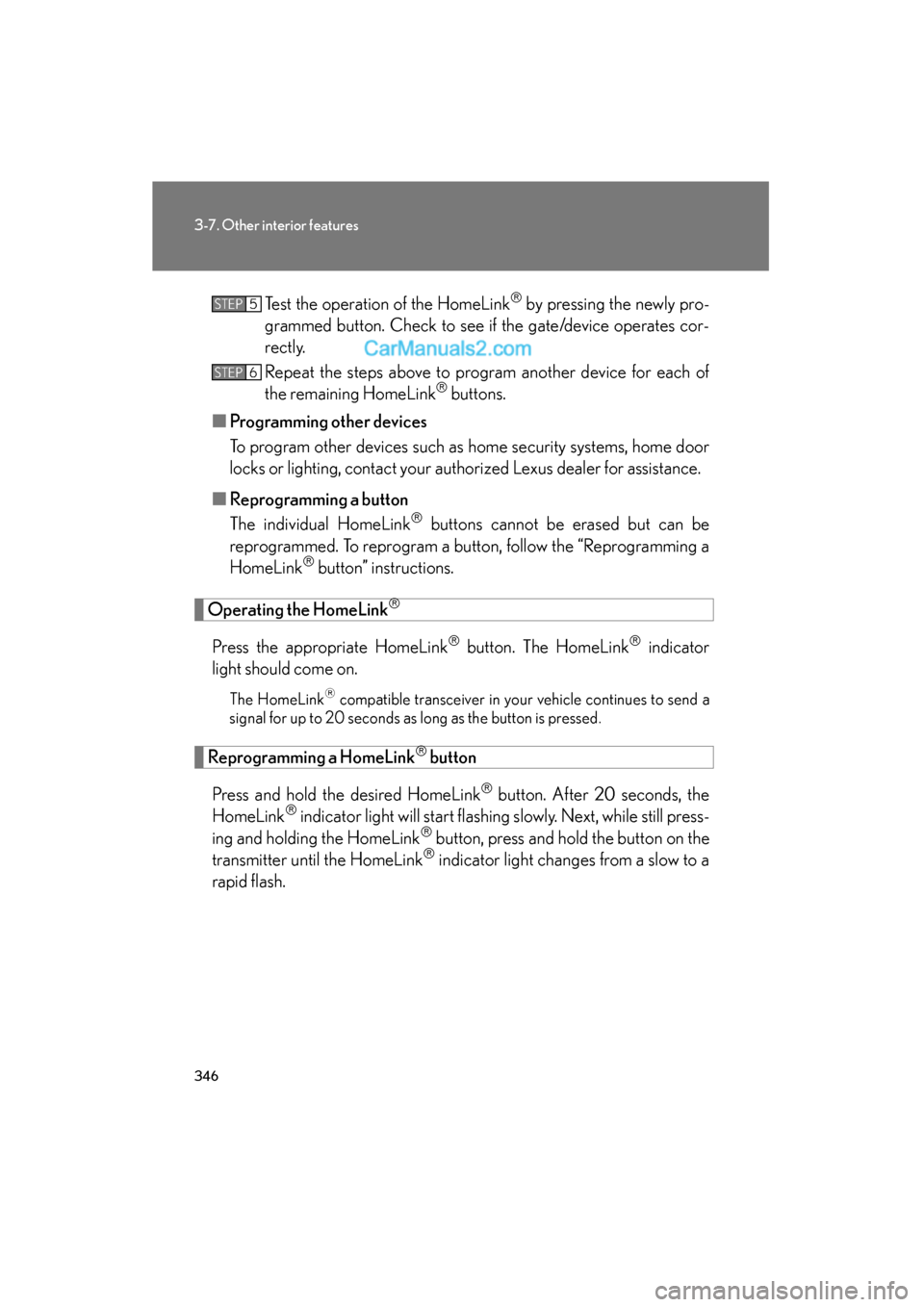
ES350_UTest the operation of the HomeLink
by pressing the newly pro-
grammed button. Check to see if the gate/device operates cor-
r e c t l y.
Repeat the steps above to program another device for each of
the remaining HomeLink
buttons.
■ Programming other devices
To program other devices such as home security systems, home door
locks or lighting, contact your authorized Lexus dealer for assistance.
■ Reprogramming a button
The individual HomeLink
buttons cannot be erased but can be
reprogrammed. To reprogram a button, follow the “Reprogramming a
HomeLink
button” instructions.
Operating the HomeLink
Press the appropriate HomeLink button. The HomeLink indicator
light should come on.
The HomeLink compatible transceiver in your vehicle continues to send a
signal for up to 20 seconds as long as the button is pressed.
Reprogramming a HomeLink button
Press and hold the desired HomeLink
button. After 20 seconds, the
HomeLink indicator light will start flashing slowly. Next, while still press-
ing and holding the HomeLink button, press and hold the button on the
transmitter until the HomeLink indicator light changes from a slow to a
rapid flash.
STEP5
STEP6
Page 353 of 563
351
3-7. Other interior features
3
Interior features
ES350_UPress “AUTO”, and referring to the map above, select the number
of the zone where you are.
If the direction is displayed several seconds after adjustment, the cali-
bration is complete.
■
Circling calibration
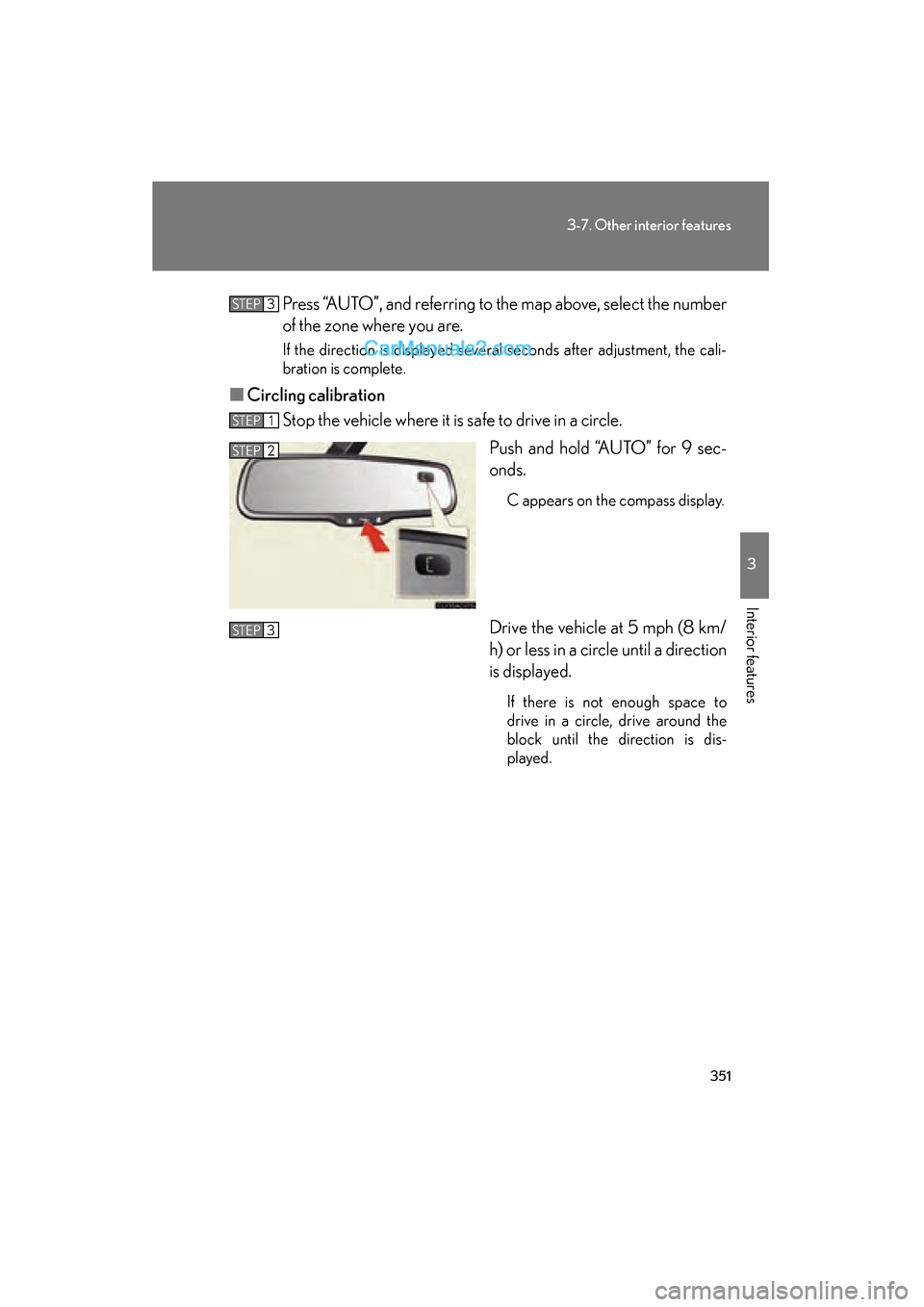
Stop the vehicle where it is safe to drive in a circle.
Push and hold “AUTO” for 9 sec-
onds.
C appears on the compass display.
Drive the vehicle at 5 mph (8 km/
h) or less in a circle until a direction
is displayed.
If there is not enough space to
drive in a circle, drive around the
block until the direction is dis-
played.
STEP3
STEP1
STEP2
STEP3
Page 372 of 563
370
4-2. Maintenance
ES350_U
General maintenance
Engine compartment
ItemsCheck points
BatteryMaintenance-free. (→P. 3 9 1 )
Brake fluidAt the correct level? ( →P. 388)
Engine coolantAt the correct level? ( →P. 386)
Engine oilAt the correct level? ( →P. 383)
Exhaust systemNo fumes or strange sounds?
Power steering fluidAt the correct level? ( →P. 3 8 9 )
Radiator/condenser/hosesNot blocked with foreign matter?
(→ P. 3 8 8 )
Washer fluidAt the correct level? ( →P. 393)
Listed below are the general maintenance items that should be performed
at the intervals specified in the “Warranty and Service Guide” or “Owners
Manual Supplement”. It is recommended that any problem you notice
should be brought to the attention of your Lexus dealer or qualified service
shop for advice.
Page 373 of 563
371
4-2. Maintenance
4
Maintenance and care
ES350_U
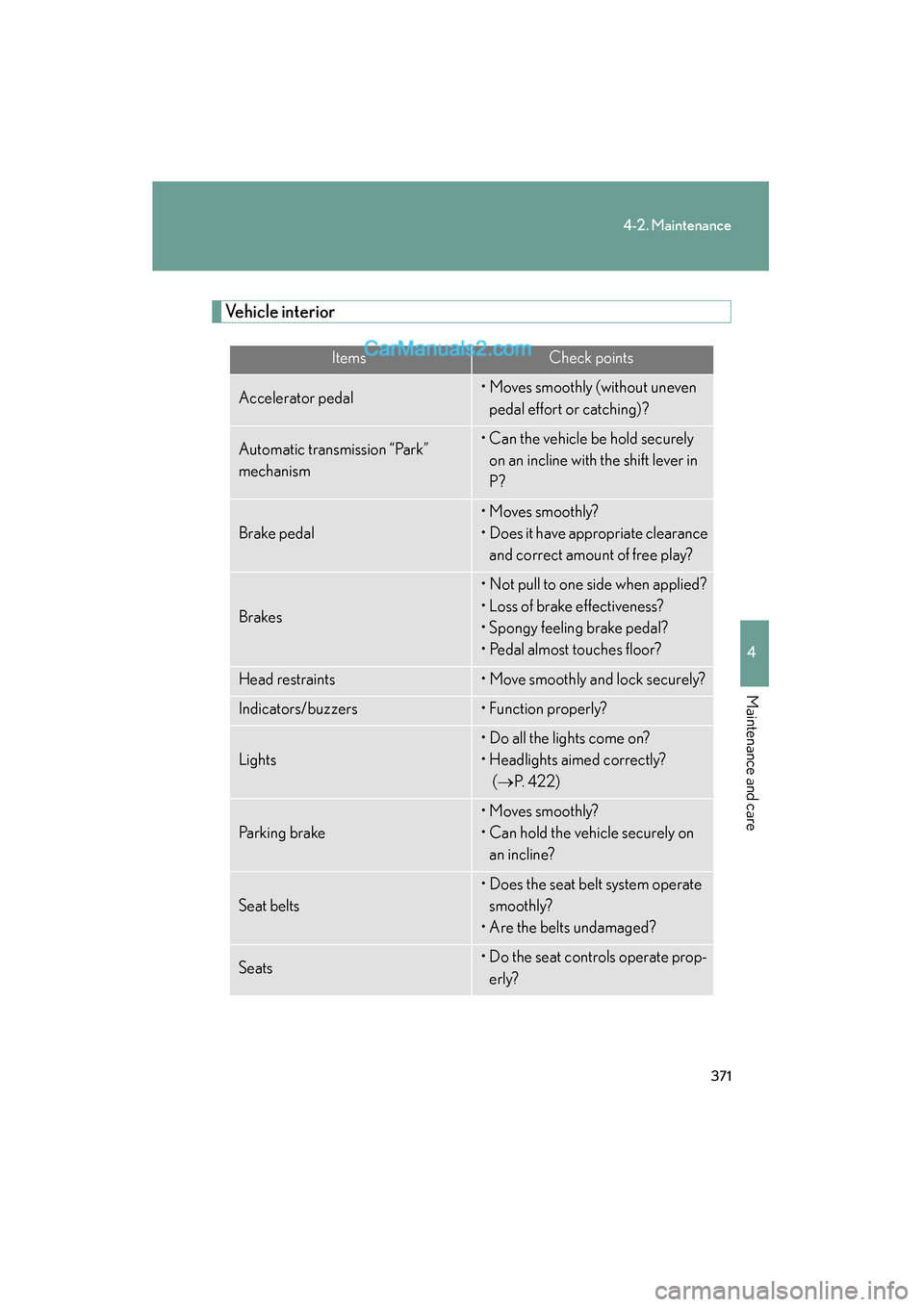
Vehicle interior
ItemsCheck points
Accelerator pedal• Moves smoothly (without uneven pedal effort or catching)?
Automatic transmission “Park”
mechanism• Can the vehicle be hold securely on an incline with the shift lever in
P?
Brake pedal
• Moves smoothly?
• Does it have appropriate clearance and correct amount of free play?
Brakes
• Not pull to one side when applied?
• Loss of brake effectiveness?
• Spongy feeling brake pedal?
• Pedal almost touches floor?
Head restraints• Move smoothly and lock securely?
Indicators/buzzers• Function properly?
Lights
• Do all the lights come on?
• Headlights aimed correctly? (→ P. 422)
Parking brake
• Moves smoothly?
• Can hold the vehicle securely on
an incline?
Seat belts
• Does the seat belt system operate smoothly?
• Are the belts undamaged?
Seats• Do the seat controls operate prop- erly?