Page 12 of 385
23
Your vehicle at a glance
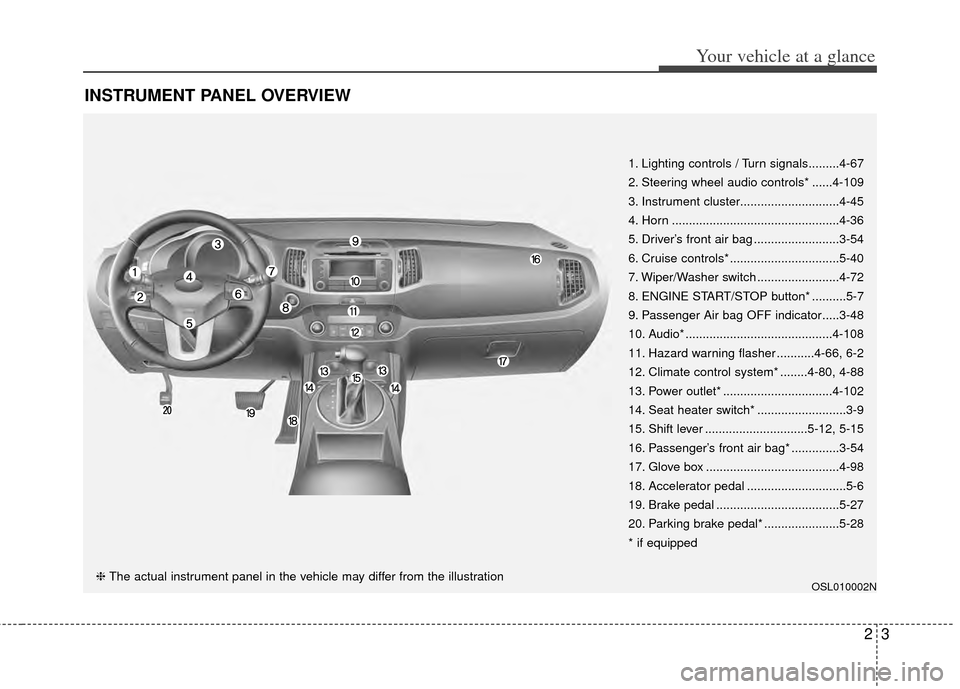
INSTRUMENT PANEL OVERVIEW
OSL010002N
1. Lighting controls / Turn signals.........4-67
2. Steering wheel audio controls* ......4-109
3. Instrument cluster.............................4-45
4. Horn .................................................4-36
5. Driver’s front air bag .........................3-54
6. Cruise controls* ................................5-40
7. Wiper/Washer switch ........................4-72
8. ENGINE START/STOP button* ..........5-7
9. Passenger Air bag OFF indicator.....3-48
10. Audio* ...........................................4-108
11. Hazard warning flasher ...........4-66, 6-2
12. Climate control system* ........4-80, 4-88
13. Power outlet* ................................4-102
14. Seat heater switch* ..........................3-9
15. Shift lever ..............................5-12, 5-15
16. Passenger’s front air bag* ..............3-54
17. Glove box .......................................4-98
18. Accelerator pedal .............................5-6
19. Brake pedal ....................................5-27
20. Parking brake pedal* ......................5-28
* if equipped
❈ The actual instrument panel in the vehicle may differ from the illustration
Page 82 of 385
4
Keys / 4-2
Remote keyless entry / 4-6
Smart key / 4-9
Theft-alarm system / 4-13
Door locks / 4-15
Tailgate / 4-20
Windows / 4-22
Hood / 4-26
Fuel filler lid / 4-28
Panoramic sunroof / 4-31
Steering wheel / 4-35
Mirrors / 4-37
Instrument cluster / 4-45
Rear parking assist system / 4-63
Rearview camera / 4-66
Hazard warning flasher / 4-66
Lighting / 4-67
Wipers and washers / 4-72
Interior lights / 4-76
Defroster / 4-79
Manual climate control system / 4-80
Automatic climate control system / 4-88
Windshield defrosting and defogging / 4-95
Storage compartments / 4-98
Interior features / 4-101
Exterior features / 4-107
Audio system / 4-108
Sirius satellite radio information / 4-128
Features of your vehicle
Page 112 of 385
431
Features of your vehicle
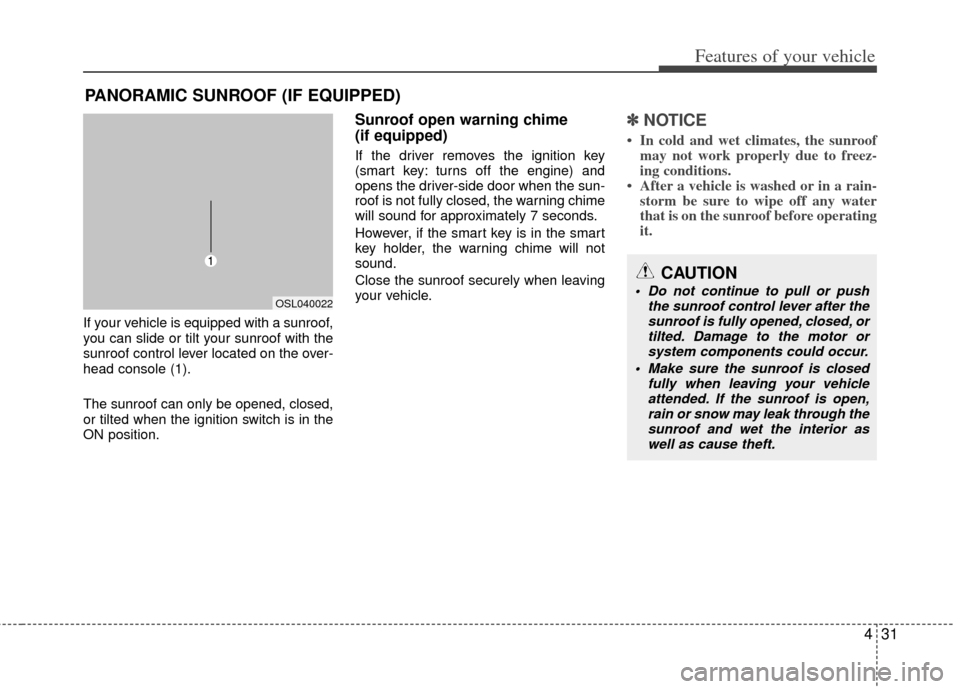
If your vehicle is equipped with a sunroof,
you can slide or tilt your sunroof with the
sunroof control lever located on the over-
head console (1).
The sunroof can only be opened, closed,
or tilted when the ignition switch is in the
ON position.
Sunroof open warning chime
(if equipped)
If the driver removes the ignition key
(smart key: turns off the engine) and
opens the driver-side door when the sun-
roof is not fully closed, the warning chime
will sound for approximately 7 seconds.
However, if the smart key is in the smart
key holder, the warning chime will not
sound.
Close the sunroof securely when leaving
your vehicle.
✽ ✽NOTICE
• In cold and wet climates, the sunroof
may not work properly due to freez-
ing conditions.
• After a vehicle is washed or in a rain- storm be sure to wipe off any water
that is on the sunroof before operating
it.
PANORAMIC SUNROOF (IF EQUIPPED)
CAUTION
Do not continue to pull or push
the sunroof control lever after thesunroof is fully opened, closed, ortilted. Damage to the motor orsystem components could occur.
Make sure the sunroof is closed fully when leaving your vehicleattended. If the sunroof is open, rain or snow may leak through thesunroof and wet the interior aswell as cause theft.OSL040022
Page 161 of 385
Features of your vehicle
80
4
Heating and air conditioning
1. Start the engine.
2. Set the mode to the desired position.
For improving the effectiveness of
heating and cooling;
- Heating:
- Cooling:
3. Set the temperature control to the desired position.
4. Set the air intake control to the outside (fresh) air position (if equipped).
5. Set the fan speed control to the desired speed.
6. If air conditioning is desired, turn the air conditioning system (if equipped)
on.
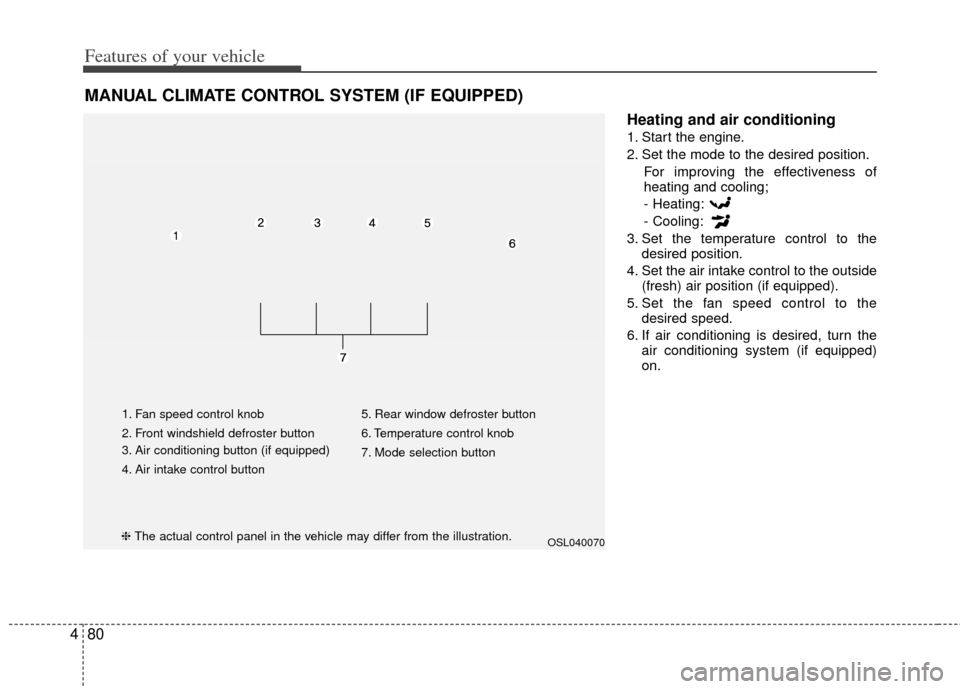
MANUAL CLIMATE CONTROL SYSTEM (IF EQUIPPED)
OSL040070
1. Fan speed control knob
2. Front windshield defroster button
3. Air conditioning button (if equipped)
4. Air intake control button 5. Rear window defroster button
6. Temperature control knob
7. Mode selection button
❈
The actual control panel in the vehicle may differ from the illustration.
Page 165 of 385
Features of your vehicle
84
4
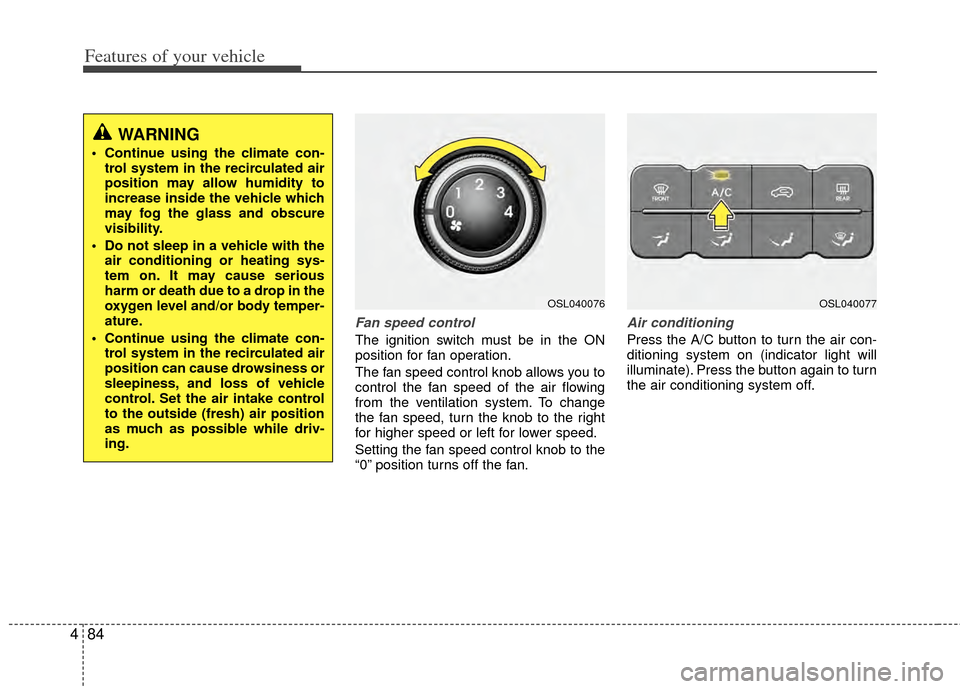
Fan speed control
The ignition switch must be in the ON
position for fan operation.
The fan speed control knob allows you to
control the fan speed of the air flowing
from the ventilation system. To change
the fan speed, turn the knob to the right
for higher speed or left for lower speed.
Setting the fan speed control knob to the
“0” position turns off the fan.
Air conditioning
Press the A/C button to turn the air con-
ditioning system on (indicator light will
illuminate). Press the button again to turn
the air conditioning system off.
WARNING
Continue using the climate con-
trol system in the recirculated air
position may allow humidity to
increase inside the vehicle which
may fog the glass and obscure
visibility.
Do not sleep in a vehicle with the air conditioning or heating sys-
tem on. It may cause serious
harm or death due to a drop in the
oxygen level and/or body temper-
ature.
Continue using the climate con- trol system in the recirculated air
position can cause drowsiness or
sleepiness, and loss of vehicle
control. Set the air intake control
to the outside (fresh) air position
as much as possible while driv-
ing.
OSL040076OSL040077
Page 168 of 385
487
Features of your vehicle
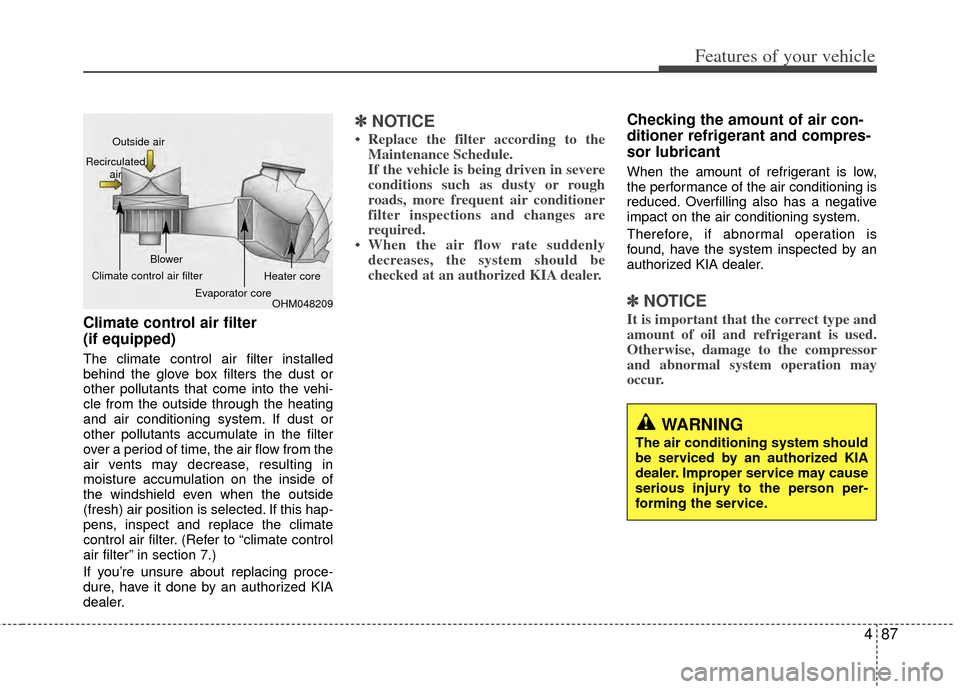
Climate control air filter
(if equipped)
The climate control air filter installed
behind the glove box filters the dust or
other pollutants that come into the vehi-
cle from the outside through the heating
and air conditioning system. If dust or
other pollutants accumulate in the filter
over a period of time, the air flow from the
air vents may decrease, resulting in
moisture accumulation on the inside of
the windshield even when the outside
(fresh) air position is selected. If this hap-
pens, inspect and replace the climate
control air filter. (Refer to “climate control
air filter” in section 7.)
If you’re unsure about replacing proce-
dure, have it done by an authorized KIA
dealer.
✽ ✽NOTICE
• Replace the filter according to the
Maintenance Schedule.
If the vehicle is being driven in severe
conditions such as dusty or rough
roads, more frequent air conditioner
filter inspections and changes are
required.
• When the air flow rate suddenly decreases, the system should be
checked at an authorized KIA dealer.
Checking the amount of air con-
ditioner refrigerant and compres-
sor lubricant
When the amount of refrigerant is low,
the performance of the air conditioning is
reduced. Overfilling also has a negative
impact on the air conditioning system.
Therefore, if abnormal operation is
found, have the system inspected by an
authorized KIA dealer.
✽ ✽ NOTICE
It is important that the correct type and
amount of oil and refrigerant is used.
Otherwise, damage to the compressor
and abnormal system operation may
occur.
WARNING
The air conditioning system should
be serviced by an authorized KIA
dealer. Improper service may cause
serious injury to the person per-
forming the service.
OHM048209
Outside air
Recirculated air
Climate control air filter Blower
Evaporator core Heater core
Page 169 of 385
Features of your vehicle
88
4
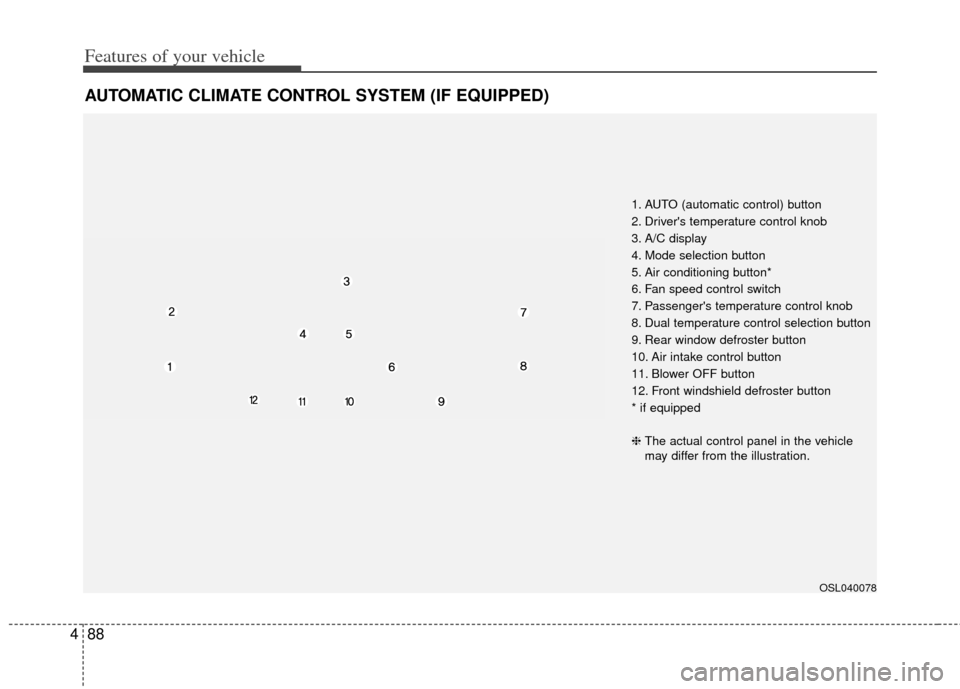
AUTOMATIC CLIMATE CONTROL SYSTEM (IF EQUIPPED)
OSL040078
1. AUTO (automatic control) button
2. Driver's temperature control knob
3. A/C display
4. Mode selection button
5. Air conditioning button*
6. Fan speed control switch
7. Passenger's temperature control knob
8. Dual temperature control selection button
9. Rear window defroster button
10. Air intake control button
11. Blower OFF button
12. Front windshield defroster button
* if equipped
❈ The actual control panel in the vehicle
may differ from the illustration.
Page 170 of 385
489
Features of your vehicle
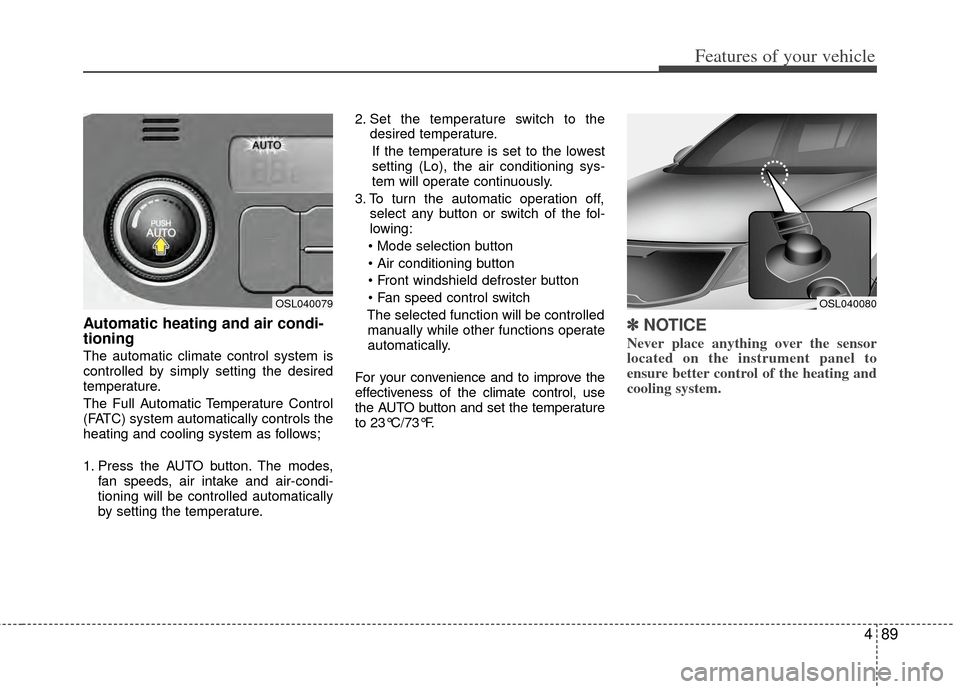
Automatic heating and air condi-
tioning
The automatic climate control system is
controlled by simply setting the desired
temperature.
The Full Automatic Temperature Control
(FATC) system automatically controls the
heating and cooling system as follows;
1. Press the AUTO button. The modes,fan speeds, air intake and air-condi-
tioning will be controlled automatically
by setting the temperature. 2. Set the temperature switch to the
desired temperature.
If the temperature is set to the lowest
setting (Lo), the air conditioning sys-
tem will operate continuously.
3. To turn the automatic operation off, select any button or switch of the fol-
lowing:
The selected function will be controlled manually while other functions operate
automatically.
For your convenience and to improve the
effectiveness of the climate control, use
the AUTO button and set the temperature
to 23°C/73°F.
✽ ✽ NOTICE
Never place anything over the sensor
located on the instrument panel to
ensure better control of the heating and
cooling system.
OSL040080OSL040079