Page 129 of 356
457
Features of your vehicle
D330000AHM-EE
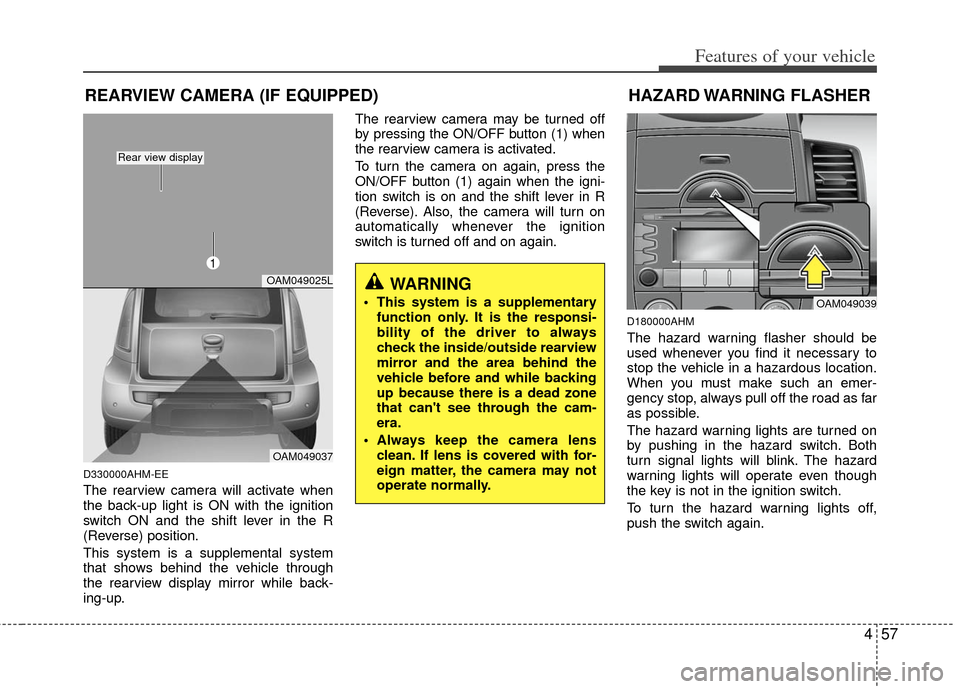
The rearview camera will activate when
the back-up light is ON with the ignition
switch ON and the shift lever in the R
(Reverse) position.
This system is a supplemental system
that shows behind the vehicle through
the rearview display mirror while back-
ing-up.The rearview camera may be turned off
by pressing the ON/OFF button (1) when
the rearview camera is activated.
To turn the camera on again, press the
ON/OFF button (1) again when the igni-
tion switch is on and the shift lever in R
(Reverse). Also, the camera will turn on
automatically whenever the ignition
switch is turned off and on again.
D180000AHM
The hazard warning flasher should be
used whenever you find it necessary to
stop the vehicle in a hazardous location.
When you must make such an emer-
gency stop, always pull off the road as far
as possible.
The hazard warning lights are turned on
by pushing in the hazard switch. Both
turn signal lights will blink. The hazard
warning lights will operate even though
the key is not in the ignition switch.
To turn the hazard warning lights off,
push the switch again.
WARNING
This system is a supplementary
function only. It is the responsi-
bility of the driver to always
check the inside/outside rearview
mirror and the area behind the
vehicle before and while backing
up because there is a dead zone
that can't see through the cam-
era.
Always keep the camera lens clean. If lens is covered with for-
eign matter, the camera may not
operate normally.
REARVIEW CAMERA (IF EQUIPPED)
OAM049025L
OAM049037
Rear view display
HAZARD WARNING FLASHER
OAM049039
1
Page 130 of 356
Features of your vehicle
58
4
D190100APB
Battery saver function
The purpose of this feature is to pre-
vent the battery from being dis-
charged. The system automatically
turns off the parking lights when the
driver removes the ignition key and
opens the driver-side door (in that
order).
With this feature, the parking lights will turn off automatically if the driver parks
on the side of the road at night.
If necessary, to keep the lights on
when the ignition key is removed, per-
form the following:
1) Open the driver-side door.
2) Turn the parking lights OFF and ON again using the light switch on the
steering column.
D190400AUN-C1
Lighting control
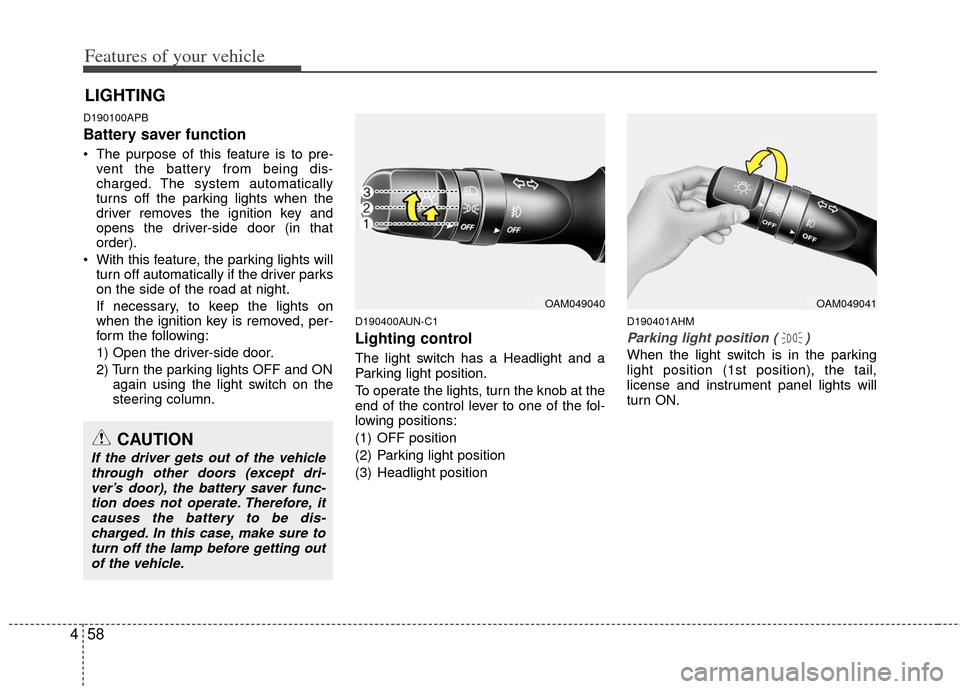
The light switch has a Headlight and a
Parking light position.
To operate the lights, turn the knob at the
end of the control lever to one of the fol-
lowing positions:
(1) OFF position
(2) Parking light position
(3) Headlight position
D190401AHM
Parking light position ( )
When the light switch is in the parking
light position (1st position), the tail,
license and instrument panel lights will
turn ON.
LIGHTING
OAM049041OAM049040
CAUTION
If the driver gets out of the vehicle
through other doors (except dri-ver’s door), the battery saver func- tion does not operate. Therefore, itcauses the battery to be dis-charged. In this case, make sure toturn off the lamp before getting outof the vehicle.
Page 137 of 356
465
Features of your vehicle
D210000AEND210200AAM-EU
Room lamp
Type A
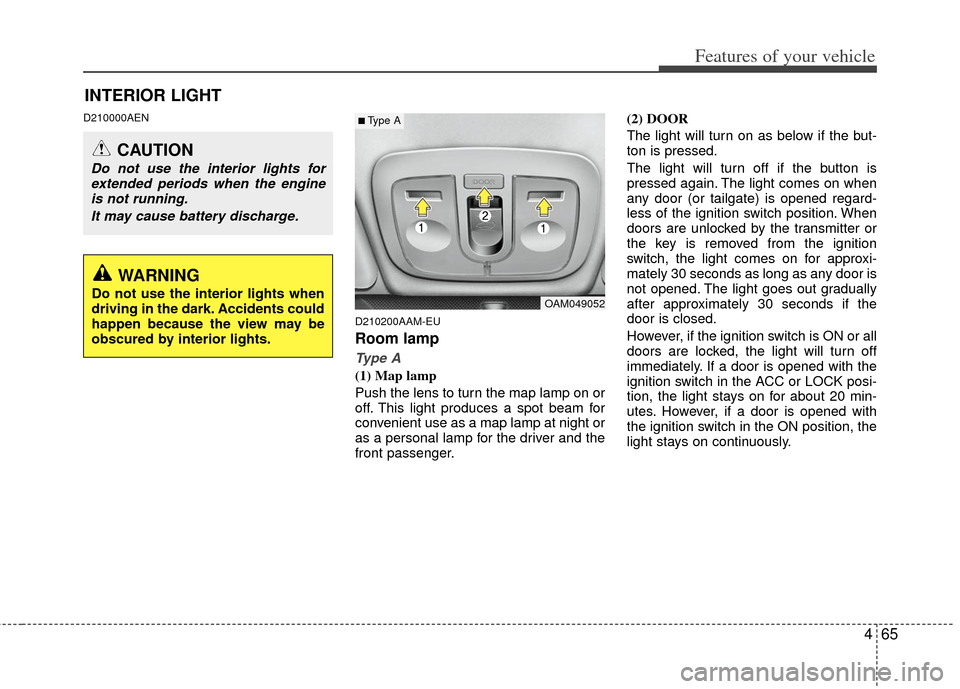
(1) Map lamp
Push the lens to turn the map lamp on or
off. This light produces a spot beam for
convenient use as a map lamp at night or
as a personal lamp for the driver and the
front passenger.(2) DOOR
The light will turn on as below if the but-
ton is pressed.
The light will turn off if the button is
pressed again. The light comes on when
any door (or tailgate) is opened regard-
less of the ignition switch position. When
doors are unlocked by the transmitter or
the key is removed from the ignition
switch, the light comes on for approxi-
mately 30 seconds as long as any door is
not opened. The light goes out gradually
after approximately 30 seconds if the
door is closed.
However, if the ignition switch is ON or all
doors are locked, the light will turn off
immediately. If a door is opened with the
ignition switch in the ACC or LOCK posi-
tion, the light stays on for about 20 min-
utes. However, if a door is opened with
the ignition switch in the ON position, the
light stays on continuously.
INTERIOR LIGHT
CAUTION
Do not use the interior lights for
extended periods when the engineis not running.
It may cause battery discharge.
OAM049052
■Type A
WARNING
Do not use the interior lights when
driving in the dark. Accidents could
happen because the view may be
obscured by interior lights.
Page 138 of 356
Features of your vehicle
66
4
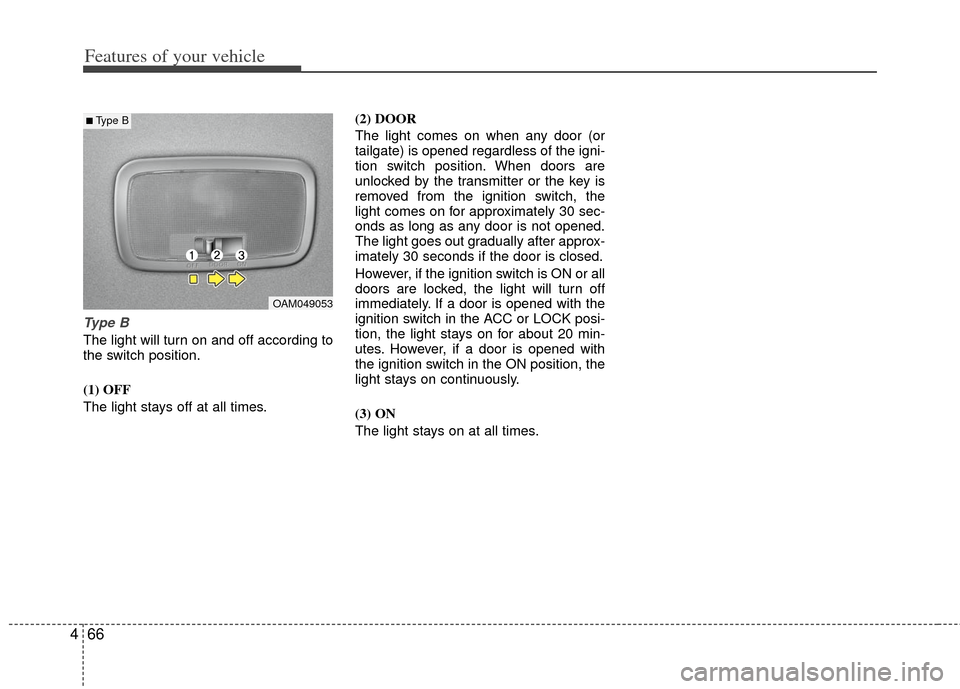
Type B
The light will turn on and off according to
the switch position.
(1) OFF
The light stays off at all times. (2) DOOR
The light comes on when any door (or
tailgate) is opened regardless of the igni-
tion switch position. When doors are
unlocked by the transmitter or the key is
removed from the ignition switch, the
light comes on for approximately 30 sec-
onds as long as any door is not opened.
The light goes out gradually after approx-
imately 30 seconds if the door is closed.
However, if the ignition switch is ON or all
doors are locked, the light will turn off
immediately. If a door is opened with the
ignition switch in the ACC or LOCK posi-
tion, the light stays on for about 20 min-
utes. However, if a door is opened with
the ignition switch in the ON position, the
light stays on continuously.
(3) ON
The light stays on at all times.
OAM049053
■Type B
Page 183 of 356
4111
Features of your vehicle
(Continued)
If the USB device is divided by logical drives, only the music fileson the highest-priority drive arerecognized by car audio.
Devices such as MP3 Player/ Cellular phone/Digital camera canbe unrecognizable by standardUSB I/F can be unrecognizable.
Some non-standard USB devices (METAL COVER TYPE USB) can beunrecognizable.
Some USB flash memory readers (such as CF, SD, microSD, etc.) orexternal-HDD type devices can beunrecognizable.
Music files protected by DRM (DIGITAL RIGHTS MANAGEMENT)are not recognizable.
The data in the USB memory may be lost while using this audio.Always back up important data ona personal storage device.
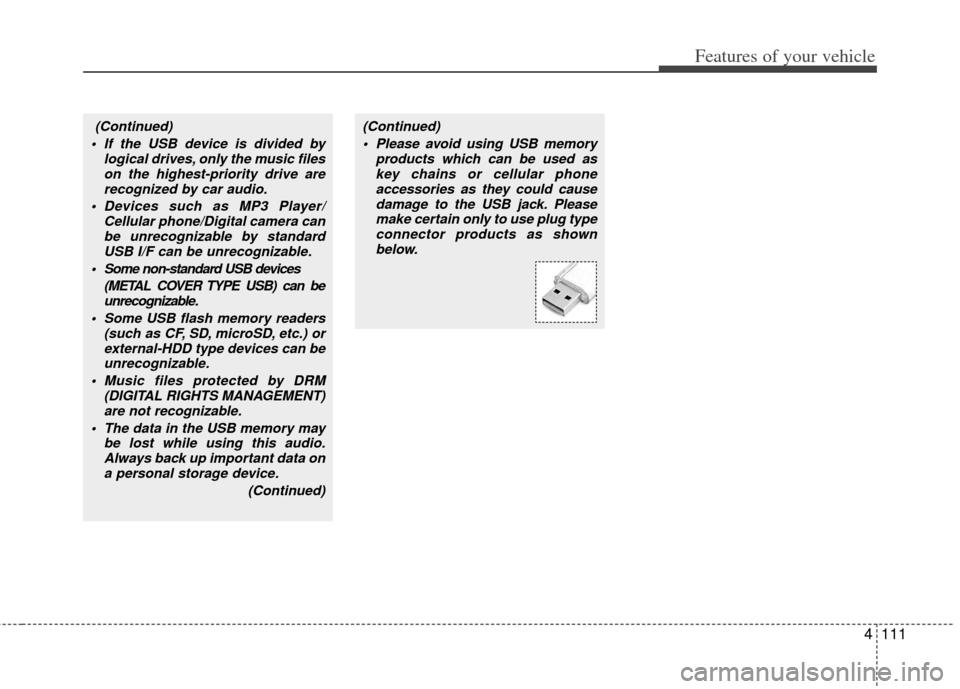
(Continued)(Continued) Please avoid using USB memory products which can be used askey chains or cellular phoneaccessories as they could cause damage to the USB jack. Pleasemake certain only to use plug typeconnector products as shownbelow.
Page 194 of 356
Features of your vehicle
122
4
Before using Bluetooth®features, the
phone must be paired (registered) with
the audio system. Up to 5 phones can be
paired with the system.
NOTE:
• The pairing procedure of the phone varies according to each phone
model. Before attempting to pair
phone, please see your phone’s
User’s Guide for instructions.
• Once pairing with the phone is com- pleted, there is no need to pair with
that phone again unless the phone
is deleted manually from the audio
system (refer “Deleting a Phone”
section) or the vehicle’s information
is removed from the phone.
\bPress button to enter SETUP
mode.
➁Select “PHONE”, then “PAIR” in
PHONE menu.
➂The audio displays “Device : [Name]
passkey: 0000”
➃Search and select the device name in
your mobile phone to starting the pair-
ing process.
NOTE:
• If the phone is paired with two ormore vehicles of the same model,
some phones may not handle
Bluetooth
®devices of that name
correctly. In this case, you may need
to change the name displayed on
your phone.
For example, if the vehicles' name is
KMC CAR, you may need to change
the name displayed on you phone
from KMC_CAR to JOHNS_CAR or
KMC CAR_1 to avoid ambiguity.
Refer to your phone User’s Guide, or
contact your cellular carrier or phone
manufacturer for instructions.
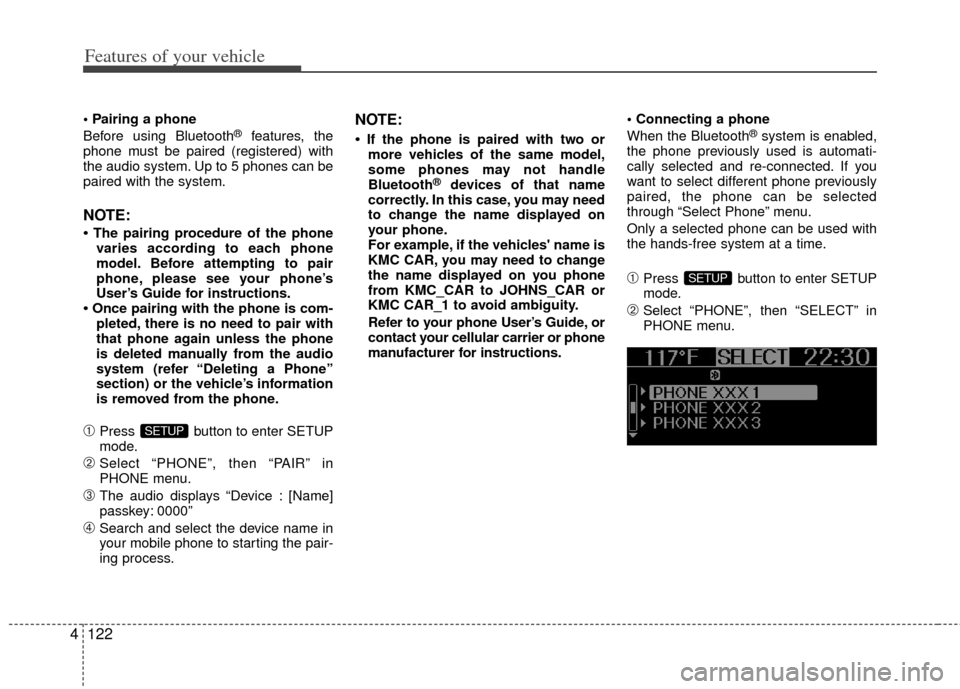
When the Bluetooth
®system is enabled,
the phone previously used is automati-
cally selected and re-connected. If you
want to select different phone previously
paired, the phone can be selected
through “Select Phone” menu.
Only a selected phone can be used with
the hands-free system at a time.
\bPress button to enter SETUP
mode.
➁Select “PHONE”, then “SELECT” in
PHONE menu.
SETUP
SETUP
Page 196 of 356
Features of your vehicle
124
4
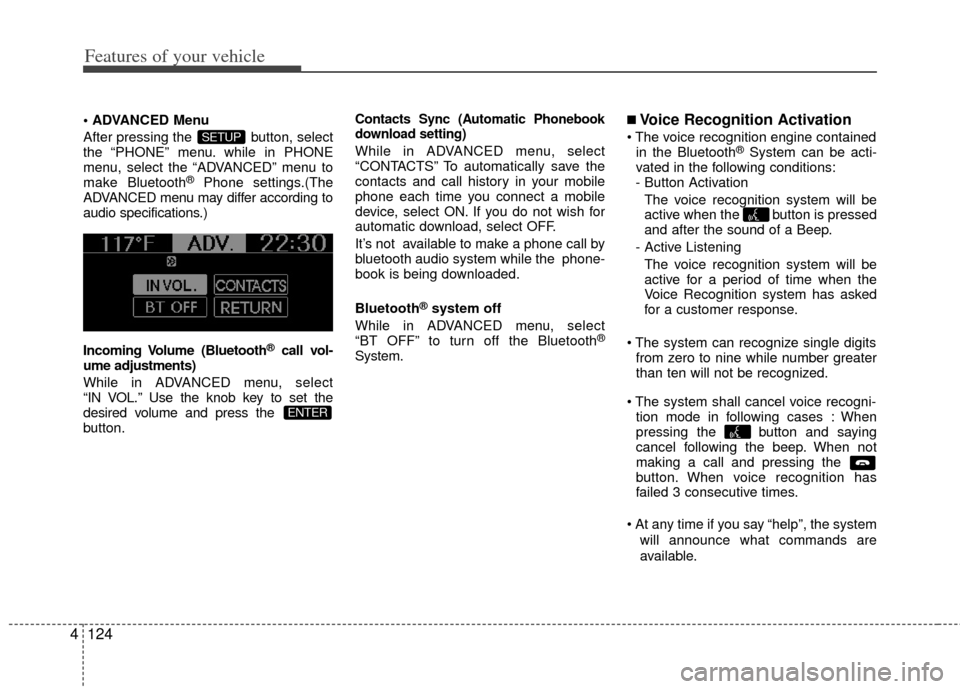
Menu
After pressing the button, select
the “PHONE” menu. while in PHONE
menu, select the “ADVANCED” menu to
make Bluetooth
®Phone settings.(The
ADVANCED menu may differ according to
audio specifications.)
Incoming Volume (Bluetooth
®call vol-
ume adjustments)
While in ADVANCED menu, select
“IN VOL.” Use the knob key to set the
desired volume and press the
button.
Contacts Sync (Automatic Phonebook
download setting)
While in ADVANCED menu, select
“CONTACTS” To automatically save the
contacts and call history in your mobile
phone each time you connect a mobile
device, select ON. If you do not wish for
automatic download, select OFF.
It’s not available to make a phone call by
bluetooth audio system while the phone-
book is being downloaded.
Bluetooth
®system off
While in ADVANCED menu, select
“BT OFF” to turn off the Bluetooth
®
System.
■Voice Recognition Activation
in the Bluetooth®System can be acti-
vated in the following conditions:
- Button Activation
The voice recognition system will be
active when the button is pressed
and after the sound of a Beep.
- Active Listening The voice recognition system will be
active for a period of time when the
Voice Recognition system has asked
for a customer response.
from zero to nine while number greater
than ten will not be recognized.
tion mode in following cases : When
pressing the button and saying
cancel following the beep. When not
making a call and pressing the
button. When voice recognition has
failed 3 consecutive times.
will announce what commands are
available.
ENTER
SETUP
Page 201 of 356
4129
Features of your vehicle
■ Key matrix
No.
Class
Paired H/P Empty Disconnected
1 SHORT
LONG
SHORT
SHORT LONG
[10sec]
LONG
[10sec] Normal mode
BT SETUP menuIncoming Call
Outgoing Call
Active Call2nd Call
Not Paired Not Connecting--Accept Call
Connected
-
2nd call
1st Call:waiting 2nd Call:active 2nd Call
2nd Call:waiting 1st Call:active
KEY
---
- -
-
Transfer call:secret call
End Call
VR
MODE Cancel VR
MODE Cancel VR
MODE Cancel VR
MODE Cancel Reject Call End Call End Call
-
Active
Change
language
-
Active Speaker
Adaptation
(Only English)
Change
language Active
Change
language Active
-Speaker
Adaptation
(Only English)
Change
language
- -
- -
- -
- -
-
--
2
3
![KIA Soul 2011 1.G Owners Manual 4129
Features of your vehicle
■ Key matrix
No.
Class
Paired H/P Empty Disconnected
1 SHORT
LONG
SHORT
SHORT LONG
[10sec]
LONG
[10sec] Normal mode
BT SETUP menuIncoming Call
Outgoing Call
Active Call](/manual-img/2/2930/w960_2930-200.png "KIA Soul 2011 1.G Owners Manual 4129
Features of your vehicle
■ Key matrix
No.
Class
Paired H/P Empty Disconnected
1 SHORT
LONG
SHORT
SHORT LONG
[10sec]
LONG
[10sec] Normal mode
BT SETUP menuIncoming Call
Outgoing Call
Active Call")