Page 193 of 464
4113
Features of your vehicle
D270300AHM
Sunglass holder
To open the sunglass holder, press the
cover and the holder will slowly open.
Place your sunglasses in the compart-
ment door with the lenses facing out.
Push to close.
D270400AHM
Multi box
To open the cover, press the button and
the cover will slowly open.
OHM048127
WARNING
Do not keep objects except sun-glasses inside the sunglass hold-
er. Such objects can be thrown
from the holder in the event of a
sudden stop or an accident, pos-
sibly injuring the passengers in
the vehicle.
Do not open the sunglass holder while the vehicle is moving. The
rear view mirror of the vehicle
can be blocked by an opened
sunglass holder.
OHM048211
OHM048226N
Page 199 of 464

4119
Features of your vehicle
D280600AEN
Digital clock
Whenever the battery terminals or relat-
ed fuses are disconnected, you must
reset the time.
When the ignition switch is in the ACC or
ON position, the clock buttons operate as
follows:
D280601AHM
Hour (1)
Pressing the H button will advance the
time displayed by one hour.
D280602AHM
Minute (2)
Pressing the M button will advance the
time displayed by one minute.
D280603AHM
Reset (3)
To clear away minutes, press the R but-
ton. Then the clock will be set precisely
on the hour.
For example, if the R button is pressed
while the time is between 9:01 and 9:29,
the display will reset to 9:00.
9:01 ~ 9:29 display changed to 9:00
9:30 ~ 9:59 display changed to 10:00
D280604AHM
Display conversion
To change the 12 hour format to the 24
hour format, press the R button until the
display blinks.
For example, if the R button is pressed
while the time is 10:15 p.m., the display
will change to 22:15.
OHM048137
OHM048136
■Type A
■ Type B
WARNING
Do not adjust the clock while driv-
ing. You may lose your steering
control and cause an accident that
results in severe personal injury or
death.
Page 200 of 464

Features of your vehicle
120
4
D281200AHM-EU
Outside thermometer
The current outside temperature is dis-
played in 1°C (1°F) increments. The tem-
perature range is between -40°C ~ 60°C
(-40°F~140°F). The outside temperature on the display
may not change immediately like a
general thermometer to prevent the
driver from being inattentive.
For details, refer to the "Climate control
system" in section 4.
• Temperature ↔ ↔
Seconds
1. Turn the ignition switch to the ON posi- tion.
2. Press the H button at least 3 times within 3 seconds while pressing the R
button.
3. The temperature mode will change to the time mode. The time displays in
seconds.
4. If the M button is pressed, the clock’s minute will change and the counting
will start again from the beginning
(00).
5. To return to the temperature mode, press the H button at least 3 times
within 3 seconds while pressing the R
button.
If the ignition switch turns OFF and ON
again, the temperature mode will be dis-
played.
D280800AHM
Clothes hanger
CAUTION
Do not hang heavy clothes, the hook may be damaged.
OHM048153
OHM048138
OHM048139
■Type A
■ Type B
Page 202 of 464

Features of your vehicle
122
4
D290100AHM
Roof rack (if equipped)
If the vehicle has a roof rack, you can
load cargo on top of your vehicle.
The two crossbars on the roof rack can
be repositioned forward or rearward for
conveniently loading cargo or a roof car-
rier. To move the crossbar, pull the lever
and move the crossbar to the desired
position. Release the lever and lock the
crossbar by moving the crossbar slightly
forward or rearward.
For your convenience and to prevent
damage, with an assistant on the oppo-
site side of the vehicle, pull and hold the
lever on each side, then move the cross
bar to the desired position.
✽ ✽
NOTICE
• The crossbars (if equipped) should be
placed in the proper load carrying
positions prior to placing items onto
the roof rack.
• If the vehicle is equipped with a sun- roof, be sure not to position cargo onto
the roof rack in such a way that it
could interfere with sunroof operation.• When the roof rack is not being usedto carry cargo, the crossbars may
need to be repositioned if wind noise is
detected.
CAUTION
When carrying cargo on the roof
rack, take the necessary precau-tions to make sure the cargo does not damage the roof of the vehicle.
When carrying large objects on the roof rack, make sure they donot exceed the overall roof lengthor width.
OUN026355
CAUTION
To prevent damage to the goods or the vehicle, care should be takenwhen carrying fragile or bulkyobjects in the luggage compart-ment.
WARNING
To avoid eye injury, DO NOT over-
stretch the luggage net. ALWAYS
keep your face and body out of the
luggage net’s recoil path. DO NOT
use the luggage net when the strap
has visible signs of wear or dam-
age.
EXTERIOR FEATURES
Page 204 of 464

Features of your vehicle
124
4
✽
✽
NOTICE
If you install an aftermarket HID head
lamp, your vehicle’s audio and electron-
ic device may malfunction.
Antenna
D300102AHM-EU
Your vehicle uses a roof antenna or glass
antenna to receive AM and/or FM broad-
cast signals.
The roof antenna is removable. To
remove the roof antenna, turn it counter-
clockwise. To install the roof antenna,
turn it clockwise.
AUDIO SYSTEM
OHM048154N
OHM048235N
Roof antenna (if equipped)
Glass antenna (if equipped)
CAUTION
• Before entering a place with a low
height clearance or a car wash,remove the antenna by rotating it counter-clockwise. If not, theantenna may be damaged.
When reinstalling your roof antenna, it is important that it isfully tightened and adjusted tothe upright position to ensure proper reception. But it could beremoved when parking the vehi- cle or when loading cargo on theroof rack.
When cargo is loaded on the roof rack, do not place the cargo nearthe antenna pole to ensure properreception.
CAUTION
Do not clean the inside of the rear quarter glass with a cleaner oruse a scraper to remove any for- eign deposits as this may causedamage to the antenna elements.
Avoid adding metallic coating such as Ni, Cd, and so on. Thesecan interfere with FM reception.
Page 208 of 464
Features of your vehicle
128
4
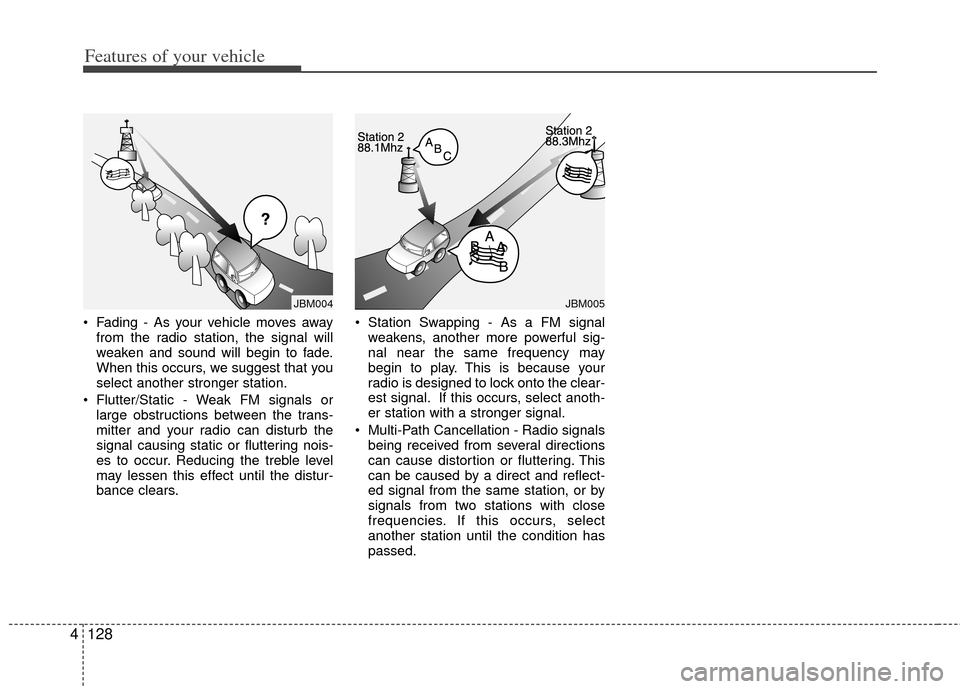
Fading - As your vehicle moves away
from the radio station, the signal will
weaken and sound will begin to fade.
When this occurs, we suggest that you
select another stronger station.
Flutter/Static - Weak FM signals or large obstructions between the trans-
mitter and your radio can disturb the
signal causing static or fluttering nois-
es to occur. Reducing the treble level
may lessen this effect until the distur-
bance clears. Station Swapping - As a FM signal
weakens, another more powerful sig-
nal near the same frequency may
begin to play. This is because your
radio is designed to lock onto the clear-
est signal. If this occurs, select anoth-
er station with a stronger signal.
Multi-Path Cancellation - Radio signals being received from several directions
can cause distortion or fluttering. This
can be caused by a direct and reflect-
ed signal from the same station, or by
signals from two stations with close
frequencies. If this occurs, select
another station until the condition has
passed.
JBM005JBM004
Page 209 of 464
4129
Features of your vehicle
Satellite radio reception
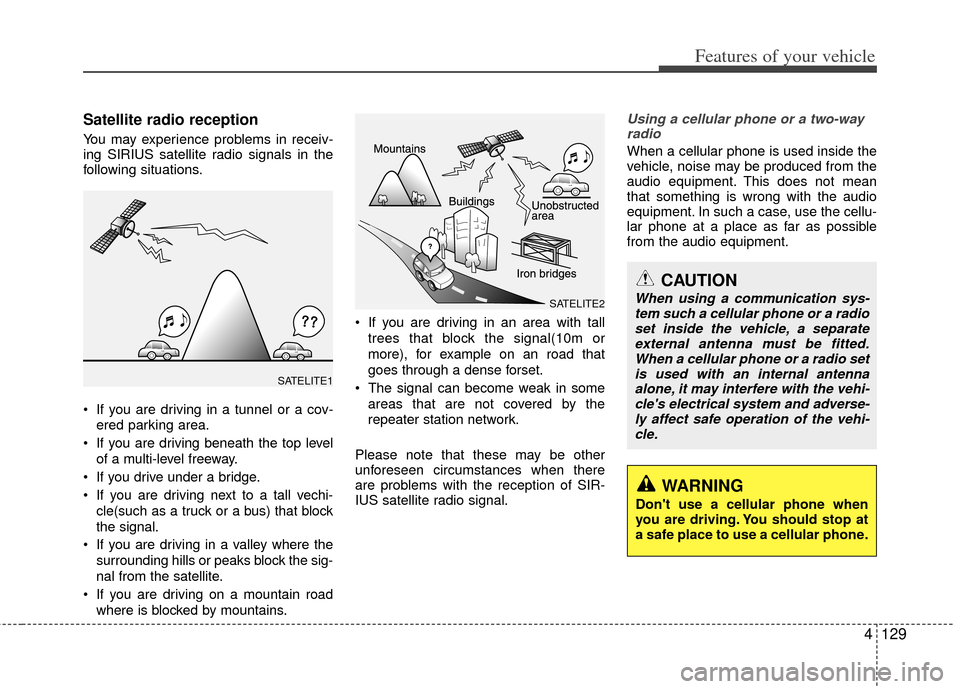
You may experience problems in receiv-
ing SIRIUS satellite radio signals in the
following situations.
If you are driving in a tunnel or a cov-ered parking area.
If you are driving beneath the top level of a multi-level freeway.
If you drive under a bridge.
If you are driving next to a tall vechi- cle(such as a truck or a bus) that block
the signal.
If you are driving in a valley where the surrounding hills or peaks block the sig-
nal from the satellite.
If you are driving on a mountain road where is blocked by mountains. If you are driving in an area with tall
trees that block the signal(10m or
more), for example on an road that
goes through a dense forset.
The signal can become weak in some areas that are not covered by the
repeater station network.
Please note that these may be other
unforeseen circumstances when there
are problems with the reception of SIR-
IUS satellite radio signal.
Using a cellular phone or a two-way radio
When a cellular phone is used inside the
vehicle, noise may be produced from the
audio equipment. This does not mean
that something is wrong with the audio
equipment. In such a case, use the cellu-
lar phone at a place as far as possible
from the audio equipment.
CAUTION
When using a communication sys-tem such a cellular phone or a radio set inside the vehicle, a separateexternal antenna must be fitted. When a cellular phone or a radio setis used with an internal antenna alone, it may interfere with the vehi-cle's electrical system and adverse- ly affect safe operation of the vehi-cle.
WARNING
Don't use a cellular phone when
you are driving. You should stop at
a safe place to use a cellular phone.
SATELITE2
SATELITE1
Page 214 of 464
Features of your vehicle
134
4
How to Activate RADIO,
SET UP, VOLUME Control
1. FM/AM Selection Button The FM/AM button toggles between FM
and AM. Listed below are the paths as
the system switches from FM to AM and
back to FM.
FM/AM : FM1
➟FM2➟AM➟FM1...
FM : FM1
➟FM2➟FM1...
2. Power ON/OFF Button & Volume Control Knob
Turns the audio system on/off when
the ignition switch is on ACC or ON.
If the knob is turned clockwise/counter- clockwise, the volume will increase
/decrease.
3. Automatic Channel Selection Button
When the [TRACK ] is pressed, it
will automatically tune to the next lower
station.
When the [SEEK ] is pressed, it will automatically tune to the next higher
station.
4. SCAN Selection Button
When the button is pressed, it auto-matically scans the radio stations
upwards.
The SCAN feature steps through each station, starting from the initial station,
for ten seconds.
Press the [SCAN] button again to stop the scan feature and to listen to the
currently selected channel.
5. Preset Selection Button
Press [1]~[6] buttons less than 0.8 sec-ond to play the station saved in each
button.
Press [1]~[6] b utton more than 0.8 sec-
ond or longer to save the current station
to the respective button with a beep.
6. TUNE/AUDIO Knob
If the knob is turned clockwise/counter-
clockwise, the frequency will increase/
decrease.
(AM 10kHz, FM 200kHz)
■Audio Setup MODE
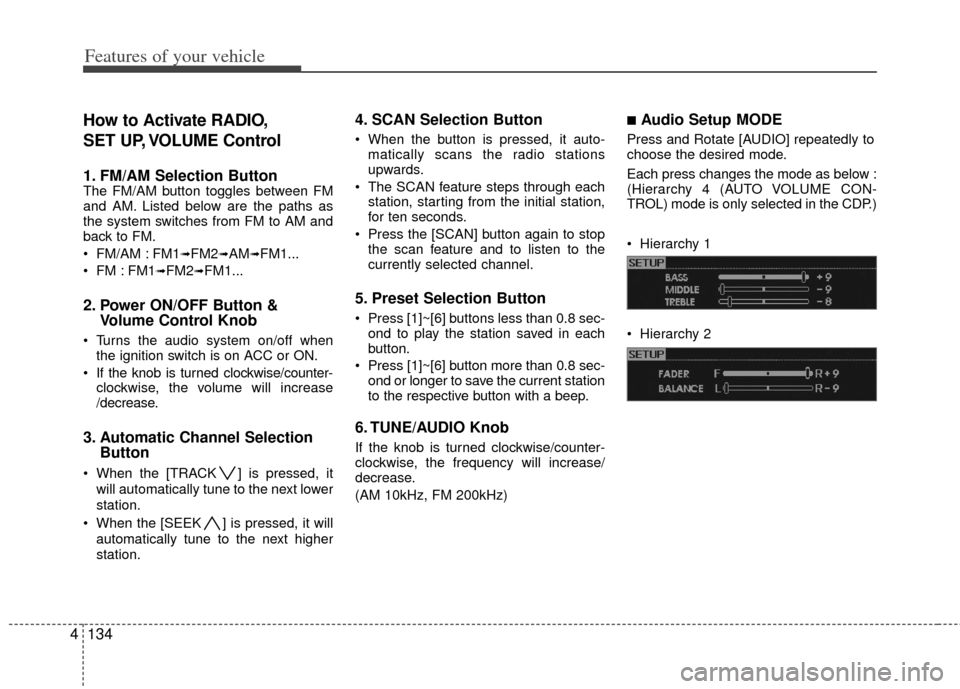
Press and Rotate [AUDIO] repeatedly to
choose the desired mode.
Each press changes the mode as below :
(Hierarchy 4 (AUTO VOLUME CON-
TROL) mode is only selected in the CDP.)
Hierarchy 1
Hierarchy 2
