Page 20 of 490

3. The Vehicle Security Light in the instrument cluster
will flash rapidly for approximately 16 seconds. This
shows that the Vehicle Security Alarm is arming. During
this period, if a door is opened, the ignition switch is
turned to ON/RUN, or the power door locks are un-
locked in any manner, the Vehicle Security Alarm will
automatically disarm. After approximately 16 seconds,
the Vehicle Security Light will flash slowly. This shows
that the Vehicle Security Alarm is fully armed.
To Disarm The System
Press UNLOCK on the RKE transmitter, or insert the key
into the ignition switch and turn the ignition switch to
the ON/RUN position.
Vehicle Security Alarm Manual Override
The Vehicle Security Alarm will not arm if you lock the
doors using the manual door lock plunger.
REMOTE KEYLESS ENTRY (RKE) — IF EQUIPPED
This system allows you to lock or unlock the doors and
liftgate or activate the Panic Alarm from distances up to
approximately 66 ft (20 m) using a hand-held Remote
Keyless Entry (RKE) transmitter. The RKE transmitter
does not need to be pointed at the vehicle to activate the
system.
Three Button RKE Transmitter
18 THINGS TO KNOW BEFORE STARTING YOUR VEHICLE
Page 69 of 490
Because air bag sensors measure vehicle deceleration
over time, vehicle speed and damage by themselves are
not good indicators of whether or not an air bag should
have deployed.
Seat belts are necessary for your protection in all acci-
dents, and also are needed to help keep you in position,
away from an inflating air bag.
The ORC monitors the readiness of the electronic parts of
the air bag system whenever the ignition switch is in the
START or ON/RUN position. If the key is in the OFF
position, in the ACC position, or not in the ignition, the
air bag system is not on and the air bags will not inflate.
The ORC contains a backup power supply system that
may deploy the air bags even if the battery loses power or
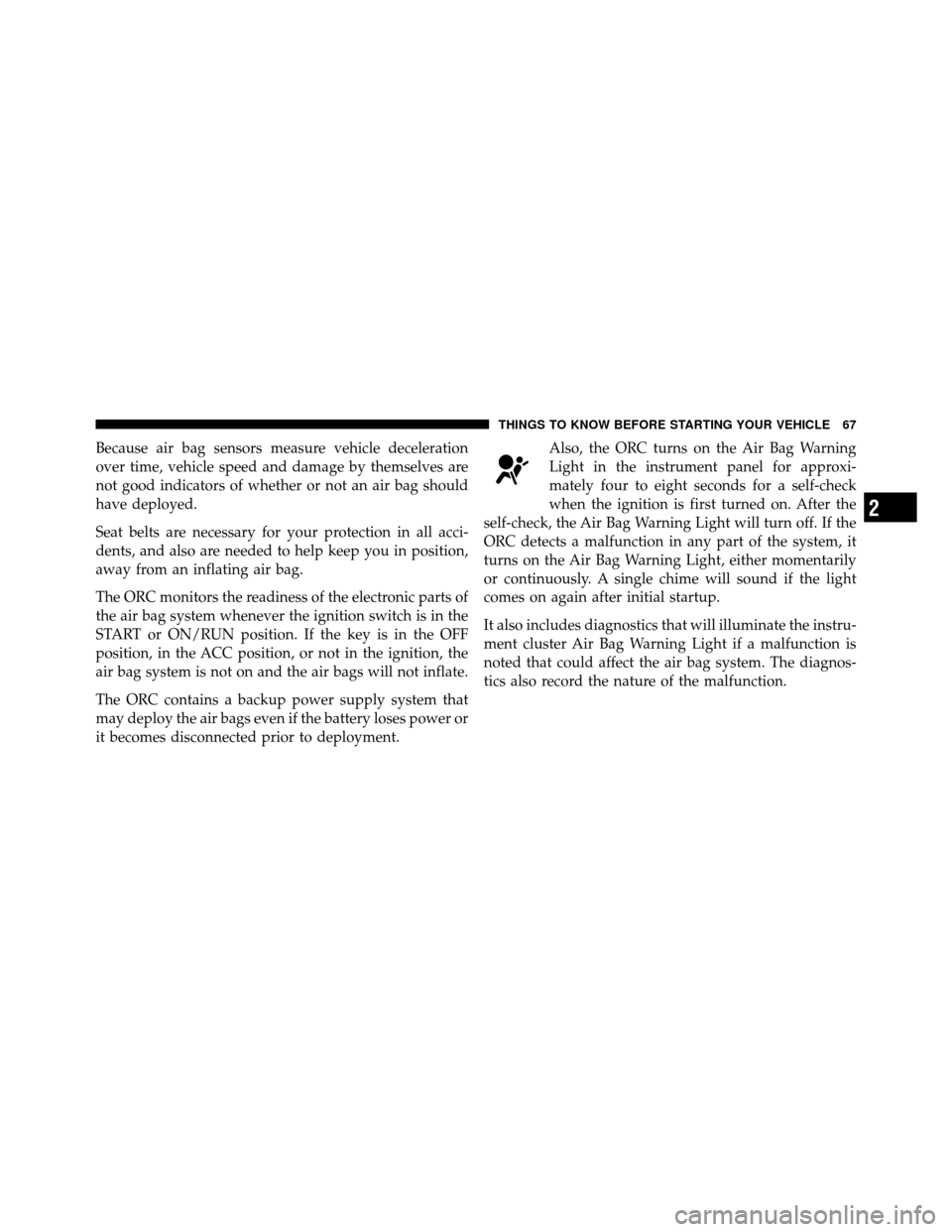
it becomes disconnected prior to deployment.Also, the ORC turns on the Air Bag Warning
Light in the instrument panel for approxi-
mately four to eight seconds for a self-check
when the ignition is first turned on. After the
self-check, the Air Bag Warning Light will turn off. If the
ORC detects a malfunction in any part of the system, it
turns on the Air Bag Warning Light, either momentarily
or continuously. A single chime will sound if the light
comes on again after initial startup.
It also includes diagnostics that will illuminate the instru-
ment cluster Air Bag Warning Light if a malfunction is
noted that could affect the air bag system. The diagnos-
tics also record the nature of the malfunction.
2
THINGS TO KNOW BEFORE STARTING YOUR VEHICLE 67
Page 116 of 490
Barge In — Overriding Prompts
The “Voice Command” button can be used when you
wish to skip part of a prompt and issue your voice
command immediately. For example, if a prompt is
asking “Would you like to pair a phone, clear a...,” you
could press the
button and say, “Pair a Phone” to
select that option without having to listen to the rest of
the voice prompt.
Turning Confirmation Prompts ON/OFF
Turning confirmation prompts off will stop the system
from confirming your choices (e.g., the Uconnect™
Phone will not repeat a phone number before you dial it).
•Press thebutton to begin.
•After the “Ready” prompt and the following beep, say
one of the following:
“Setup Confirmation Prompts On”
“Setup Confirmation Prompts Off”
Phone And Network Status Indicators
If available on the radio and/or on a premium display
such as the instrument panel cluster, and supported by
your mobile phone, the Uconnect™ Phone will provide
notification to inform you of your phone and network
status when you are attempting to make a phone call
using Uconnect™ Phone. The status is given for network
signal strength, phone battery strength, etc.
Dialing Using The Mobile Phone Keypad
You can dial a phone number with your mobile phone
keypad and still use the Uconnect™ Phone (while dialing
via the mobile phone keypad, the user must exercise
caution and take precautionary safety measures). By
dialing a number with your paired Bluetooth� mobile
phone, the audio will be played through your vehicle’s
audio system. The Uconnect™ Phone will work the same
as if you dial the number using Voice Command.
114 UNDERSTANDING THE FEATURES OF YOUR VEHICLE
Page 152 of 490
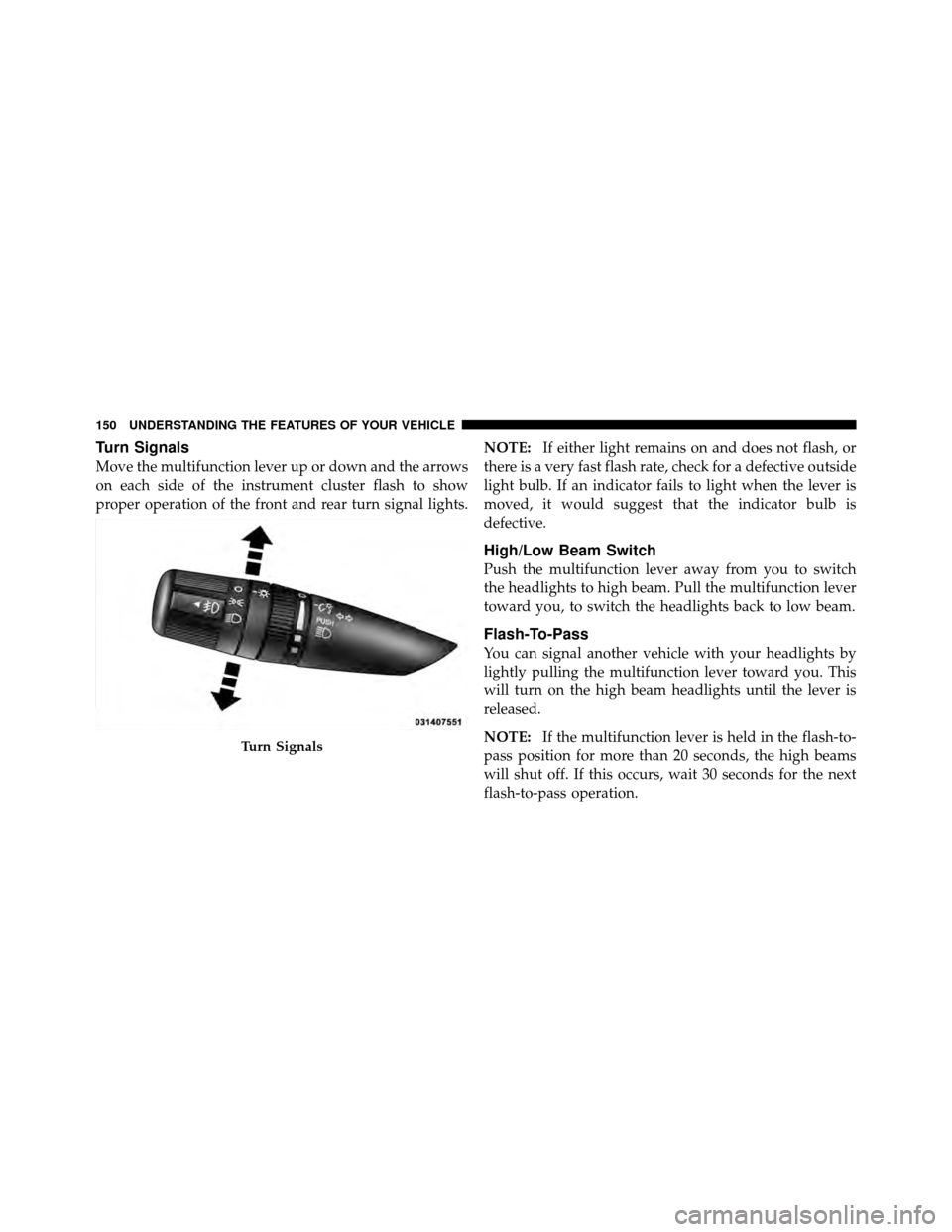
Turn Signals
Move the multifunction lever up or down and the arrows
on each side of the instrument cluster flash to show
proper operation of the front and rear turn signal lights.NOTE:
If either light remains on and does not flash, or
there is a very fast flash rate, check for a defective outside
light bulb. If an indicator fails to light when the lever is
moved, it would suggest that the indicator bulb is
defective.
High/Low Beam Switch
Push the multifunction lever away from you to switch
the headlights to high beam. Pull the multifunction lever
toward you, to switch the headlights back to low beam.
Flash-To-Pass
You can signal another vehicle with your headlights by
lightly pulling the multifunction lever toward you. This
will turn on the high beam headlights until the lever is
released.
NOTE: If the multifunction lever is held in the flash-to-
pass position for more than 20 seconds, the high beams
will shut off. If this occurs, wait 30 seconds for the next
flash-to-pass operation.
Turn Signals
150 UNDERSTANDING THE FEATURES OF YOUR VEHICLE
Page 160 of 490
System can be reactivated by pushing the Electronic
Speed Control ON/OFF button and resetting the desired
vehicle set speed.
To Activate
Push the ON/OFF button. The Cruise Indicator Light in
the instrument cluster will illuminate. To turn the system
off, push the ON/OFF button a second time. The Cruise
Indicator Light will turn off. The system should be
turned off when not in use.
WARNING!
Leaving the Electronic Speed Control system on
when not in use is dangerous. You could accidentally
set the system or cause it to go faster than you want.
You could lose control and have an accident. Always
leave the system OFF when you are not using it.
To Set A Desired Speed
Turn the Electronic Speed Control ON. When the vehicle
has reached the desired speed, press the SET (-) button
and release. Release the accelerator and the vehicle will
operate at the selected speed.
NOTE:The vehicle should be traveling at a steady
speed and on level ground before pressing the SET (-)
button.
To Deactivate
A soft tap on the brake pedal, pushing the CANCEL
button, or normal brake pressure while slowing the
vehicle will deactivate Electronic Speed Control without
erasing the set speed memory. Pressing the ON/OFF
button or turning the ignition switch OFF erases the set
speed memory.
158 UNDERSTANDING THE FEATURES OF YOUR VEHICLE
Page 191 of 490
UNDERSTANDING YOUR INSTRUMENT PANEL
CONTENTS
�Instrument Panel Features ............... 192
� Instrument Cluster .................... 193
� Instrument Cluster Descriptions ........... 194
� Mini-Trip Computer — If Equipped ........ 208
▫ Control Buttons ..................... 208
� Electronic Vehicle Information Center
(EVIC) — If Equipped ................... 209
▫ Engine Oil Change Indicator System —
If Equipped ........................ 212 ▫
EVIC Functions ..................... 213
▫ Compass/Temperature/Audio ........... 213
▫ Average Fuel Economy ................ 214
▫ Distance To Empty (DTE) .............. 214
▫ Tire Pressure Monitor (TPM) ............ 214
▫ Elapsed Time ....................... 214
▫ Personal Settings
(Customer-Programmable Features) ....... 214
4
Page 194 of 490
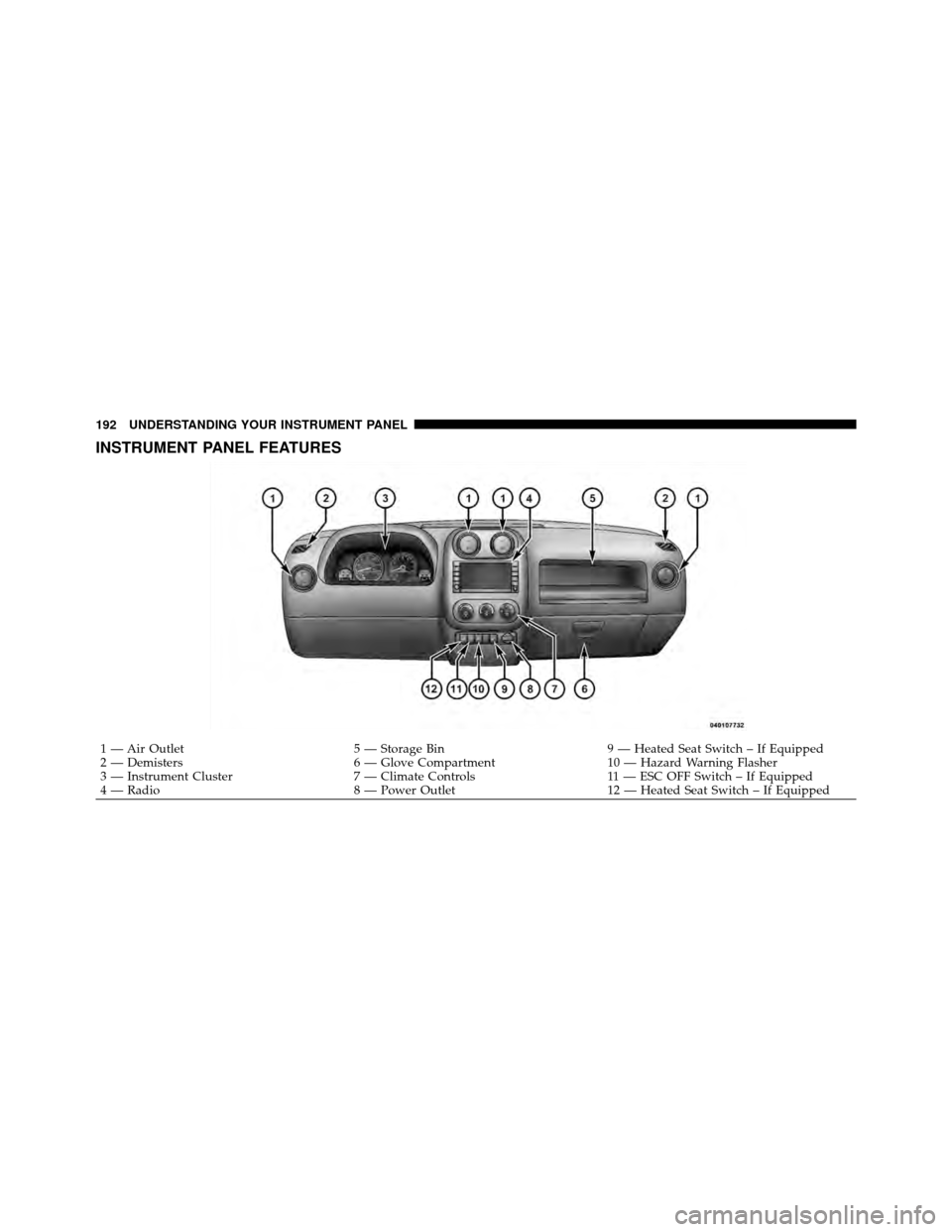
INSTRUMENT PANEL FEATURES
1 — Air Outlet5 — Storage Bin9 — Heated Seat Switch – If Equipped
2 — Demisters 6 — Glove Compartment10 — Hazard Warning Flasher
3 — Instrument Cluster 7 — Climate Controls11 — ESC OFF Switch – If Equipped
4 — Radio 8 — Power Outlet12 — Heated Seat Switch – If Equipped
192 UNDERSTANDING YOUR INSTRUMENT PANEL
Page 195 of 490
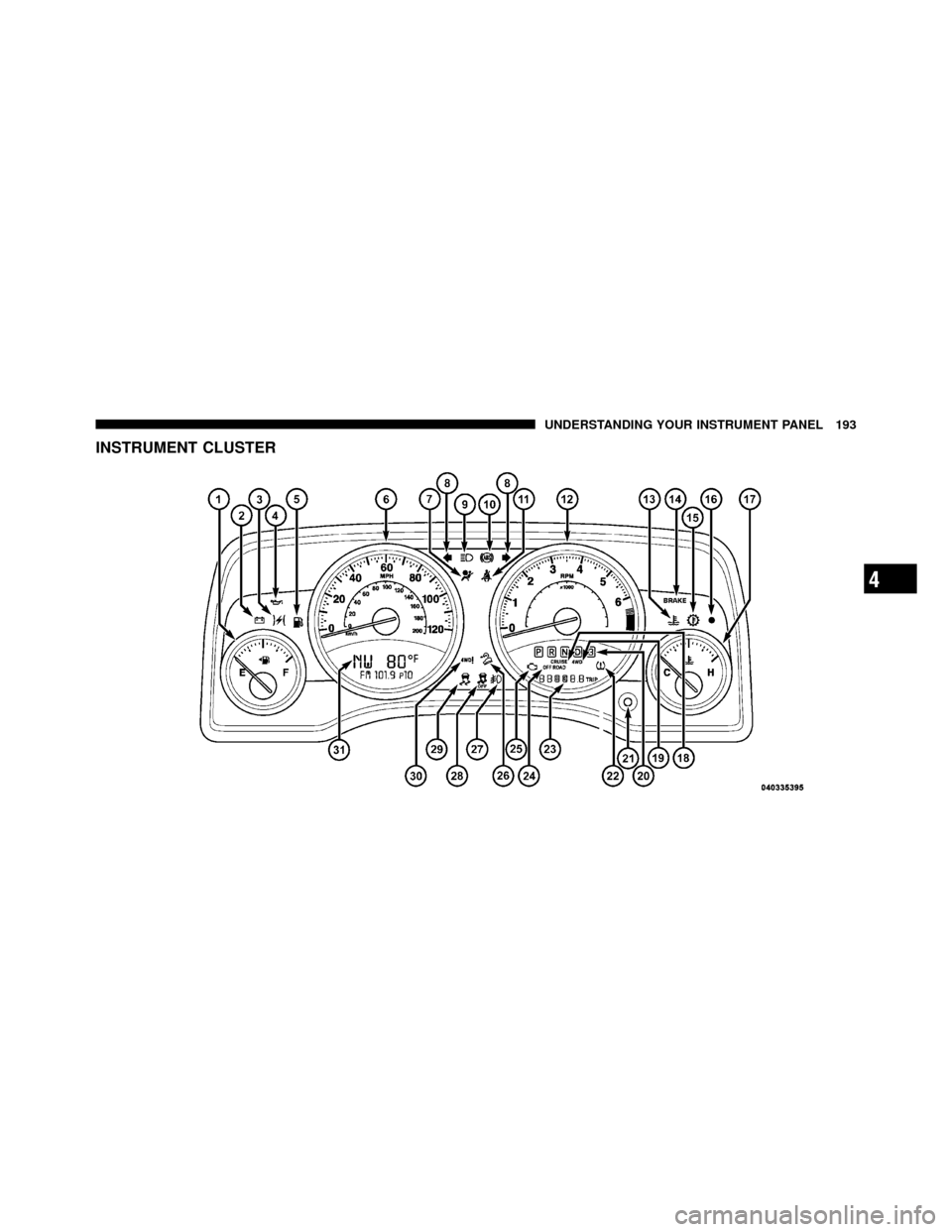
INSTRUMENT CLUSTER
4
UNDERSTANDING YOUR INSTRUMENT PANEL 193