Page 14 of 490
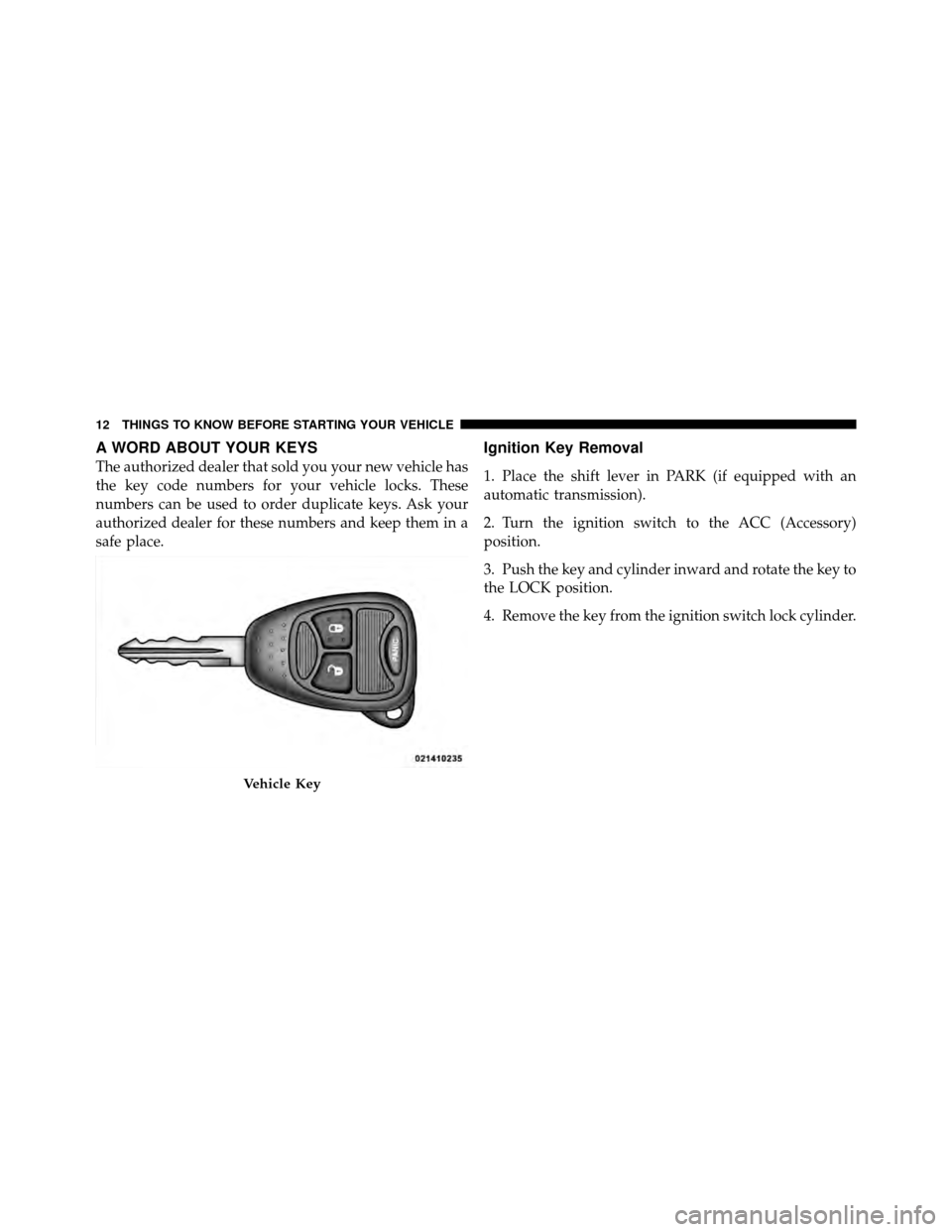
A WORD ABOUT YOUR KEYS
The authorized dealer that sold you your new vehicle has
the key code numbers for your vehicle locks. These
numbers can be used to order duplicate keys. Ask your
authorized dealer for these numbers and keep them in a
safe place.
Ignition Key Removal
1. Place the shift lever in PARK (if equipped with an
automatic transmission).
2. Turn the ignition switch to the ACC (Accessory)
position.
3. Push the key and cylinder inward and rotate the key to
the LOCK position.
4. Remove the key from the ignition switch lock cylinder.
Vehicle Key
12 THINGS TO KNOW BEFORE STARTING YOUR VEHICLE
Page 31 of 490
Automatic Door Locks — If Equipped
The doors will lock automatically on vehicles with power
door locks if all of the following conditions are met:
1. The Auto Lock feature is enabled.2. The transmission is in gear.
3. All doors are closed.
4. The throttle is pressed.
5. The vehicle speed is above 15 mph (24 km/h).
6. The doors were not previously locked using the power
door lock switch or Remote Keyless Entry (RKE)
transmitter.
Automatic Door Locks Programming
The Automatic Door Locks feature can be enabled or
disabled as follows:
•For vehicles equipped with the Electronic Vehicle
Information Center (EVIC), refer to “Electronic Vehicle
Information Center (EVIC) — If Equipped/Personal
Settings (Customer-Programmable Features)” in “Un-
derstanding Your Instrument Panel” for further infor-
mation.
Driver Power Door Lock Switch
1 - Unlock
2 - Lock
2
THINGS TO KNOW BEFORE STARTING YOUR VEHICLE 29
Page 32 of 490
•For vehicles not equipped with the EVIC, perform the
following procedure:
1. Close all doors and place the key in the ignition
switch.
2. Within 15 seconds, cycle the ignition switch between
LOCK and ON/RUN and then back to LOCK four times
ending up in the LOCK position (do not start the engine).
3. Within 30 seconds, press the power door LOCK switch
to lock the doors.
4. A single chime will indicate the completion of the
programming.
5. Repeat these steps if you want to return this feature to
its previous setting. NOTE:
•If you do not hear the chime it means that the system
did not enter the programming mode and you will
need to repeat the procedure.
•Use the Automatic Door Locks feature in accordance
with local laws.
Automatic Unlock Doors On Exit
The doors will unlock automatically if:
1. The Automatic Unlock Doors On Exit feature is en-
abled.
2. The transmission was in gear and the vehicle speed
returned to 0 mph (0 km/h).
3. The transmission is in NEUTRAL or PARK.
4. The driver’s door is opened.
5. The doors were not previously unlocked.
30 THINGS TO KNOW BEFORE STARTING YOUR VEHICLE
Page 201 of 490
The light also will turn on when the parking brake is
applied with the ignition switch in the ON/RUN posi-
tion.
NOTE:This light shows only that the parking brake is
applied. It does not show the degree of brake application.
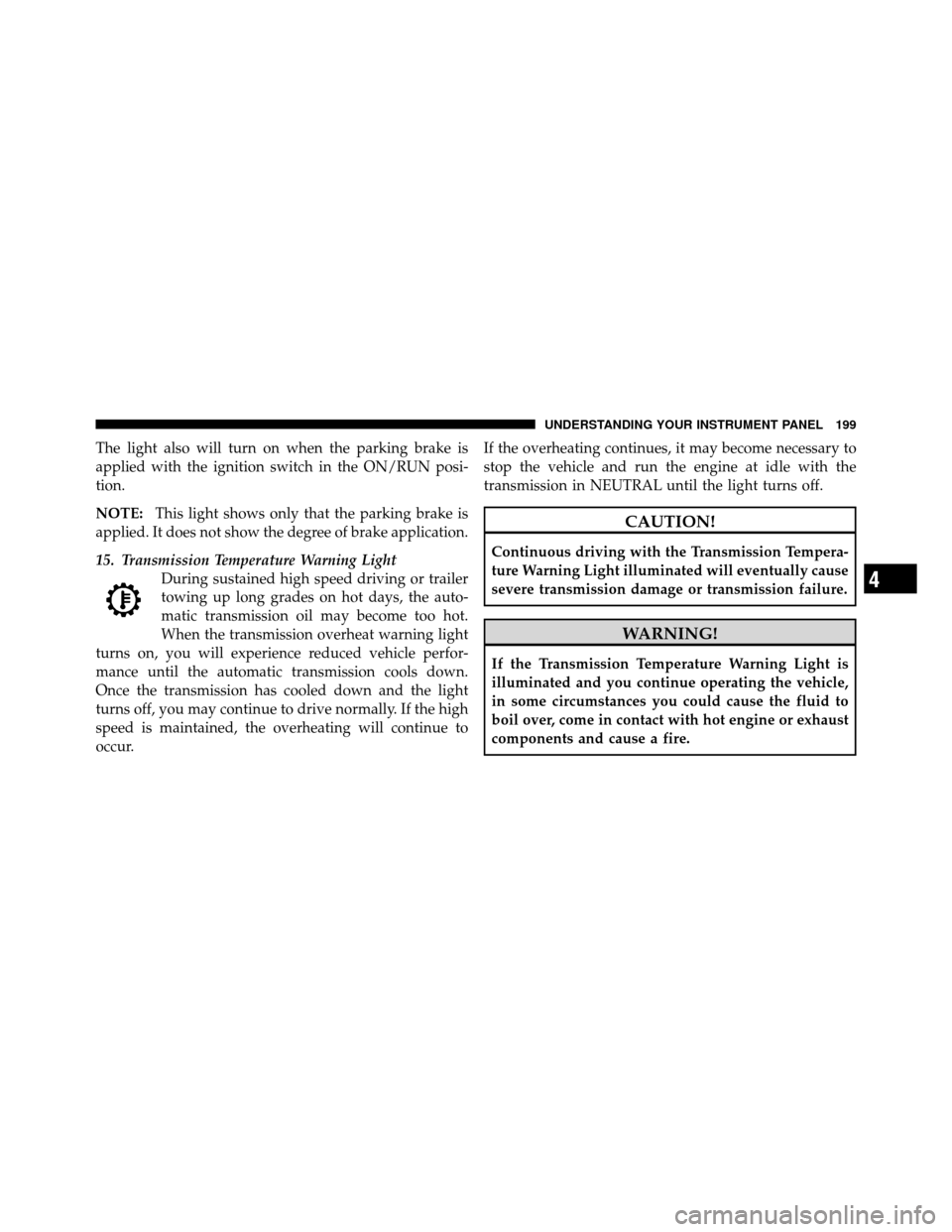
15. Transmission Temperature Warning Light During sustained high speed driving or trailer
towing up long grades on hot days, the auto-
matic transmission oil may become too hot.
When the transmission overheat warning light
turns on, you will experience reduced vehicle perfor-
mance until the automatic transmission cools down.
Once the transmission has cooled down and the light
turns off, you may continue to drive normally. If the high
speed is maintained, the overheating will continue to
occur. If the overheating continues, it may become necessary to
stop the vehicle and run the engine at idle with the
transmission in NEUTRAL until the light turns off.
CAUTION!
Continuous driving with the Transmission Tempera-
ture Warning Light illuminated will eventually cause
severe transmission damage or transmission failure.
WARNING!
If the Transmission Temperature Warning Light is
illuminated and you continue operating the vehicle,
in some circumstances you could cause the fluid to
boil over, come in contact with hot engine or exhaust
components and cause a fire.
4
UNDERSTANDING YOUR INSTRUMENT PANEL 199
Page 203 of 490
WARNING!
A hot engine cooling system is dangerous. You or
others could be badly burned by steam or boiling
coolant. You may want to call an authorized dealer-
ship for service if your vehicle overheats. If you
decide to look under the hood yourself, see “Main-
taining Your Vehicle”. Follow the warnings under the
Cooling System Pressure Cap paragraph.
18. Cruise Indicator — If Equipped This indicator shows that the Electronic Speed
Control System is ON.
19. 4WD Indicator Light
This light indicates the vehicle is in 4WD Locked mode. 20. Shift Lever Indicator
The Shift Lever Indicator is self-contained within the
instrument cluster. It displays the gear position of the
automatic transmission.
NOTE:
You must apply the brakes before shifting from
PARK.
21. Odometer/Trip Odometer Display Reset Button
Press this button to change the display from odometer to
either of the two trip odometer settings. Trip A or Trip B
will appear when in the trip odometer mode. Push in and
hold the button for two seconds to reset the trip odometer
to 0 miles (0 km). The odometer must be in Trip mode to
reset.
If the vehicle is equipped with the optional Electronic
Vehicle Information Center (EVIC) in the instrument
cluster, refer to “Electronic Vehicle Information Center —
If Equipped” for further information.
4
UNDERSTANDING YOUR INSTRUMENT PANEL 201
Page 214 of 490

•Personal Settings Not Available – Vehicle not in PARK
(automatic transmission) or vehicle is in motion
(manual transmission).
•Left/Right Front Door Ajar (one or more doors open,
with a single chime if speed is above 1 mph/1 km/h)
•Left/Right Rear Door Ajar (one or more doors open,
with a single chime if speed is above 1 mph/1 km/h)
•Door(s) Ajar (with a single chime if vehicle is in
motion)
•Gate Ajar (with a single chime)
•Headlamps or Park Lamps On
•Key In Ignition
•Check TPM System
Engine Oil Change Indicator System —
If Equipped
Oil Change Required
Your vehicle is equipped with an engine oil change
indicator system. The “Oil Change Required” message
will flash in the EVIC display for approximately five
seconds after a single chime has sounded, to indicate the
next scheduled oil change interval. The engine oil change
indicator system is duty-cycle based, which means the
engine oil change interval may fluctuate dependent upon
your personal driving style.
Unless reset, this message will continue to display each
time you turn the ignition switch to the ON/RUN
position. To turn off the message temporarily, press and
release the Trip Odometer button on the instrument
cluster. To reset the oil change indicator system (after
performing the scheduled maintenance) refer to the fol-
lowing procedure.
212 UNDERSTANDING YOUR INSTRUMENT PANEL
Page 216 of 490
Average Fuel Economy
Shows the average fuel economy since the last reset.
When the fuel economy is reset, the display will read
“RESET” or show dashes for two seconds. Then, the
history information will be erased, and the averaging will
continue from the last fuel reading before the reset.
Distance To Empty (DTE)
Shows the estimated distance that can be traveled with
the fuel remaining in the tank. This estimated distance is
determined by a weighted average of the instantaneous
and average fuel economy, according to the current fuel
tank level. This is not resettable.
NOTE:Significant changes in driving style or vehicle
loading will greatly affect the actual drivable distance of
the vehicle, regardless of the DTE displayed value.
When the DTE value is less than 30 miles (48 km)
estimated driving distance, the DTE display will change
to a text display of �LOW FUEL�. This display will continue until the vehicle runs out of fuel. Adding a
significant amount of fuel to the vehicle will turn off the
�LOW FUEL�
text and a new DTE value will be dis-
played, based on the current values in the DTE calcula-
tion and the current fuel tank level.
Tire Pressure Monitor (TPM)
Refer to “Starting And Operating”, “Tire Pressure Moni-
toring System (TPMS)” for system operation.
Elapsed Time
Shows the total elapsed time of travel since the last reset
when the ignition switch is in the ACC position. Elapsed
time will increment when the ignition switch is in the ON
or START position.
Personal Settings
(Customer-Programmable Features)
This allows the driver to set and recall features when the
transmission is in PARK (automatic transmission) or the
vehicle is stopped (manual transmission).
214 UNDERSTANDING YOUR INSTRUMENT PANEL
Page 217 of 490
Press and release the MENU or DOWN buttons until
“Personal Settings” is displayed in the EVIC then press
the SELECT button.
Use the SELECT button to display one of the following
choices:
Language
When in this display you may select different languages
for all display nomenclature, including the trip functions.
Pressing the SELECT button while in this display selects
English, Espanol, Deutsch, Italiano, Francais or NL de-
pending on availability. As you continue, the displayed
information will be shown in the selected language.
NOTE:Uconnect™ language will not change using the
EVIC. Please refer to “Language Selection” in Uconnect™
phone — If Equipped for details.
Auto Lock Doors at 15 mph (24 km/h)
When ON is selected, all doors lock automatically when
the speed of the vehicle reaches 15 mph (24 km/h). Press
and hold the SELECT button when in this display until
“ON” or “OFF” appears to make your selection.
Auto Unlock On Exit
When ON is selected, all the vehicle’s doors will unlock
when the driver’s door is opened, if the vehicle is
stopped (manual transmission) or the vehicle is stopped
and the transmission is in the PARK or NEUTRAL
position (automatic transmission). Press and hold the
SELECT button when in this display until “ON” or
“OFF” appears to make your selection.
RKE Unlock Driver’s Door 1st
When Driver’s Door 1st is selected only the driver’s door
will unlock on the first press of the Remote Keyless Entry
(RKE) transmitter UNLOCK button and require a second
4
UNDERSTANDING YOUR INSTRUMENT PANEL 215