Page 195 of 542
Ignition Off Operation
For vehicles not equipped with the Electronic Vehicle
Information Center (EVIC), the power sunroof switch
will remain active for 45 seconds after the ignition switch
is turned to the LOCK position. Opening either front
door will cancel this feature.
For vehicles equipped with the EVIC, the power sunroof
switch will remain active for up to approximately ten
minutes after the ignition switch is turned to the LOCK
position. Opening either front door will cancel this
feature. The time is programmable. Refer to “Electronic
Vehicle Information Center (EVIC)/Personal Settings
(Customer-Programmable Features)” in “Understanding
Your Instrument Panel” for further information.
SKY SLIDER™ FULL LENGTH OPEN ROOF —
IF EQUIPPED
The Sky Slider™ is a full-length, soft-top, power roof that
opens front to rear or rear to front.
Sky Slider™ Usage Precautions
NOTE:
•The system will not operate when ambient tempera-
ture is at –4°F (–20°C) or lower.
•The system will not operate at vehicle speeds of
86 mph (138 km/h) or above.
•Opening and closing the Sky Slider™ repeatedly with-
out the engine running may run the battery down.
CAUTION!
Failure to follow these cautions can cause damage to
the Sky Slider™ vehicle contents, and the vehicle
interior:
•Never attempt to open or close the Sky Slider™
when it is frozen. Wait until the Sky Slider™ is
thawed before operating.(Continued)
3
UNDERSTANDING THE FEATURES OF YOUR VEHICLE 193
Page 201 of 542
CAUTION!
•Do not exceed the maximum power of 160 Watts
(13 Amps) at 12 Volts. If the 160 Watt (13 Amp)
power rating is exceeded the fuse protecting the
system will need to be replaced.
•Power outlets are designed for accessory plugs
only. Do not insert any other object in the power
outlets as this will damage the outlet and blow the
fuse. Improper use of the power outlet can cause
damage not covered by your warranty.
WARNING!
To avoid serious injury or death:(Continued)
Power Outlet Fuse Location
M7 Fuse 20 A Yellow Cigar Lighter Instrument Panel
3
UNDERSTANDING THE FEATURES OF YOUR VEHICLE 199
Page 204 of 542
STORAGE
Glove Box Storage Compartment
The glove box storage compartment is located on the
right side of the instrument panel. Pull outward on the
latch to open the storage compartment.
Front Storage Compartment
The front storage compartment (located on the left side of
the instrument panel) can hold cell phones, PDAs, and
other small items.
Glove Box Storage Compartment
Front Storage Compartment
202 UNDERSTANDING THE FEATURES OF YOUR VEHICLE
Page 217 of 542
UNDERSTANDING YOUR INSTRUMENT PANEL
CONTENTS
�Instrument Panel Features ............... 218
� Instrument Cluster .................... 219
� Instrument Cluster Descriptions ........... 220
� Electronic Vehicle Information Center (EVIC) —
If Equipped .......................... 235
▫ Electronic Vehicle Information Center (EVIC)
Displays ........................... 237
▫ Oil Change Required .................. 239
▫ Trip Functions ...................... 240 ▫
Compass Display / ECO
(Fuel Saver Mode) — If Equipped ........ 241
▫ Personal Settings
(Customer-Programmable Features) ....... 244
� Media Center 230 (REQ) — AM/FM Stereo
Radio And 6–Disc CD/DVD Changer
(MP3/WMA AUX Jack) .................. 248
▫ Operating Instructions - Radio Mode ...... 249
▫ Operation Instructions - (Disc Mode For CD
And MP3/WMA Audio Play, DVD-Video) . . . 257
▫ Notes On Playing MP3/WMA Files ....... 259
4
Page 218 of 542

▫List Button
(Disc Mode For MP3/WMA Play) ......... 261
▫ Info Button
(Disc Mode For MP3/WMA Play) ......... 261
▫ Uconnect™ Multimedia (Satellite Radio) — If
Equipped .......................... 264
� Media Center 730N/430/430N (RHR/RER/
RBZ/RHB) CD/DVD/HDD/NAV —
If Equipped .......................... 268
▫ Operating Instructions (Voice Command
System) — If Equipped ................ 268
▫ Operating Instructions
(Uconnect™ Phone) — If Equipped ....... 268
� Media Center 130 (Sales Code RES) ......... 268
▫ Operating Instructions — Radio Mode ..... 269▫
Operation Instructions —
CD Mode For CD And MP3 Audio Play .... 272
▫ Notes On Playing MP3 Files ............ 274
▫ Operation Instructions - Auxiliary Mode .... 276
� Media Center 130 With Satellite Radio
(Sales Code RES+RSC) ................... 277
▫ Operating Instructions — Radio Mode ..... 277
▫ Operation Instructions — CD Mode For CD
And MP3 Audio Play ................. 283
▫ Notes On Playing MP3 Files ............ 285
▫ List Button (CD Mode For MP3 Play) ...... 288
▫ Info Button (CD Mode For MP3 Play) ...... 288
▫ Uconnect™ Multimedia (Satellite Radio) —
If Equipped ........................ 289
216 UNDERSTANDING YOUR INSTRUMENT PANEL
Page 219 of 542
�Steering Wheel Audio Controls ............ 293
▫ Radio Operation ..................... 294
▫ CD Player ......................... 294
� CD/DVD Disc Maintenance .............. 295
� Radio Operation And Mobile Phones ....... 295�
Climate Controls ...................... 295
▫ Manual Heating And Air Conditioning ..... 296
▫ Automatic Temperature Control (ATC) — If
Equipped .......................... 300
▫ Operating Tips ...................... 305
4
UNDERSTANDING YOUR INSTRUMENT PANEL 217
Page 220 of 542
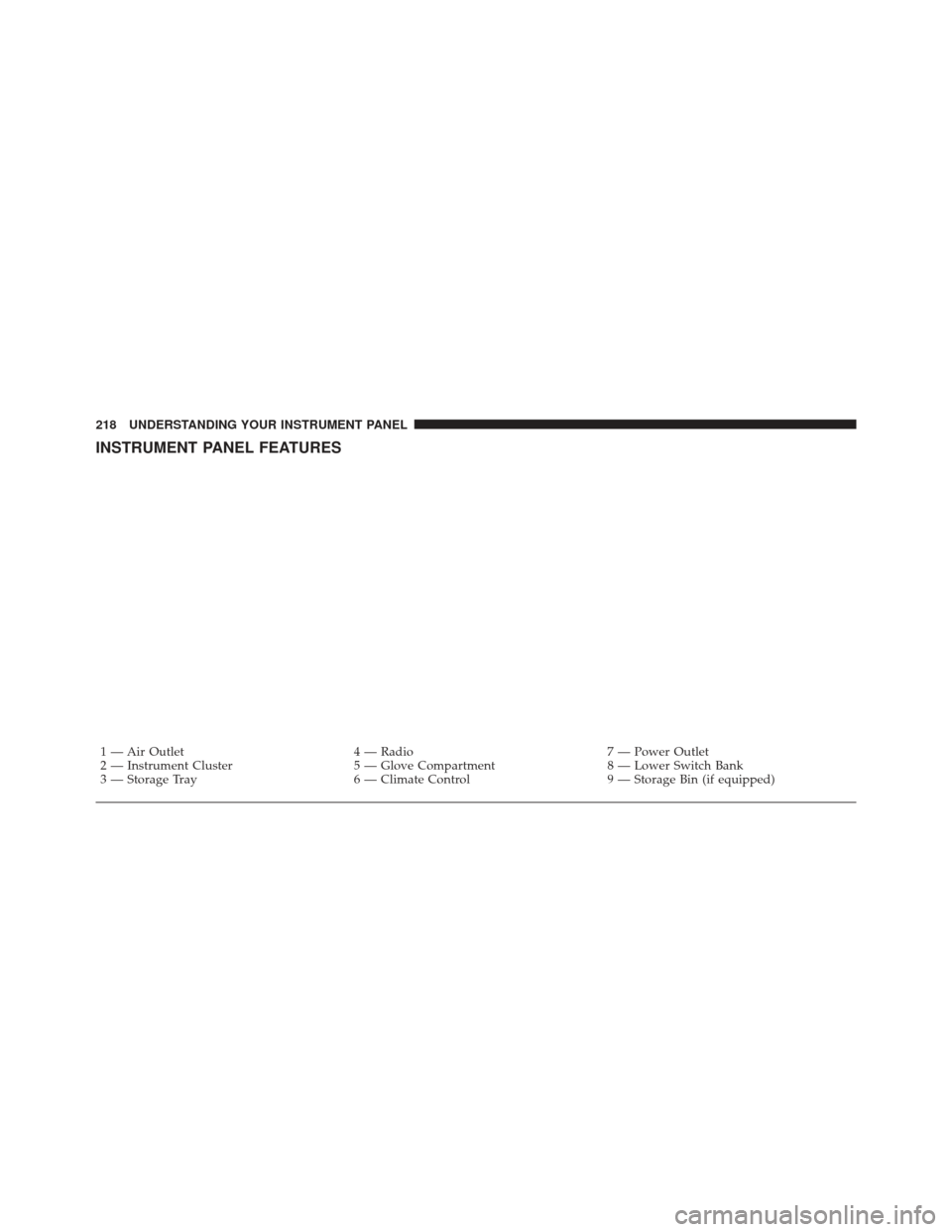
INSTRUMENT PANEL FEATURES
1 — Air Outlet4 — Radio7 — Power Outlet
2 — Instrument Cluster 5 — Glove Compartment8 — Lower Switch Bank
3 — Storage Tray 6 — Climate Control9 — Storage Bin (if equipped)
218 UNDERSTANDING YOUR INSTRUMENT PANEL
Page 221 of 542
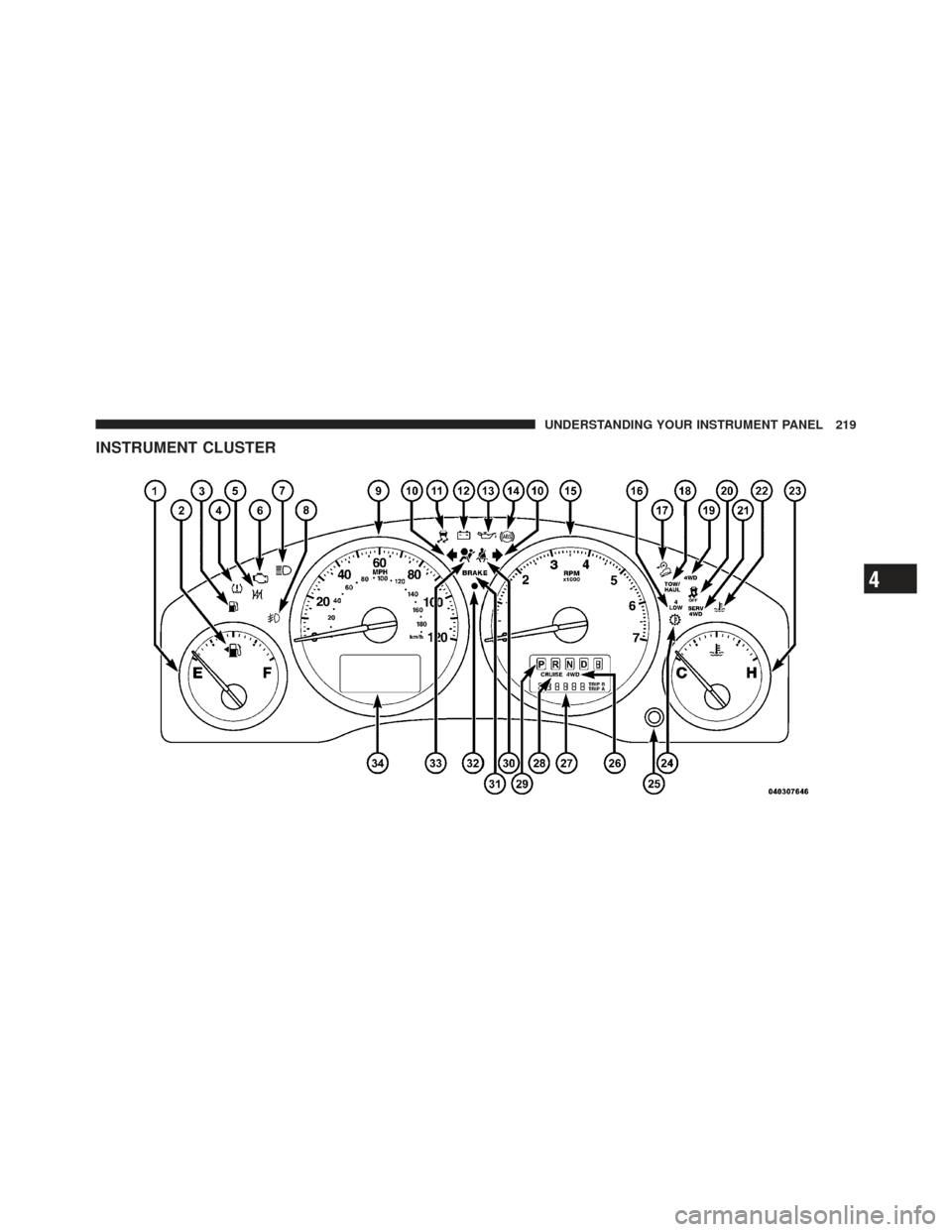
INSTRUMENT CLUSTER
4
UNDERSTANDING YOUR INSTRUMENT PANEL 219