Page 353 of 542
control, the accelerator pedal will increase vehicle speed
in the usual manner. When either the brake or the
accelerator is released, HDC will control the vehicle at the
original set speed.
NOTE:HDC is available on vehicles equipped with the
MP1522 transfer case.
•The transfer case must be in 4WD LOW range to
enable HDC.
•HDC is enabled only when the “Hill Descent Control
Indicator Light” in the instrument cluster is on solid.
•HDC will NOT activate when the automatic transmis-
sion is in PARK.
•HDC will NOT activate on level ground.
•HDC will NOT activate at vehicle speeds above
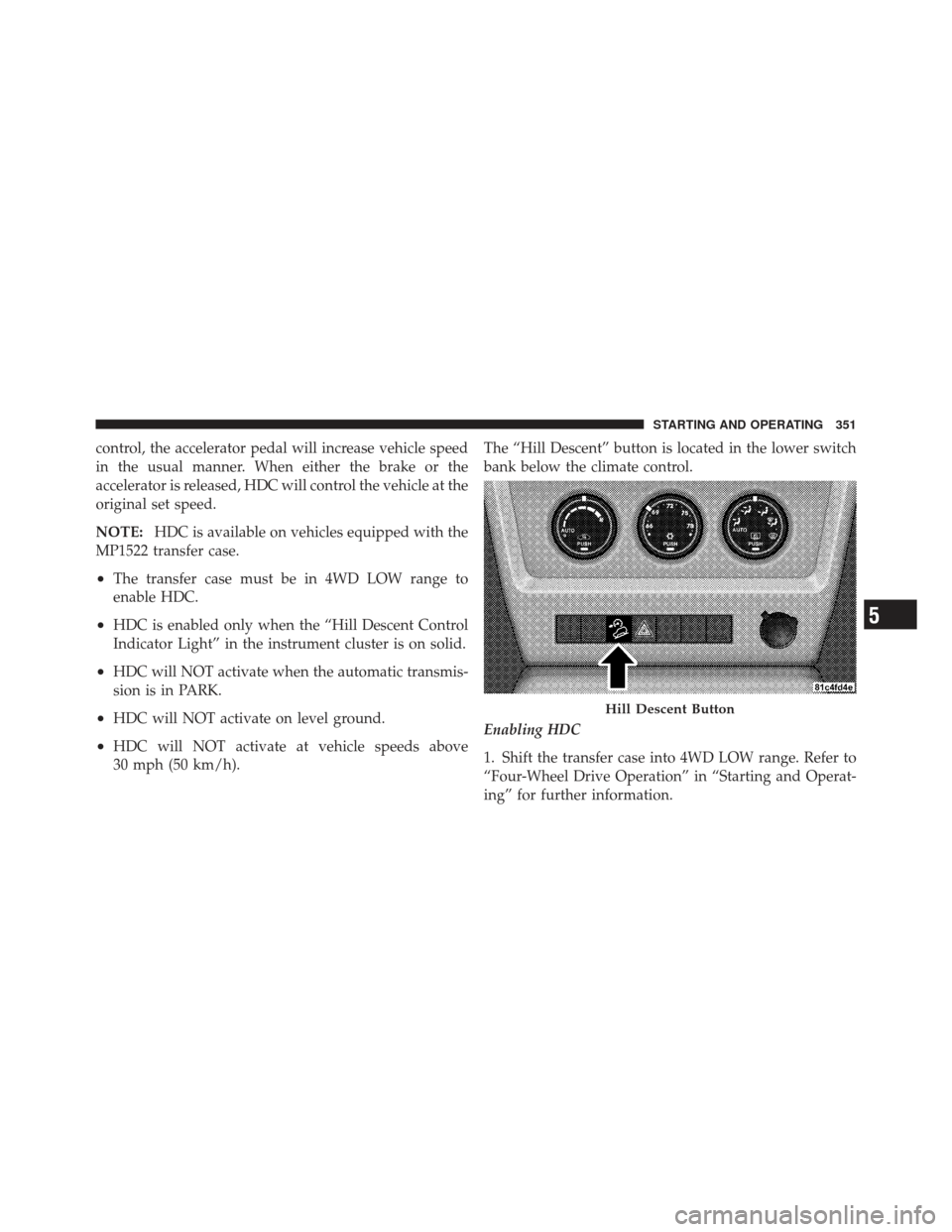
30 mph (50 km/h). The “Hill Descent” button is located in the lower switch
bank below the climate control.
Enabling HDC
1. Shift the transfer case into 4WD LOW range. Refer to
“Four-Wheel Drive Operation” in “Starting and Operat-
ing” for further information.
Hill Descent Button
5
STARTING AND OPERATING 351
Page 354 of 542

2. Press the “Hill Descent” button. The “Hill Descent
Control Indicator Light” in the instrument cluster will
turn on solid.
NOTE:If the transfer case is not in 4WD LOW range,
the “Hill Descent Control Indicator Light” will flash for
five seconds and HDC will not be enabled.
Disabling HDC
1. Press the “Hill Descent” button or shift the transfer
case out of 4WD LOW range. The “Hill Descent Control
Indicator” light in the instrument cluster will turn off.
Electronic Stability Control (ESC)
This system enhances directional control and stability of
the vehicle under various driving conditions. ESC cor-
rects for oversteering or understeering of the vehicle by
applying the brake of the appropriate wheel to assist in counteracting the oversteer or understeer condition. En-
gine power may also be reduced to help the vehicle
maintain the desired path.
ESC uses sensors in the vehicle to determine the vehicle
path intended by the driver and compares it to the actual
path of the vehicle. When the actual path does not match
the intended path, ESC applies the brake of the appro-
priate wheel to assist in counteracting the oversteer or
understeer condition.
•Oversteer - when the vehicle is turning more than
appropriate for the steering wheel position.
•Understeer - when the vehicle is turning less than
appropriate for the steering wheel position.
The “ESC Activation/Malfunction Indicator Light” lo-
cated in the instrument cluster will start to flash as soon
as the tires lose traction and the ESC system becomes
active. The “ESC Activation/Malfunction Indicator
352 STARTING AND OPERATING
Page 399 of 542
the front or rear axles has been exceeded, but the total
load is within the specified GVWR. If so, weight must be
shifted from front to rear, or rear to front, as appropriate
until the specified weight limitations are met. Store the
heavier items down low and be sure that the weight is
distributed equally. Stow all loose items securely before
driving.
Improper weight distributions can have an adverse affect
on the way your vehicle steers and handles, and the way
the brakes operate.
CAUTION!
Do not load your vehicle any heavier than the GVWR
or the maximum front and rear GAWR. If you do,
parts on your vehicle can break, or it can change the
way your vehicle handles. This could cause you to
lose control. Also, overloading can shorten the life of
your vehicle.
TRAILER TOWING
In this section, you will find safety tips and information
on limits to the type of towing you can reasonably do
with your vehicle. Before towing a trailer, carefully
review this information to tow your load as efficiently
and safely as possible.
To maintain warranty coverage, follow the requirements
and recommendations in this manual concerning ve-
hicles used for trailer towing.
Common Towing Definitions
The following trailer towing related definitions will assist
you in understanding the following information:
Gross Vehicle Weight Rating (GVWR)
The GVWR is the total allowable weight of your vehicle.
This includes driver, passengers, cargo, and tongue
weight. The total load must be limited so that you do not
5
STARTING AND OPERATING 397
Page 401 of 542

Tongue Weight (TW)
The tongue weight is the downward force exerted on the
hitch ball by the trailer. In most cases, it should not be less
than 10% or more than 15% of the trailer load. You must
consider this as part of the load on your vehicle.
Frontal Area
The frontal area is the maximum height multiplied by the
maximum width of the front of a trailer.
Trailer Sway Control – Mechanical
The trailer sway control is a telescoping link that can be
installed between the hitch receiver and the trailer tongue
that typically provides adjustable friction associated with
the telescoping motion to dampen any unwanted trailer
swaying motions while traveling.
Weight-Carrying Hitch
A weight-carrying hitch supports the trailer tongue
weight, just as if it were luggage located at a hitch ball or
some other connecting point of the vehicle. These kindsof hitches are the most popular on the market today and
they are commonly used to tow small- and medium-
sized trailers.
Weight-Distributing Hitch
A weight-distributing system works by applying lever-
age through spring (load) bars. They are typically used
for heavier loads, to distribute trailer tongue weight to
the tow vehicle’s front axle and the trailer axle(s). When
used in accordance with the manufacturers’ directions, it
provides for a more level ride, offering more consistent
steering and brake control thereby enhancing towing
safety. The addition of a friction/hydraulic sway control
also dampens sway caused by traffic and crosswinds and
contributes positively to tow vehicle and trailer stability.
Trailer sway control and a weight distributing (load
equalizing) hitch are recommended for heavier Tongue
Weights (TW) and may be required depending on Vehicle
and Trailer configuration/loading to comply with Gross
Axle Weight Rating (GAWR) requirements.
5
STARTING AND OPERATING 399
Page 402 of 542
WARNING!
•An improperly adjusted Weight Distributing
Hitch system may reduce handling, stability, brak-
ing performance, and could result in a collision.
•Weight Distributing Systems may not be compat-
ible with Surge Brake Couplers. Consult with your
hitch and trailer manufacturer or a reputable Rec-
reational Vehicle dealer for additional
information.
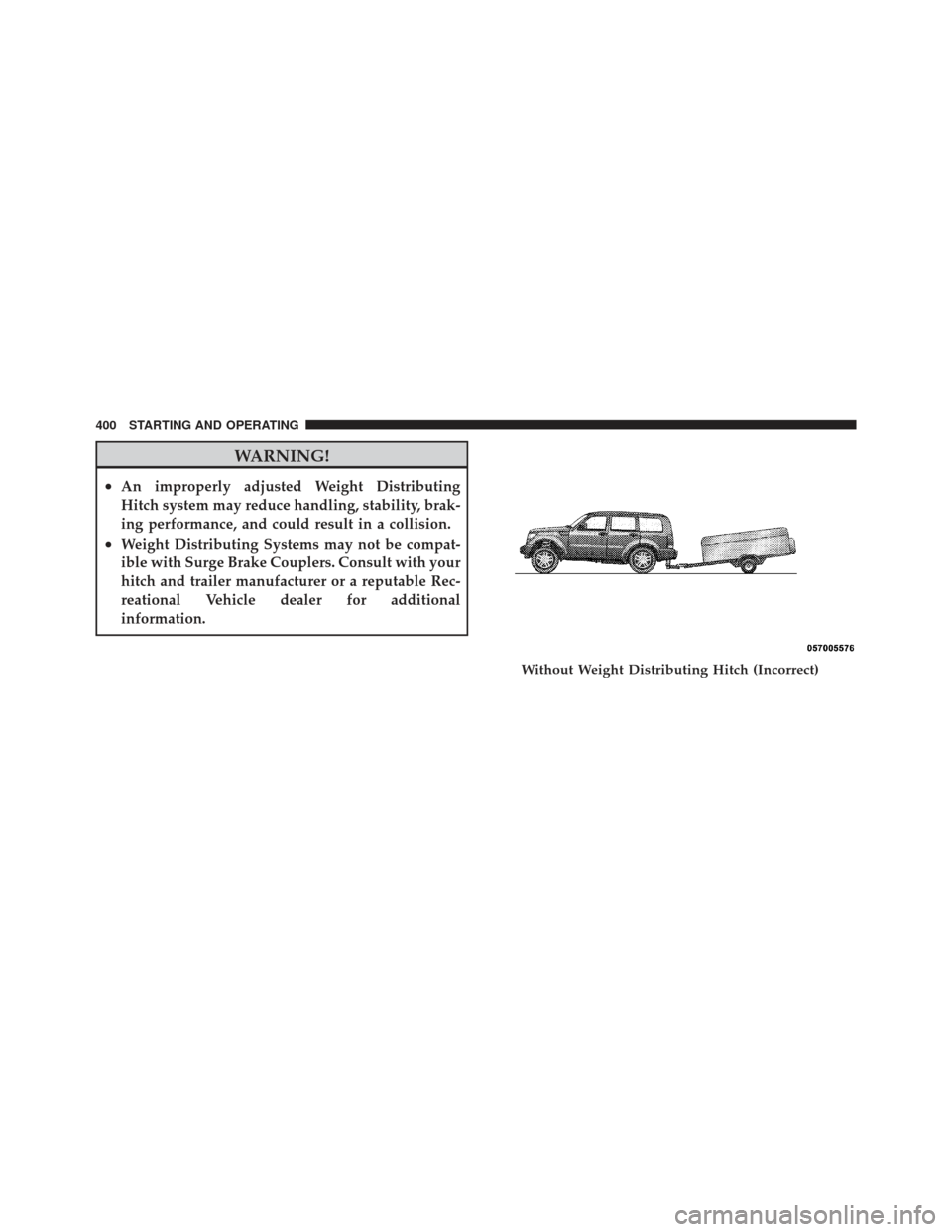
Without Weight Distributing Hitch (Incorrect)
400 STARTING AND OPERATING
Page 409 of 542
WARNING! (Continued)
•Make certain that the load is secured in the trailer
and that is will not shift during travel. When
trailering cargo that is not fully secured, dynamic
load shifts can occur that may be difficult for the
driver to control. You could lose control of your
vehicle and have a collision.
•When hauling cargo, or towing a trailer, do not
overload your vehicle or trailer. Overloading can
cause a loss of control, poor performance, or dam-
age to brakes, axle, engine, transmission, steering,
suspension, chassis structure, or tires.
•Safety chains must always be used between your
vehicle and trailer. Always connect the chains to
the frame or hook retainers of the vehicle hitch.
Cross the chains under the trailer tongue and
allow enough slack for turning corners.(Continued)
WARNING! (Continued)
•Vehicles with trailers should not be parked on a
grade. When parking, apply the parking brake on
the tow vehicle. Put the tow vehicle transmission
in PARK. Always, block or�chock�the trailer
wheels.
•GCWR must not be exceeded.
•Total weight must be distributed between the tow
vehicle and the trailer such that the following four
ratings are not exceeded:
1. GVWR
2. GTW
3. GAWR
4. Tongue weight rating for the trailer hitch uti-
lized (This requirement may limit the ability to
always achieve the 10% to 15% range of tongue
weight as a percentage of total trailer weight).
5
STARTING AND OPERATING 407
Page 410 of 542
Towing Requirements – Tires
Do not attempt to tow a trailer while using a compact
spare tire.
Proper tire inflation pressures are essential to the safe
and satisfactory operation of your vehicle. Refer to
“Tires – General Information” in “Starting and Oper-
ating” for information on tire pressures and for proper
tire inflation procedures.
Check the trailer tires for proper tire inflation pres-
sures before trailer usage.
Check for signs of tire wear or visible tire damage
before towing a trailer. Refer to “Tires – General
Information” in “Starting and Operating” for informa-
tion on tread wear indicators and for the proper
inspection procedure.
When replacing tires, refer to “Tires – General Infor-
mation” in “Starting and Operating” for information on replacement tires and for the proper tire replace-
ment procedures. Replacing tires with a higher load
carrying capacity will not increase the vehicle’s GVWR
and GAWR limits.
Towing Requirements – Trailer Brakes
Do
not interconnect the hydraulic brake system or
vacuum system of your vehicle with that of the trailer.
This could cause inadequate braking and possible
personal injury.
An electronically actuated trailer brake controller is
required when towing a trailer with electronically
actuated brakes. When towing a trailer equipped with
a hydraulic surge actuated brake system, an electronic
brake controller is not required.
Trailer brakes are recommended for trailers over
1,000 lbs (454 kg) and required for trailers in excess of
2,000 lbs (907 kg).
408 STARTING AND OPERATING
Page 411 of 542
CAUTION!
If the trailer weighs more than 1,000 lbs (454 kg)
loaded, it should have its own brakes, and they
should be of adequate capacity. Failure to do this
could lead to accelerated brake lining wear, higher
brake pedal effort, and longer stopping distances.
WARNING!
•Do not connect trailer brakes to your vehicle’s
hydraulic brake lines. It can overload your brake
system and cause it to fail. You might not have
brakes when you need them and could have a
collision.(Continued)
WARNING! (Continued)
•Towing any trailer will increase your stopping
distance. When towing you should allow for addi-
tional space between your vehicle and the vehicle
in front of you. Failure to do so could result in a
collision.
Towing Requirements – Trailer Lights And Wiring
Whenever you pull a trailer, regardless of the trailer size,
stoplights and turn signals on the trailer are required for
motoring safety.
The Trailer Tow Package may include a four and seven-
pin wiring harness. Use a factory approved trailer har-
ness and connector.
NOTE:Do not cut or splice wiring into the vehicles
wiring harness.5
STARTING AND OPERATING 409