2011 HYUNDAI IX20 check engine
[x] Cancel search: check enginePage 136 of 420

Features of your vehicle
58
4
Fuel filter warning light
(Diesel engine)
This warning light illuminates for 3 sec-
onds after the ignition switch is set to the
ON position and then it will go off. If it
lights up while the engine is running, it
indicates that water has accumulated
inside the fuel filter. If this happens,
remove the water from the fuel filter. For
more information, refer to “Fuel filter” insection 7.
LCD display warning (if equipped)
Door open ! (if equipped)
It displays the cor- responding door ortailgate that is not
closed securely.
Rear parking assist warning (if equipped) It displays the areaan obstacle isdetected while
moving rearward.
For details, refer to “Rear parking
assist system” in
section 4. Low Tire Pressure (if equipped)
It displays the cor-responding tire
that is low with
pressure. For
details, refer to
“TPMS” in section6.
❈ The actual indicator in LCD display may dif-
fer from the illustration.
CAUTION
When the fuel filter warning light illuminates, engine power (vehicle
speed & idle speed) may decrease. If you keep driving with the warninglight on, you can damage your vehi-cle's engine parts and injection sys-
tem of the Common Rail.
If this occurs, have your vehiclechecked by an authorized HYUNDAIdealer as soon as possible.
JC ENG 4A.QXP 9/7/2010 11:39 AM Page 58
procarmanuals.com
Page 137 of 420

459
Features of your vehicle
Speed limit (if equipped)The speed limit illuminates on the
LCD display whenthe speed limitcontrol system is
enabled.The speed limit
illuminates on the LCD display when the
speed limit ON-OFF button on the steer-ing wheel is pressed.
If the " " indicator is shown, it indi-cates the speed limit has not been set. The set speed limit
will display whenthe speed limit
control switch
(SET-/RES+) isON.
If you drive over
the speed limit, the set speed limit will
blink and chime will sound.
The set speed limit turns off when the
speed limit is cancelled by pressing the
CANCEL button.
The speed limit display goes off when the
speed limit is deactivated.
Also, if there is a problem with the speed
limit control system, the “ ” indicator
will blink.
If this occurs, have the system checked
by an authorized HYUNDAI dealer as
soon as possible.
For more information about the speed
limit control usage, refer to “Speed limit
control system” in section 5. Key is not in vehicle
If the smart key is
not in the vehicle
and if any door isopened or closedwith the ENGINE
START/STOP but-
ton in the ACC,
ON, or START position, the warning illu-
minates on the LCD display. Also, the
chime sounds for 5 seconds when the
smart key is not in the vehicle and thedoor is closed.
Always have the smart key with you.
JC ENG 4A.QXP 9/7/2010 11:39 AM Page 59
procarmanuals.com
Page 139 of 420

461
Features of your vehicle
Press start button againIf you can not
operate the
ENGINE START/
STOP button when
there is a problemwith the ENGINE
START/STOP but-
ton system, the warning illuminates for10 seconds and the chime sounds con-
tinuously to indicate that you could start
the engine by pressing the ENGINE
START/STOP button once more. The chime will stop if the ENGINE
START/STOP button system works nor-
mally or the theft alarm system is armed.
If the warning illuminates each time you
press the ENGINE START/STOP button,
take your vehicle to an authorized
HYUNDAI dealer and have the system
checked. Shift to "P" or "N" to start the engine(Automatic transaxle)
If you try to startthe engine with the
shift lever not in
the P(Park) or
N(Neutral) posi-
tion, the warning
illuminates for
about 10 seconds on the LCD display.
You can also start the engine with the
shift lever in the N(Neutral) position, but
for your safety start the engine with the
shift lever in the P(Park) position. Press start button while turn steering
If the steeringwheel does not
unlock normallywhen the ENGINE
START/STOP but-ton is pressed, the
warning illumi-
nates for 10 seconds on the LCD display.
Also, the warning chime sounds once
and the ENGINE START/STOP button
light blinks for 10 seconds.
When you are warned, press the
ENGINE START/STOP button while turn-
ing the steering wheel right and left.
JC ENG 4A.QXP 9/7/2010 11:39 AM Page 61
procarmanuals.com
Page 140 of 420

Features of your vehicle
62
4
Check steering wheel lock
If the steering wheel does not
lock normallywhen the ENGINE
START/STOP but-
ton turns to theOFF position, the
warning illuminates for 10 seconds on
the LCD display. Also, the warning chime
sounds for 3 seconds and the ENGINE
START/STOP button light blinks for 10
seconds. Press start button with smart key
If you press the
ENGINE START/
STOP button while
the warning “Key is
not detected” illu-
minates the warn-
ing “Please press
the start button with smart key” illumi-
nates for 10 seconds on the LCD display.
Also, the immobilizer indicator blinks for
10 seconds. Check stop lamp fuse
When the stoplamp fuse is dis-connected, the
warning illumi-
nates for 10 sec-onds on the LCD
display.
Replace the fuse with a new one. If that
is not possible you can start the engine
by pressing the ENGINE START/STOP
button for 10 seconds in ACC.
JC ENG 4A.QXP 9/7/2010 11:39 AM Page 62
procarmanuals.com
Page 155 of 420

477
Features of your vehicle
Windshield washers (front)
In the O (Off) position, pull the lever gen-
tly toward you to spray washer fluid on
the windshield and to run the wipers 1-3
cycles. Use this function when the windshield is
dirty.
The spray and wiper operation will con-
tinue until you release the lever.
If the washer does not work, check the
washer fluid level. If the fluid level is not
sufficient, you will need to add appropri-
ate non-abrasive windshield washer fluid
to the washer reservoir.
The reservoir filler neck is located in the
front of the engine compartment on the
passenger side.
OXM049048E
WARNING
Do not use the washer in freezing
temperatures without first warming
the windshield with the defrosters;
the washer solution could freeze on
the windshield and obscure yourvision.
CAUTION
To prevent possible damage to the wipers or windshield, do notoperate the wipers when the
windshield is dry.
To prevent damage to the wiper blades, do not use gasoline,
kerosene, paint thinner, or othersolvents on or near them.
To prevent damage to the wiper arms and other components, do
not attempt to move the wipersmanually.
CAUTION
To prevent possible damage to the
washer pump, do not operate the
washer when the fluid reservoir isempty.
JC ENG 4A.QXP 9/7/2010 11:40 AM Page 77
procarmanuals.com
Page 222 of 420
Driving your vehicle
2
5
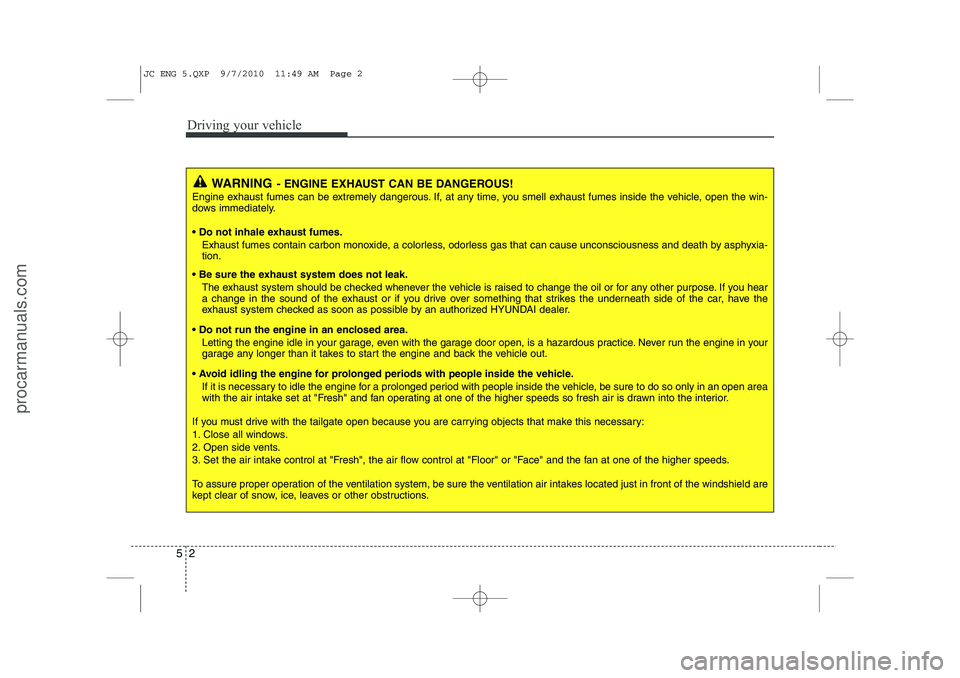
WARNING - ENGINE EXHAUST CAN BE DANGEROUS!
Engine exhaust fumes can be extremely dangerous. If, at any time, you smell exhaust fumes inside the vehicle, open the win-
dows immediately.
• Do not inhale exhaust fumes.
Exhaust fumes contain carbon monoxide, a colorless, odorless gas that can cause unconsciousness and death by asphyxia- tion.
Be sure the exhaust system does not leak. The exhaust system should be checked whenever the vehicle is raised to change the oil or for any other purpose. If you hear
a change in the sound of the exhaust or if you drive over something that strikes the underneath side of the car, have the
exhaust system checked as soon as possible by an authorized HYUNDAI dealer.
Do not run the engine in an enclosed area. Letting the engine idle in your garage, even with the garage door open, is a hazardous practice. Never run the engine in your
garage any longer than it takes to start the engine and back the vehicle out.
Avoid idling the engine for prolonged periods with people inside the vehicle. If it is necessary to idle the engine for a prolonged period with people inside the vehicle, be sure to do so only in an open a rea
with the air intake set at "Fresh" and fan operating at one of the higher speeds so fresh air is drawn into the interior.
If you must drive with the tailgate open because you are carrying objects that make this necessary:
1. Close all windows.
2. Open side vents.
3. Set the air intake control at "Fresh", the air flow control at "Floor" or "Face" and the fan at one of the higher speeds.
To assure proper operation of the ventilation system, be sure the ventilation air intakes located just in front of the windshield are
kept clear of snow, ice, leaves or other obstructions.
JC ENG 5.QXP 9/7/2010 11:49 AM Page 2
procarmanuals.com
Page 223 of 420

53
Driving your vehicle
Before entering vehicle
• Be sure that all windows, outside mir-ror(s), and outside lights are clean.
Check the condition of the tires.
Check under the vehicle for any sign of leaks.
Be sure there are no obstacles behind you if you intend to back up.
Necessary inspections
Fluid levels, such as engine oil, engine
coolant, brake fluid, and washer fluid
should be checked on a regular basis,
with the exact interval depending on the
fluid. Further details are provided in sec-
tion 7, “Maintenance”. Before starting
Close and lock all doors.
Position the seat so that all controls are
easily reached.
Adjust the inside and outside rearview mirrors.
Be sure that all lights work.
Check all gauges.
Check the operation of warning lights when the ignition switch is turned to the ON position.
Release the parking brake and make sure the brake warning light goes out.
For safe operation, be sure you are famil-
iar with your vehicle and its equipment.
BEFORE DRIVING
WARNING
All passengers must be properly
belted whenever the vehicle is mov-
ing. Refer to “Seat belts” in section
3 for more information on their
proper use.
WARNING
Always check the surrounding
areas near your vehicle for people,
especially children, before putting a
car into D (Drive) or R (Reverse).
WARNING - Driving under
the influence of alcohol or drugs
Drinking and driving is dangerous.
Drunk driving is the number one
contributor to the highway death
toll each year. Even a small amount
of alcohol will affect your reflexes,
perceptions and judgment. Drivingwhile under the influence of drugs
is as dangerous or more dangerousthan driving drunk.
You are much more likely to have a
serious accident if you drink or
take drugs and drive.
If you are drinking or taking drugs,
don’t drive. Do not ride with a driv-er who has been drinking or taking
drugs. Choose a designated driveror call a cab.
WARNING
When you intend to park or stop the
vehicle with the engine on, be care-ful not to depress the accelerator
pedal for a long period of time. It
may overheat the engine or exhaust
system and cause fire.
JC ENG 5.QXP 9/7/2010 11:50 AM Page 3
procarmanuals.com
Page 224 of 420
Driving your vehicle
4
5
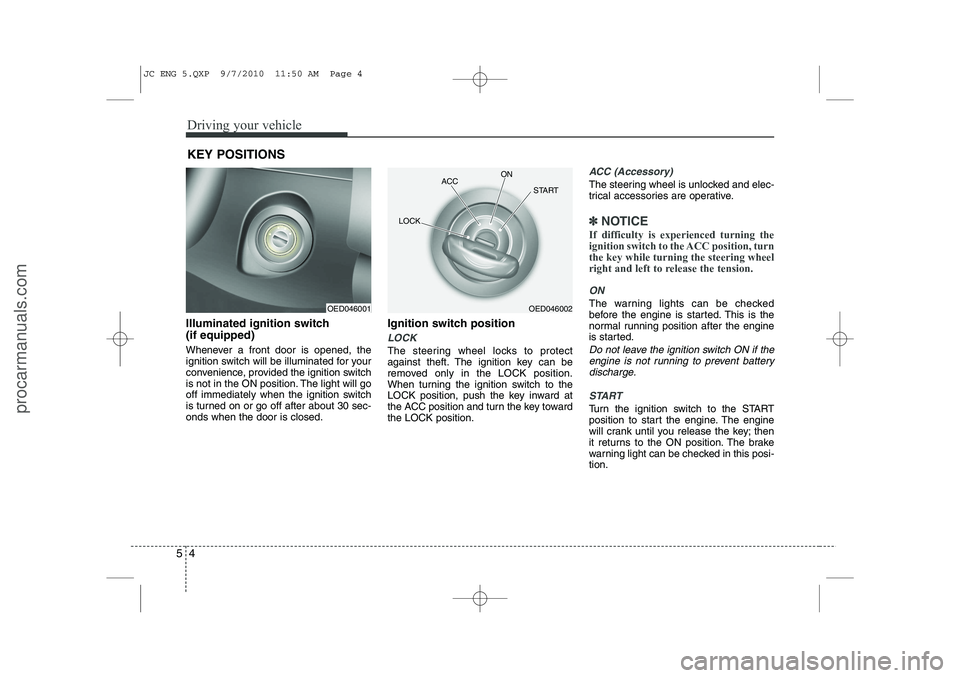
Illuminated ignition switch (if equipped)
Whenever a front door is opened, the
ignition switch will be illuminated for your
convenience, provided the ignition switch
is not in the ON position. The light will go
off immediately when the ignition switch
is turned on or go off after about 30 sec-onds when the door is closed. Ignition switch position
LOCK
The steering wheel locks to protect
against theft. The ignition key can be
removed only in the LOCK position.
When turning the ignition switch to the
LOCK position, push the key inward at
the ACC position and turn the key towardthe LOCK position.
ACC (Accessory)
The steering wheel is unlocked and elec-
trical accessories are operative.
✽✽
NOTICE
If difficulty is experienced turning the
ignition switch to the ACC position, turnthe key while turning the steering wheel
right and left to release the tension.
ON
The warning lights can be checked
before the engine is started. This is the
normal running position after the engine
is started.
Do not leave the ignition switch ON if the engine is not running to prevent battery discharge.
START
Turn the ignition switch to the START
position to start the engine. The engine
will crank until you release the key; then
it returns to the ON position. The brake
warning light can be checked in this posi-tion.
KEY POSITIONS
OED046001OED046002
ACC
ON
START
LOCK
JC ENG 5.QXP 9/7/2010 11:50 AM Page 4
procarmanuals.com