Page 122 of 427
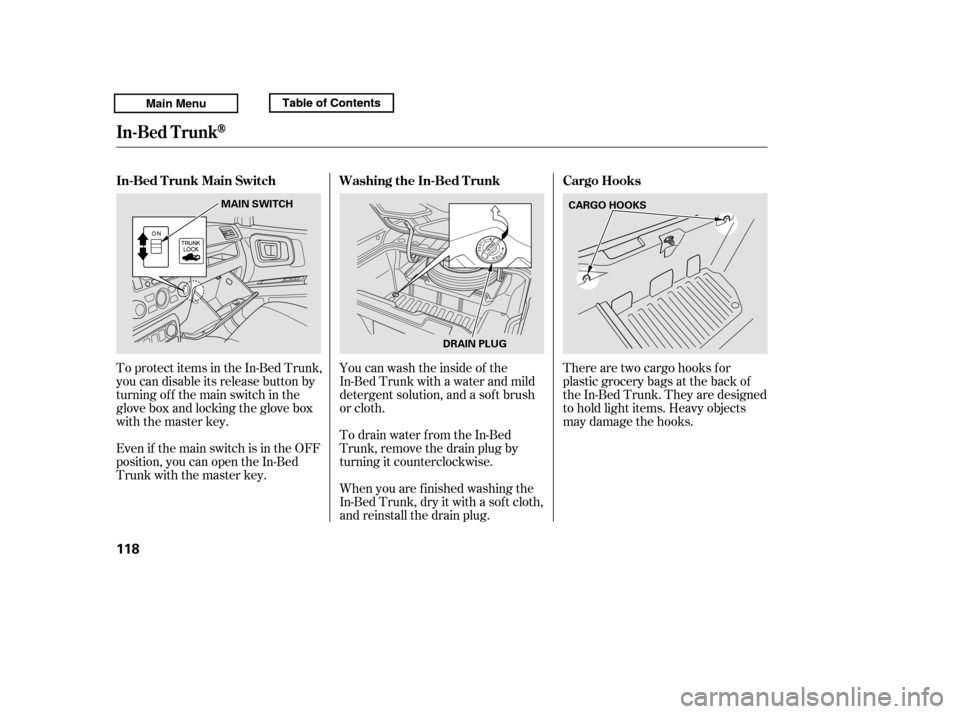
There are two cargo hooks f or
plastic grocery bags at the back of
the In-Bed Trunk. They are designed
to hold light items. Heavy objects
may damage the hooks.
To protect items in the In-Bed Trunk,
you can disable its release button by
turning off the main switch in the
glove box and locking the glove box
with the master key.
Even if the main switch is in the OFF
position, you can open the In-Bed
Trunk with the master key.
When you are f inished washing the
In-Bed Trunk, dry it with a sof t cloth,
and reinstall the drain plug.
Youcanwashtheinsideof the
In-Bed Trunk with a water and mild
detergent solution, and a sof t brush
or cloth.
To drain water from the In-Bed
Trunk, remove the drain plug by
turning it counterclockwise. Cargo Hooks
Washing the In-Bed T runk
In-Bed T runk Main Switch
In-Bed Trunk
118
DRAIN PLUG CARGO HOOKS
MAIN SWITCH
Main MenuTable of ContentsTable of Contents
Page 134 of 427

To open:Insert the key in the driver’s door
lock.
Turn the key clockwise, then
release it.
You can open all of the side windows
from the outside with the remote
transmitter.
Press the UNLOCK button once
to unlock the driver’s door.
Press the UNLOCK button a
second time, and hold it. The
passenger’s doors unlock, and all
f our side windows start to open.
To stop the windows, release the
button. You can open and close the side
windows with the key in the driver’s
door lock.
The back window is not designed to
carry long items through it. Do not
use the opened back window as a
cargo area pass-through.
If you remove the ignition key and
open the driver’s door without
closing the back window, you hear
f ive beeps and see the indicator blink.
If you do not close the back window
bef ore the beeper stops, the
indicator stops blinking but remains
on. It will go of f af ter about 3
minutes (see page ).
To open the windows further,
press the button again, within
about 3 seconds.
You cannot close the windows with
the remote transmitter.
1. 2. 3.
1. 2.
75
Opening the Side Windows with
the Remote Transmitter
Opening/Closing the Side
Windows with the Key
Power Windows
130
Open
Close
UNLOCK BUTTON
Main MenuTable of ContentsTable of Contents
Page 135 of 427

Turnthekeyclockwiseagain,and
hold it. All f our side windows start
to open. To stop the windows,
release the key.
To open the windows f urther, turn
andholdthekeyagain(within
10 seconds).The moonroof has two positions: it
can be tilted up in the back f or
ventilation, or it can slide back into
the roof. Use the switch near the left
dashboard vent to operate the
moonroof . The ignition switch must
be in the ON (II) position.
If the windows stop bef ore
the desired position, repeat steps 2
and 3. To close the windows further, turn
andholdthekeyagain(within
10 seconds).
To close: If the windows stop bef ore
the desired position, repeat steps 2
and 3.
Insert the key in the driver’s door
lock.
Turn the key counterclockwise,
then release it.
Turn the key counterclockwise
again, and hold it. All four side
windowsstarttoclose.Tostopthe
windows, release the key.
1. 2.3. 4.
3. 4.
If equipped
CONT INUED
Moonroof
Power Windows, Moonroof
Inst rument s and Cont rols
131
NOTE:
NOTE:
MOONROOF SWITCH
Main MenuTable of ContentsTable of Contents
Page 142 of 427
The glove box light comes on when
the parking lights are on.Some larger styles of sunglasses
may not f it in the holder.
These hooks are not designed f or
large or heavy items.
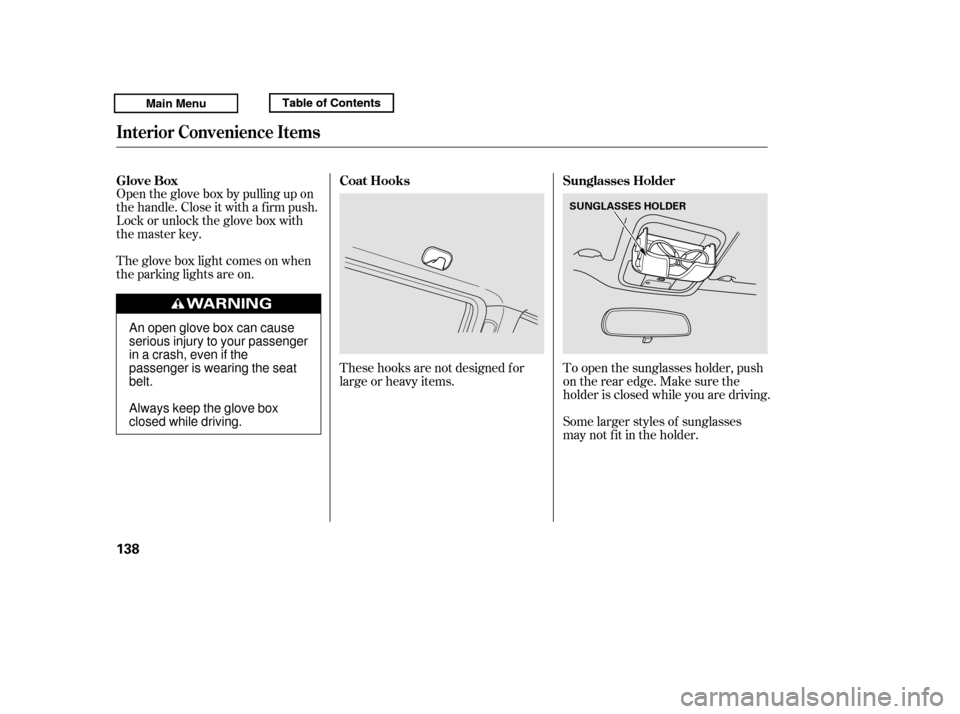
To open the sunglasses holder, push
on the rear edge. Make sure the
holder is closed while you are driving.
Open the glove box by pulling up on
thehandle.Closeitwithafirmpush.
Lock or unlock the glove box with
the master key.
Glove Box
Sunglasses Holder
Coat Hooks
Interior Convenience Items
138
SUNGLASSES HOLDER
An open glove box can cause
serious injury to your passenger
inacrash,evenifthe
passenger is wearing the seatbelt.
Always keep the glove box
closed while driving.
Main MenuTable of ContentsTable of Contents
Page 146 of 427
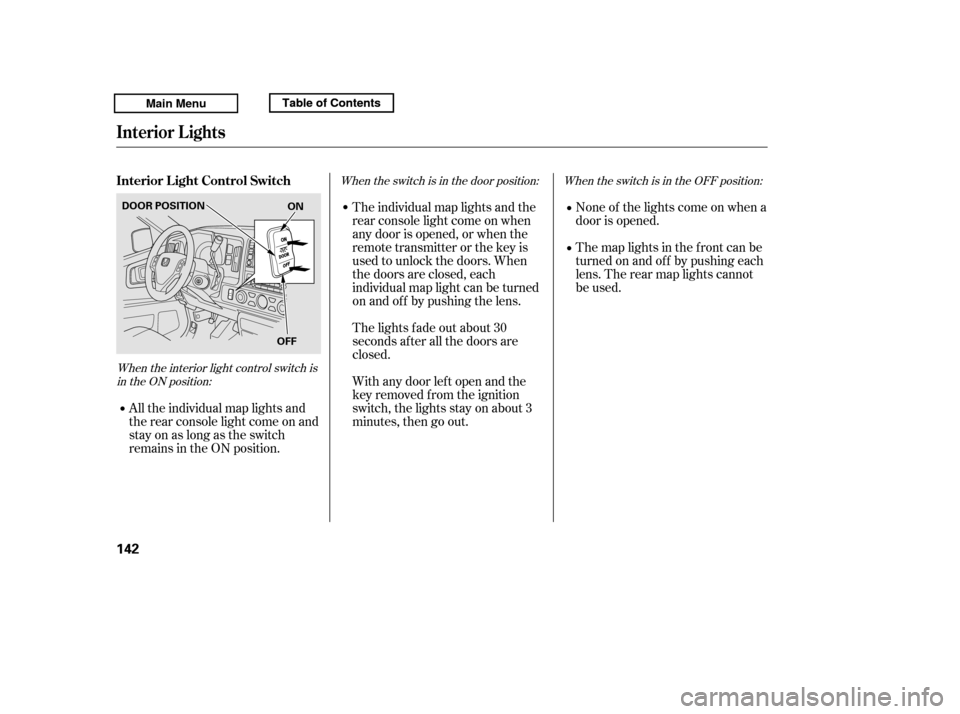
When the interior light control switch isin the ON position: When the switch is in the OFF position:
When the switch is in the door position:
None of the lights come on when a
door is opened.
The map lights in the f ront can be
turned on and of f by pushing each
lens. The rear map lights cannot
be used.
All the individual map lights and
the rear console light come on and
stay on as long as the switch
remains in the ON position. The individual map lights and the
rear console light come on when
any door is opened, or when the
remote transmitter or the key is
used to unlock the doors. When
the doors are closed, each
individual map light can be turned
on and of f by pushing the lens.
The lights fade out about 30
seconds after all the doors are
closed.
With any door lef t open and the
key removed f rom the ignition
switch, the lights stay on about 3
minutes, then go out.
Interior L ight Control Switch
Interior Lights
142
ON
OFF
DOOR POSITION
Main MenuTable of ContentsTable of Contents
Page 212 of 427

If equipped
The security system helps to protect
your vehicle and valuables f rom thef t.
The horn sounds and a combination
of headlights, parking lights, license
plate lights, and taillights f lash if
someone attempts to break into your
vehicleorremovetheradio.This
alarm continues f or 2 minutes, then
the system resets. To reset an
activated system before the 2
minutes have elapsed, unlock the
driver’s door with the key or the
remote transmitter.Once the security system is set,
opening any door (without using the
key or the remote transmitter), the
hood,ortheIn-BedTrunk,willcause
it to alarm. It also alarms if the radio
and navigation components are
removed f rom the dashboard or the
wiring is cut.
The security system automatically
sets 15 seconds after you lock the
doors, hood, and the In-Bed Trunk.
For the system to activate, you must
lock the doors f rom the outside with
the key, driver’s lock tab, door lock
switch, or remote transmitter. The
security system indicator on the
instrument panel starts blinking
immediately to show you the system
is setting itself .
Security System
208
SECURITY SYSTEM INDICATOR
Main MenuTable of Contents
Page 231 of 427

�Î�Î
CONT INUED
BluetoothHandsFreeL ink
Features
227
‘‘Change Language’’
‘‘Hands Free Help’’
‘‘System
Set up’’
‘‘Tutorial’’ ‘‘Clear’’
‘‘Auto Transfer’’
‘‘Call Notification’’ ‘‘Security’’
‘‘Change Passcode’’
Press HFL
Talk button
Press and release the HFL Talk button each time you give a command.
: Canadian models Apply a security passcode to the system that must be input at each key
cycle to access the system
(See page 241)
Set how you would like to be notified of an incoming call
Change your security passcode
(See page 242)
(See page 242)
Set calls to automatically transfer from your phone to HFL when you
enter the vehicle (See page 242)
Clear the system of all paired phones, phonebook entries and security
passcode (See page 243)
Change language from English to French (See page 244)
Hear a tutorial for general rules on using the system (See page 223)
Hear a list of available commands and additional information describing each command (See page 223)
Main MenuTable of Contents
Page 235 of 427

CONT INUED
You can make calls using any phone
number or a name in the HFL
phonebook. You can also redial the
last number called.Press and release the HFL Talk
button bef ore a command.
Say ‘‘ ’’ or ‘‘ .’’
Follow the HFL prompts and say
the phone number you want to dial.
Follow the HFL prompts to
conf irm the number and say
‘‘ ’’ or ‘‘ .’’
Once connected, you will hear the
person you called through the audio
speakers. Press and release the HFL Talk
button bef ore a command.
Follow the HFL prompts to
conf irm the name and make the
call.
Follow the HFL prompts and say
thenamestoredintheHFL
phonebook that you want to call.
Say ‘‘ ’’ or ‘‘ .’’
HFLusesaClass2Bluetooth,which
means, the maximum range between
yourphoneandvehicleis30feet(10
meters).
During a call, HFL allows you to talk
up to 30 minutes af ter you remove
the key from the ignition switch.
However, this may weaken the
vehicle’s battery. 1. 2. 3.
1. 2. 3.
BluetoothHandsFreeL ink
Making a Call
Call Dial
Call Dial Call DialT o make a call using a phone
number: Tomakeacallusinganameinthe
HFL phonebook:
Features
231
Main MenuTable of Contents