Page 103 of 574
�Î
�Î
�Î
�Î �Î
�Î
�Î
�Î
�Î�Î
�Î
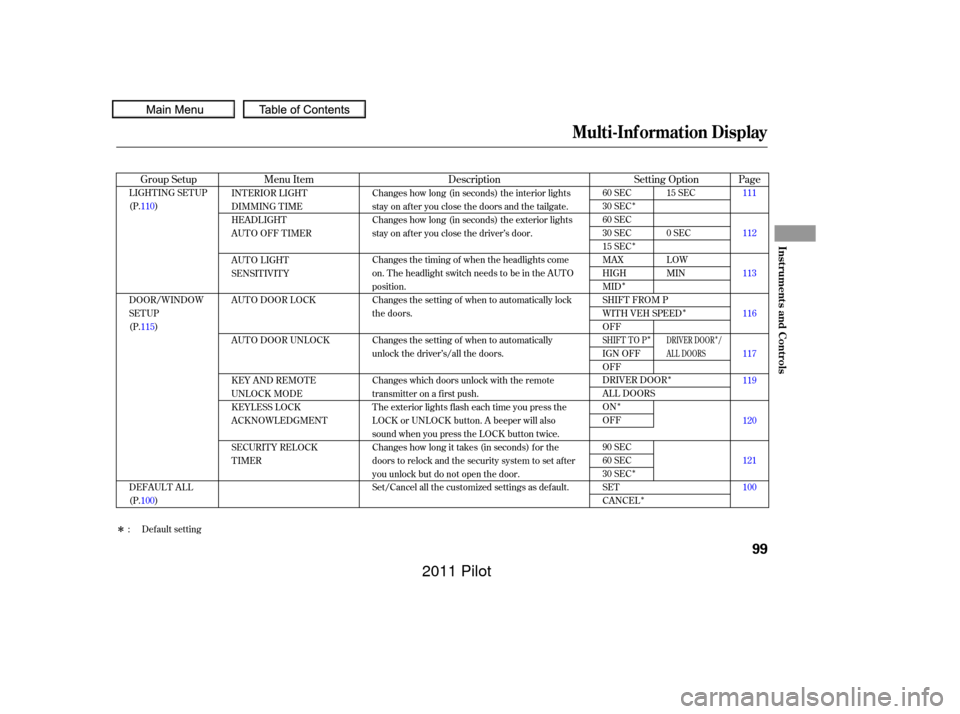
Menu Item Description
Group Setup Page
Setting Option
INTERIOR LIGHT
DIMMING T IME
HEADLIGHT
AUTO OFF TIMER
AUTO LIGHT
SENSITIVITY
AUTO DOOR LOCK
AUTO DOOR UNLOCK
KEY AND REMOTE
UNLOCK MODE
KEYLESS LOCK
ACKNOWLEDGMENT
SECURITY RELOCK
TIMER Changes how long (in seconds) the interior lights
stay on after you close the doors and the tailgate.
Changes how long (in seconds) the exterior lights
stay on after you close the driver’s door.
Changes the timing of when the headlights come
on. The headlight switch needs to be in the AUTO
position.
Changes the setting of when to automatically lock
the doors.
Changes the setting of when to automatically
unlock the driver’s/all the doors.
Changes which doors unlock with the remote
transmitter on a first push.
The exterior lights flash each time you press the
LOCK or UNLOCK button. A beeper will also
sound when you press the LOCK button twice.
Changes how long it takes (in seconds) for the
doors to relock and the security system to set after
you unlock but do not open the door.
Set/Cancel all the customized settings as default.
LIGHTING SETUP
(P.110)
DOOR/WINDOW
SETUP
(P.115)
DEFAULT ALL
(P.100) 111
112
113
116
117
119
120
121
100
15 SEC
0SEC
LOW
MIN
60 SEC
30 SEC
60 SEC
30 SEC
15 SEC
MAX
HIGH
MID
SHIFT FROM P
WITH VEH SPEED
OFF
IGN OFF
OFF
DRIVER DOOR
ALL DOORS
ON
OFF
90 SEC
60 SEC
30 SEC
SET
CANCEL
: Default setting
DRIVER DOOR /
AL L DOORSSHIFT TO P
Multi-Inf ormation Display
Inst rument s and Cont rols
99
10/01/26 18:40:35 31SZA620_104
2011 Pilot
Page 104 of 574
�Û�Ý�Û�Ý
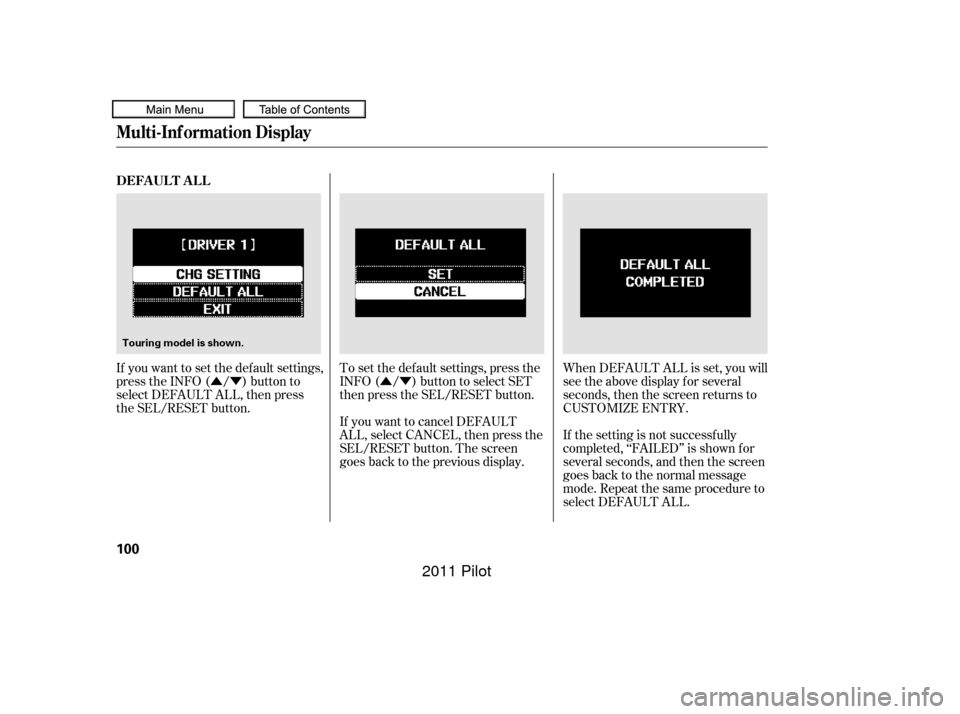
If you want to set the def ault settings,
press the INFO ( / ) button to
select DEFAULT ALL, then press
the SEL/RESET button. When DEFAULT ALL is set, you will
see the above display for several
seconds, then the screen returns to
CUSTOMIZE ENTRY.
If the setting is not successf ully
completed, ‘‘FAILED’’ is shown f or
several seconds, and then the screen
goes back to the normal message
mode. Repeat the same procedure to
select DEFAULT ALL.
If you want to cancel DEFAULT
ALL, select CANCEL, then press the
SEL/RESET button. The screen
goes back to the previous display. To set the def ault settings, press the
INFO ( / ) button to select SET
then press the SEL/RESET button.
DEFAUL T AL L
Multi-Inf ormation Display
100
Touring model is shown.
10/01/26 18:40:44 31SZA620_105
2011 Pilot
Page 135 of 574
The select/reset knob on the
instrument panel controls the
brightness of the instrument panel
lights. Turn the knob to adjust the
brightness.Separate adjustments can be made
when the headlights are on and of f .
You will hear a beep when maximum
or minimum brightness is reached.
You will also hear a beep when the
maximum level is canceled by
turning the knob a click to the lef t.
To reduce glare at night, the
instrument panel illumination dims
when you turn the light switch to
or . Turning the select/
reset knob to the right until you hear
a beep will cancel the reduced
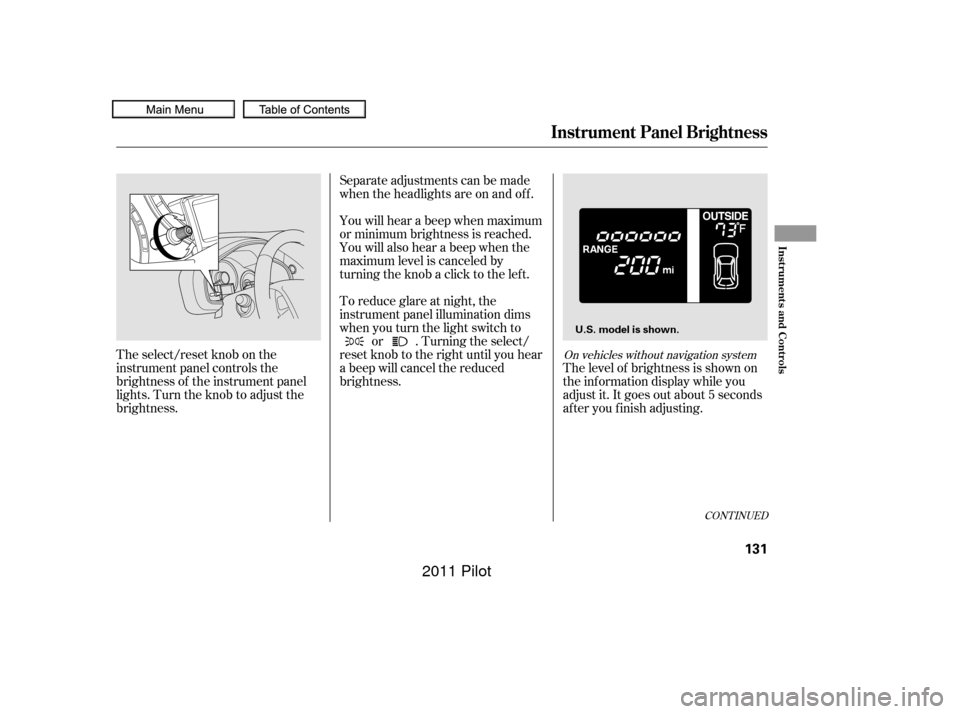
brightness. The level of brightness is shown on
the inf ormation display while you
adjust it. It goes out about 5 seconds
af ter you f inish adjusting.
CONT INUED
On vehicles without navigation system
Instrument Panel Brightness
Inst rument s and Cont rols
131
U.S. model is shown.
10/01/26 18:45:29 31SZA620_136
2011 Pilot
Page 142 of 574
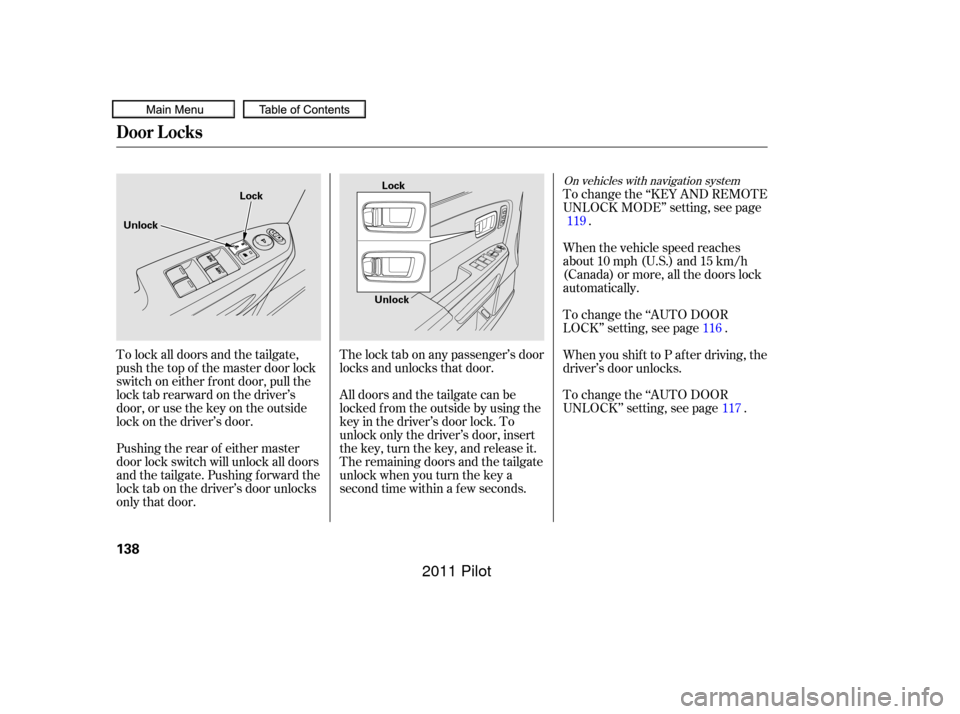
All doors and the tailgate can be
locked f rom the outside by using the
key in the driver’s door lock. To
unlock only the driver’s door, insert
the key, turn the key, and release it.
The remaining doors and the tailgate
unlock when you turn the key a
second time within a f ew seconds. The lock tab on any passenger’s door
locks and unlocks that door.To change the ‘‘KEY AND REMOTE
UNLOCK MODE’’ setting, see page
.
To lock all doors and the tailgate,
push the top of the master door lock
switch on either f ront door, pull the
locktabrearwardonthedriver’s
door, or use the key on the outside
lock on the driver’s door.
Pushing the rear of either master
door lock switch will unlock all doors
and the tailgate. Pushing f orward the
lock tab on the driver’s door unlocks
only that door. When the vehicle speed reaches
about 10 mph (U.S.) and 15 km/h
(Canada) or more, all the doors lock
automatically.
To change the ‘‘AUTO DOOR
UNLOCK’’ setting, see page . When you shif t to P af ter driving, the
driver’s door unlocks. To change the ‘‘AUTO DOOR
LOCK’’ setting, see page .
119
117
116
On vehicles with navigation system
Door L ocks
138
Lock
Unlock Lock
Unlock
10/01/26 18:46:25 31SZA620_143
2011 Pilot
Page 144 of 574
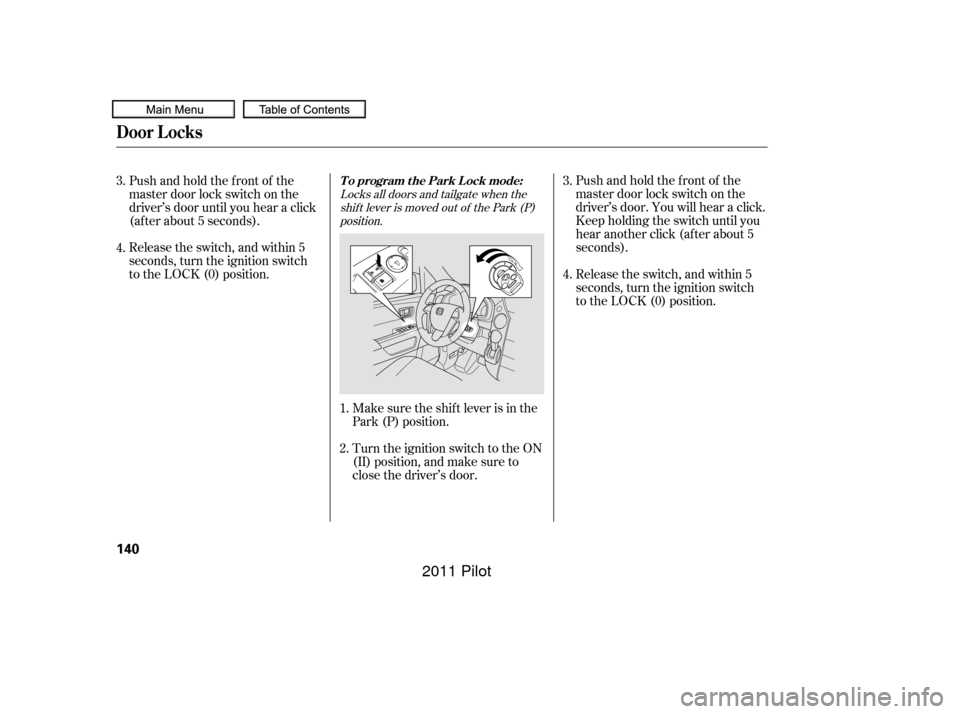
Locks all doors and tailgate when theshif t lever is moved out of the Park (P)position.
Make sure the shif t lever is in the
Park (P) position. Release the switch, and within 5
seconds, turn the ignition switch
to the LOCK (0) position.
Turn the ignition switch to the ON
(II) position, and make sure to
close the driver’s door. Pushandholdthefrontof the
master door lock switch on the
driver’s door. You will hear a click.
Keep holding the switch until you
hear another click (after about 5
seconds).
Pushandholdthefrontof the
master door lock switch on the
driver’s door until you hear a click
(af ter about 5 seconds).
Release the switch, and within 5
seconds, turn the ignition switch
to the LOCK (0) position.
4.
1.
2. 3.
4. 3.
To program the Park Lock mode:
Door L ocks
140
10/01/26 18:46:52 31SZA620_145
2011 Pilot
Page 145 of 574
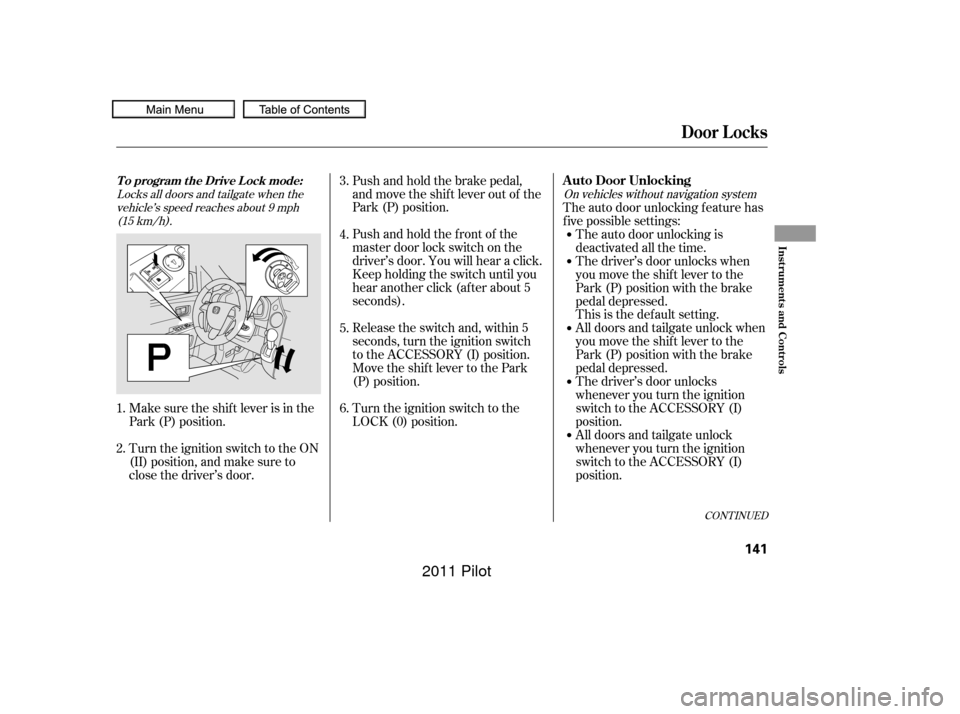
Locks all doors and tailgate when thevehicle’s speed reaches about 9 mph(15 km/h). On vehicles without navigation system
Make sure the shif t lever is in the
Park (P) position.Pushandholdthefrontof the
master door lock switch on the
driver’s door. You will hear a click.
Keep holding the switch until you
hear another click (after about 5
seconds). Push and hold the brake pedal,
and move the shif t lever out of the
Park (P) position.
Release the switch and, within 5
seconds, turn the ignition switch
to the ACCESSORY (I) position.
Move the shift lever to the Park
(P) position.
Turn the ignition switch to the
LOCK (0) position.
Turn the ignition switch to the ON
(II) position, and make sure to
close the driver’s door. The auto door unlocking f eature has
f ive possible settings:
The auto door unlocking is
deactivated all the time.
The driver’s door unlocks when
you move the shif t lever to the
Park (P) position with the brake
pedal depressed.
This is the def ault setting.
All doors and tailgate unlock when
you move the shif t lever to the
Park (P) position with the brake
pedal depressed.
The driver’s door unlocks
whenever you turn the ignition
switch to the ACCESSORY (I)
position.
All doors and tailgate unlock
whenever you turn the ignition
switch to the ACCESSORY (I)
position.
3.
4.
1.
2. 5.
6.
CONT INUED
T o program t he Drive L ock mode:A uto Door Unlocking
Door L ocks
Inst rument s and Cont rols
141
10/01/26 18:47:09 31SZA620_146
2011 Pilot
Page 146 of 574
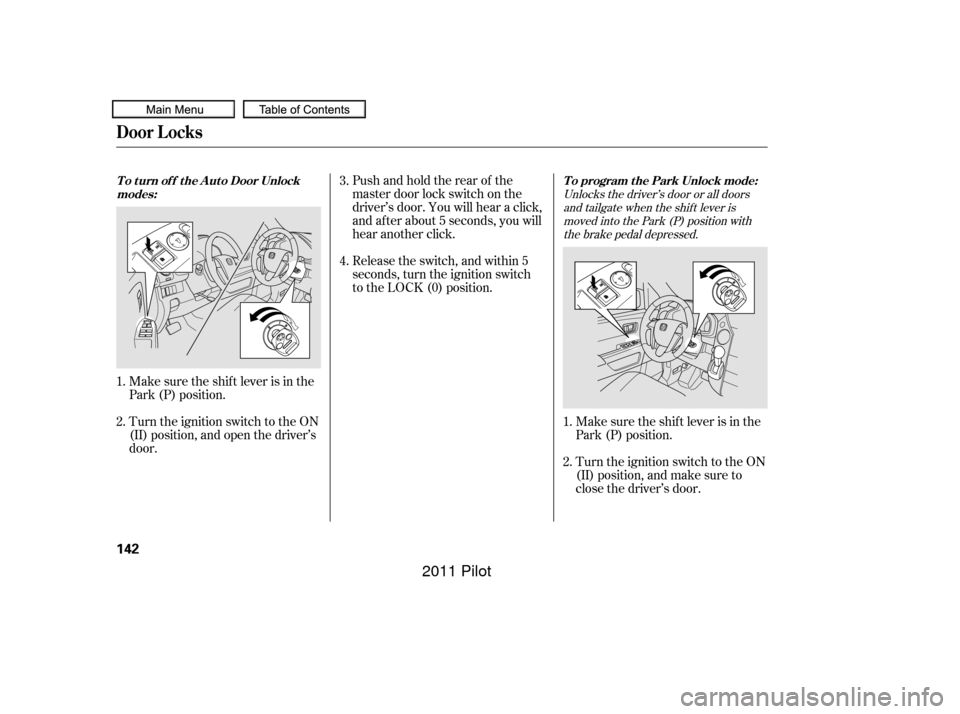
Unlocks the driver’s door or all doorsand tailgate when the shif t lever ismoved into the Park (P) position withthe brake pedal depressed.
Make sure the shif t lever is in the
Park (P) position.
Turn the ignition switch to the ON
(II) position, and open the driver’s
door. Pushandholdtherearof the
master door lock switch on the
driver’s door. You will hear a click,
and after about 5 seconds, you will
hear another click.
Release the switch, and within 5
seconds, turn the ignition switch
to the LOCK (0) position.
Make sure the shif t lever is in the
Park (P) position.
Turn the ignition switch to the ON
(II) position, and make sure to
close the driver’s door.
1.
2.
1.
2. 3.
4.
To program the Park Unlock mode:
T o t urn of f t he A ut o Door Unlock
modes:
Door L ocks
142
10/01/26 18:47:21 31SZA620_147
2011 Pilot
Page 147 of 574
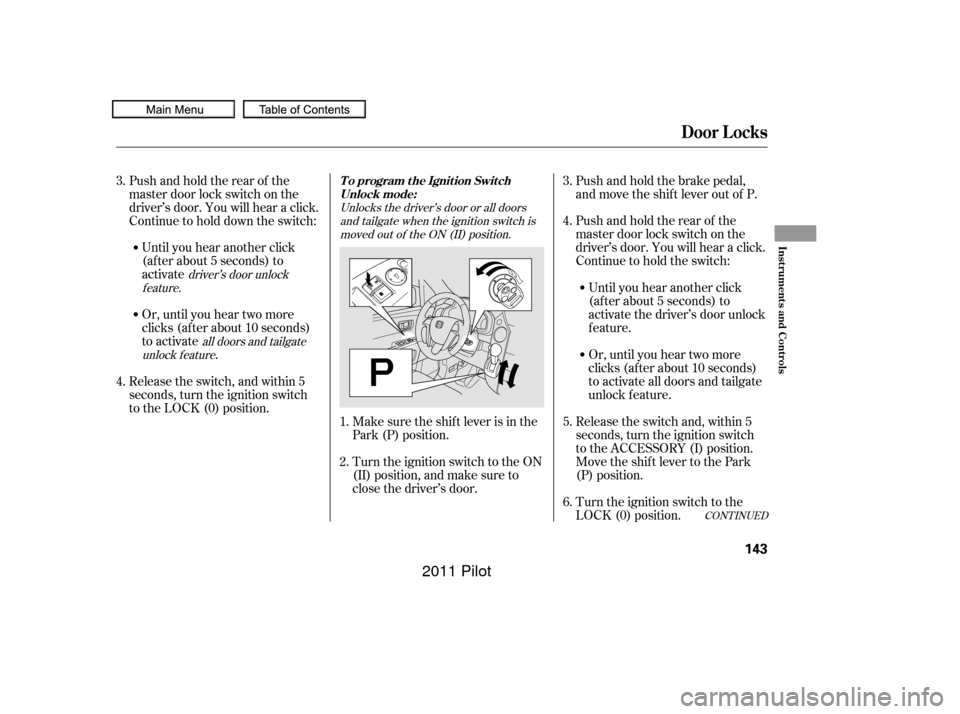
Unlocks the driver’s door or all doorsand tailgate when the ignition switch ismoved out of the ON (II) position.
all doors and tailgate
unlock f eature driver’s door unlock
feature.
Make sure the shif t lever is in the
Park (P) position. Pushandholdtherearof the
master door lock switch on the
driver’s door. You will hear a click.
Continue to hold the switch:
Release the switch and, within 5
seconds, turn the ignition switch
to the ACCESSORY (I) position.
Move the shift lever to the Park
(P) position.
Turn the ignition switch to the ON
(II) position, and make sure to
close the driver’s door. Push and hold the brake pedal,
and move the shif t lever out of P.
Release the switch, and within 5
seconds, turn the ignition switch
to the LOCK (0) position. Pushandholdtherearof the
master door lock switch on the
driver’s door. You will hear a click.
Continue to hold down the switch: Or, until you hear two more
clicks (af ter about 10 seconds)
to activate
.
Until you hear another click
(af ter about 5 seconds) to
activate the driver’s door unlock
feature.
Or, until you hear two more
clicks (af ter about 10 seconds)
to activate all doors and tailgate
unlock f eature.
Until you hear another click
(af ter about 5 seconds) to
activate
Turn the ignition switch to the
LOCK (0) position.
4.
5.
1.
2. 3.
6.
3.
4.
CONT INUED
T o program t he Ignit ion Swit ch
Unlock mode:
Door L ocks
Inst rument s and Cont rols
143
10/01/26 18:47:37 31SZA620_148
2011 Pilot