Page 86 of 369
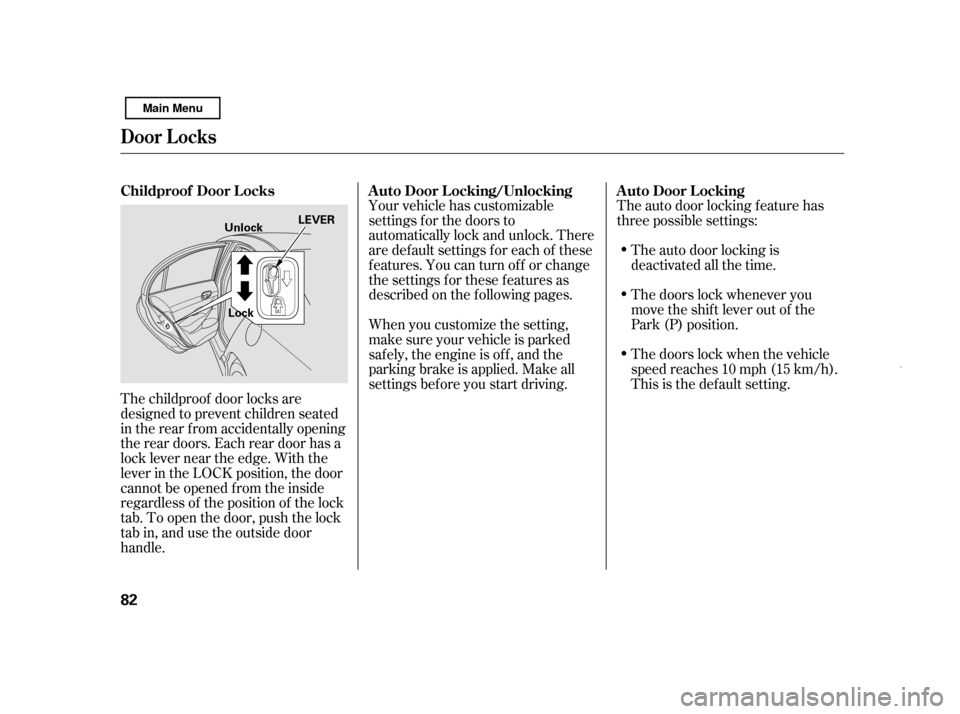
The childproof door locks are
designed to prevent children seated
in the rear f rom accidentally opening
the rear doors. Each rear door has a
lock lever near the edge. With the
lever in the LOCK position, the door
cannot be opened f rom the inside
regardless of the position of the lock
tab. To open the door, push the lock
tab in, and use the outside door
handle.Your vehicle has customizable
settings f or the doors to
automatically lock and unlock. There
are default settings for each of these
f eatures. You can turn of f or change
the settings for these features as
described on the f ollowing pages.
The auto door locking f eature has
three possible settings:
The auto door locking is
deactivated all the time.
The doors lock whenever you
move the shift lever out of the
Park (P) position.
The doors lock when the vehicle
speedreaches10mph(15km/h).
This is the def ault setting.
When you customize the setting,
make sure your vehicle is parked
saf ely, the engine is of f , and the
parking brake is applied. Make all
settings bef ore you start driving.
Childproof Door L ocks A uto Door L ocking/Unlocking A uto Door L ocking
Door L ocks
82 LEVER
Unlock
Lock
Main Menu
Page 88 of 369
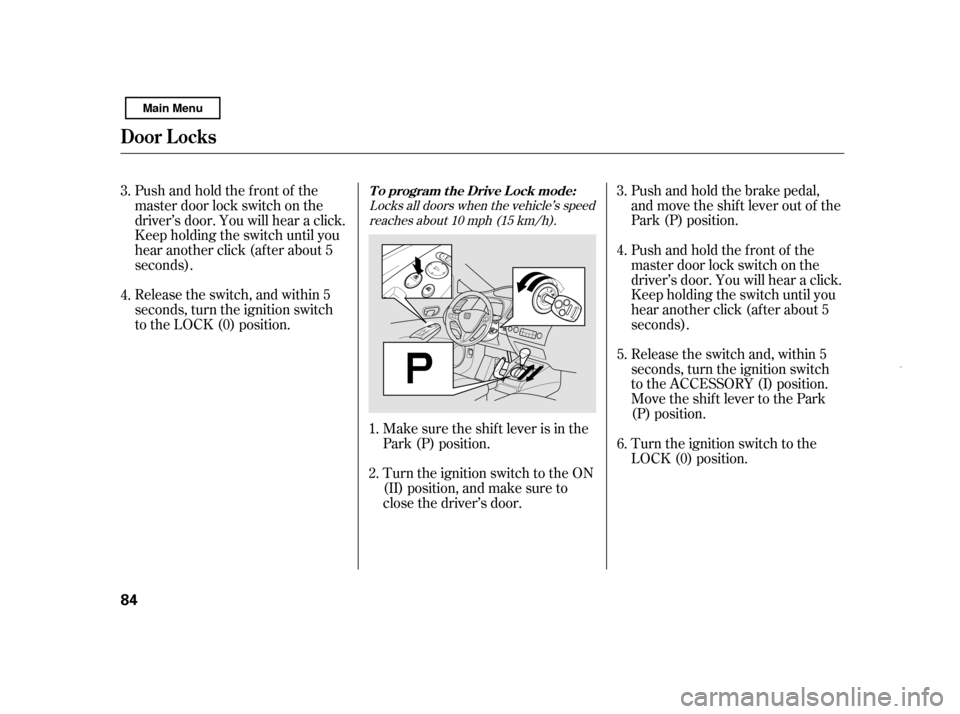
Push and hold the brake pedal,
and move the shif t lever out of the
Park (P) position.
Release the switch and, within 5
seconds, turn the ignition switch
to the ACCESSORY (I) position.
Move the shif t lever to the Park
(P) position.
Pushandholdthefrontof the
master door lock switch on the
driver’s door. You will hear a click.
Keep holding the switch until you
hear another click (after about 5
seconds).
Release the switch, and within 5
seconds, turn the ignition switch
to the LOCK (0) position.
Pushandholdthefrontof the
master door lock switch on the
driver’s door. You will hear a click.
Keep holding the switch until you
hear another click (after about 5
seconds).
Turn the ignition switch to the
LOCK (0) position.
Make sure the shif t lever is in the
Park (P) position.
Turn the ignition switch to the ON
(II) position, and make sure to
close the driver’s door.
1. 2. 3. 5.
4. 6.
3. 4.
Locks all doors when the vehicle’s speed
reaches about 10 mph (15 km/h).
T o program t he Drive L ock mode:
Door L ocks
84
Main Menu
Page 89 of 369
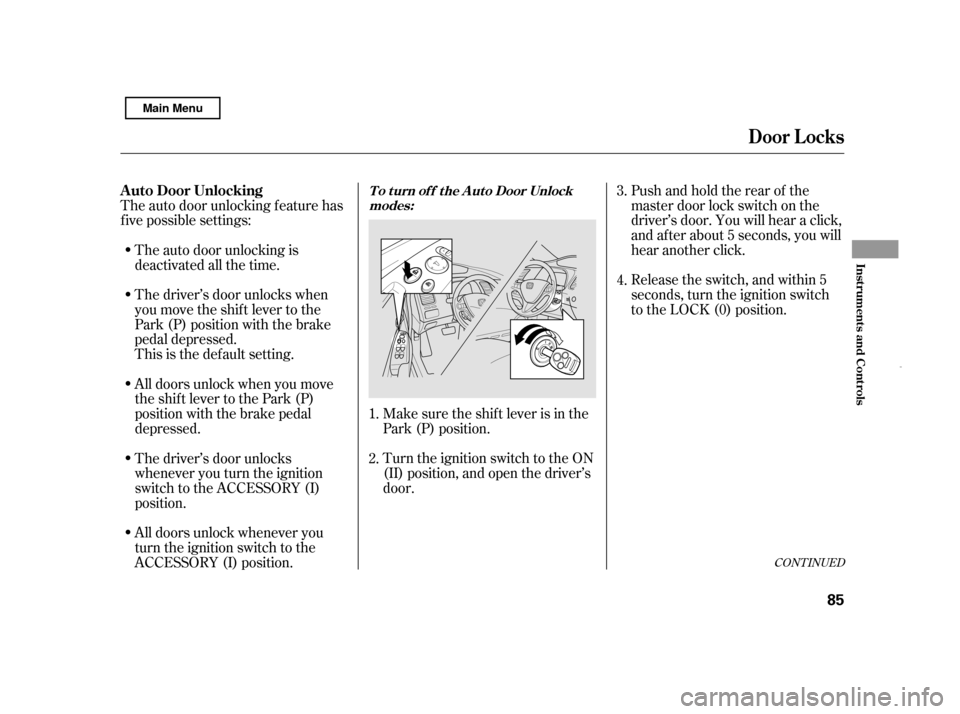
Pushandholdtherearof the
master door lock switch on the
driver’s door. You will hear a click,
and after about 5 seconds, you will
hear another click.
The auto door unlocking f eature has
f ive possible settings:
The driver’s door unlocks when
you move the shif t lever to the
Park (P) position with the brake
pedal depressed.
The auto door unlocking is
deactivated all the time.
Release the switch, and within 5
seconds, turn the ignition switch
to the LOCK (0) position.
Make sure the shif t lever is in the
Park (P) position.
Turn the ignition switch to the ON
(II) position, and open the driver’s
door.
All doors unlock when you move
the shif t lever to the Park (P)
position with the brake pedal
depressed.
All doors unlock whenever you
turn the ignition switch to the
ACCESSORY (I) position.
The driver’s door unlocks
whenever you turn the ignition
switch to the ACCESSORY (I)
position.
This is the def ault setting.
1. 2. 3. 4.
CONT INUED
T o t urn of f t he A ut o Door Unlock
modes:A uto Door Unlocking
Door L ocks
Inst rument s and Cont rols
85
Main Menu
Page 90 of 369
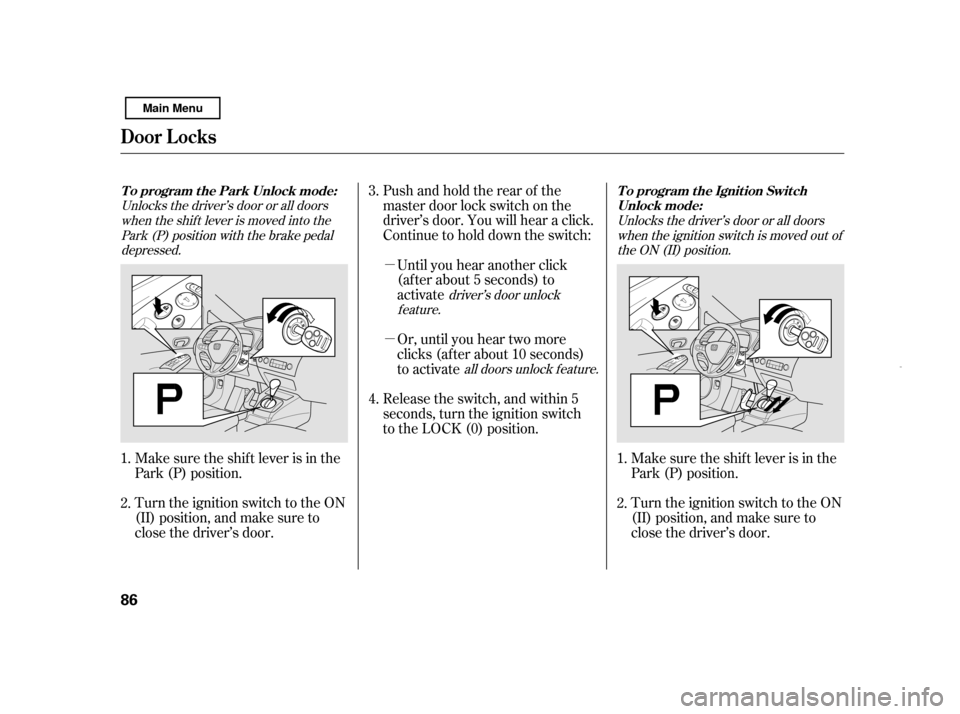
�µ �µ
Pushandholdtherearof the
master door lock switch on the
driver’s door. You will hear a click.
Continue to hold down the switch:
Until you hear another click
(af ter about 5 seconds) to
activate
Make sure the shif t lever is in the
Park (P) position.
Turn the ignition switch to the ON
(II) position, and make sure to
close the driver’s door.
Or, until you hear two more
clicks (af ter about 10 seconds)
to activate
Release the switch, and within 5
seconds, turn the ignition switch
to the LOCK (0) position.
Turn the ignition switch to the ON
(II) position, and make sure to
close the driver’s door.
Make sure the shif t lever is in the
Park (P) position.
1. 2. 4.
3.
1.2.
Unlocks the driver’s door or all doorswhen the shif t lever is moved into the Park (P) position with the brake pedaldepressed.
driver’s door unlock
feature. Unlocks the driver’s door or all doors
when the ignition switch is moved out ofthe ON (II) position.
all doors unlock f eature.
To program the Park Unlock mode:
To program the Ignition Switch
Unlock mode:
Door L ocks
86
Main Menu
Page 91 of 369
�µ �µ
Pushandholdtherearof the
master door lock switch on the
driver’s door. You will hear a click.
Continue to hold the switch:
Release the switch and, within 5
seconds, turn the ignition switch
to the ACCESSORY (I) position.
Move the shif t lever to the Park
(P) position.
Turn the ignition switch to the
LOCK (0) position.
Push and hold the brake pedal,
then move the shift lever out of
the Park (P) position.
Even if your vehicle’s battery is
removed or goes dead, the system
keeps the auto door lock/unlock
setting which you selected.
Until you hear another click
(af ter about 5 seconds) to
activate
Or, until you hear two more
clicks (af ter about 10 seconds)
to activate 5.
4. 6.
3.
driver’s door unlock
feature.
all doors unlock f eature.
Door L ocks
Inst rument s and Cont rols
87
Main Menu
Page 103 of 369
On Canadian models
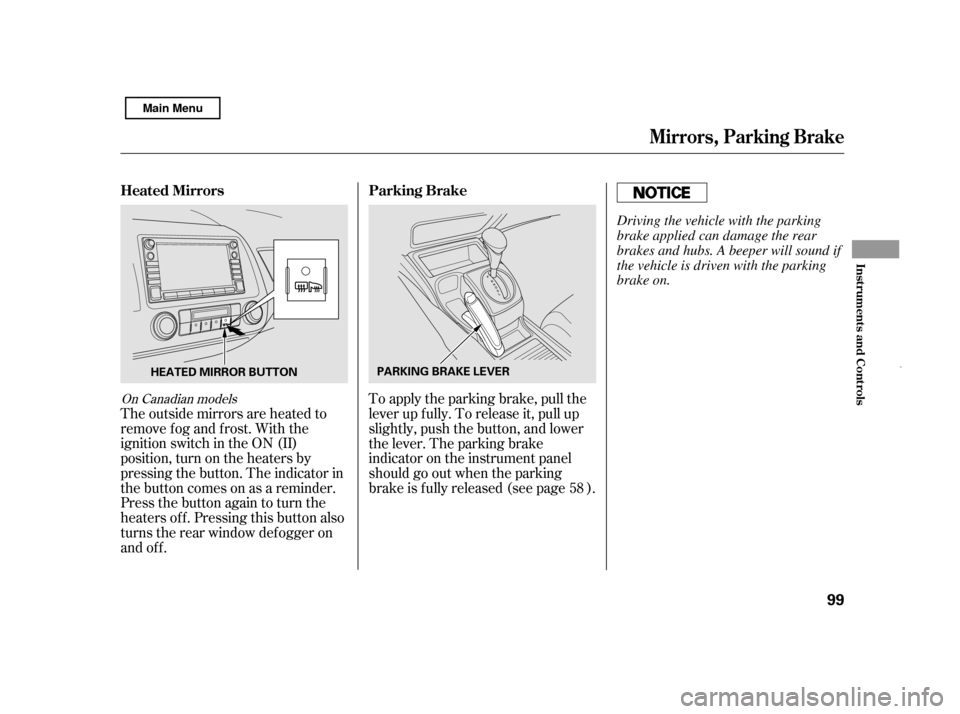
The outside mirrors are heated to
remove fog and frost. With the
ignition switch in the ON (II)
position, turn on the heaters by
pressing the button. The indicator in
the button comes on as a reminder.
Press the button again to turn the
heaters off. Pressing this button also
turns the rear window def ogger on
and off.To apply the parking brake, pull the
lever up f ully. To release it, pull up
slightly, push the button, and lower
the lever. The parking brake
indicator on the instrument panel
should go out when the parking
brake is f ully released (see page ).
58
Heated Mirrors Parking Brake
Mirrors, Parking Brake
Inst rument s and Cont rols
99
PARKING BRAKE LEVER
HEATED MIRROR BUTTON Driving the vehicle with the parking
brake applied can damage the rear
brakes and hubs. A beeper will sound if
the vehicle is driven with the parking
brake on.
Main Menu
Page 218 of 369
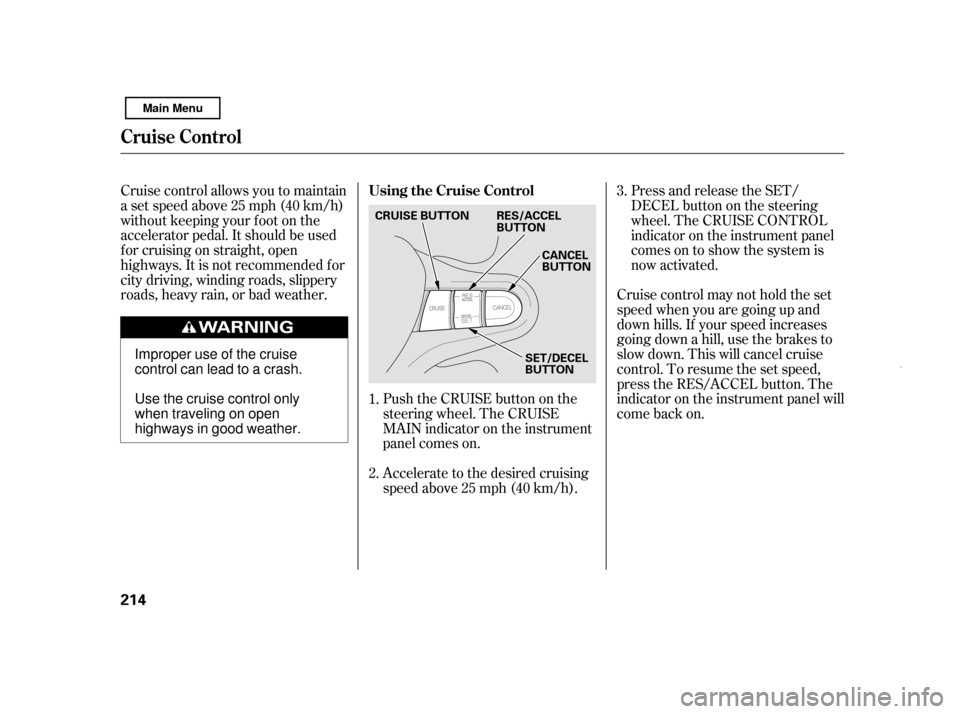
Push the CRUISE button on the
steering wheel. The CRUISE
MAIN indicator on the instrument
panel comes on.
Accelerate to the desired cruising
speedabove25mph(40km/h).Cruise control may not hold the set
speed when you are going up and
down hills. If your speed increases
going down a hill, use the brakes to
slowdown.Thiswillcancelcruise
control. To resume the set speed,
press the RES/ACCEL button. The
indicator on the instrument panel will
come back on.
Cruise control allows you to maintain
asetspeedabove25mph(40km/h)
without keeping your f oot on the
accelerator pedal. It should be used
f or cruising on straight, open
highways. It is not recommended f or
city driving, winding roads, slippery
roads, heavy rain, or bad weather.
Press and release the SET/
DECELbuttononthesteering
wheel. The CRUISE CONTROL
indicator on the instrument panel
comes on to show the system is
now activated.
1. 2. 3.
Using the Cruise Control
Cruise Control
214 CANCEL
BUTTON
SET/DECEL
BUTTON
CRUISE BUTTON RES/ACCEL
BUTTON
Improper use of the cruise
control can lead to a crash.
Use the cruise control only
when traveling on open
highways in good weather.
Main Menu
Page 219 of 369

You can increase the set cruising
speed in any of these ways:Press and hold the RES/ACCEL
button. When you reach the
desired cruising speed, release the
button.
To increase your speed in very
small amounts, tap the RES/
ACCEL button. Each time you do
this, the vehicle will speed up
about 1 mph (1.6 km/h). Press and hold the SET/DECEL
button. Release the button when
you reach the desired speed.
To slow down in very small
amounts, tap the SET/DECEL
button. Each time you do this,
your vehicle will slow down about
1 mph (1.6 km/h).
You can decrease the set cruising
speed in any of these ways:
Even with the cruise control turned
on, you can still use the accelerator
pedal to speed up f or passing. Af ter
completing the pass, take your foot
of f the accelerator pedal. The vehicle
will return to the set cruising speed.
Push on the accelerator pedal.
Accelerate to the desired cruising
speed, then press the SET/
DECEL button. Resting your f oot on the brake pedal
causes cruise control to cancel.
Tap the brake pedal lightly with
your f oot. The CRUISE
CONTROL indicator on the
instrument panel will go out.
When the vehicle slows to the
desired speed, press the SET/
DECEL button.
Changing the Set Speed
Cruise Control
Features
215
Main Menu