2011 GMC ACADIA ignition
[x] Cancel search: ignitionPage 54 of 478

Black plate (22,1)GMC Acadia/Acadia Denali Owner Manual - 2011
2-22 Keys, Doors and Windows
Window Lockout
o(Window Lockout): The window
lockout switch is located with the
power window switches on the
driver door armrest. This feature
prevents the rear windows from
being operated, except from the
driver position. Press the switch to
turn the lockout feature on or off.
An indicator light will come on to
show the lockout feature is on.
Sun Visors
Pull the sun visor down to block
glare. Detach the sun visor from
the center mount to pivot to the side
window, or to extend along the rod,
if available.
Roof
Sunroof
The ignition must be in ON/RUN
or ACC/ACCESSORY to operate
the sunroof and power sunshade.
See Retained Accessory Power
(RAP) on page 9‑21.
The vehicle may have a sunroof
over the front seats and a rear
sunroof over the second row seats.
The rear sunroof does not open.
The switch to operate the front
sunroof is on the headliner above
the rearview mirror.
Page 62 of 478

Black plate (6,1)GMC Acadia/Acadia Denali Owner Manual - 2011
3-6 Seats and Restraints
If something has blocked the
driver seat while recalling a
memory position, the recall may
stop. Remove the obstruction; then
press and hold the appropriate
manual control for the memory item
that is not recalling for two seconds.
Try recalling the memory position
again by pressing the appropriate
memory button. If the memory
position is still not recalling,
see your dealer for service.
Easy Exit Driver Seat
This feature can move the seat
rearward to allow extra room to
exit the vehicle.
S(Easy Exit Driver Seat):Press
to recall the easy exit seat position.
The vehicle must be in P (Park).
If the easy exit seat feature is
programmed on in the vehicle
personalization menu, automatic
seat movement occurs when the
ignition key is removed. A single beep sounds. The driver
seat moves back approximately
8 cm (3 in). To move the seat back
farther, press the easy exit seat
button again until the seat is all
the way back.
If something has blocked the driver
seat while recalling the exit position,
the recall may stop. Remove the
obstruction; then press and hold
the power seat control rearward for
two seconds. Try recalling the exit
position again. If the exit position is
still not recalling, see your dealer
for service.
See
“Easy Exit Seat” underVehicle
Personalization (With DIC Buttons)
on page 5‑47 for more information.
Lumbar Adjustment
Manual Lumbar
If available, move the handle
forward or rearward to increase
or decrease lumbar support.
Page 66 of 478

Black plate (10,1)GMC Acadia/Acadia Denali Owner Manual - 2011
3-10 Seats and Restraints
J(Heated Seat and Seatback):
Press to heat the seat and
seatback.
Press the button once for the
highest setting. With each press of
the button, the seat will change to
the next lower setting, and then to
the off setting. The lights indicate
three for the highest setting and
one for the lowest.
The passenger heated seat may
take longer to heat up.
The heated and/or ventilated seats
are canceled after the ignition is
turned off. Remote Start Heated Seats
When it is cold outside, the heated
seats may turn on automatically
during a remote vehicle start.
The heated seats will be canceled
when the ignition is turned on.
Press the desired heated seat
button to use the heated seats
after the vehicle is started.
The heated seat button lights will
not turn on during a remote start.
The temperature of an unoccupied
seat may be reduced.
See
Remote Vehicle Start on
page 2‑5 for more information.Rear Seats
A. Seat Adjustment Handle
B. Reclining Seatback Strap
C. Sliding Seat Lever
Page 101 of 478

Black plate (45,1)GMC Acadia/Acadia Denali Owner Manual - 2011
Seats and Restraints 3-45
A wet seat can affect the
performance of the passenger
sensing system. Here is how:
.The passenger sensing system
may turn off the passenger
airbag when liquid is soaked
into the seat. If this happens,
the off indicator will be lit, and
the airbag readiness light on the
instrument panel will also be lit.
.Liquid pooled on the seat that
has not soaked in may make it
more likely that the passenger
sensing system will enable (turn
on) the passenger airbag while a
child restraint or child occupant
is on the seat. If the passenger
airbag is turned on, the on
indicator will be lit.
If the passenger seat gets wet, dry
the seat immediately. If the airbag
readiness light is lit, do not install
a child restraint or allow anyone
to occupy the seat. See Airbag
Readiness Light on page 5‑15
for important safety information. The on indicator may be lit if
an object, such as a briefcase,
handbag, grocery bag, laptop or
other electronic device, is put on
an unoccupied seat. If this is not
desired remove the object from
the seat.
{WARNING
Stowing of articles under the
passenger seat or between the
passenger seat cushion and
seatback may interfere with the
proper operation of the passenger
sensing system.
Servicing the
Airbag-Equipped Vehicle
Airbags affect how the vehicle
should be serviced. There are
parts of the airbag system in
several places around the vehicle.
Your dealer and the service manual
have information about servicing
the vehicle and the airbag system.
To purchase a service manual,
see
Service Publications Ordering
Information on page 13‑15.
{WARNING
For up to 10 seconds after the
ignition is turned off and the
battery is disconnected, an airbag
can still inflate during improper
service. You can be injured if you
are close to an airbag when it
inflates. Avoid yellow connectors.
They are probably part of the
airbag system. Be sure to follow
proper service procedures, and
make sure the person performing
work for you is qualified to do so.
Page 137 of 478

Black plate (5,1)GMC Acadia/Acadia Denali Owner Manual - 2011
Instruments and Controls 5-5
Windshield Wiper/Washer
The windshield wiper/washer lever
is located on the left side of the
steering column.
Turn the band with the wiper symbol
to control the windshield wipers.
8(Mist):Single wipe, turn the
band to
8and then release.
Several wipes, hold the band
on
8longer.
9(Off): Turns the wipers off.
6(Adjustable Interval Wipes):
Turn the band up for more frequent
wipes or down for less frequent
wipes.
1 : Slow wipes.
2 : Fast wipes.
Clear ice and snow from the wiper
blades before using them. If frozen
to the windshield, carefully loosen or
thaw them. Damaged wiper blades
should be replaced. See Wiper
Blade Replacement on page 10‑29.
Heavy snow or ice can overload the
wipers. A circuit breaker stops them
until the motor cools. Windshield WasherJ(Washer Fluid):
Press the
button at the end of the turn signal/
lane change lever, to spray washer
fluid on the windshield. The wipers
clear the windshield and either
stop or return to the preset speed.
The ignition key must be in
ACC/ACCESSORY or ON/RUN
for this to work. See Washer
Fluid on page 10‑23.
{WARNING
In freezing weather, do not use
the washer until the windshield
is warmed. Otherwise the
washer fluid can form ice on the
windshield, blocking your vision.
WASHER FLUID LOW ADD
FLUID is displayed on the Driver
Information Center (DIC) when the
washer fluid is low. See Washer
Fluid Messages on page 5‑46.
Page 140 of 478

Black plate (8,1)GMC Acadia/Acadia Denali Owner Manual - 2011
5-8 Instruments and Controls
To calibrate the compass, use the
following procedure:
Compass Calibration Procedure
1. Before calibrating the compass,make sure the compass zone
is set to the variance zone in
which the vehicle is located.
See “Compass Variance (Zone)
Procedure” earlier in this
section.
Do not operate any switches
such as window, sunroof,
climate controls, seats, etc.
during the calibration procedure.
2. Press the vehicle information button until PRESS
VTO
CALIBRATE COMPASS
displays.
3. Press the set/reset button to start the compass calibration. 4. The DIC will display
CALIBRATING: DRIVE IN
CIRCLES. Drive the vehicle
in tight circles at less than
8 km/h (5 mph) to complete the
calibration. The DIC will display
CALIBRATION COMPLETE
for a few seconds when the
calibration is complete. The DIC
display will then return to the
previous menu.
Clock
To adjust the time and date:
1. Turn the ignition key to
ACC/ACCESSORY or ON/RUN,
then press
O, to turn the
radio on.
2. Press
Gto display HR, MIN,
MM, DD, YYYY (hour, minute,
month, day, and year). 3. Press the pushbutton located
under any one of the labels to
be changed.
4. To increase the time or date, do one of the following:
.Press the pushbutton below
the selected label.
.Press¨SEEK.
.Press\FWD.
.Turnfclockwise.
5. To decrease the time or date, do one of the following:
.Press©SEEK.
.PresssREV.
.Turnfcounter‐clockwise.
Page 142 of 478
Black plate (10,1)GMC Acadia/Acadia Denali Owner Manual - 2011
5-10 Instruments and Controls
When adding electrical equipment,
be sure to follow the proper
installation instructions included
with the equipment. SeeAdd-On
Electrical Equipment on page 9‑56.
Notice: Hanging heavy
equipment from the power
outlet can cause damage not
covered by the vehicle warranty.
The power outlets are designed
for accessory power plugs only,
such as cell phone charge cords.Power Outlet 110 Volt
Alternative Current
The vehicle may have a power
outlet that can be used to plug in
electrical equipment that uses a
maximum limit of 150 watts.
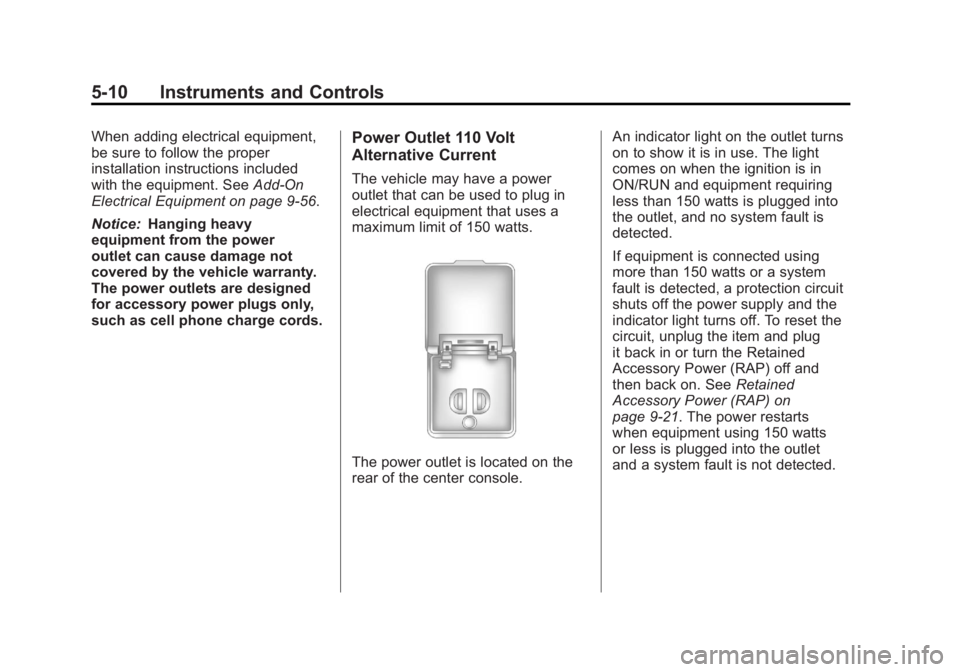
The power outlet is located on the
rear of the center console. An indicator light on the outlet turns
on to show it is in use. The light
comes on when the ignition is in
ON/RUN and equipment requiring
less than 150 watts is plugged into
the outlet, and no system fault is
detected.
If equipment is connected using
more than 150 watts or a system
fault is detected, a protection circuit
shuts off the power supply and the
indicator light turns off. To reset the
circuit, unplug the item and plug
it back in or turn the Retained
Accessory Power (RAP) off and
then back on. See
Retained
Accessory Power (RAP) on
page 9‑21. The power restarts
when equipment using 150 watts
or less is plugged into the outlet
and a system fault is not detected.
Page 145 of 478

Black plate (13,1)GMC Acadia/Acadia Denali Owner Manual - 2011
Instruments and Controls 5-13
Speedometer
The speedometer shows the
vehicle's speed in either kilometers
per hour (km/h) or miles per
hour (mph).
Odometer
The odometer shows how far the
vehicle has been driven, in either
kilometers or miles.
This vehicle has a tamper-resistant
odometer. If the vehicle needs a
new odometer installed, the new
one is set to the mileage of the old
odometer. If this is not possible, it is
set at zero and a label is put on the
driver door to show the old mileage
reading.
Tachometer
The tachometer displays the
engine speed in revolutions per
minute (rpm).
Fuel Gauge
MetricEnglish
When the ignition is on, the fuel
gauge shows how much fuel is
left in the tank.
An arrow in the fuel gauge indicates
the side of the vehicle the fuel door
is on.
The gauge will first indicate empty
before the vehicle is out of fuel,
the vehicle's fuel tank should be
filled soon.
When the fuel tank is low on fuel,
the FUEL LEVEL LOW message will
appear on the Driver Information Center (DIC). For more information
see
Fuel System Messages on
page 5‑41.
Here are some situations that may
occur with the fuel gauge. None of
these indicate a problem with the
fuel gauge..At the gas station, the fuel pump
shuts off before the gauge
reads full.
.It takes a little more or less fuel
to fill up than the fuel gauge
indicated. For example, the
gauge may have indicated the
tank was half full, but it actually
took a little more or less than
half the tank's capacity to fill
the tank.
.The gauge goes back to empty
when the ignition is turned off.