2011 FORD TAURUS steering
[x] Cancel search: steeringPage 78 of 406
WARNING:Never adjust the steering wheel when the vehicle is
moving.
ILLUMINATED VISOR MIRROR
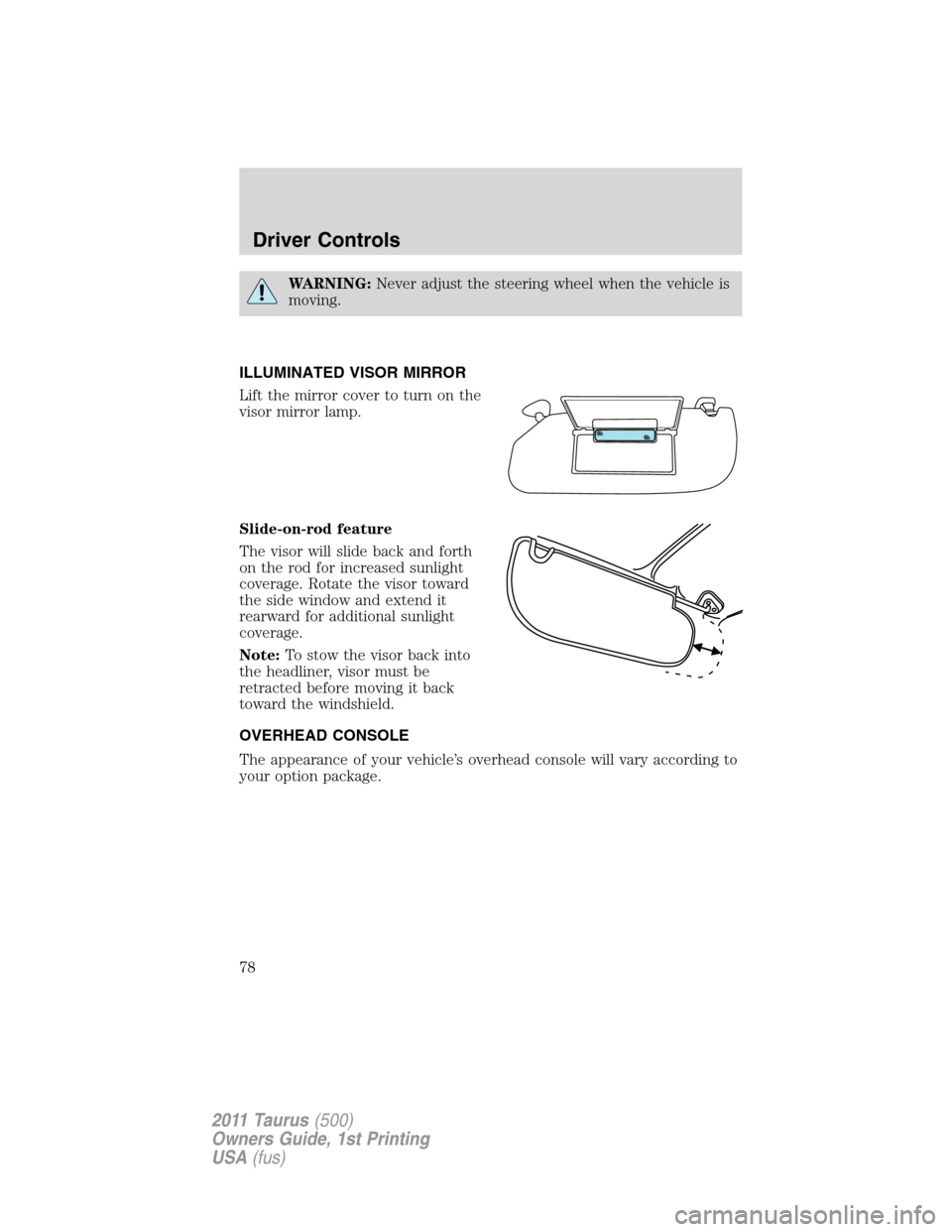
Lift the mirror cover to turn on the
visor mirror lamp.
Slide-on-rod feature
The visor will slide back and forth
on the rod for increased sunlight
coverage. Rotate the visor toward
the side window and extend it
rearward for additional sunlight
coverage.
Note:To stow the visor back into
the headliner, visor must be
retracted before moving it back
toward the windshield.
OVERHEAD CONSOLE
The appearance of your vehicle’s overhead console will vary according to
your option package.
Driver Controls
78
2011 Taurus(500)
Owners Guide, 1st Printing
USA(fus)
Page 88 of 406
Memory feature (if equipped)
The accelerator and brake pedal positions are saved when doing a
memory set function and can be recalled along with the vehicle
personality features when a memory position is selected through the
remote entry transmitter, keyless entry keypad or memory switch on the
driver’s door (if equipped with memory feature). Refer toFront seating
in theSeating and Safety Restraintschapter.
SPEED CONTROL
With speed control set, you can maintain a set speed without keeping
your foot on the accelerator pedal.
WARNING:Do not use the speed control in heavy traffic or on
roads that are winding, slippery or unpaved.
Using speed control
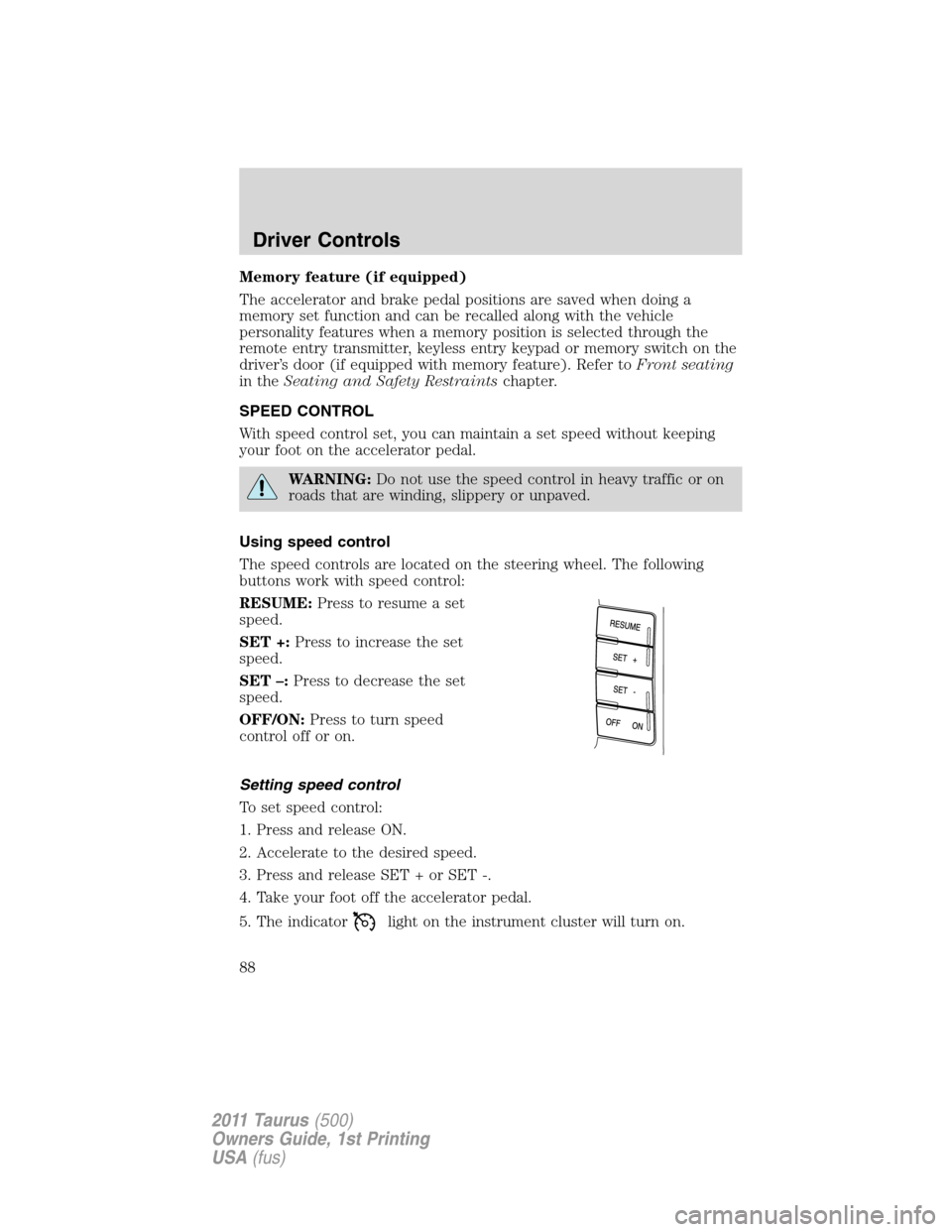
The speed controls are located on the steering wheel. The following
buttons work with speed control:
RESUME:Press to resume a set
speed.
SET +:Press to increase the set
speed.
SET –:Press to decrease the set
speed.
OFF/ON:Press to turn speed
control off or on.
Setting speed control
To set speed control:
1. Press and release ON.
2. Accelerate to the desired speed.
3. Press and release SET + or SET -.
4. Take your foot off the accelerator pedal.
5. The indicator
light on the instrument cluster will turn on.
Driver Controls
88
2011 Taurus(500)
Owners Guide, 1st Printing
USA(fus)
Page 90 of 406
ADAPTIVE CRUISE CONTROL (ACC) (IF EQUIPPED)
Adaptive cruise control is much like speed control, only this system is
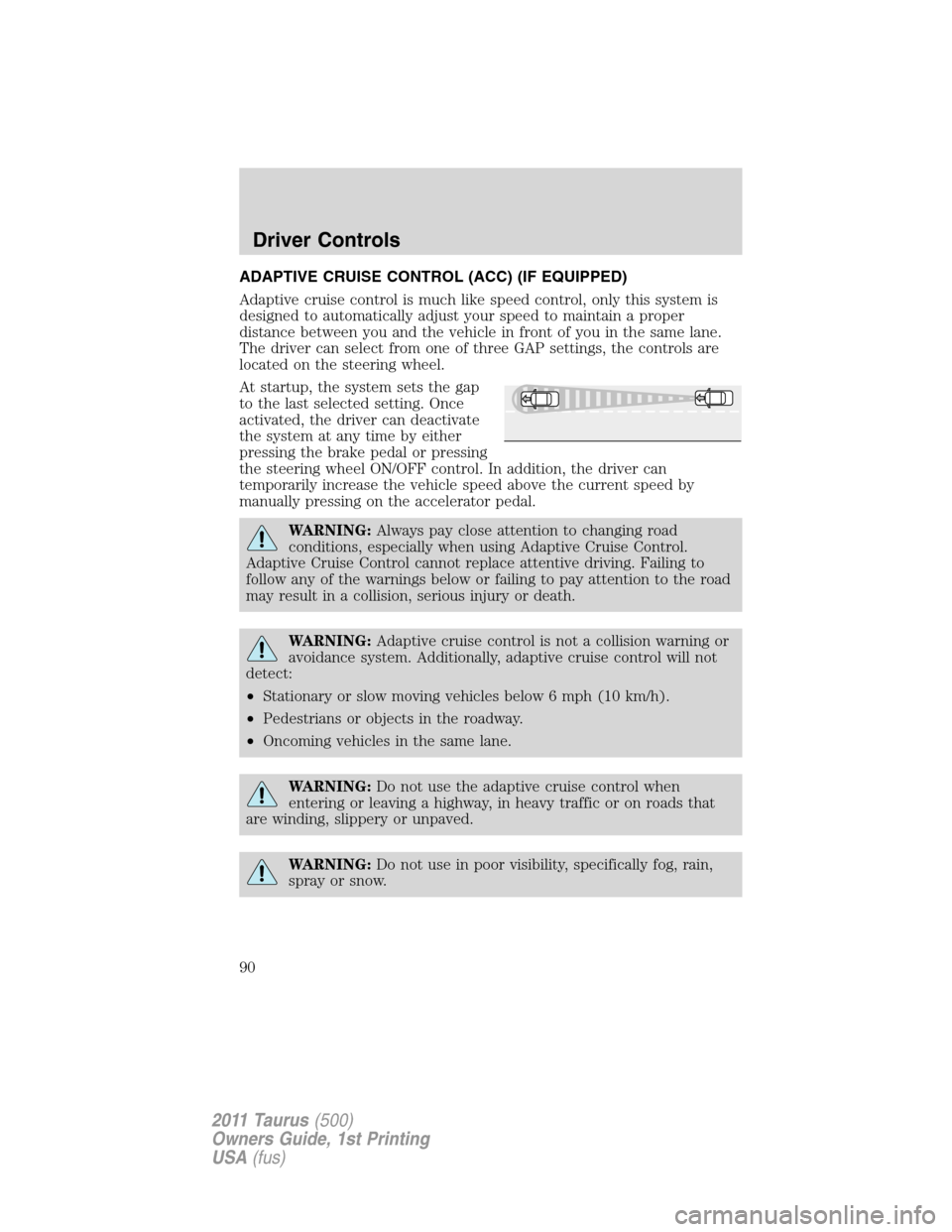
designed to automatically adjust your speed to maintain a proper
distance between you and the vehicle in front of you in the same lane.
The driver can select from one of three GAP settings, the controls are
located on the steering wheel.
At startup, the system sets the gap
to the last selected setting. Once
activated, the driver can deactivate
the system at any time by either
pressing the brake pedal or pressing
the steering wheel ON/OFF control. In addition, the driver can
temporarily increase the vehicle speed above the current speed by
manually pressing on the accelerator pedal.
WARNING:Always pay close attention to changing road
conditions, especially when using Adaptive Cruise Control.
Adaptive Cruise Control cannot replace attentive driving. Failing to
follow any of the warnings below or failing to pay attention to the road
may result in a collision, serious injury or death.
WARNING:Adaptive cruise control is not a collision warning or
avoidance system. Additionally, adaptive cruise control will not
detect:
•Stationary or slow moving vehicles below 6 mph (10 km/h).
•Pedestrians or objects in the roadway.
•Oncoming vehicles in the same lane.
WARNING:Do not use the adaptive cruise control when
entering or leaving a highway, in heavy traffic or on roads that
are winding, slippery or unpaved.
WARNING:Do not use in poor visibility, specifically fog, rain,
spray or snow.
Driver Controls
90
2011 Taurus(500)
Owners Guide, 1st Printing
USA(fus)
Page 91 of 406
Setting adaptive cruise control
Note:It is the driver’s responsibility to stay alert, drive safely and be in
control of the vehicle at all times.
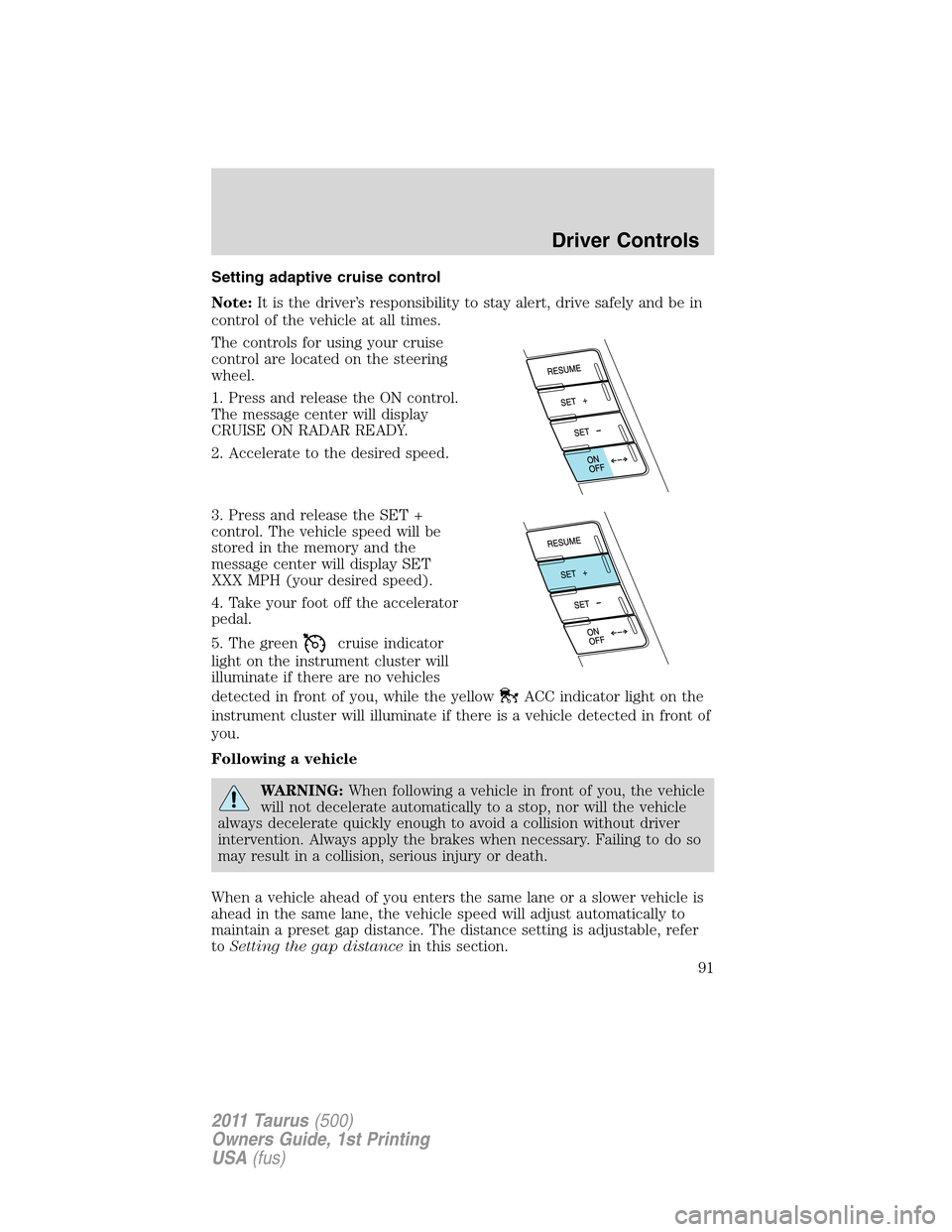
The controls for using your cruise
control are located on the steering
wheel.
1. Press and release the ON control.
The message center will display
CRUISE ON RADAR READY.
2. Accelerate to the desired speed.
3. Press and release the SET +
control. The vehicle speed will be
stored in the memory and the
message center will display SET
XXX MPH (your desired speed).
4. Take your foot off the accelerator
pedal.
5. The green
cruise indicator
light on the instrument cluster will
illuminate if there are no vehicles
detected in front of you, while the yellow
ACC indicator light on the
instrument cluster will illuminate if there is a vehicle detected in front of
you.
Following a vehicle
WARNING:When following a vehicle in front of you, the vehicle
will not decelerate automatically to a stop, nor will the vehicle
always decelerate quickly enough to avoid a collision without driver
intervention. Always apply the brakes when necessary. Failing to do so
may result in a collision, serious injury or death.
When a vehicle ahead of you enters the same lane or a slower vehicle is
ahead in the same lane, the vehicle speed will adjust automatically to
maintain a preset gap distance. The distance setting is adjustable, refer
toSetting the gap distancein this section.
Driver Controls
91
2011 Taurus(500)
Owners Guide, 1st Printing
USA(fus)
Page 98 of 406
WARNING:Do not use tires sizes other than those
recommended because this can affect the normal operation of
ACC. Failing to do so may result in a loss of vehicle control, which
could result in serious injury.
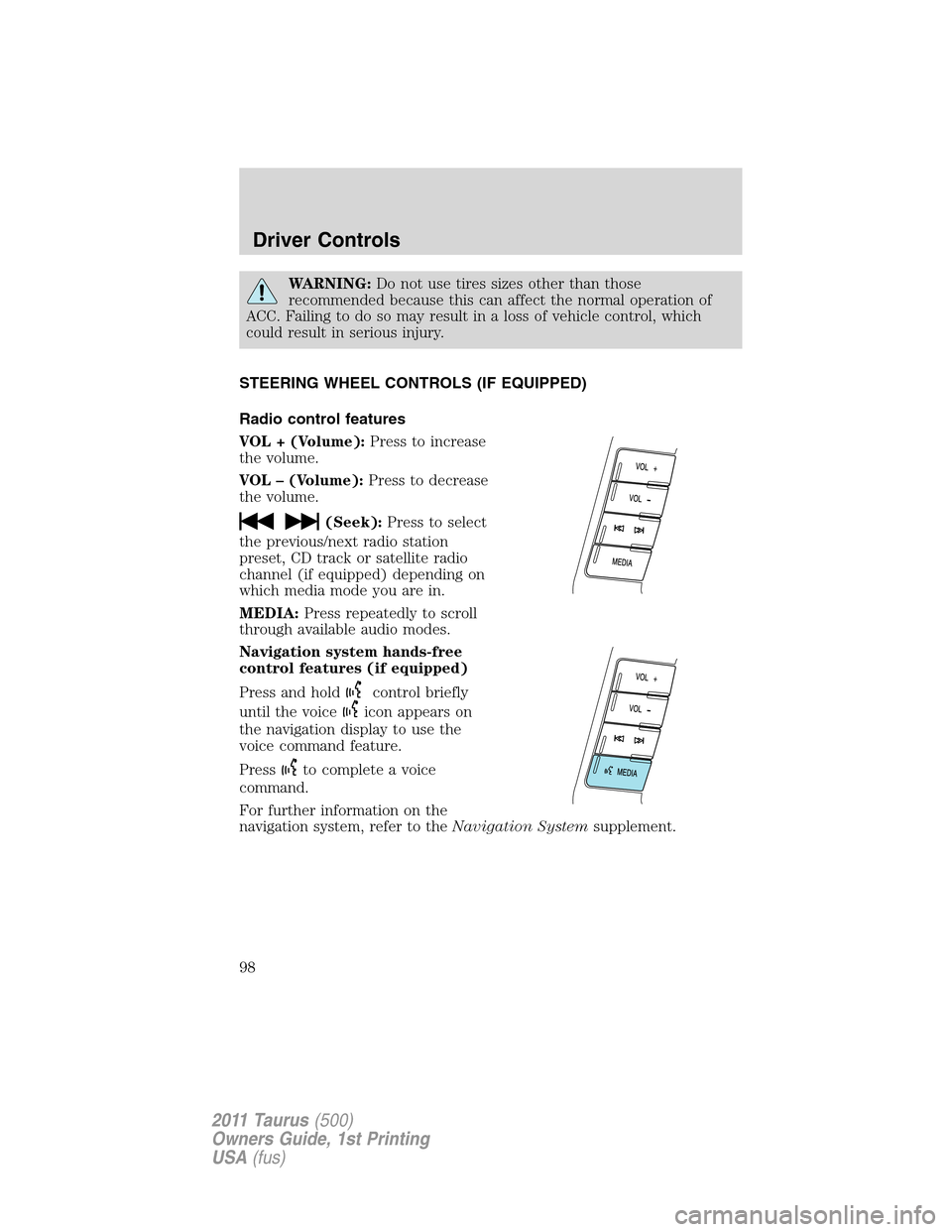
STEERING WHEEL CONTROLS (IF EQUIPPED)
Radio control features
VOL + (Volume):Press to increase
the volume.
VOL – (Volume):Press to decrease
the volume.
(Seek):Press to select
the previous/next radio station
preset, CD track or satellite radio
channel (if equipped) depending on
which media mode you are in.
MEDIA:Press repeatedly to scroll
through available audio modes.
Navigation system hands-free
control features (if equipped)
Press and hold
control briefly
until the voice
icon appears on
the navigation display to use the
voice command feature.
Press
to complete a voice
command.
For further information on the
navigation system, refer to theNavigation Systemsupplement.
Driver Controls
98
2011 Taurus(500)
Owners Guide, 1st Printing
USA(fus)
Page 209 of 406
U.S. DOT Tire Identification Number (TIN)
Both U.S. and Canada Federal regulations require tire manufacturers to
place standardized information on the sidewall of all tires. This
information identifies and describes the fundamental characteristics of
the tire and also provides a U.S. DOT Tire Identification Number for
safety standard certification and in case of a recall.
This begins with the letters “DOT” and indicates that the tire meets all
federal standards. The next two numbers or letters are the plant code
designating where it was manufactured, the next two are the tire size
code and the last four numbers represent the week and year the tire was
built. For example, the numbers 317 mean the 31st week of 1997. After
2000 the numbers go to four digits. For example, 2501 means the 25th
week of 2001. The numbers in between are identification codes used for
traceability. This information is used to contact customers if a tire defect
requires a recall.
Tire replacement requirements
Your vehicle is equipped with tires designed to provide a safe ride and
handling capability.
WARNING:Only use replacement tires and wheels that are the
same size, load index, speed rating and type (such as P-metric
versus LT-metric or all-season versus all-terrain) as those originally
provided by Ford. The recommended tire and wheel size may be found
on either the Safety Compliance Certification Label or the Tire Label
which is located on the B-Pillar or edge of the driver’s door. If this
information is not found on these labels then you should contact your
authorized dealer as soon as possible. Use of any tire or wheel not
recommended by Ford can affect the safety and performance of your
vehicle, which could result in an increased risk of loss of vehicle
control, vehicle rollover, personal injury and death. Additionally the use
of non-recommended tires and wheels could cause steering,
suspension, axle or transfer case/power transfer unit failure. If you
have questions regarding tire replacement, contact your authorized
dealer as soon as possible.
Tires, Wheels and Loading
209
2011 Taurus(500)
Owners Guide, 1st Printing
USA(fus)
Page 223 of 406
SNOW TIRES AND CHAINS
WARNING:Snow tires must be the same size, load index, speed
rating as those originally provided by Ford. Use of any tire or
wheel not recommended by Ford can affect the safety and
performance of your vehicle, which could result in an increased risk of
loss of vehicle control, vehicle rollover, personal injury and death.
Additionally, the use of non-recommended tires and wheels could
cause steering, suspension, axle or transfer case/power transfer unit
failure.
The tires on your vehicle may have all-weather treads to provide traction
in rain and snow. However, in some climates, you may need to use snow
tires and chains. If you need to use chains, it is recommended that steel
wheels (of the same size and specifications) be used, as chains may chip
aluminum wheels.
Note:The suspension insulation and bumpers will help prevent vehicle
damage. Do not remove these components from your vehicle when using
snow tires and chains.
Follow these guidelines when using snow tires and chains:
•If possible, avoid fully loading your vehicle.
•Use only SAE Class S cables or equivalent on P235/60R17 or
P235/55R18 tires on the front tires only. SAE Class S chains or other
conventional link chains may cause damage to the vehicle’s wheel
house and/or body. Use of optional spike spider type traction devices
or equivalent is also acceptable.
•Do not install tire chains, cables or optional traction devices on the
rear tires. This could cause damage to the vehicle’s wheel house or
body.
•Do not use tire chains, cables or optional traction devices with
optional P255/45R19 or P245/45R20 tires.
•Install tire cables securely, verifying that the tire cables do not touch
any wiring, brake lines or fuel lines.
•Do not exceed 30 mph (48 km/h) with tire cables on your vehicle.
•Drive cautiously. If you hear the cables rub or bang against your
vehicle, stop and retighten the cables. If this does not work, remove
the cables to prevent damage to your vehicle.
•Remove the tire cables when they are no longer needed. Do not use
tire cables on dry roads.
Tires, Wheels and Loading
223
2011 Taurus(500)
Owners Guide, 1st Printing
USA(fus)
Page 238 of 406
3. After idling for a few seconds, release the parking brake, apply the
brake, shift into gear and drive.
Note:If the engine does not start on the first try, turn the vehicle to the
off position, wait 10 seconds and try Step 2 again. If the engine still fails
to start, press the accelerator to the floor and try Step 2 again, keeping
the accelerator on the floor until the engine begins to accelerate above
cranking speeds; this will allow the engine to crank with the fuel shut off
in case the engine is flooded with fuel.
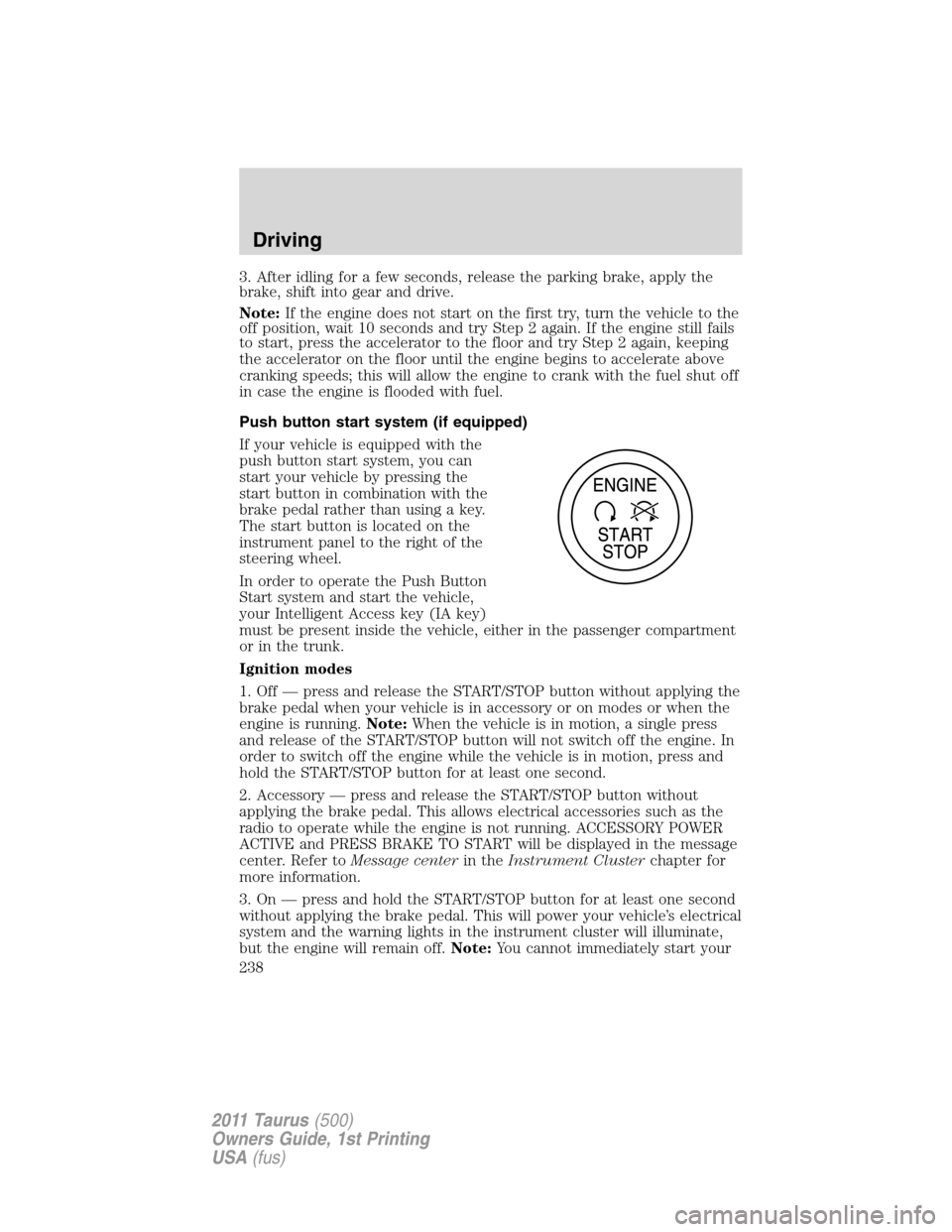
Push button start system (if equipped)
If your vehicle is equipped with the
push button start system, you can
start your vehicle by pressing the
start button in combination with the
brake pedal rather than using a key.
The start button is located on the
instrument panel to the right of the
steering wheel.
In order to operate the Push Button
Start system and start the vehicle,
your Intelligent Access key (IA key)
must be present inside the vehicle, either in the passenger compartment
or in the trunk.
Ignition modes
1. Off — press and release the START/STOP button without applying the
brake pedal when your vehicle is in accessory or on modes or when the
engine is running.Note:When the vehicle is in motion, a single press
and release of the START/STOP button will not switch off the engine. In
order to switch off the engine while the vehicle is in motion, press and
hold the START/STOP button for at least one second.
2. Accessory — press and release the START/STOP button without
applying the brake pedal. This allows electrical accessories such as the
radio to operate while the engine is not running. ACCESSORY POWER
ACTIVE and PRESS BRAKE TO START will be displayed in the message
center. Refer toMessage centerin theInstrument Clusterchapter for
more information.
3. On — press and hold the START/STOP button for at least one second
without applying the brake pedal. This will power your vehicle’s electrical
system and the warning lights in the instrument cluster will illuminate,
but the engine will remain off.Note:You cannot immediately start your
Driving
238
2011 Taurus(500)
Owners Guide, 1st Printing
USA(fus)