Page 28 of 406

PRESS BRAKE TO START (if equipped)— Displayed when the
start/stop button is pressed without the brake pedal being applied. This
is a reminder that the brake pedal must be applied when the start/stop
button is pressed in order to start the engine.
SHIFT TO PARK (if equipped)— Displayed when the start/stop
button is pressed to shut off the engine with the shift select lever in any
position other than P (Park). Refer toFast restart featureinPush
button start systemin theDrivingchapter for more information.
NO KEY DETECTED (if equipped)— Displayed if the Intelligent
Access Key is not detected by the system in the following three
scenarios:
•When the start/stop button is pressed in an attempt to either start the
engine or cycle through the ignition states.
•When the engine is running and a door is opened then closed.
•When the vehicle’s speed exceeds 10 mph (16 km/h) for the first time
after starting. Refer toPush button start systemin theDrivingchapter
for more information.
RESTART NOW OR KEY IS NEEDED (if equipped)— Displayed
when the start/stop button is pressed to shut off the engine and a
Intelligent Access Key is not detected inside the vehicle. Refer toPush
button start systemin theDrivingchapter for more information.
ACCESSORY POWER ACTIVE (if equipped)— Displayed when the
vehicle is in the accessory ignition state.
STARTING SYSTEM FAULT (if equipped)— This message is
displayed when there is a problem with your vehicle’s starting security
system; your vehicle will not be able to start. See your authorized dealer
for service.
KEY PROGRAMMED 3 KEYS TOTAL (if equipped)— Displayed
during spare key programming, when a third Intelligent Access Key is
programmed to the system.
KEY PROGRAMMED 4 KEYS TOTAL (if equipped)— Displayed
during spare key programming, when a fourth Intelligent Access Key is
programmed to the system.
MAX # OF KEYS LEARNED (if equipped)— Displayed during spare
key programming, after a fourth Intelligent Access Key is programmed or
upon entering spare key programming mode with four Intelligent Access
Keys already programmed to the vehicle.
MYKEY ACTIVE DRIVE SAFELY— Displayed at startup when
MyKey™ is in use. Refer toMyKey™in theLocks and Securitychapter
for more information.
Instrument Cluster
28
2011 Taurus(500)
Owners Guide, 1st Printing
USA(fus)
Page 71 of 406

“E” for Europe to ensure lamp performance, light brightness and pattern
and safe visibility. The correct bulbs will not damage the lamp assembly
or void the lamp assembly warranty and will provide quality bulb burn
time.
Function Number of bulbs Trade number
Low series headlamps
(high/low beam)2 HB3
*High series headlamps
(high/low beam) (HID)2 D3S
Front park/turn lamp 2 3457AK (amber)
Sidemarker lamp (front) 2 168
Tail/sidemarker lamp
(rear)2 916
Tail/brake lamp 2 3057K
Backup lamp 2 HPC 16W
License plate lamp 2 C5W
High-mount brake lamp 1 LED
Supplemental park lamp 2 LED
Map lamp 2 W5WL
Dome/reading lamps 2 W5WL
Rear turn lamp 2 WY21W (amber)
All replacement bulbs are clear in color except where noted.
To replace all instrument panel lights - see your authorized dealer.
* To replace these lights - see your authorized dealer.
Replacing interior bulbs
Check the operation of all bulbs frequently.
Replacing exterior bulbs
Check the operation of all bulbs frequently.
Replacing headlamp (low/high beam) bulbs
1. Make sure the headlamp switch is in the off position, then open the
hood.
2. Reach in behind the headlamp assembly to access the bulbs and
connectors.
Lights
71
2011 Taurus(500)
Owners Guide, 1st Printing
USA(fus)
Page 73 of 406
Replacing rear brake/tail/turn and side marker lamp bulbs
The brake/tail/turn and side marker lamp bulbs are located in the tail
lamp assembly. Follow the same steps to replace either bulb.
•(1)Tail/side marker lamp
•(2)Brake/tail lamp
•(3)Turn signal lamp
1. Make sure the headlamp switch is in the off position and open the
trunk.
2. Remove the press pin and cargo
net fastener (if equipped) and
carefully pull the carpet away to
expose the backside of the tail lamp
assembly.
3. Remove the nut and washer
assemblies, then pull the lamp
assembly away from the vehicle.
4. Remove the bulb socket by
rotating it counterclockwise, then
pulling it out of the lamp assembly.
5. Pull the bulb straight from the
socket.
Install new bulb(s) in reverse order.
Lights
73
2011 Taurus(500)
Owners Guide, 1st Printing
USA(fus)
Page 74 of 406
Replacing backup lamp bulbs
The backup lamp bulbs are located in the deck lid assembly.
1. Make sure the headlamp switch is in the off position.
2. Remove the deck lid trim panel
press pins and carefully pull the
panel away to expose the backside
of the backup lamp assembly.
3. Remove bulb socket by rotating it
counterclockwise, then pull it out of
the lamp assembly.
4. Disconnect the wire harness connector from the bulb/socket.
5. Install the new bulb in reverse order.
Replacing high-mount brake lamp bulbs
Your vehicle is equipped with an LED high-mount brake lamp. It is
designed to last the life of the vehicle. If replacement is required, it is
recommended that you see your authorized dealer.
Lights
74
2011 Taurus(500)
Owners Guide, 1st Printing
USA(fus)
Page 87 of 406
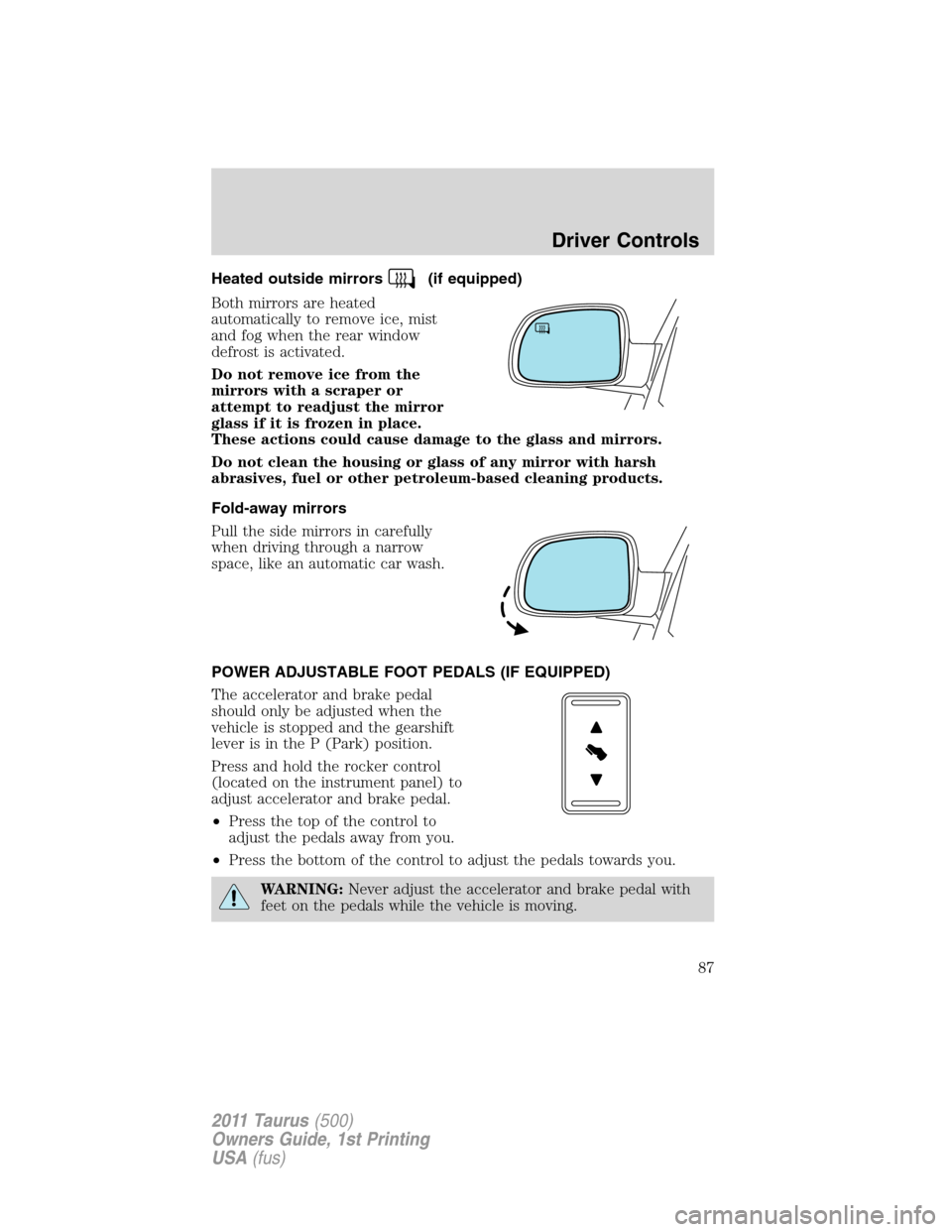
Heated outside mirrors(if equipped)
Both mirrors are heated
automatically to remove ice, mist
and fog when the rear window
defrost is activated.
Do not remove ice from the
mirrors with a scraper or
attempt to readjust the mirror
glass if it is frozen in place.
These actions could cause damage to the glass and mirrors.
Do not clean the housing or glass of any mirror with harsh
abrasives, fuel or other petroleum-based cleaning products.
Fold-away mirrors
Pull the side mirrors in carefully
when driving through a narrow
space, like an automatic car wash.
POWER ADJUSTABLE FOOT PEDALS (IF EQUIPPED)
The accelerator and brake pedal
should only be adjusted when the
vehicle is stopped and the gearshift
lever is in the P (Park) position.
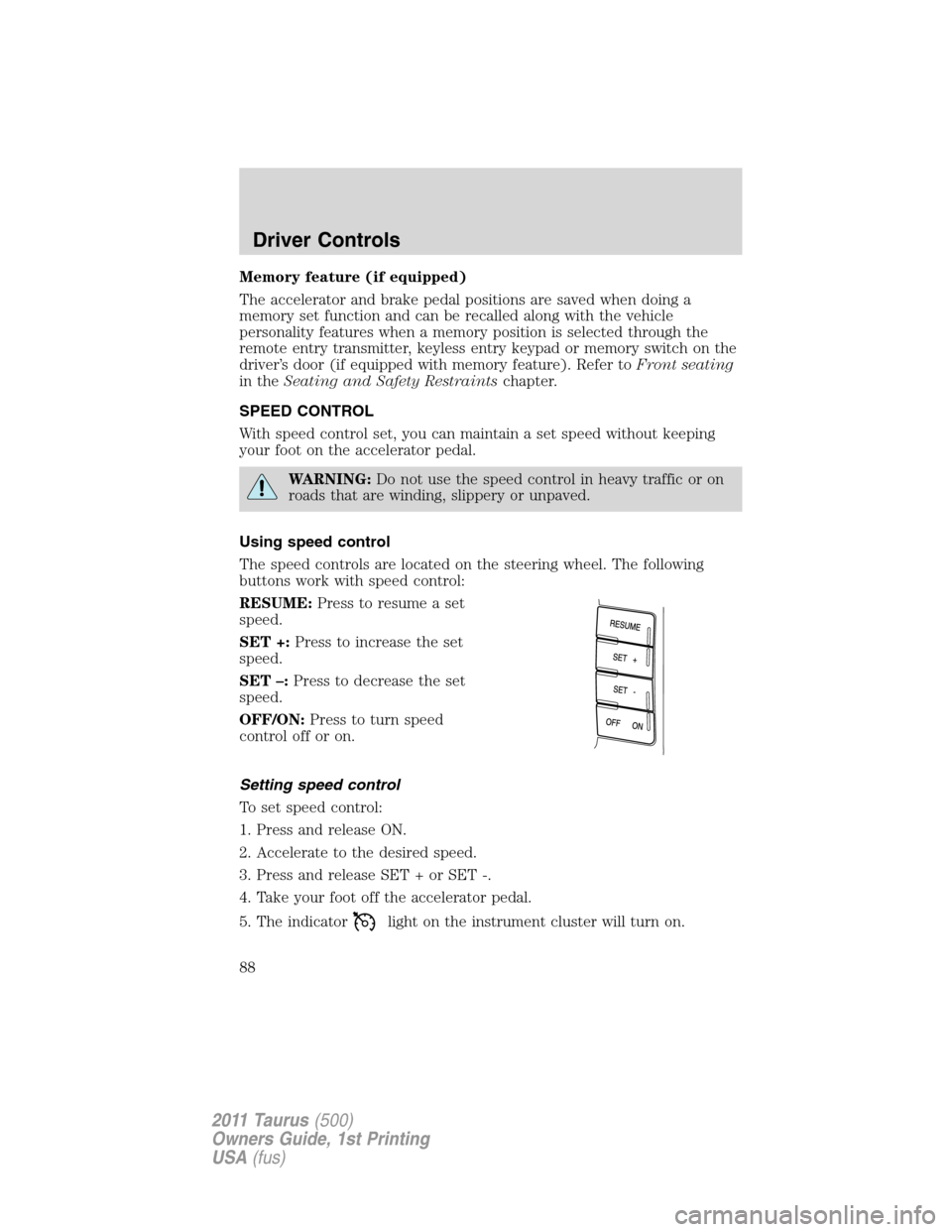
Press and hold the rocker control
(located on the instrument panel) to
adjust accelerator and brake pedal.
•Press the top of the control to
adjust the pedals away from you.
•Press the bottom of the control to adjust the pedals towards you.
WARNING:Never adjust the accelerator and brake pedal with
feet on the pedals while the vehicle is moving.
Driver Controls
87
2011 Taurus(500)
Owners Guide, 1st Printing
USA(fus)
Page 88 of 406
Memory feature (if equipped)
The accelerator and brake pedal positions are saved when doing a
memory set function and can be recalled along with the vehicle
personality features when a memory position is selected through the
remote entry transmitter, keyless entry keypad or memory switch on the
driver’s door (if equipped with memory feature). Refer toFront seating
in theSeating and Safety Restraintschapter.
SPEED CONTROL
With speed control set, you can maintain a set speed without keeping
your foot on the accelerator pedal.
WARNING:Do not use the speed control in heavy traffic or on
roads that are winding, slippery or unpaved.
Using speed control
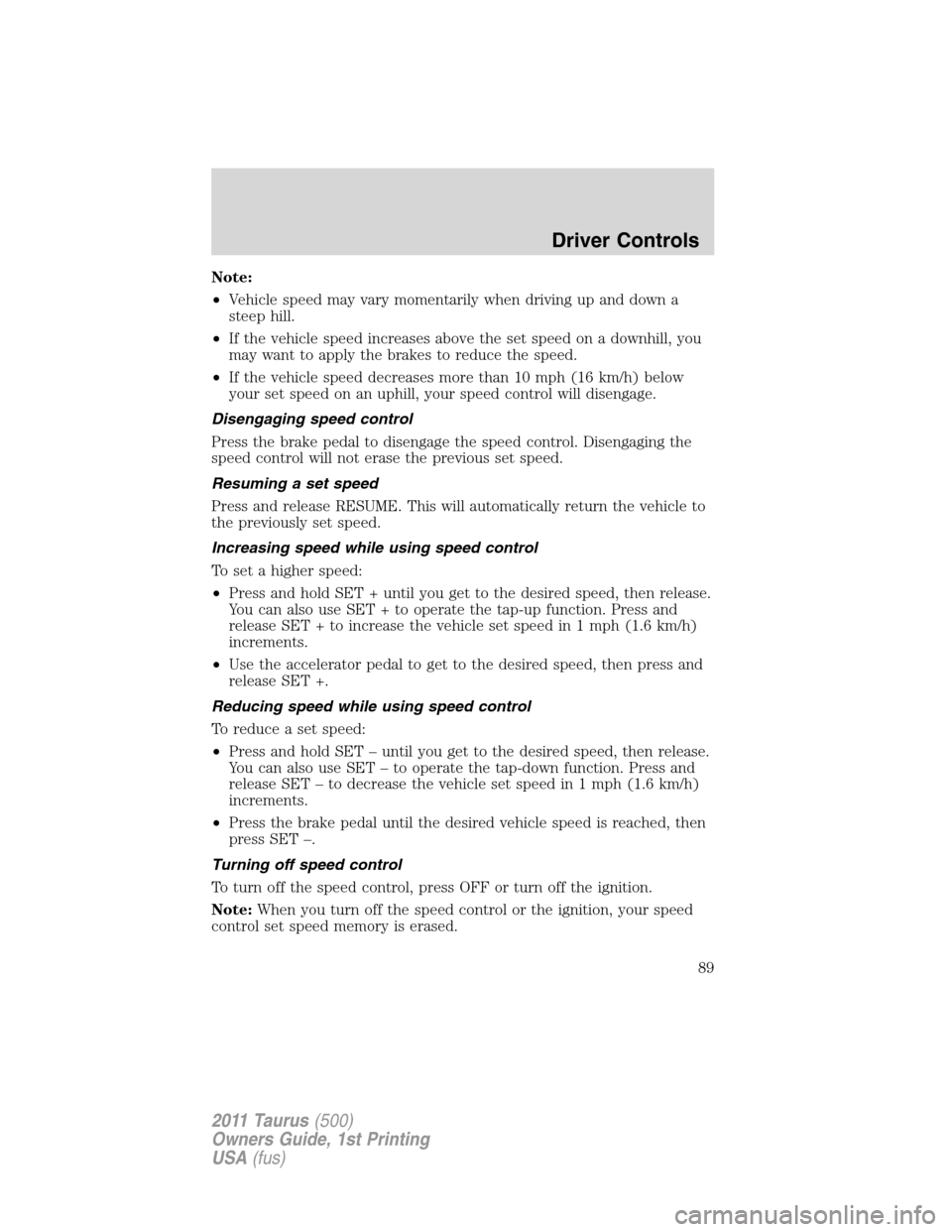
The speed controls are located on the steering wheel. The following
buttons work with speed control:
RESUME:Press to resume a set
speed.
SET +:Press to increase the set
speed.
SET –:Press to decrease the set
speed.
OFF/ON:Press to turn speed
control off or on.
Setting speed control
To set speed control:
1. Press and release ON.
2. Accelerate to the desired speed.
3. Press and release SET + or SET -.
4. Take your foot off the accelerator pedal.
5. The indicator
light on the instrument cluster will turn on.
Driver Controls
88
2011 Taurus(500)
Owners Guide, 1st Printing
USA(fus)
Page 89 of 406
Note:
•Vehicle speed may vary momentarily when driving up and down a
steep hill.
•If the vehicle speed increases above the set speed on a downhill, you
may want to apply the brakes to reduce the speed.
•If the vehicle speed decreases more than 10 mph (16 km/h) below
your set speed on an uphill, your speed control will disengage.
Disengaging speed control
Press the brake pedal to disengage the speed control. Disengaging the
speed control will not erase the previous set speed.
Resuming a set speed
Press and release RESUME. This will automatically return the vehicle to
the previously set speed.
Increasing speed while using speed control
To set a higher speed:
•Press and hold SET + until you get to the desired speed, then release.
You can also use SET + to operate the tap-up function. Press and
release SET + to increase the vehicle set speed in 1 mph (1.6 km/h)
increments.
•Use the accelerator pedal to get to the desired speed, then press and
release SET +.
Reducing speed while using speed control
To reduce a set speed:
•Press and hold SET – until you get to the desired speed, then release.
You can also use SET – to operate the tap-down function. Press and
release SET – to decrease the vehicle set speed in 1 mph (1.6 km/h)
increments.
•Press the brake pedal until the desired vehicle speed is reached, then
press SET –.
Turning off speed control
To turn off the speed control, press OFF or turn off the ignition.
Note:When you turn off the speed control or the ignition, your speed
control set speed memory is erased.
Driver Controls
89
2011 Taurus(500)
Owners Guide, 1st Printing
USA(fus)
Page 90 of 406
ADAPTIVE CRUISE CONTROL (ACC) (IF EQUIPPED)
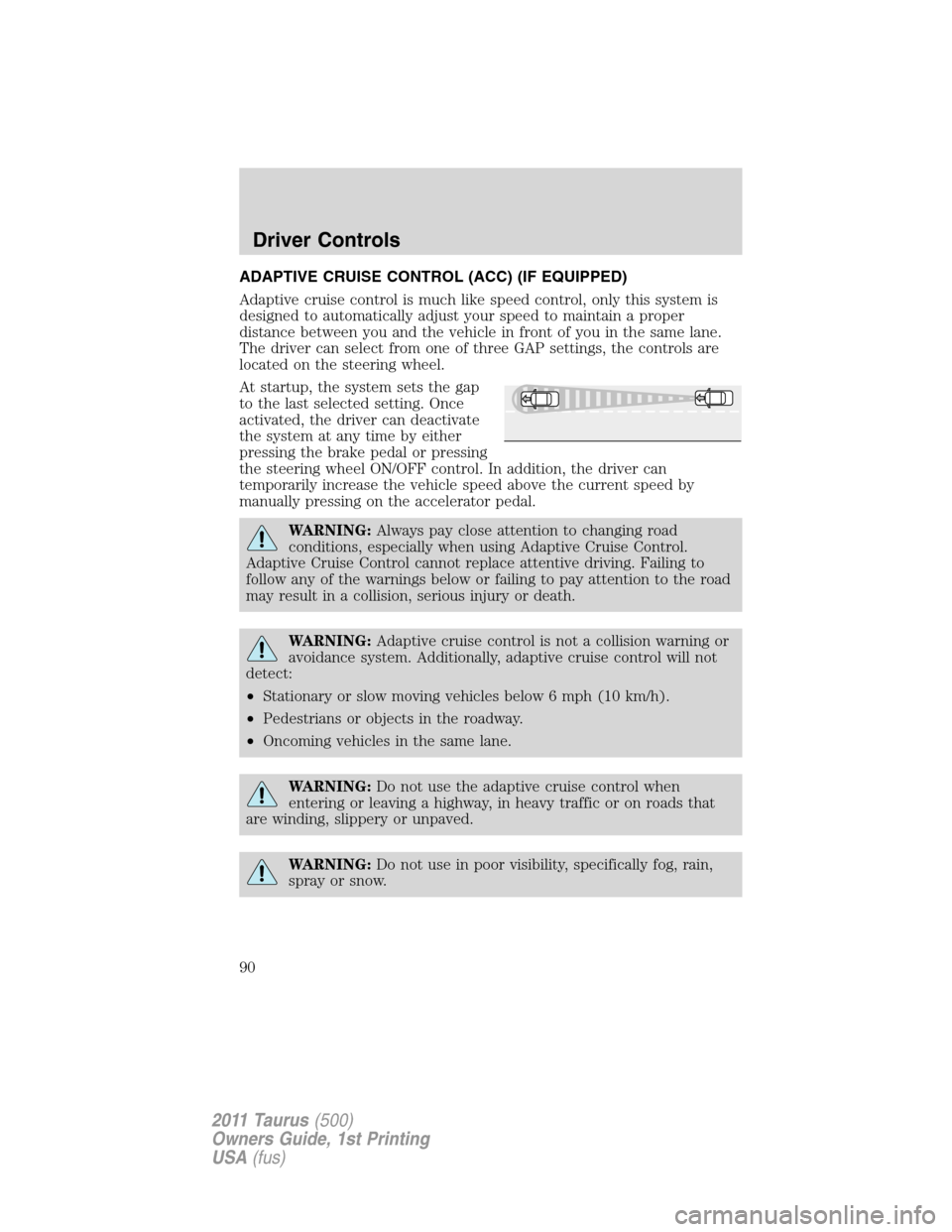
Adaptive cruise control is much like speed control, only this system is
designed to automatically adjust your speed to maintain a proper
distance between you and the vehicle in front of you in the same lane.
The driver can select from one of three GAP settings, the controls are
located on the steering wheel.
At startup, the system sets the gap
to the last selected setting. Once
activated, the driver can deactivate
the system at any time by either
pressing the brake pedal or pressing
the steering wheel ON/OFF control. In addition, the driver can
temporarily increase the vehicle speed above the current speed by
manually pressing on the accelerator pedal.
WARNING:Always pay close attention to changing road
conditions, especially when using Adaptive Cruise Control.
Adaptive Cruise Control cannot replace attentive driving. Failing to
follow any of the warnings below or failing to pay attention to the road
may result in a collision, serious injury or death.
WARNING:Adaptive cruise control is not a collision warning or
avoidance system. Additionally, adaptive cruise control will not
detect:
•Stationary or slow moving vehicles below 6 mph (10 km/h).
•Pedestrians or objects in the roadway.
•Oncoming vehicles in the same lane.
WARNING:Do not use the adaptive cruise control when
entering or leaving a highway, in heavy traffic or on roads that
are winding, slippery or unpaved.
WARNING:Do not use in poor visibility, specifically fog, rain,
spray or snow.
Driver Controls
90
2011 Taurus(500)
Owners Guide, 1st Printing
USA(fus)

