2011 FORD KUGA instrument
[x] Cancel search: instrumentPage 274 of 2057

Generator
General information
The powertrain control module (PCM) controls the
alternator charging voltage. The connection
between the PCM and the generator is made via
the control module subnetwork (LIN) bus.
If the load on the alternator is high, the PCM can
increase the idle speed.
The alternator is temporarily deactivated during
engine starting so that the engine drag moment is
minimized and it is reactivated again after the
starting procedure.
The PCM controls the charge control lamp in the
instrument cluster via the controller area network
(CAN) bus.
Smart Charge system
In addition to the familiar functions, the Smart
Charge system also performs the following
functions:
•
Automatic deactivation of non-critical high power
electrical consumers when the battery voltage
is low in order to reduce the level of current
drawn.
• Automatic activation of non-critical high power electrical consumers when the battery voltage
is excessively high in order to protect
components which are sensitive to increased
voltages.
The battery charging current is optimized through
continuous calculation of the battery temperature
and monitoring of the alternator output voltage.
By receiving the forwarded alternator load signal,
the PCM is given early warning whenever an
electric consumer is switched on or off. This means
that the PCM receives information about imminent
changes in the torque drawn by the alternator. By
evaluating this information the PCM can provide a
higher level of idling stability.
The two remaining functions of the Smart Charge
System are controlled by the GEM.
Electrical consumers are switched off due to low
voltage when the GEM determines (on the basis
of the message received from the PCM on the CAN
bus via the instrument cluster) that the battery
voltage has dropped below the threshold.
When the threshold for low battery voltage is
reached the GEM automatically deactivates the following consumers - in this order and with a gap
of 5 seconds between each:
• Electric booster heater (vehicles with diesel
engines)
• Heated exterior mirrors
• Heated rear window
• Heated windscreen
If the battery voltage rises back above the lower
threshold then the GEM re-enables all of the
electrical consumers which were previously
disabled. They then have switched off status and
must be switched back on by the driver.
Electrical consumers are switched on due to
excessively high voltage if the GEM determines
that the battery voltage is above the threshold for
overvoltage and the charge control lamp has been
switched on.
When the threshold is reached the GEM
automatically activates the following consumers -
in this order and with a gap of 5 seconds between
each:
• Heated rear window
• Heated exterior mirrors
• Electric booster heater (vehicles with diesel engines)
• Blower motor
If the battery voltage drops back below the
threshold then the GEM automatically deactivates
any consumers that were switched on. However,
if they were switched on by the driver before the
automatic activation, they will then be switched on
again in turn with a 5-second time interval. G964174en
2008.50 Kuga 8/2011 414-02-2
Generator and Regulator
414-02-2
DESCRIPTION AND OPERATIONTO MODEL INDEX
BACK TO CHAPTER INDEX
FORD KUGA 2011.0MY WORKSHOP REPAIR MANUAL
Page 283 of 2057

Direct Current/Alternating Current (DC/AC) Inverter
Removal
1.
Refer to: Floor Console (501-12 Instrument
Panel and Console, Removal and Installation).
2. 3.
G1065580en
2008.50 Kuga 8/2011 414-05-7
Voltage Converter/Inverter
414-05-7
REMOVAL AND INSTALLATIONTO MODEL INDEX
BACK TO CHAPTER INDEX
FORD KUGA 2011.0MY WORKSHOP REPAIR MANUALE99743
Page 290 of 2057

Cellular Phone
Refer to
Wiring Diagrams Section 415-00, for
schematic and connector information. General Equipment
Ford diagnostic equipment
Principles of Operation
NOTE: Voice control will only operate with the
audio unit and components required switched ON.
Voice Control
The portable support electronics (PSE) module
has a voice control system. The customer will be
able to push the VOICE button on the audio control
switch located on the steering column lower
shroud, this will activate the PSE module and allow
voice control. An audible tone will be heard through
the audio unit speakers after which, a voice
command can then be spoken into the microphone
located in the overhead console.
The incoming calls and voice confirmation can be
heard through the audio system speakers.
When a voice command is spoken into the
microphone it will be sent as a signal to the PSE
module. The signal is then sent from the PSE
module to the relevant components on the
medium-speed controller area network (CAN) bus
network. The component will then convert the
signal back into the original voice command.
The components that the PSE module interacts
with are as follows:
• audio unit
• navigation system display module
• cellular phone
For additional information on the cellular phone
system, REFER to the cellular phone Owner's
Guide.
Bluetooth
An input can be given through the cellular phone
with or without the cellular phone connected to the
handset holder. Providing that the cellular phone
is one of the recommended cellular phones for the
system, is supplied with the Bluetooth technology
and the cellular phone is programmed to the PSE
module.
When selected as active the Bluetooth technology
is a wireless system that interacts with the relevant component modules through the PSE module. The
general operation of the Bluetooth is similar to the
voice control.
Bluetooth technology cannot transfer the cellular
phone's PHONEBOOK or recent outgoing and
incoming call details to the audio unit or navigation
system display module. If the cellular phone is
placed into the handset holder the PHONEBOOK
data and recent outgoing and incoming call
information will be transferred to the audio unit or
navigation system display module.
For additional information, REFER to the cellular
phone Owner's Guide.
Inspection and Verification
NOTE: Make sure that the cellular phone is
featured on the list of recommended cellular
phones for the system.
Make sure that the PSE module and cellular
phone are configured to each other before
starting a system diagnosis. ENTER the
following PIN number on the cellular phone to
configure the cellular phone to the PSE module:
0000.
Make sure that the MUTE symbol is not
displayed on the audio unit when trying to
operate the cellular phone system. If the MUTE
symbol is displayed, this indicates that the PSE
module requires configuring to the vehicle and
the cellular phone requires programming to the
PSE module. GO to
Pinpoint Test C.
1. Verify the customer concern by operating the system using the customers cellular phone.
2. Visually inspect for obvious signs of electrical damage.
Visual Inspection Chart Electrical
• Fuse(s)
• Wiring harness
• Electrical connector(s)
• Cellular phone
• Microphone
• PSE module
• Audio unit
• Instrument cluster
• Navigation system display module G1189085en
2008.50 Kuga 8/2011 415-00-4
Information and Entertainment System -
General Information
415-00-4
DIAGNOSIS AND TESTINGTO MODEL INDEX
BACK TO CHAPTER INDEX
FORD KUGA 2011.0MY WORKSHOP REPAIR MANUAL
Page 292 of 2057

Action
Possible Source
Description/Condition
DTC
CHECK the cellular
phone Bluetooth func-
tion with another applic- ation to determine if the cellular phone is the
concern. If the Bluetooth function operates
correctly with the other
application, INSTALL a
new PSE module. TEST the system for normal operation. If the
Bluetooth function does not operate with other
application, REFER to the cellular phoneOwner's Guide.
PSE module or cellular
phone
Bluetooth communica-
tion failure to cellular phone
U0074
INSTALL a new PSEmodule. TEST the
system for normal oper- ation.
PSE module
No application present
U2050
1. If the cause is not visually evident, verify the symptom and refer to the Symptom Chart.
Symptom Chart Action
Possible Sources
Symptom
• GO toPinpoint Test C.
• PSE module not configured to
the vehicle.
• No communication with the
portable support electronics
(PSE) module
• GO toPinpoint Test A.
• Fuse(s).
• Circuit(s).
• PSE module.
• REFER to:Communications
Network (418-00 Module
Communications Network,
Diagnosis and Testing).
• DLC.
• GO toPinpoint Test C.
• PSE module not configured to
the vehicle.
•
The audio unit display does not
display PHONE
• CHECK all communicationbetween the instrument cluster,
audio unit, navigation system
display module and PSE
module. REFER to the Ford
diagnostic equipment.
• Audio unit.
• Navigation system display
module.
• PSE module.
• Instrument cluster.
• GO toPinpoint Test B.
• Circuit(s).
• Microphone.
• PSE module.
•
The cellular phone microphone
is not operating correctly G1189085en
2008.50 Kuga 8/2011 415-00-6
Information and Entertainment System -
General Information
415-00-6
DIAGNOSIS AND TESTINGTO MODEL INDEX
BACK TO CHAPTER INDEX
FORD KUGA 2011.0MY WORKSHOP REPAIR MANUAL
Page 293 of 2057

Action
Possible Sources
Symptom
• CHECK all communicationbetween the audio unit and
PSE module. REFER to the
Ford diagnostic equipment.
• Audio unit.
• PSE module.
• Reduced sound or no sound
through the speakers
• REFER to the Ford diagnosticequipment.
• Circuit(s).
• Audio unit.
• PSE module.
• CHECK all communicationbetween the instrument cluster,
audio unit, navigation system
display module and PSE
module. REFER to the Ford
diagnostic equipment.
• Audio unit.
• Navigation system display
module.
• PSE module.
• Instrument cluster.
• The cellular phone information
is not displayed
• CHECK all communicationbetween the instrument cluster,
audio unit, navigation system
display module and PSE
module. REFER to the Ford
diagnostic equipment.
• Circuit(s).
• Cellular Phone.
• Audio unit.
• Navigation system display
module.
• PSE module.
• Instrument cluster.
• The voice activated phone
functions are inoperative
• CHECK the make and modelof the cellular phone against
those on the list of recom-
mended cellular phones for the
system.
• Cellular phone is not featured
on the list of recommended
cellular phones for the system
Pinpoint Tests
NOTE: ENTER the following PIN number on the
cellular phone to configure the cellular phone to
the PSE module: 0000. NOTE:
Use a digital multimeter for all electrical
measurements.
PINPOINT TEST A : NO COMMUNICATION WITH THE PORTABLE SUPPORT ELECTRONICS (PSE)
MODULE DETAILS/RESULTS/ACTIONS
TEST CONDITIONS
A1: CHECK FOR VOLTAGE AT THE PSE MODULE 1
Disconnect PSE Module C432. G1189085en
2008.50 Kuga 8/2011 415-00-7
Information and Entertainment System -
General Information
415-00-7
DIAGNOSIS AND TESTINGTO MODEL INDEX
BACK TO CHAPTER INDEX
FORD KUGA 2011.0MY WORKSHOP REPAIR MANUAL
Page 302 of 2057

Description
Item
In-car entertainment
1
Genetic electronic module (GEM).
2
instrument cluster
3
ABS4
ABS sensor assembly
5
Rear LH mid/bass range speaker
6
Rear RH mid/bass range speaker
7 Description
Item
AUX port
8
Radio remote control.
9
FM/AM antenna
10
Front LH mid/bass speaker
11
Front RH mid/bass speaker
12
Front LH tweeter
13
Front RH tweeter
14 G1055647en
2008.50 Kuga 8/2011 415-01-6
Information and Entertainment System
415-01-6
DESCRIPTION AND OPERATIONTO MODEL INDEX
BACK TO CHAPTER INDEX
FORD KUGA 2011.0MY WORKSHOP REPAIR MANUAL
Page 304 of 2057
Description
Item
In-car entertainment
1
Genetic electronic module (GEM).
2
instrument cluster
3
ABS4
ABS sensor assembly
5
Rear LH mid/bass range speaker
6
Rear RH mid/bass range speaker
7
Rear LH tweeter
8 Description
Item
Rear RH tweeter
9
AUX port
10
Radio remote control.
11
FM/AM antenna
12
Front LH mid/bass speaker
13
Front RH mid/bass speaker
14
Front LH tweeter
15
Front RH tweeter
16
System Operation
In-car entertainment
The audio system is connected to the MS CAN
network and uses an internal amplifier which
directly drives the system speakers. It can only be
operated via the head unit and the radio remote
control. The head unit is connected to the vehicle
on the medium speed CAN bus. This allows the
unit to be interrogated for diagnostic purposes.
The automatic volume control (AVC) adjusts the
audio volume depending on the driving speed. The
audio device receives the necessary signals for
the ABS (anti-lock brake system) wheel sensors
from the instrument cluster on the MS-CAN. As
vehicle speed increases the audio level is adjusted
to compensate for extra road and vehicle noise.
Eight AVC settings are possible.
To choose the setting for automatic volume control,
press the MENU button until the AVC display
appears.
The required adjustment level is determined by the
Infotainment control unit based on the driving
speed signal. The vehicle speed signal is received
over the CAN. The signal is an average of the four
wheel speed sensor signals. Should an invalid
speed signal be received the AVC will not alter the
output volume.
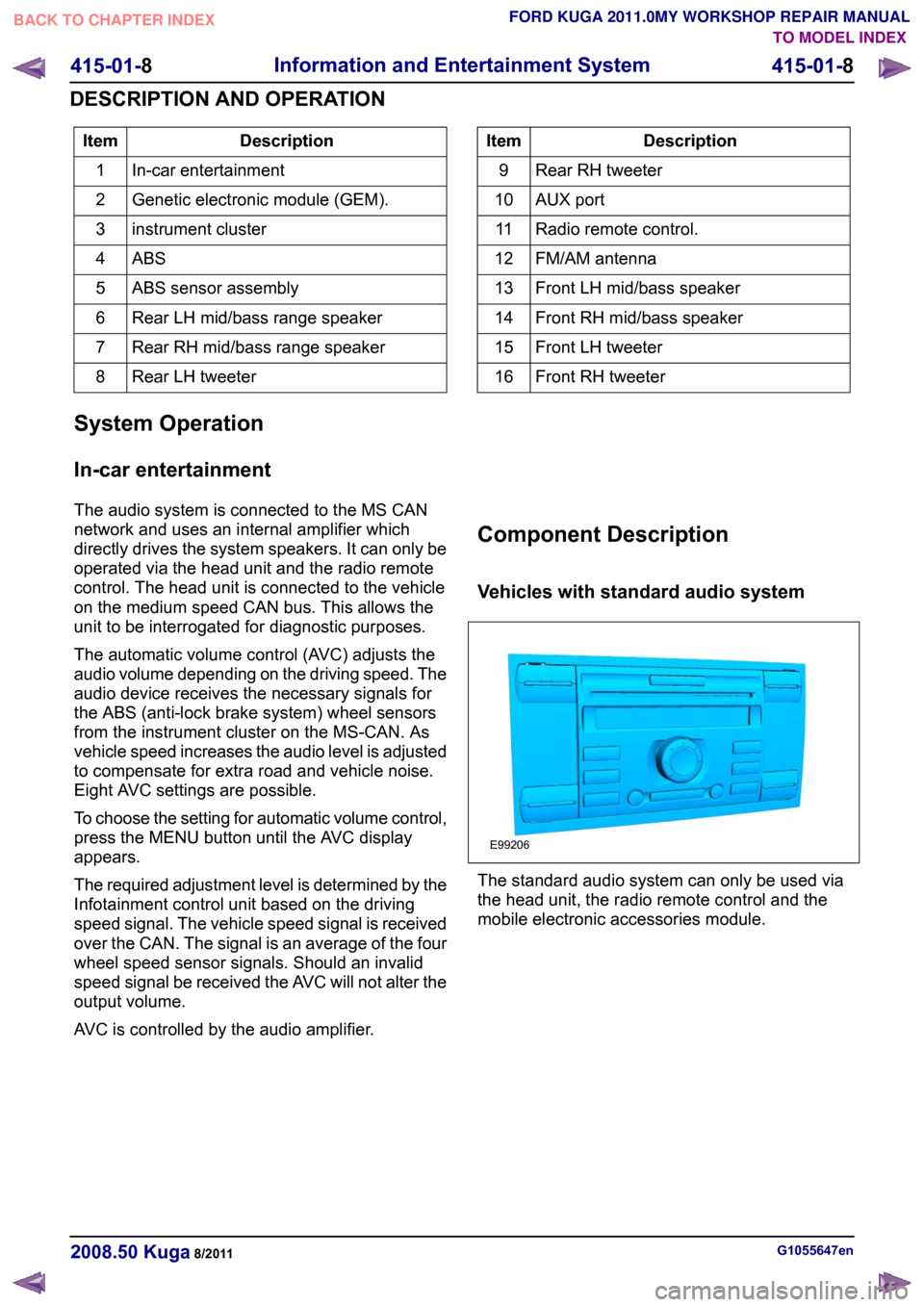
AVC is controlled by the audio amplifier. Component Description
Vehicles with standard audio system
The standard audio system can only be used via
the head unit, the radio remote control and the
mobile electronic accessories module.
G1055647en
2008.50 Kuga 8/2011 415-01-8
Information and Entertainment System
415-01-8
DESCRIPTION AND OPERATIONTO MODEL INDEX
BACK TO CHAPTER INDEX
FORD KUGA 2011.0MY WORKSHOP REPAIR MANUALE99206
Page 311 of 2057

TO MODEL INDEX
BACK TO CHAPTER INDEX
FORD KUGA 2011.0MY WORKSHOP REPAIR MANUAL
415-01-19
Description
Item
Control module for mobile electronic
auxiliary equipmentRefertoComponentDescription:(page
415-01-9)
1
instrument cluster
2
Audio unit.
3 Description
Item
Radio remote controlRefer to Component Description:(page
)
4
Speakers
5
Symbian telephone
6
USB jackRefer to Component Description: USB
port/AUXsocket(415-01-19)
7 G1055659en
2008.50 Kuga 8/2011Version3 415-01-15
Information and Entertainment System
415-01-15
DESCRIPTION AND OPERATION
E98699
7
1
4
MS-CAN
10
2
5
3
2
6
10 7
9
8