Page 1 of 357
Introduction 4
Instrument Cluster 12
Warning lights and chimes 12
Gauges 17
Trip computer 17
Message center 18
Multifunction display 19
Entertainment Systems 24
AM/FM stereo with CD 24
Auxiliary input jack (Line in) 31
USB port 33
Satellite radio information 36
SYNC�39
SYNC�voice recognition feature 41
SYNC�phone features 47
Pairing your phone for the first time 50
SYNC�media features 76
Climate Controls 102
Manual heating and air conditioning 102
Rear window defroster 104
Lights 105
Headlamps 105
Turn signal control 108
Bulb replacement 110
Driver Controls 120
Windshield wiper/washer control 120
Steering wheel adjustment 121
Power windows 122
Mirrors 124
Speed control 126
Table of Contents
1
2011 Fiesta(fie)
Owners Guide, 1st Printing
USA(fus)
Page 2 of 357
Locks and Security 130
Keys 130
Locks 131
Anti-theft system 142
Seating and Safety Restraints 145
Seating 145
Safety restraints 151
Airbags 165
Child restraints 180
Tires, Wheels and Loading 199
Tire information 199
Tire inflation 201
Tire Pressure Monitoring System (TPMS) 214
Vehicle loading 219
Trailer towing 225
Recreational towing 225
Driving 227
Starting 227
Brakes 234
AdvanceTrac�236
Transmission operation 242
Roadside Emergencies 250
Getting roadside assistance 250
Hazard flasher control 251
Fuel pump shut-off 251
Fuses and relays 252
Changing tires 260
Wheel lug nut torque 265
Jump starting 266
Wrecker towing 270
Table of Contents
2
2011 Fiesta(fie)
Owners Guide, 1st Printing
USA(fus)
Page 7 of 357

Event Data Recording
This vehicle is equipped with an event data recorder (EDR). The
main purpose of an EDR is to record, in certain crash or near
crash-like situations, such as an airbag deployment or hitting a
road obstacle; this data will assist in understanding how a
vehicle’s systems performed. The EDR is designed to record data
related to vehicle dynamics and safety systems for a short period
of time, typically 30 seconds or less. The EDR in this vehicle is
designed to record such data as:
•How various systems in your vehicle were operating;
•Whether or not the driver and passenger seatbelts were
buckled/fastened;
•How far (if at all) the driver was depressing the accelerator
and/or the brake pedal; and
•How fast the vehicle was travelling; and
•Where the driver was positioning the steering wheel.
This data can help provide a better understanding of the
circumstances in which crashes and injuries occur.
Note: EDR data is recorded by your vehicle only if a non-trivial
crash situation occurs; no data is recorded by the EDR under
normal driving conditions and no personal data or information
(e.g., name, gender, age, and crash location) is recorded (see
limitations regarding 911 Assist and Traffic, directions and
Information privacy below). However, parties, such as law
enforcement, could combine the EDR data with the type of
personally identifying data routinely acquired during a crash
investigation.
To read data recorded by an EDR, special equipment is required,
and access to the vehicle or the EDR is needed. In addition to the
vehicle manufacturer, other parties, such as law enforcement,
that have such special equipment, can read the information if
they have access to the vehicle or the EDR. Ford Motor Company
and Ford of Canada do not access event data recorder
information without obtaining consent, unless pursuant to court
order or where required by law enforcement, other government
authorities or other third parties acting with lawful authority.
Other parties may seek to access the information independently
of Ford Motor Company and Ford of Canada.
Introduction
7
2011 Fiesta(fie)
Owners Guide, 1st Printing
USA(fus)
Page 15 of 357

Engine coolant temperature:
Illuminates when the engine coolant
temperature is high. Stop the
vehicle as soon as possible, switch off the engine and let cool. Refer to
Engine coolantin theMaintenance and Specificationschapter.
WARNING:Never remove the coolant reservoir cap while the
engine is running or hot.
Low tire pressure warning:
Illuminates when your tire pressure
is low. If the light remains on at
start up or while driving, the tire
pressure should be checked. Refer
toInflating your tiresin theTires, Wheels and Loadingchapter. When
the ignition is first turned to on, the light will illuminate for three
seconds to ensure the bulb is working. If the light does not turn on, have
the system inspected by your authorized dealer. For more information on
this system, refer toTire pressure monitoring system (TPMS)in the
Tires, Wheels and Loadingchapter.
Hill start assistance
(if equipped):Displays when using
hill start assist is not available. Refer
to theDrivingchapter for
transmission function and operation.
Overdrive cancel and grade
assist (if equipped):Illuminates
when the overdrive function of the
transmission has been turned off
and the grade assist function has been turned on, refer to theDriving
chapter.
Upshift (manual transmission):
To maximize fuel economy, this light
illuminates when the manual
transmission should be shifted to
the next highest gear. Refer to theDrivingchapter for more
information.
Instrument Cluster
15
2011 Fiesta(fie)
Owners Guide, 1st Printing
USA(fus)
Page 17 of 357

GAUGES
Shown in standard measure. Metric similar.
1.Tachometer:Indicates the engine speed in revolutions per minute.
Driving with your tachometer pointer continuously at the top of the scale
may damage the engine.
Refer toFilling the tankin theMaintenance and Specifications
chapter for more information.
2.Speedometer:Indicates the current vehicle speed.
3.Fuel gauge:Indicates approximately how much fuel is left in the fuel
tank (when the ignition is in the on position). The fuel gauge may vary
slightly when the vehicle is in motion or on a grade. The fuel icon and
arrow indicates which side of the vehicle the fuel filler door is located.
TRIP COMPUTER
The trip computer and odometer information will display in the
instrument cluster.
Press the end of the lever, located on the left side of the steering wheel
to scroll through the trip computer displays.
mi (km) — Odometer:Registers the total miles (kilometers) of the
vehicle.
12
3
Instrument Cluster
17
2011 Fiesta(fie)
Owners Guide, 1st Printing
USA(fus)
Page 20 of 357
Message Warning Lamp at
Instrument ClusterSystem
INTERIOR SCAN
DEACTIVATED—Anti-theft security
system
IMMOBILIZER
MALFUNCTION
SERVICE NOW—Anti-theft security
system
ALARM TRIGGERED
CHECK VEHICLE—Anti-theft security
system
LEFT/RIGHT
INDICATOR
MALFUNCTION
CHANGE BULB— Lights
HILL START ASSIST
NOT AVAILABLE
Transmission
STEERING LOCK
ENGAGED TURN
STEERING WHEEL—Passive Entry/Passive
Start
STEERING
MALFUNCTION
SERVICE NOW—Passive Entry/Passive
Start
STEERING
MALFUNCTION
STOP SAFELY—Passive Entry/Passive
Start
POWER STEERING
MALFUNCTION
SERVICE NOW— Power Steering
KEY NOT
DETECTED—Passive entry/passive
start system
TURN IGNITION
OFF USE POWER
BUTTON—Passive entry/passive
start system
KEY OUTSIDE CAR
—Passive entry/passive
start system
Instrument Cluster
20
2011 Fiesta(fie)
Owners Guide, 1st Printing
USA(fus)
Page 43 of 357
Clarification through candidate lists
Candidate lists are created when the system has several possible options
of similar level of confidence as a result of your request. The system will
submit back to you as many as four possibilities for your clarification.
This may happen either with your phone book and/or music selections.
Example #1:
You want to call John Doe at home, so you say, “Call John Doe at home”.
If the system has a similar confidence level for a few items, it may
respond with:
•(initial tone) “Say 1 after the tone to call John Doe at home. Say 2
after the tone to call Johnny Doe on mobile. Say 3 after the tone to
call Jane Doe at home.” (listen tone)
Example #2:
You want to listen to a certain artist, so you say, “Play Artist John”. If the
system has a similar confidence level for two possible options, it may
respond with:
•(initial tone) “Say 1 after the tone to play John Doe. Say 2 after the
tone to play Johnny Doe.” (listen tone)
Using voice commands with SYNC�
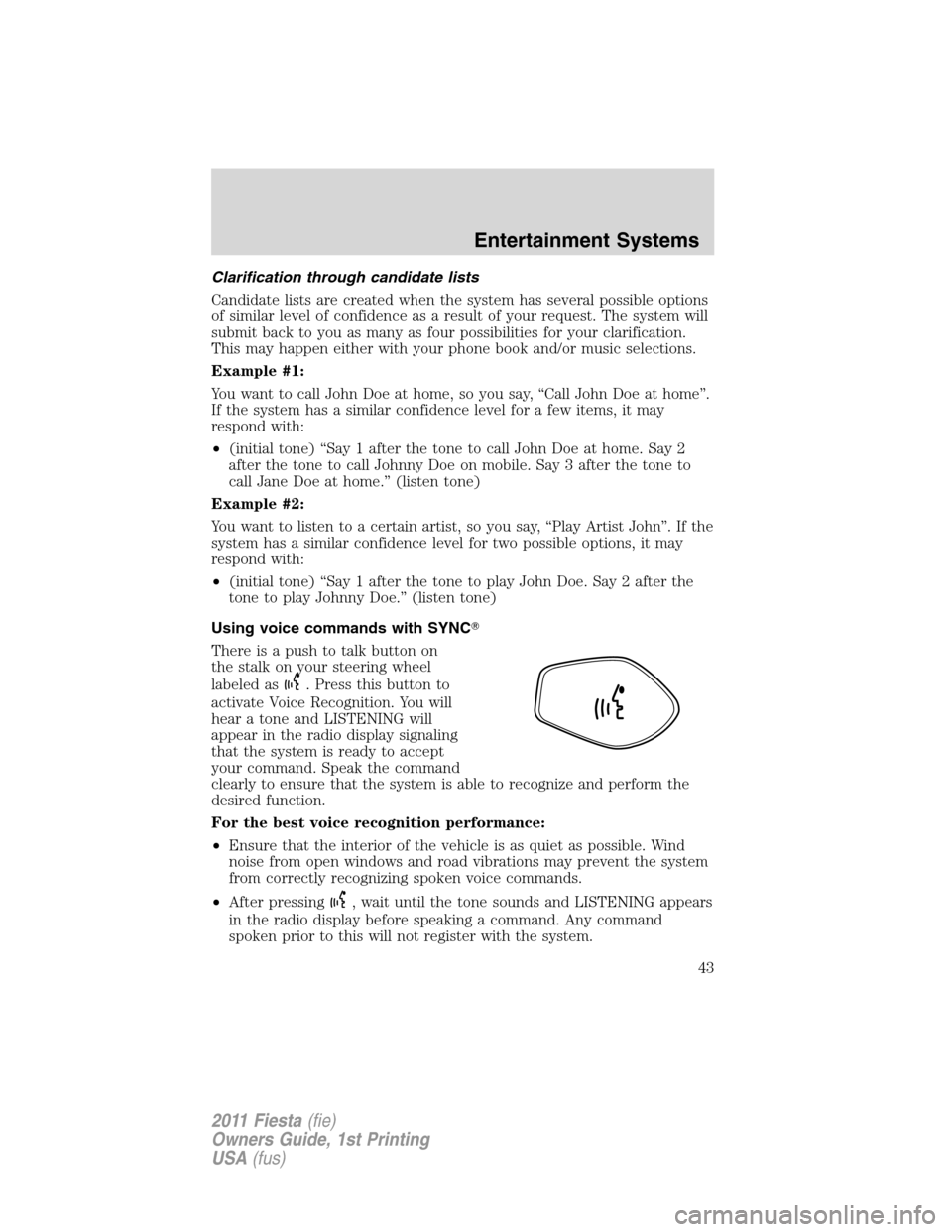
There is a push to talk button on
the stalk on your steering wheel
labeled as
. Press this button to
activate Voice Recognition. You will
hear a tone and LISTENING will
appear in the radio display signaling
that the system is ready to accept
your command. Speak the command
clearly to ensure that the system is able to recognize and perform the
desired function.
For the best voice recognition performance:
•Ensure that the interior of the vehicle is as quiet as possible. Wind
noise from open windows and road vibrations may prevent the system
from correctly recognizing spoken voice commands.
•After pressing
, wait until the tone sounds and LISTENING appears
in the radio display before speaking a command. Any command
spoken prior to this will not register with the system.
Entertainment Systems
43
2011 Fiesta(fie)
Owners Guide, 1st Printing
USA(fus)
Page 46 of 357
Radio controlSteering
wheel / stalk
controlFunction
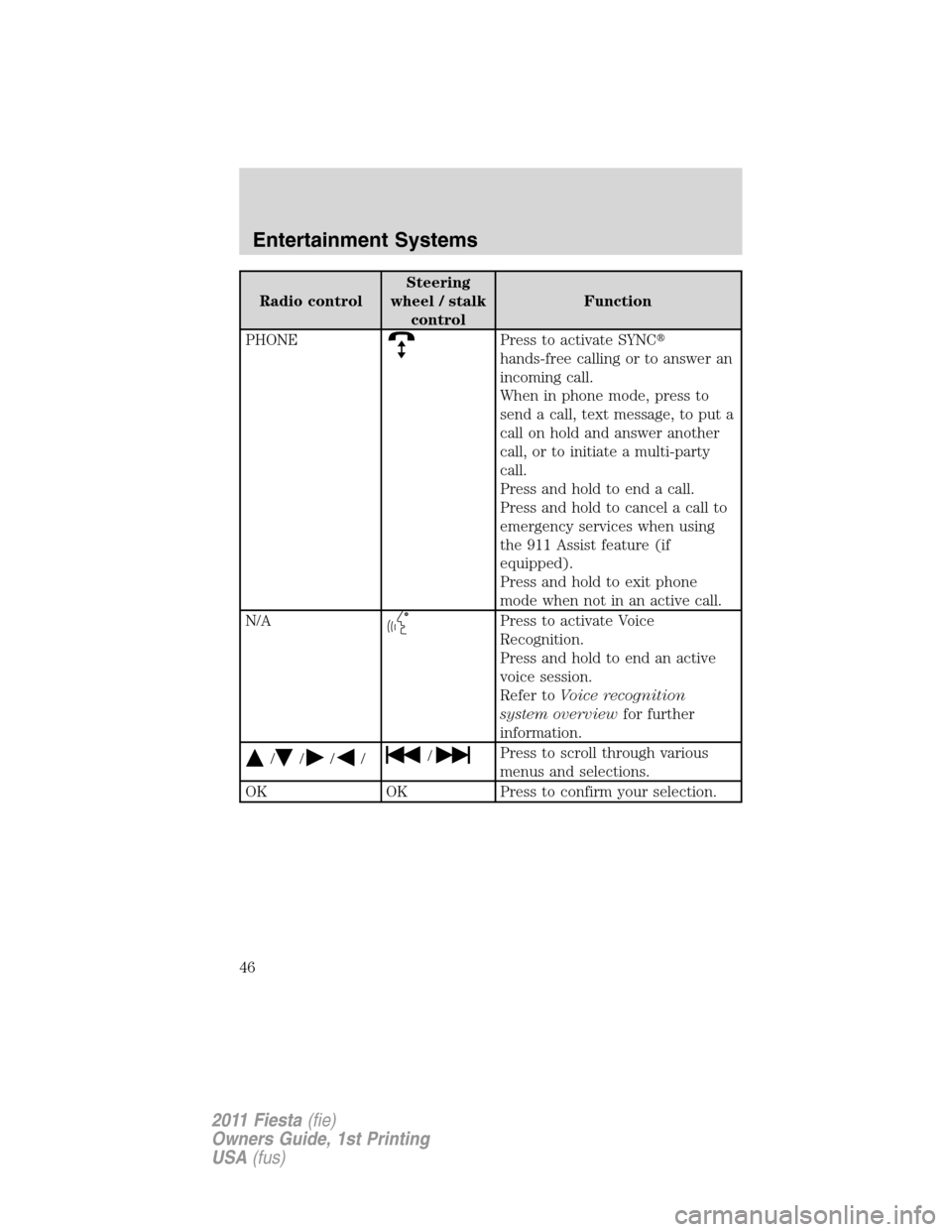
PHONE
Press to activate SYNC�
hands-free calling or to answer an
incoming call.
When in phone mode, press to
send a call, text message, to put a
call on hold and answer another
call, or to initiate a multi-party
call.
Press and hold to end a call.
Press and hold to cancel a call to
emergency services when using
the 911 Assist feature (if
equipped).
Press and hold to exit phone
mode when not in an active call.
N/A
Press to activate Voice
Recognition.
Press and hold to end an active
voice session.
Refer toVoice recognition
system overviewfor further
information.
/////Press to scroll through various
menus and selections.
OK OK Press to confirm your selection.
Entertainment Systems
46
2011 Fiesta(fie)
Owners Guide, 1st Printing
USA(fus)