Page 22 of 357
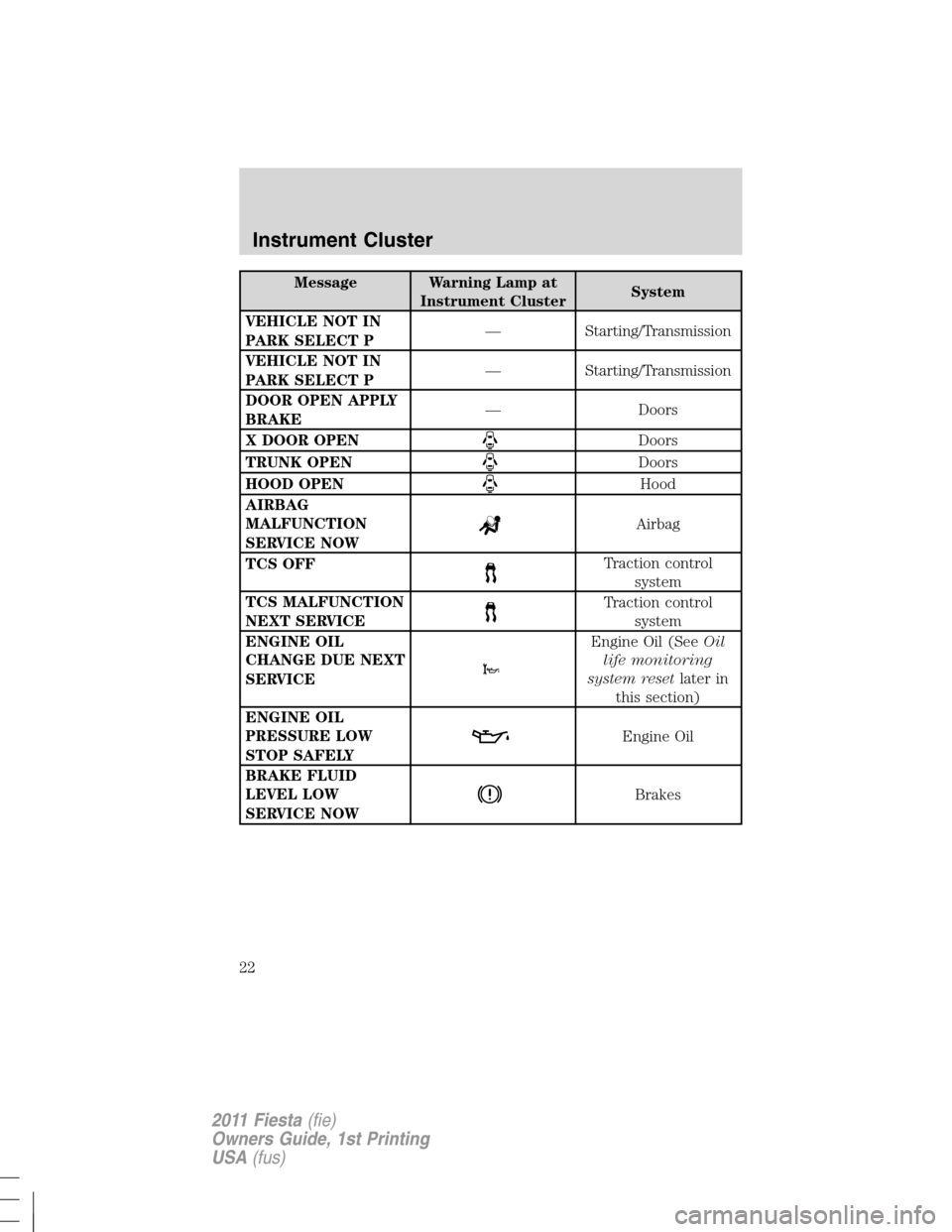
Message Warning Lamp at
Instrument ClusterSystem
VEHICLE NOT IN
PARK SELECT P— Starting/Transmission
VEHICLE NOT IN
PARK SELECT P— Starting/Transmission
DOOR OPEN APPLY
BRAKE— Doors
X DOOR OPEN
Doors
TRUNK OPEN
Doors
HOOD OPEN
Hood
AIRBAG
MALFUNCTION
SERVICE NOW
Airbag
TCS OFF
Traction control
system
TCS MALFUNCTION
NEXT SERVICE
Traction control
system
ENGINE OIL
CHANGE DUE NEXT
SERVICE
Engine Oil (SeeOil
life monitoring
system resetlater in
this section)
ENGINE OIL
PRESSURE LOW
STOP SAFELY
Engine Oil
BRAKE FLUID
LEVEL LOW
SERVICE NOW
Brakes
Instrument Cluster
22
2011 Fiesta(fie)
Owners Guide, 1st Printing
USA(fus)
Page 23 of 357
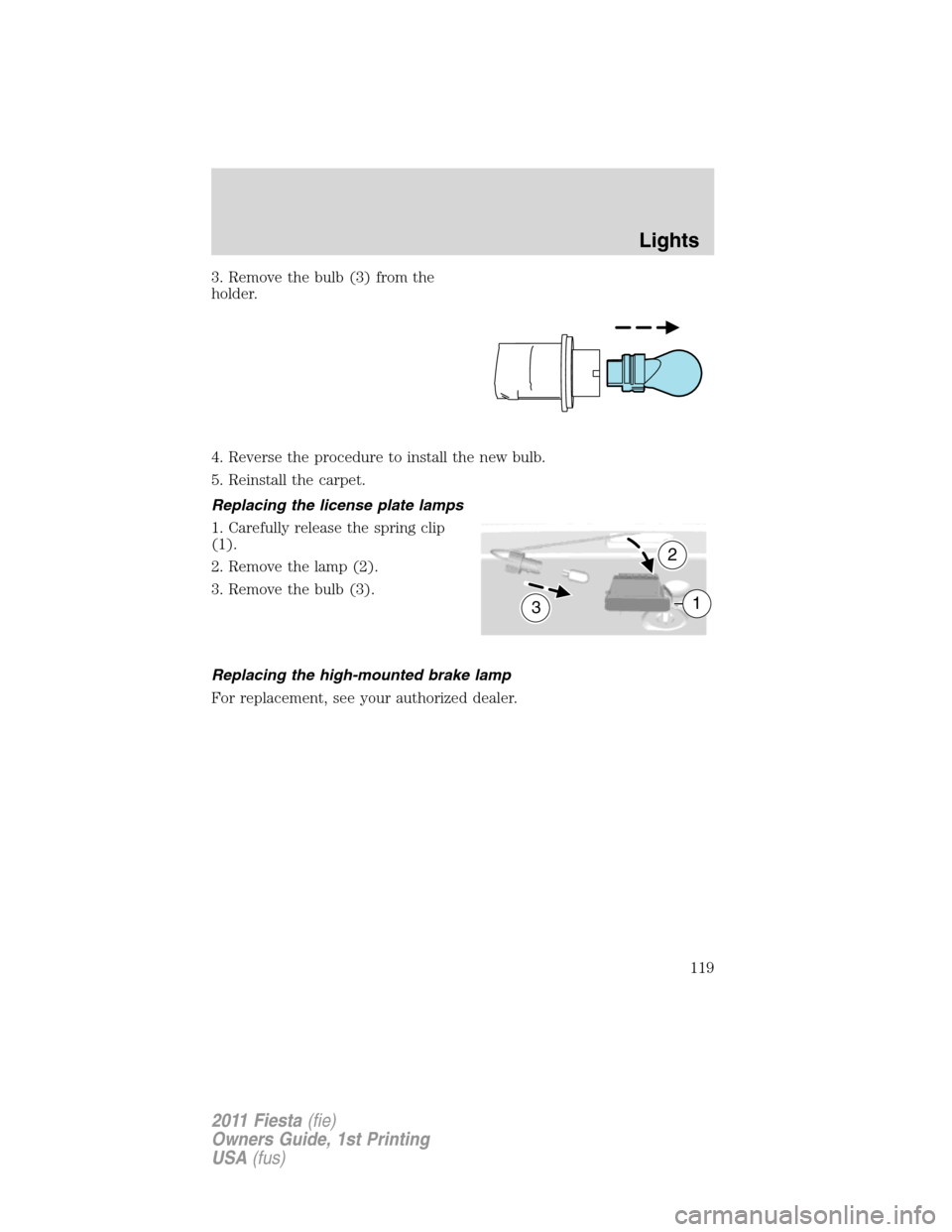
Oil life monitoring system reset
To reset the oil service light and clear the oil change message after
servicing use the following procedure:
1. With the ignition in the off position, press the brake and accelerator
pedals.
2. Turn the key to the accessory position for keyed vehicles and for push
button start vehicles press the Start/Stop button once quickly. DO NOT
attempt to start the engine.
3. Press the accelerator and brake pedals fully for 20 seconds.
4.ENGINE OIL CHANGE DUE NEXT SERVICEand
will display.
5. Turn the vehicle off. The message and lights will be cleared.
Instrument Cluster
23
2011 Fiesta(fie)
Owners Guide, 1st Printing
USA(fus)
Page 68 of 357
The 911 Assist™ feature is initially set to OFF. To access the setting:
1. Press PHONE to enterPhone Menu.
2. Scroll until911 Assistis selected and press OK.
3. Press
orto toggle betweenOnandOffselections.
4. Press OK when the desired option appears in the display.
Note:Off selections include: Off with reminder and Off without
reminder. Off with reminder provides a display and voice reminder at
phone connection at vehicle start. Off without reminder provides a
display reminder only without a voice reminder.
For more information, please visit www.SyncMyRide.com.
Note: Before enabling (setting to ON), review the 911 Assist™
Privacy Notice.
Vehicle health report (if equipped, U.S. only)
WARNING:Always follow scheduled maintenance instructions,
regularly inspect your vehicle, and seek repair for any damage or
problem you suspect. Vehicle Health Reports supplements, but cannot
replace normal maintenance and vehicle inspection. Vehicle Health
Report only monitors certain systems that are electronically monitored
by the vehicle and will not monitor or report the status of any other
system, (i.e., brake lining wear). Failure to perform scheduled
maintenance and regularly inspect your vehicle may result in vehicle
damage and serious injury.
Note: Your Vehicle Health Report feature requires activation
prior to use. Visit www.SyncMyRide.com to register.There is no fee
or subscription associated with Vehicle Health Report, but youmust
register to use this feature.
SYNC�allows you to check your vehicle’s overall ‘health’ in the form of
diagnostic report card. The vehicle health report contains valuable
information such as:
•Vehicle Diagnostic Information
•Scheduled maintenance
•Open Recalls and Field Service Actions
•Unserviced items from vehicle inspections by your authorized dealer
Entertainment Systems
68
2011 Fiesta(fie)
Owners Guide, 1st Printing
USA(fus)
Page 111 of 357

Function Number of bulbs Trade number
4-door rear bodyside
lamp
(park/turn/sidemarker)1 3157K
4-door rear deck lamp
(backup)1 921
5-door rear lamp
(stop/reverse)2 3157K
5-door rear lamp
(turn)1 3157A
(amber)
License plate lamp 1 W5W
* High-mount brake
lamp1 LED
Interior lamp 1 W6W
Reading lamp 1 W5W
Luggage compartment
lamp1 W5W
To replace all instrument panel lights - see your authorized dealer.
All replacement bulbs are clear in color, except where noted.
* To replace these lamps, see your authorized dealer.
Replacing interior bulbs
Check the operation of all bulbs frequently.
Replacing exterior bulbs
Check the operation of all the bulbs frequently.
Replacing bulbs
Note:Before changing bulb, verify the corresponding fuse is not blown.
The low beam headlamps, high beam headlamps, front turn signals and
side marker lamps are located in the lamp assembly and can be replaced
individually by removing the lamp assembly as a unit.
Removing the front lamp assembly
Note:The front lamp assembly must be removed in order to replace
bulbs.
Lights
111
2011 Fiesta(fie)
Owners Guide, 1st Printing
USA(fus)
Page 119 of 357
3. Remove the bulb (3) from the
holder.
4. Reverse the procedure to install the new bulb.
5. Reinstall the carpet.
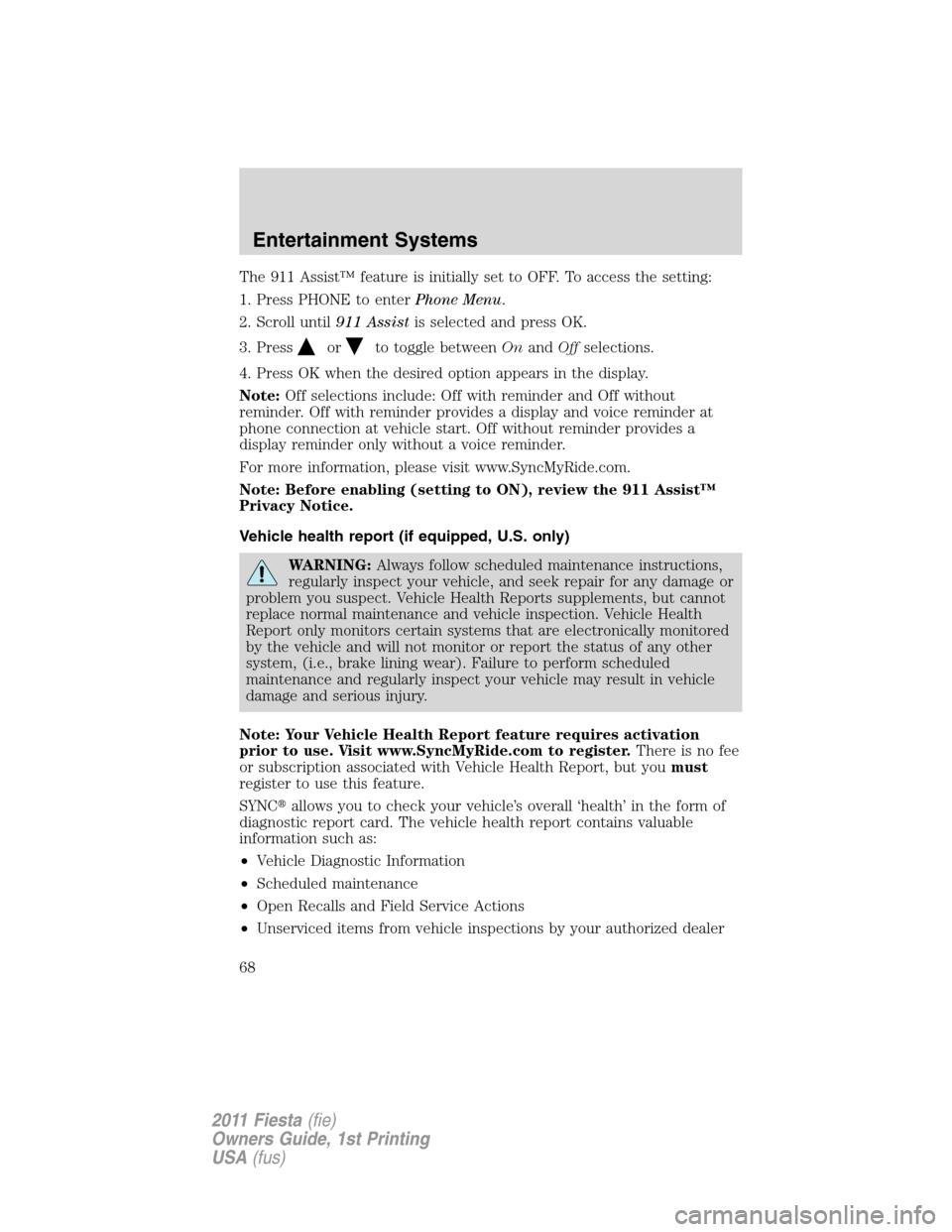
Replacing the license plate lamps
1. Carefully release the spring clip
(1).
2. Remove the lamp (2).
3. Remove the bulb (3).
Replacing the high-mounted brake lamp
For replacement, see your authorized dealer.
3
2
1
Lights
119
2011 Fiesta(fie)
Owners Guide, 1st Printing
USA(fus)
Page 127 of 357
Note:
•Vehicle speed may vary momentarily when driving up and down a
steep hill.
•If the vehicle speed increases above the set speed on a downhill, you
may want to apply the brakes to reduce the speed.
•If the vehicle speed decreases more than 10 mph (16 km/h) below
your set speed on an uphill, your speed control will disengage.
Disengaging speed control
To disengage speed control, tap the brake pedal or clutch pedal (if
equipped) or press CAN.
Disengaging the speed control will not erase the previous set speed.
Note:When you use the clutch pedal to disengage the speed control,
the engine speed may briefly increase, this is normal.
Resuming a set speed
Press and release RES. This will automatically return the vehicle to the
previously set speed.
Increasing speed while using speed control
To increase the set speed:
•Press and hold SET+ until you get to the desired speed, then release.
You can also use SET+ to operate the tap-up function. Press and
release SET+ to increase the vehicle set speed in 1 mph (1.6 km/h)
increments.
•Use the accelerator pedal to get to the desired speed then press and
release SET+.
Reducing speed while using speed control
To reduce the set speed:
•Press and hold SET– until you get to the desired speed, then release.
You can also use SET– to operate the tap-down function. Press and
release SET– to decrease the vehicle set speed in 1 mph (1.6 km/h)
increments.
•Press the brake pedal or the clutch pedal (if equipped) until the
desired vehicle speed is reached then press SET+.
Turning off speed control
To turn off the speed control, press OFF or turn off the ignition.
Driver Controls
127
2011 Fiesta(fie)
Owners Guide, 1st Printing
USA(fus)
Page 129 of 357
To open the moon roof:Press and
hold the rear of the SLIDE control.
If the sliding shade is closed, it will
open along with the moon roof.
To close the moon roof:Press and
hold the front of the SLIDE control.
To vent the moon roof:Press and
hold the rear of the TILT control.
Press and hold the front of the TILT control to close the moon roof.
The moon roof has a built-in sliding shade that can be manually opened
or closed when the glass panel is shut.
POSITIVE RETENTION FLOOR MAT
WARNING:Do not install additional floor mats on top of the
factory installed floor mats as they may interfere with the
accelerator or the brake pedals.
Position the floor mat so that the
eyelet is over the retention post and
press down to lock in. Make sure
that the mat does not interfere with
the operation of the accelerator or
the brake pedal. To remove the floor
mat, reverse the installation
procedure.
Driver Controls
129
2011 Fiesta(fie)
Owners Guide, 1st Printing
USA(fus)
Page 157 of 357
Safety Belt Locking Modes
All safety restraints in the vehicle are combination lap and shoulder
belts. The driver safety belt has the first locking mode and the front
outboard passenger and rear seat safety belts have both types of locking
modes described as follows:
Vehicle sensitive mode
This is the normal retractor mode, which allows free shoulder belt length
adjustment to your movements and locking in response to vehicle
movement. For example, if the driver brakes suddenly or turns a corner
sharply, or the vehicle receives an impact of approximately 5 mph
(8 km/h) or more, the combination safety belts will lock to help reduce
forward movement of the driver and passengers.
In addition, the retractor is designed to lock if the webbing is pulled out
too quickly. If this occurs, let the belt retract slightly and pull webbing
out again in a slow and controlled manner.
Automatic locking mode
In this mode, the shoulder belt is automatically pre-locked. The belt will
still retract to remove any slack in the shoulder belt. The automatic
locking mode is not available on the driver safety belt.
When to use the automatic locking mode
This mode should be usedany timea child safety seat, except a
booster, is installed in passenger front or rear seating positions. Children
12 years old and under should be properly restrained in a rear seating
position whenever possible. Refer toSafety restraints for childrenor
Safety seats for childrenlater in this chapter.
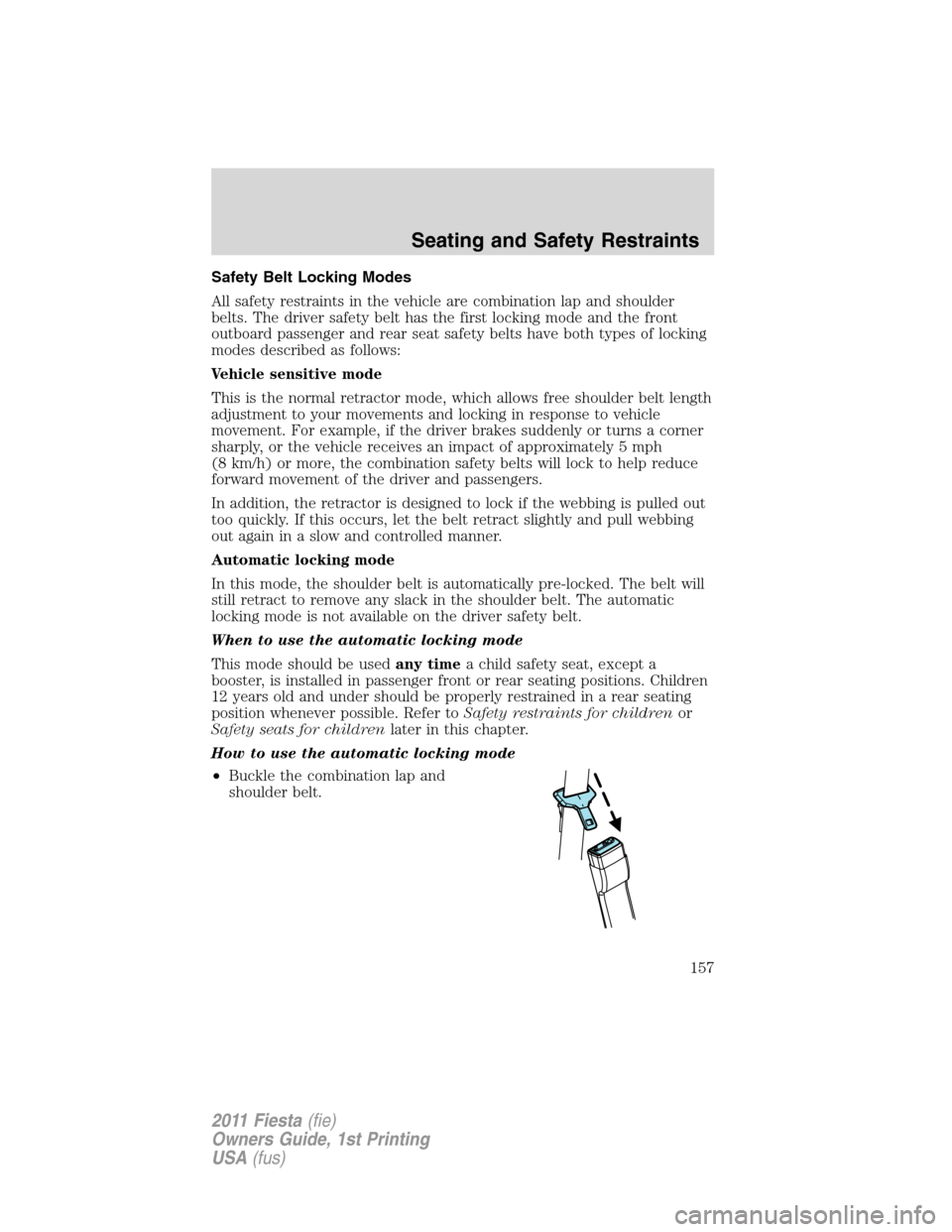
How to use the automatic locking mode
•Buckle the combination lap and
shoulder belt.
Seating and Safety Restraints
157
2011 Fiesta(fie)
Owners Guide, 1st Printing
USA(fus)