2011 FORD EXPLORER roof
[x] Cancel search: roofPage 2 of 449

Introduction 4
Instrument Cluster 14
Warning lights and chimes 14
Gauges 21
Message center 23
Entertainment Systems 51
MyFord™ system 51
Auxiliary input jack (Line in) 60
Climate Controls 63
Manual heating and air conditioning 63
Automatic temperature control 66
Touchscreen features 71
Auxiliary passenger climate control 74
Rear window defroster 75
Lights 77
Headlamps 77
Turn signal control 82
Bulb replacement 84
Driver Controls 92
Windshield wiper/washer control 92
Steering wheel adjustment 94
Power windows 98
Mirrors 100
Speed control 103
Adaptive cruise control 105
Moon roof 114
Locks and Security 130
Keys 130
Locks 138
Anti-theft system 154
Table of Contents
1
2011 Explorer(exp)
Owners Guide, 1st Printing
USA(fus)
Page 100 of 449

One-touch up or down
This feature allows the driver’s window (and passenger’s window, if equipped
with this feature) to open or close fully without holding the control down.
To operate one touch-down, press the switch completely down to the
second detent and release quickly. The window will open fully. Momentarily
press the switch to any position to stop the window operation.
To operate one-touch up, pull the switch completely up to the second
detent and release quickly. The window will close fully. Momentarily
press the switch to any position to stop the window operation.
Bounce-back
When the window is moving upward and an obstacle or a rough road
condition interferes with the window’s movement, the window will
automatically reverse direction and move down. This is known as
“bounce-back”. If the ignition is turned off (without accessory delay
being active) during bounce-back, the window will move down until the
bounce-back position is reached.
Security override
To override a bounce-back condition, within two seconds after the
window reaches the bounce-back position, pull and hold the switch up
andthe window will travel up with no bounce-back or pinch
protection.If the switch is released before the window is fully closed,
the window will stop. For example, this can be used to overcome the
resistance of ice on the window or seals.
Window lock
The window lock feature allows only
the driver and front passenger to
operate the power windows.
Press the control to lock out all
window controls (except the driver’s
and front passenger’s). Press it again
to restore the window controls.
Accessory delay
With accessory delay, the audio system, power windows and moon roof
(if equipped) operate for up to 10 minutes after the ignition is turned off
or until either front door is opened.
Driver Controls
99
2011 Explorer(exp)
Owners Guide, 1st Printing
USA(fus)
Page 115 of 449
•Navigation (if equipped)
•Redundant center stack display
•Routed map
•Phone
•Redundant center stack display
•Favorite contacts
•Climate
•On
•Fan speed
•Temperature
DUAL PANEL MOON ROOF AND POWER SUNSCREEN
(IF EQUIPPED)
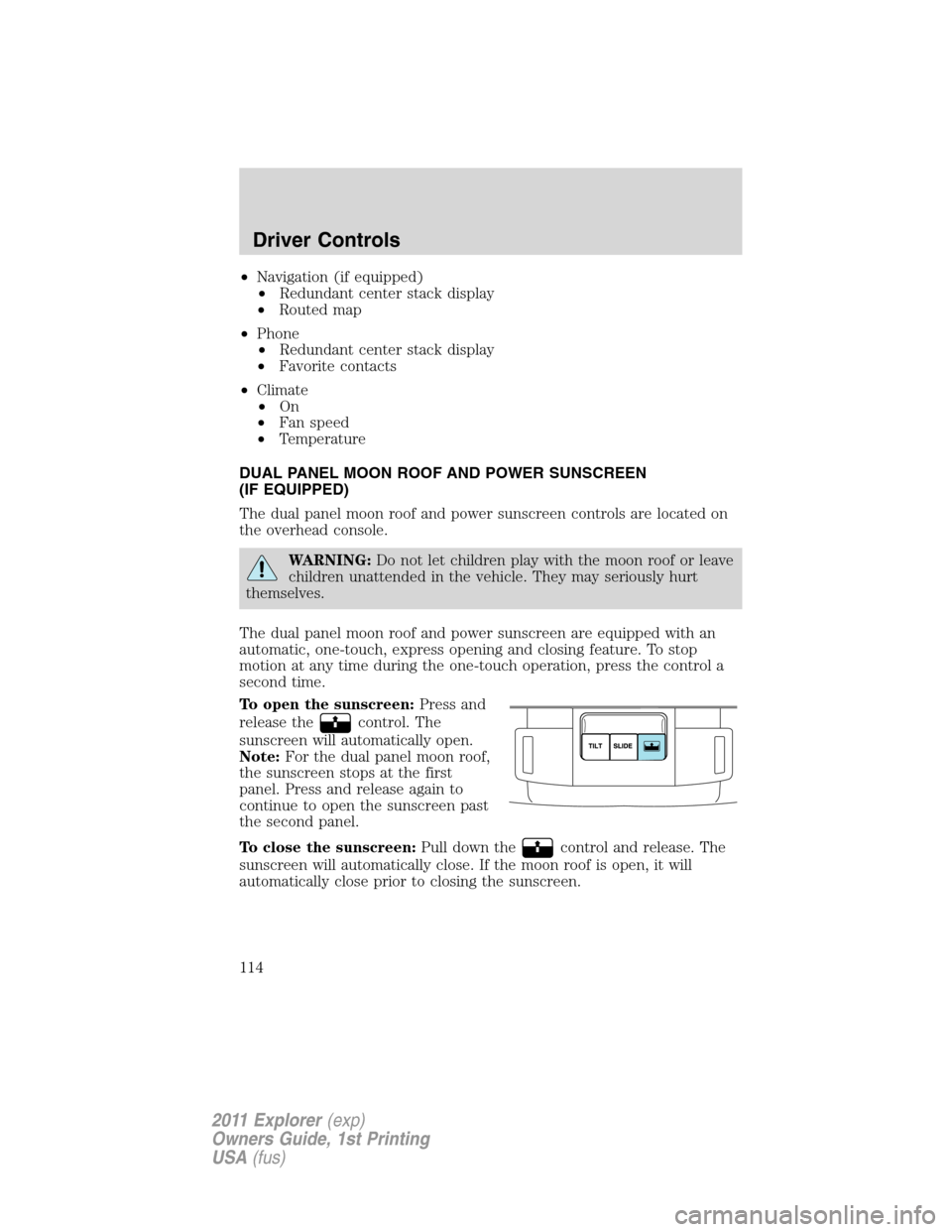
The dual panel moon roof and power sunscreen controls are located on
the overhead console.
WARNING:Do not let children play with the moon roof or leave
children unattended in the vehicle. They may seriously hurt
themselves.
The dual panel moon roof and power sunscreen are equipped with an
automatic, one-touch, express opening and closing feature. To stop
motion at any time during the one-touch operation, press the control a
second time.
To open the sunscreen:Press and
release the
control. The
sunscreen will automatically open.
Note:For the dual panel moon roof,
the sunscreen stops at the first
panel. Press and release again to
continue to open the sunscreen past
the second panel.
To close the sunscreen:Pull down the
control and release. The
sunscreen will automatically close. If the moon roof is open, it will
automatically close prior to closing the sunscreen.
Driver Controls
114
2011 Explorer(exp)
Owners Guide, 1st Printing
USA(fus)
Page 116 of 449
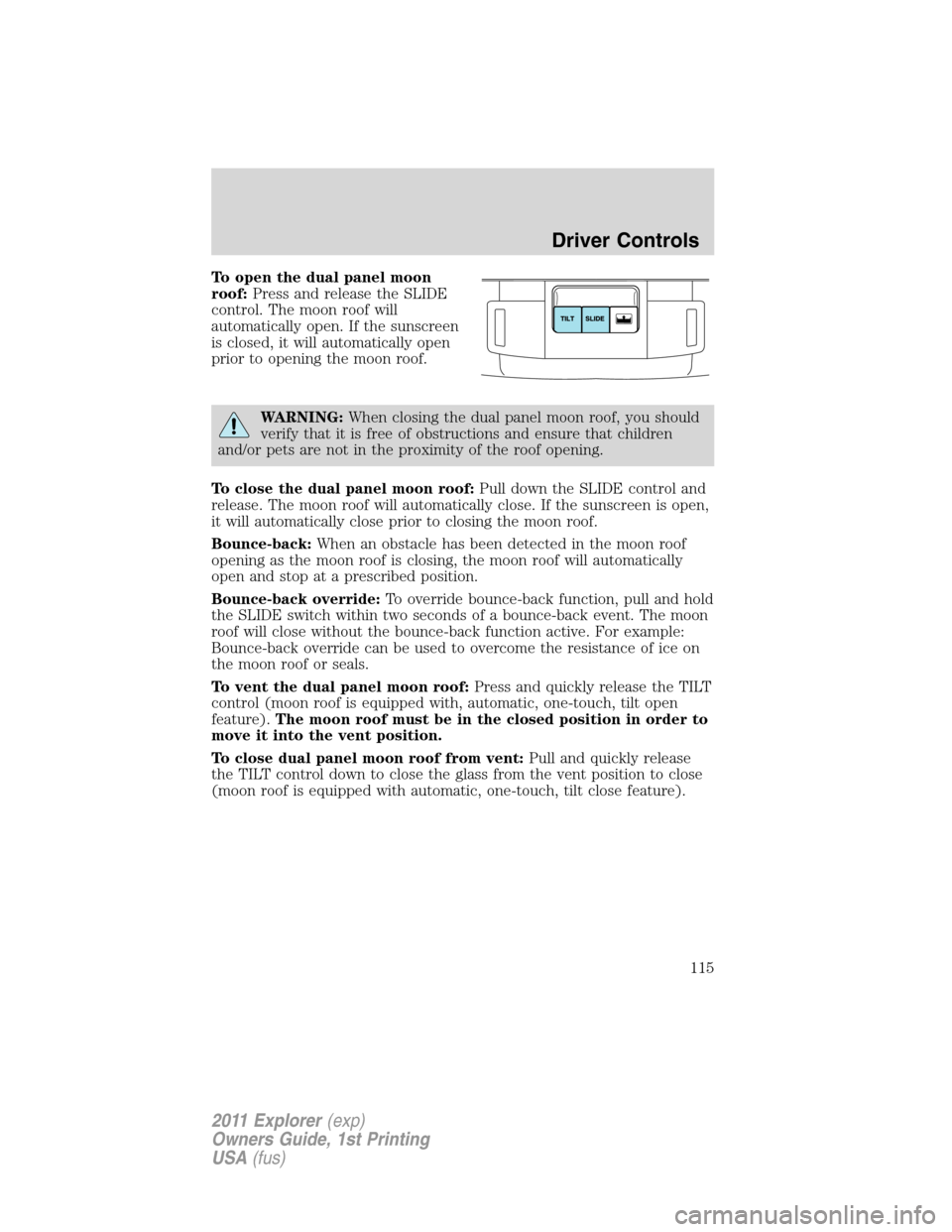
To open the dual panel moon
roof:Press and release the SLIDE
control. The moon roof will
automatically open. If the sunscreen
is closed, it will automatically open
prior to opening the moon roof.
WARNING:When closing the dual panel moon roof, you should
verify that it is free of obstructions and ensure that children
and/or pets are not in the proximity of the roof opening.
To close the dual panel moon roof:Pull down the SLIDE control and
release. The moon roof will automatically close. If the sunscreen is open,
it will automatically close prior to closing the moon roof.
Bounce-back:When an obstacle has been detected in the moon roof
opening as the moon roof is closing, the moon roof will automatically
open and stop at a prescribed position.
Bounce-back override:To override bounce-back function, pull and hold
the SLIDE switch within two seconds of a bounce-back event. The moon
roof will close without the bounce-back function active. For example:
Bounce-back override can be used to overcome the resistance of ice on
the moon roof or seals.
To vent the dual panel moon roof:Press and quickly release the TILT
control (moon roof is equipped with, automatic, one-touch, tilt open
feature).The moon roof must be in the closed position in order to
move it into the vent position.
To close dual panel moon roof from vent:Pull and quickly release
the TILT control down to close the glass from the vent position to close
(moon roof is equipped with automatic, one-touch, tilt close feature).
Driver Controls
115
2011 Explorer(exp)
Owners Guide, 1st Printing
USA(fus)
Page 129 of 449
Note:If the power liftgate system is turned off in the message center,
the system cannot be activated with the outside release handle or
control button on the liftgate. The system will need to be turned on to
resume operation with the outside release handle or control button on
the liftgate. The power liftgate is still operational through the use of the
transmitter and instrument panel button when the power liftgate is
turned off in the message center.
ROOF RACK SYSTEM (IF EQUIPPED)
Loads should never be placed directly on the roof panel. For proper
function of the roof rack system, loads must be placed directly on
crossbars affixed to the roof rack side rails. Your vehicle may be
equipped with factory-installed crossbars. Ford Genuine Accessory
crossbars, designed specifically for your vehicle, are also recommended
for use with your roof rack system.
The vehicle’s roof panel isNOTdesigned to directly carry a load.The
maximum recommended load is 100 lb (45 kg), evenly distributed
on the crossbars.Ensure that the load is securely fastened. When the
rail system is loaded, check the tightness of the load before driving and
at each fuel stop.
WARNING:When loading the roof rail crossbars, it is
recommended to evenly distribute the load, as well as maintain a
low center of gravity. Loaded vehicles, with higher centers of gravity,
may handle differently than unloaded vehicles. Extra precautions, such
as slower speeds and increased stopping distance, should be taken
when driving a heavily loaded vehicle.
Your vehicle may be equipped with
factory or dealer-installed crossbars
that may be easily adjusted to
accommodate a wide range of roof
mounted accessories.
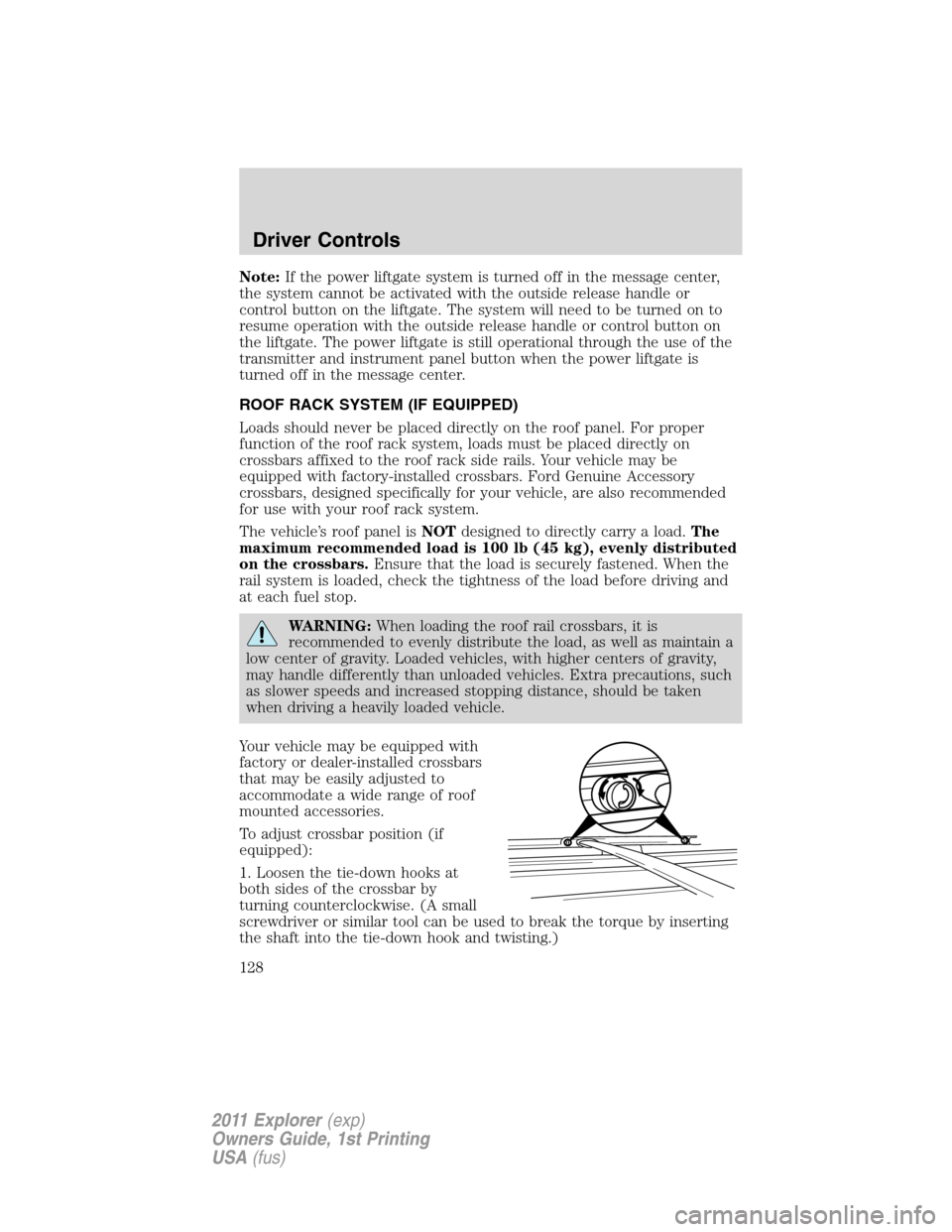
To adjust crossbar position (if
equipped):
1. Loosen the tie-down hooks at
both sides of the crossbar by
turning counterclockwise. (A small
screwdriver or similar tool can be used to break the torque by inserting
the shaft into the tie-down hook and twisting.)
Driver Controls
128
2011 Explorer(exp)
Owners Guide, 1st Printing
USA(fus)
Page 130 of 449

2. Slide the crossbar to the desired position. This may require someone
on each side of the crossbar.
3. Tighten the tie-down hooks at both sides of the crossbar by turning
clockwise until tight. (A small screwdriver or similar tool can be used to
tighten the hook an additional half turn.)
Be sure to check that the tie-down hooks are tight each time load is
added or removed from the roof rack, and periodically while traveling.
Always ensure that the load is secure before traveling.
Note:Wind noise can be minimized by either removing or repositioning
the crossbars when they are not is use. Position the rear crossbar fully
rearward and the front crossbar 10 inches (25 cm) from the front
end-cap.
Driver Controls
129
2011 Explorer(exp)
Owners Guide, 1st Printing
USA(fus)
Page 143 of 449

CHILDPROOF DOOR LOCKS
•When these locks are set, the
rear doors cannot be opened from
the inside.
•The rear doors can be opened
from the outside when the
childproof door locks are set, but
the doors are unlocked.
The childproof locks are located on
the rear edge of each rear door and
must be set separately for each
door. Setting the lock for one door
will not automatically set the lock
for both doors.
•Insert the key and turn to the
lock position (key horizontal) to
engage the childproof locks.
•Insert the key and turn to the
unlock position (key vertical) to disengage the childproof locks.
REMOTE ENTRY SYSTEM
The integrated keyhead transmitters (IKTs) and intelligent access keys
(IA key) comply with part 15 of the FCC rules and with RSS-210 of
Industry Canada. Operation is subject to the following two conditions:
(1) This device may not cause harmful interference, and (2) This device
must accept any interference received, including interference that may
cause undesired operation.
Changes or modifications not expressly approved by the party
responsible for compliance could void the user’s authority to
operate the equipment.
The typical operating range for your transmitter is approximately 33 feet
(10 meters) unless equipped with remote start, which allows for greater
range performance. A decrease in operating range could be caused by:
•weather conditions,
•nearby radio towers,
•structures around the vehicle, or
•other vehicles parked next to your vehicle.
Locks and Security
142
2011 Explorer(exp)
Owners Guide, 1st Printing
USA(fus)
Page 211 of 449

The Safety Canopy is mounted to roof side-rail sheet metal, behind the
headliner, above each row of seats. In certain lateral collisions or rollover
events, the Safety Canopy system will be activated, regardless of which
seats are occupied. The Safety Canopy is designed to inflate between the
side window area and occupants to further enhance protection provided
in side impact collisions and rollover events.
The fact that the Safety Canopy did not activate in a collision does not
mean that something is wrong with the system. Rather, it means the
forces were not of the type sufficient to cause activation. The Safety
Canopy is designed to inflate in certain side impact collisions or rollover
events, not in rear impact, frontal or near-frontal collisions, unless the
collision causes sufficient lateral deceleration or rollover.
WARNING:If the Safety
Canopy system has
deployed, the Safety Canopy will
not function again unless replaced.
The Safety Canopy system
(including the A, B, C, and D
pillar trim and headliner) must be
inspected and serviced by an
authorized dealer. If the Safety
Canopy is not replaced, it will not
function again, which will increase
the risk of injury in a future
collision.
Determining if the system is operational
The SRS uses a readiness light in the instrument cluster or a tone to
indicate the condition of the system. Refer to theAirbag readiness
section in theInstrument Clusterchapter. Routine maintenance of the
airbag is not required.
Any difficulty with the system is indicated by one or more of the following:
•The readiness airbag light (same light as for front airbag system) will
either flash or stay lit.
•The readiness light will not illuminate immediately after ignition is
turned on.
Seating and Safety Restraints
210
2011 Explorer(exp)
Owners Guide, 1st Printing
USA(fus)