Page 215 of 497

30. Compass/Trip Computer or Electronic Vehicle
Information Center (EVIC) Display — If Equipped
When the appropriate conditions exist, this display
shows the Compass/Trip Computer or Electronic Vehicle
Information Center (EVIC) messages.
For further information, refer to “Compass/Trip Com-
puter” or “Electronic Vehicle Information Center
(EVIC)”.
31. 4WD Indicator — If EquippedThis light indicates the vehicle is in four-wheel
drive and 4LOCK. 4WD allows all four wheels
to receive torque from the engine
simultaneously.
COMPASS AND TRIP COMPUTER —
IF EQUIPPED
The Compass/Trip Computer features a driver-
interactive display (displays information on outside tem-
perature, compass direction, and trip information). It is located on the lower left part of the cluster below the fuel
and engine temperature gauge, and the tachometer.
Control Buttons
Press and release the odometer/trip odometer reset but-
ton (right side of the instrument cluster) to access the
compass/trip computer displays.
Compass/Trip Computer Display
212 UNDERSTANDING YOUR INSTRUMENT PANEL
Page 290 of 497
STARTING AND OPERATING
CONTENTS
�Starting Procedures .................... 291
▫ Normal Starting ..................... 291
▫ Extreme Cold Weather
(Below –20°F Or –29°C) ................ 291
▫ If Engine Fails To Start ................ 292
▫ After Starting ....................... 293
� Engine Block Heater — If Equipped ........ 293
� Automatic Transmission ................. 294
▫ Key Ignition Park Interlock ............. 295▫
Brake/Transmission Interlock System ...... 295
▫ Four–Speed Automatic Transmission –
3.7L Engine ........................ 295
▫ Gear Ranges ........................ 296
▫ Five–Speed Automatic Transmission –
4.0L Engine ........................ 300
▫ Gear Ranges ........................ 300
� Four-Wheel Drive Operation — If Equipped . . 304
▫ Single-Speed Part-Time Transfer Case ...... 304
5
Page 293 of 497
�Vehicle Loading ...................... 358
▫ Certification Label ................... 358
� Trailer Towing ........................ 361
▫ Common Towing Definitions ............ 361
▫ Trailer Hitch Classification .............. 366
▫ Trailer Towing Weights
(Maximum Trailer Weight Ratings) ........ 367
▫ Trailer And Tongue Weight ............. 369
▫ Towing Requirements ................. 370 ▫
Towing Tips ........................ 375
� Recreational Towing
(Behind Motorhome, Etc.) ................ 377
▫ Towing This Vehicle
Behind Another Vehicle ................ 377
▫ Recreational Towing — Two-Wheel Drive
Models ........................... 377
▫ Recreational Towing — Four-Wheel Drive
Models ........................... 378
290 STARTING AND OPERATING
Page 305 of 497

the transmission into third gear, the transmission will
never shift above third gear, but can shift down into
second gear or first gear, when needed.
WARNING!
Do not downshift for additional engine braking on a
slippery surface. The drive wheels could lose their
grip and the vehicle could skid.
Screen Display12 34D
Actual Gear(s) Allowed 1 1-2 1-3 1-4 1-5
NOTE: To select the proper gear position for maximum
deceleration (engine braking), move the shift lever to the
left “D (-)” and hold it there. The transmission will shift
to the range from which the vehicle can best be slowed
down.
Overdrive Operation
The overdrive automatic transmission contains an elec-
tronically controlled fifth gear (OVERDRIVE). The trans-
mission will automatically shift from fourth gear to
OVERDRIVE if the following conditions are present:
•the shift lever is in DRIVE
•the engine coolant has reached normal operating tem-
perature
•the vehicle speed is above approximately 30 mph
(48 km/h)
•the transmission has reached normal operating
temperature
NOTE: If the vehicle is started in extremely cold tem-
peratures, the transmission may not shift into OVER-
DRIVE and will automatically select the most desirable
gear for operation at this temperature. Normal operation
will resume when the transmission fluid temperature has
302 STARTING AND OPERATING
Page 307 of 497
Torque Converter Clutch
A feature designed to improve fuel economy has been
included in the automatic transmission on your vehicle.
A clutch within the torque converter engages automati-
cally at a calibrated speed at light throttle. It engages at
higher speeds under heavier acceleration. This may re-
sult in a slightly different feeling or response during
normal operation in high gear. When the vehicle speed
drops below a calibrated speed, or during acceleration,
the clutch automatically and smoothly disengages.
NOTE:If the vehicle has not been driven in several
days, the first few seconds of operation after shifting the
transmission into gear may seem sluggish. This is due to
the fluid partially draining from the torque converter into
the transmission. This condition is normal and will not
cause damage to the transmission. The torque converter
will refill within five seconds of starting the engine.
FOUR-WHEEL DRIVE OPERATION — IF EQUIPPED
Single-Speed Part-Time Transfer Case
Operating Information/Precautions
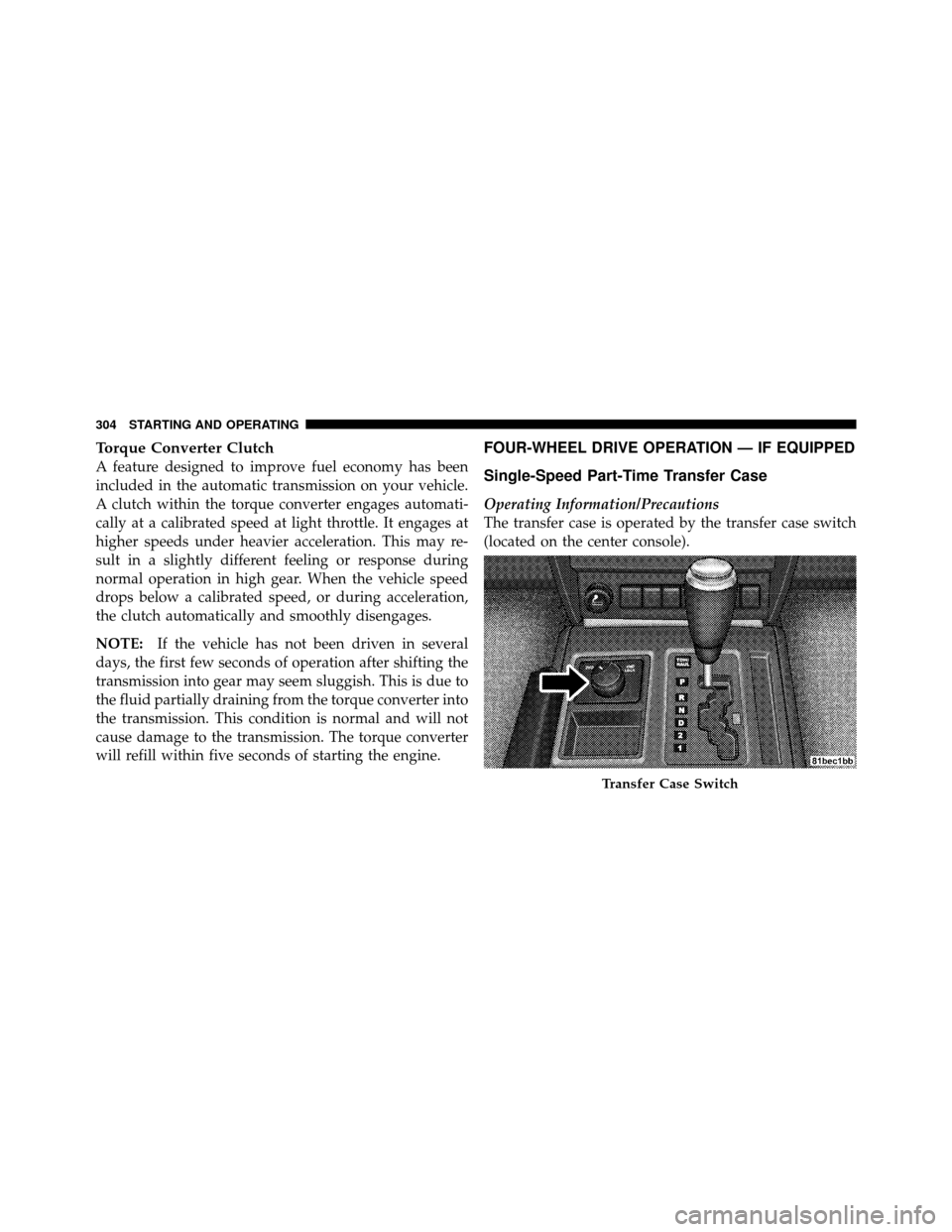
The transfer case is operated by the transfer case switch
(located on the center console).
Transfer Case Switch
304 STARTING AND OPERATING
Page 308 of 497

The electronically shifted transfer case provides two
mode positions:
•Two-wheel drive high range (2WD)
•Four-wheel drive high range (4WD LOCK)
The electronically shifted transfer case is designed to be
driven in the two-wheel drive position (2WD) for normal
street and highway conditions (dry hard surfaced roads).
When additional traction is required, the transfer case
4WD LOCK position can be used to lock the front and
rear driveshafts together and force the front and rear
wheels to rotate at the same speed. This is accomplished
by rotating the transfer case switch to the desired posi-
tion. Refer to “Shifting Procedure” for specific shifting
instructions. The 4WD LOCK position is designed for
loose, slippery road surfaces only.
CAUTION!
•Driving in the 4WD LOCK position on dry hard
surfaced roads may cause increased tire wear and
damage to the driveline components.
•Do not attempt to make a shift while only the front
or rear wheels are spinning. Shifting while only
the front or rear wheels are spinning can cause
damage to the transfer case.
Proper operation of four-wheel drive vehicles depends
on tires of equal size, type and circumference on each
wheel. Any difference in tire size can cause damage to the
transfer case. Tire rotation schedule should be followed
to balance tire wear.
Since four-wheel drive provides improved traction, there
is a tendency to exceed safe turning and stopping speeds.
Do not go faster than road conditions permit.
5
STARTING AND OPERATING 305
Page 309 of 497

Shifting Procedure – Electronically Shifted
Transfer Case
NOTE:If any of the requirements to select a new
transfer case position have not been met, the transfer case
will not shift. The “4WD Indicator Light” (located in the
display under the tachometer) will flash until all the
requirements for the selected position have been met. To
retry a shift, return the control knob back to the original
position, make certain all shift requirements have been
met, wait five seconds and try the shift again.
2WD⇔ 4WD LOCK
Rotate the transfer case switch to the desired position.
Shifts between 2WD and 4WD LOCK can be done with
the vehicle stopped or in motion. With the vehicle in
motion, the transfer case will engage/disengage faster if you momentarily release the accelerator pedal after turn-
ing the switch. If the vehicle is stopped, the ignition key
must be in the ON position with the engine either
RUNNING or OFF. This shift cannot be completed if the
key is in the ACC position.
NOTE:
•The four-wheel drive system will not allow shifts
between 2WD/4WD LOCK if the front and/or rear
wheels are spinning (no traction). In this situation, the
“4WD Indicator Light” (located in the display under
the tachometer) will flash. At this time, reduce speed
and stop spinning the wheels to complete the shift.
•Delayed shifting out of 4WD LOCK may be experi-
enced due to uneven tire wear, low tire pressure, or
excessive loading.
306 STARTING AND OPERATING
Page 335 of 497
Tire Pressures For High Speed Operation
The manufacturer advocates driving at safe speeds
within posted speed limits. Where speed limits or condi-
tions are such that the vehicle can be driven at high
speeds, maintaining correct tire inflation pressure is very
important. Increased tire pressure and reduced vehicle
loading may be required for high-speed vehicle opera-
tion. Refer to original equipment or an authorized tire
dealer for recommended safe operating speeds, loading
and cold tire inflation pressures.
WARNING!
High speed driving with your vehicle under maxi-
mum load is dangerous. The added strain on your
tires could cause them to fail. You could have a
serious collision. Do not drive a vehicle loaded to the
maximum capacity at continuous speeds above
75 mph (120 km/h).
Radial Ply Tires
WARNING!
Combining radial ply tires with other types of tires
on your vehicle will cause your vehicle to handle
poorly. The instability could cause a collision. Al-
ways use radial ply tires in sets of four. Never
combine them with other types of tires.
Cuts and punctures in radial tires are repairable only in
the tread area because of sidewall flexing. Consult your
authorized tire dealer for radial tire repairs.
Spare Tire Matching Original Equipped Tire and
Wheel – If Equipped
Your vehicle may be equivalent with a spare tire and
wheel in look and function as the original equipment tire
and wheel found on the front or rear axle of your vehicle.
This spare tire may be used in the tire rotation for your
332 STARTING AND OPERATING