Page 235 of 452
bikes should be placed as far rearward as possible, within
the loading design of the rack. Do not place items directly
on or above the antenna.
Reception Quality
Satellite reception may be interrupted due to one of the
following reasons:
•The vehicle is parked in an underground parking
structure or under a physical obstacle.
•Dense tree coverage may interrupt reception in the
form of short audio mutes.
•Driving under wide bridges or along tall buildings can
cause intermittent reception.
•Placing objects over or too close to the antenna can
cause signal blockage.
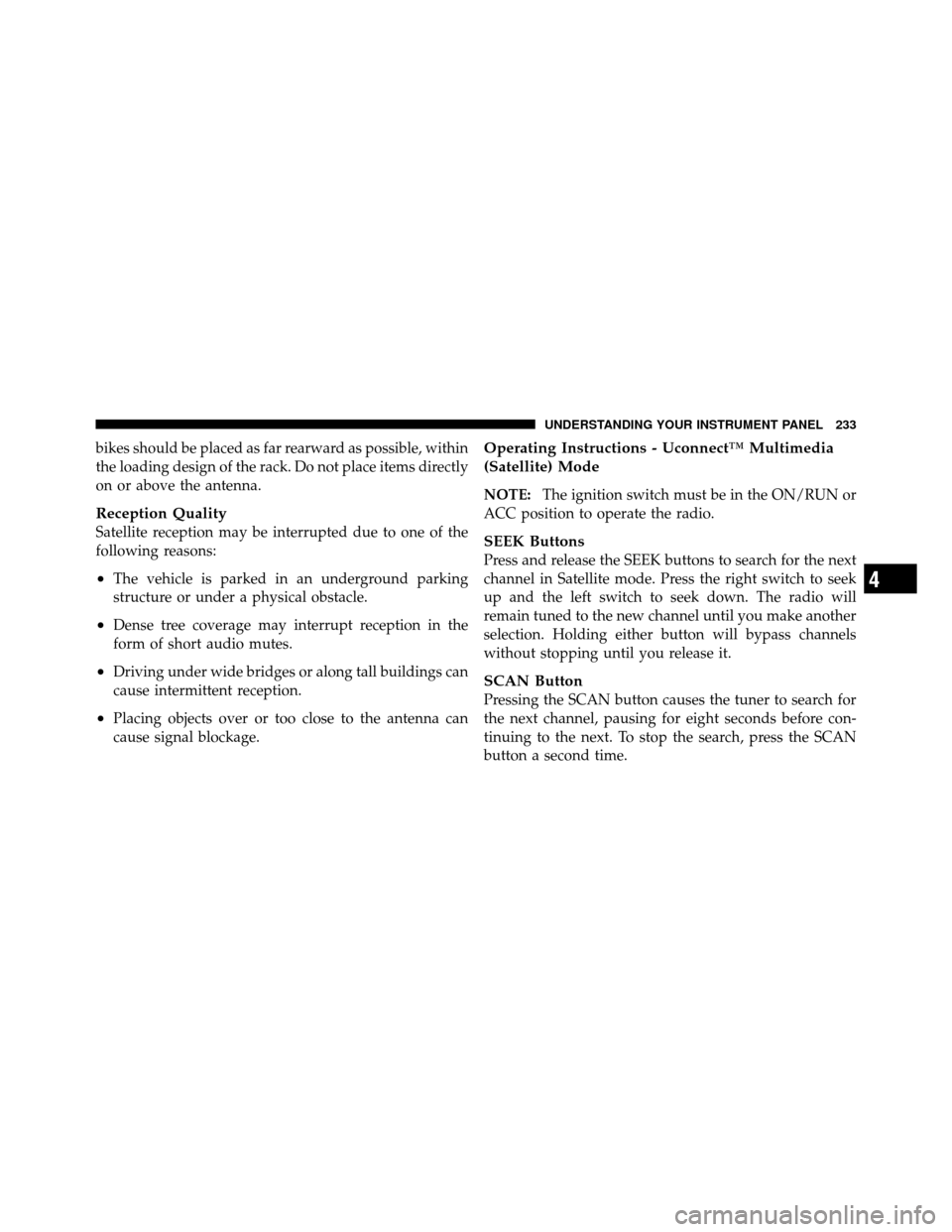
Operating Instructions - Uconnect™ Multimedia
(Satellite) Mode
NOTE:The ignition switch must be in the ON/RUN or
ACC position to operate the radio.
SEEK Buttons
Press and release the SEEK buttons to search for the next
channel in Satellite mode. Press the right switch to seek
up and the left switch to seek down. The radio will
remain tuned to the new channel until you make another
selection. Holding either button will bypass channels
without stopping until you release it.
SCAN Button
Pressing the SCAN button causes the tuner to search for
the next channel, pausing for eight seconds before con-
tinuing to the next. To stop the search, press the SCAN
button a second time.
4
UNDERSTANDING YOUR INSTRUMENT PANEL 233
Page 237 of 452
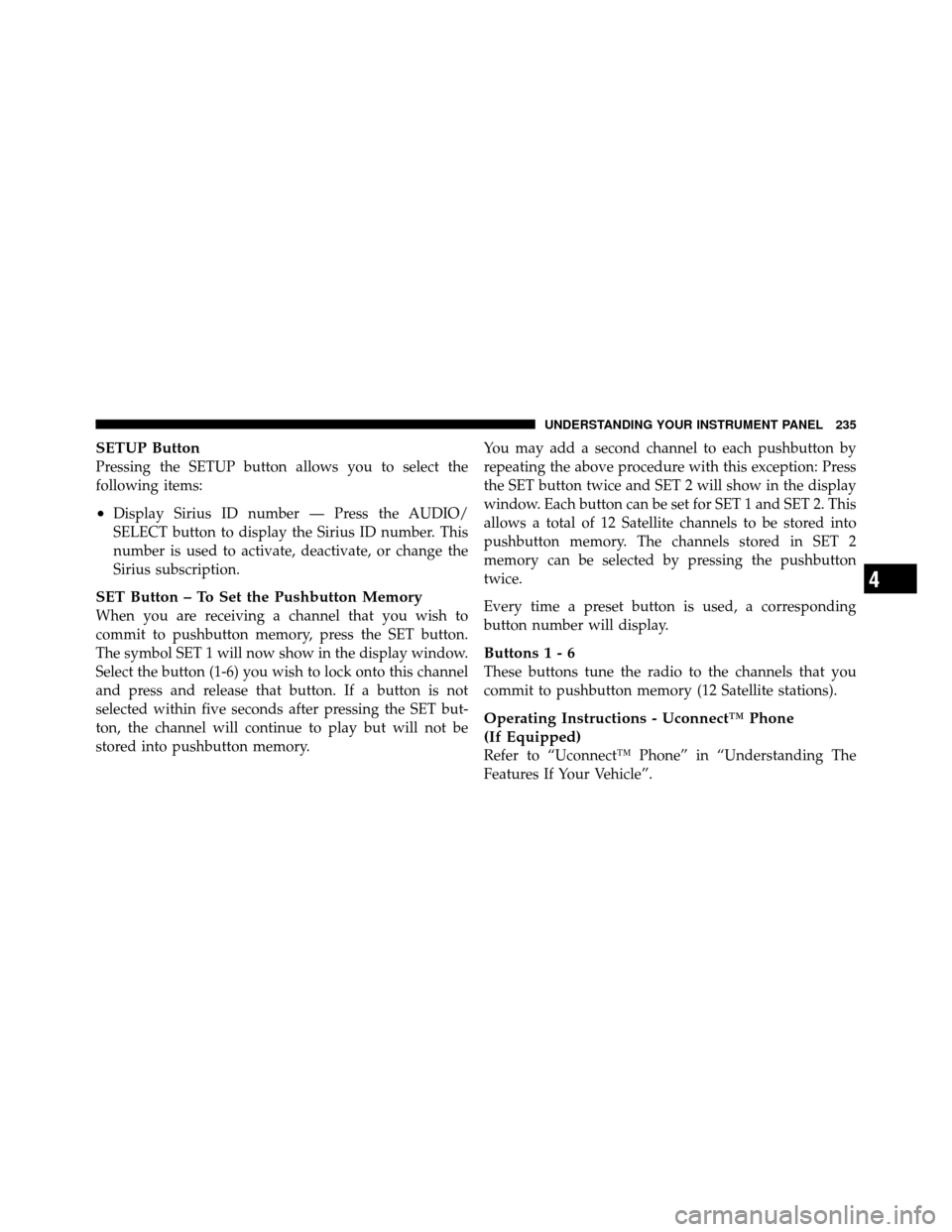
SETUP Button
Pressing the SETUP button allows you to select the
following items:
•Display Sirius ID number — Press the AUDIO/
SELECT button to display the Sirius ID number. This
number is used to activate, deactivate, or change the
Sirius subscription.
SET Button – To Set the Pushbutton Memory
When you are receiving a channel that you wish to
commit to pushbutton memory, press the SET button.
The symbol SET 1 will now show in the display window.
Select the button (1-6) you wish to lock onto this channel
and press and release that button. If a button is not
selected within five seconds after pressing the SET but-
ton, the channel will continue to play but will not be
stored into pushbutton memory.You may add a second channel to each pushbutton by
repeating the above procedure with this exception: Press
the SET button twice and SET 2 will show in the display
window. Each button can be set for SET 1 and SET 2. This
allows a total of 12 Satellite channels to be stored into
pushbutton memory. The channels stored in SET 2
memory can be selected by pressing the pushbutton
twice.
Every time a preset button is used, a corresponding
button number will display.
Buttons 1 - 6
These buttons tune the radio to the channels that you
commit to pushbutton memory (12 Satellite stations).
Operating Instructions - Uconnect™ Phone
(If Equipped)
Refer to “Uconnect™ Phone” in “Understanding The
Features If Your Vehicle”.
4
UNDERSTANDING YOUR INSTRUMENT PANEL 235
Page 238 of 452
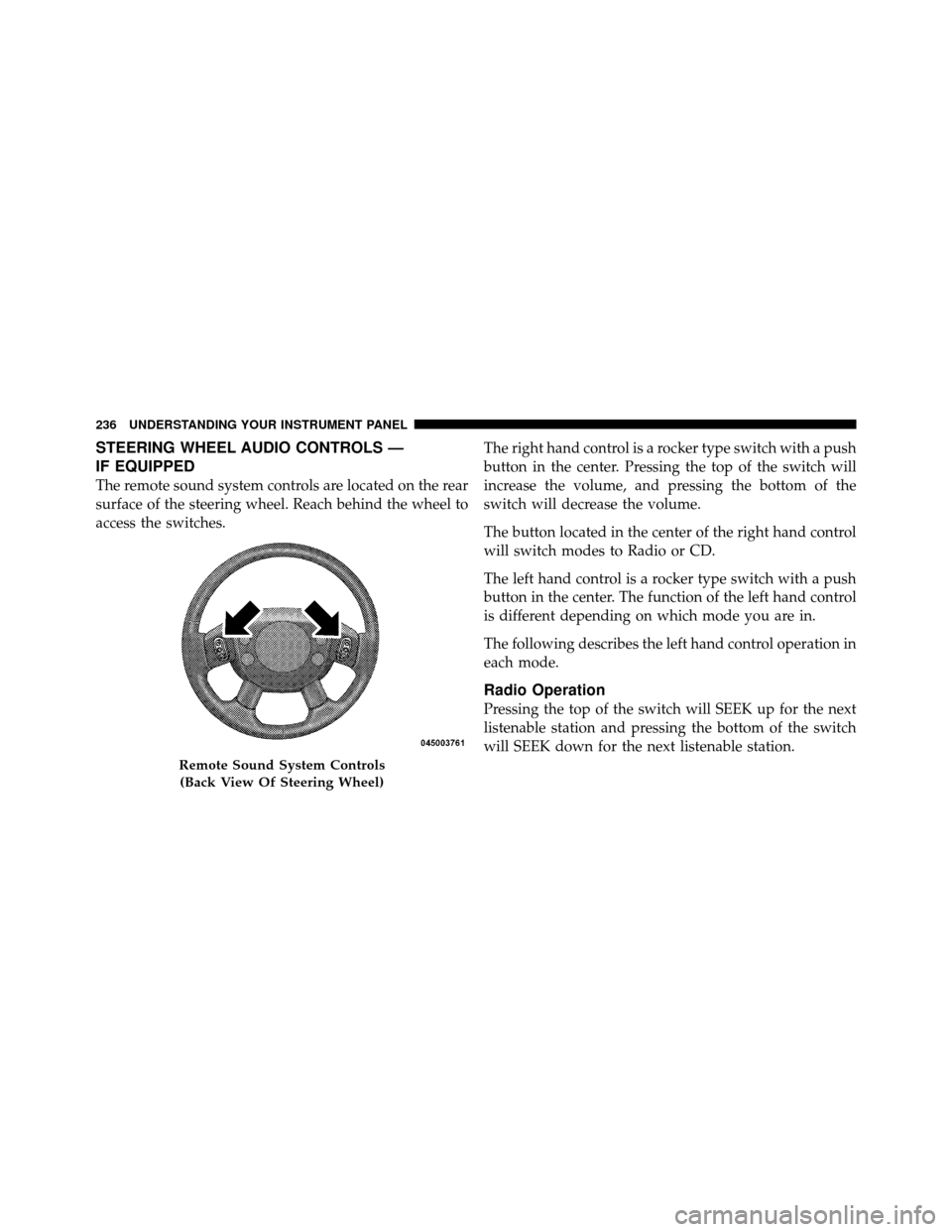
STEERING WHEEL AUDIO CONTROLS —
IF EQUIPPED
The remote sound system controls are located on the rear
surface of the steering wheel. Reach behind the wheel to
access the switches.The right hand control is a rocker type switch with a push
button in the center. Pressing the top of the switch will
increase the volume, and pressing the bottom of the
switch will decrease the volume.
The button located in the center of the right hand control
will switch modes to Radio or CD.
The left hand control is a rocker type switch with a push
button in the center. The function of the left hand control
is different depending on which mode you are in.
The following describes the left hand control operation in
each mode.
Radio Operation
Pressing the top of the switch will SEEK up for the next
listenable station and pressing the bottom of the switch
will SEEK down for the next listenable station.
Remote Sound System Controls
(Back View Of Steering Wheel)
236 UNDERSTANDING YOUR INSTRUMENT PANEL
Page 391 of 452
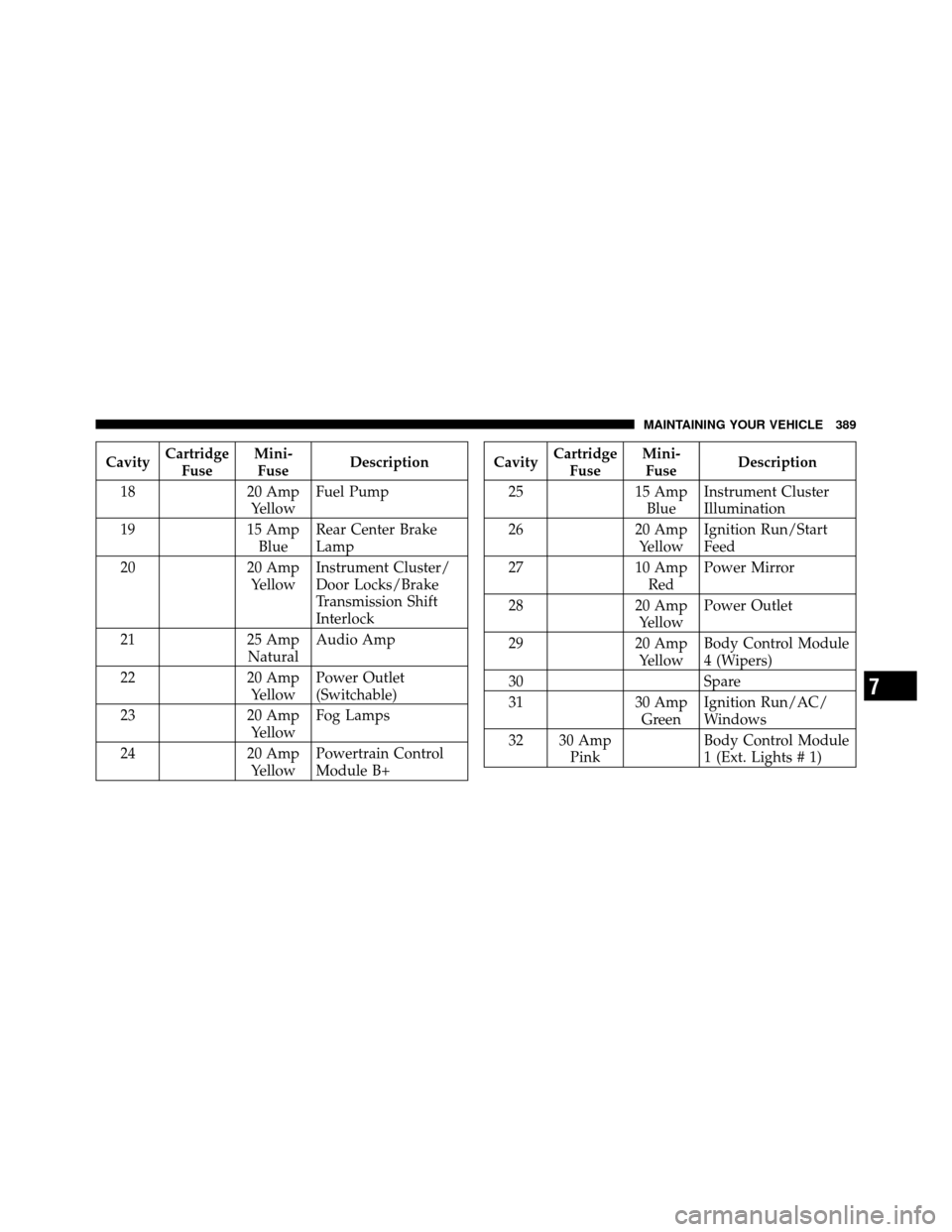
CavityCartridge
Fuse Mini-
Fuse Description
18 20 Amp
Yellow Fuel Pump
19 15 Amp
Blue Rear Center Brake
Lamp
20 20 Amp
Yellow Instrument Cluster/
Door Locks/Brake
Transmission Shift
Interlock
21 25 Amp
Natural Audio Amp
22 20 Amp
Yellow Power Outlet
(Switchable)
23 20 Amp
Yellow Fog Lamps
24 20 Amp
Yellow Powertrain Control
Module B+Cavity
Cartridge
Fuse Mini-
Fuse Description
25 15 Amp
Blue Instrument Cluster
Illumination
26 20 Amp
Yellow Ignition Run/Start
Feed
27 10 Amp
Red Power Mirror
28 20 Amp
Yellow Power Outlet
29 20 Amp
Yellow Body Control Module
4 (Wipers)
30 Spare
31 30 Amp
Green Ignition Run/AC/
Windows
32 30 Amp Pink Body Control Module
1 (Ext. Lights # 1)
7
MAINTAINING YOUR VEHICLE 389
Page 447 of 452
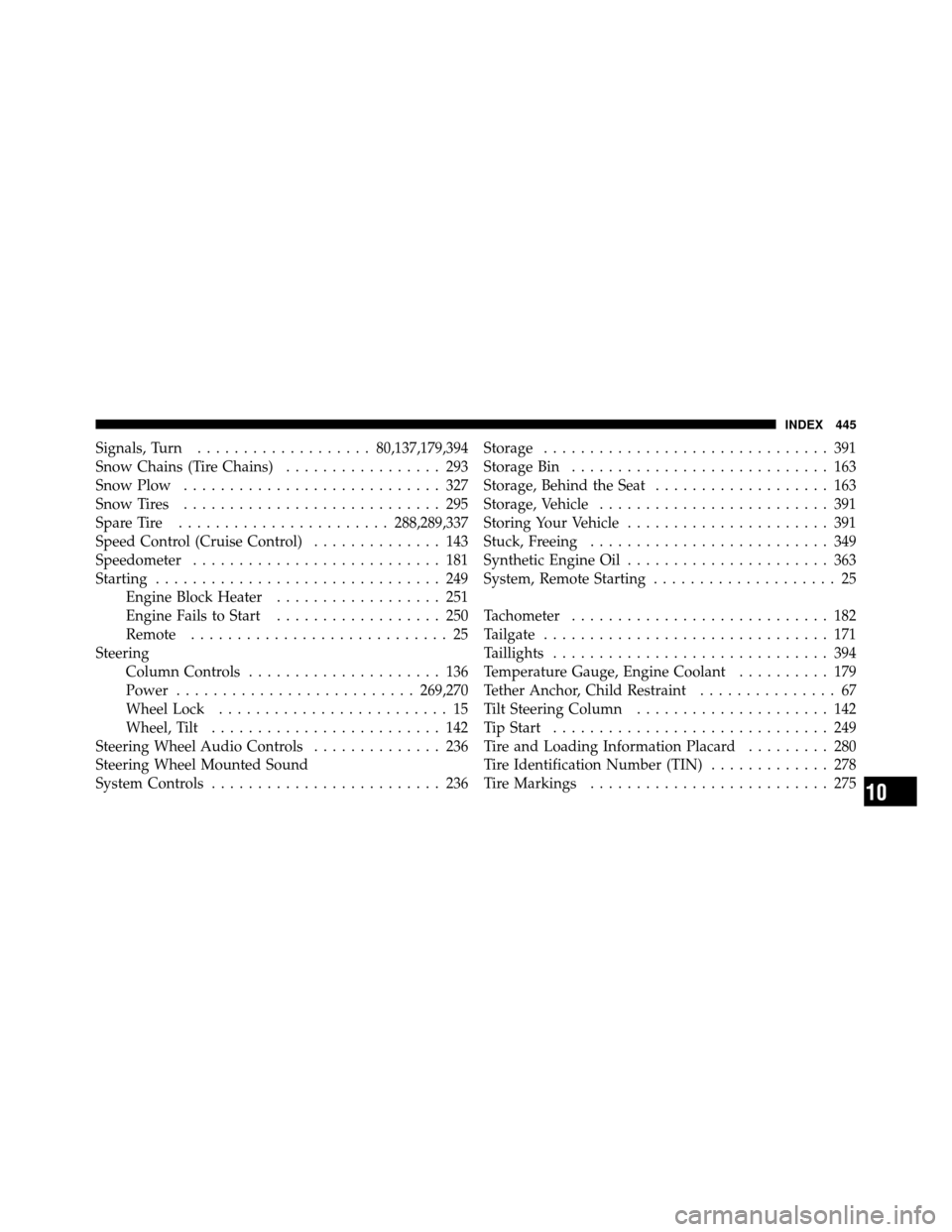
Signals, Turn................... 80,137,179,394
Snow Chains (Tire Chains) ................. 293
Snow Plow ............................ 327
Snow Tires ............................ 295
Spare Tire ....................... 288,289,337
Speed Control (Cruise Control) .............. 143
Speedometer ........................... 181
Starting ............................... 249
Engine Block Heater .................. 251
Engine Fails to Start .................. 250
Remote ............................ 25
Steering Column Controls ..................... 136
Power .......................... 269,270
Wheel Lock ......................... 15
Wheel, Tilt ......................... 142
Steering Wheel Audio Controls .............. 236
Steering Wheel Mounted Sound
System Controls ......................... 236 Storage
............................... 391
Storage Bin ............................ 163
Storage, Behind the Seat ................... 163
Storage, Vehicle ......................... 391
Storing Your Vehicle ...................... 391
Stuck, Freeing .......................... 349
Synthetic Engine Oil ...................... 363
System, Remote Starting .................... 25
Tachometer ............................ 182
Tailgate ............................... 171
Taillights .............................. 394
Temperature Gauge, Engine Coolant .......... 179
Tether Anchor, Child Restraint ............... 67
Tilt Steering Column ..................... 142
Tip Start .............................. 249
Tire and Loading Information Placard ......... 280
Tire Identification Number (TIN) ............. 278
Tire Markings .......................... 275
10
INDEX 445