Page 82 of 452
Periodic Safety Checks You Should Make Outside
The Vehicle
Tires
Examine tires for excessive tread wear and uneven wear
patterns. Check for stones, nails, glass, or other objects
lodged in the tread or sidewall. Inspect the tread for cuts
and cracks. Inspect sidewalls for cuts, cracks and bulges.
Check the wheel nuts for tightness. Check the tires
(including spare) for proper cold inflation pressure.
Lights
Have someone observe the operation of exterior lights
while you work the controls. Check turn signal and high
beam indicator lights on the instrument panel.
Door Latches
Check for positive closing, latching, and locking.
Fluid Leaks
Check area under vehicle after overnight parking for fuel,
engine coolant, oil, or other fluid leaks. Also, if gasoline
fumes are detected or if fuel, power steering fluid, or
brake fluid leaks are suspected, the cause should be
located and corrected immediately.
80 THINGS TO KNOW BEFORE STARTING YOUR VEHICLE
Page 84 of 452
�Seats .............................. 123
▫ Power Driver Seat .................... 124
▫ Manual Seat Adjustment ............... 126
▫ Front Seat — Manual Recliner ........... 128
▫ Manual Lumbar — If Equipped .......... 128
▫ Heated Seats — If Equipped ............ 129
▫ Head Restraints ..................... 130
▫ Extended Cab/Crew Cab Rear Seat ....... 132
� To Open And Close The Hood ............ 132
� Lights ............................. 134
▫ Headlights, Parking Lights And
Panel Lights ........................ 134
▫ Headlight Delay ..................... 135 ▫
Lights-On Reminder .................. 135
▫ Daytime Running Lights — If Equipped .... 135
▫ Fog Lights — If Equipped .............. 135
▫ Interior Lights ...................... 135
▫ Multifunction Lever .................. 136
▫ Battery Saver ....................... 138
▫ Cargo Light — If Equipped ............. 139
� Windshield Wipers And Washers .......... 139
▫ Windshield Wipers ................... 140
▫ Windshield Washers .................. 141
� Tilt Steering Column ................... 142
� Electronic Speed Control — If Equipped ..... 143
▫ To Activate ......................... 144
82 UNDERSTANDING THE FEATURES OF YOUR VEHICLE
Page 85 of 452
▫To Set A Desired Speed ................ 144
▫ To Deactivate ....................... 144
▫ To Resume Speed .................... 144
▫ To Vary The Speed Setting .............. 145
▫ To Accelerate For Passing .............. 145
� Overhead Console ..................... 146
▫ Courtesy/Reading Lights .............. 147
� Compass/Temperature Mini-Trip Computer . . . 147
▫ US/M Button ....................... 148
▫ Reset Button ........................ 148
▫ Step Button ........................ 149
▫ Average Fuel Economy (AVG ECO) ....... 149
▫ Distance To Empty (DTE) .............. 149 ▫
Trip Odometer (ODO) ................. 150
▫ Elapsed Time (ET) ................... 150
▫ C/T Button ........................ 150
▫ Global Reset ........................ 151
▫ Compass/Temperature Display .......... 151
▫ Automatic Compass Calibration .......... 152
▫ Manual Compass Calibration ............ 152
▫ To Put Into A Calibration Mode .......... 152
▫ Outside Temperature .................. 153
� Garage Door Opener — If Equipped ........ 153
▫ Programming HomeLink� .............. 155
▫ Gate Operator/Canadian Programming .... 157
▫ Using HomeLink� ................... 158
3
UNDERSTANDING THE FEATURES OF YOUR VEHICLE 83
Page 131 of 452
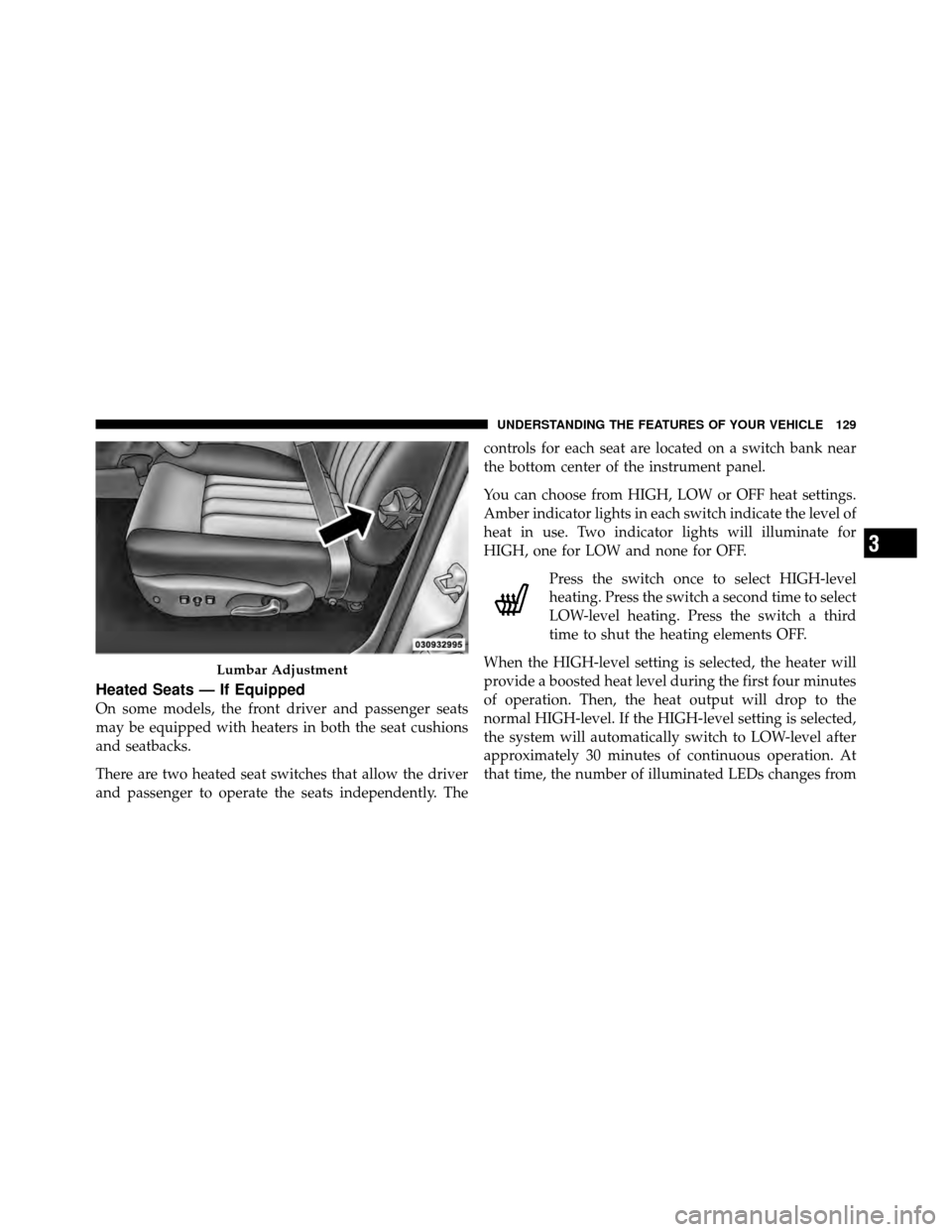
Heated Seats — If Equipped
On some models, the front driver and passenger seats
may be equipped with heaters in both the seat cushions
and seatbacks.
There are two heated seat switches that allow the driver
and passenger to operate the seats independently. Thecontrols for each seat are located on a switch bank near
the bottom center of the instrument panel.
You can choose from HIGH, LOW or OFF heat settings.
Amber indicator lights in each switch indicate the level of
heat in use. Two indicator lights will illuminate for
HIGH, one for LOW and none for OFF.
Press the switch once to select HIGH-level
heating. Press the switch a second time to select
LOW-level heating. Press the switch a third
time to shut the heating elements OFF.
When the HIGH-level setting is selected, the heater will
provide a boosted heat level during the first four minutes
of operation. Then, the heat output will drop to the
normal HIGH-level. If the HIGH-level setting is selected,
the system will automatically switch to LOW-level after
approximately 30 minutes of continuous operation. At
that time, the number of illuminated LEDs changes from
Lumbar Adjustment
3
UNDERSTANDING THE FEATURES OF YOUR VEHICLE 129
Page 136 of 452

LIGHTS
The headlight switch is located on the left side of the
instrument panel next to the steering wheel.
Headlights, Parking Lights And Panel Lights
When the headlight switch is rotated to the first
position, the parking lights, taillights, side marker
lights, license plate light and instrument panel lights are
all turned on. The headlights will turn on when the
switch is rotated to the second position.
Your vehicle is equipped with plastic headlight lenses
that are lighter and less susceptible to stone breakage
than glass headlights.
Plastic is not as scratch resistant as glass and therefore
different lens cleaning procedures must be followed.
To minimize the possibility of scratching the lenses and
reducing light output, avoid wiping with a dry cloth. To
remove road dirt, wash with a mild soap solution fol-
lowed by rinsing.
Do not use abrasive cleaning components, solvents, steel
wool or other abrasive materials to clean the lenses.
Headlight Switch Location
134 UNDERSTANDING THE FEATURES OF YOUR VEHICLE
Page 137 of 452
Headlight Delay
To aid in your exit, your vehicle is equipped with a
headlight delay that will leave the headlight on for
60 seconds. This delay is initiated when the ignition is
turned OFF while the headlight switch is on, and then the
headlight switch is cycled off. The headlights will remain
on for 60 seconds. Headlight delay can be cancelled by
either turning the headlight switch on then off, or by
turning the ignition ON.
Lights-on Reminder
If the headlights, parking lights, courtesy lights or cargo
lights are left on, after the ignition is turned OFF, a chime
will sound when the driver’s door is opened.
Daytime Running Lights — If Equipped
The headlights on your vehicle will illuminate when the
engine is started, the transmission is out of the PARK
position and the parking brake is released. This provides
a constant�lights on� condition until the ignition is turned OFF. The lights illuminate at less than normal
intensity. If the parking brake is applied or the transmis-
sion is in the PARK position, the Daytime Running Lights
(DRL) will turn off.
Fog Lights — If Equipped
The Fog Lights are turned on by placing the
headlight rotary control in the parking light or
headlight position and pushing on the headlight
rotary control. The fog lights will operate only when the
parking lights are on, or when the vehicle headlights are
on low beam. An indicator light located in the instrument
cluster will illuminate when the fog lights are on. The fog
lights will turn off when the switch is pushed a second
time, also when the headlight switch is rotated to the off
position, or the high beam is selected.
Interior Lights
Courtesy and dome lights are turned on when the front
doors are opened, when the dimmer control (rotating
3
UNDERSTANDING THE FEATURES OF YOUR VEHICLE 135
Page 138 of 452
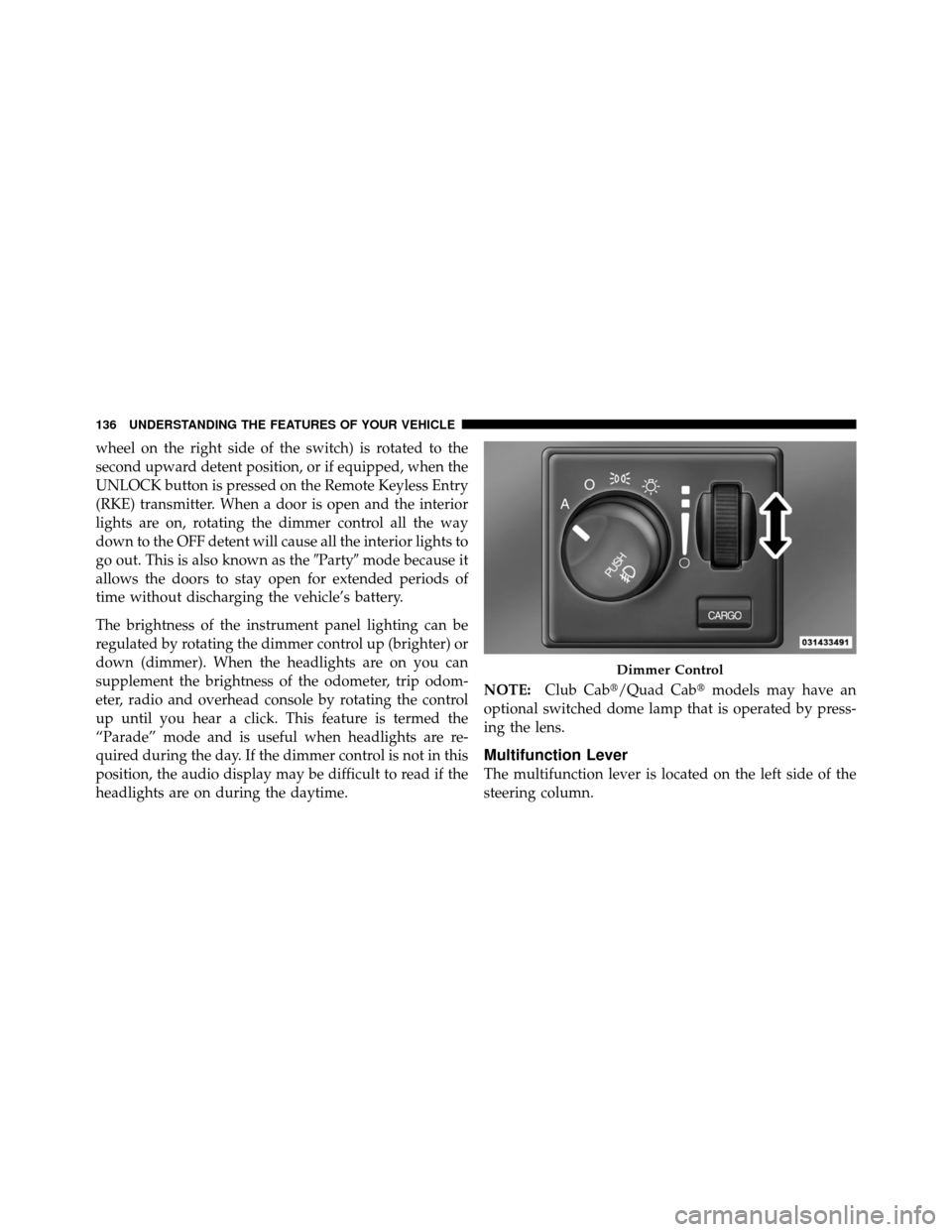
wheel on the right side of the switch) is rotated to the
second upward detent position, or if equipped, when the
UNLOCK button is pressed on the Remote Keyless Entry
(RKE) transmitter. When a door is open and the interior
lights are on, rotating the dimmer control all the way
down to the OFF detent will cause all the interior lights to
go out. This is also known as the�Party�mode because it
allows the doors to stay open for extended periods of
time without discharging the vehicle’s battery.
The brightness of the instrument panel lighting can be
regulated by rotating the dimmer control up (brighter) or
down (dimmer). When the headlights are on you can
supplement the brightness of the odometer, trip odom-
eter, radio and overhead console by rotating the control
up until you hear a click. This feature is termed the
“Parade” mode and is useful when headlights are re-
quired during the day. If the dimmer control is not in this
position, the audio display may be difficult to read if the
headlights are on during the daytime. NOTE:
Club Cab�/Quad Cab� models may have an
optional switched dome lamp that is operated by press-
ing the lens.
Multifunction Lever
The multifunction lever is located on the left side of the
steering column.
Dimmer Control
136 UNDERSTANDING THE FEATURES OF YOUR VEHICLE
Page 139 of 452
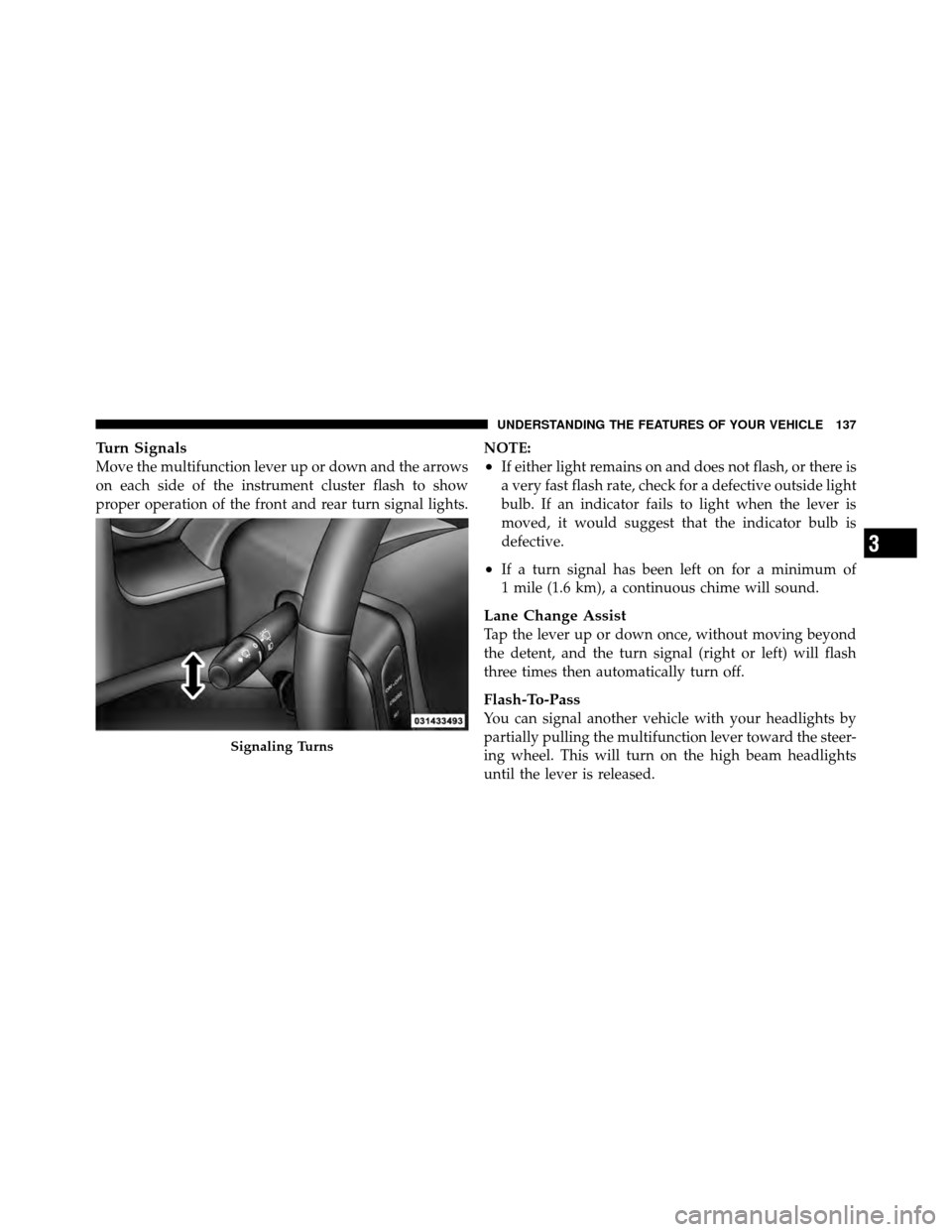
Turn Signals
Move the multifunction lever up or down and the arrows
on each side of the instrument cluster flash to show
proper operation of the front and rear turn signal lights.NOTE:•If either light remains on and does not flash, or there is
a very fast flash rate, check for a defective outside light
bulb. If an indicator fails to light when the lever is
moved, it would suggest that the indicator bulb is
defective.
•If a turn signal has been left on for a minimum of
1 mile (1.6 km), a continuous chime will sound.
Lane Change Assist
Tap the lever up or down once, without moving beyond
the detent, and the turn signal (right or left) will flash
three times then automatically turn off.
Flash-To-Pass
You can signal another vehicle with your headlights by
partially pulling the multifunction lever toward the steer-
ing wheel. This will turn on the high beam headlights
until the lever is released.
Signaling Turns
3
UNDERSTANDING THE FEATURES OF YOUR VEHICLE 137