Page 94 of 566
▫Ambient Light ...................... 196
▫ Interior Lights ...................... 196
� Windshield Wipers And Washers .......... 198
▫ Intermittent Wiper System .............. 199
▫ Wiper Operation ..................... 199
▫ Windshield Washers .................. 199
▫ Mist Feature ........................ 200
▫ Headlights On With Wipers (Available
With Automatic Headlights Only) ......... 200
▫ Rain Sensing Wipers — If Equipped ....... 200
� Tilt/Telescoping Steering Column .......... 202
� Power Tilt/Telescoping Steering Column —
If Equipped .......................... 203
� Heated Steering Wheel — If Equipped ...... 204�
Adjustable Pedals — If Equipped .......... 206
� Electronic Speed Control — If Equipped ..... 207
▫ To Activate ......................... 208
▫ To Set A Desired Speed ................ 209
▫ To Deactivate ....................... 209
▫ To Resume Speed .................... 209
▫ To Vary The Speed Setting .............. 209
▫ To Accelerate For Passing .............. 210
� Adaptive Cruise Control (ACC) —
If Equipped .......................... 211
▫ Adaptive Cruise Control (ACC) Operation . . 213
▫ Activating Adaptive Cruise Control (ACC) . . 214
▫ To Activate ......................... 215
92 UNDERSTANDING THE FEATURES OF YOUR VEHICLE
Page 114 of 566
can be adjusted either from the radio volume control
knob or from the steering wheel radio control (right
switch), if so equipped.
Operation
Voice commands can be used to operate the Uconnect™
Phone and to navigate through the Uconnect™ Phone
menu structure. Voice commands are required after most
Uconnect™ Phone prompts. There are two general meth-
ods for how Voice Command works:
1. Say compound commands like “Call John Smith mo-
bile”.
2. Say the individual commands and allow the system to
guide you to complete the task.
You will be prompted for a specific command and then
guided through the available options.
•Prior to giving a voice command, one must wait for
the beep, which follows the “Listen” prompt or an-
other prompt.
•For certain operations, compound commands can be
used. For example, instead of saying “Call” and then
“John Smith” and then “mobile”, the following com-
pound command can be said: “Call John Smith mo-
bile”.
•For each feature explanation in this section, only the
compound command form of the voice command is
given. You can also break the commands into parts
and say each part of the command when you are asked
for it. For example, you can use the compound com-
mand form voice command “Search for John Smith”,
or you can break the compound command form into
two voice commands: “Search Contact” and when
asked “John Smith”. Please remember, the Uconnect™
112 UNDERSTANDING THE FEATURES OF YOUR VEHICLE
Page 122 of 566
•The Touch-Tone screen will be displayed,
•Use the numbered soft-keys to enter the number and
touch “Call”.
To send a touch tone using Voice Recognition (VR), press
the
button while in a call and say “1234#” or you
can say “Send Voicemail Password” if Voicemail pass-
word is stored in your mobile phonebook.
Recent Calls
You may browse up to 34 of the most recent of each of the
following call types:
•Incoming Calls
•Outgoing Calls
•Missed Calls
•All Calls These can be accessed by touching the recent calls
soft-key on the Phone main screen.
You can also press the
button and say “Show my
incoming calls” from any screen and the Incoming calls
will be displayed.
NOTE: Incoming can also be replaced with “Outgoing”,
“Recent” or “Missed”.
Answer Or Reject An Incoming Call —
No Call Currently In Progress
When you receive a call on your mobile phone, the
Uconnect™ Phone will interrupt the vehicle audio sys-
tem, if on, and will display a pop-up showing Answer or
Ignore. Press the Answer soft-key or the
button on
the steering wheel to accept the call.
120 UNDERSTANDING THE FEATURES OF YOUR VEHICLE
Page 136 of 566
if your vehicle is equipped. Please see the Uconnect™
Voice Command section for direction on how to use the
button.
The Uconnect™ Phone is fully integrated with the vehi-
cle’s audio system. The volume of the Uconnect™ Phone
can be adjusted either from the radio volume control
knob or from the steering wheel radio control (right
switch), if so equipped.
Operation
Voice commands can be used to operate the Uconnect™
Phone and to navigate through the Uconnect™ Phone
menu structure. Voice commands are required after most
Uconnect™ Phone prompts. There are two general meth-
ods for how Voice Command works:
1. Say compound commands like “Call John Smith mo-
bile”. 2. Say the individual commands and allow the system to
guide you to complete the task.
You will be prompted for a specific command and then
guided through the available options.
•Prior to giving a voice command, one must wait for
the beep, which follows the “Listen” prompt or an-
other prompt.
•For certain operations, compound commands can be
used. For example, instead of saying “Call” and then
“John Smith” and then “mobile”, the following com-
pound command can be said: “Call John Smith mo-
bile”.
•For each feature explanation in this section, only the
compound command form of the voice command is
given. You can also break the commands into parts
and say each part of the command when you are asked
134 UNDERSTANDING THE FEATURES OF YOUR VEHICLE
Page 186 of 566
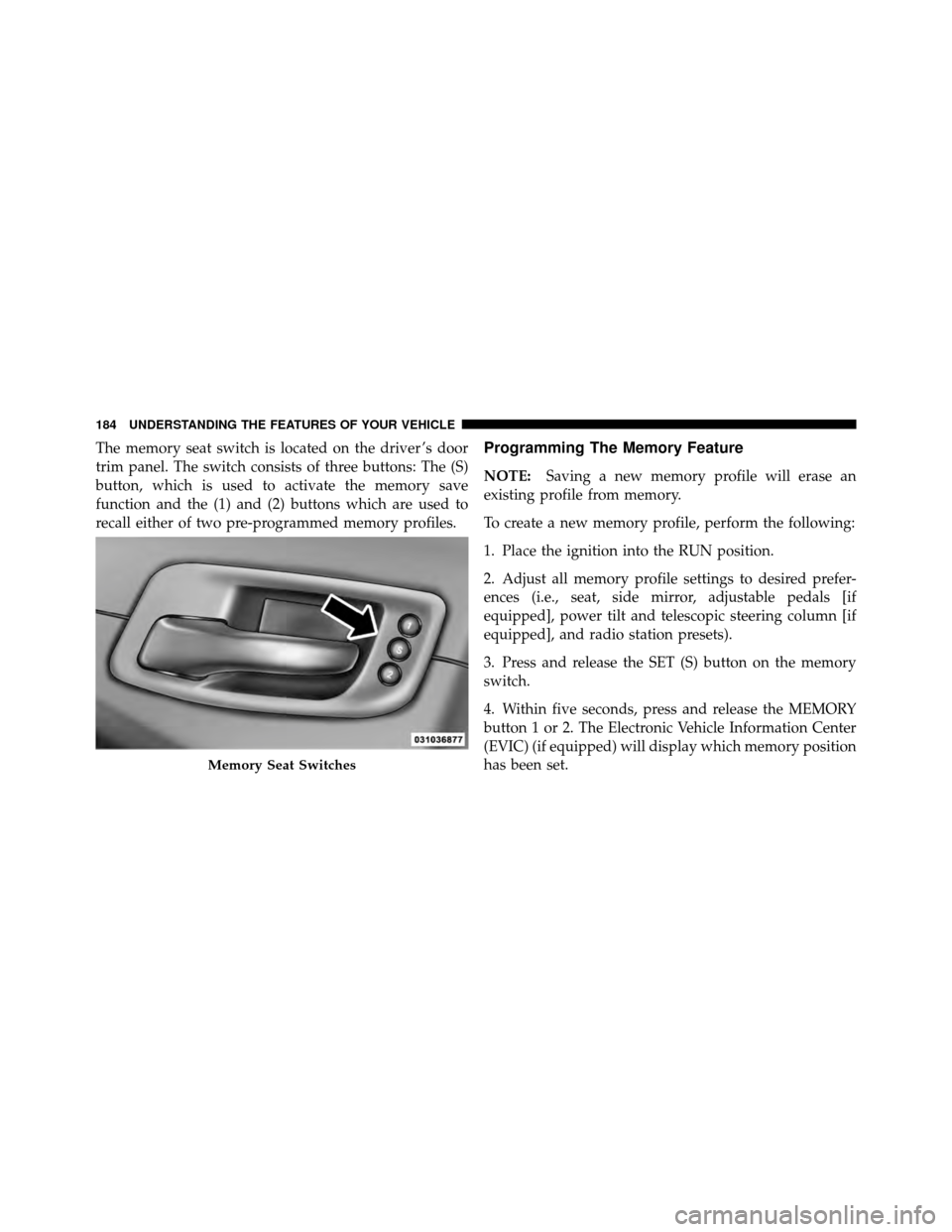
The memory seat switch is located on the driver ’s door
trim panel. The switch consists of three buttons: The (S)
button, which is used to activate the memory save
function and the (1) and (2) buttons which are used to
recall either of two pre-programmed memory profiles.Programming The Memory Feature
NOTE:Saving a new memory profile will erase an
existing profile from memory.
To create a new memory profile, perform the following:
1. Place the ignition into the RUN position.
2. Adjust all memory profile settings to desired prefer-
ences (i.e., seat, side mirror, adjustable pedals [if
equipped], power tilt and telescopic steering column [if
equipped], and radio station presets).
3. Press and release the SET (S) button on the memory
switch.
4. Within five seconds, press and release the MEMORY
button 1 or 2. The Electronic Vehicle Information Center
(EVIC) (if equipped) will display which memory position
has been set.
Memory Seat Switches
184 UNDERSTANDING THE FEATURES OF YOUR VEHICLE
Page 188 of 566
NOTE:Your RKE transmitters can be unlinked to your
memory settings by pressing the SET (S) button followed
by the UNLOCK button on the RKE transmitter in Step 4
above.
Memory Position Recall
NOTE: The vehicle must be in PARK to recall memory
positions. If a recall is attempted when the vehicle is not
in PARK, a message will display in the EVIC (if
equipped).
To recall the memory settings for driver 1, press
MEMORY button number 1 on the driver’s door or the
UNLOCK button on the RKE transmitter linked to
memory position 1.
To recall the memory setting for driver 2, press MEMORY
button number 2 on the driver’s door or the UNLOCK
button on the RKE transmitter linked to memory position
2. A recall can be cancelled by pressing any of the
MEMORY buttons (S, 1, or 2) on the driver’s door during
a recall. When a recall is cancelled, the driver’s seat, side
mirror, adjustable pedals (if equipped), and power tilt
and telescopic steering column (if equipped) stop mov-
ing. A delay of one second will occur before another recall
can be selected.
Easy Entry/Exit Seat
(Available With Memory Seat Only)
This feature provides automatic driver seat positioning to
enhance driver mobility when entering and exiting the
vehicle.
The distance the driver’s seat moves depends on where
you have the driver’s seat positioned when you remove
the Key Fob from the ignition (or change the ignition to
OFF, for vehicles equipped with Keyless Enter-N-Go).
186 UNDERSTANDING THE FEATURES OF YOUR VEHICLE
Page 195 of 566
To activate the front fog lights, turn on the parking
lights or the low beam headlights and press the
headlight switch. To turn off the front fog lights,
either press the headlight switch a second time or turn off
the headlight switch.
An indicator light in the instrument cluster illuminates
when the fog lights are turned on.
NOTE: The fog lights will operate with the low beam
headlights or parking lights on. However, selecting the
high beam headlights will turn off the fog lights.
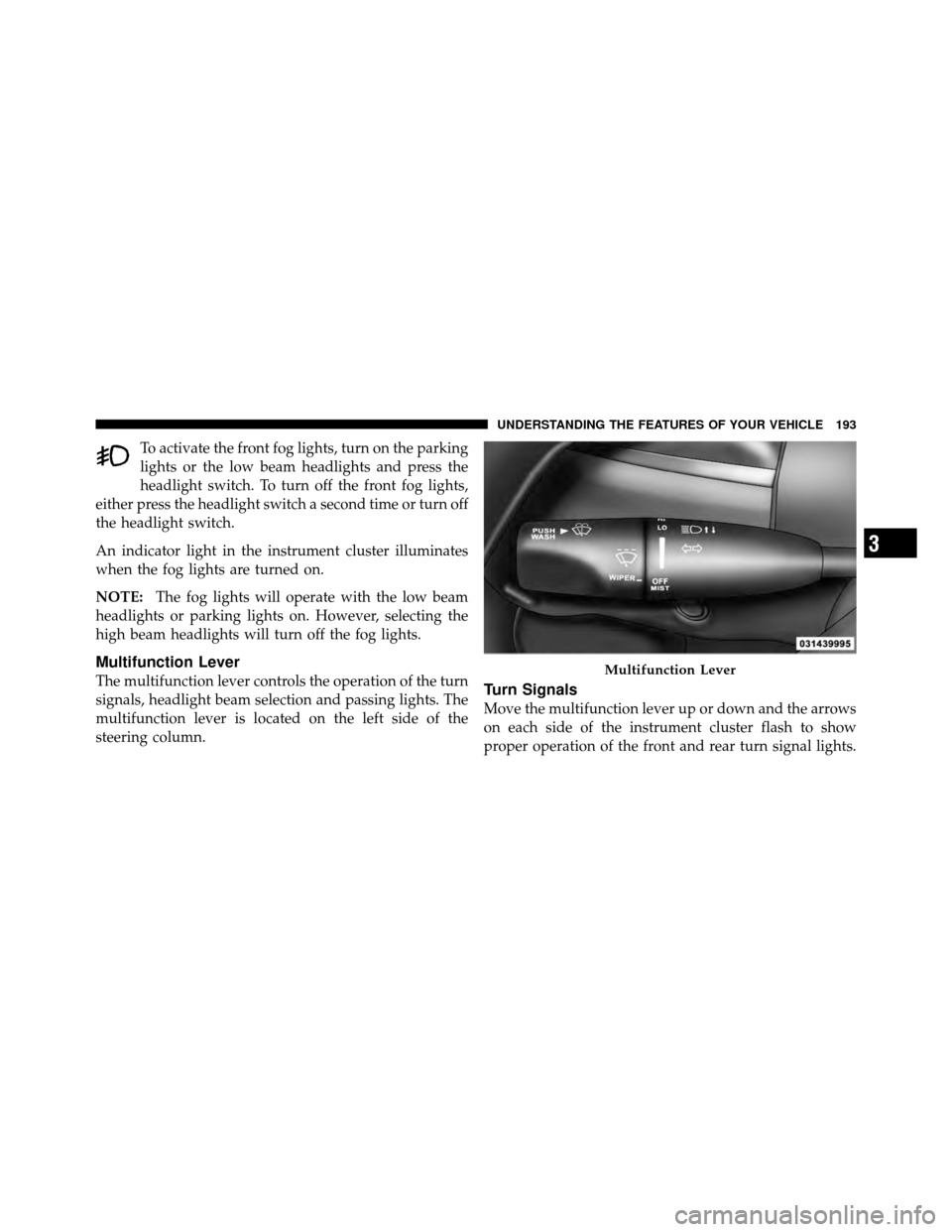
Multifunction Lever
The multifunction lever controls the operation of the turn
signals, headlight beam selection and passing lights. The
multifunction lever is located on the left side of the
steering column.Turn Signals
Move the multifunction lever up or down and the arrows
on each side of the instrument cluster flash to show
proper operation of the front and rear turn signal lights.
Multifunction Lever
3
UNDERSTANDING THE FEATURES OF YOUR VEHICLE 193
Page 200 of 566
Parade Mode (Daytime Brightness Feature)
Rotate the dimmer control upward to the first detent.
This feature brightens all text displays such as the
odometer, EVIC (if equipped), and radio when the park-
ing lights or headlights are on.
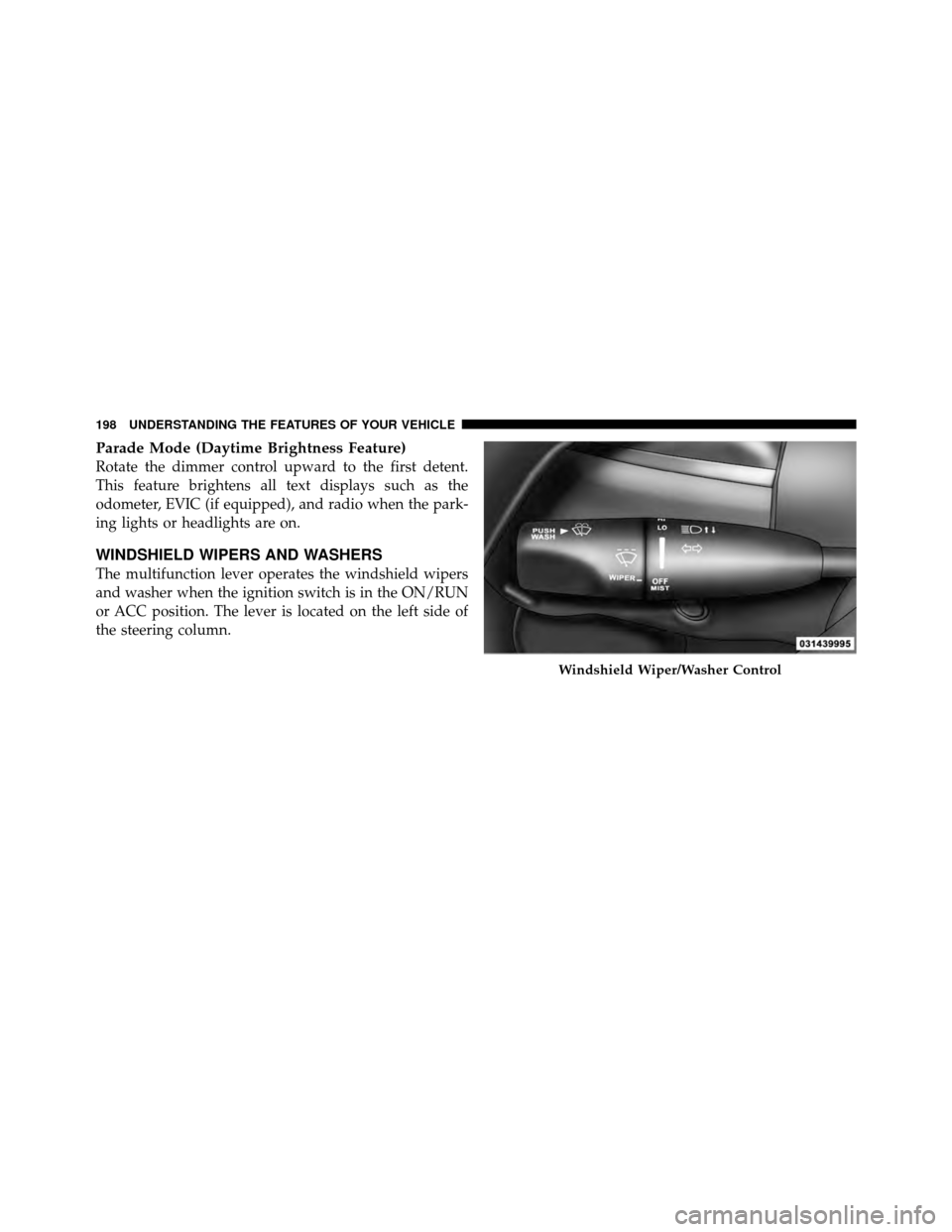
WINDSHIELD WIPERS AND WASHERS
The multifunction lever operates the windshield wipers
and washer when the ignition switch is in the ON/RUN
or ACC position. The lever is located on the left side of
the steering column.
Windshield Wiper/Washer Control
198 UNDERSTANDING THE FEATURES OF YOUR VEHICLE