Page 233 of 490

•While a track is playing, press theINFObutton to see
the associated metadata (artist, track title, album, etc.)
for that track. Pressing the INFObutton again jumps
to the next screen of data for that track. Once all
screens have been viewed, the last INFObutton press
will go back to the play mode screen on the radio.
•Pressing the REPEATbutton will change the audio
device mode to repeat the current playing track or
press the VR button and say �Repeat ON�or�Repeat
Off�.
•Press the SCANbutton to use iPod�/USB/MP3 de-
vice scan mode, which will play the first 10 seconds of
each track in the current list and then forward to the
next song. To stop SCAN mode and start playing the
desired track, when it is playing the track, press the
SCAN button again. During Scan mode, pressing the
<< SEEK andSEEK >> buttons will select the previ-
ous and next tracks.
•RND button (available on sales code RES radio only):
Pressing this button toggles between Shuffle ON and
Shuffle OFF modes for the iPod� or external USB
device, or press the VR button and say �Shuffle ON�or
�Shuffle Off�.IftheRND icon is showing on the radio
display, then the shuffle mode is ON.
List Or Browse Mode
During Play mode, pressing any of the buttons described
below, will bring up List mode. List mode enables
scrolling through the list of menus and tracks on the
audio device.
•TUNE control knob: The TUNEcontrol knob functions
in a similar manner as the scroll wheel on the audio
device or external USB device.
•Turning it clockwise (forward) and counterclock-
wise (backward) scrolls through the lists, displaying
the track detail on the radio display. Once the track
to be played is highlighted on the radio display,
4
UNDERSTANDING YOUR INSTRUMENT PANEL 231
Page 234 of 490

press theTUNEcontrol knob to select and start
playing the track. Turning the TUNEcontrol knob
fast will scroll through the list faster. During fast
scroll, a slight delay in updating the information on
the radio display may be noticeable.
•During all List modes, the iPod� displays all lists in
“wrap-around” mode. So if the track is at the
bottom of the list, just turn the wheel backward
(counterclockwise) to get to the track faster.
•In List mode, the radio PRESETbuttons are used as
shortcuts to the following lists on the iPod� or
external USB device.
•Preset 1 – Playlists
•Preset 2 – Artists
•Preset 3 – Albums
•Preset 4 – Genres
•Preset 5 – Audiobooks
•Preset 6 – Podcasts
•Pressing a PRESET button will display the current
list on the top line and the first item in that list on
the second line.
•To exit List mode without selecting a track, press the
same PRESET button again to go back to Play mode
.
•LISTbutton: The LISTbutton will display the top
level menu of the iPod� or external USB device. Turn
the TUNE control knob to list the top-menu item to be
selected and press the TUNEcontrol knob. This will
display the next sub-menu list item on the audio
device, then follow the same steps to go to the desired
track in that list. Not all iPod� or external USB device
sub-menu levels are available on this system.
•MUSIC TYPE button: TheMUSIC TYPE button is
another shortcut button to the genre listing on your
audio device.
232 UNDERSTANDING YOUR INSTRUMENT PANEL
Page 239 of 490
The button located in the center of the left-hand control
will tune to the next preset station that you have pro-
grammed in the radio preset pushbutton.
CD Player
Pressing the top of the switch once will go to the next
track on the CD. Pressing the bottom of the switch once
will go to the beginning of the current track, or to the
beginning of the previous track if it is within one second
after the current track begins to play.
If you press the switch up or down twice, it plays the
second track; three times, it will play the third, etc.
The center button on the left side rocker switch has no
function for a single-disc CD player. However, when a
multiple-disc CD player is equipped on the vehicle, the
center button will select the next available CD in the
player.
CD/DVD DISC MAINTENANCE
To keep a CD/DVD in good condition, take the following
precautions:
1. Handle the disc by its edge; avoid touching the
surface.
2. If the disc is stained, clean the surface with a soft cloth,
wiping from center to edge.
3. Do not apply paper or tape to the disc; avoid scratch-
ing the disc.
4. Do not use solvents such as benzene, thinner, cleaners,
or anti-static sprays.
5. Store the disc in its case after playing.
6. Do not expose the disc to direct sunlight.
7. Do not store the disc where temperatures may become
too high.
4
UNDERSTANDING YOUR INSTRUMENT PANEL 237
Page 250 of 490
�AutoStick� .......................... 271
▫ Operation ......................... 272
� Driving On Slippery Surfaces ............. 273
▫ Acceleration ........................ 273
▫ Traction ........................... 274
� Driving Through Water ................. 274
▫ Flowing/Rising Water ................. 275
� Power Steering ....................... 277
� Parking Brake ........................ 278
▫ Manual Transmission – If Equipped ....... 279
▫ Automatic Transmission – If Equipped ..... 279�
Brake System ........................ 281
▫ Anti-Lock Brake System (ABS) —
If Equipped ........................ 281
� Electronic Brake Control System ........... 284
▫ Anti-Lock Brake System (ABS) ........... 284
▫ Traction Control System (TCS) ........... 285
▫ Brake Assist System (BAS) .............. 285
▫ Hill Start Assist (HSA) – Manual
Transmission Only ................... 286
▫ Electronic Stability Program (ESP) ........ 287
▫ ESP/BAS Malfunction Indicator Light And
ESP/TCS Indicator Light ............... 290
248 STARTING AND OPERATING
Page 263 of 490
NOTE:During cold weather, you may experience in-
creased effort in shifting until the transmission fluid
warms up. This is normal.Shifting
Fully press the clutch pedal and lift your foot off the
accelerator pedal before shifting gears. As you release the
clutch pedal, lightly press the accelerator pedal. Damage
to the transmission or clutch may occur if you do not
fully press the clutch pedal and lift off of the accelerator
pedal when shifting.
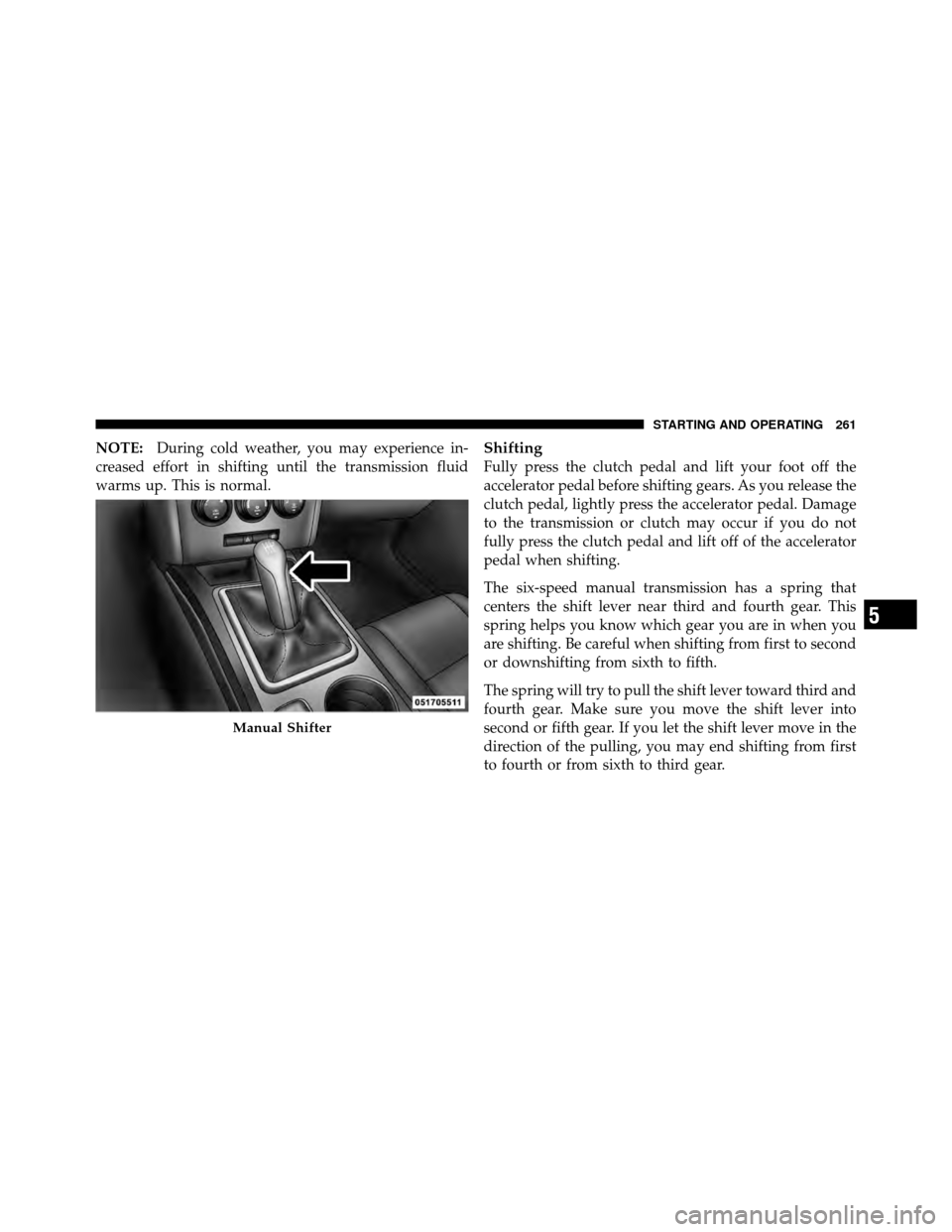
The six-speed manual transmission has a spring that
centers the shift lever near third and fourth gear. This
spring helps you know which gear you are in when you
are shifting. Be careful when shifting from first to second
or downshifting from sixth to fifth.
The spring will try to pull the shift lever toward third and
fourth gear. Make sure you move the shift lever into
second or fifth gear. If you let the shift lever move in the
direction of the pulling, you may end shifting from first
to fourth or from sixth to third gear.
Manual Shifter
5
STARTING AND OPERATING 261
Page 265 of 490

NOTE:
•Your vehicle is equipped with a transmission reverse
inhibitor system. When vehicle speed is greater than
3 mph (5 km/h), the reverse inhibitor activates to help
prevent shifts into REVERSE. When at a complete
stop, you may notice lighter shift efforts into REVERSE
with the ignition switch in the ON position (RUN
position for Keyless Enter-N-Go), as compared to the
ignition LOCK position (OFF position for Keyless
Enter-N-Go). This is normal operation of the transmis-
sion reverse inhibitor system.
•Due to the high performance nature of your drivetrain,
you may hear your transmission. This can be most
noticeable when the vehicle is idling in NEUTRAL with
the clutch engaged (clutch pedal released), but it may
also be heard when driving at low engine RPM. Also,
this may be more noticeable when the transmission is
warm. This is a normal condition and is not an indica-
tion of a problem with your clutch or transmission.
1–4 Skip Shift
There are times when you must shift the transmission
directly from first gear to fourth gear instead of from first
gear to second gear. This is to help you get the best
possible fuel economy from your vehicle. This occurs
when the engine coolant (antifreeze) is higher than 106°F
(41°C), vehicle speed is greater than 19 mph (30 km/h)
but less than 21 mph (34 km/h), and the transmission is
in first gear, and the accelerator is at 1/4 throttle or less.
The “1–4 Skip Shift Indicator Message” will be displayed
during these times.
When the “1–4 Skip Shift Indicator Message” is dis-
played, the shift mechanism will only allow shifts from
first gear to fourth gear. After you shift the transmission
to fourth gear, you can press the clutch in and shift to
another forward gear.
5
STARTING AND OPERATING 263
Page 269 of 490
Over-Temperature Mode
The transmission electronics constantly monitor the
transmission oil temperature. If the transmission exceeds
normal operating temperature, the transmission will
change the way it shifts to help control the condition.
This may result in a slightly different feeling or response
during normal operation in DRIVE position. After the
transmission cools down, it will return to normal
operation.
Key Ignition Park Interlock
This vehicle is equipped with a Key Ignition Park Inter-
lock which requires the shift lever to be placed in PARK
prior to rotating the key fob to the LOCK position. Thekey fob can only be removed from the ignition when the
ignition is in the LOCK position. Once the key fob is
removed, the shift lever is locked in PARK.
Brake/Transmission Shift Interlock System
This vehicle is equipped with a Brake Transmission Shift
Interlock (BTSI) system that holds the shift lever in the
PARK position when the ignition switch is in the LOCK
position (OFF position with Keyless Enter-N-Go) and the
engine is not running. To move the shift lever out of the
PARK position, the ignition switch must be turned to any
other ignition position (ACC, ON/RUN) position, and
the brake pedal must be pressed whether or not the
engine is running.
5
STARTING AND OPERATING 267
Page 273 of 490

damage, the transmission will engage Limp Home Mode.
If vehicle acceleration worsens or the transmission no
longer shifts, the transmission is most likely operating in
the Limp Home Mode. In this mode, the transmission
will remain in the current gear until the vehicle is
brought to a stop. After the vehicle has stopped, PARK,
REVERSE, and NEUTRAL will continue to operate. Sec-
ond gear will operate in the DRIVE position. The Mal-
function Indicator Light (MIL) may be illuminated.
A reset feature is available to allow the vehicle to be
driven to an authorized dealer for service. To reset the
transmission, use the following procedure:
1. Stop the vehicle.
2. Move the shift lever into the PARK position.
3. Turn the ignition switch to the LOCK position (OFF
position with Keyless Enter-N-Go).
4. Wait approximately 10 seconds.5. Restart the engine.
6. Move the shift lever into the desired range. If the
problem is no longer detected, the transmission will
return to normal operation.
NOTE:
Even if the transmission can be reset, we recom-
mend that you visit your authorized dealer at your
earliest possible convenience. Your authorized dealer has
diagnostic equipment to determine if the problem could
recur.
Have the transmission checked at your authorized dealer
as soon as possible.
If the problem has been momentary, the transmission can
be reset to regain all forward gears.
AUTOSTICK�
AutoStick� is a driver-interactive transmission that offers
manual gear shifting to provide you with more control of
the vehicle. AutoStick� allows you to maximize engine
5
STARTING AND OPERATING 271