Page 235 of 490

CAUTION!
•Leaving the iPod�or external USB device (or any
supported device) anywhere in the vehicle in
extreme heat or cold can alter the operation or
damage the device. Follow the device manufactur-
er ’s guidelines.
•Placing items on the iPod� or external USB device,
or connections to the iPod� or external USB device
in the vehicle, can cause damage to the device
and/or to the connectors.
WARNING!
Do not plug in or remove the iPod� or external USB
device while driving. Failure to follow this warning
could result in an accident.
Bluetooth Streaming Audio (BTSA)
Music can be streamed from your cellular phone to the
Uconnect™ phone system.
Controlling BTSA Using Radio Buttons
To get into the BTSA mode, press either “AUX” button on
the radio or press the VR button and say “Bluetooth
Streaming Audio”.
Play Mode
When switched to BTSA mode, some audio devices can
start playing music over the vehicle’s audio system, but
some devices require the music to be initiated on the
device first, then it will get streamed to the Uconnect™
phone system. Seven devices can be paired to the
Uconnect™ phone system, but just one can be selected
and played.
Selecting Different Audio Device
1. Press PHONE button to begin.
4
UNDERSTANDING YOUR INSTRUMENT PANEL 233
Page 236 of 490
2. After the�Ready�prompt and the following beep, say
�Setup�, then �Select Audio Devices�.
3. Say the name of the audio device or ask the
Uconnect™ phone system to list audio devices.
Next Track
Use the SEEK UP button, or press the VR button on the
radio and say “Next Track” to jump to the next track
music on your cellular phone.
Previous Track
Use the SEEK DOWN button, or press the VR button on
the radio and say “Previous Track” to jump to the
previous track music on your cellular phone.
Browse
Browsing is not available on a BTSA device. Only the
current song that is playing will display info.
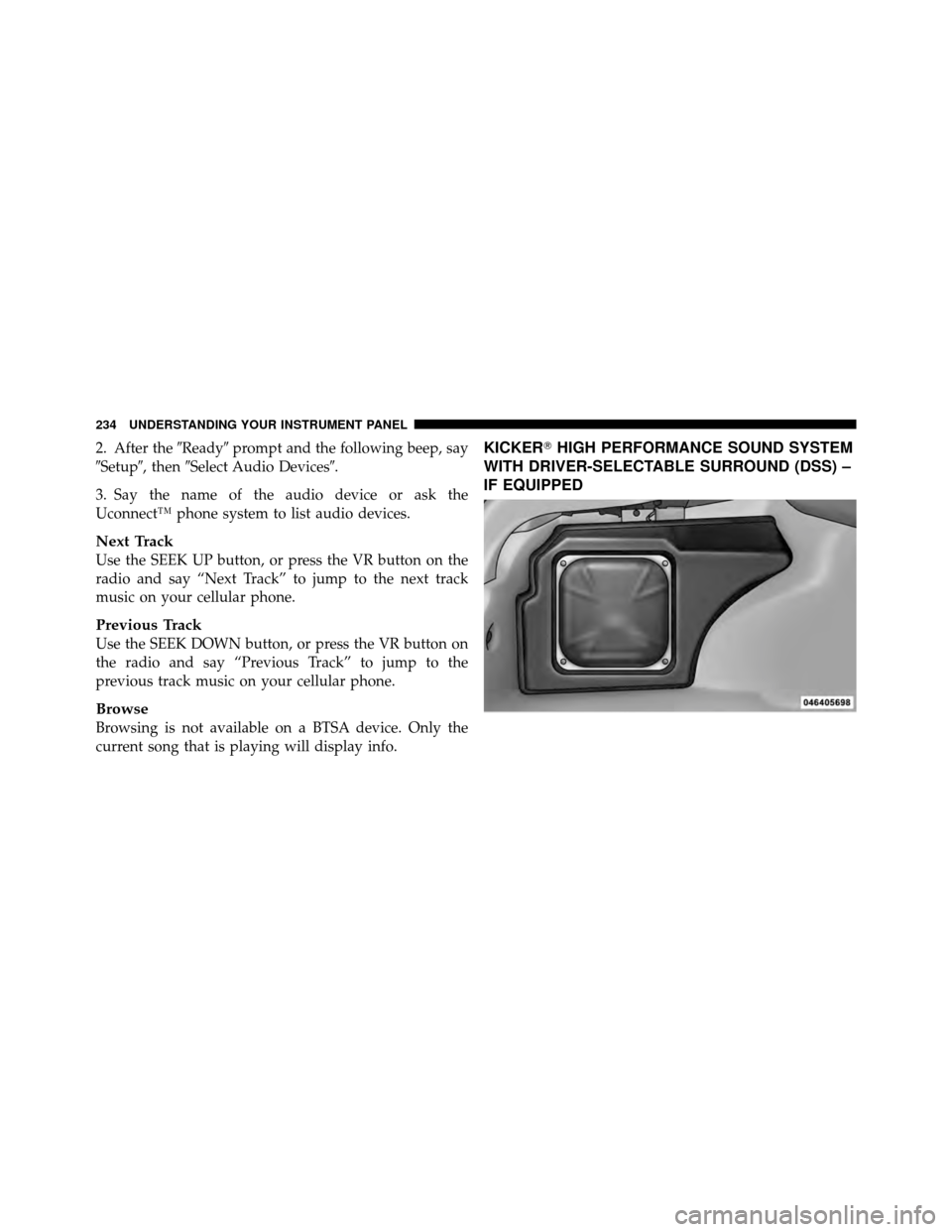
KICKER� HIGH PERFORMANCE SOUND SYSTEM
WITH DRIVER-SELECTABLE SURROUND (DSS) –
IF EQUIPPED
234 UNDERSTANDING YOUR INSTRUMENT PANEL
Page 240 of 490
NOTE:If you experience difficulty in playing a particu-
lar disc, it may be damaged (i.e., scratched, reflective
coating removed, a hair, moisture or dew on the disc)
oversized, or have protection encoding. Try a known
good disc before considering disc player service.
RADIO OPERATION AND MOBILE PHONES
Under certain conditions, the mobile phone being on in
your vehicle can cause erratic or noisy performance from
your radio. This condition may be lessened or eliminated
by relocating the mobile phone antenna. This condition is
not harmful to the radio. If your radio performance does
not satisfactorily “clear” by the repositioning of the
antenna, it is recommended that the radio volume be
turned down or off during mobile phone operation when
not using Uconnect™ (if equipped).
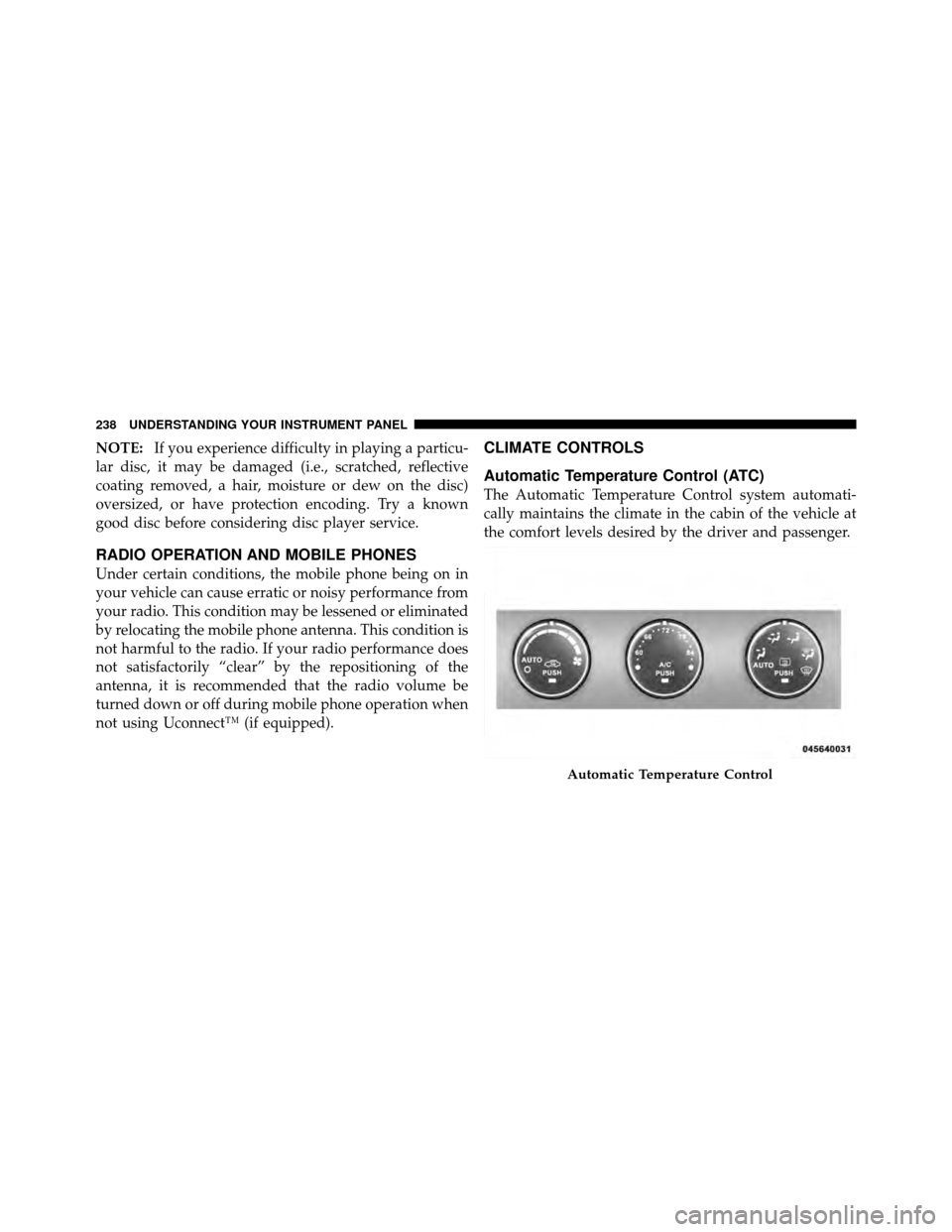
CLIMATE CONTROLS
Automatic Temperature Control (ATC)
The Automatic Temperature Control system automati-
cally maintains the climate in the cabin of the vehicle at
the comfort levels desired by the driver and passenger.
Automatic Temperature Control
238 UNDERSTANDING YOUR INSTRUMENT PANEL
Page 376 of 490

8. Disconnect the opposite end of the positive(+)jumper
cable from the positive (+)post of the booster battery.
9. Disconnect the positive (+)end of the jumper cable
from the remote positive (+)post of the discharged
vehicle.
If frequent jump-starting is required to start your vehicle
you should have the battery and charging system in-
spected at your authorized dealer.
CAUTION!
Accessories that can be plugged into the vehicle
power outlets draw power from the vehicle’s battery,
even when not in use (i.e., cellular phones, etc.).
Eventually, if plugged in long enough, the vehicle’s
battery will discharge sufficiently to degrade battery
life and/or prevent the engine from starting.
FREEING A STUCK VEHICLE
If your vehicle becomes stuck in mud, sand, or snow, it
can often be moved by a rocking motion. Turn your
steering wheel right and left to clear the area around the
front wheels. Then shift back and forth between RE-
VERSE and DRIVE/1st Gear. Using minimal accelerator
pedal pressure to maintain the rocking motion, without
spinning the wheels, is most effective.
CAUTION!
Racing the engine or spinning the wheels may lead to
transmission overheating and failure. Allow the en-
gine to idle with the shift lever in NEUTRAL for at
least one minute after every five rocking-motion
cycles. This will minimize overheating and reduce
the risk of transmission failure during prolonged
efforts to free a stuck vehicle.
374 WHAT TO DO IN EMERGENCIES
Page 427 of 490
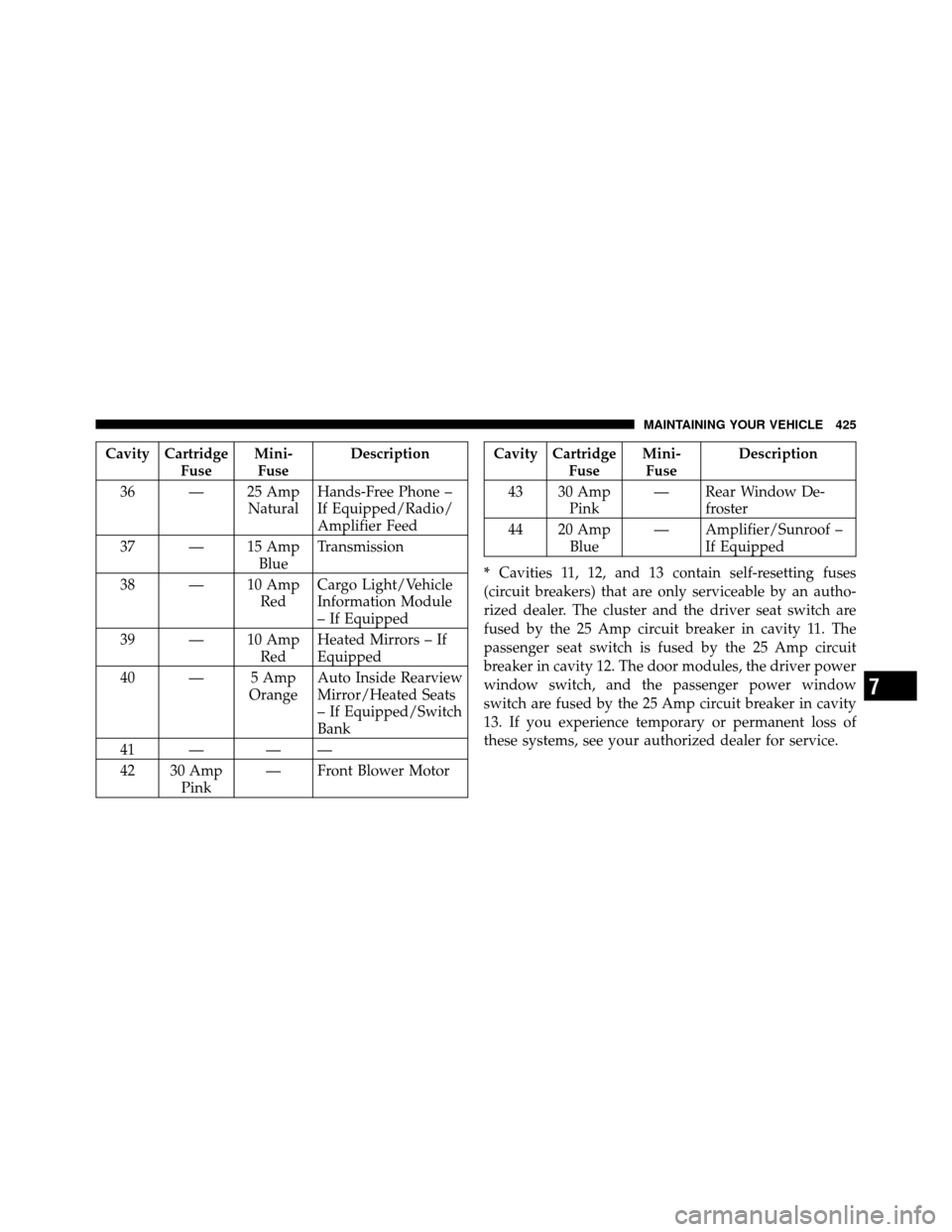
Cavity CartridgeFuseMini-
Fuse Description
36 — 25 Amp NaturalHands-Free Phone –
If Equipped/Radio/
Amplifier Feed
37 — 15 Amp BlueTransmission
38 — 10 Amp RedCargo Light/Vehicle
Information Module
– If Equipped
39 — 10 Amp RedHeated Mirrors – If
Equipped
40 — 5 Amp OrangeAuto Inside Rearview
Mirror/Heated Seats
– If Equipped/Switch
Bank
41 — — —
42 30 Amp Pink — Front Blower MotorCavity Cartridge
FuseMini-
Fuse Description
43 30 Amp Pink — Rear Window De-
froster
44 20 Amp Blue — Amplifier/Sunroof –
If Equipped
* Cavities 11, 12, and 13 contain self-resetting fuses
(circuit breakers) that are only serviceable by an autho-
rized dealer. The cluster and the driver seat switch are
fused by the 25 Amp circuit breaker in cavity 11. The
passenger seat switch is fused by the 25 Amp circuit
breaker in cavity 12. The door modules, the driver power
window switch, and the passenger power window
switch are fused by the 25 Amp circuit breaker in cavity
13. If you experience temporary or permanent loss of
these systems, see your authorized dealer for service.
7
MAINTAINING YOUR VEHICLE 425
Page 460 of 490
This is why you should always talk to an authorized
dealer’s service manager first. Most matters can be re-
solved with this process.
•If for some reason you are still not satisfied, talk to the
general manager or owner of the authorized dealer-
ship. They want to know if you need assistance.
•If an authorized dealership is unable to resolve the
concern, you may contact the manufacturer’s customer
center.
Any communication to the manufacturer’s customer cen-
ter should include the following information:
•Owner’s name and address
•Owner’s telephone number (home and office)
•Authorized dealership name
•Vehicle Identification Number (VIN)
•Vehicle delivery date and mileage
Chrysler Group LLC Customer Center
P.O. Box 21–8004
Auburn Hills, MI 48321–8004
Phone: (800) 423–6343
Chrysler Canada Inc. Customer Center
P.O. Box 1621
Windsor, Ontario N9A 4H6
Phone: (800) 465–2001 English / (800) 387–9983 French
In Mexico contact:
Av. Prolongacion Paseo de la Reforma, 1240
Sante Fe C.P. 05109
Mexico, D. F.
In Mexico City: 5081-7568
Outside Mexico City: 1-800-505-1300
458 IF YOU NEED CONSUMER ASSISTANCE
Page 463 of 490
If NHTSA receives similar complaints, it may open an
investigation, and if it finds that a safety defect exists in
a group of vehicles, it may order a recall and remedy
campaign. However, NHTSA cannot become involved in
individual problems between you, your authorized
dealer, and the manufacturer.
To contact NHTSA, you may either call the Auto Safety
Hotline toll free at 1–888–327–4236 (TTY: 1–800–424–
9153), or go to http://www.safercar.gov; or write to:
Administrator, NHTSA, 1200 New Jersey Avenue, SE.,
West Building, Washington, D.C. 20590. You can also
obtain other information about motor vehicle safety from
http://www.safercar.gov.In Canada
If you believe that your vehicle has a safety defect, you
should contact the Customer Service Department imme-
diately. Canadian customers who wish to report a safety
defect to the Canadian government should contact Trans-
port Canada, Motor Vehicle Defect Investigations and
Recalls at 1-800-333-0510 or go to
http://www.tc.gc.ca/roadsafety/
PUBLICATION ORDER FORMS
To order the following manuals, you may use either the
website or the phone numbers listed below. Visa, Mas-
tercard, American Express, and Discover orders are ac-
cepted. If you prefer mailing your payment, please call
for an order form.
NOTE:A street address is required when ordering
manuals (no P.O. Boxes).
9
IF YOU NEED CONSUMER ASSISTANCE 461
Page 470 of 490

Brightness, Interior Lights.................. 145
Bulb Replacement ..................... 426,427
Bulbs, Light .......................... 84,426
Calibration, Compass ..................... 197
Capacities, Fluid ........................ 433
Caps, Filler Fuel .............................. 330
Oil (Engine) ........................ 392
Radiator (Coolant Pressure) ............. 405
Car Washes ............................ 413
Carbon Monoxide Warning ...............80,325
Cargo (Vehicle Loading) ................... 332
Cellular Phone ........................ 94,238
Center High Mounted Stop Light ............ 431
Certification Label ....................... 332
Chains, Tire ............................ 309
Changing A Flat Tire ..................... 360
Chart, Tire Sizing ........................ 292 Check Engine Light
(Malfunction Indicator Light)
............... 387
Checking Your Vehicle For Safety ............. 80
Checks, Safety ........................... 80
Child Restraint .................. 70,71,72,75,77
Child Restraint Tether Anchors .............73,75
Clean Air Gasoline ....................... 322
Cleaning Wheels ............................ 415
Windshield Wiper Blades ............... 398
Clock ............................. 205,214
Cold Weather Operation ................... 257
Compact Disc (CD) Maintenance ............. 237
Compact Spare Tire ...................... 304
Compass .............................. 197
Compass Calibration ..................... 197
Compass Variance ....................... 198
Computer, Trip/Travel .................... 193
468 INDEX