Page 192 of 490
MENU ButtonPress and release the MENU button to access
the main menu, or to return to the main menu
from the sub-menus.
UP Button Press and release the UP button to scroll up-
ward through the main menus (Fuel Economy,
Vehicle Info, Tire PSI, Cruise, Messages, Units,
System Setup) and sub-menus.
DOWN Button Press and release the DOWN button to scroll
downward through the main menus and sub-
menus. SELECT Button
Press and release the SELECT button for access
to main menus, sub-menus or to select a per-
sonal setting in the setup menu. Press and hold
the SELECT button for two seconds to reset
features.
Electronic Vehicle Information Center (EVIC)
Displays
When the appropriate conditions exist, the EVIC displays
the following messages:
•Turn Signal On (with a continuous warning chime if
the vehicle is driven more than 1 mile [1.6 km] with
either turn signal on)
•Left Front Turn Signal Light Out (with a single chime)
•Left Rear Turn Signal Light Out (with a single chime)
•Right Front Turn Signal Light Out (with a single
chime)
190 UNDERSTANDING YOUR INSTRUMENT PANEL
Page 193 of 490
•Right Rear Turn Signal Light Out (with a single chime)
•Personal Settings Not Available – Vehicle Not in PARK
•Left/Right Door Ajar
•Door(s) Ajar (with a single chime if vehicle is in
motion)
•Trunk Ajar (with a single chime)
•Oil Change Required
•Low Washer Fluid (with a single chime)
•Channel # Transmit
•Channel # Training
•Channel # Trained
•Clearing Channels
•Channels Cleared
•Did Not Train
•Low Tire Pressure (with a single chime)
•Service TPM System (with a single chime)
•ESP Off – Electronic Stability Program is deactivated
•ECO (Fuel Saver Indicator) — if equipped
•Check Gascap
•Key Fob Battery Low
•Service Keyless System
•Wrong Key
•Damaged Key
•Key not Programmed
•Vehicle Not in Park
•Key Fob Not Detected
4
UNDERSTANDING YOUR INSTRUMENT PANEL 191
Page 195 of 490
Vehicles Not Equipped With Keyless Enter-N-Go
1. Turn the ignition switch to the ON/RUN position (Do
not start the engine.)
2. Fully depress the accelerator pedal, slowly, three times
within 10 seconds.
3. Turn the ignition switch to the OFF/LOCK position.
NOTE:If the indicator message illuminates when you
start the vehicle, the oil change indicator system did not
reset. If necessary, repeat this procedure.
Trip Functions
Press and release the MENU button until one of the
following Trip Functions displays in the EVIC:
•Average Fuel Economy/Fuel Saver Mode
•Distance To Empty
•Trip A
•Trip B
•Elapsed Time
•Display Units of Measure in
Press the UP or DOWN buttons to cycle through all the
Trip Computer functions.
The Trip Functions mode displays the following.
•Average Fuel Economy / Fuel Saver Mode —
If Equipped
Shows the average fuel economy since the last reset.
When the fuel economy is reset, the display will read
“RESET” or show dashes for two seconds. Then, the
history information will be erased, and the averaging will
continue from the last fuel average reading before the
reset.
4
UNDERSTANDING YOUR INSTRUMENT PANEL 193
Page 196 of 490
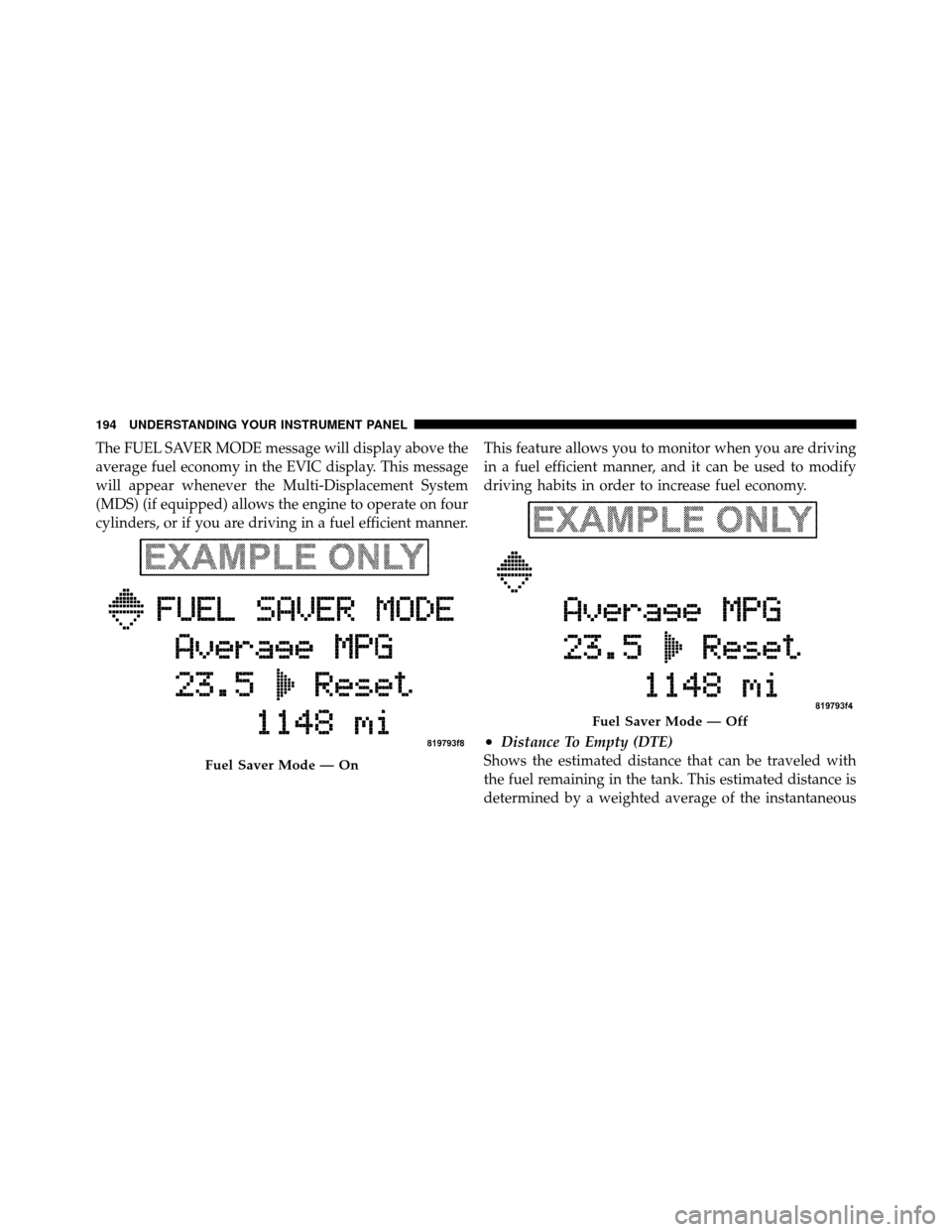
The FUEL SAVER MODE message will display above the
average fuel economy in the EVIC display. This message
will appear whenever the Multi-Displacement System
(MDS) (if equipped) allows the engine to operate on four
cylinders, or if you are driving in a fuel efficient manner.This feature allows you to monitor when you are driving
in a fuel efficient manner, and it can be used to modify
driving habits in order to increase fuel economy.
•Distance To Empty (DTE)
Shows the estimated distance that can be traveled with
the fuel remaining in the tank. This estimated distance is
determined by a weighted average of the instantaneous
Fuel Saver Mode — On
Fuel Saver Mode — Off
194 UNDERSTANDING YOUR INSTRUMENT PANEL
Page 197 of 490
and average fuel economy, according to the current fuel
tank level. DTE cannot be reset through the SELECT
button.
NOTE:Significant changes in driving style or vehicle
loading will greatly affect the actual drivable distance of
the vehicle, regardless of the DTE displayed value.
When the DTE value is less than 30 miles (48 km)
estimated driving distance, the DTE display will change
to a text display of �LOW FUEL.�This display will
continue until the vehicle runs out of fuel. Adding a
significant amount of fuel to the vehicle will turn off the
�LOW FUEL� text and a new DTE value will display.
•Trip A
Shows the total distance traveled for Trip A since the last
reset.
•Trip B
Shows the total distance traveled for Trip B since the last
reset.
•Elapsed Time
Shows the total elapsed time of travel since the last reset
when the ignition switch is in the ACC position. Elapsed
time will increment when the ignition switch is in the ON
or START position.
•Display Units of Measure in
To make your selection, press and release the SELECT
button until “ENGLISH” or “METRIC” appears.
To Reset The Display
Reset will only occur while a resettable function is being
displayed. Press and release the SELECT button once to
clear the resettable function being displayed. To reset all
resettable functions, press and release the SELECT button
a second time within three seconds of resetting the
currently-displayed function. (>Reset ALL will display
during this three-second window.)
4
UNDERSTANDING YOUR INSTRUMENT PANEL 195
Page 252 of 490
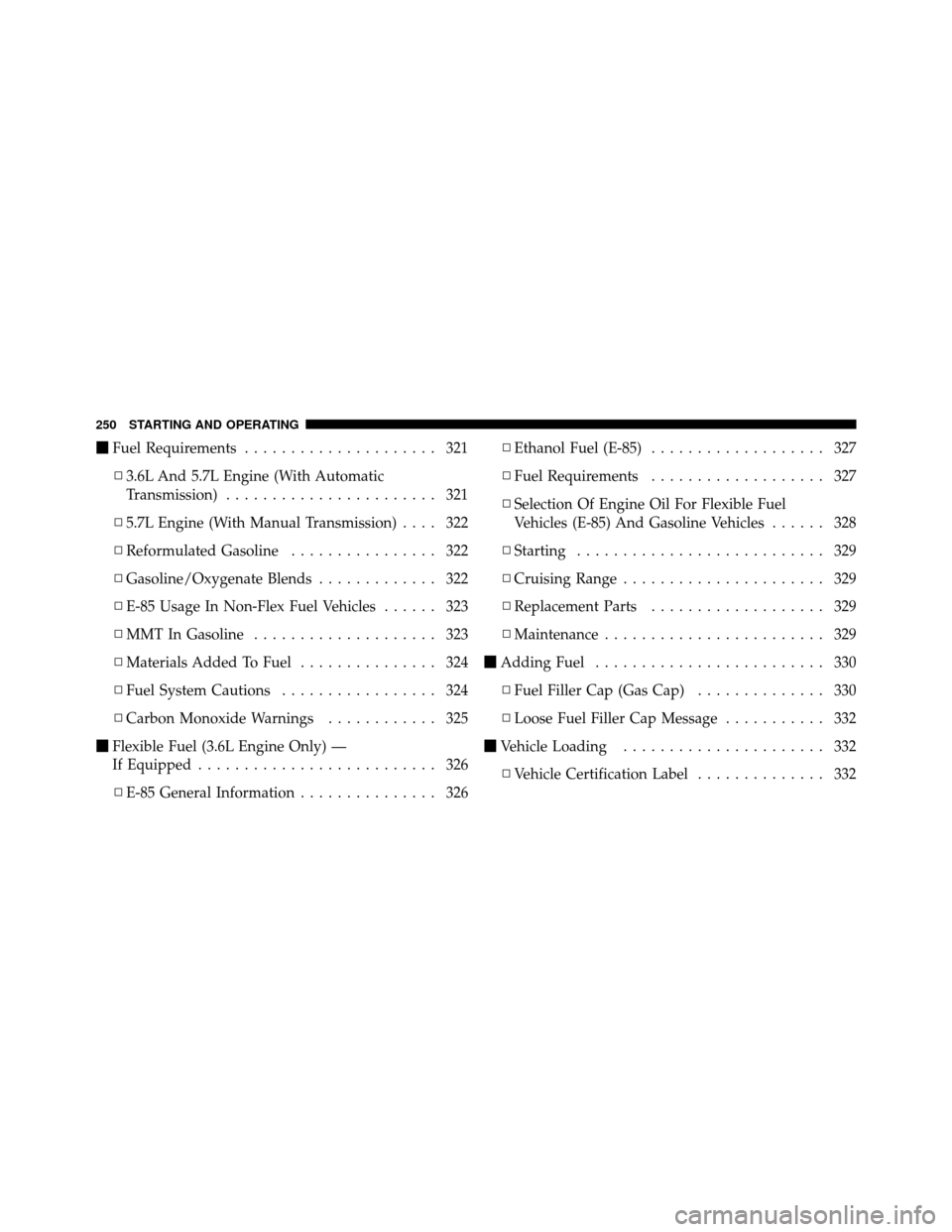
�Fuel Requirements ..................... 321
▫ 3.6L And 5.7L Engine (With Automatic
Transmission) ....................... 321
▫ 5.7L Engine (With Manual Transmission) .... 322
▫ Reformulated Gasoline ................ 322
▫ Gasoline/Oxygenate Blends ............. 322
▫ E-85 Usage In Non-Flex Fuel Vehicles ...... 323
▫ MMT In Gasoline .................... 323
▫ Materials Added To Fuel ............... 324
▫ Fuel System Cautions ................. 324
▫ Carbon Monoxide Warnings ............ 325
� Flexible Fuel (3.6L Engine Only) —
If Equipped .......................... 326
▫ E-85 General Information ............... 326 ▫
Ethanol Fuel (E-85) ................... 327
▫ Fuel Requirements ................... 327
▫ Selection Of Engine Oil For Flexible Fuel
Vehicles (E-85) And Gasoline Vehicles ...... 328
▫ Starting ........................... 329
▫ Cruising Range ...................... 329
▫ Replacement Parts ................... 329
▫ Maintenance ........................ 329
� Adding Fuel ......................... 330
▫ Fuel Filler Cap (Gas Cap) .............. 330
▫ Loose Fuel Filler Cap Message ........... 332
� Vehicle Loading ...................... 332
▫ Vehicle Certification Label .............. 332
250 STARTING AND OPERATING
Page 255 of 490

WARNING!
Do not attempt to push or tow your vehicle to get it
started. Unburned fuel could enter the catalytic con-
verter and once the engine has started, ignite and
damage the converter and vehicle. If the vehicle has
a discharged battery, booster cables may be used to
obtain a start from another vehicle. This type of start
can be dangerous if done improperly, so follow the
procedure carefully. Refer to “Jump Starting” in
“What To Do In Emergencies” for further informa-
tion.
Automatic Transmission – If Equipped
The shift lever must be in the NEUTRAL or PARK
position before you can start the engine. Apply the brakes
before shifting into any driving gear.
CAUTION!
Damage to the transmission may occur if the follow-
ing precautions are not observed:
•Shift into PARK only after the vehicle has come to
a complete stop.
•Shift into or out of REVERSE only after the
vehicle has come to a complete stop and the engine
is at idle speed.
•Do not shift from REVERSE, PARK, or NEUTRAL
into any forward gear when the engine is above
idle speed.
•Before shifting into any gear, make sure your foot
is firmly on the brake pedal.
Using Fob With Integrated Key (Tip Start)
NOTE:Normal starting of either a cold or a warm
engine is obtained without pumping or pressing the
accelerator pedal.
5
STARTING AND OPERATING 253
Page 260 of 490

If Engine Fails To Start
WARNING!
•Never pour fuel or other flammable liquids into
the throttle body air inlet opening in an attempt to
start the vehicle. This could result in a flash fire
causing serious personal injury.
•Do not attempt to push or tow your vehicle to get it
started. Vehicles equipped with an automatic trans-
mission cannot be started this way. Unburned fuel
could enter the catalytic converter and once the
engine has started, ignite and damage the converter
and vehicle. If the vehicle has a discharged battery,
booster cables may be used to obtain a start from a
booster battery or the battery in another vehicle.
This type of start can be dangerous if done improp-
erly. Refer to “Jump Starting” in “What to Do In
Emergencies” for further information.
Clearing A Flooded Engine (Using ENGINE
START/STOP Button) – Automatic Transmission
Only
If the engine fails to start after you have followed the
“Normal Starting” or “Extreme Cold Weather�proce-
dures, it may be flooded. To clear any excess fuel, press
and hold the brake pedal, push the accelerator pedal all
the way to the floor and hold it, then press and release the
ENGINE START/STOP button once. The starter motor
will engage automatically, run for 10 seconds, and then
disengage. Once this occurs, release the accelerator pedal
and the brake pedal, wait 10 to 15 seconds, then repeat
the “Normal Starting” procedure.
Clearing A Flooded Engine (Using ENGINE
START/STOP Button) – Manual Transmission Only
If the engine fails to start after you have followed the
“Normal Starting” or “Extreme Cold Weather� proce-
dures, it may be flooded. To clear any excess fuel, press
and hold the clutch pedal, push the accelerator pedal all
258 STARTING AND OPERATING