Page 60 of 505

•Supplemental Seat-Mounted Side Air Bags (SAB)
•Front and Side Impact Sensors
•Front Seat Belt Pretensioners, Seat Belt Buckle Switch,
and Seat Track Position Sensors
•Supplemental Active Head Restraint for Driver and
Front Passenger
Advanced Front Air Bag Features
The Advanced Front Air Bag system has multistage
driver and front passenger air bags. This system provides
output appropriate to the severity and type of collision as
determined by the Occupant Restraint Controller (ORC),
which may receive information from the front impact
sensors.
The first stage inflator is triggered immediately during an
impact that requires air bag deployment. This low output
is used in less severe collisions. A higher energy output is
used for more severe collisions.
WARNING!
•No objects should be placed over or near the air
bag on the instrument panel, because any such
objects could cause harm if the vehicle is in a
collision severe enough to cause the air bag to
inflate.
•Do not put anything on or around the air bag
covers or attempt to open them manually. You may
damage the air bags and you could be injured
because the air bags may no longer be functional.
The protective covers for the air bag cushions are
designed to open only when the air bags are
inflating.
•Do not drill, cut or tamper with the knee bolster in
any way.
•Do not mount any accessories to the knee bolster
such as alarm lights, stereos, citizen band radios,
etc.
58 THINGS TO KNOW BEFORE STARTING YOUR VEHICLE
Page 65 of 505

Based on the severity and type of collision, the side air
bag inflator on the crash side of the vehicle may be
triggered, releasing a quantity of non-toxic gas. The
inflating SAB exits through the seat seam into the space
between the occupant and the door. The SAB fully inflate
in about 10 milliseconds. The side air bag moves at a very
high speed and with such a high force that it could injure
you if you are not seated properly, or if items are
positioned in the area where the side air bag inflates. This
especially applies to children.
Front And Side Impact Sensors
In front and side impacts, impact sensors can aid the
ORC in determining appropriate response to impact
events.
Enhanced Accident Response System
In the event of an impact causing air bag deployment, if
the communication network remains intact, and the
power remains intact, depending on the nature of theevent the ORC will determine whether to have the
Enhanced Accident Response System perform the follow-
ing functions:
•Cut off fuel to the engine.
•Flash hazard lights as long as the battery has power or
until the ignition key is turned off.
•Turn on the interior lights, which remain on as long as
the battery has power or until the ignition key is
removed.
•Unlock the doors automatically.
If A Deployment Occurs
The Advanced Front Air Bags are designed to deflate
immediately after deployment.
NOTE:
Front and/or side air bags will not deploy in all
collisions. This does not mean something is wrong with
the air bag system.
2
THINGS TO KNOW BEFORE STARTING YOUR VEHICLE 63
Page 85 of 505
Periodic Safety Checks You Should Make Outside
The Vehicle
Tires
Examine tires for excessive tread wear and uneven wear
patterns. Check for stones, nails, glass, or other objects
lodged in the tread or sidewall. Inspect the tread for cuts
and cracks. Inspect sidewalls for cuts, cracks and bulges.
Check the wheel nuts for tightness. Check the tires
(including spare) for proper cold inflation pressure.
Lights
Have someone observe the operation of exterior lights
while you work the controls. Check turn signal and high
beam indicator lights on the instrument panel.
Door Latches
Check for positive closing, latching, and locking.
Fluid Leaks
Check area under vehicle after overnight parking for fuel,
engine coolant, oil, or other fluid leaks. Also, if gasoline
fumes are detected or if fuel, power steering fluid, or
brake fluid leaks are suspected, the cause should be
located and corrected immediately.2
THINGS TO KNOW BEFORE STARTING YOUR VEHICLE 83
Page 88 of 505
�Uconnect™ Phone — If Equipped ...........111
▫ Operation ......................... 113
▫ Phone Call Features .................. 120
▫ Uconnect™ Phone Features ............. 123
▫ Advanced Phone Connectivity ........... 128
▫ Things You Should Know About Your
Uconnect™ Phone .................... 130
▫ General Information .................. 141
� Voice Command — If Equipped ........... 141
▫ Voice Command System Operation ........ 141
▫ Commands ........................ 142
▫ Voice Training ...................... 146 �
Seats .............................. 146
▫ Power Seats ........................ 147
▫ Heated Seats — If Equipped ............ 148
▫ Recliner Adjustment .................. 149
▫ Lumbar Support — If Equipped .......... 150
▫ Easy Entry System ................... 151
▫ Adjusting Active Head Restraints ......... 152
� To Open And Close The Hood ............ 155
� Lights ............................. 157
▫ Multifunction Lever .................. 157
▫ Headlights And Parking Lights .......... 158
▫ Lights-On Reminder .................. 158
▫ Automatic Headlights — If Equipped ...... 158
86 UNDERSTANDING THE FEATURES OF YOUR VEHICLE
Page 89 of 505
▫Headlights With Wipers (Available With
Automatic Headlights Only) ............ 159
▫ Headlight Time Delay — If Equipped ...... 159
▫ Instrument Panel Dimmer .............. 160
▫ Fog Lights — If Equipped .............. 160
▫ Daytime Running Lights — If Equipped .... 161
▫ Turn Signals ........................ 162
▫ Lane Change Assist ................... 162
▫ High/Low Beam Switch ............... 162
▫ Flash-To-Pass ....................... 162
▫ Interior Lights ...................... 163
▫ Battery Saver Feature ................. 163 �
Windshield Wipers And Washers .......... 164
▫ Intermittent Wiper System .............. 165
▫ Mist Feature ........................ 166
▫ Headlights With Wipers
(Available With Auto Headlights Only) ..... 167
▫ Windshield Washers .................. 167
� Tilt/Telescoping Steering Column .......... 168
� Electronic Speed Control — If Equipped ..... 169
▫ To Activate ......................... 170
▫ To Set A Desired Speed ................ 170
▫ To Deactivate ....................... 170
▫ To Resume Speed .................... 171
▫ To Vary The Speed Setting .............. 171
3
UNDERSTANDING THE FEATURES OF YOUR VEHICLE 87
Page 150 of 505
WARNING!
•Adjusting a seat while driving may be dangerous.
Moving a seat while driving could result in loss of
control which could cause a collision and serious
injury or death.
•Seats should be adjusted before fastening the seat
belts and while the vehicle is parked. Serious
injury or death could result from a poorly adjusted
seat belt.
•Do not ride with the seatback reclined so that the
shoulder belt is no longer resting against your
chest. In a collision you could slide under the seat
belt, which could result in serious injury or death.
CAUTION!
Do not place any article under any seat as it may
cause damage to the seat controls.
Heated Seats — If Equipped
On some models, the front driver and passenger seats
may be equipped with heaters in both the seat cushions
and seatbacks. The controls for the front heated seats are
located on the center instrument panel area.
You can choose from HIGH, LOW or OFF heat settings.
Amber indicator lights in each switch indicate the level of
heat in use. Two indicator lights will illuminate for
HIGH, one for LOW and none for OFF.Press the switch once to select HIGH-level
heating. Press the switch a second time to select
LOW-level heating. Press the switch a third
time to shut the heating elements OFF.
148 UNDERSTANDING THE FEATURES OF YOUR VEHICLE
Page 159 of 505
CAUTION!
To prevent possible damage, do not slam the hood to
close it. Use a firm downward push at the center of
the hood to ensure that both latches engage.
WARNING!
Be sure the hood is fully latched before driving your
vehicle. If the hood is not fully latched, it could open
when the vehicle is in motion and block your vision.
Failure to follow this warning could result in serious
injury or death.
LIGHTS
Multifunction Lever
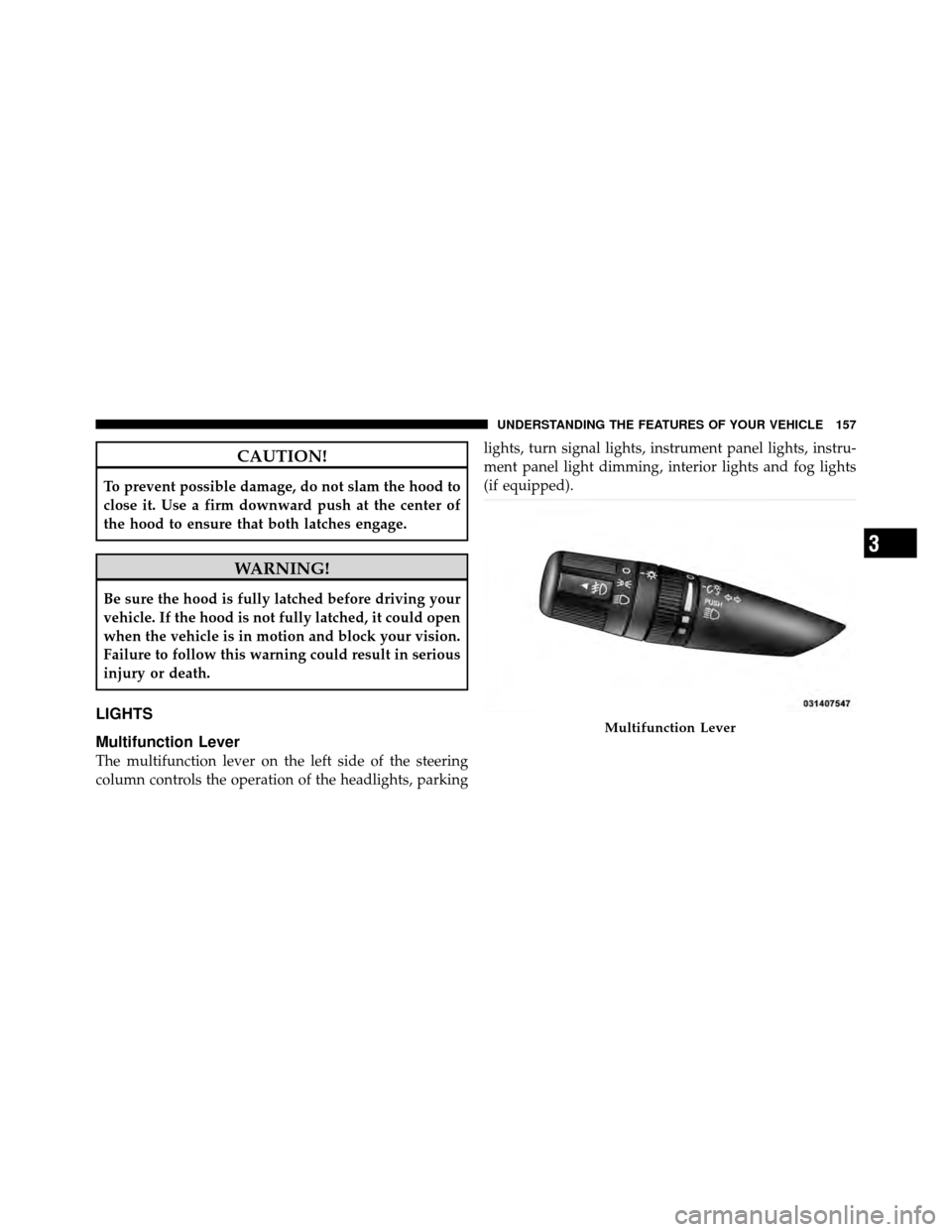
The multifunction lever on the left side of the steering
column controls the operation of the headlights, parkinglights, turn signal lights, instrument panel lights, instru-
ment panel light dimming, interior lights and fog lights
(if equipped).
Multifunction Lever
3
UNDERSTANDING THE FEATURES OF YOUR VEHICLE 157
Page 160 of 505
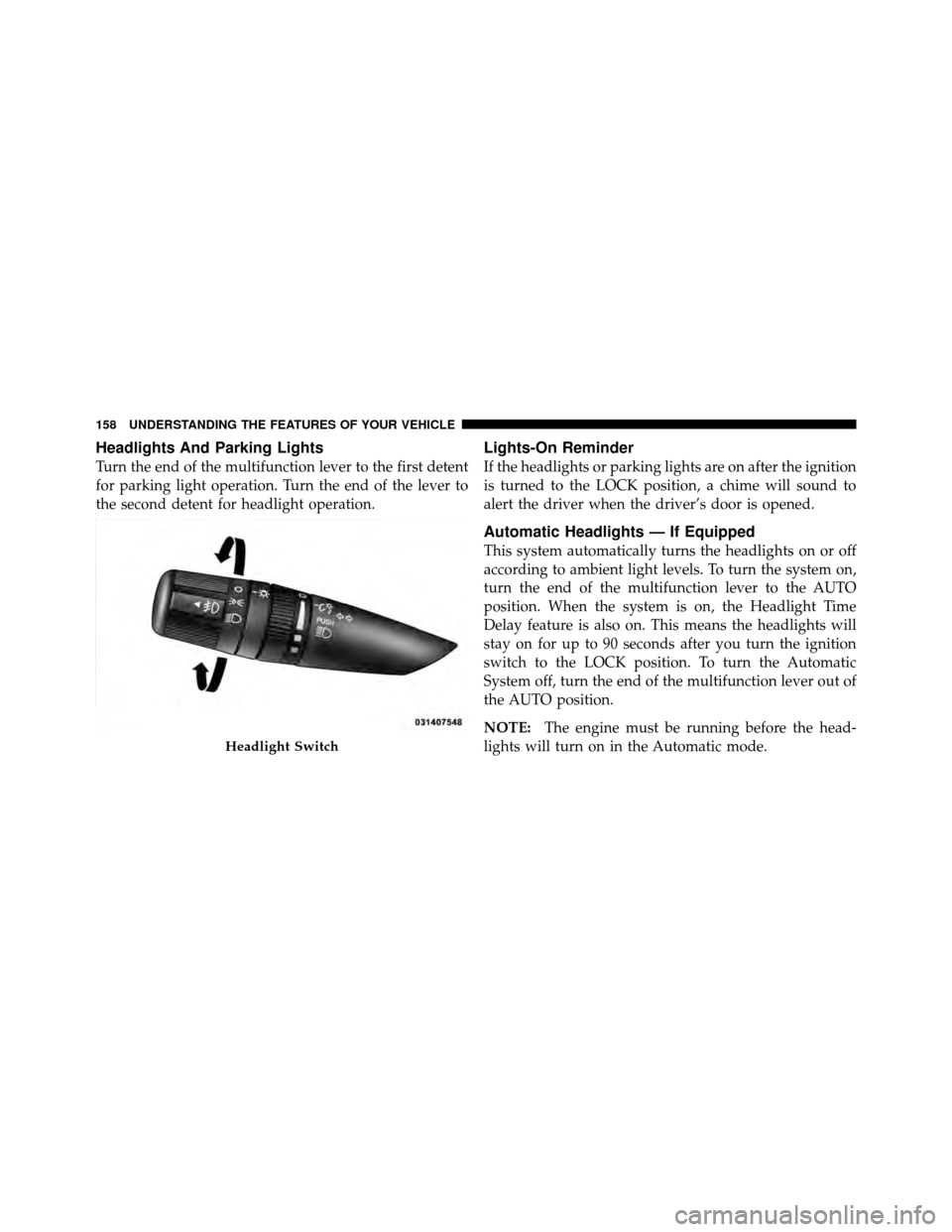
Headlights And Parking Lights
Turn the end of the multifunction lever to the first detent
for parking light operation. Turn the end of the lever to
the second detent for headlight operation.
Lights-On Reminder
If the headlights or parking lights are on after the ignition
is turned to the LOCK position, a chime will sound to
alert the driver when the driver’s door is opened.
Automatic Headlights — If Equipped
This system automatically turns the headlights on or off
according to ambient light levels. To turn the system on,
turn the end of the multifunction lever to the AUTO
position. When the system is on, the Headlight Time
Delay feature is also on. This means the headlights will
stay on for up to 90 seconds after you turn the ignition
switch to the LOCK position. To turn the Automatic
System off, turn the end of the multifunction lever out of
the AUTO position.
NOTE:The engine must be running before the head-
lights will turn on in the Automatic mode.
Headlight Switch
158 UNDERSTANDING THE FEATURES OF YOUR VEHICLE