Page 3 of 382
Black plate (3,1)Chevrolet Malibu Owner Manual - 2011
Introduction iii
The names, logos, emblems,
slogans, vehicle model names, and
vehicle body designs appearing in
this manual including, but not limited
to, GM, the GM logo, CHEVROLET,
the CHEVROLET Emblem,
MALIBU, and the MALIBU Emblem
are trademarks and/or service
marks of General Motors LLC, its
subsidiaries, affiliates, or licensors.
This manual describes features that
may or may not be on your specific
vehicle either because they are
options that you did not purchase or
due to changes subsequent to the
printing of this owner manual.Please refer to the purchase
documentation relating to your
specific vehicle to confirm each of
the features found on your vehicle.
For vehicles first sold in Canada,
substitute the name
“General
Motors of Canada Limited” for
Chevrolet Motor Division wherever it
appears in this manual.
Keep this manual in the vehicle for
quick reference.
Canadian Vehicle Owners
Propriétaires Canadiens
A French language copy of this
manual can be obtained from your
dealer or from:
On peut obtenir un exemplaire de
ce guide en français auprès du
concessionnaire ou à l'adresse
suivante:
Helm, Incorporated
P.O. Box 07130
Detroit, MI 48207
1-800-551-4123
Numéro de poste 6438 de langue
française
www.helminc.com
Litho in U.S.A.
Part No. 20786885 A First Printing©2010 General Motors LLC. All Rights Reserved.
Page 23 of 382
Black plate (17,1)Chevrolet Malibu Owner Manual - 2011
In Brief 1-17
J:Press to turn the cruise control
system on and off.
RES+: Press briefly to make the
vehicle resume a previously set
speed or press and hold to
accelerate.
SET−: Press to set the speed and
activate cruise control or make the
vehicle decelerate.
For more information, see Cruise
Control on page 9‑34.
Driver Information
Center (DIC)
The DIC display is located at the
bottom of the instrument panel
cluster. It shows the status of
many vehicle systems and enables
access to the personalization menu.
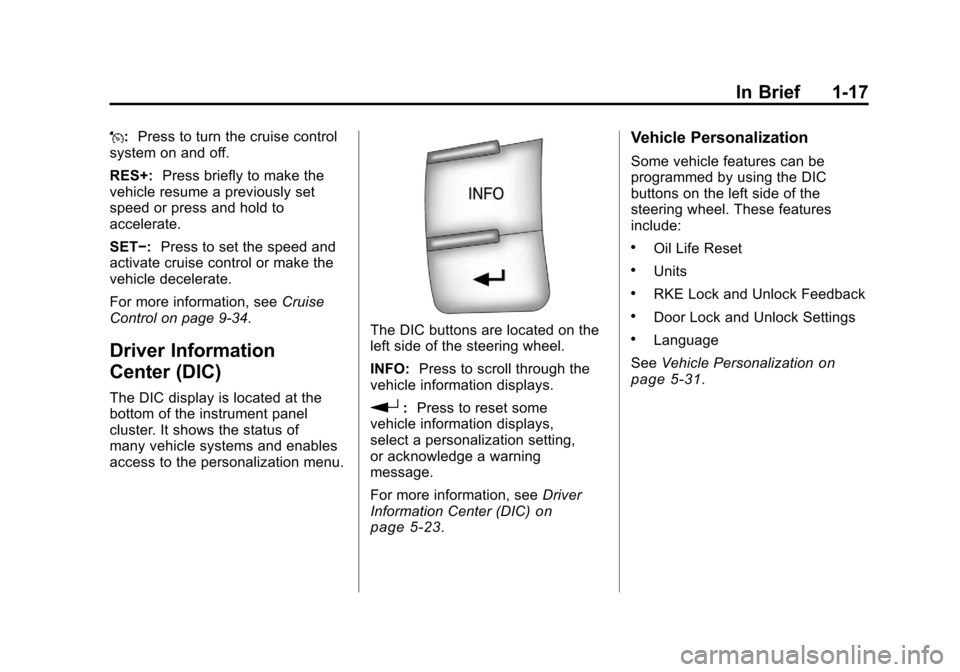
The DIC buttons are located on the
left side of the steering wheel.
INFO: Press to scroll through the
vehicle information displays.
r: Press to reset some
vehicle information displays,
select a personalization setting,
or acknowledge a warning
message.
For more information, see Driver
Information Center (DIC)
on
page 5‑23.
Vehicle Personalization
Some vehicle features can be
programmed by using the DIC
buttons on the left side of the
steering wheel. These features
include:
.Oil Life Reset
.Units
.RKE Lock and Unlock Feedback
.Door Lock and Unlock Settings
.Language
See Vehicle Personalization
on
page 5‑31.
Page 145 of 382
Black plate (35,1)Chevrolet Malibu Owner Manual - 2011
Instruments and Controls 5-35
EXT (Exterior) LIGHTS
This feature, which allows the
vehicle's exterior perimeter lighting
to turn on each time the unlock
button on the Remote Keyless Entry
(RKE) transmitter is pressed, can be
enabled or disabled. When EXT
LIGHTS appears on the display,
press and hold the reset button for
at least one second to scroll through
the available settings:
OFF:The exterior perimeter
lighting will not turn on when the
unlock button on the RKE
transmitter is pressed.
ON (default): The exterior
perimeter lighting will turn on when
the unlock button on the RKE
transmitter is pressed.
See Remote Keyless Entry (RKE)
System Operation
on page 2‑3for
more information. To select a setting and move on to
the next feature, press the
information button while the desired
setting is displayed on the DIC.
LANGUAGE
This feature allows you to select the
language in which the DIC will
display. When LANGUAGE appears
on the display, press and hold the
reset button for at least one second
to scroll through the available
settings:
ENGLISH (default):
All messages
will appear in English.
FRENCH: All messages will appear
in French.
SPANISH: All messages will
appear in Spanish.
GERMAN: All messages will
appear in German. To select a setting and exit out of
the personalization menu mode,
press the information button while
the desired setting is displayed on
the DIC.
Exiting Personalization Menu
The personalization menu will be
exited when any of the following
conditions occur:
.A ten second time period has
elapsed.
.The ignition is turned off.
.The end of the personalization
menu list is reached.
Page 165 of 382
Black plate (11,1)Chevrolet Malibu Owner Manual - 2011
Infotainment System 7-11
4. Press the FAV button, or let themenu time out, to return to the
original main radio screen
showing the radio station
frequency tabs and to begin
the process of programming
favorites.
XM Radio Messages
XL (Explicit Language
Channels): These channels, or
any others, can be blocked at a
customer's request, by calling
1-800-929-2100 in the U.S. and
1-877-438-9677 in Canada.
XM Updating: The encryption code
in the receiver is being updated, and
no action is required. This process
should take no longer than
30 seconds.
No XM Signal: The system is
functioning correctly, but the vehicle
is in a location that is blocking the
XM™ signal. When the vehicle is
moved into an open area, the signal
should return. Loading XM:
The audio system is
acquiring and processing audio and
text data. No action is needed. This
message should disappear shortly.
Channel Off Air: This channel is
not currently in service. Tune in to
another channel.
Channel Unauth : This channel is
blocked or cannot be received with
your XM Subscription package.
Channel Unavail: This previously
assigned channel is no longer
assigned. Tune to another station.
If this station was one of the
presets, choose another station for
that preset button.
No Artist Info: No artist
information is available at this time
on this channel. The system is
working properly.
No Title Info: No song title
information is available at this time
on this channel. The system is
working properly. No CAT Info:
No category
information is available at this time
on this channel. The system is
working properly.
No Information: No text or
informational messages are
available at this time on this
channel. The system is working
properly.
No Subscription Please Renew:
XM subscription needs to be
reactivated. Contact XM at
www.xmradio.com or call
1-800-929-2100 in the U.S. and
www.xmradio.ca or call
1-877-438-9677 in Canada.
CAT Not Found: There are no
channels available for the selected
category. The system is working
properly.