2011 CHEVROLET MALIBU wheel
[x] Cancel search: wheelPage 84 of 382
Black plate (36,1)Chevrolet Malibu Owner Manual - 2011
3-36 Seats and Restraints
Your dealer and the service manual
have information about servicing the
vehicle and the airbag system. To
purchase a service manual, see
Service Publications Ordering
Information on page 13‑13.
{WARNING
For up to 10 seconds after the
ignition is turned off and the
battery is disconnected, an airbag
can still inflate during improper
service. You can be injured if you
are close to an airbag when it
inflates. Avoid yellow connectors.
They are probably part of the
airbag system. Be sure to follow
proper service procedures, and
make sure the person performing
work for you is qualified to do so.
Adding Equipment to the
Airbag-Equipped Vehicle
Q: Is there anything I might addto or change about the vehicle
that could keep the airbags
from working properly?
A: Yes. If you add things that
change the vehicle's frame,
bumper system, height, front end
or side sheet metal, they may
keep the airbag system from
working properly. Changing or
moving any parts of the front
seats, safety belts, the airbag
sensing and diagnostic module,
steering wheel, instrument
panel, roof-rail airbag modules,
ceiling headliner or pillar garnish
trim, front sensors, side impact
sensors, or airbag wiring can
affect the operation of the airbag
system.
In addition, the vehicle has a
passenger sensing system for
the right front passenger
position, which includes sensors that are part of the passenger's
seat. The passenger sensing
system may not operate properly
if the original seat trim is
replaced with non-GM covers,
upholstery or trim, or with
GM covers, upholstery or trim
designed for a different vehicle.
Any object, such as an
aftermarket seat heater or a
comfort enhancing pad or
device, installed under or on top
of the seat fabric, could also
interfere with the operation of
the passenger sensing system.
This could either prevent proper
deployment of the passenger
airbag(s) or prevent the
passenger sensing system from
properly turning off the
passenger airbag(s). See
Passenger Sensing System
on
page 3‑31.
If you have any questions, call
Customer Assistance. The
phone numbers and addresses
for Customer Assistance are in
Page 111 of 382
Black plate (1,1)Chevrolet Malibu Owner Manual - 2011
Instruments and Controls 5-1
Instruments and
Controls
Controls
Steering Wheel Adjustment . . . 5-2
Steering Wheel Controls . . . . . . 5-2
Horn . . . . . . . . . . . . . . . . . . . . . . . . . . 5-3
Windshield Wiper/Washer . . . . . 5-4
Compass . . . . . . . . . . . . . . . . . . . . . 5-5
Clock . . . . . . . . . . . . . . . . . . . . . . . . . 5-6
Power Outlets . . . . . . . . . . . . . . . . . 5-7
Warning Lights, Gauges, and
Indicators
Warning Lights, Gauges, andIndicators . . . . . . . . . . . . . . . . . . . . 5-9
Instrument Cluster . . . . . . . . . . . 5-10
Speedometer . . . . . . . . . . . . . . . . 5-11
Odometer . . . . . . . . . . . . . . . . . . . . 5-11
Trip Odometer . . . . . . . . . . . . . . . 5-11
Tachometer . . . . . . . . . . . . . . . . . . 5-11
Fuel Gauge . . . . . . . . . . . . . . . . . . 5-11
Engine Coolant Temperature Gauge . . . . . . . . . . . . . . . . . . . . . . 5-12 Safety Belt Reminders . . . . . . . 5-13
Airbag Readiness Light . . . . . . 5-14
Passenger Airbag Status
Indicator . . . . . . . . . . . . . . . . . . . . 5-14
Charging System Light . . . . . . 5-15
Malfunction
Indicator Lamp . . . . . . . . . . . . . 5-16
Brake System Warning Light . . . . . . . . . . . . . . . . . . . . . . . 5-18
Antilock Brake System (ABS) Warning Light . . . . . . . . . . . . . . 5-19
Electronic Stability Control (ESC)/Traction Control
System (TCS) Indicator/
Warning Light . . . . . . . . . . . . . . 5-20
Engine Coolant Temperature Warning Light . . . . . . . . . . . . . . 5-20
Tire Pressure Light . . . . . . . . . . 5-21
Engine Oil Pressure Light . . . . 5-22
Security Light . . . . . . . . . . . . . . . . 5-22
High-Beam on Light . . . . . . . . . 5-23
Cruise Control Light . . . . . . . . . 5-23
Information Displays
Driver Information Center (DIC) . . . . . . . . . . . . . . . 5-23
Vehicle Messages
Vehicle Messages . . . . . . . . . . . 5-26
Brake System Messages . . . . 5-27
Cruise Control Messages . . . . 5-27
Door Ajar Messages . . . . . . . . . 5-27
Engine Oil Messages . . . . . . . . 5-27
Engine Power Messages . . . . 5-27
Fuel System Messages . . . . . . 5-28
Key and Lock Messages . . . . . 5-28
Lamp Messages . . . . . . . . . . . . . 5-28
Ride Control SystemMessages . . . . . . . . . . . . . . . . . . 5-28
Airbag System Messages . . . . 5-30
Service Vehicle Messages . . . 5-30
Tire Messages . . . . . . . . . . . . . . . 5-30
Vehicle Reminder Messages . . . . . . . . . . . . . . . . . . 5-31
Washer Fluid Messages . . . . . 5-31
Vehicle Personalization
Vehicle Personalization . . . . . . 5-31
Page 112 of 382
Black plate (2,1)Chevrolet Malibu Owner Manual - 2011
5-2 Instruments and Controls
Controls
Steering Wheel
Adjustment
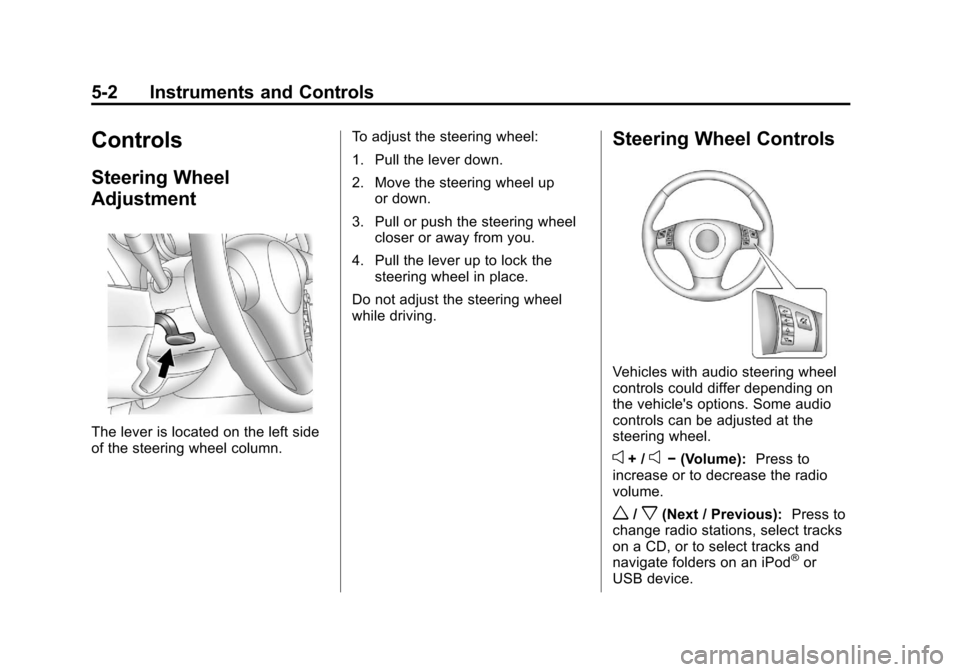
The lever is located on the left side
of the steering wheel column.To adjust the steering wheel:
1. Pull the lever down.
2. Move the steering wheel up
or down.
3. Pull or push the steering wheel closer or away from you.
4. Pull the lever up to lock the steering wheel in place.
Do not adjust the steering wheel
while driving.
Steering Wheel Controls
Vehicles with audio steering wheel
controls could differ depending on
the vehicle's options. Some audio
controls can be adjusted at the
steering wheel.
e+ /e− (Volume): Press to
increase or to decrease the radio
volume.
w/x(Next / Previous): Press to
change radio stations, select tracks
on a CD, or to select tracks and
navigate folders on an iPod
®or
USB device.
Page 113 of 382
Black plate (3,1)Chevrolet Malibu Owner Manual - 2011
Instruments and Controls 5-3
To change radio stations:
.Press and releaseworxto go
to the next or previous radio
station stored as a preset.
.Press and holdworxto go to
the next or previous radio station
in the selected band with a
strong signal.
To select tracks on a CD:
Press and release
worxto go to
the next or previous track.
To select tracks on an iPod or USB
device:
1. Press and hold
worxwhile
listening to a song until the
contents of the current folder
display on the radio display.
2. Press and release
worxto
scroll up or down the list, then
press and hold
wto play the
highlighted track. To navigate folders on an iPod or
USB device:
1. Press and hold
worxwhile
listening to a song until the
contents of the current folder
display on the radio display.
2. Press and hold
xto go back to
the previous folder list.
3. Press and release
worxto
scroll up or down the list.
.To select a folder, press
and hold
wwhen the folder
is highlighted.
.To go back further in the
folder list, press and
hold
x.
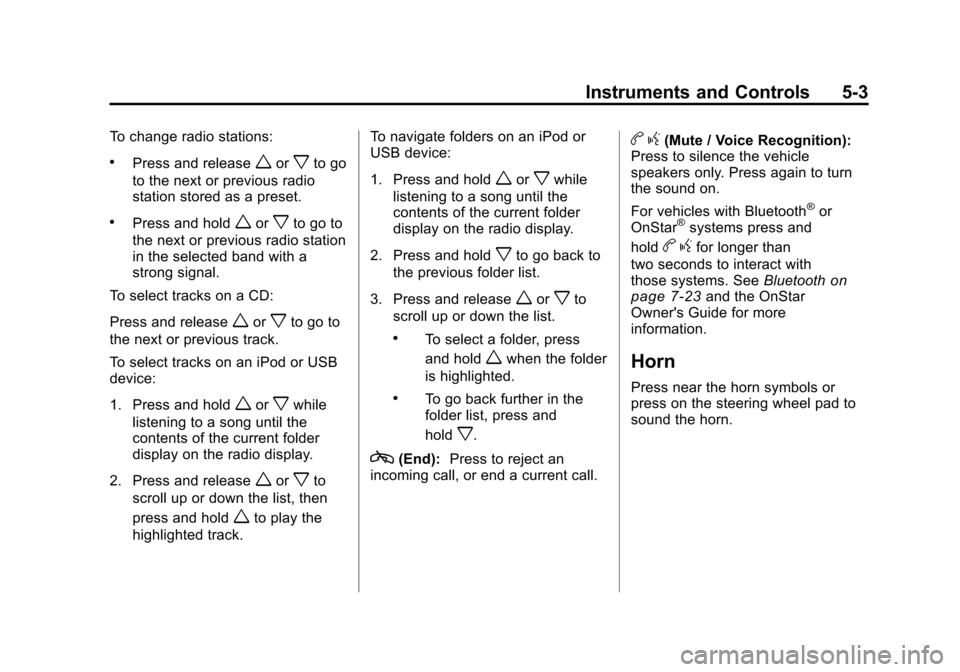
c(End): Press to reject an
incoming call, or end a current call.
b g(Mute / Voice Recognition):
Press to silence the vehicle
speakers only. Press again to turn
the sound on.
For vehicles with Bluetooth
®or
OnStar®systems press and
hold
b gfor longer than
two seconds to interact with
those systems. See Bluetooth
on
page 7‑23and the OnStar
Owner's Guide for more
information.
Horn
Press near the horn symbols or
press on the steering wheel pad to
sound the horn.
Page 114 of 382
Black plate (4,1)Chevrolet Malibu Owner Manual - 2011
5-4 Instruments and Controls
Windshield Wiper/Washer
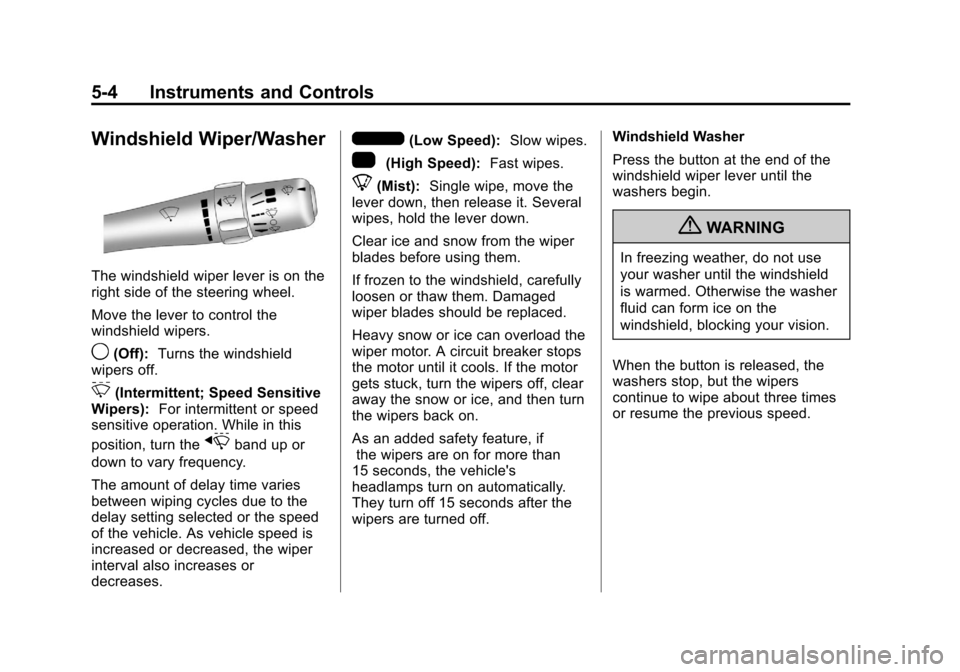
The windshield wiper lever is on the
right side of the steering wheel.
Move the lever to control the
windshield wipers.
9(Off):Turns the windshield
wipers off.
&(Intermittent; Speed Sensitive
Wipers): For intermittent or speed
sensitive operation. While in this
position, turn the
xband up or
down to vary frequency.
The amount of delay time varies
between wiping cycles due to the
delay setting selected or the speed
of the vehicle. As vehicle speed is
increased or decreased, the wiper
interval also increases or
decreases.
6(Low Speed): Slow wipes.
1(High Speed): Fast wipes.
8(Mist):Single wipe, move the
lever down, then release it. Several
wipes, hold the lever down.
Clear ice and snow from the wiper
blades before using them.
If frozen to the windshield, carefully
loosen or thaw them. Damaged
wiper blades should be replaced.
Heavy snow or ice can overload the
wiper motor. A circuit breaker stops
the motor until it cools. If the motor
gets stuck, turn the wipers off, clear
away the snow or ice, and then turn
the wipers back on.
As an added safety feature, if
the wipers are on for more than
15 seconds, the vehicle's
headlamps turn on automatically.
They turn off 15 seconds after the
wipers are turned off. Windshield Washer
Press the button at the end of the
windshield wiper lever until the
washers begin.
{WARNING
In freezing weather, do not use
your washer until the windshield
is warmed. Otherwise the washer
fluid can form ice on the
windshield, blocking your vision.
When the button is released, the
washers stop, but the wipers
continue to wipe about three times
or resume the previous speed.
Page 128 of 382
Black plate (18,1)Chevrolet Malibu Owner Manual - 2011
5-18 Instruments and Controls
Emissions Inspection and
Maintenance Programs
Some state/provincial and local
governments may have programs
to inspect the on-vehicle emission
control equipment. For the
inspection, the emission system
test equipment is connected to the
vehicle’s Data Link
Connector (DLC).
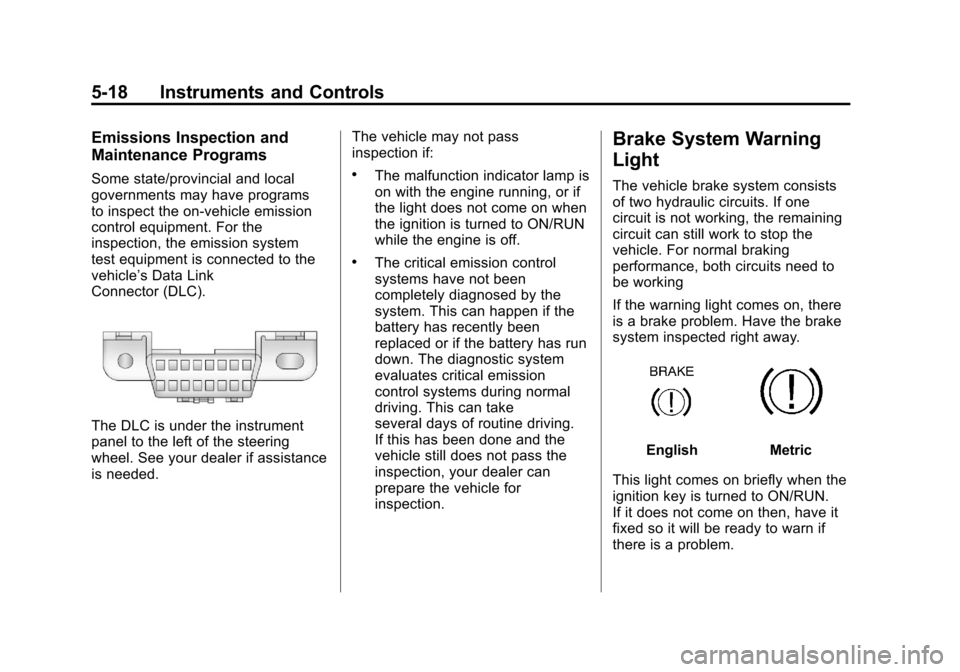
The DLC is under the instrument
panel to the left of the steering
wheel. See your dealer if assistance
is needed.The vehicle may not pass
inspection if:
.The malfunction indicator lamp is
on with the engine running, or if
the light does not come on when
the ignition is turned to ON/RUN
while the engine is off.
.The critical emission control
systems have not been
completely diagnosed by the
system. This can happen if the
battery has recently been
replaced or if the battery has run
down. The diagnostic system
evaluates critical emission
control systems during normal
driving. This can take
several days of routine driving.
If this has been done and the
vehicle still does not pass the
inspection, your dealer can
prepare the vehicle for
inspection.
Brake System Warning
Light
The vehicle brake system consists
of two hydraulic circuits. If one
circuit is not working, the remaining
circuit can still work to stop the
vehicle. For normal braking
performance, both circuits need to
be working
If the warning light comes on, there
is a brake problem. Have the brake
system inspected right away.
EnglishMetric
This light comes on briefly when the
ignition key is turned to ON/RUN.
If it does not come on then, have it
fixed so it will be ready to warn if
there is a problem.
Page 130 of 382
Black plate (20,1)Chevrolet Malibu Owner Manual - 2011
5-20 Instruments and Controls
Electronic Stability
Control (ESC)/Traction
Control System (TCS)
Indicator/Warning Light
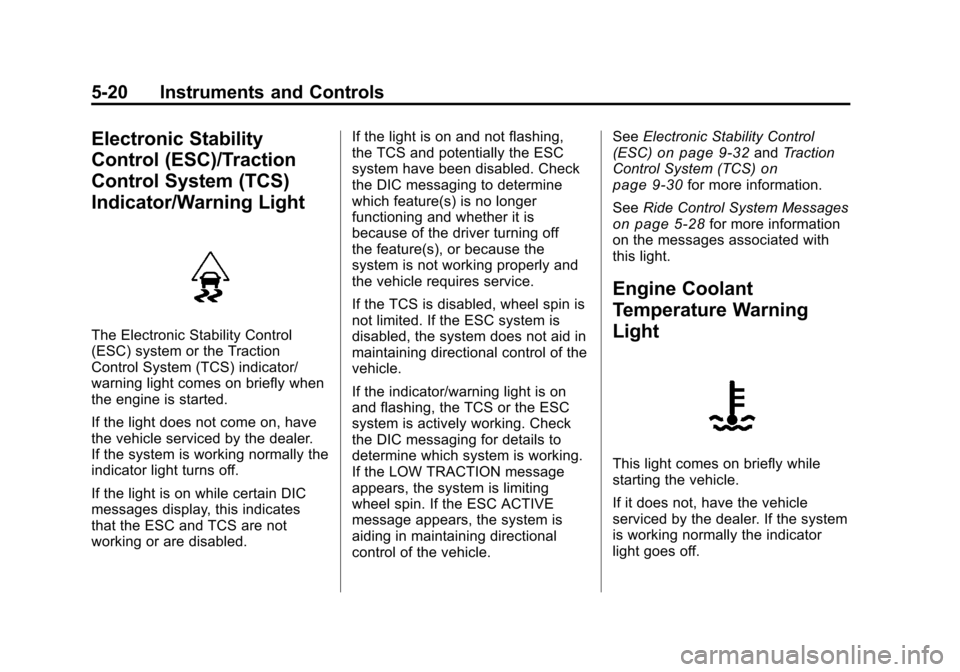
The Electronic Stability Control
(ESC) system or the Traction
Control System (TCS) indicator/
warning light comes on briefly when
the engine is started.
If the light does not come on, have
the vehicle serviced by the dealer.
If the system is working normally the
indicator light turns off.
If the light is on while certain DIC
messages display, this indicates
that the ESC and TCS are not
working or are disabled.If the light is on and not flashing,
the TCS and potentially the ESC
system have been disabled. Check
the DIC messaging to determine
which feature(s) is no longer
functioning and whether it is
because of the driver turning off
the feature(s), or because the
system is not working properly and
the vehicle requires service.
If the TCS is disabled, wheel spin is
not limited. If the ESC system is
disabled, the system does not aid in
maintaining directional control of the
vehicle.
If the indicator/warning light is on
and flashing, the TCS or the ESC
system is actively working. Check
the DIC messaging for details to
determine which system is working.
If the LOW TRACTION message
appears, the system is limiting
wheel spin. If the ESC ACTIVE
message appears, the system is
aiding in maintaining directional
control of the vehicle.See
Electronic Stability Control
(ESC)
on page 9‑32and Traction
Control System (TCS)on
page 9‑30for more information.
See Ride Control System Messages
on page 5‑28for more information
on the messages associated with
this light.
Engine Coolant
Temperature Warning
Light
This light comes on briefly while
starting the vehicle.
If it does not, have the vehicle
serviced by the dealer. If the system
is working normally the indicator
light goes off.
Page 134 of 382
Black plate (24,1)Chevrolet Malibu Owner Manual - 2011
5-24 Instruments and Controls
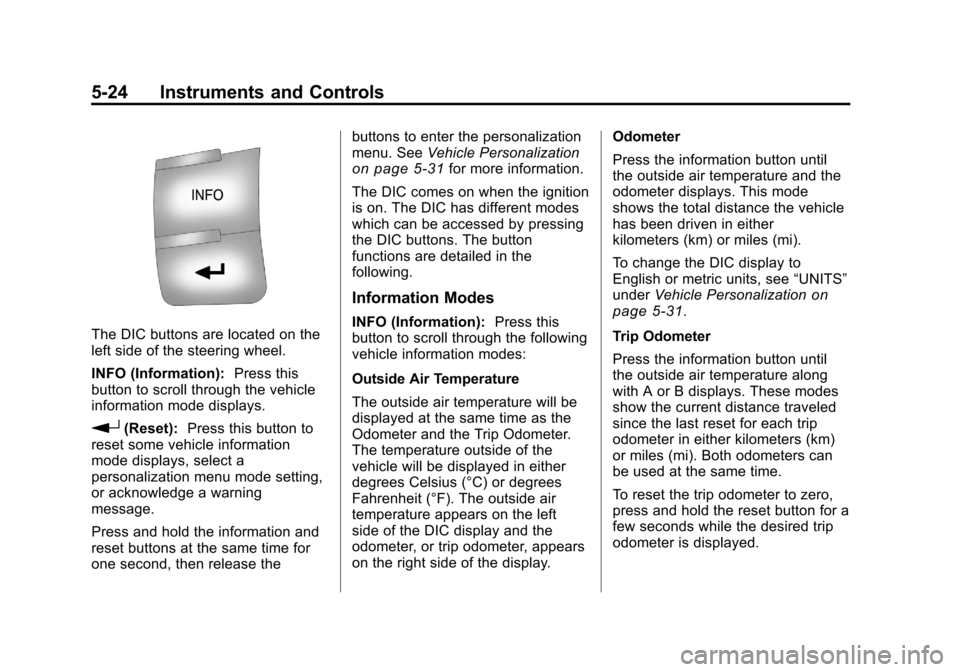
The DIC buttons are located on the
left side of the steering wheel.
INFO (Information):Press this
button to scroll through the vehicle
information mode displays.
r(Reset): Press this button to
reset some vehicle information
mode displays, select a
personalization menu mode setting,
or acknowledge a warning
message.
Press and hold the information and
reset buttons at the same time for
one second, then release the buttons to enter the personalization
menu. See
Vehicle Personalization
on page 5‑31for more information.
The DIC comes on when the ignition
is on. The DIC has different modes
which can be accessed by pressing
the DIC buttons. The button
functions are detailed in the
following.
Information Modes
INFO (Information): Press this
button to scroll through the following
vehicle information modes:
Outside Air Temperature
The outside air temperature will be
displayed at the same time as the
Odometer and the Trip Odometer.
The temperature outside of the
vehicle will be displayed in either
degrees Celsius (°C) or degrees
Fahrenheit (°F). The outside air
temperature appears on the left
side of the DIC display and the
odometer, or trip odometer, appears
on the right side of the display. Odometer
Press the information button until
the outside air temperature and the
odometer displays. This mode
shows the total distance the vehicle
has been driven in either
kilometers (km) or miles (mi).
To change the DIC display to
English or metric units, see
“UNITS”
under Vehicle Personalization
on
page 5‑31.
Trip Odometer
Press the information button until
the outside air temperature along
with A or B displays. These modes
show the current distance traveled
since the last reset for each trip
odometer in either kilometers (km)
or miles (mi). Both odometers can
be used at the same time.
To reset the trip odometer to zero,
press and hold the reset button for a
few seconds while the desired trip
odometer is displayed.