2011 CHEVROLET MALIBU ignition
[x] Cancel search: ignitionPage 42 of 382
Black plate (14,1)Chevrolet Malibu Owner Manual - 2011
2-14 Keys, Doors and Windows
If the engine still does not start, and
the key appears to be undamaged
or the light continues to stay on, try
another ignition key. If the engine
does not start with the other key, the
vehicle needs service. If the vehicle
does start, the first key may be
damaged. See your dealer who can
service the theft-deterrent system
and have a new key made.
It is possible for the theft-deterrent
system decoder to learn the
transponder value of a new or
replacement key. Up to 10 keys
can be programmed for the vehicle.
The following procedure is for
programming additional keys only.
To program the new key:
1. Verify that the new key hasa
1stamped on it.
2. Insert the already programmed key in the ignition and start the
engine. If the engine will not
start, see your dealer for service. 3. After the engine has started,
turn the key to LOCK/OFF, and
remove the key.
4. Insert the key to be programmed and turn it to ON/RUN within
five seconds of the original key
being turned to LOCK/OFF in
Step 3.
The security light will turn off
once the key has been
programmed. It may not be
apparent that the security light
went on due to how quickly the
key is programmed.
5. Repeat Steps 1 through 4 if additional keys are to be
programmed.
Do not leave the key or device that
disarms or deactivates the theft
deterrent system in the vehicle.
Exterior Mirrors
Convex Mirrors
{WARNING
A convex mirror can make things,
like other vehicles, look farther
away than they really are. If you
cut too sharply into the right lane,
you could hit a vehicle on the
right. Check the inside mirror or
glance over your shoulder before
changing lanes.
The passenger side mirror is convex
shaped. A convex mirror's surface is
curved so more can be seen from
the driver seat.
Page 46 of 382
Black plate (18,1)Chevrolet Malibu Owner Manual - 2011
2-18 Keys, Doors and Windows
To program the driver window, follow
these steps:
1. With the ignition inACC/ACCESSORY, ON/RUN,
or when Retained Accessory
Power (RAP) is active, close
all doors.
2. Press and hold the power window switch until the window
is fully open.
3. Pull the power window switch up until the window is fully closed.
4. Continue holding the switch up for approximately two seconds
after the window is completely
closed.
The window is now reprogrammed.Express Window Anti-Pinch
Feature
If any object is in the path of the
window when the express‐up is
active, the window stops at the
obstruction and auto‐reverse to a
preset factory position. Weather
conditions such as severe icing
may also cause the window to
auto‐reverse. The window returns
to normal operation once the
obstruction or condition is removed.
Express Window Anti‐Pinch
Override
{WARNING
If express override is activated,
the window will not reverse
automatically. You or others could
be injured and the window could
be damaged. Before you use
express override, make sure that
all people and obstructions are
clear of the window path. In an emergency, the anti‐pinch
feature can be overridden in a
supervised mode. Hold the window
switch all the way up to the second
position. The window rises for as
long as the switch is held. Once the
switch is released, the express
mode is re‐activated.
In this mode, the window can still
close on an object in its path. Use
care when using the override mode.
Window Lockout
The driver power window controls
also include a lockout button.
o
(Window Lockout): Press the
lockout button to stop the rear
passengers from using their window
switches. The driver and front
passenger can still operate all the
windows with the lock on. When the
red part of the switch is visible, you
have returned to normal window
operation.
Page 47 of 382
Black plate (19,1)Chevrolet Malibu Owner Manual - 2011
Keys, Doors and Windows 2-19
Sun Visors
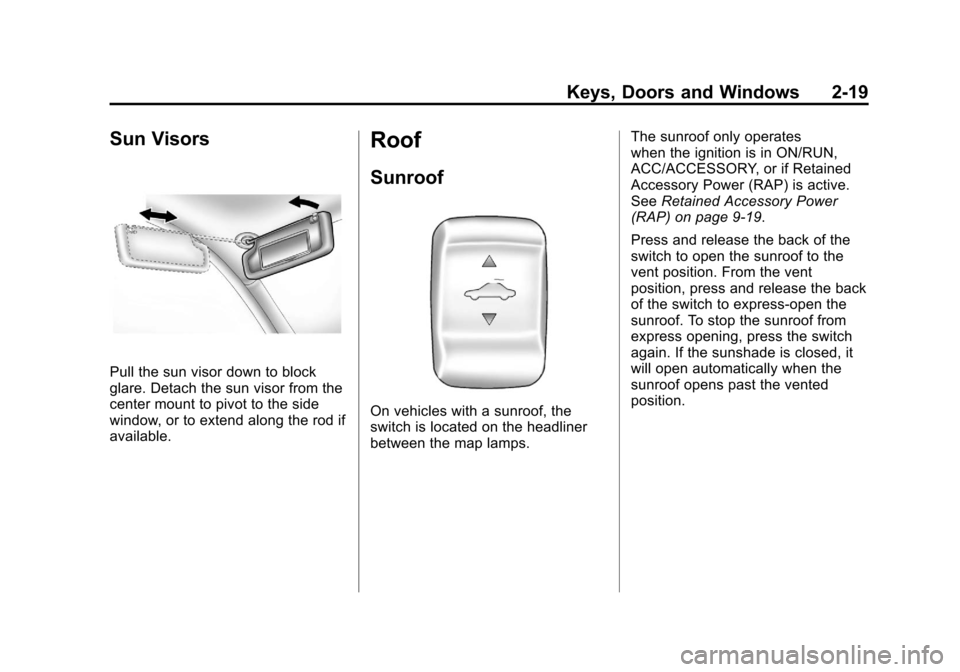
Pull the sun visor down to block
glare. Detach the sun visor from the
center mount to pivot to the side
window, or to extend along the rod if
available.
Roof
Sunroof
On vehicles with a sunroof, the
switch is located on the headliner
between the map lamps.The sunroof only operates
when the ignition is in ON/RUN,
ACC/ACCESSORY, or if Retained
Accessory Power (RAP) is active.
See
Retained Accessory Power
(RAP) on page 9‑19.
Press and release the back of the
switch to open the sunroof to the
vent position. From the vent
position, press and release the back
of the switch to express-open the
sunroof. To stop the sunroof from
express opening, press the switch
again. If the sunshade is closed, it
will open automatically when the
sunroof opens past the vented
position.
Page 55 of 382
Black plate (7,1)Chevrolet Malibu Owner Manual - 2011
Seats and Restraints 3-7
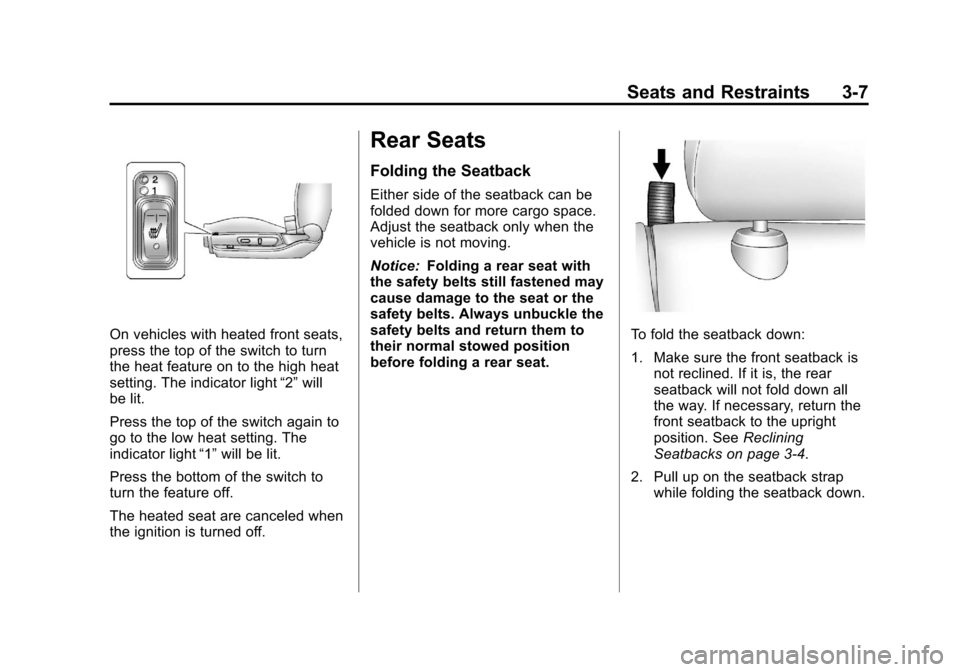
On vehicles with heated front seats,
press the top of the switch to turn
the heat feature on to the high heat
setting. The indicator light“2”will
be lit.
Press the top of the switch again to
go to the low heat setting. The
indicator light “1”will be lit.
Press the bottom of the switch to
turn the feature off.
The heated seat are canceled when
the ignition is turned off.
Rear Seats
Folding the Seatback
Either side of the seatback can be
folded down for more cargo space.
Adjust the seatback only when the
vehicle is not moving.
Notice: Folding a rear seat with
the safety belts still fastened may
cause damage to the seat or the
safety belts. Always unbuckle the
safety belts and return them to
their normal stowed position
before folding a rear seat.
To fold the seatback down:
1. Make sure the front seatback is not reclined. If it is, the rear
seatback will not fold down all
the way. If necessary, return the
front seatback to the upright
position. See Reclining
Seatbacks on page 3‑4.
2. Pull up on the seatback strap while folding the seatback down.
Page 84 of 382
Black plate (36,1)Chevrolet Malibu Owner Manual - 2011
3-36 Seats and Restraints
Your dealer and the service manual
have information about servicing the
vehicle and the airbag system. To
purchase a service manual, see
Service Publications Ordering
Information on page 13‑13.
{WARNING
For up to 10 seconds after the
ignition is turned off and the
battery is disconnected, an airbag
can still inflate during improper
service. You can be injured if you
are close to an airbag when it
inflates. Avoid yellow connectors.
They are probably part of the
airbag system. Be sure to follow
proper service procedures, and
make sure the person performing
work for you is qualified to do so.
Adding Equipment to the
Airbag-Equipped Vehicle
Q: Is there anything I might addto or change about the vehicle
that could keep the airbags
from working properly?
A: Yes. If you add things that
change the vehicle's frame,
bumper system, height, front end
or side sheet metal, they may
keep the airbag system from
working properly. Changing or
moving any parts of the front
seats, safety belts, the airbag
sensing and diagnostic module,
steering wheel, instrument
panel, roof-rail airbag modules,
ceiling headliner or pillar garnish
trim, front sensors, side impact
sensors, or airbag wiring can
affect the operation of the airbag
system.
In addition, the vehicle has a
passenger sensing system for
the right front passenger
position, which includes sensors that are part of the passenger's
seat. The passenger sensing
system may not operate properly
if the original seat trim is
replaced with non-GM covers,
upholstery or trim, or with
GM covers, upholstery or trim
designed for a different vehicle.
Any object, such as an
aftermarket seat heater or a
comfort enhancing pad or
device, installed under or on top
of the seat fabric, could also
interfere with the operation of
the passenger sensing system.
This could either prevent proper
deployment of the passenger
airbag(s) or prevent the
passenger sensing system from
properly turning off the
passenger airbag(s). See
Passenger Sensing System
on
page 3‑31.
If you have any questions, call
Customer Assistance. The
phone numbers and addresses
for Customer Assistance are in
Page 115 of 382
Black plate (5,1)Chevrolet Malibu Owner Manual - 2011
Instruments and Controls 5-5
Compass
Compass Operation
PressOon the rearview mirror to
turn the compass display on or off.
When the ignition and the compass
feature are on, the compass
displays the current compass
direction after a few seconds.
Compass Calibration
If after a few seconds the display
does not show a compass direction,
(N for North for example), there
may be a strong magnetic field
interfering with the compass.
Interference can be caused by a
magnetic antenna mount, note pad
holder, or similar object. If the
letter C appears in the compass
window, the compass may need
to be reset or calibrated. The mirror can be calibrated by
driving the vehicle very slowly, in
circles, until the display reads a
direction.
Compass Variance
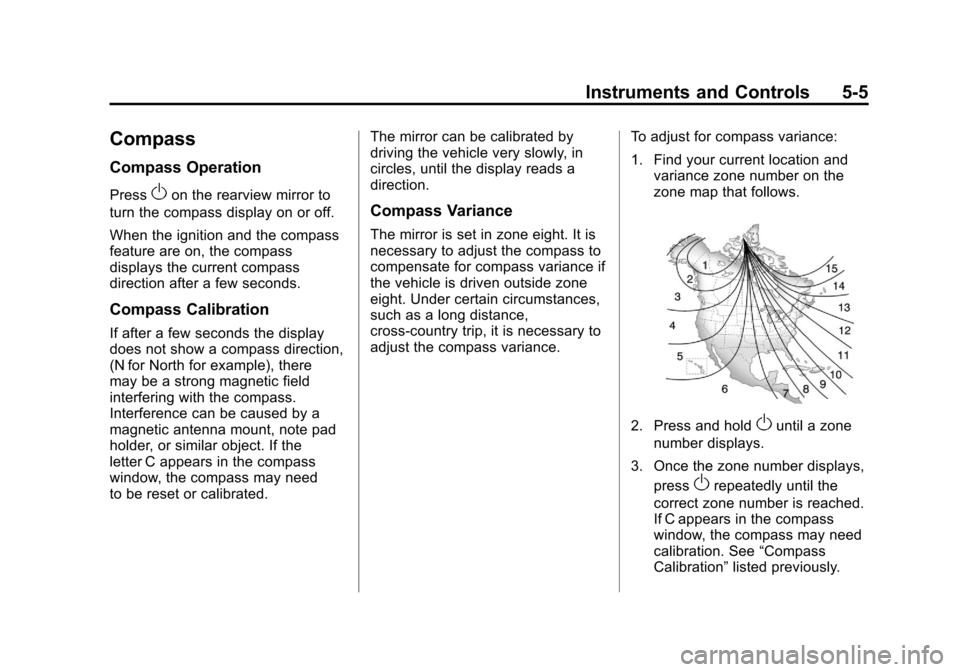
The mirror is set in zone eight. It is
necessary to adjust the compass to
compensate for compass variance if
the vehicle is driven outside zone
eight. Under certain circumstances,
such as a long distance,
cross-country trip, it is necessary to
adjust the compass variance.
To adjust for compass variance:
1. Find your current location and
variance zone number on the
zone map that follows.
2. Press and holdOuntil a zone
number displays.
3. Once the zone number displays, press
Orepeatedly until the
correct zone number is reached.
If C appears in the compass
window, the compass may need
calibration. See “Compass
Calibration” listed previously.
Page 116 of 382
Black plate (6,1)Chevrolet Malibu Owner Manual - 2011
5-6 Instruments and Controls
Clock
Without Date Display
AM/FM Base Radio with a Single
CD Player
To set the time:
1. Turn the ignition key to ACC/ACCESSORY or ON/RUN.
Press the
Oknob to turn the
radio on.
2. Press the
Hbutton until the hour
begins flashing on the display.
Press the
Hbutton a second
time and the minute begins
flashing on the display.
3. While either the hour or the minute numbers are flashing,
turn the
fknob to increase or
decrease the time. 4. Press the
Hbutton again until
the clock display stops flashing
to set the currently displayed
time; otherwise, the flashing
stops after five seconds and the
current time displayed is
automatically set.
To change the time default setting
from 12 hour to 24 hour, press the
Hbutton until 12H or 24H is
displayed. Once 12H or 24H is
displayed, turn the
fknob to the
desired option to select the setting.
Press the
Hbutton again to apply
the setting, or let the screen
time out.
With Date Display
Radio with CD (MP3) and USB
Port, and Radio with Single CD
(MP3) Player
To set the time and date:
1. Turn the ignition key to ACC/ ACCESSORY or ON/RUN.
Press the
Oknob to turn the
radio on.
2. Press the
Hbutton and the HR,
MIN, MM, DD, YYYY (hour,
minute, month, day, and year)
displays.
3. Press the softkey located below any one of the tabs that you
want to change.
Page 118 of 382
Black plate (8,1)Chevrolet Malibu Owner Manual - 2011
5-8 Instruments and Controls
Certain electrical accessories
may not be compatible with the
accessory power outlet and could
overload vehicle or adapter fuses.
If a problem is experienced, see
your dealer.
When adding electrical equipment,
be sure to follow the proper
installation instructions included
with the equipment. SeeAdd-On
Electrical Equipment on page 9‑48.
Notice: Hanging heavy
equipment from the power outlet
can cause damage not covered
by the vehicle warranty. The
power outlets are designed for
accessory power plugs only, such
as cell phone charge cords.Power Outlet 115 Volt
Alternating Current
The vehicle may have a power
outlet that can be used to plug in
electrical equipment that uses a
maximum limit of 150 watts.
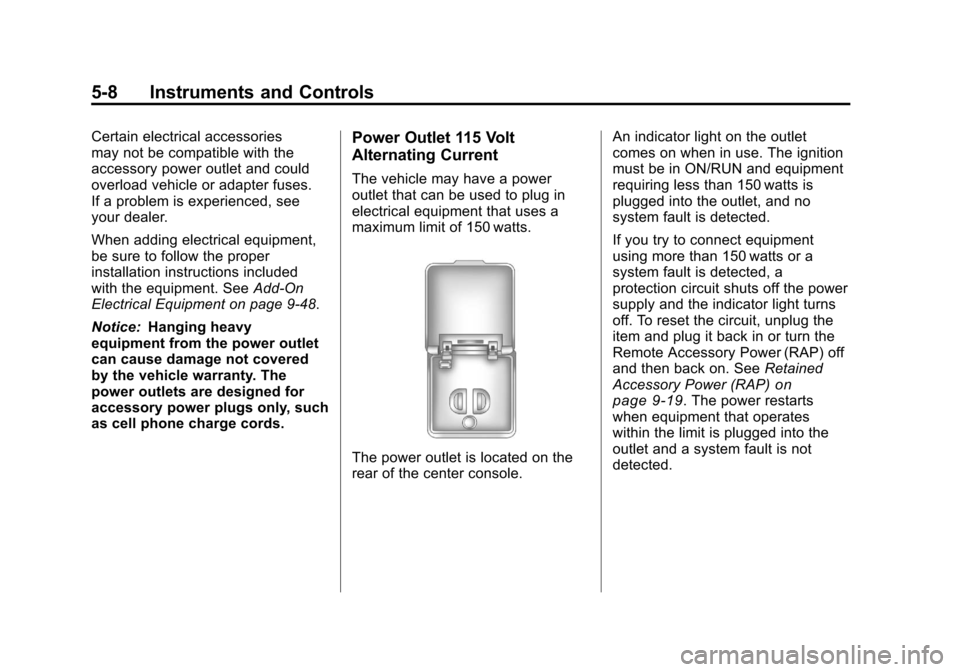
The power outlet is located on the
rear of the center console. An indicator light on the outlet
comes on when in use. The ignition
must be in ON/RUN and equipment
requiring less than 150 watts is
plugged into the outlet, and no
system fault is detected.
If you try to connect equipment
using more than 150 watts or a
system fault is detected, a
protection circuit shuts off the power
supply and the indicator light turns
off. To reset the circuit, unplug the
item and plug it back in or turn the
Remote Accessory Power (RAP) off
and then back on. See
Retained
Accessory Power (RAP)
on
page 9‑19. The power restarts
when equipment that operates
within the limit is plugged into the
outlet and a system fault is not
detected.