Page 127 of 430
Black plate (21,1)Chevrolet HHR Owner Manual - 2011
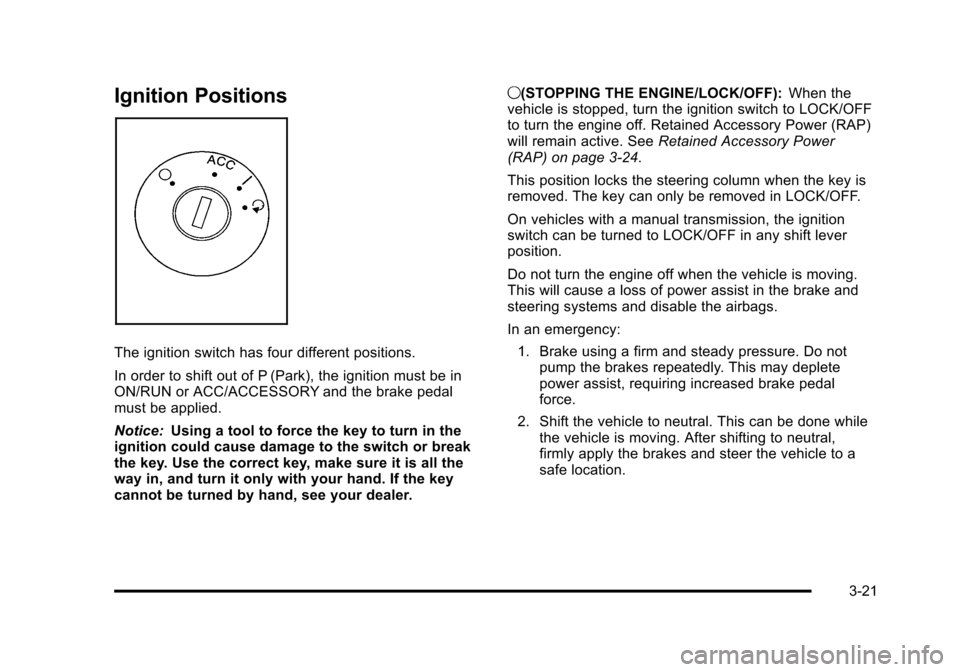
Ignition Positions
The ignition switch has four different positions.
In order to shift out of P (Park), the ignition must be in
ON/RUN or ACC/ACCESSORY and the brake pedal
must be applied.
Notice:Using a tool to force the key to turn in the
ignition could cause damage to the switch or break
the key. Use the correct key, make sure it is all the
way in, and turn it only with your hand. If the key
cannot be turned by hand, see your dealer. 9(STOPPING THE ENGINE/LOCK/OFF):
When the
vehicle is stopped, turn the ignition switch to LOCK/OFF
to turn the engine off. Retained Accessory Power (RAP)
will remain active. See Retained Accessory Power
(RAP) on page 3‑24.
This position locks the steering column when the key is
removed. The key can only be removed in LOCK/OFF.
On vehicles with a manual transmission, the ignition
switch can be turned to LOCK/OFF in any shift lever
position.
Do not turn the engine off when the vehicle is moving.
This will cause a loss of power assist in the brake and
steering systems and disable the airbags.
In an emergency:
1. Brake using a firm and steady pressure. Do not pump the brakes repeatedly. This may deplete
power assist, requiring increased brake pedal
force.
2. Shift the vehicle to neutral. This can be done while the vehicle is moving. After shifting to neutral,
firmly apply the brakes and steer the vehicle to a
safe location.
3-21
Page 128 of 430
Black plate (22,1)Chevrolet HHR Owner Manual - 2011
3. Come to a complete stop, shift to P (Park), andturn the ignition to LOCK/OFF. On vehicles with an
automatic transmission, the shift lever must be in
P (Park) to turn the ignition switch to the LOCK/
OFF position.
4. Set the parking brake. See Parking Brake
on
page 3‑30.
The steering can bind with the wheel turned off center.
If this happens, move it from right to left while turning
the key to ACC/ACCESSORY. If this does not work,
then the vehicle needs service.
{WARNING:
If you have a manual transmission removing the
key from the ignition switch will lock the steering
column and result in a loss of ability to steer the
vehicle. This could cause a collision. If you need
to turn the engine off while the vehicle is moving,
turn the key to ACC/ACCESSORY. ACC (ACC/ACCESSORY):
This position operates
some of the electrical accessories. It unlocks the
steering wheel and ignition.
R (ON/RUN): This is the position in which you can
operate the electrical accessories and to display some
instrument panel cluster warning and indicator lights.
The switch stays in this position when the engine is
running.
If you leave the key in the ACC/ACCESSORY or ON/
RUN position with the engine off, the battery could be
drained. You may not be able to start the vehicle if the
battery is allowed to drain for an extended period
of time.
/ (START): This position starts the engine. When the
engine starts, release the key. The ignition switch will
return to ON/RUN for driving.
A warning tone will sound when the driver door is
opened, the ignition is in LOCK/OFF or ACC/
ACCESSORY and the key is in the ignition.
3-22
Page 129 of 430
Black plate (23,1)Chevrolet HHR Owner Manual - 2011
Column Lock Release
For vehicles with an automatic transmission, the
following procedure allows the ignition to be turned to
LOCK/OFF and ignition key to be removed in case of a
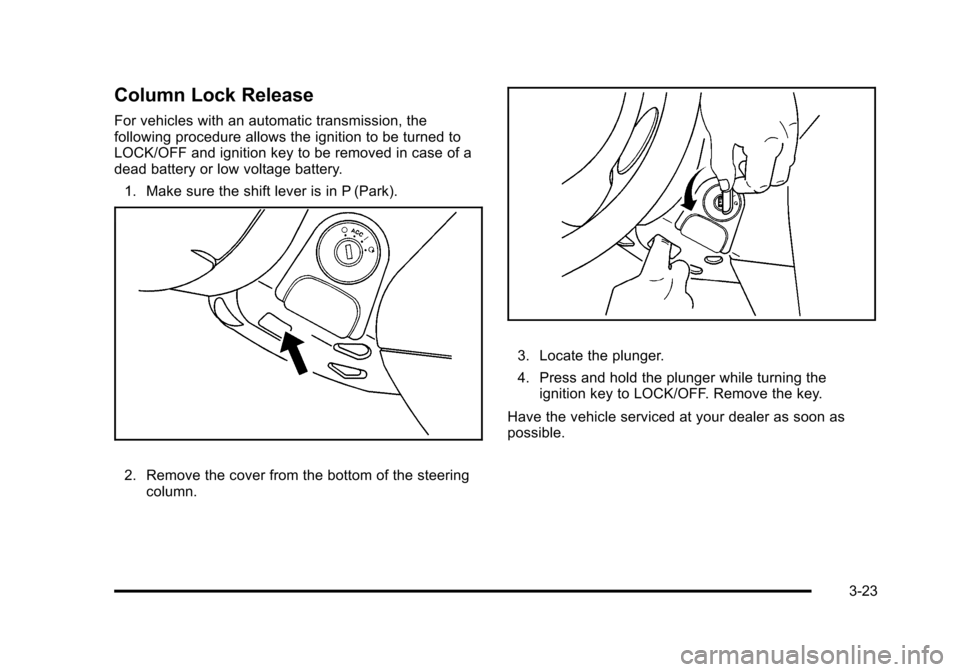
dead battery or low voltage battery.1. Make sure the shift lever is in P (Park).
2. Remove the cover from the bottom of the steering column.
3. Locate the plunger.
4. Press and hold the plunger while turning theignition key to LOCK/OFF. Remove the key.
Have the vehicle serviced at your dealer as soon as
possible.
3-23
Page 158 of 430
Black plate (2,1)Chevrolet HHR Owner Manual - 2011
Section 4 Instrument Panel
Front Fog Lamp Light . . . . . . . . . . . . . . . . . . . . . . . . . . 4-36
Highbeam On Light . . . . . . . . . . . . . . . . . . . . . . . . . . . . 4-37
Fuel Gauge . . . . . . . . . . . . . . . . . . . . . . . . . . . . . . . . . . . . 4-37
Driver Information Center (DIC) . . . . . . . . . . . . . . . . . .4-38
DIC Operation and Displays . . . . . . . . . . . . . . . . . . . 4-38
DIC Warnings and Messages . . . . . . . . . . . . . . . . . . 4-40
DIC Vehicle Personalization . . . . . . . . . . . . . . . . . . . 4-45
Audio System(s) . . . . . . . . . . . . . . . . . . . . . . . . . . . . . . . . . . 4-50
Setting the Clock . . . . . . . . . . . . . . . . . . . . . . . . . . . . . . 4-51
Radio(s) . . . . . . . . . . . . . . . . . . . . . . . . . . . . . . . . . . . . . . . 4-53 Using an MP3 . . . . . . . . . . . . . . . . . . . . . . . . . . . . . . . . . 4-63
XM Radio Messages . . . . . . . . . . . . . . . . . . . . . . . . . . . 4-70
Bluetooth
®. . . . . . . . . . . . . . . . . . . . . . . . . . . . . . . . . . . . . 4-71
Theft-Deterrent Feature . . . . . . . . . . . . . . . . . . . . . . . . 4-79
Audio Steering Wheel Controls . . . . . . . . . . . . . . . . 4-79
Radio Reception . . . . . . . . . . . . . . . . . . . . . . . . . . . . . . . 4-80
Fixed Mast Antenna . . . . . . . . . . . . . . . . . . . . . . . . . . . 4-81
XM™ Satellite Radio Antenna System . . . . . . . . . 4-81
Chime Level Adjustment . . . . . . . . . . . . . . . . . . . . . . . 4-81
4-2
Page 159 of 430
Black plate (3,1)Chevrolet HHR Owner Manual - 2011
Instrument Panel Overview
Hazard Warning Flashers
|(Hazard Warning Flasher):Press this button
located on the instrument panel, to make the front and
rear turn signal lamps flash on and off. This warns
others that you are having trouble.
Press
|again to turn the flashers off.
Horn
To sound the horn, press the horn symbols located on
the steering wheel.
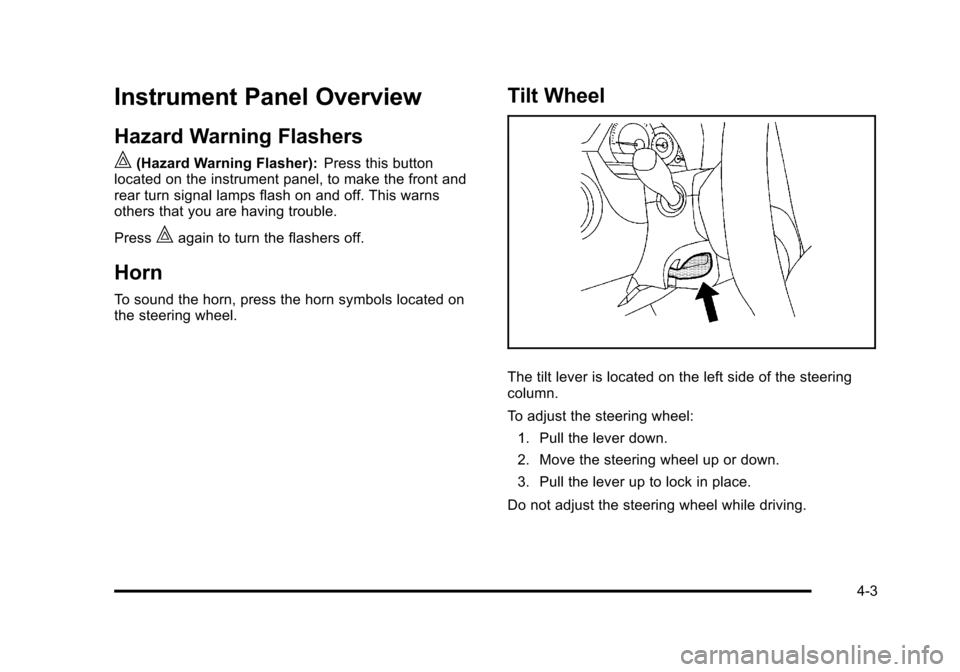
Tilt Wheel
The tilt lever is located on the left side of the steering
column.
To adjust the steering wheel:
1. Pull the lever down.
2. Move the steering wheel up or down.
3. Pull the lever up to lock in place.
Do not adjust the steering wheel while driving.
4-3
Page 160 of 430
Black plate (4,1)Chevrolet HHR Owner Manual - 2011
Turn Signal/Multifunction Lever
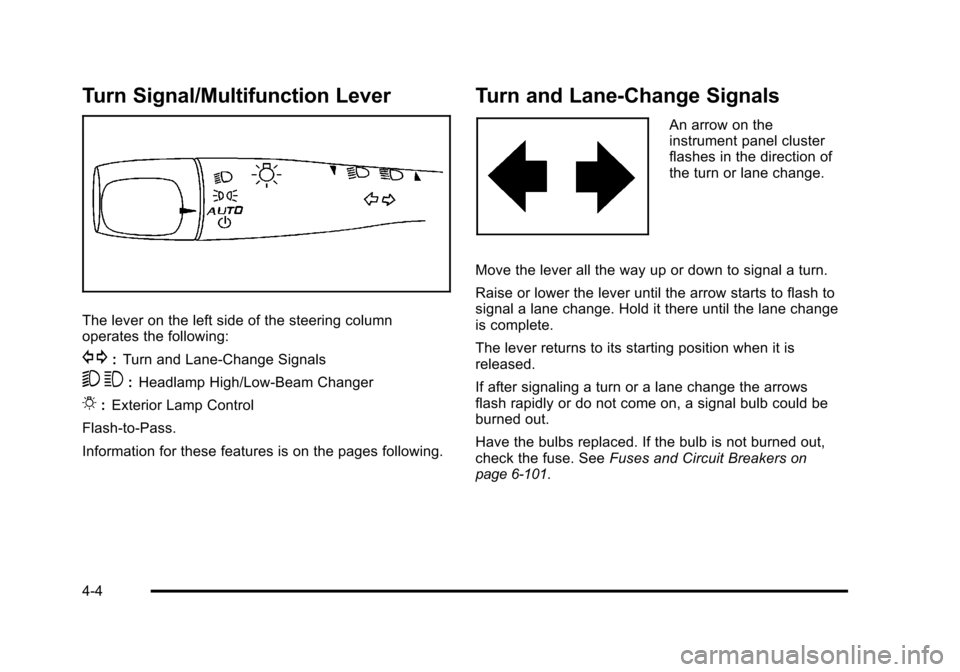
The lever on the left side of the steering column
operates the following:
G:Turn and Lane-Change Signals
5 3:Headlamp High/Low-Beam Changer
O:Exterior Lamp Control
Flash-to-Pass.
Information for these features is on the pages following.
Turn and Lane-Change Signals
An arrow on the
instrument panel cluster
flashes in the direction of
the turn or lane change.
Move the lever all the way up or down to signal a turn.
Raise or lower the lever until the arrow starts to flash to
signal a lane change. Hold it there until the lane change
is complete.
The lever returns to its starting position when it is
released.
If after signaling a turn or a lane change the arrows
flash rapidly or do not come on, a signal bulb could be
burned out.
Have the bulbs replaced. If the bulb is not burned out,
check the fuse. See Fuses and Circuit Breakers
on
page 6‑101.
4-4
Page 161 of 430
Black plate (5,1)Chevrolet HHR Owner Manual - 2011
Headlamp High/Low-Beam Changer
To change the headlamps from low beam to high beam,
push the turn signal lever away from you.
This indicator light
appears on the instrument
panel cluster when the
high beams are on.
To change the headlamps from high beam to low beam,
pull the turn signal lever toward you.
Flash-to-Pass
To signal to a driver in front of you that you want to
pass, pull the turn signal/multifunction lever until the
high-beam headlamps come on. Then release the lever
to turn them off.
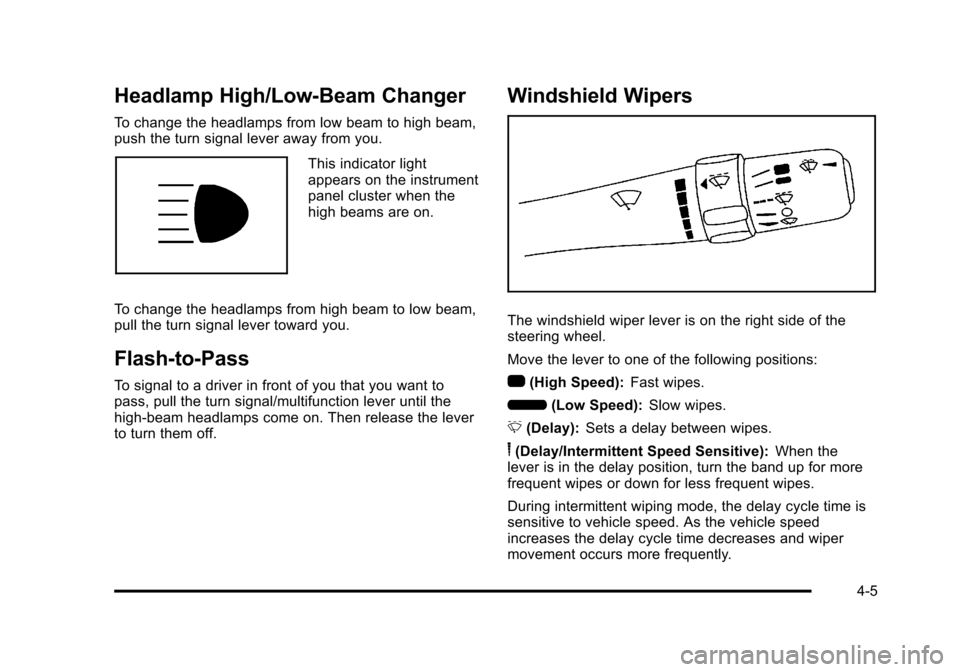
Windshield Wipers
The windshield wiper lever is on the right side of the
steering wheel.
Move the lever to one of the following positions:
1 (High Speed): Fast wipes.
6 (Low Speed): Slow wipes.
& (Delay): Sets a delay between wipes.
6(Delay/Intermittent Speed Sensitive): When the
lever is in the delay position, turn the band up for more
frequent wipes or down for less frequent wipes.
During intermittent wiping mode, the delay cycle time is
sensitive to vehicle speed. As the vehicle speed
increases the delay cycle time decreases and wiper
movement occurs more frequently.
4-5
Page 164 of 430
Black plate (8,1)Chevrolet HHR Owner Manual - 2011
Cruise Control
With cruise control, a speed of about 40 km (25 mph) or
more can be maintained without keeping your foot on
the accelerator. Cruise control does not work at speeds
below 40 km (25 mph).
The brake must be applied at least one time, after the
vehicle has been started, before cruise control will
function.
{WARNING:
Cruise control can be dangerous where you
cannot drive safely at a steady speed. So, do not
use the cruise control on winding roads or in
heavy traffic.
Cruise control can be dangerous on slippery
roads. On such roads, fast changes in tire traction
can cause excessive wheel slip, and you could
lose control. Do not use cruise control on slippery
roads.
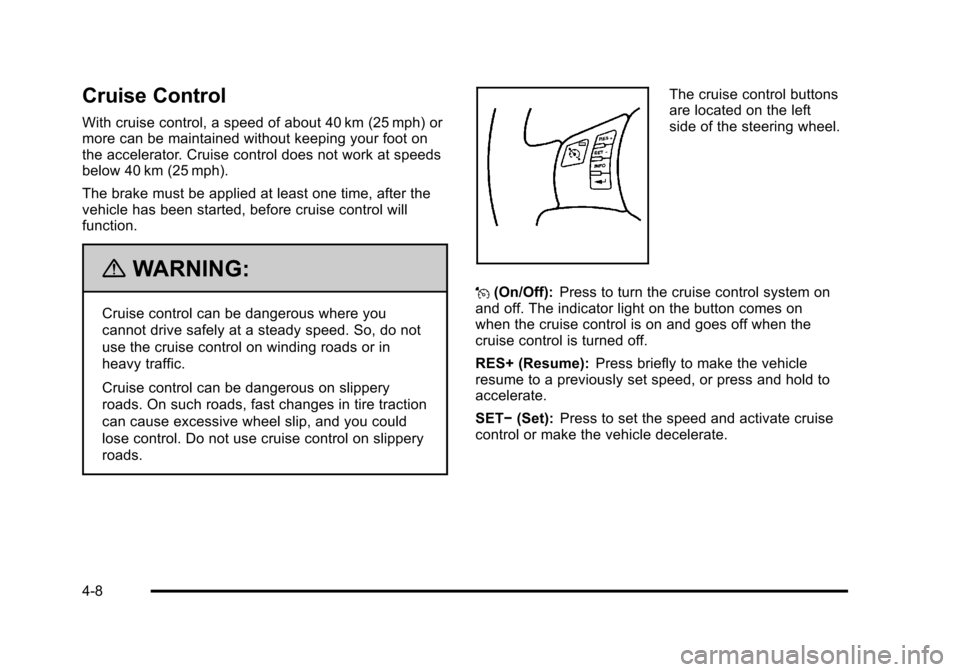
The cruise control buttons
are located on the left
side of the steering wheel.
J (On/Off): Press to turn the cruise control system on
and off. The indicator light on the button comes on
when the cruise control is on and goes off when the
cruise control is turned off.
RES+ (Resume): Press briefly to make the vehicle
resume to a previously set speed, or press and hold to
accelerate.
SET− (Set): Press to set the speed and activate cruise
control or make the vehicle decelerate.
4-8