Page 179 of 428
Black plate (59,1)Chevrolet Corvette Owner Manual - 2011
Instruments and Controls 5-59
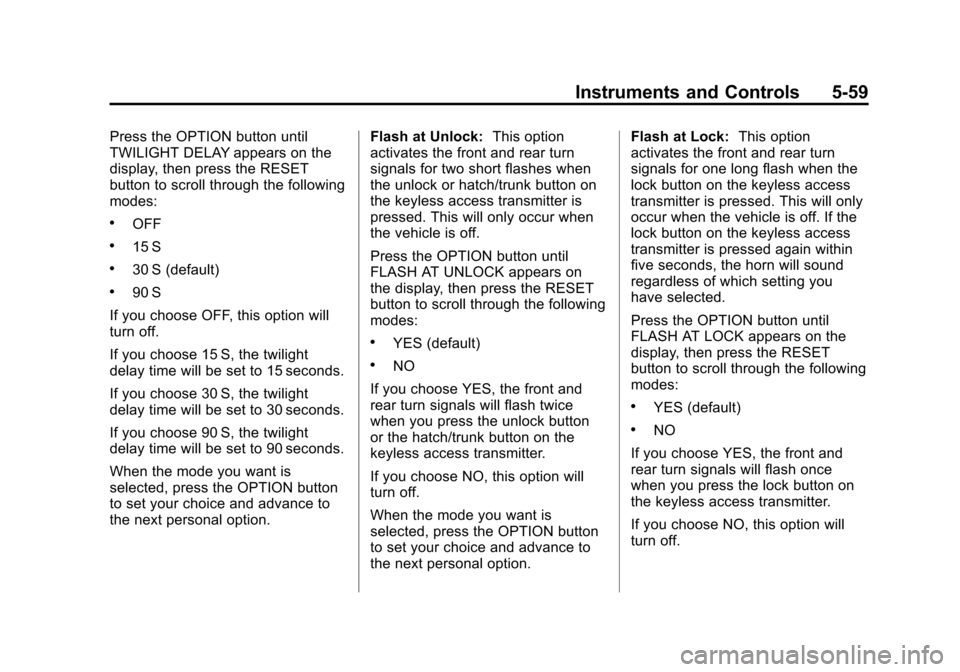
Press the OPTION button until
TWILIGHT DELAY appears on the
display, then press the RESET
button to scroll through the following
modes:
.OFF
.15 S
.30 S (default)
.90 S
If you choose OFF, this option will
turn off.
If you choose 15 S, the twilight
delay time will be set to 15 seconds.
If you choose 30 S, the twilight
delay time will be set to 30 seconds.
If you choose 90 S, the twilight
delay time will be set to 90 seconds.
When the mode you want is
selected, press the OPTION button
to set your choice and advance to
the next personal option. Flash at Unlock:
This option
activates the front and rear turn
signals for two short flashes when
the unlock or hatch/trunk button on
the keyless access transmitter is
pressed. This will only occur when
the vehicle is off.
Press the OPTION button until
FLASH AT UNLOCK appears on
the display, then press the RESET
button to scroll through the following
modes:
.YES (default)
.NO
If you choose YES, the front and
rear turn signals will flash twice
when you press the unlock button
or the hatch/trunk button on the
keyless access transmitter.
If you choose NO, this option will
turn off.
When the mode you want is
selected, press the OPTION button
to set your choice and advance to
the next personal option. Flash at Lock:
This option
activates the front and rear turn
signals for one long flash when the
lock button on the keyless access
transmitter is pressed. This will only
occur when the vehicle is off. If the
lock button on the keyless access
transmitter is pressed again within
five seconds, the horn will sound
regardless of which setting you
have selected.
Press the OPTION button until
FLASH AT LOCK appears on the
display, then press the RESET
button to scroll through the following
modes:
.YES (default)
.NO
If you choose YES, the front and
rear turn signals will flash once
when you press the lock button on
the keyless access transmitter.
If you choose NO, this option will
turn off.
Page 196 of 428
Black plate (6,1)Chevrolet Corvette Owner Manual - 2011
6-6 Lighting
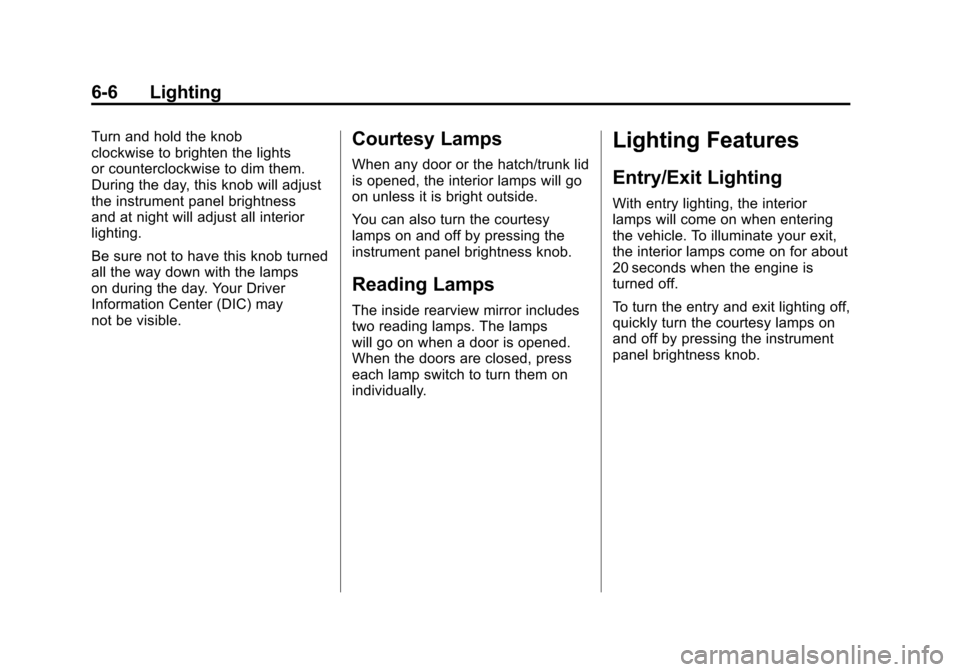
Turn and hold the knob
clockwise to brighten the lights
or counterclockwise to dim them.
During the day, this knob will adjust
the instrument panel brightness
and at night will adjust all interior
lighting.
Be sure not to have this knob turned
all the way down with the lamps
on during the day. Your Driver
Information Center (DIC) may
not be visible.Courtesy Lamps
When any door or the hatch/trunk lid
is opened, the interior lamps will go
on unless it is bright outside.
You can also turn the courtesy
lamps on and off by pressing the
instrument panel brightness knob.
Reading Lamps
The inside rearview mirror includes
two reading lamps. The lamps
will go on when a door is opened.
When the doors are closed, press
each lamp switch to turn them on
individually.
Lighting Features
Entry/Exit Lighting
With entry lighting, the interior
lamps will come on when entering
the vehicle. To illuminate your exit,
the interior lamps come on for about
20 seconds when the engine is
turned off.
To turn the entry and exit lighting off,
quickly turn the courtesy lamps on
and off by pressing the instrument
panel brightness knob.
Page 209 of 428
Black plate (11,1)Chevrolet Corvette Owner Manual - 2011
Infotainment System 7-11
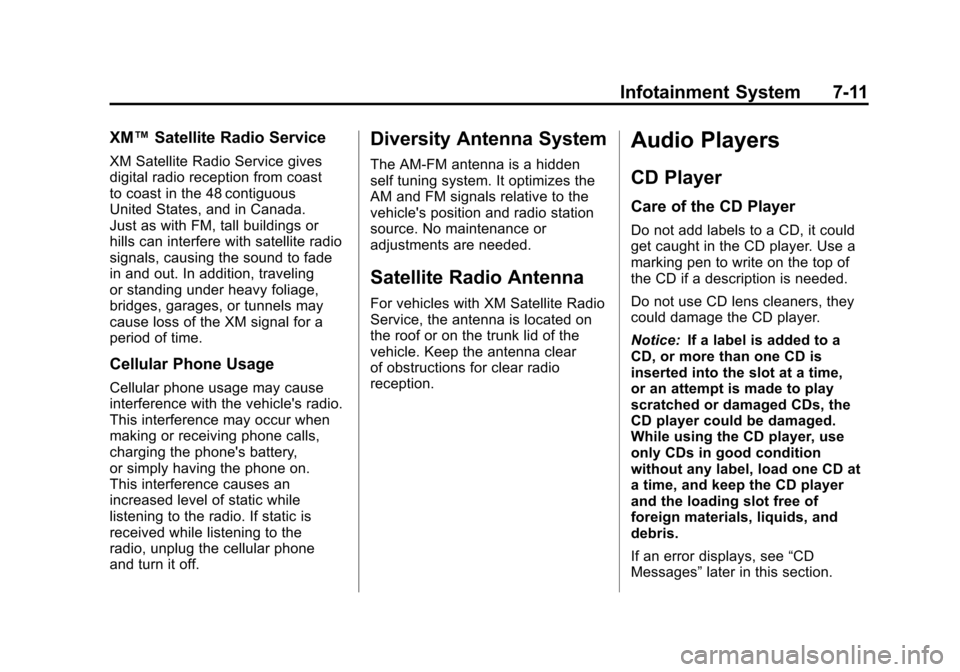
XM™Satellite Radio Service
XM Satellite Radio Service gives
digital radio reception from coast
to coast in the 48 contiguous
United States, and in Canada.
Just as with FM, tall buildings or
hills can interfere with satellite radio
signals, causing the sound to fade
in and out. In addition, traveling
or standing under heavy foliage,
bridges, garages, or tunnels may
cause loss of the XM signal for a
period of time.
Cellular Phone Usage
Cellular phone usage may cause
interference with the vehicle's radio.
This interference may occur when
making or receiving phone calls,
charging the phone's battery,
or simply having the phone on.
This interference causes an
increased level of static while
listening to the radio. If static is
received while listening to the
radio, unplug the cellular phone
and turn it off.
Diversity Antenna System
The AM-FM antenna is a hidden
self tuning system. It optimizes the
AM and FM signals relative to the
vehicle's position and radio station
source. No maintenance or
adjustments are needed.
Satellite Radio Antenna
For vehicles with XM Satellite Radio
Service, the antenna is located on
the roof or on the trunk lid of the
vehicle. Keep the antenna clear
of obstructions for clear radio
reception.
Audio Players
CD Player
Care of the CD Player
Do not add labels to a CD, it could
get caught in the CD player. Use a
marking pen to write on the top of
the CD if a description is needed.
Do not use CD lens cleaners, they
could damage the CD player.
Notice: If a label is added to a
CD, or more than one CD is
inserted into the slot at a time,
or an attempt is made to play
scratched or damaged CDs, the
CD player could be damaged.
While using the CD player, use
only CDs in good condition
without any label, load one CD at
a time, and keep the CD player
and the loading slot free of
foreign materials, liquids, and
debris.
If an error displays, see “CD
Messages” later in this section.
Page 283 of 428
Black plate (53,1)Chevrolet Corvette Owner Manual - 2011
Driving and Operating 9-53
{WARNING
If a fire starts while you are
refueling, do not remove the
nozzle. Shut off the flow of fuel
by shutting off the pump or by
notifying the station attendant.
Leave the area immediately.
Notice: If you need a new fuel
cap, be sure to get the right type.
Your dealer can get one for you.
If you get the wrong type, it may
not fit properly. This may cause
the malfunction indicator lamp to
light and may damage the fuel
tank and emissions system. See
Malfunction Indicator Lamp on
page 5‑18.
Filling a Portable Fuel
Container
{WARNING
Never fill a portable fuel container
while it is in the vehicle. Static
electricity discharge from the
container can ignite the fuel
vapor. You can be badly burned
and the vehicle damaged if this
occurs. To help avoid injury to
you and others:
.Dispense fuel only into
approved containers.
.Do not fill a container while
it is inside a vehicle, in a
vehicle's trunk, pickup bed,
or on any surface other than
the ground.
(Continued)
WARNING (Continued)
.Bring the fill nozzle in contact
with the inside of the fill
opening before operating the
nozzle. Contact should be
maintained until the filling is
complete.
.Do not smoke while
pumping fuel.
.Do not use a cellular phone
while pumping fuel.
Page 341 of 428
Black plate (57,1)Chevrolet Corvette Owner Manual - 2011
Vehicle Care 10-57
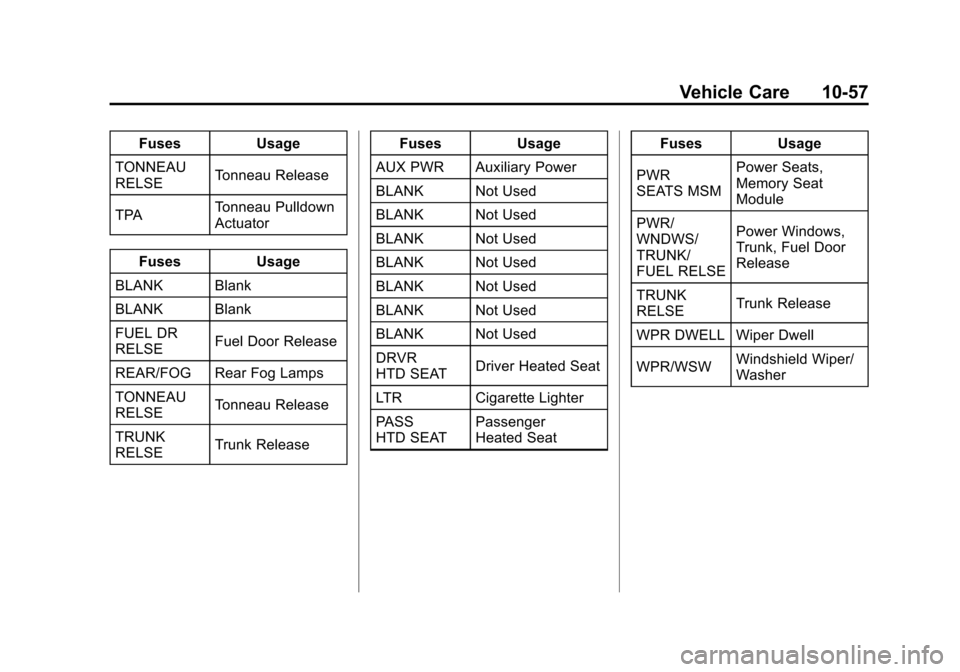
FusesUsage
TONNEAU
RELSE Tonneau Release
TPA Tonneau Pulldown
Actuator
Fuses Usage
BLANK Blank
BLANK Blank
FUEL DR
RELSE Fuel Door Release
REAR/FOG Rear Fog Lamps
TONNEAU
RELSE Tonneau Release
TRUNK
RELSE Trunk Release Fuses
Usage
AUX PWR Auxiliary Power
BLANK Not Used
BLANK Not Used
BLANK Not Used
BLANK Not Used
BLANK Not Used
BLANK Not Used
BLANK Not Used
DRVR
HTD SEAT Driver Heated Seat
LTR Cigarette Lighter
PASS
HTD SEAT Passenger
Heated Seat Fuses
Usage
PWR
SEATS MSM Power Seats,
Memory Seat
Module
PWR/
WNDWS/
TRUNK/
FUEL RELSE Power Windows,
Trunk, Fuel Door
Release
TRUNK
RELSE Trunk Release
WPR DWELL Wiper Dwell
WPR/WSW Windshield Wiper/
Washer