2011 CHEVROLET AVEO brake
[x] Cancel search: brakePage 187 of 328
Black plate (25,1)Chevrolet Aveo Owner Manual - 2011
Driving and Operating 9-25
Running the Vehicle
While Parked
It is better not to park with the
engine running. But if you ever have
to, here are some things to know.
{WARNING
Idling a vehicle in an enclosed
area with poor ventilation is
dangerous. Engine exhaust may
enter the vehicle. Engine exhaust
contains Carbon Monoxide (CO)
which cannot be seen or smelled.
It can cause unconsciousness
and even death. Never run the
engine in an enclosed area that
has no fresh air ventilation. For
more information, seeEngine
Exhaust on page 9‑24.
{WARNING
It can be dangerous to get out of
the vehicle if the automatic
transmission shift lever is not fully
in P (Park) with the parking brake
firmly set. The vehicle can roll. Do
not leave the vehicle when the
engine is running unless you
have to. If you have left the
engine running, the vehicle can
move suddenly. You or others
could be injured. To be sure the
vehicle will not move, even when
it is on fairly level ground, always
set the parking brake and move
the automatic transmission shift
lever to P (Park), or the manual
transmission shift lever to Neutral.
Follow the proper steps to be sure
the vehicle will not move. If the
vehicle has an automatic
transmission, see Shifting Into Park
(Automatic Transmission) on
page 9‑21.
Automatic
Transmission
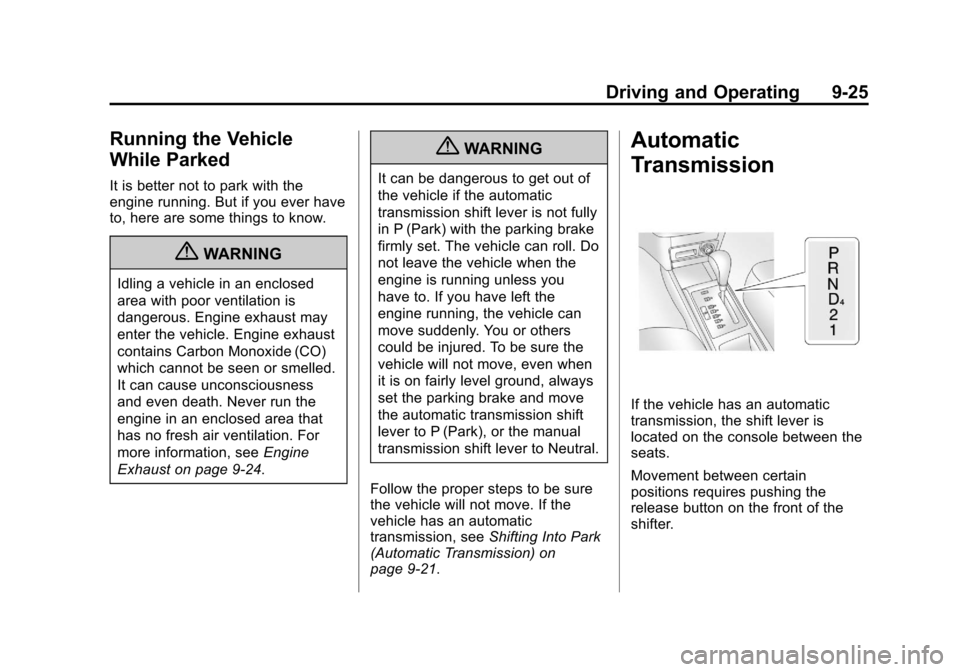
If the vehicle has an automatic
transmission, the shift lever is
located on the console between the
seats.
Movement between certain
positions requires pushing the
release button on the front of the
shifter.
Page 188 of 328
Black plate (26,1)Chevrolet Aveo Owner Manual - 2011
9-26 Driving and Operating
P (Park):This position locks the
front wheels. It is the best position
to use when you start the engine
because the vehicle cannot move
easily.
{WARNING
It is dangerous to get out of the
vehicle if the shift lever is not fully
in P (Park) with the parking brake
firmly set. The vehicle can roll.
Do not leave the vehicle when the
engine is running unless you
have to. If you have left the
engine running, the vehicle can
move suddenly. You or others
could be injured. To be sure the
vehicle will not move, even when
you are on fairly level ground,
always set the parking brake and
move the shift lever to P (Park).
See Shifting Into Park (Automatic
Transmission) on page 9‑21. Ensure that the shift lever is fully in
P (Park) before starting the engine.
The vehicle has an automatic
transmission shift lock control
system. You have to apply the brake
pedal before you can shift from
P (Park) when the key is in ON/
RUN. If you cannot shift out of
P (Park) while holding the brake
pedal down, see
Shifting Out of
Park on page 9‑23.
R (Reverse): Use this gear to
back up.
When shifting from N (Neutral) to
R (Reverse), you need to apply the
brake pedal and push the release
button on the front of the shifter.
Notice: Shifting to R (Reverse)
while the vehicle is moving
forward could damage the
transmission. The repairs would
not be covered by the vehicle
warranty. Shift to R (Reverse) only
after the vehicle is stopped. To rock the vehicle back and forth to
get out of snow, ice or sand without
damaging the transmission, see
If
the Vehicle is Stuck on page 9‑11.
N (Neutral): In this position, the
engine does not connect with the
wheels. To restart the engine while
the vehicle is already moving,
use N (Neutral) only. Also, use
N (Neutral) when the vehicle is
being towed.
{WARNING
Shifting into a drive gear while the
engine is running at high speed is
dangerous. Unless your foot is
firmly on the brake pedal, the
vehicle could move very rapidly.
You could lose control and hit
people or objects. Do not shift
into a drive gear while the engine
is running at high speed.
Page 189 of 328
Black plate (27,1)Chevrolet Aveo Owner Manual - 2011
Driving and Operating 9-27
Notice:Shifting out of P (Park)
or N (Neutral) with the engine
running at high speed may
damage the transmission. The
repairs would not be covered by
the vehicle warranty. Be sure the
engine is not running at high
speed when shifting the vehicle.
D4 (Automatic Overdrive): This
position is for normal driving.
When operating the vehicle in
severe cold conditions, the
transmission may be prevented
from shifting into D4 gear until the
transmission fluid has warmed up to
its operational temperature.
Notice: If the vehicle seems to
start up rather slowly or not shift
gears when you go faster, and
you continue to drive the vehicle
that way, you could damage the
transmission. Have the vehicle
serviced right away. You can
drive in 2 (Second) when you are
driving less than 55 km/h (35 mph)
and D4 (Automatic Overdrive) for
higher speeds until then. 2 (Second):
This position gives you
more power but lower fuel economy.
You can use 2 (Second) on hills.
It can help control vehicle speed as
you go down steep mountain roads,
while using the brakes off and on.
Notice: Do not drive in
2 (Second) at speeds over
105 km/h (65 mph), or you can
damage the transmission. Use
D4 (Automatic Overdrive) as
much as possible. Do not shift
into 2 (Second) unless you are
going slower than 105 km/h
(65 mph) or you can damage the
engine.
1 (First): This position gives you
even more power but lower fuel
economy than 2 (Second). You can
use it on very steep hills, or in deep
snow or mud. If the shift lever is put
in 1 (First), the transmission will not
shift into first gear until the vehicle is
going slowly enough. Notice:
Spinning the tires
or holding the vehicle in one
place on a hill using only the
accelerator pedal may damage
the transmission. The repair will
not be covered by the vehicle
warranty. If you are stuck, do not
spin the tires. When stopping on
a hill, use the brakes to hold the
vehicle in place.
If there is a malfunction with
the automatic transmission, the
malfunction indicator lamp or the
HOLD indicator light will turn on or
flash. See Malfunction Indicator
Lamp on page 5‑14.
Have the vehicle fixed as soon as
possible.
Page 191 of 328
Black plate (29,1)Chevrolet Aveo Owner Manual - 2011
Driving and Operating 9-29
Manual Transmission
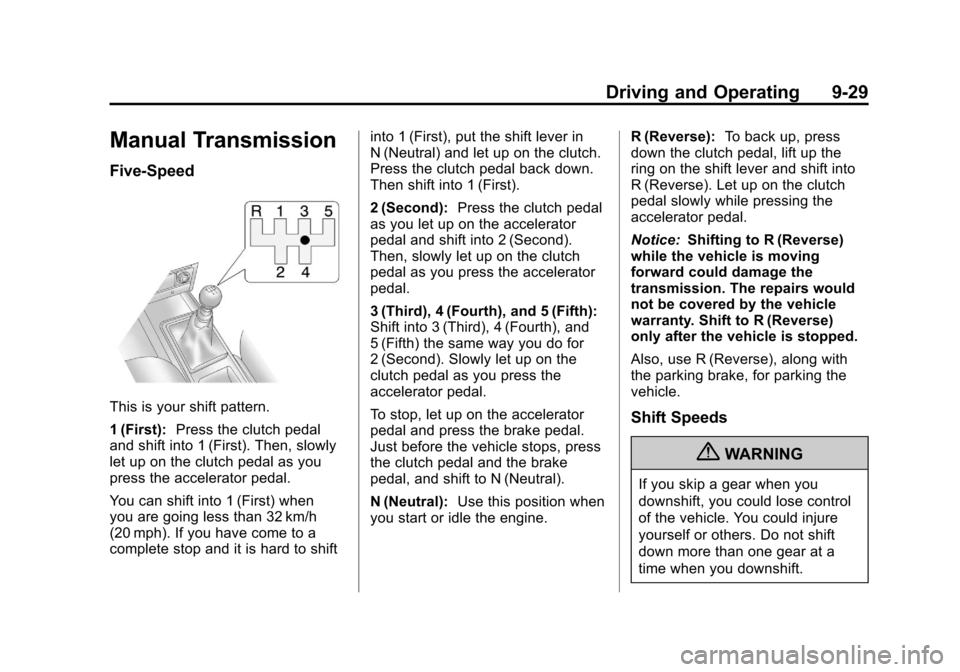
Five-Speed
This is your shift pattern.
1 (First):Press the clutch pedal
and shift into 1 (First). Then, slowly
let up on the clutch pedal as you
press the accelerator pedal.
You can shift into 1 (First) when
you are going less than 32 km/h
(20 mph). If you have come to a
complete stop and it is hard to shift into 1 (First), put the shift lever in
N (Neutral) and let up on the clutch.
Press the clutch pedal back down.
Then shift into 1 (First).
2 (Second):
Press the clutch pedal
as you let up on the accelerator
pedal and shift into 2 (Second).
Then, slowly let up on the clutch
pedal as you press the accelerator
pedal.
3 (Third), 4 (Fourth), and 5 (Fifth):
Shift into 3 (Third), 4 (Fourth), and
5 (Fifth) the same way you do for
2 (Second). Slowly let up on the
clutch pedal as you press the
accelerator pedal.
To stop, let up on the accelerator
pedal and press the brake pedal.
Just before the vehicle stops, press
the clutch pedal and the brake
pedal, and shift to N (Neutral).
N (Neutral): Use this position when
you start or idle the engine. R (Reverse):
To back up, press
down the clutch pedal, lift up the
ring on the shift lever and shift into
R (Reverse). Let up on the clutch
pedal slowly while pressing the
accelerator pedal.
Notice: Shifting to R (Reverse)
while the vehicle is moving
forward could damage the
transmission. The repairs would
not be covered by the vehicle
warranty. Shift to R (Reverse)
only after the vehicle is stopped.
Also, use R (Reverse), along with
the parking brake, for parking the
vehicle.Shift Speeds
{WARNING
If you skip a gear when you
downshift, you could lose control
of the vehicle. You could injure
yourself or others. Do not shift
down more than one gear at a
time when you downshift.
Page 192 of 328
Black plate (30,1)Chevrolet Aveo Owner Manual - 2011
9-30 Driving and Operating
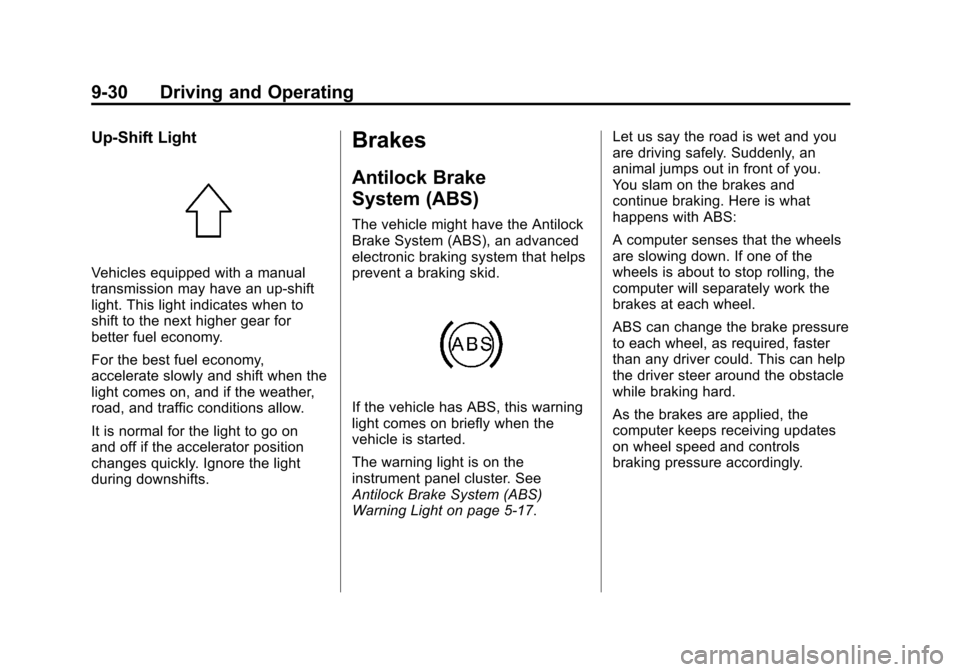
Up‐Shift Light
Vehicles equipped with a manual
transmission may have an up-shift
light. This light indicates when to
shift to the next higher gear for
better fuel economy.
For the best fuel economy,
accelerate slowly and shift when the
light comes on, and if the weather,
road, and traffic conditions allow.
It is normal for the light to go on
and off if the accelerator position
changes quickly. Ignore the light
during downshifts.
Brakes
Antilock Brake
System (ABS)
The vehicle might have the Antilock
Brake System (ABS), an advanced
electronic braking system that helps
prevent a braking skid.
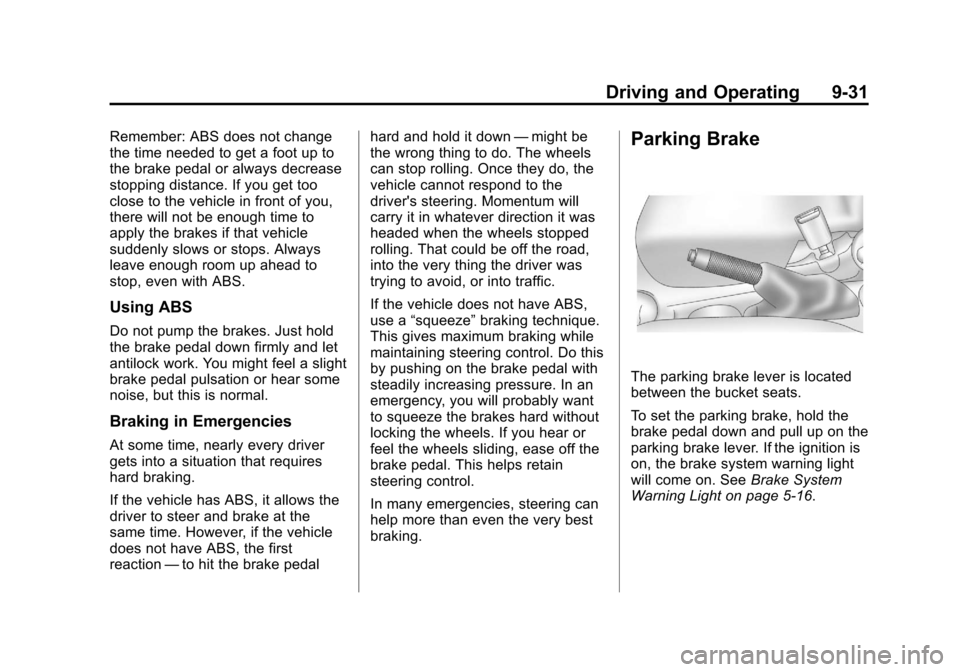
If the vehicle has ABS, this warning
light comes on briefly when the
vehicle is started.
The warning light is on the
instrument panel cluster. See
Antilock Brake System (ABS)
Warning Light on page 5‑17.Let us say the road is wet and you
are driving safely. Suddenly, an
animal jumps out in front of you.
You slam on the brakes and
continue braking. Here is what
happens with ABS:
A computer senses that the wheels
are slowing down. If one of the
wheels is about to stop rolling, the
computer will separately work the
brakes at each wheel.
ABS can change the brake pressure
to each wheel, as required, faster
than any driver could. This can help
the driver steer around the obstacle
while braking hard.
As the brakes are applied, the
computer keeps receiving updates
on wheel speed and controls
braking pressure accordingly.
Page 193 of 328
Black plate (31,1)Chevrolet Aveo Owner Manual - 2011
Driving and Operating 9-31
Remember: ABS does not change
the time needed to get a foot up to
the brake pedal or always decrease
stopping distance. If you get too
close to the vehicle in front of you,
there will not be enough time to
apply the brakes if that vehicle
suddenly slows or stops. Always
leave enough room up ahead to
stop, even with ABS.
Using ABS
Do not pump the brakes. Just hold
the brake pedal down firmly and let
antilock work. You might feel a slight
brake pedal pulsation or hear some
noise, but this is normal.
Braking in Emergencies
At some time, nearly every driver
gets into a situation that requires
hard braking.
If the vehicle has ABS, it allows the
driver to steer and brake at the
same time. However, if the vehicle
does not have ABS, the first
reaction—to hit the brake pedal hard and hold it down
—might be
the wrong thing to do. The wheels
can stop rolling. Once they do, the
vehicle cannot respond to the
driver's steering. Momentum will
carry it in whatever direction it was
headed when the wheels stopped
rolling. That could be off the road,
into the very thing the driver was
trying to avoid, or into traffic.
If the vehicle does not have ABS,
use a “squeeze” braking technique.
This gives maximum braking while
maintaining steering control. Do this
by pushing on the brake pedal with
steadily increasing pressure. In an
emergency, you will probably want
to squeeze the brakes hard without
locking the wheels. If you hear or
feel the wheels sliding, ease off the
brake pedal. This helps retain
steering control.
In many emergencies, steering can
help more than even the very best
braking.
Parking Brake
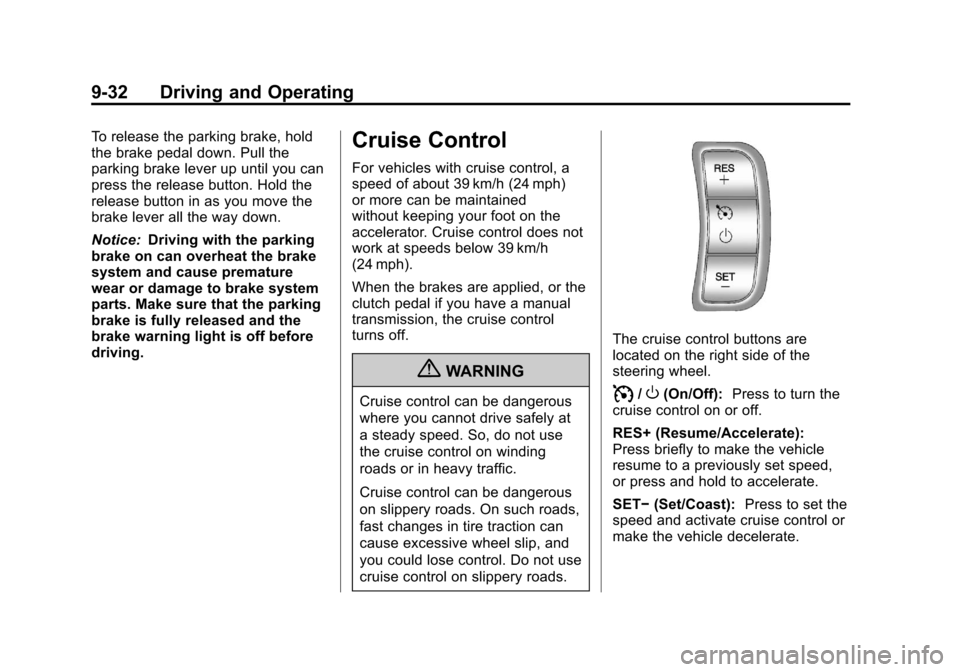
The parking brake lever is located
between the bucket seats.
To set the parking brake, hold the
brake pedal down and pull up on the
parking brake lever. If the ignition is
on, the brake system warning light
will come on. See Brake System
Warning Light on page 5‑16.
Page 194 of 328
Black plate (32,1)Chevrolet Aveo Owner Manual - 2011
9-32 Driving and Operating
To release the parking brake, hold
the brake pedal down. Pull the
parking brake lever up until you can
press the release button. Hold the
release button in as you move the
brake lever all the way down.
Notice:Driving with the parking
brake on can overheat the brake
system and cause premature
wear or damage to brake system
parts. Make sure that the parking
brake is fully released and the
brake warning light is off before
driving.Cruise Control
For vehicles with cruise control, a
speed of about 39 km/h (24 mph)
or more can be maintained
without keeping your foot on the
accelerator. Cruise control does not
work at speeds below 39 km/h
(24 mph).
When the brakes are applied, or the
clutch pedal if you have a manual
transmission, the cruise control
turns off.
{WARNING
Cruise control can be dangerous
where you cannot drive safely at
a steady speed. So, do not use
the cruise control on winding
roads or in heavy traffic.
Cruise control can be dangerous
on slippery roads. On such roads,
fast changes in tire traction can
cause excessive wheel slip, and
you could lose control. Do not use
cruise control on slippery roads.
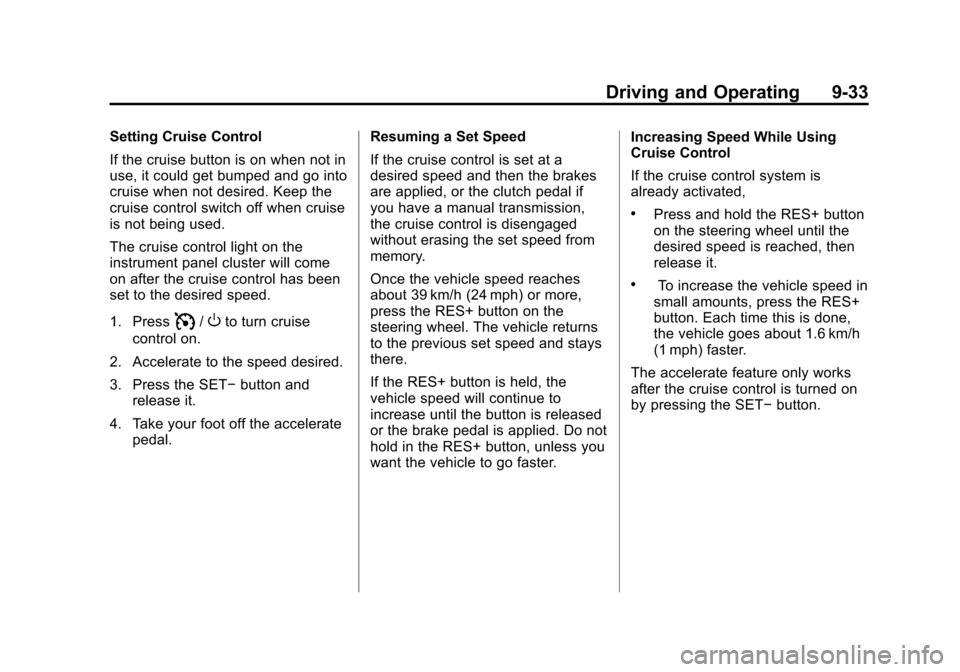
The cruise control buttons are
located on the right side of the
steering wheel.
I/O(On/Off): Press to turn the
cruise control on or off.
RES+ (Resume/Accelerate):
Press briefly to make the vehicle
resume to a previously set speed,
or press and hold to accelerate.
SET− (Set/Coast): Press to set the
speed and activate cruise control or
make the vehicle decelerate.
Page 195 of 328
Black plate (33,1)Chevrolet Aveo Owner Manual - 2011
Driving and Operating 9-33
Setting Cruise Control
If the cruise button is on when not in
use, it could get bumped and go into
cruise when not desired. Keep the
cruise control switch off when cruise
is not being used.
The cruise control light on the
instrument panel cluster will come
on after the cruise control has been
set to the desired speed.
1. Press
I/Oto turn cruise
control on.
2. Accelerate to the speed desired.
3. Press the SET− button and
release it.
4. Take your foot off the accelerate pedal. Resuming a Set Speed
If the cruise control is set at a
desired speed and then the brakes
are applied, or the clutch pedal if
you have a manual transmission,
the cruise control is disengaged
without erasing the set speed from
memory.
Once the vehicle speed reaches
about 39 km/h (24 mph) or more,
press the RES+ button on the
steering wheel. The vehicle returns
to the previous set speed and stays
there.
If the RES+ button is held, the
vehicle speed will continue to
increase until the button is released
or the brake pedal is applied. Do not
hold in the RES+ button, unless you
want the vehicle to go faster. Increasing Speed While Using
Cruise Control
If the cruise control system is
already activated,
.Press and hold the RES+ button
on the steering wheel until the
desired speed is reached, then
release it.
.To increase the vehicle speed in
small amounts, press the RES+
button. Each time this is done,
the vehicle goes about 1.6 km/h
(1 mph) faster.
The accelerate feature only works
after the cruise control is turned on
by pressing the SET− button.