2011 CADILLAC STS seat memory
[x] Cancel search: seat memoryPage 183 of 528
Black plate (77,1)Cadillac STS Owner Manual - 2011
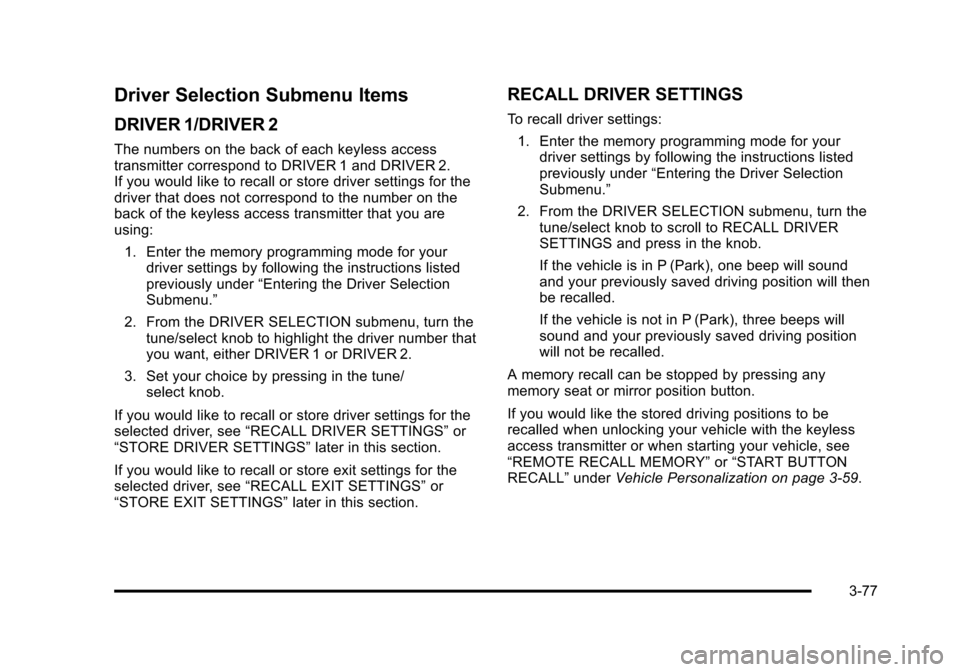
Driver Selection Submenu Items
DRIVER 1/DRIVER 2
The numbers on the back of each keyless access
transmitter correspond to DRIVER 1 and DRIVER 2.
If you would like to recall or store driver settings for the
driver that does not correspond to the number on the
back of the keyless access transmitter that you are
using:1. Enter the memory programming mode for your driver settings by following the instructions listed
previously under “Entering the Driver Selection
Submenu.”
2. From the DRIVER SELECTION submenu, turn the tune/select knob to highlight the driver number that
you want, either DRIVER 1 or DRIVER 2.
3. Set your choice by pressing in the tune/ select knob.
If you would like to recall or store driver settings for the
selected driver, see “RECALL DRIVER SETTINGS” or
“STORE DRIVER SETTINGS” later in this section.
If you would like to recall or store exit settings for the
selected driver, see “RECALL EXIT SETTINGS” or
“STORE EXIT SETTINGS” later in this section.
RECALL DRIVER SETTINGS
To recall driver settings:
1. Enter the memory programming mode for your driver settings by following the instructions listed
previously under “Entering the Driver Selection
Submenu.”
2. From the DRIVER SELECTION submenu, turn the tune/select knob to scroll to RECALL DRIVER
SETTINGS and press in the knob.
If the vehicle is in P (Park), one beep will sound
and your previously saved driving position will then
be recalled.
If the vehicle is not in P (Park), three beeps will
sound and your previously saved driving position
will not be recalled.
A memory recall can be stopped by pressing any
memory seat or mirror position button.
If you would like the stored driving positions to be
recalled when unlocking your vehicle with the keyless
access transmitter or when starting your vehicle, see
“REMOTE RECALL MEMORY” or“START BUTTON
RECALL” underVehicle Personalization on page 3‑59.
3-77
Page 184 of 528

Black plate (78,1)Cadillac STS Owner Manual - 2011
STORE DRIVER SETTINGS
To store driver settings:1. Adjust your settings for the driver seat, the outside rearview mirrors, and the steering column to a
comfortable driving position.
2. Enter the memory programming mode for your driver settings by following the instructions listed
previously under “Entering the Driver Selection
Submenu.”
3. From the DRIVER SELECTION submenu, turn the tune/select knob to scroll to STORE DRIVER
SETTINGS and press in the knob. Two beeps will
sound to confirm that your driver settings are
saved.
4. Set the HUD position, if your vehicle has this feature, the climate control temperature, fan speed
and mode settings, the radio presets, tone,
volume, playback mode (AM/FM, XM™, or CD),
and compact disc position.
Your memory settings are now programmed.
Any changes that are made to the HUD, audio
system, and climate controls while driving will be
automatically stored when the ignition is turned off.
5. Repeat the procedure for a second driver by programming the other driver number.
Entering the Driver Exit Settings
Submenu
To enter the memory programming mode for your exit
settings:
1. The ignition must be either on, in ACCESSORY, or in RAP and the transmission in P (Park) or the
vehicle speed less than 6 mph (9 km/h).
2. Press any button on the appropriate keyless access transmitter to identify yourself as Driver 1 or
Driver 2.
3. Turn on the radio by pressing the power/ volume knob.
4. Press the CNFG radio button to enter the main menu of the radio.
5. Turn the tune/select knob and scroll to SETUP.
6. Press the tune/select knob to enter the SETUP menu.
7. Turn the tune/select knob and scroll to DRIVER EXIT SETTINGS.
8. Press the tune/select knob to enter the DRIVER EXIT SETTINGS submenu. The following items will
appear:
.RECALL EXIT SETTINGS
.STORE EXIT SETTINGS
3-78
Page 185 of 528

Black plate (79,1)Cadillac STS Owner Manual - 2011
Driver Exit Settings Submenu Items
RECALL EXIT SETTINGS
To recall exit settings:1. Enter the memory programming mode for your exit settings by following the instructions listed
previously under “Entering the Driver Exit Settings
Submenu.”
2. From the DRIVER EXIT SETTINGS submenu, turn the tune/select knob to scroll to RECALL EXIT
SETTINGS and press in the knob.
If the vehicle is in P (Park), one beep will sound
and your previously saved exit position will then be
recalled.
If the vehicle is not in P (Park), three beeps will
sound and your previously saved exit position will
not be recalled.
A memory recall can be stopped by pressing any
memory seat or mirror position button.
If you would like the stored exit positions to be recalled
when your vehicle is in P (Park), the vehicle is off, and
the driver door is opened, see “AUTO EXIT SEAT”and
“AUTO EXIT COLUMN” underVehicle Personalization
on page 3‑59.
STORE EXIT SETTINGS
To store exit settings:
1. Adjust your settings for the driver seat, the outside rearview mirrors, and the steering column to a
comfortable exit position.
2. Enter the memory programming mode for your exit settings by following the instructions listed
previously under “Entering the Driver Exit Settings
Submenu.”
3. From the DRIVER EXIT SETTINGS submenu, turn the tune/select knob to scroll to STORE EXIT
SETTINGS and press in the knob. Two beeps will
sound to confirm that your new exit settings are
saved.
4. Repeat the procedure for a second driver by programming the other driver number.
3-79
Page 189 of 528

Black plate (3,1)Cadillac STS Owner Manual - 2011
Instrument Panel Overview
Hazard Warning Flashers
|:Press this button located on the console, near the
shift lever, to make the front and rear turn signal lamps
flash on and off. This warns others that you are having
trouble. Press again to turn the flashers off.
When the hazard warning flashers are on, the turn
signals do not work.
Horn
Press near or on the horn symbols on the steering
wheel pad to sound the horn.
Power Tilt Wheel and Telescopic
Steering Column
The power tilt and telescope wheel control is located on
the left side of the steering column.
To adjust the steering wheel:
.Push the control up or down to tilt the steering
wheel up or down.
.Push the control forward or rearward to move the
steering wheel towards the front or rear of the
vehicle.
To set the memory position, see Vehicle Personalization
on page 3‑59andMemory Seat, Mirrors and Steering
Wheel on page 3‑75.
4-3
Page 309 of 528
Black plate (123,1)Cadillac STS Owner Manual - 2011
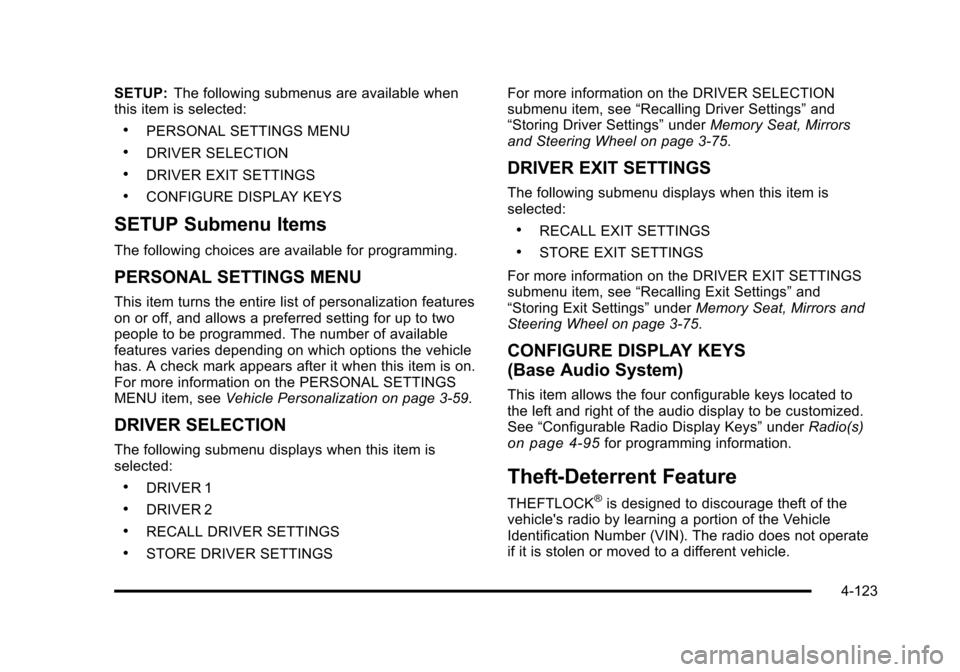
SETUP:The following submenus are available when
this item is selected:
.PERSONAL SETTINGS MENU
.DRIVER SELECTION
.DRIVER EXIT SETTINGS
.CONFIGURE DISPLAY KEYS
SETUP Submenu Items
The following choices are available for programming.
PERSONAL SETTINGS MENU
This item turns the entire list of personalization features
on or off, and allows a preferred setting for up to two
people to be programmed. The number of available
features varies depending on which options the vehicle
has. A check mark appears after it when this item is on.
For more information on the PERSONAL SETTINGS
MENU item, see Vehicle Personalization on page 3‑59.
DRIVER SELECTION
The following submenu displays when this item is
selected:
.DRIVER 1
.DRIVER 2
.RECALL DRIVER SETTINGS
.STORE DRIVER SETTINGS For more information on the DRIVER SELECTION
submenu item, see
“Recalling Driver Settings” and
“Storing Driver Settings” underMemory Seat, Mirrors
and Steering Wheel on page 3‑75.
DRIVER EXIT SETTINGS
The following submenu displays when this item is
selected:
.RECALL EXIT SETTINGS
.STORE EXIT SETTINGS
For more information on the DRIVER EXIT SETTINGS
submenu item, see “Recalling Exit Settings” and
“Storing Exit Settings” underMemory Seat, Mirrors and
Steering Wheel on page 3‑75.
CONFIGURE DISPLAY KEYS
(Base Audio System)
This item allows the four configurable keys located to
the left and right of the audio display to be customized.
See “Configurable Radio Display Keys” underRadio(s)
on page 4‑95for programming information.
Theft-Deterrent Feature
THEFTLOCK®is designed to discourage theft of the
vehicle's radio by learning a portion of the Vehicle
Identification Number (VIN). The radio does not operate
if it is stolen or moved to a different vehicle.
4-123
Page 473 of 528

Black plate (123,1)Cadillac STS Owner Manual - 2011
FusesUsage
AMP Amplifier
SPARE Spare
THEFT/SHFT Theft Sensors, Auto Shifter, Power
Sounder
MRTD MDL Magnetic Ride Control Module
(Option)
REAR DR MDL Rear Door Modules
ELC EXH Electronic Level Control, Exhaust
Solenoid (Option)
DDM Driver Door Module, Front Door
SubWoofers (Option)
TV/VICS/SCM Infotainment (Export Only),
Supervisory Control Module (Option)
REAR HTD/ SEATS Rear Heated Seats
SPARE Spare
SPARE Spare
Fuses Usage
IGN3Front Passenger Heated Seat, Auto
Shifter, Occupant Protection,
Electronic Tension Reducer for
Seatbelt
REAR
SHLF SPKR Rear Shelf Speaker (Option)
MSM Memory Seat Module Lumbar
TRUNK
RELSE SW Trunk Release, Valet Lockout Switch
BCK/UP LAMP Reverse Lamps, Rear Parking Aid,
Inside Rearview Mirrors
AIR BAG/BATT Airbag POS LAMPS Rear Taillamps
ELC CMPRSR Automatic Level Control (Option)
6-123
Page 522 of 528

Black plate (8,1)Cadillac STS Owner Manual - 2011
Lights (cont.)Engine Coolant Temperature Warning . . . . . . . . . . . . 4-61
Flash-to-Pass . . . . . . . . . . . . . . . . . . . . . . . . . . . . . . . . . . . . . . 4-9
Front Fog Lamps . . . . . . . . . . . . . . . . . . . . . . . . . . . . . . . . . 4-67
High/Low Beam Changer . . . . . . . . . . . . . . . . . . . . . . . . . . 4-5
Highbeam On . . . . . . . . . . . . . . . . . . . . . . . . . . . . . . . . . . . . . 4-68
Lane Departure Warning . . . . . . . . . . . . . . . . . . . . . . . . . . 4-60
Lights On Reminder . . . . . . . . . . . . . . . . . . . . . . . . . . . . . . 4-67
Oil Pressure . . . . . . . . . . . . . . . . . . . . . . . . . . . . . . . . . . . . . . 4-66
On Reminder . . . . . . . . . . . . . . . . . . . . . . . . . . . . . . . . . . . . . 4-31
Passenger Airbag Status Indicator . . . . . . . . . . . . . . . . 4-55
Safety Belt Reminders . . . . . . . . . . . . . . . . . . . . . . . . . . . . 4-53
Security . . . . . . . . . . . . . . . . . . . . . . . . . . . . . . . . . . . . . . . . . . 4-67
Tire Pressure . . . . . . . . . . . . . . . . . . . . . . . . . . . . . . . . . . . . . 4-62
Traction Control System (TCS) Warning . . . . . . . . . . 4-60
Limited-Slip Rear Axle . . . . . . . . . . . . . . . . . . . . . . . . . . . . . 5-11
Loading Your Vehicle . . . . . . . . . . . . . . . . . . . . . . . . . . . . . . 5-23
Lockout Switch, Valet . . . . . . . . . . . . . . . . . . . . . . . . . . . . . . 3-24
Locks Door . . . . . . . . . . . . . . . . . . . . . . . . . . . . . . . . . . . . . . . . . . . . . . 3-12
Lockout Protection . . . . . . . . . . . . . . . . . . . . . . . . . . . . . . . . 3-15
Power Door . . . . . . . . . . . . . . . . . . . . . . . . . . . . . . . . . . . . . . . 3-13
Programmable Automatic Door Locks . . . . . . . . . . . . 3-14
Rear Door Security Locks . . . . . . . . . . . . . . . . . . . . . . . . 3-14
Loss of Control . . . . . . . . . . . . . . . . . . . . . . . . . . . . . . . . . . . . 5-14
Lower Anchors and Tethers for Children . . . . . . . . . . . 2-45
Lumbar Power Controls . . . . . . . . . . . . . . . . . . . . . . . . . . . . . . . . . . . . 2-3M
Maintenance Schedule
Maintenance Record . . . . . . . . . . . . . . . . . . . . . . . . . . . . . 7-13
Maintenance Replacement Parts . . . . . . . . . . . . . . . . . 7-11
Owner Checks and Services . . . . . . . . . . . . . . . . . . . . . . . 7-7
Recommended Fluids and Lubricants . . . . . . . . . . . . . 7-9
Scheduled Maintenance . . . . . . . . . . . . . . . . . . . . . . . . . . . 7-3
Malfunction Indicator Lamp . . . . . . . . . . . . . . . . . . . . . . . . 4-62
Memory Mirrors . . . . . . . . . . . . . . . . . . . . . . . . . . . . . . . . . . . . 3-75
Memory Seat . . . . . . . . . . . . . . . . . . . . . . . . . . . . . . . . . . . . . . 3-75
Memory Seat, Mirrors, Steering Wheel Controls . . . . . . . . . . . . . . . . . . . . . . . . . . . . . . . . . . . . . . . . . . . .2-5
Memory Steering Wheel Controls . . . . . . . . . . . . . . . . . . 3-75
Message DIC Warnings and Messages . . . . . . . . . . . . . . . . . . . . . 4-76
Mirrors
Automatic Dimming Rearview . . . . . . . . . . . . . . . . . . . . . 3-37
Manual Rearview Mirror with Compass andTemperature . . . . . . . . . . . . . . . . . . . . . . . . . . . . . . . . . . . . 2-14
Memory . . . . . . . . . . . . . . . . . . . . . . . . . . . . . . . . . . . . . . . . . . . 3-75
Outside Automatic Dimming Mirror . . . . . . . . . . . . . . . . 3-39
Outside Convex Mirror . . . . . . . . . . . . . . . . . . . . . . . . . . . . 3-40
Outside Heated Mirrors . . . . . . . . . . . . . . . . . . . . . . . . . . . 3-40
Outside Power Mirrors . . . . . . . . . . . . . . . . . . . . . . . . . . . . 3-39
Park Tilt . . . . . . . . . . . . . . . . . . . . . . . . . . . . . . . . . . . . . . . . . . 3-40
MP3 . . . . . . . . . . . . . . . . . . . . . . . . . . . . . . . . . . . . . . . . . . . . . . 4-108
i - 8
Page 525 of 528

Black plate (11,1)Cadillac STS Owner Manual - 2011
Replacement PartsMaintenance . . . . . . . . . . . . . . . . . . . . . . . . . . . . . . . . . . . . . . 7-11
Reporting Safety Defects Canadian Government . . . . . . . . . . . . . . . . . . . . . . . . . . . . 8-17
General Motors . . . . . . . . . . . . . . . . . . . . . . . . . . . . . . . . . . . 8-17
U.S. Government . . . . . . . . . . . . . . . . . . . . . . . . . . . . . . . . . 8-16
Restraint System Check
Checking the Restraint Systems . . . . . . . . . . . . . . . . . . 2-72
Replacing Restraint System Parts After aCrash . . . . . . . . . . . . . . . . . . . . . . . . . . . . . . . . . . . . . . . . . . . 2-73
Retained Accessory Power (RAP) . . . . . . . . . . . . . . . . . 3-27
Ride Control Systems
Limited Slip Rear Axle . . . . . . . . . . . . . . . . . . . . . . . . . . . . 5-11
Roadside Service . . . . . . . . . . . . . . . . . . . . . . . . . . . . . . . . . . . .8-8
Rocking Your Vehicle to Get it Out . . . . . . . . . . . . . . . . . 5-23
Roof Sunroof . . . . . . . . . . . . . . . . . . . . . . . . . . . . . . . . . . . . . . . . . . . 3-57
Running the Vehicle While Parked . . . . . . . . . . . . . . . . . 3-36
S
Safety Belts Care of . . . . . . . . . . . . . . . . . . . . . . . . . . . . . . . . . . . . . . . . . .6-109
Extender . . . . . . . . . . . . . . . . . . . . . . . . . . . . . . . . . . . . . . . . . . 2-34
How to Wear Safety Belts Properly . . . . . . . . . . . . . . . 2-19
Lap-Shoulder Belt . . . . . . . . . . . . . . . . . . . . . . . . . . . . . . . . 2-28 Safety Belts (cont.)
Reminders . . . . . . . . . . . . . . . . . . . . . . . . . . . . . . . . . . . . . . . . 4-53
Safety Belts Are for Everyone . . . . . . . . . . . . . . . . . . . . 2-14
Use During Pregnancy . . . . . . . . . . . . . . . . . . . . . . . . . . . . 2-33
Safety Defects Reporting Canadian Government . . . . . . . . . . . . . . . . . . . . . . . . . . . . 8-17
General Motors . . . . . . . . . . . . . . . . . . . . . . . . . . . . . . . . . . . 8-17
U.S. Government . . . . . . . . . . . . . . . . . . . . . . . . . . . . . . . . . 8-16
Safety Warnings and Symbols . . . . . . . . . . . . . . . . . . . . . . . . iv
Scheduled Maintenance . . . . . . . . . . . . . . . . . . . . . . . . . . . . .7-3
Scheduling Appointments . . . . . . . . . . . . . . . . . . . . . . . . . . 8-11
Sealant Kit, Tire . . . . . . . . . . . . . . . . . . . . . . . . . . . . . 6-76, 6-85
Seats Heated and Ventilated Seats . . . . . . . . . . . . . . . . . . . . . . 2-5
Heated Seats . . . . . . . . . . . . . . . . . . . . . . . . . . . . . . . . . . . . . . 2-4
Heated Seats - Rear . . . . . . . . . . . . . . . . . . . . . . . . . . . . . . 2-14
Memory . . . . . . . . . . . . . . . . . . . . . . . . . . . . . . . . . . . . . . . . . . . 3-75
Memory, Mirrors . . . . . . . . . . . . . . . . . . . . . . . . . . . . . . . . . . . 2-5
Power Lumbar . . . . . . . . . . . . . . . . . . . . . . . . . . . . . . . . . . . . . 2-3
Power Reclining Seatbacks . . . . . . . . . . . . . . . . . . . . . . . 2-10
Power Seats . . . . . . . . . . . . . . . . . . . . . . . . . . . . . . . . . . . . . . . 2-2
Securing a Child Restraint Rear Seat Position . . . . . . . . . . . . . . . . . . . . . . . . . . . . . . . 2-51
Right Front Seat Position . . . . . . . . . . . . . . . . . . . . . . . . . 2-53
Security Light . . . . . . . . . . . . . . . . . . . . . . . . . . . . . . . . . . . . . . . . . . . . . . 4-67
i - 11