2011 BUICK REGAL radio
[x] Cancel search: radioPage 1 of 368

Black plate (1,1)Buick Regal Owner Manual - 2011
2011 Buick Regal Owner ManualM
In Brief. . . . . . . . . . . . . . . . . . . . . . . . 1-1
Instrument Panel . . . . . . . . . . . . . . 1-2
Initial Drive Information . . . . . . . . 1-4
Vehicle Features . . . . . . . . . . . . . 1-12
Performance and Maintenance . . . . . . . . . . . . . . . . 1-17
Keys, Doors and Windows . . . 2-1
Keys and Locks . . . . . . . . . . . . . . . 2-2
Doors . . . . . . . . . . . . . . . . . . . . . . . . . . 2-7
Vehicle Security . . . . . . . . . . . . . . . . 2-9
Exterior Mirrors . . . . . . . . . . . . . . . 2-10
Interior Mirrors . . . . . . . . . . . . . . . . 2-11
Windows . . . . . . . . . . . . . . . . . . . . . 2-12
Roof . . . . . . . . . . . . . . . . . . . . . . . . . . 2-15 Seats and Restraints
. . . . . . . . . 3-1
Head Restraints . . . . . . . . . . . . . . . 3-2
Front Seats . . . . . . . . . . . . . . . . . . . . 3-4
Rear Seats . . . . . . . . . . . . . . . . . . . . 3-9
Safety Belts . . . . . . . . . . . . . . . . . . 3-11
Airbag System . . . . . . . . . . . . . . . . 3-27
Child Restraints . . . . . . . . . . . . . . 3-40
Storage . . . . . . . . . . . . . . . . . . . . . . . 4-1
Storage Compartments . . . . . . . . 4-1
Additional Storage Features . . . 4-3
Instruments and Controls . . . . 5-1
Controls . . . . . . . . . . . . . . . . . . . . . . . 5-2
Warning Lights, Gauges, and Indicators . . . . . . . . . . . . . . . . . . . . 5-7
Information Displays . . . . . . . . . . 5-22
Vehicle Messages . . . . . . . . . . . . 5-25
Vehicle Personalization . . . . . . . 5-31 Lighting
. . . . . . . . . . . . . . . . . . . . . . . 6-1
Exterior Lighting . . . . . . . . . . . . . . . 6-1
Interior Lighting . . . . . . . . . . . . . . . . 6-4
Lighting Features . . . . . . . . . . . . . . 6-6
Infotainment System . . . . . . . . . 7-1
Introduction . . . . . . . . . . . . . . . . . . . . 7-1
Radio . . . . . . . . . . . . . . . . . . . . . . . . . . 7-7
Audio Players . . . . . . . . . . . . . . . . 7-14
Phone . . . . . . . . . . . . . . . . . . . . . . . . 7-20
Climate Controls . . . . . . . . . . . . . 8-1
Climate Control Systems . . . . . . 8-1
Air Vents . . . . . . . . . . . . . . . . . . . . . . . 8-4
Maintenance . . . . . . . . . . . . . . . . . . . 8-4
Page 5 of 368

Black plate (1,1)Buick Regal Owner Manual - 2011
In Brief 1-1
In Brief
Instrument Panel
Instrument Panel . . . . . . . . . . . . . . 1-2
Initial Drive Information
Initial Drive Information . . . . . . . . 1-4
Remote Keyless Entry (RKE)System . . . . . . . . . . . . . . . . . . . . . . 1-4
Door Locks . . . . . . . . . . . . . . . . . . . 1-5
Trunk Release . . . . . . . . . . . . . . . . 1-5
Windows . . . . . . . . . . . . . . . . . . . . . . 1-5
Seat Adjustment . . . . . . . . . . . . . . 1-5
Heated Seats . . . . . . . . . . . . . . . . . 1-7
Head Restraint Adjustment . . . . 1-7
Safety Belts . . . . . . . . . . . . . . . . . . . 1-7
Sensing System for Passenger Airbag . . . . . . . . . . . . . . . . . . . . . . . 1-8
Mirror Adjustment . . . . . . . . . . . . . 1-8 Steering Wheel Adjustment . . . 1-9
Interior Lighting . . . . . . . . . . . . . . . 1-9
Exterior Lighting . . . . . . . . . . . . . 1-10
Windshield Wiper/Washer . . . . 1-10
Climate Controls . . . . . . . . . . . . . 1-11
Transmission . . . . . . . . . . . . . . . . 1-12Vehicle Features
Radio(s) . . . . . . . . . . . . . . . . . . . . . 1-12
Satellite Radio . . . . . . . . . . . . . . . 1-13
Portable Audio Devices . . . . . . 1-13
Bluetooth
®. . . . . . . . . . . . . . . . . . . 1-14
Steering Wheel Controls . . . . . 1-14
Cruise Control . . . . . . . . . . . . . . . 1-15
Navigation System . . . . . . . . . . . 1-15
Driver Information Center (DIC) . . . . . . . . . . . . . . . 1-15
Vehicle Personalization . . . . . . 1-16
Ultrasonic Parking Assist . . . . 1-16
Power Outlets . . . . . . . . . . . . . . . 1-16
Sunroof . . . . . . . . . . . . . . . . . . . . . . 1-16
Performance and Maintenance
Traction Control System (TCS) . . . . . . . . . . . . . . 1-17
StabiliTrak
®System . . . . . . . . . 1-18
Tire Pressure Monitor . . . . . . . . 1-18
Engine Oil Life System . . . . . . 1-18
Fuel E85 (85% Ethanol) . . . . . 1-19
Driving for Better Fuel Economy . . . . . . . . . . . . . . . . . . . 1-19
Roadside Assistance Program . . . . . . . . . . . . . . . . . . . . 1-19
OnStar
®. . . . . . . . . . . . . . . . . . . . . 1-20
Page 16 of 368

Black plate (12,1)Buick Regal Owner Manual - 2011
1-12 In Brief
Transmission
Automatic Transmission
P:Park
R: Reverse
N: Neutral
D: Drive Manual Mode
Move the selector lever from
D (Drive) to the left. Press the shift
lever forward (+) to upshift or
rearward (−) to downshift.
The selector lever can only be
moved out of P (Park) when the
ignition is on and the brake pedal
is applied. To engage P (Park) or
R (Reverse), push the release
button.
See
Automatic Transmission on
page 9‑25.
Vehicle Features
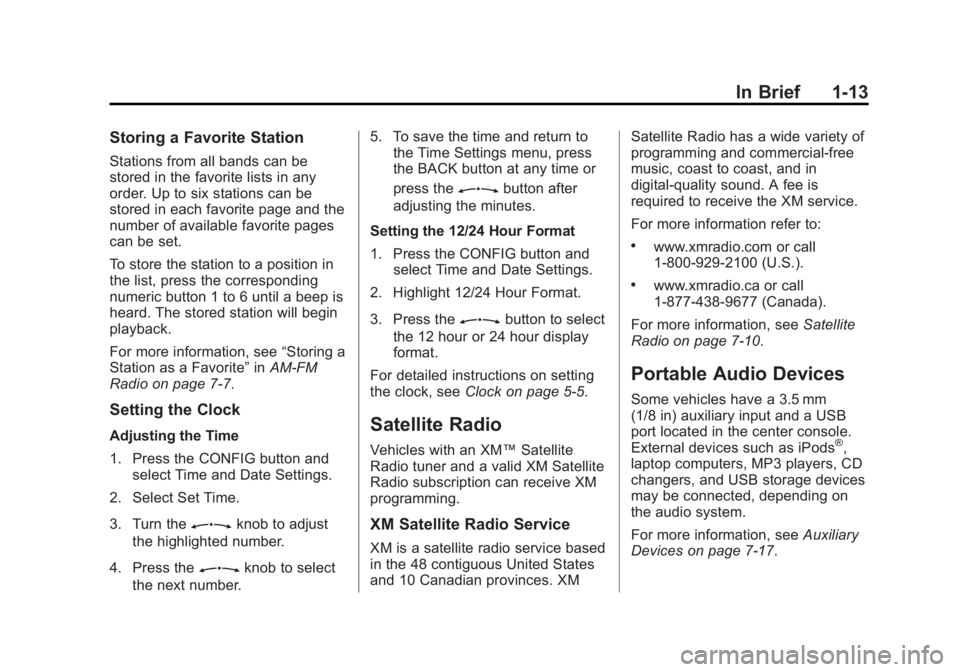
Radio(s)
3 O
:Press to turn the system
on and off. Turn to increase or
decrease the volume.
RADIO/BAND: Press to choose
between FM, AM, or XM™,
if equipped.
Z: Turn to select radio
stations.
s ©:Press to seek the previous
station or track.
¨ \:Press to seek the next
station or track.
Buttons 1 to 6: Press to save and
select favorite stations.
INFO: Press to show available
information about the current station
or track, or to display the time when
the ignition is off.
For more information about these
and other radio features, see
Operation on page 7‑4.
Page 17 of 368
Black plate (13,1)Buick Regal Owner Manual - 2011
In Brief 1-13
Storing a Favorite Station
Stations from all bands can be
stored in the favorite lists in any
order. Up to six stations can be
stored in each favorite page and the
number of available favorite pages
can be set.
To store the station to a position in
the list, press the corresponding
numeric button 1 to 6 until a beep is
heard. The stored station will begin
playback.
For more information, see“Storing a
Station as a Favorite” inAM-FM
Radio on page 7‑7.
Setting the Clock
Adjusting the Time
1. Press the CONFIG button and
select Time and Date Settings.
2. Select Set Time.
3. Turn the
Zknob to adjust
the highlighted number.
4. Press the
Zknob to select
the next number. 5. To save the time and return to
the Time Settings menu, press
the BACK button at any time or
press the
Zbutton after
adjusting the minutes.
Setting the 12/24 Hour Format
1. Press the CONFIG button and select Time and Date Settings.
2. Highlight 12/24 Hour Format.
3. Press the
Zbutton to select
the 12 hour or 24 hour display
format.
For detailed instructions on setting
the clock, see Clock on page 5‑5.
Satellite Radio
Vehicles with an XM™ Satellite
Radio tuner and a valid XM Satellite
Radio subscription can receive XM
programming.
XM Satellite Radio Service
XM is a satellite radio service based
in the 48 contiguous United States
and 10 Canadian provinces. XM Satellite Radio has a wide variety of
programming and commercial-free
music, coast to coast, and in
digital-quality sound. A fee is
required to receive the XM service.
For more information refer to:
.www.xmradio.com or call
1-800-929-2100 (U.S.).
.www.xmradio.ca or call
1-877-438-9677 (Canada).
For more information, see Satellite
Radio on page 7‑10.
Portable Audio Devices
Some vehicles have a 3.5 mm
(1/8 in) auxiliary input and a USB
port located in the center console.
External devices such as iPods
®,
laptop computers, MP3 players, CD
changers, and USB storage devices
may be connected, depending on
the audio system.
For more information, see Auxiliary
Devices on page 7‑17.
Page 18 of 368

Black plate (14,1)Buick Regal Owner Manual - 2011
1-14 In Brief
Bluetooth®
The Bluetooth system allows users
with a Bluetooth-enabled cell phone
to make and receive hands-free
calls using the vehicle audio
system, microphone, and controls.
The Bluetooth-enabled cell phone
must be paired with the in-vehicle
Bluetooth system before it can be
used in the vehicle. Not all phones
will support all functions.
SeeBluetooth (Overview) on
page 7‑20 orBluetooth
(Infotainment Controls) on
page 7‑21 orBluetooth (Voice
Recognition) on page 7‑23.
Steering Wheel Controls
For vehicles with audio steering
wheel controls, some audio controls
can be adjusted at the steering
wheel.
b/g: Press to interact with the
available Bluetooth, OnStar,
or navigation system.
$/i: Press to silence the
vehicle speakers only. Press again
to turn the sound on. For vehicles
with OnStar or Bluetooth systems,
press to reject an incoming call,
or to end a current call.
_SRC^: Turn_or^to select a
radio band or audio source.
Turn
_or^to select the next or
previous favorite radio station, CD,
or MP3 track.
Press SRC to change between
radio and CD or DVD.
+
x−: Press + to increase or −to
decrease the volume.
For more information, see Steering
Wheel Controls on page 5‑2.
Page 19 of 368

Black plate (15,1)Buick Regal Owner Manual - 2011
In Brief 1-15
Cruise Control
The cruise control buttons are
located on the steering wheel.
1:Press to turn the cruise control
system on and off. An indicator light
will turn on or off in the instrument
panel cluster.
*: Press to disengage cruise
control without erasing the set
speed from memory. RES/+ :
Move the thumbwheel up
to make the vehicle resume to a
previously set speed or to
accelerate to a higher speed.
SET/−: Move the thumbwheel down
to set a speed or to make the
vehicle decelerate.
See Cruise Control on page 9‑39.
Navigation System
If the vehicle has a navigation
system, there is a separate
Navigation System Manual that
includes information on the radio,
audio players, and navigation
system.
The navigation system provides
detailed maps of most major
freeways and roads. After a
destination has been set, the
system provides turn-by-turn
instructions for reaching the
destination. In addition, the system
can help locate a variety of points of
interest (POIs), such as banks,
airports, restaurants, and more. See the navigation system manual
for more information.
Driver Information
Center (DIC)
The DIC display is located in the
center of the instrument panel
cluster. It shows the status of many
vehicle systems. The controls for
the DIC are located on the turn
signal lever.
SET/CLR:
Press to set or clear the
menu item when it is displayed.
w x: Use the thumbwheel to
scroll through the items in
each menu.
Page 20 of 368

Black plate (16,1)Buick Regal Owner Manual - 2011
1-16 In Brief
MENU:Press to get to the Trip/
Fuel Menu and the Vehicle
Information Menu.
For more information, see Driver
Information Center (DIC) on
page 5‑22.
Vehicle Personalization
Some vehicle features can be
programmed by using the audio
system controls. These features
include:
.Climate and Air Quality
.Comfort and Convenience
.Collision/Detection Systems
.Language
.Lighting
.Power Door Locks
.Remote Lock/Unlock
See Vehicle Personalization on
page 5‑31.
Ultrasonic Parking Assist
Ultrasonic Rear Parking Assist
(URPA) uses sensors on the rear
bumper to detect objects while
parking the vehicle. It operates at
speeds less than 8 km/h (5 mph).
URPA uses audio beeps to provide
distance and system information.
Keep the sensors on the vehicle's
rear bumper clean to ensure proper
operation.
The system can be disabled by
pressing the park assist button
located next to the radio.
See Ultrasonic Parking Assist on
page 9‑42 for more information.
Power Outlets
The accessory power outlet can be
used to plug in electrical equipment,
such as a cell phone, an MP3
player, etc.
This outlet is located under the
armrest inside the center console
storage. The vehicle may have a 110v power
outlet located on the rear of the
center floor console.
Open the protective cover to use the
outlets.
See
Power Outlets on page 5‑5.
Sunroof
On vehicles with a sunroof, the
switch is located on the overhead
console.
Page 25 of 368

Black plate (21,1)Buick Regal Owner Manual - 2011
In Brief 1-21
OnStar service requires wireless
communication networks and the
Global Positioning System (GPS)
satellite network. Not all OnStar
services are available everywhere
or on all vehicles at all times.
OnStar service cannot work unless
the vehicle is in a place where
OnStar has an agreement with a
wireless service provider for service
in that area, and the wireless
service provider has coverage,
network capacity, reception, and
technology compatible with OnStar
service. Service involving location
information about the vehicle cannot
work unless GPS signals are
available, unobstructed, and
compatible with the OnStar
hardware. The vehicle must have a
working electrical system and
adequate battery power for the
OnStar equipment to operate.
OnStar service may not work if the
OnStar equipment is not properly
installed or you have not maintained
it even if the vehicle is in good
working order and in compliancewith all government regulations.
If you try to add, connect, or modify
any equipment or software in the
vehicle, OnStar service may not
work. Other problems beyond
OnStar's control may prevent
service to you, such as hills, tall
buildings, tunnels, weather,
electrical system design and
architecture of the vehicle, damage
to important parts of the vehicle in a
crash, or wireless phone network
congestion or jamming.
See
Radio Frequency Statement on
page 13‑15 for information
regarding Part 15 of the Federal
Communications Commission (FCC)
rules and Industry Canada
Standards RSS-210/220/310.
OnStar Steering Wheel
Controls
This vehicle may have a Talk/Mute
button that can be used to interact
with OnStar Hands-Free calling.
See Steering Wheel Controls on
page 5‑2 for more information. On some vehicles, the Talk button
can be used to dial numbers into
voice mail systems, or to dial phone
extensions. See the OnStar Owner's
Guide for more information.
Your Responsibility
Increase the volume of the radio if
the OnStar Advisor cannot be
heard.
If the light next to the OnStar
buttons is red, the system may not
be functioning properly. Push
Q
and request a vehicle diagnostic
check. If the light appears clear
(no light appears), your OnStar
subscription has expired and all
services have been deactivated.
Push
Qto confirm that the OnStar
equipment is active.