2011 BMW 1 SERIES service
[x] Cancel search: servicePage 171 of 256

Communications
This chapter describes how to use the
telephone, BMW Assist and TeleService.
Communications
Page 176 of 256

Telephone
174
Accepting a call
Press the button on the steering wheel
or
"Accept"
Rejecting a call
"Reject"
The caller is connected to your mailbox if it has
been activated.
Ending a call
Press the button on the steering wheel
or
1."Telephone"
2."Active calls"
3.Select an active call.
Dialing phone numbers
1."Telephone"
2."Dial number"
3.Select the digits individually.4. Select this symbol to establish the con-
nection
or
press the button on the steering wheel.
The phone number can also be entered using
voice commands
*, refer to page177.
For your phone number to be displayed to the
person you are talking to, the display of phone
numbers must be enabled by your provider.
Calls with multiple parties
You can switch between calls and combine two
calls to a single conference call. These func-
tions must be supported by the mobile phone
and the service provider.
Accepting a call while speaking to
another party
This function depends on the service provider
and may have to be enabled. The mobile phone
may have to be set up accordingly.
If a second call comes in during an active call,
you will hear a call waiting signal.
"Accept"
The call is accepted and the existing call is put
on hold.
Establishing a second call
Establish another call during an active call.
1."Telephone"
2."Active calls"
Page 177 of 256
175
Entertainment
Reference
At a glance
Controls
Driving tips Communications
Navigation
Mobility
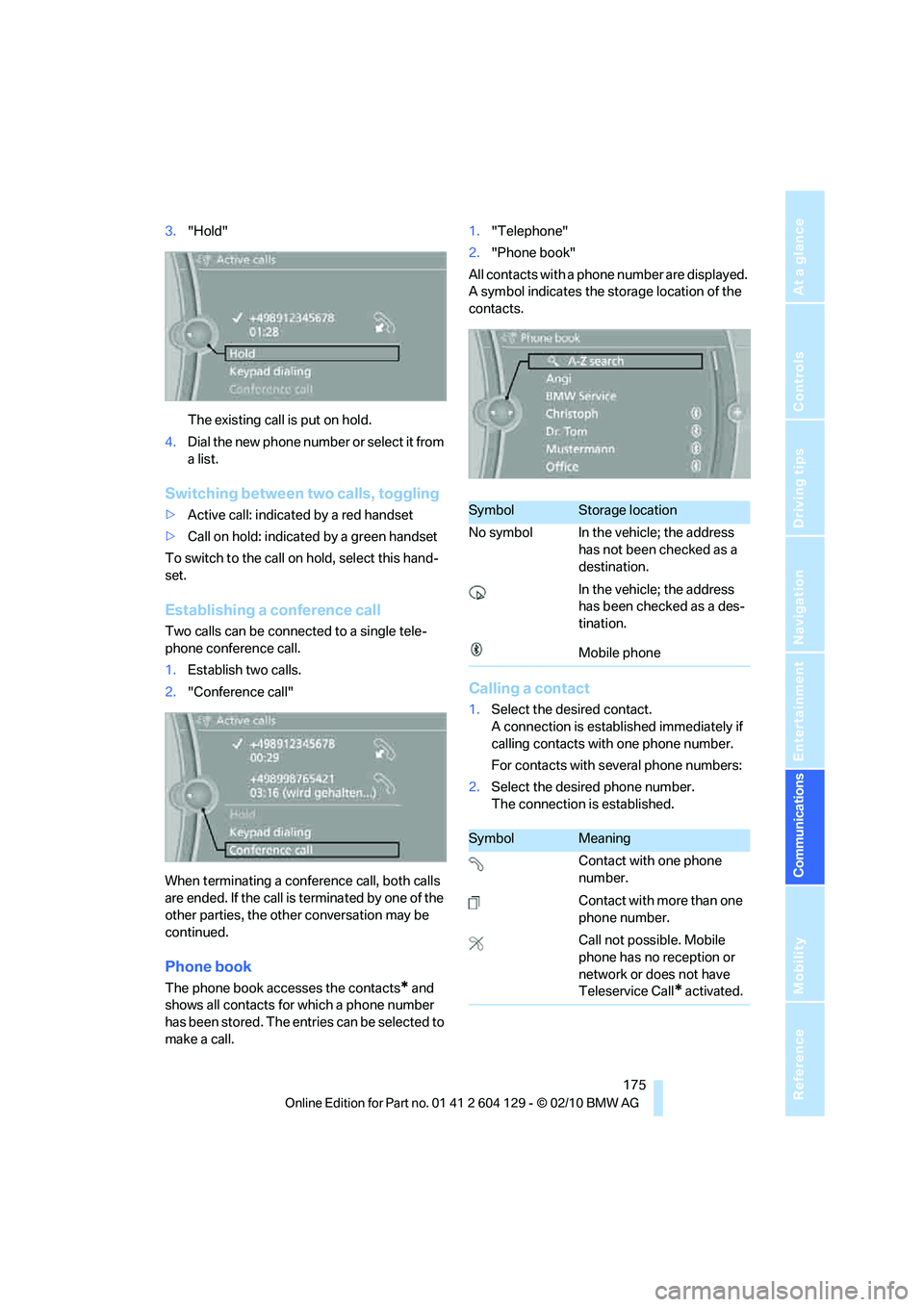
3."Hold"
The existing call is put on hold.
4.Dial the new phone number or select it from
a list.
Switching between two calls, toggling
>Active call: indicated by a red handset
>Call on hold: indicated by a green handset
To switch to the call on hold, select this hand-
set.
Establishing a conference call
Two calls can be connected to a single tele-
phone conference call.
1.Establish two calls.
2."Conference call"
When terminating a conference call, both calls
are ended. If the call is terminated by one of the
other parties, the other conversation may be
continued.
Phone book
The phone book accesses the contacts* and
shows all contacts for which a phone number
has been stored. The entries can be selected to
make a call.1."Telephone"
2."Phone book"
All contacts with a phone number are displayed.
A symbol indicates the storage location of the
contacts.
Calling a contact
1.Select the desired contact.
A connection is established immediately if
calling contacts with one phone number.
For contacts with several phone numbers:
2.Select the desired phone number.
The connection is established.
SymbolStorage location
No symbol In the vehicle; the address
has not been checked as a
destination.
In the vehicle; the address
has been checked as a des-
tination.
Mobile phone
SymbolMeaning
Contact with one phone
number.
Contact with more than one
phone number.
Call not possible. Mobile
phone has no reception or
network or does not have
Teleservice Call
* activated.
Page 179 of 256
177
Entertainment
Reference
At a glance
Controls
Driving tips Communications
Navigation
Mobility
Displaying messages
1."Telephone"
2."Messages"
3.Select the desired message.
My Info
To start destination guidance:
1.Select the message that contains the
desired destination.
2."Start guidance" or "Add as another
dest.".
To dial the number in the message:
1.Select the message that contains the
desired number.
2. "Call"
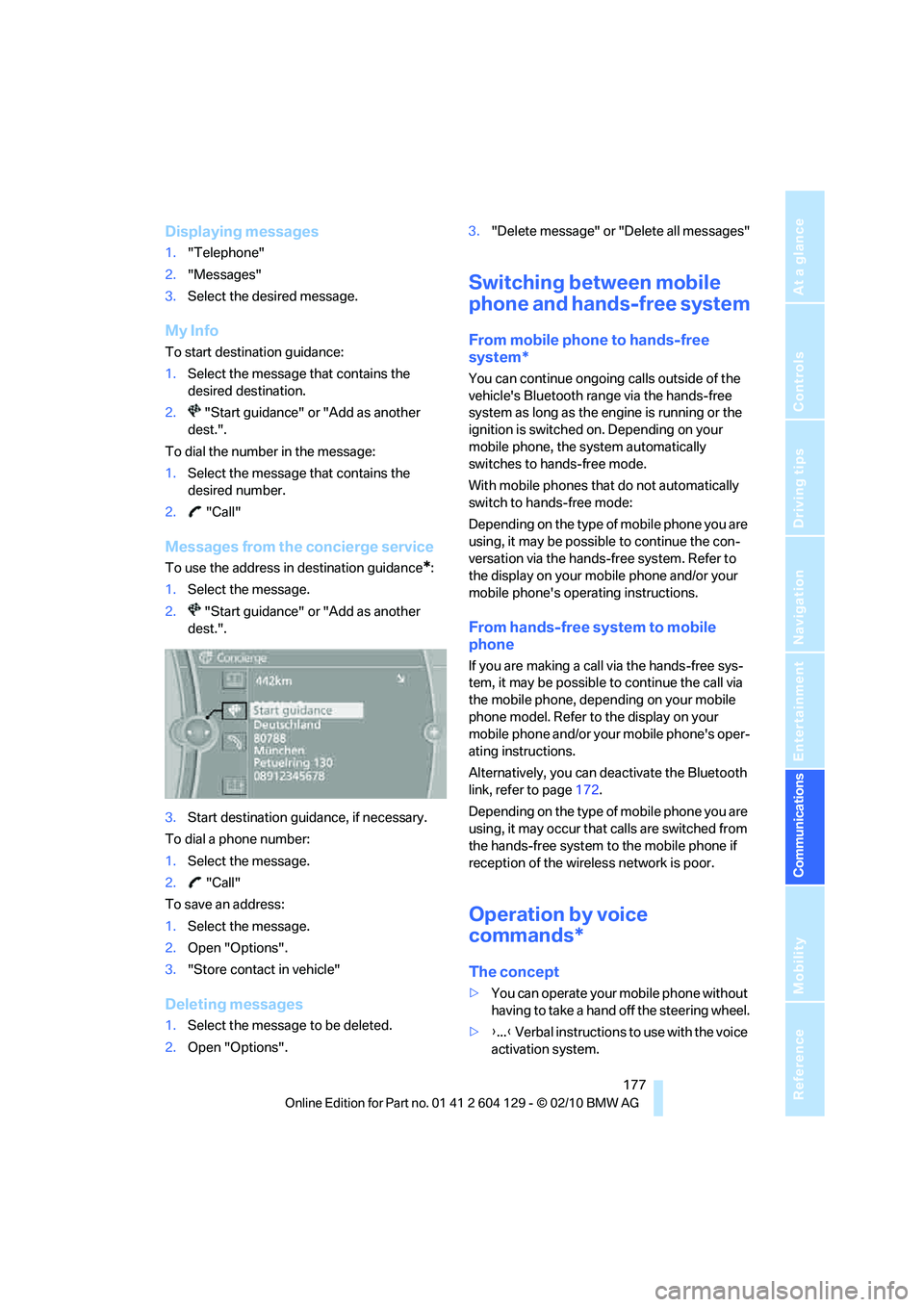
Messages from the concierge service
To use the address in destination guidance*:
1.Select the message.
2."Start guidance" or "Add as another
dest.".
3.Start destination guidance, if necessary.
To dial a phone number:
1.Select the message.
2."Call"
To save an address:
1.Select the message.
2.Open "Options".
3."Store contact in vehicle"
Deleting messages
1.Select the message to be deleted.
2.Open "Options".3."Delete message" or "Delete all messages"
Switching between mobile
phone and hands-free system
From mobile phone to hands-free
system*
You can continue ongoing calls outside of the
vehicle's Bluetooth range via the hands-free
system as long as the engine is running or the
ignition is switched on. Depending on your
mobile phone, the system automatically
switches to hands-free mode.
With mobile phones that do not automatically
switch to hands-free mode:
Depending on the type of mobile phone you are
using, it may be possible to continue the con-
versation via the hands-free system. Refer to
the display on your mobile phone and/or your
mobile phone's operating instructions.
From hands-free system to mobile
phone
If you are making a call via the hands-free sys-
tem, it may be possible to continue the call via
the mobile phone, depending on your mobile
phone model. Refer to the display on your
mobile phone and/or your mobile phone's oper-
ating instructions.
Alternatively, you can deactivate the Bluetooth
link, refer to page172.
Depending on the type of mobile phone you are
using, it may occur that calls are switched from
the hands-free system to the mobile phone if
reception of the wireless network is poor.
Operation by voice
commands*
The concept
>You can operate your mobile phone without
having to take a hand off the steering wheel.
>{...} Verbal instructions to use with the voice
activation system.
Page 186 of 256
BMW Assist
184
BMW Assist
BMW Assist*
BMW Assist provides a number of different ser-
vices. For example, the position data of the
vehicle can be transmitted to the BMW Assist
Response Center when an Emergency
Request
* is sent.
Many BMW Assist services depend on the con-
tract individually agreed upon.
After your contract has expired, the BMW
Assist system will be deactivated by the BMW
Assist Response Center without you having to
visit a BMW center. After the BMW Assist sys-
tem has been deactivated, no BMW Assist ser-
vices will be available. The BMW Assist system
can be reactivated by a BMW center after a new
contract has been signed.
Requirements
>The installed BMW Assist system is logged
in to a wireless communications network.
This network must be capable of transmit-
ting the services.
>To transmit position data, the vehicle must
be able to determine its current position.
>To activate and update BMW Assist, a GPS
signal must be available.
>The BMW Assist service contract was
signed with your BMW center or with the
BMW Assist Response Center. The service
must have been fully enabled.
>BMW Assist is activated.
Services offered
>Emergency Request: when you press the
SOS button, a connection to the BMW
Assist Response Center is established. The
BMW Assist Response Center then speaks
with you and takes further steps to help you.
>Automatic Collision Notification: under cer-
tain conditions, a connection to the BMW
Assist Response Center is established after
a serious accident. If possible, the BMW Assist Response Center then speaks with
you and takes further steps to help you.
>Enhanced Roadside Assistance: BMW
Roadside Assistance
* can be contacted if
assistance is needed in the event of a
breakdown. If possible, the vehicle data and
position data are transmitted during this
call.
>Customer Relations: connection to Cus-
tomer Relations for information on all
aspects of your vehicle.
>TeleService: data on your vehicle's service
status or required inspections are transmit-
ted to your BMW center, either automati-
cally before a service due date or when you
request a BMW service appointment.
>Remote Door Unlock: the BMW Assist
Response Center provides assistance if, for
example, the remote control is not available
and the vehicle needs to be opened.
>Stolen Vehicle Recovery: after you report to
the police that your vehicle was stolen, the
BMW Assist Response Center can deter-
mine its position.
>In addition, the optional Convenience Plan
offers a concierge service and information
on route planning, the traffic situation and
weather. Using Critical Calling, a limited
number of calls can be made via the BMW
Assist Response Center, for example if the
mobile phone is not available or discharged.
Press the SOS button to contact the BMW
Assist Response Center.
*
Page 187 of 256
185
Entertainment
Reference
At a glance
Controls
Driving tips Communications
Navigation
Mobility
TeleService*
TeleService supports communication with your
BMW center.
>Data on the vehicle's service requirements
can be sent directly to the BMW center. In
this way, the BMW center can plan its work
in advance. This shortens the duration of
the service appointment.
>In the event of a breakdown, data on the
vehicle's condition can be sent directly to
Roadside Assistance
*.
>The service varies by country.
>Connection may incur charges.
>Services may be restricted abroad.
Requirements
>BMW Assist is activated.
>Wireless reception is available.
>The engine is running.
Concierge service*
When you call the BMW Assist Concierge ser-
vice, you can obtain information about, for
example, restaurants, emergency pharmacy
services, gas stations or hotels, as well as
receive the corresponding telephone numbers
and addresses.
You can then dial a phone number directly or
use an address for destination guidance
*.
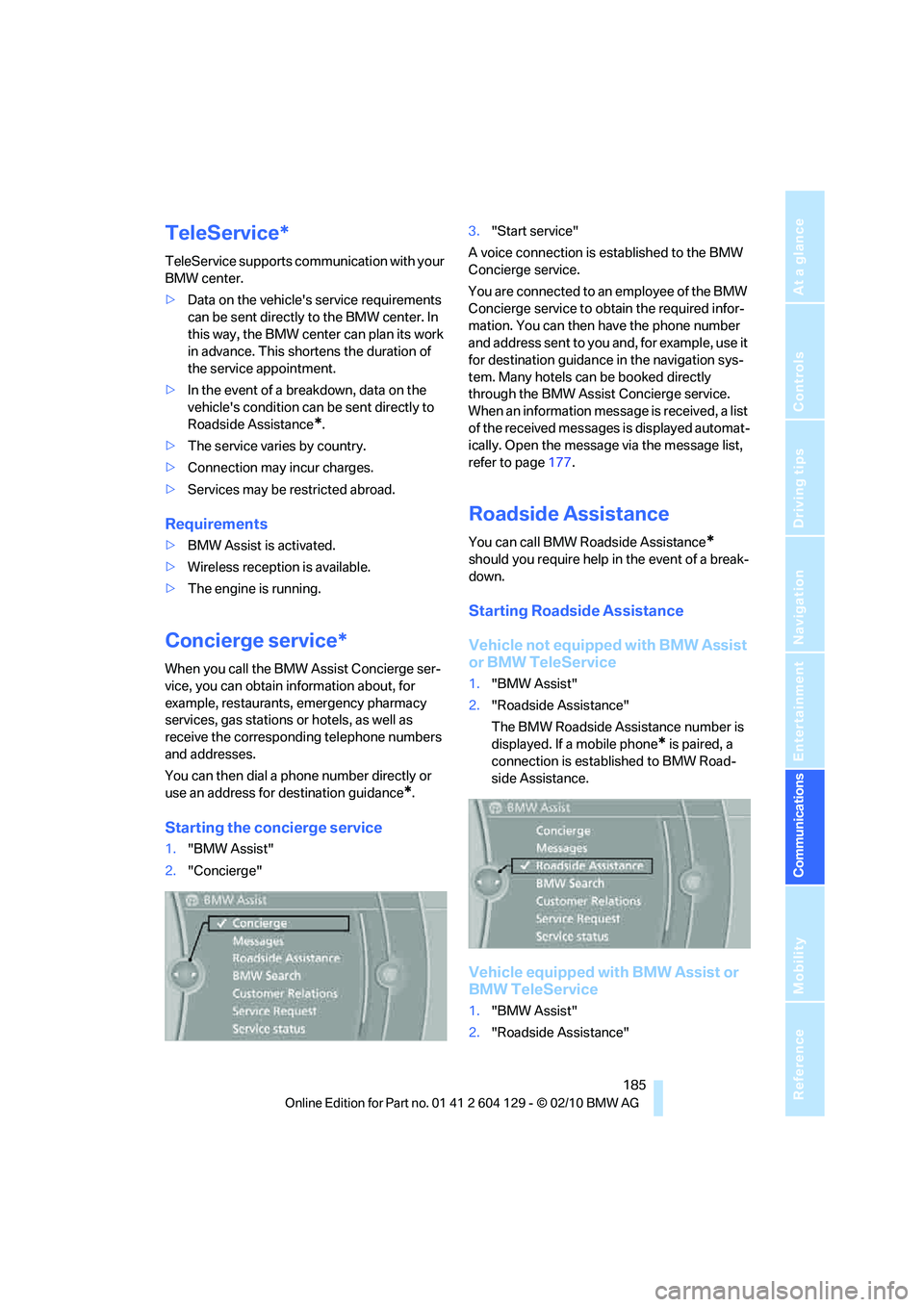
Starting the concierge service
1."BMW Assist"
2."Concierge"3."Start service"
A voice connection is established to the BMW
Concierge service.
You are connected to an employee of the BMW
Concierge service to obtain the required infor-
mation. You can then have the phone number
and address sent to you and, for example, use it
for destination guidance in the navigation sys-
tem. Many hotels can be booked directly
through the BMW Assist Concierge service.
When an information message is received, a list
of the received messages is displayed automat-
ically. Open the message via the message list,
refer to page177.
Roadside Assistance
You can call BMW Roadside Assistance*
should you require help in the event of a break-
down.
Starting Roadside Assistance
Vehicle not equipped with BMW Assist
or BMW TeleService
1."BMW Assist"
2."Roadside Assistance"
The BMW Roadside Assistance number is
displayed. If a mobile phone
* is paired, a
connection is established to BMW Road-
side Assistance.
Vehicle equipped with BMW Assist or
BMW TeleService
1."BMW Assist"
2."Roadside Assistance"
Page 188 of 256
BMW Assist
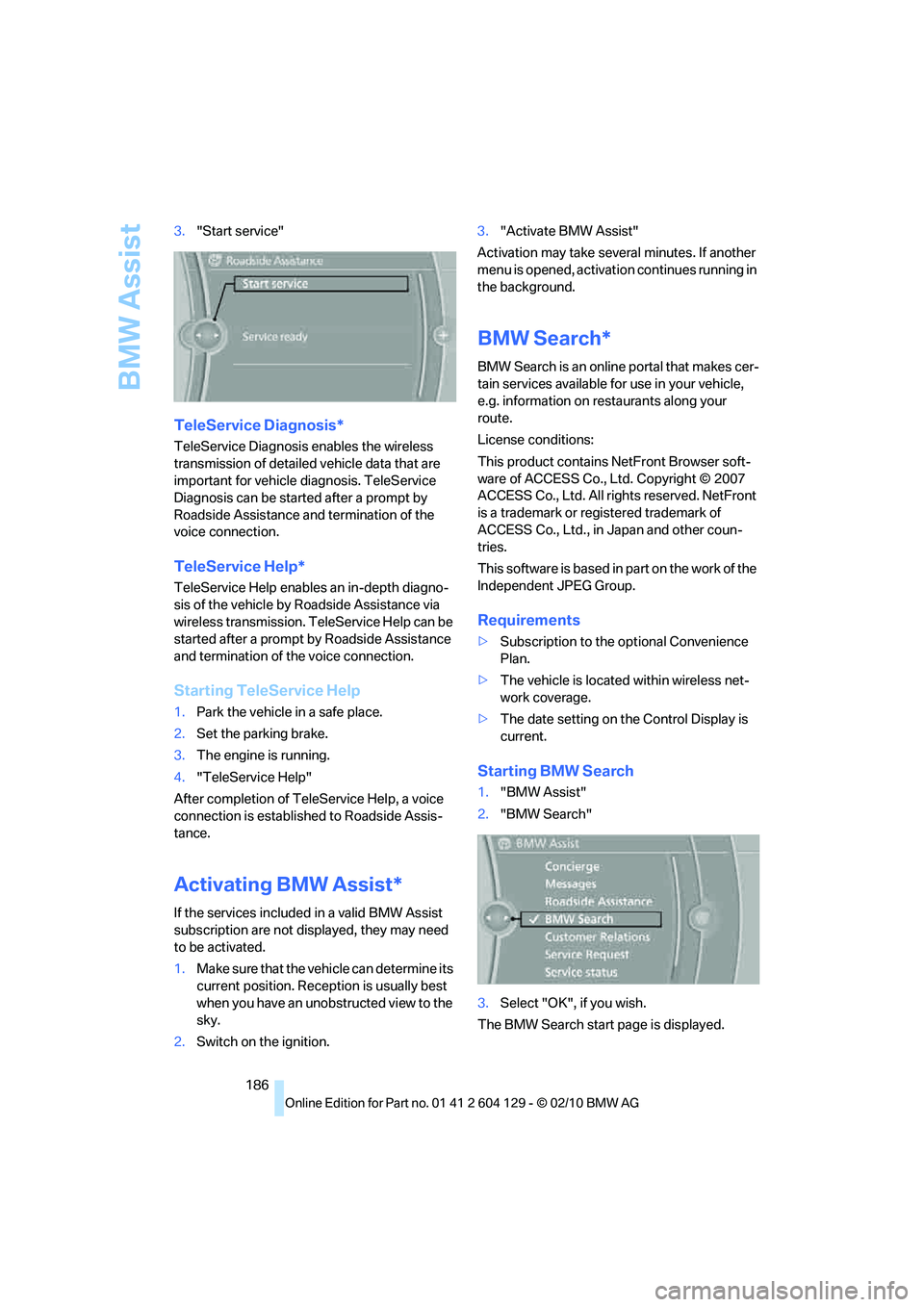
186 3."Start service"
TeleService Diagnosis*
TeleService Diagnosis enables the wireless
transmission of detailed vehicle data that are
important for vehicle diagnosis. TeleService
Diagnosis can be started after a prompt by
Roadside Assistance and termination of the
voice connection.
TeleService Help*
TeleService Help enables an in-depth diagno-
sis of the vehicle by Roadside Assistance via
wireless transmission. TeleService Help can be
started after a prompt by Roadside Assistance
and termination of the voice connection.
Starting TeleService Help
1.Park the vehicle in a safe place.
2.Set the parking brake.
3.The engine is running.
4."TeleService Help"
After completion of TeleService Help, a voice
connection is established to Roadside Assis-
tance.
Activating BMW Assist*
If the services included in a valid BMW Assist
subscription are not displayed, they may need
to be activated.
1.Make sure that the vehicle can determine its
current position. Reception is usually best
when you have an unobstructed view to the
sky.
2.Switch on the ignition.3."Activate BMW Assist"
Activation may take several minutes. If another
menu is opened, activation continues running in
the background.
BMW Search*
BMW Search is an online portal that makes cer-
tain services available for use in your vehicle,
e.g. information on restaurants along your
route.
License conditions:
This product contains NetFront Browser soft-
ware of ACCESS Co., Ltd. Copyright © 2007
ACCESS Co., Ltd. All rights reserved. NetFront
is a trademark or registered trademark of
ACCESS Co., Ltd., in Japan and other coun-
tries.
T h i s s o f t w a r e is b a s e d in p a rt o n t he w o r k o f t h e
Independent JPEG Group.
Requirements
>Subscription to the optional Convenience
Plan.
>The vehicle is located within wireless net-
work coverage.
>The date setting on the Control Display is
current.
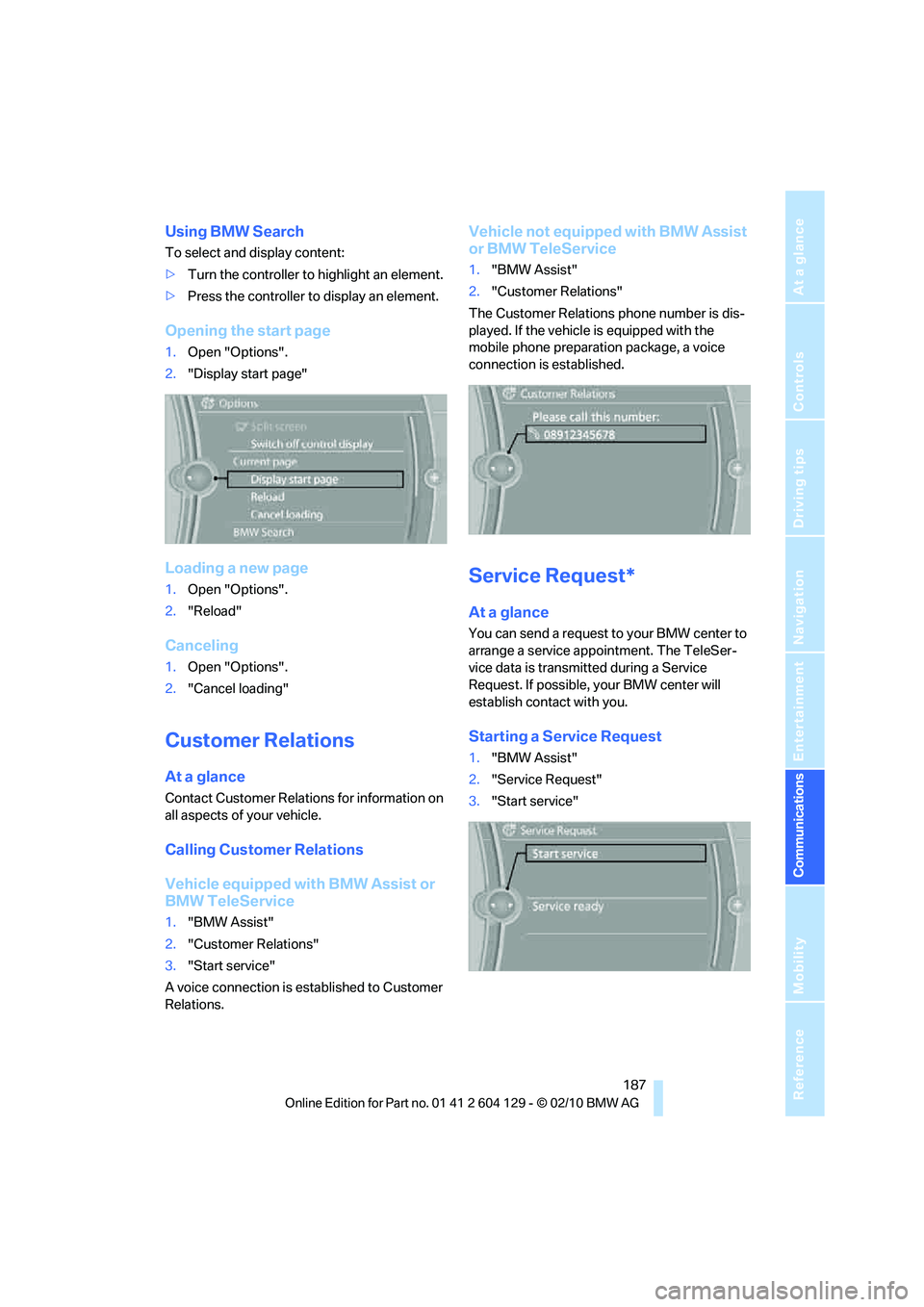
Starting BMW Search
1."BMW Assist"
2."BMW Search"
3.Select "OK", if you wish.
The BMW Search start page is displayed.
Page 189 of 256
187
Entertainment
Reference
At a glance
Controls
Driving tips Communications
Navigation
Mobility
Using BMW Search
To select and display content:
>Turn the controller to highlight an element.
>Press the controller to display an element.
Opening the start page
1.Open "Options".
2."Display start page"
Loading a new page
1.Open "Options".
2."Reload"
Canceling
1.Open "Options".
2."Cancel loading"
Customer Relations
At a glance
Contact Customer Relations for information on
all aspects of your vehicle.
Calling Customer Relations
Vehicle equipped with BMW Assist or
BMW TeleService
1."BMW Assist"
2."Customer Relations"
3."Start service"
A voice connection is established to Customer
Relations.
Vehicle not equipped with BMW Assist
or BMW TeleService
1."BMW Assist"
2."Customer Relations"
The Customer Relations phone number is dis-
played. If the vehicle is equipped with the
mobile phone preparation package, a voice
connection is established.
Service Request*
At a glance
You can send a request to your BMW center to
arrange a service appointment. The TeleSer-
vice data is transmitted during a Service
Request. If possible, your BMW center will
establish contact with you.
Starting a Service Request
1."BMW Assist"
2."Service Request"
3."Start service"