2011 AUDI S8 fog light
[x] Cancel search: fog lightPage 86 of 302

84 On the road
Cruise control
Switching on
The cruise control system makes it possible to
drive at a constant speed starting at 20 mph
(30 km/h).
0
f
®t
0
Fig. 83 Control lever w it h set butt on
Fig . 84 D is pl ay: Selected speed
"' Pull the lever to position (D c::> fig. 83 to
switch the system on.
"' Drive at the speed you wish to set.
"'Press button@to set that speed .
I :i:. ... a,
The stored speed and the ind icator light
[ij;W~1~ (US models) / 0 (Canadian models) ap
pear in the instrument cluster display
c:;, fig. 84 . The display may vary, depending on
the type of display in your vehicle . The indic a
tor light . in the instrument cluster also illu
minates.
The speed is kept constant
via an engine out
put adjustment or active brake intervention .
8_ WARNING
-Always pay attention to traffic even when
the cruise control is switched on . You are
always responsible for your speed and
the distance between your vehicle and
other vehicles. -
For safety reasons, the cruise contro l
should not be used in the city, in stop
and-go traffic, on twisting roads and
when road conditions are poor (such as ice, fog, gravel, heavy rain and hydro
plan ing) - risk of accident.
- Turn off the cruise control temporarily when enter ing turn lanes, highway exit
lanes or in construction zones .
- Please note that inadvertently "resting" your foot on the accelerator pedal causes
the cruise control not to brake. This is
because the cruise control is overridden
by the drive r's acceleration.
- If a brake system malfunction such as
overheating occurs when the cruise con
trol system is switched on, the braking
function in the system may be switched
off . The other cruise control functions re
main active as long as the indicator light
m:lmi (US models)/ . (Canadian mod
els) is on.
(D Tips
The brake lights illuminate as soon as th e
brakes decelerate automatically.
Changing speed
"' Press lever in the 0 or O direction
c::>page 84, fig. 83 to increase or decrease
your speed.
"' Release the lever to save that speed .
Change speed in increments of 1 mph (1 km/
h) by lightly press ing the lever. If you keep the
lever pressed down , you will alter your speed
in 5 mph (10 km/h) increments .
You can also press the accelerator pedal down
to increase your speed, e .g. if you want to
pass someone . The speed you saved earlier
will resume as soon as you release the acceler
ator pedal.
If, however, you exceed your saved speed by
6 mph (10 km/h) for longer than 5 minutes,
the cruise control will turn off temporari ly.
The green symbol in the display
c> page 84, .,..
Page 99 of 302

Audi lane assist: currently not available. no
sensor vision
This message appears if the camera is unable
to detect the lines. This could happen if:
- The camera field of view
c::> page 95, fig . 96
is dirty or covered in ice. Clean the area on
the windshield.
- The camera field of view is fogged over. Wait
until the fog has cleared before switching
lane assist on.
- The system has been unable to detect the
lanes for an extended period of time due to
road conditions such as lanes covered in
snow. Switch lane assist back on when the
lines are more visible.
Audi lane assist: currently not available
There is a temporary lane assist malfunction.
Try switching lane assist on again later.
Audi lane assist: system fault
Drive to your authorized Audi dealer immedi
ately to have the malfunction corrected.
Setting the warning point and steering
wheel vibration
App lies to vehicles: with lane ass ist
You can adjust individual settings in the MMI.
~ Select : ICARI function button> Car systems
control button > Driver assist > Audi lane
assist.
Setting the warning point Early:
With this setting, a warning is provided
before a wheel touches the detected lane
boundary line. The warning depends on the
angle in which the vehicle is approaching the
line. The distance at which the warning is giv
en increases as the angle becomes sharper. If
you drive toward a boundary line at a very sharp angle, the warning will come just before
a wheel touches the line.
Medium: With this setting, the warning point
is adapted to the course of the road, the lane
width and the speed. You will still be warned
Audi lane assist 97
if you cross slightly over a dotted line when
driving on curves.
Late: This setting has the same properties as
medium. You will only be warned once a
wheel crosses a detected line.
Setting the steering wheel vibration
The steering wheel vibration can be set to
Low, Medium or Strong. Selecting each of the
settings will cause the steering wheel to vi
brate so you can check the strength of the vi
bration in that setting.
(D Tips
Your settings are automatically stored and
assigned to the remote control key being
used.
Page 112 of 302
110 Night vis ion assis tant
steering angle. The pedestrian warning
prompts you to pay even closer attention to
the area in front of the vehicle and to watch
out for pedestrians.
I f another display such as the tr ip computer
replaces the image from the night vision as
sistant, the indicator light turns red when
there is a pedestrian warning
I c:> fig. 114.
@ Tips
The pedestrian marking and warning tone
can be adjusted in the MMI
r::!)poge 111.
General information
Applies to vehicles: with night vision assistant
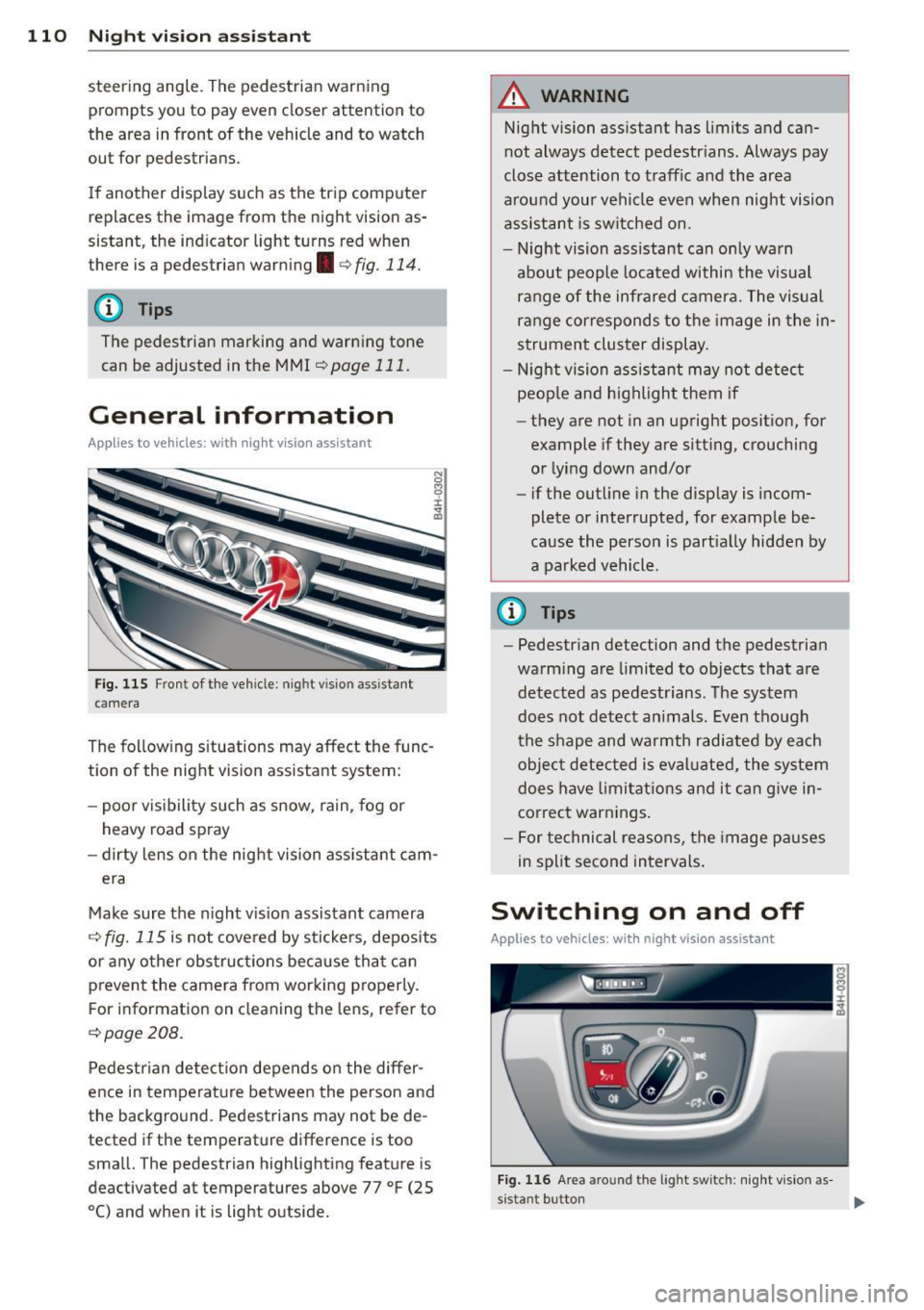
Fig. 115 Front of the vehi cle: night vision assistant
camera
The following s ituations may affect the func
tion of the night vision assistant system:
- poor vis ibility such as snow, ra in , fog or
heavy road spray
- dirty lens on the night vision ass istant cam -
era
Make sure the night vis ion assistant camera
r::!) fig. 115 is not cove red by stickers, deposits
or any other obstruc tions because tha t can
p revent the camera from working p roperly.
F or information on cleaning the lens, refer to
r::!) page 208.
Pedestrian detect ion depends o n the differ
ence in temperat ure between the person and
the background. Pedestrians may not be de
tected if the temperature difference is too
small. The pedestrian highlighting feature is
deactivated at temperatures above 77 °F (25
0
() and when it is light outside.
A WARNING
--
Night vision assistant has limits and can
not always detect pedestrians . Always pay
close attention to traffic and the area
around your vehicle even when night vision
assis tant is sw itched on.
- Night vision assistant can only warn
about people located within the visual
range of the infrared camera. The visual
ra nge corresponds to the image in the in
strument cluster display .
- Night vision assistant may not detect
peop le and highlight them if
- they are not in an upright posit ion, for
example if they are sitting, crouching
o r lying down and/or
- if the outline in the disp lay is incom
plete or interrupted, for example be
cause the perso n is part ial ly hidden by
a parked vehicle.
@ Tips
- Pedestrian detection and the pedestrian
warm ing are limited to objects that are
detected as pedest rians . The system
does not detect an imals. Even though
the shape and warmth radiate d by each
objec t detected is eval uated, the system
does have limitat ions and it can g ive in
correct warnings .
- For technical reasons, the image pauses
in split second intervals.
Switching on and off
Applies to vehicles : with night vision assistant
Fig. 116 Area around the light switch: night vis ion as-
s istant button ..,_
Page 213 of 302

A WARNING ,~
- Always read and heed all WAR NINGS and
other information
c:> pag e 206.
- The w indshield must not be treated with
water -repe llent materials. They can in
creas e glare under poor visibility condi
t ions such as wetness, darkness, or when
the sun is low on the horizon. In addi
ti on, they can cause the windshield wip
ers to cha tter.
(D Note
- Never use warm or hot water to remove
snow and ice from windows and m irrors.
This cou ld cause the g lass to c rack.
- To prevent damage to the wires of the
r ear defogger, do not place a ny ad hesive
stickers on the inside of the rear wi ndow
ove r the wires .
- To he lp prevent di rt from sc ratching the
window, always scr ape in a forw ard d i
rection - p ush ing the scraper away from
you - never back and fo rth.
Weatherstrips
Complete car care includes the weatherstrips
as well .
.,. Apply a suitab le rubber condi tioner to the
weathe rstrips from time to time.
To be able seal p roperly, the weatherstr ips
a round the hood, doors, rear lid, e tc. m ust re
main pliable . Spray the weatherstrips w ith sil
i cone or coat them with talcum powder or
g lycerine to retain the flexibility of the rubber
and to protect them against freezing in the
winter .
A WARNING
Always read and heed all WARNINGS and other information
c:> page 206.
Keep s ilicone sprays off the windsh ield to
avoid wiper smear in ra in.
Cleaning and protec tion
Cast (light) alloy wheels
Cast (light) alloy wheels require special care.
.,. Wash the wheels with a sponge or hose
brush every other week.
.,. For deep clean ing afterwards, use o nly a
ded icated acid-fr ee cast alloy wheel cleaner .
.,. Rub a coat of liquid wax onto the rims every
three month. Be sure to reach and treat all
pa rts of the rim.
To preserve the decorative appearance of the cast alloy wheels, som e special care is neces
sa ry. In addi tion to road d irt and salt, brake
dust is a lso co rrosive . If left on fo r too long,
brake d ust can cause pitt ing.
Use only spec ia l
acid-free cleaners formulated
fo r alloy r ims. Safe produc ts are ava ilab le at
yo ur Audi dealer. Never leave the cleane r on
the rims longer than specified on the label. If
not rinsed off prompt ly, the acid con tained in
some cleaners can attack the threads on the
whee l bolts .
Never use abrasive o r metal po lis hi ng clean
ing agents .
If the protective coating has been
c h ipped, e.g . by kicked up road dirt, to uch it
u p as soon as possible .
A WARNING
--Moisture and ice o n brakes may affect
brak ing eff ic iency
c:> page 192, General
information.
Test the brakes ca refully
each time you wash the vehicle.
- Always read and heed a ll WARNINGS and
other info rmation
¢ page 206.
Body cavity sealing
The body cavity sealing does not need to be
checked.
A ll body cavities which could be affected by
corros ion have been thorough ly protected at
the factory.
T his sealing does not require any inspection or
additional treatment. If any wax should seep
o ut of the cavity when the ambient
Iii>-
21 1
•
•
Page 235 of 302

@ For the sake of the environment
Because of the problem of proper disposa l
of brake fl uid as we ll as the special tools
requ ired and the necessary expert ise, we
recommend that you have t he brake fluid
changed by your author ized Audi dealer .
Battery
General information
Under normal operating conditions, the bat
tery in your Audi does not need any mainte
nance. With
high outside temperatures or
long daily dr ive s we recommend that you have
the electro lyte level checked by a service fa
cility . The electrolyte level shou ld a lso be
checked each time the battery is charged
¢ page 235.
Have the battery checked when you take your
ve hicle in for service . Yo u are well adv ised to
replace a battery that is older than 5 yea rs .
W ith certa in types of a irbag deployment, t he
b attery is d isconnected from the vehicle elec
tr ica l system for safety reasons¢.&.
in Re
pair, care and disposal of the airbags on
page 159.
Disconnecting the battery terminals
Some vehicle functions (power w indow regu
lators , for example) are lost if the battery ter
m inals a re d isconnected. These func tions have
to be re lea rned after the batte ry term inals a re
connected agai n. T o prevent this , the bat tery
should only be d isconnec ted from the vehicle
e lec tric al system when absolu tely necessa ry
for repairs .
Vehicles not driven for long periods
If you do not drive you r vehicle over a period
of severa l days or weeks, elec trical compo
nen ts are gr adually cut b ack o r swi tched off .
This redu ces energy cons umption and main
tains starting capab ility over a longer per io d
¢ page 195.
Be aw are tha t when you unlock yo ur vehicle ,
some of the conven ien ce f unct ions may no t
Checkin g and fillin g 233
opera te , such as the Conven ience key*, the re
mote control or the power seat adjustment .
T he convenience functions will be ava ilab le
again when you switch on the ign ition and
start the eng ine.
Winter operat ion
D uring the w inte r mon ths, bat tery capacity
tends to dec rease as temperatures drop . This
is beca use more power is a lso consumed wh ile
starting, and the headlights, rear window de
fogger, etc., are used more often.
Avoid unnecessary powe r consum ptio n, pa r
ticu lar ly in city traffic or when traveling only
short distances. Let your autho riz ed Audi
dealer check the capacity of the vehicle bat
te ry before w inter sets in¢
page 235 . A well
c h arged battery will not on ly prevent s tarti ng
problems w hen the weather is cold, but wi ll
also last longer.
(D Tips
If you r vehicle is left s tandi ng for seve ral
weeks at extremely low temperatures, the
vehicle ba ttery s hould be removed an d
s to red w here i t w ill not fr eeze . T his w ill
p revent it from be in g damaged and having
to be replaced.
Working on the battery
Be especially careful when working on or near
the bat tery.
T he battery is lo cated in the l uggage compa rt
ment unde r the floo r. B efo re you che ck a ny
thi ng in the luggage com partmen t,
read and
heed all WARNINGS
¢ .&, .
Alw ays heed t he safety warning s, when work
ing on the vehicle b atte ry or the vehicle e lec -
t rical system to prevent i njury. .,..
•
•
Page 295 of 302

_______________________________ I~ n~ d:::: e~x 293
Leaving home ... ... .... ... .. .. .. ... .
Lifting jack ....................... .
Lifting points 45
265
277
Lifting vehicle ............. .... .. ... 277
Light
Ambience lighting ......... ...... ... 46
Com ing/Leaving home ............ ... 45
D aytime r unning lights ..............
43
Emergency flashers . . . . . . . . . . . . . . . . . 44
Exterior lighting ....... ... .. .. ......
43
Headlig ht range contro l ... .. .. .. .. .. 43
High beam ..... ...... ... .. .. .. .... 45
Low beam .. ............. .... .. ....
43
Park ing lights . ........... .. .. .. .... 43
Rear fog lights ..................... 43
Turn signa ls ....................... 45
Light/rain sensor Headlights . .. ........... .. .. .. ....
43
Intermittent (windshield wipers) .. .. .. 48
Sensor defective . . . . . . . . . . . . . . . . . . . . 21
Loading the roof rack . . . . . . . . . . . . . . . . . 68
Locking
Powe r locking switch . . . . . . . . . . . . . . . .
34
Rear lid .. .. .. ........... .. .. .. .... 35
Remote control .......... .. .. .. .. ..
3 2
Using the key ... ...... ... .. .. .. ... .
Low beams 34
43
Lower universal anchorages (Canada) 181
Lugg age compartmen t
L uggage compartment net ... .. .. ....
65
Pass-t hro ugh with ski sack . . . . . . . . . . . 66
Stowing luggage . ..... ... .. .. .. .. .
133
Tie-downs . . . . . . . . . . . . . . . . . . . . . . . . . 65
L umba r su pport
Fr ont seats . . . . . . . . . . . . . . . . . . . . . . . .
5 6
Rear seats .. .... .. .... ... .. .. .. .... 57
M
M ain tenance . ............. .... .. ... 283
Malfunct ion Indicator Lamp (MIL) 20, 27
Massage function
Front seats . . . . . . . . . . . . . . . . . . . . . . . .
56
Rear seats .. ............. .... .. .... 57
Reclining rear seat ........ .. .. .. .. .. 60
Mechanical key . . . . . . . . . . . . . . . . . . . . . .
30
Mir ro rs
Adjusting th e exterior mirrors .... .. .. .
51
Compass . ... .. .. .. . .. ... .... ... .. . 52
d' . 1mming .... .. .. ................. . 51
Vanity mirrors . . . . . . . . . . . . . . . . . 47, 48
Moni toring the Advanced Airbag System 156
Mult ifunct ion steer ing whee l ......... .. 24
N
Natura l leather .. ... ................ 213
New ti res and wheels
NH TSA
Co ntacting
N ight vision assistant ............... .
Cleaning camera lens .............. .
N umber of seats ...... .. .. ..... ... . .
0
249
135
109
208
137
Occ upant seating positions .... ... .. .. 128
Octane rat ing ... ... ................ 218
Odometer . . . . . . . . . . . . . . . . . . . . . . . . . . 26
OFF (automa tic climate control) ... .. .. . 75
Oil
refer to Engine oil ................ . 224
On-board computer . . . . . . . . . . . . . . . . . . 24
On-Boa rd Di agnost ic System (O BD)
Data Link Conne ctor (D LC) ............
28
Electronic speed limi ter . ..... ... .. .. . 28
Malfunction Indicator Lamp (MIL) . ... . 27
Open door/hood/rear lid wa rni ng ....... 27
Opening
Hood ....... .. ...... .............
222
Panoramic sunroof .. . .. .. ..... ... .. . 41
Power w indows .................... 39
Rea r lid . . . . . . . . . . . . . . . . . . . . . . . 36, 37
Slid ing/ti lting s unroof .......... .... .
40
Sun shades . . . . . . . . . . . . . . . . . . . . 42 , 47
Operate your vehicle economically and
minimize pollution ..................
199
Other equipment (efficiency program) . .. 25
p
Paint
T o uch -up . ... .. .... . ... ...... ... ..
210
Pa int No. 279
•
•
Page 296 of 302

294 Index
Panoramic sunroof ........... .. .... .. 41
Sun shade . . . . . . . . . . . . . . . . . . . . . . . . . 42
Parking . .. .... ........... ........ .. 82
Valet park ing ............ .. .. .. .. .. 40
Park ing brake ... . ...... ... .. .. .. .. .. 81
also refer to Electromechanical park ing
brake .. .. .. ................ ... ... . 81
Parking lights ............. .... .... .. 43
Parking system
C leaning camera lens ............... 208
Parking system advanced
Adjust ing the display .......... .. .. . 122
Adjust ing the warning tones .. .. .. ... 122
Rear view camera -parking mode 1 .. . 121
Rear view camera -parking mode 2 . .. 121
Safety precautions ................ . 118
Switching on and off ....... .... ... . 120
Parts replacement ......... .... .... . 285
Pass-through with ski sack . . . . . . . . . . . . . 66
PASSENGER AIR BAG OFF light .... ... . 1S6
Passenger protection ........ ..... .. . 188
Passive safety system ......... .. .... . 127
Pedals .. .. .. ............. .. .. .. .. . 132
Physical principles of a frontal collision . 138
Polishing .... ................ ..... . 209
Pollutant filter (automatic A/C system) . . 7 4
Power locking system . . . . . . . . . . . . . . . . . 31
Locking/unlocking the vehicle from in-
side . .. .. .. ................ ... ... . 34
Rear lid .. .. ... .... ...... .. .. .. .. .. 35
Selective unlock feature . .. .. .. .. .. . . 32
Settings . . . . . . . . . . . . . . . . . . . . . . . . . . 32
Unlock ing and locking vehicle ... .. .. . . 32
Power seat adjustment Front seats . . . . . . . . . . . . . . . . . . . . . . . . S5
Rear seats .. ................ ... ... . S7
Power steering (servotronic) . .. .. .. .. . 194
Power windows . . . . . . . . . . . . . . . . . . . . . . 39
malfunction . . . . . . . . . . . . . . . . . . . . . . . 39
Pregnant women
Special considerations when wearing a
safety belt . . . . . . . . . . . . . . . . . . . . . . . 142
pre sense .. .. ... .. ..... ... .... .. .. . 188
Preventative passenger protection . . . . . 188
Programming the Homelink ® universal re-
mote control .............. .. .. .. .. . 124 Proper
occupant seating positions ... .. 128
Proper safety belt position ............ 141
Proper seating position Front passenger .. ............. .... 129
Occupants . .. .. .. .. .. ... ..... ... .. 128
Rear passengers .. ..... ........... . 130
Q
quattro ®
refer to All Wheel Drive . . . . . . . . . . . . . 194
Question What happens to unbelted occupants? 138
Why safety belts? ............. .... 137
R
Radiator fan ...... ................ . 231
Radio clock ... .. .. ............. .. .. . 26
Rain/light senso r
Headlights .. ...... ... ..... ... .. .. . 43
Intermittent (w indshield wipers) ...... 48
Sensor defective . . . . . . . . . . . . . . . . . . . . 21
Range (fuel level) . . . . . . . . . . . . . . . . . . . . 24
Reading lights ... .. ............. .. .. . 46
Rear fog lights .. .. ....... ...... .. .. . 43
Rear lid Automatic operation .............. .. 36
Emergency release ............... .. . 37
Escape handle . .. ............. .... 259
Opening and closing ..... ...... .. .. . 35
Rear light Defective . . . . . . . . . . . . . . . . . . . . . . . . . 21
Rear seats Adjusting individual seats ....... .... . 57
Entry assistance . . . . . . . . . . . . . . . . . . . . 60
Front passenger seat adjustment . . . . . . 60
Reclining rear seat ................ .. 59
Rear view camera
Reverse Parking .. ............. .. .. 121
Rear view mirror ... ....... ...... .. .. . 51
Rear window heating ................. 76
Recirculation mode (automat ic climate
control) .... .... ................... . 7S
Reclining rear seat . ... .. ....... ... .. . 59
Refrigerator
refer to Cooler . . . . . . . . . . . . . . . . . . . . 216
Refuelling .... .. .. .. ... ............ 220