Page 381 of 614

�Î
�Î
With the system set, you can still
open the trunk with the remote
transmitter/keyless access remote
without triggering the alarm. The
alarm will sound if the trunk is
opened with the trunk release button
on the driver’s door, the trunk
release handle behind the trunk
pass-through cover, or the
emergency trunk opener.
Use the remote transmitter/
keyless access remote to quickly
check that the hood, the trunk, and
all doors are closed. Push the lock
button twice within 5 seconds.
There should be an audible
confirmation beep. The security system will not set if
the hood, trunk, or any door is not
f ully closed. If the system will not set,
turn the ignition switch to the ON
(II) position, and check the
indicators on the multi-information
display. Close any door or the trunk
indicated on the display. Check the
hood visually since it is not part of
the display, and shut it if necessary.
Do not attempt to alter this system
or add other devices to it.
Models equipped with the
keyless access system have an
engine start/stop button instead
of an ignition switch. ON Mode
is the equivalent of ON (II). For
more inf ormation, see pagesand .
Once the security system is set,
opening any door (without using the
key or the remote transmitter/
keyless access remote), the hood, or
the trunk will cause the alarm to
activate. It will also activate if the
audio unit is removed f rom the
dashboard or the wiring is cut.
You can also set the security system
by pressing the lock button on either
f ront door handle while carrying the
keyless access remote.
:
178 181
On models with keyless access system
Security System
378
NOTE:
10/07/29 12:29:16 31TK4620_383
2011 TL
Page 405 of 614
This command group allows you to
change or customize HFL basic
settings.Press and release the HFL Talk
button bef ore a command.
Say ‘‘ .’’ Once a passcode is set, you
will need to enter it to use HFL
each time you start the vehicle. If
you forget the code, your dealer
will have to reset it for you, or
you will have to clear the entire
system (see page ).
Follow the HFL prompts to
conf irm the number. Follow the HFL prompts and say
the 4-digit passcode you want to
set. Say‘‘ ’’aftertheprompts.
1.
2.
3.
4. 404
System Setup
System setup
Security
T o set a 4-digit passcode t o lock t heHFL system f or security purposes:
BluetoothHandsFreeL ink(Models without navigation system)
402
NOTE:
10/07/29 12:32:50 31TK4620_407
2011 TL
Page 423 of 614
To delete a speed dial number:
Select ‘‘Edit Speed Dial’’ f rom the
Phone Setup screen.
Select ‘‘Delete Speed-dial.’’
Select the number you want to
delete, and select ‘‘OK.’’This option deletes the entire
phonebook of the currently linked
cell phone. Follow the conf irmation
and notif ication screens.
During a call, HFL allows you to talk
up to 30 minutes af ter you set the
power mode to VEHICLE OFF
(LOCK). However, this may weaken
the vehicle’s battery.
For more inf ormation on how to
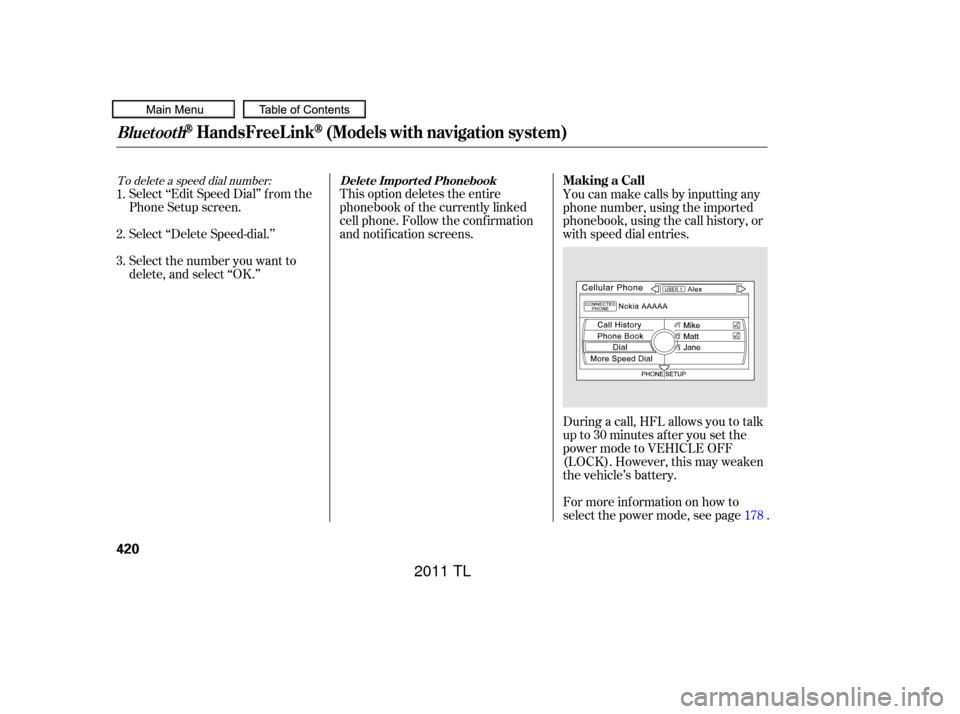
select the power mode, see page . You can make calls by inputting any
phone number, using the imported
phonebook, using the call history, or
with speed dial entries.
2. 1.
3.
178
BluetoothHandsFreeL ink(Models with navigation system)
Delet e Import ed PhonebookMaking a Call
420
10/07/29 12:35:49 31TK4620_425
2011 TL
Page 456 of 614

Your dealer has Acura accessories
that allow you to personalize your
vehicle. These accessories have
been designed and approved f or your
vehicle, and are covered by warranty.Bef ore installing any accessory:
Make sure the accessory does not
obscure any lights, or interf ere
with proper vehicle operation or
perf ormance.
Although non-Acura accessories may
f it on your vehicle, they may not
meet f actory specif ications, and
could adversely af f ect your vehicle’s
handling, stability, and reliability. Bef ore installing any electronic
accessory, have the installer
contact your dealer for assistance.
If possible, have your dealer
inspect the f inal installation.
Do not install accessories on the
side pillars or across the rear
windows. Accessories installed in
theseareasmayinterferewith
proper operation of the side
curtain airbags. Be sure electronic accessories do
not overload electrical circuits
(see page ) or interf ere with
proper operation of your vehicle.
When properly installed, cellular
phones, alarms, two-way radios, and
low-powered audio systems should
not interf ere with your vehicle’s
computer controlled systems, such
as your airbags, anti-lock brakes, and
tire pressure monitoring system.
Modif ying your vehicle, or installing
some non-Acura accessories, can
make your vehicle unsaf e. Bef ore
you make any modif ications or add
anyaccessories,besuretoreadthe
f ollowing inf ormation.
565
A ccessories
A ccessories and Modif ications
Bef ore Driving
453
Improper accessories or
modifications can affect your
vehicle’s handling, stability, and
performance, and cause a
crash in which you can be hurt
or killed.
Follow all instructions in this
owner’s manual regarding
accessories and modifications.
10/07/29 12:40:14 31TK4620_458
2011 TL
Page 457 of 614

Some examples are: Removing parts f rom your vehicle,
or replacing components with non-
Acura components could seriously
af f ect your vehicle’s handling,
stability, and reliability.Raising your vehicle with a non-
Acura suspension kit can af f ect
the handling, stability, and
reliability. Lowering the vehicle with a non-
Acura suspension kit that
signif icantly reduces ground
clearance can allow the
undercarriage to hit speed bumps
or other raised objects, which
could cause the airbags to deploy. Non-Acura wheels, because they
are a universal design, can cause
excessive stress on suspension
components and will not be
compatible with the tire pressure
monitoring system (TPMS).
Larger or smaller wheels and tires
can interf ere with the operation of
your vehicle’s anti-lock brakes and
other systems.
Modif ying your steering wheel or
any other part of your vehicle’s
safety features can make the
systems inef f ective.
If you plan to modif y your vehicle,
consult your dealer.
Modif ying Your Vehicle
A ccessories and Modif ications
454
10/07/29 12:40:21 31TK4620_459
2011 TL
Page 460 of 614
�Î
�Î
�Î�Î
�Î
�Î
�ΠIn addition, the total weight of the
vehicle, all occupants, accessories,
cargo, and trailer tongue load must
not exceed the Gross Vehicle
Weight Rating (GVWR) or the Gross
Axle Weight Rating (GAWR). Both
are on a label on the driver’s
doorjamb.
Store or secure all items that could
be thrown around and hurt
someone during a crash.
Do not put any items on top of the
trunk panel. They can block your
view and be thrown around the
vehicle during a crash.
Example 1
Example 2
Example 3
: Canadian models
CONT INUED
Carrying Cargo in the
Passenger Compartment
Carrying Cargo
Bef ore Driving
457
Max Load 850 lbs
(395 kg)
Max Load 850 lbs (395 kg)
Max Load 850 lbs (395 kg) Passenger Weight
150 lbs x 2 = 300 lbs
(68kgx2=136kg)
Passenger Weight
150 lbs x 4 = 600 lbs
(68kgx4=272kg)
Passenger Weight
150 lbs x 5 = 750 lbs
(68kgx5=340kg) Cargo Weight
550 lbs
(259 kg)
Cargo Weight
250 lbs
(123 kg)
Cargo Weight
100 lbs
(55 kg)
10/07/29 12:40:55 31TK4620_462
2011 TL
Page 462 of 614

This section gives you tips on
starting the engine under various
conditions, and how to operate the
manual and automatic transmissions.
It also includes important
information on parking your vehicle,
the braking system, the Super
Handling-All Wheel Drive
(SH-AWD
) system, vehicle stability
assist (VSA
), aka electronic
stability control (ESC), system, and
the tire pressure monitoring system
(TPMS). ........................
Preparing to Drive .460
Starting the Engine (Models without Keyless .....................
Access System) .461
Starting the Engine (Models with Keyless .....................
Access System) .463
...................
Manual Transmission . 465
..............
Automatic Transmission . 468
Driving with the Paddle .......................................
Shif ters .473
Super Handling-All Wheel ...
Drive (SH-AWD
) System . 478
...........................................
Parking .480
.............................
Braking System .481
...............
Anti-lock Brakes (ABS) . 482
Vehicle Stability Assist (VSA
),
aka Electronic Stability ........
Control (ESC), System . 484
.........................
Hill Start Assist .486
Tire Pressure Monitoring ........................
System (TPMS) .488
...........................
Towing a Trailer .493
...................
Towing Your Vehicle . 493
Driving
Driving
459
TM
TM
10/08/03 20:57:08 31TK4620_464
2011 TL
Page 463 of 614

Make sure all windows, mirrors,
and outside lights are clean and
unobstructed. Remove f rost, snow,
or ice.Check the seat adjustment (see
page ).
Check the adjustment of the
inside and outside mirrors (see
page ).
Check the steering wheel
adjustment (see page ).
Make sure the doors are securely
closed and locked.
Fasten your seat belt. Check that
your passengers have f astened
their seat belts (see page ).When you start the engine, check
the gauges and indicators in the
instrument panel, and the
messages on the multi-inf ormation
display (see pages ,
).
Youshoulddothesechecksand
adjustments bef ore you drive your
vehicle:
Check that the hood is f ully closed.
Check that the trunk is f ully
closed.
Visually check the tires. If a tire
looks low, use a gauge to check its
pressure.
Check that any items you may be
carrying are stored properly or
f astened down securely.
3.
2.
1.
7.
8.
9.
4.
5. 6.
155
63 75
16
161
140
10. 11.
Preparing to Drive
460
10/07/29 12:41:18 31TK4620_465
and 77
2011 TL