Page 311 of 562

If the system does not understand a
command or you wait too long to
give a command, it responds with
‘‘Pardon,’’ ‘‘Please repeat,’’ or ‘‘Would
you say again.’’ If the system cannot
perf orm a command or the
command is not appropriate f or the
screen you are on, it sounds a beep.
Anytime you are not sure of what
voice commands are available on a
screen, you can always say ‘‘Help’’ at
any screen. The system can then
read the list of commands to you.
Youshouldusethevoicecontrol
system as much as possible, and
consider manual entry using the
as a ‘‘back-up’’
method of entry.
Most of the system’s functions can
be controlled by voice commands
activated with the button. To
control your compass system by
voice:
Press and release the button.
Wait f or the beep.
Give a voice command.
Once the microphone picks up your
command, the system changes the
display in response to the command
and prompts you f or the next
command. Using the button,
answer the prompts as required.
This button activates the voice
control system. Press it when you
want to give a voice command. See
on page f or
a list of voice commands.
This button has the same function as
the CANCEL button on the center
console(seepage ).Whenyou
press it, the display returns to the
previous screen. When the previous
screen appears, the system replays
the last prompt. This button can be
used to cancel an audio, climate
control, or compass system voice
command up to one second af ter the
command conf irmation. 307
282
Voice Command Index
CONT INUED
Compass System (U.S. model without navigation system)
Using the Voice Control System
interf ace dial TalkTalk
TalkTalk Button Back But t on
Features
305
10/08/04 19:34:27 31SJA660_310
ProCarManuals.com
Page 334 of 562

With ACC on, the distance between
your vehicle and the vehicle ahead of
you is controlled and maintained.
You can change this distance to one
of three ranges: long, middle, or
short.To change the range, press the
DISTANCE button. Each time you
press the button, the range changes
f rom Long, to Middle, and then to
Short.
The higher your vehicle speed is, the
longer the distance between the
vehicle in f ront will be set as shown
below.
When that vehicle changes lanes or
goes out of ACC range, a beeper
sounds once. If there is no vehicle
ahead of you within ACC range, a
dotted-line vehicle icon will be on the
multi-inf ormation display.
To set the ACC beeper on or of f , see
page . 90
50 mph
(80 km/h)
154 feet
47 meters 111 feet
34 meters 85 feet
26 meters
Speed
Vehicle
Distance Long
Middle Short 65 mph
(104 km/h)
200 feet
61 meters 138 feet
42 meters 101 feet
31 meters
Changing Vehicle Distance
A daptive Cruise Control (A CC)
328
DISTANCE BUTTON
U.S.
Canada
10/08/04 19:38:30 31SJA660_333
ProCarManuals.com
Page 346 of 562

�µ
�µ
�µ �µ
�µ
�µ
Select this option to delete
the current message.
Select this option to hear a
voice read the entire message. This
gives you more inf ormation than the
screen can display at one time. When
you select the Voice option, it
changes to a Stop Reading option.
Select the option again to stop the
voice.
Select this option to call a
phone number embedded in the
message. When you select ,
HandsFreeLink(HFL)
dials the number f or you.
To make a call, your
compatible phone must be paired to
the vehicle’s HandsFreeLink system,
powered on, and located within the
vehicle(seepage ). Select this
option to get more inf ormation about
the current diagnostic message. To
use this option, your cell phone must
be paired with HFL. In addition, the
paired phone must have a compatible
data service and be set up with the
AcuraLink system to make a data
connection. Go to to f ind out which data
services are currently compatible
with AcuraLink.
To set your AcuraLink pref erences
(thetypesof messagesyouwantto
receive, if any), visit the My Acura
website at , and
choose what you would like to
receive. If you do not have internet
access, call Acura Client Services at
(800) 382-2238; they can set your
message pref erences f or you.
Select this
option to f ind the nearest Acura
dealer using the navigation system.
Select this
option to call the Acura dealer you
purchased your vehicle f rom.
AcuraLink also directs you to this
dealer so you can schedule a
maintenance appointment or receive
inf ormation about a message. If your
assigned servicing dealer changes,
AcuraLink will reset to call that
dealer.
360
Bluetooth Bluetooth www.acura.com/
handsf reelink
www.owners.acura.com
Delete
Voice
Call Call Diagnostic Inf o
Message Pref erences
Find Nearest Dealer
Call Your Dealer
AcuraLink(U.S. models only)
340
10/08/04 19:40:57 31SJA660_345
ProCarManuals.com
Page 351 of 562
The conf irmation message will be
displayed on the screen. Make sure
to conf irm the appointment date,
time and dealer. If it is OK, press
ENTER.
If you want to change or reschedule
the appointment date, select ‘‘Cancel,’’
then press ENTER.PresstheINFObuttontogotothe
inf ormation screen. Select
‘‘Messages,’’ then select ‘‘Scheduled
Dealer Appointment’’ f rom the
message category list. Then press
ENTER.You will see the screen to reschedule
as shown. To make an appointment,
select ‘‘Reschedule Appointment,’’
then press ENTER.
The system will automatically
connect to the Acura server, then
show you a new appointment date
and time on the navigation screen. If
you accept this appointment, select
‘‘Conf irm Appointment,’’ then press
ENTER.
CONT INUED
T o reschedule t he appoint ment :
Scheduled Dealer A ppointment
AcuraLink(U.S. models only)
Features
345
10/08/04 19:41:56 31SJA660_350
ProCarManuals.com
Page 359 of 562

�µ
The def ault setting is prompt. When
a diagnostic inf o message appears,
and you select the Check Now option,
the system will prompt you bef ore
connecting to the Acura server. If
you do not wish to connect at that
time, select No at the prompt, and
you will see the inf ormation f rom the
onboard database. The ‘‘Auto’’
setting will remove the prompt when
you select the Check Now option and
will automatically connect to the
Acura server. This setting only
applies when you have a
enabled phone that is paired with
HFLandyouhavecompletedthe
Phone-Data Connection setup.
To find more information on
compatible and enabled
cell phones, visit or call
the HandsFreeLink
consumer
support at 1-888-528-7876.
Bluetooth As required by the FCC:
This device complies with Part 15 of theFCC rules. Operation is subject to thef ollowing two conditions: (1) This devicemay not cause harmf ul interf erence, and(2) this device must accept anyinterf erence received, includinginterf erence that may cause undesiredoperation.
Changes or modif ications not expresslyapproved by the party responsible f orcompliance could void the user’sauthority to operate the equipment.
Bluetooth
www.acura.com/handsfree link
Connect to the Acura Server
AcuraLink(U.S. models only)
Features
353
10/08/04 19:43:03 31SJA660_358
ProCarManuals.com
Page 361 of 562
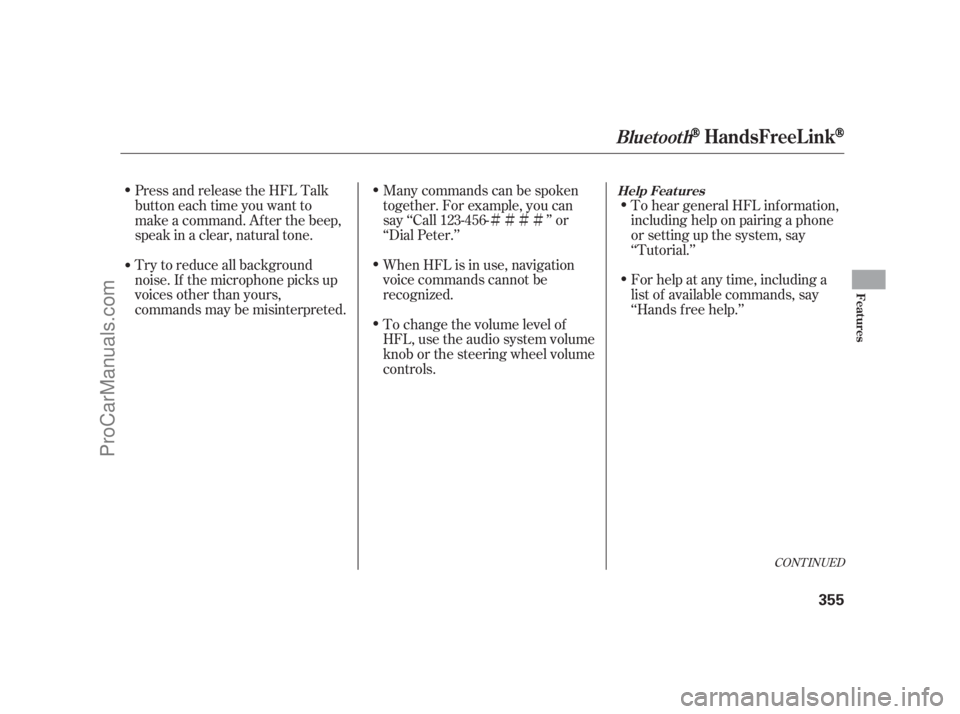
�Ì�Ì�Ì�ÌTo hear general HFL inf ormation,
including help on pairing a phone
or setting up the system, say
‘‘Tutorial.’’
For help at any time, including a
list of available commands, say
‘‘Hands f ree help.’’
Many commands can be spoken
together. For example, you can
say ‘‘Call 123-456- ’’ or
‘‘Dial Peter.’’
When HFL is in use, navigation
voice commands cannot be
recognized.
Tochangethevolumelevelof
HFL, use the audio system volume
knob or the steering wheel volume
controls.
Try to reduce all background
noise. If the microphone picks up
voices other than yours,
commands may be misinterpreted. Press and release the HFL Talk
button each time you want to
make a command. Af ter the beep,
speak in a clear, natural tone.
CONT INUED
BluetoothHandsFreeL ink
Help Feat ures
Features
355
10/08/04 19:43:25 31SJA660_360
ProCarManuals.com
Page 365 of 562

�Î
�Î
CONT INUED
BluetoothHandsFreeL ink
Features
359
‘‘Change Language’’‘‘Hands Free Help’’
‘‘System
Set up’’
‘‘Tutorial’’ ‘‘Clear’’
‘‘Auto Transfer’’ ‘‘Call Notification’’ ‘‘Security’’
‘‘Change Passcode’’
Press HFL
Talk button
Press and release the HFL Talk button each time you give a command.
: Canadian models (See page 374)
(See page 374)
(See page 374)
Apply a security passcode to the system that must be input at each key
cycle to access the system
Change your security passcode
Set how you would like to be notified of an incoming call
Clear the system of all paired phones, phonebook entries and security
passcode Set calls to automatically transfer from your phone to HFL when you
enter the vehicle
Change language from English to French
Hear a tutorial for general rules on using the system
Hear a list of available commands and additional information describing each command (See page 375)
(See page 376) (See page 355)
(See page 355) (See page 375)
10/08/04 19:44:02 31SJA660_364
ProCarManuals.com
Page 368 of 562

Press and release the HFL Talk
button bef ore a command.Say ‘‘ .’’
If you want HFL to create a
random code each time you pair a
phone, say ‘‘ .’’ If you want
to choose your own 4-digit code to
be used each time, say ‘‘ ’’
and f ollow the HFL prompts. You can make calls using any phone
number or a name in the HFL
phonebook. You can also redial the
last number called.
Bluetooth is the wireless technology
that links your phone to HFL. HFL
uses a Class 2 Bluetooth, which
means the maximum range between
yourphoneandvehicleis30feet(10
meters).
During a call, HFL allows you to talk
up to 30 minutes af ter you remove
the key from the ignition switch.
However, this may weaken the
vehicle’s battery. Press and release the HFL Talk
button bef ore a command.
Say ‘‘ ’’ af ter the
prompts. Say ‘‘ ’’ or ‘‘ .’’
Follow the HFL prompts and say
thenamestoredintheHFL
phonebook that you want to call.
Follow the HFL prompts to
conf irm the name and make the
call.
1.
2.
3.
1.
2.
3.
BluetoothHandsFreeL ink
T o change t he pairing code set t ing:
T o make a call using a name in t he
HFL phonebook:
Phone setup
Random Fixed Making a Call
Set pairing code Call Dial
362
10/08/04 19:44:55 31SJA660_367
ProCarManuals.com