Page 237 of 562

�µ�µ
�µ
�µ
CONT INUED
To switch between the
category mode and channel mode,
press and hold the DISP/MODE
button until the mode changes. The
CATEGORY or CHANNEL mode is
displayed on the screen. To switch
the mode with the interf ace dial,
scroll down, select MODE, and press
ENTER on the selector.
In the category mode, such as Jazz,
Rock, Classical, etc., you can
navigate through all of the channels
within that category. In the channel
mode, you can select all of the
available channels.
Each time you press and release the
DISP/MODE button, the audio
display changes in the f ollowing
sequence: channel name, channel
number, category, artist name, and
music title. Onthescreen,youwillseethe
selected CHANNEL (number),
CATEGORY, NAME (artist name),
and TITLE (music title).
The scan f unction gives
you a sampling of all channels while
in the channel mode. In the category
mode, only the channels within that
category are scanned. To activate
SCAN, press the SCAN button. To
scan with the interface dial, scroll
down, and push interf ace selector to
the right. You will see SCAN on the
screen.
The system plays each channel in
numerical order f or a f ew seconds,
then selects the next channel. When
you hear a channel you want to
continue listening to, press the
SCAN button or push the interf ace
selector to the right again.
Press either side of the bar to select
another category. You can also
change a category by pushing the
interf ace selector lef t or right.
Press either side of the
TUNE bar to change channel
selections. Press the side of the
bar f or higher numbered channels
and the side for lower
numbered channels. You can also
change channels with the interf ace
selector, push down the interf ace
selector to select AUDIO MENU,
then turn the interface knob to
choose TUNE and press ENTER on
the selector. Turn the interface knob
to the appropriate direction. In the
category mode, you can only select
channels within that category.
Audio System
MODE SCA N
CATEGORY ( or )
TUNE
Features
231
10/08/04 19:21:18 31SJA660_236
ProCarManuals.com
Page 249 of 562

�Î
�Î
To pause a disc, press the
corresponding number of the
current disc on the preset buttons.
To play the disc again, press the
preset button again.
If you turn the system of f while a
disc is playing, either with the
power/volume knob or by turning
of f the ignition switch, the disc will
stay in the drive. When you turn the
system back on, the disc will begin
playing where it lef t of f . To take the system out of disc mode,
press the AM/FM button, the
DISC/AUX button, or the XM button
(If equipped). The system will switch
to the function associated with the
button you pressed. If you pressed
the DISC/AUX button, any auxiliary
input device attached to the system
will be selected. To return to disc
mode, press the DISC/AUX button
again and play will continue at the
same point it lef t of f .
The changer plays MP3/WMA discs
in recorded order. Maximum
playable file layers are 8, and total
playable tracks are 255. If your disc
has a complex structure, the changer
takessometimetoreadthedisc
bef ore beginning play. You can play a DVD-A disc in the
disc changer. The disc controls are
same as previously described.
You can also press the MODE
buttononthesteeringwheelto
change modes. To play an MP3/WMA disc, use the
disc controls previously described,
along with the f ollowing inf ormation.
: AMorFMbuttononHawaiian
models.
CONT INUED
To Pause a Disc
To Stop Playing a Disc Playing an MP3/WMA Disc Playing a DVD-A Disc
Audio System
Features
243
10/08/04 19:23:33 31SJA660_248
ProCarManuals.com
Page 250 of 562

Each time you press the DISP/
MODE button while playing a CD
(CD-DA), the upper display changes
f rom album name, to track name, to
artist name, and then to normal
display. If the disc was not recorded
with CD-TEXT, ‘‘NO INFO’’ will be
shown on the upper display.
WhenplayingaCDcompressedin
MP3/WMA format, the display
changes f rom f older name, to f ile
name, to track tag, to artist tag, to
album tag, and then to normal
display each time you press the
DISP/MODE button. If the disc was
not recorded with this inf ormation,
‘‘NO INFO’’ will be shown on the
upper display.If the title is too long, it will not show
all at once. Press and hold the DISP/
MODE button, and the rest of the
title will show on the upper display.
You will also see the album and track
name (CD-TEXT), or the f older and
f ile name (MP3/WMA) under these
conditions:
When you insert a disc, and the
system begins to play.
Each time a new track, file, or
folder plays. To enter the FOLDER LIST, press
ENTER on the selector, select a
f older by turning the interf ace knob,
then press ENTER on the selector. If
youwanttomovetotheparent
f older, push the selector up. If there
are no f older names, ‘‘No Title’’ is
displayed. You will see the current
f older highlighted.
All models except Hawaiian
Audio System
Name Display Funct ion
244
CURRENT FOLDER
10/08/04 19:23:44 31SJA660_249
ProCarManuals.com
Page 251 of 562

This f eature, when activated, replays
all f iles in the selected f older. To
activate f older repeat mode, select
FOLDER REPEAT by using the
interf ace knob, and press ENTER on
the interf ace selector. You will see
REPEAT next to FOLDER on the
screen. To turn this f eature of f ,
highlight FOLDER REPEAT (if not
already highlighted), and press
ENTER on the interf ace selector
again.This f eature, when activated, plays
all f iles in the current f older in
random order. To activate f older
random play, select FOLDER
RANDOM by using the interf ace
knob, and press ENTER on the
interf ace selector. You will see
RANDOM next to FOLDER on the
screen. To turn this f eature of f ,
highlight FOLDER RANDOM (if not
already highlighted), and press
ENTER on the interf ace selector
again.To remove the disc that is currently
playing, press and release the eject
( ) button. You will see
‘‘EJECT’’ on the upper display. When
you remove the disc f rom the slot,
the system begins the load sequence
so you can load another disc in that
position. If you do not load another
disc within 15 seconds, the system
selects the previous mode [AM, FM1,
FM2, or XM Radio (all models
except Hawaiian models)].
If you do not remove the disc f rom
the slot, the system will reload the
disc af ter 10 seconds and put the
disc changer in pause mode. To
begin playing the disc, press the
DISC/AUX button.
CONT INUED
Audio System
Folder Repeat
Folder RandomRemoving Discs f rom the
Changer
Features
245
FOLDER REPEAT ICON FOLDER RANDOM ICON
MP3/WMA Mode
MP3/WMA Mode
10/08/04 19:23:57 31SJA660_250
ProCarManuals.com
Page 259 of 562
�µ�µ
�µ
CONT INUED
This feature
continuously plays a f ile.
To turn it off, press ENTER again.
Pressing either side of the SKIP
bar changes the f ile while keeping
the repeat f eature. This feature
plays all available f iles f rom the
selected items in the iPod menu list
(playlists, artists, albums or songs)
in random order. You will see
TRACK RANDOM on the screen.
To turn it off, have this mode
highlighted and press ENTER again.
This feature
plays all available albums from the
selected items in the iPod menu list
(playlists, artists, albums or songs)
in random order. The f iles in each
album are played in the recorded
order. You will see ALBUM
RANDOM on the screen.
Audio System
REPEAT TRACK RANDOM
ALBUM RANDOM
Features
253
10/08/04 19:25:11 31SJA660_258
ProCarManuals.com
Page 261 of 562
If you reconnect the same iPod, the
system may begin playing where it
lef t of f , depending on what mode the
iPod is in when it is reconnected.If you see an error message in the
upper display, see page .
272
Audio System
iPodError Messages
Features
255
When you connect your iPod to the
audio system, the most recent settings
(Shuf f le, Repeat, etc.) will be carried
over.
10/08/04 19:25:31 31SJA660_260
ProCarManuals.com
Page 269 of 562

�µ�µThis f unction
samples all f iles in the selected
f older in the order they are stored.
To activate the scan feature, push
the selector to the right. You will see
TRACK SCAN on the screen. You
will also see SCAN on the upper
display and the f ile number blinking.
You will get a 10 second sampling of
each f ile in the f older. Push the
selector repeatedly to get out of the
scan mode. The system plays the last
f ile sampled.
You can also select the scan feature
with the SCAN button on the control
panel.
Press and release the SCAN button.
Press and hold the SCAN button to
get out of the scan mode and play
the last f ile sampled. This f unction
samples the f irst f ile in each f older in
the order they are stored. To
activate the folder scan feature, push
the selector to the right repeatedly.
You will see FOLDER SCAN on the
screen. You will also see SCAN on
the upper display and the f older
number blinking. You will get a 10
second sampling each f irst f ile in the
f older(s). Push the selector
repeatedly to get out of the scan
mode. The system plays the last f ile
sampled. You can also select the folder scan
f eature with the SCAN button on the
control panel. Press and release the
SCAN button repeatedly.
Press and hold the SCAN button to
get out of the f older scan mode and
play the last f ile sampled.
Audio System
T RACK SCAN
FOL DER SCAN
Features
263
10/08/04 19:26:50 31SJA660_268
ProCarManuals.com
Page 272 of 562
�Î
�Î
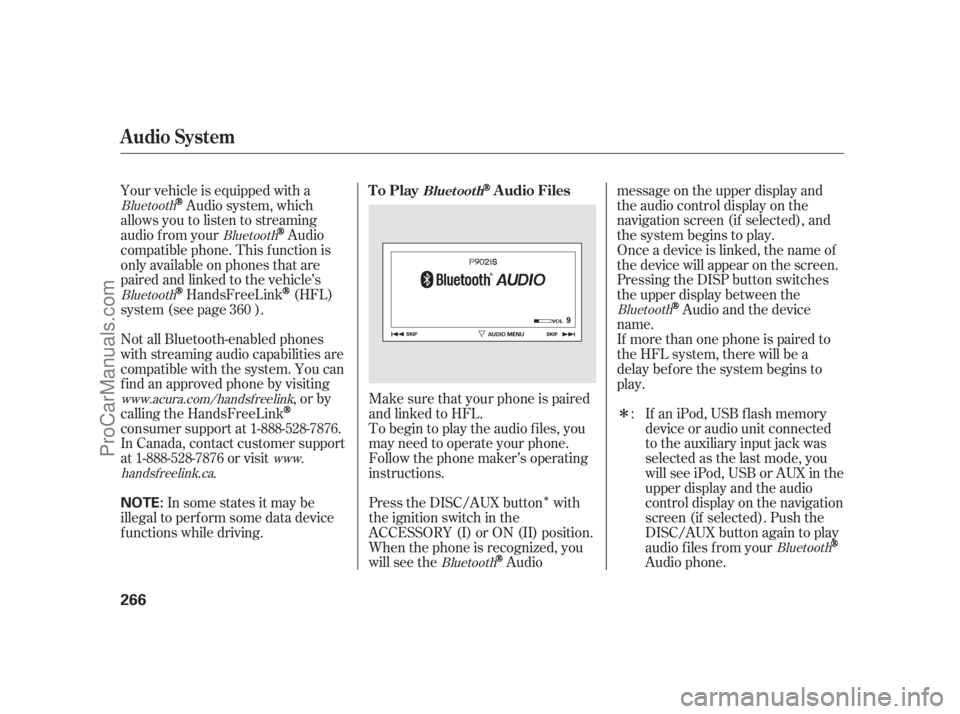
Make sure that your phone is paired
and linked to HFL.
Your vehicle is equipped with a
Audio system, which
allows you to listen to streaming
audio f rom your
Audio
compatible phone. This f unction is
only available on phones that are
paired and linked to the vehicle’s
HandsFreeLink(HFL)
system (see page ).
If an iPod, USB flash memory
device or audio unit connected
to the auxiliary input jack was
selected as the last mode, you
will see iPod, USB or AUX in the
upper display and the audio
control display on the navigation
screen (if selected). Push the
DISC/AUX button again to play
audio f iles f rom your
Audio phone.
Not all Bluetooth-enabled phones
with streaming audio capabilities are
compatible with the system. You can
f ind an approved phone by visiting
,orby
calling the HandsFreeLink
consumer support at 1-888-528-7876.
In Canada, contact customer support
at 1-888-528-7876 or visit . To begin to play the audio f iles, you
may need to operate your phone.
Follow the phone maker’s operating
instructions.
Press the DISC/AUX button with
the ignition switch in the
ACCESSORY (I) or ON (II) position.
When the phone is recognized, you
will see the
Audiomessage on the upper display and
the audio control display on the
navigation screen (if selected), and
the system begins to play.
If more than one phone is paired to
the HFL system, there will be a
delaybeforethesystembeginsto
play. Onceadeviceislinked,thenameof
the device will appear on the screen.
Pressing the DISP button switches
the upper display between the
Audio and the device
name.
In some states it may be
illegal to perf orm some data device
f unctions while driving. :
360
Bluetooth
Bluetooth
Bluetooth
Bluetooth
www.acura.com/handsfree
link
www.
handsf reelink.ca
BluetoothBluetooth
Audio System
To PlayAudio FilesBluet oot h
266
NOTE:
10/08/10 13:45:56 31SJA660_271
ProCarManuals.com

