Page 408 of 609

●
Use the interface knob to scroll to
the AcuraLink/Messages option,
and select it by pressing ENTER
on the interface selector.
●
Scroll to the Delete Messages
option, and select it by pressing
ENTER on the interface selector.
●
Scroll to the category with the
messages you want to delete, and
select the category by pressing
ENTER on the interface selector.Message Categories
There are six message categories in
AcuraLink: Quick Tips, Feature
Guide, Maintenance Minder
™,
Recalls/Campaigns, Diagnostic Info,
and Scheduled Dealer Appointments.
The system can store up to 255
messages.
Message categories can be added,
revised, or deleted through
broadcast messages from Acura. Quick Tips
These messages, based on updated
vehicle information and comments
from other MDX owners, supplement
your Owner's Manual. They provide
you with relevant information for a
safe and enjoyable ownership
experience. For additional
information, call Acura Client
Services directly through the HFL.
CONTINUED
AcuraLink
®
(U.S. models only)
403
Features
10/06/29 11:59:04 11 ACURA MDX MMC North America Owner's M 50 31STX640 enu
Page 409 of 609
Feature GuideDuring the first 90 days of
ownership, a number of messages
appears each day. These messages
help you to use and understand the
features of your vehicle.Maintenance Minder
™
These messages provide detailed
information about the service needed
for your vehicle. When a
maintenance message appears on the
multi-information display, a list of
needed maintenance items is
provided through an AcuraLink
message. These messages tell you
the exact maintenance needed,
helping you to avoid unnecessary
maintenance costs. You can use the following message
options:
●
Make an appointment from the
schedule at the dealer.
●
Reschedule the appointment with
the dealer.
●
Call your dealer for an
appointment.
●
Find the nearest dealer.
AcuraLink
®
(U.S. models only)
40410/06/29 11:59:04 11 ACURA MDX MMC North America Owner's M 50 31STX640 enu
Page 415 of 609
Depending on the severity of the
problem, the message will let you
know if you should see your dealer
immediately or if you can wait until a
later date.
You can then use the message
options to call your dealer for an
appointment or to find the nearest
dealer.
When viewing a diagnostic info
message through the INFO menu,
you can use the Diagnostic Info
button to connect to the Acura server
and retrieve the latest information
regarding the problem.
NOTE: There may not be any
additional information, depending on
the time elapsed since the previous
time you retrieved the information
from the Acura server.Reminder Massage
When you make an appointment
through My Acura's online
Scheduling Service Appointment,
you can be reminded in advance
about that appointment through
AcuraLink.
If you need to reschedule or cancel
the appointment, see page 406.
AcuraLink
®
(U.S. models only)
41010/06/29 11:59:04 11 ACURA MDX MMC North America Owner's M 50 31STX640 enu
Page 417 of 609

New Message Notification-
Select ON if you want to be notified
of new messages (envelope icon
appears on the navigation screen).
Select OFF if you do not want to be
notified of new messages (envelope
icon does not appear on the screen).
Messages can still be accessed using
the INFO menu. If you would like to
stop receiving messages, visit the My
Acura website at
www.owners.acura.
com
to change your messaging
preferences.
Auto Reading -Select ON to have
the system automatically read each
message to you. Select OFF to
manually select the Voice button
when you want a message read to
you. Phone-Data Connection
-Select
this option to begin the process
required to connect to Acura. This is
used to access the most recent
diagnostic information when a
problem occurs.
NOTE: For the Phone Data
Connection button to be active, you
need a
Bluetooth
®compatible and
enabled cell phone paired to the
Bluetooth
®HandsFreeLink
®(HFL).
To complete the data connection
setup, the paired phone must have a
compatible data service.
AcuraLink
®
(U.S. models only)
41210/06/29 11:59:04 11 ACURA MDX MMC North America Owner's M 50 31STX640 enu
Page 422 of 609
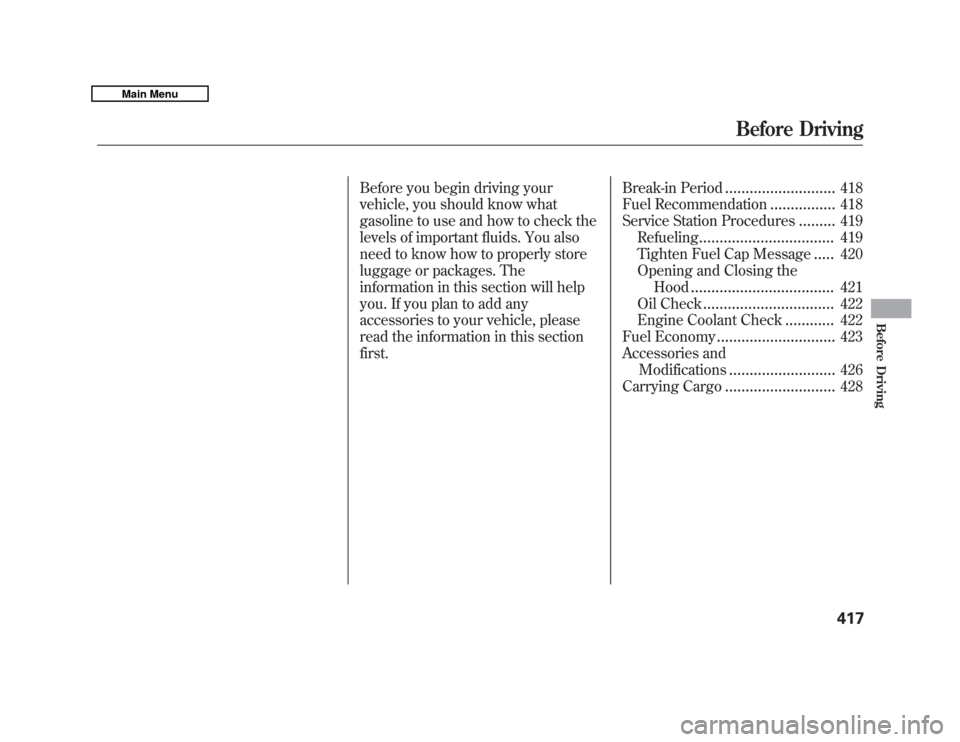
Before you begin driving your
vehicle, you should know what
gasoline to use and how to check the
levels of important fluids. You also
need to know how to properly store
luggage or packages. The
information in this section will help
you. If you plan to add any
accessories to your vehicle, please
read the information in this section
first.Break-in Period
...........................
418
Fuel Recommendation
................
418
Service Station Procedures
.........
419
Refueling
.................................
419
Tighten Fuel Cap Message
.....
420
Opening and Closing the
Hood
...................................
421
Oil Check
................................
422
Engine Coolant Check
............
422
Fuel Economy
.............................
423
Accessories and
Modifications
..........................
426
Carrying Cargo
...........................
428
Before Driving
417
Before Driving
10/06/29 11:59:04 11 ACURA MDX MMC North America Owner's M 50 31STX640 enu
Page 423 of 609

Break-in Period
Help assure your vehicle's future
reliability and performance by paying
extra attention to how you drive
during the first 600 miles (1,000 km).
During this period:●
Avoid full-throttle starts and rapid
acceleration.
●
Avoid hard braking for the first 200
miles (300 km).
●
Do not change the oil until the
multi-information display indicates
it is needed.
●
Do not tow a trailer.
You should also follow these
recommendations with an
overhauled or exchanged engine, or
when the brakes are replaced. Fuel Recommendation
Your vehicle is designed to operate
on premium unleaded gasoline with a
pump octane of 91 or higher. If this
octane grade is unavailable, regular
unleaded gasoline with a pump octane
of 87 or higher may be used
temporarily. The use of regular
unleaded gasoline can cause metallic
knocking noises in the engine and
will result in decreased engine
performance. The long-term use of
regular-grade gasoline can lead to
engine damage.
We recommend quality gasolines
containing detergent additives that
help prevent fuel system and engine
deposits.
In addition, in order to maintain good
performance, fuel economy, and
emissions control, we strongly
recommend, in areas where it is
available, the use of gasoline that
does NOT contain manganese-based
fuel additives such as MMT. Use of gasoline with these additives
may adversely affect performance,
and cause the malfunction indicator
lamp on your instrument panel to
come on. If this happens, contact your
dealer for service.
Some gasoline today is blended with
oxygenates such as ethanol or
MTBE. Your vehicle is designed to
operate on oxygenated gasoline
containing up to 10% ethanol by
volume and up to 15% MTBE by
volume. Do not use gasoline
containing methanol.
If you notice any undesirable
operating symptoms, try another
service station or switch to another
brand of gasoline.
For further important fuel-related
information for your vehicle, or
information on gasoline that does not
contain MMT, visit My Acura at
owners.acura.com.
In Canada, visit
www.acura.ca
for additional
information on gasoline.
Break-in Period, Fuel Recommendation41810/06/29 11:59:04 11 ACURA MDX MMC North America Owner's M 50 31STX640 enu
Page 424 of 609

Refueling1. Park with the driver's side closestto the service station pump.
2. Open the fuel fill door by pressing the button in the driver's door. (To
open the fuel fill door manually,
see page 566.)
3. Remove the fuel fill cap slowly.You may hear a hissing sound as
pressure inside the tank equalizes.
Place the cap in the holder on the
fuel fill door.
4. Stop filling the tank after the fuel nozzle automatically clicks off. Do
not try to ‘‘top off ’’the tank. Leave
some room for the fuel to expand
with temperature changes. If the fuel nozzle keeps clicking off
even though the tank is not full,
there may be a problem with your
vehicle's fuel vapor recovery system.
The system helps keep fuel vapor
from going into the atmosphere. Try
filling at another pump. If this does
not fix the problem, consult your
dealer.
Gasoline is highly flammable
and explosive. You can be
burned or seriously injured
when handling fuel.●
Stop the engine, and keep
heat, sparks, and flame
away.
●
Handle fuel only outdoors.
●
Wipe up spills immediately.
Push
FUEL FILL CAP
TETHER
HOLDER
CONTINUED
Service Station Procedures
419
Before Driving
10/06/29 11:59:04 11 ACURA MDX MMC North America Owner's M 50 31STX640 enu
Page 425 of 609

5. Screw the fuel fill cap back on untilit clicks at least once. If you do not
properly tighten the cap, you will
see a ‘‘TIGHTEN FUEL CAP ’’
message on the multi-information
display (see right column on this
page), and the malfunction
indicator lamp may also come on
(see page 557).
6. Push the fuel fill door closed until it latches. Tighten Fuel Cap Message
Your vehicle's on board diagnostic system
will detect a loose or missing fuel fill cap as
an evaporative system leak. The first time a
leak is detected a
‘‘TIGHTEN FUEL CAP’’
message appears on the multi-information
display. Turn the engine off, and confirm the
fuel fill cap is installed. If it is, loosen it, then
retighten it until it clicks at least once. The
message should go off after several days of
normal driving once you tighten or replace
the fuel fill cap. To scroll to another message,
press the INFO button. The ‘‘TIGHTEN
FUEL CAP’’ message will appear each time
you restart the engine until the system turns
the message off.
If the system still detects a leak in
the vehicle's evaporative emissions
system, the malfunction indicator
lamp (MIL) comes on. If the fuel fill
cap was not already tightened, turn
the engine off, and check or
retighten the fuel fill cap until it
clicks at least once. The MIL should
go off after several days of normal
driving once the cap is tightened or
replaced. If the MIL does not go off,
have your vehicle inspected by a
dealer. For more information, see
page 557.
Service Station Procedures42010/06/29 11:59:04 11 ACURA MDX MMC North America Owner's M 50 31STX640 enu