Page 232 of 538
230 3-2. Using the audio system
NOTICE
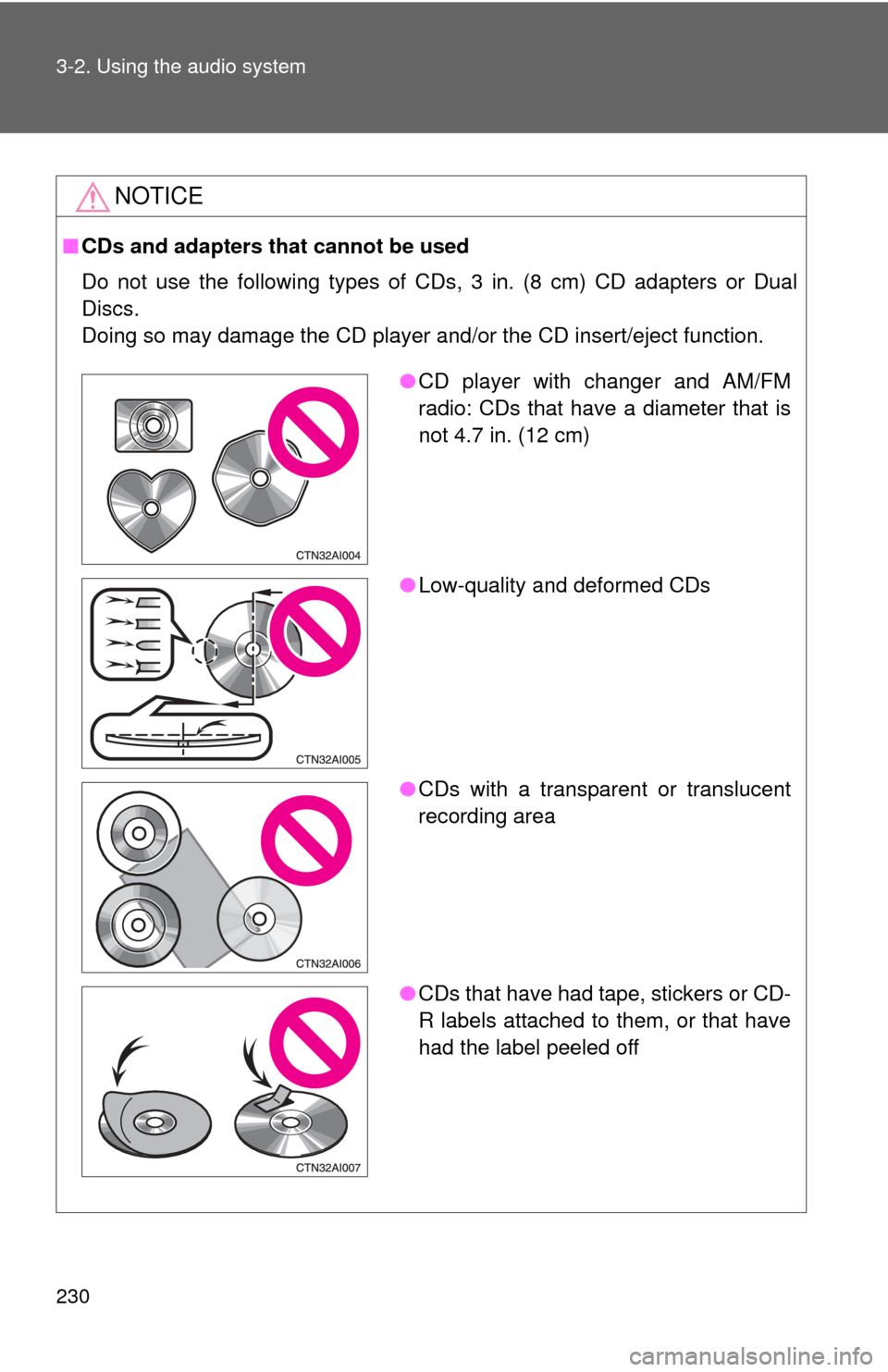
■CDs and adapters that cannot be used
Do not use the following types of CDs, 3 in. (8 cm) CD adapters or Dual
Discs.
Doing so may damage the CD player and/or the CD insert/eject function.
●CD player with changer and AM/FM
radio: CDs that have a diameter that is
not 4.7 in. (12 cm)
● Low-quality and deformed CDs
● CDs with a transparent or translucent
recording area
● CDs that have had tape, stickers or CD-
R labels attached to them, or that have
had the label peeled off
Page 233 of 538
231
3-2. Using the audio system
3
Interior features
NOTICE
■
CD player precautions
Failure to follow the precautions below may result in serious damage to the
CDs or the player itself.
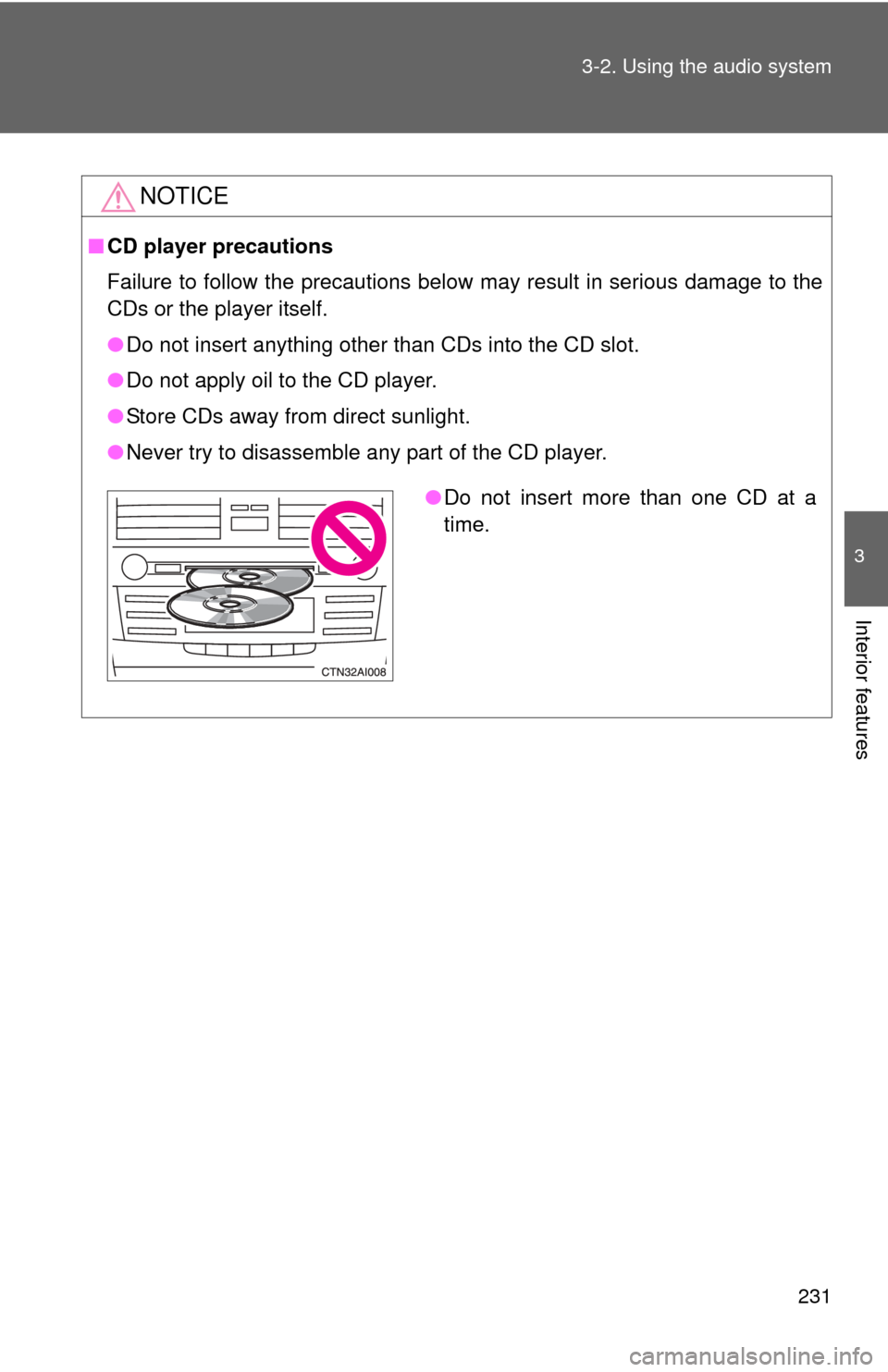
●Do not insert anything other than CDs into the CD slot.
● Do not apply oil to the CD player.
● Store CDs away from direct sunlight.
● Never try to disassemble any part of the CD player.
●Do not insert more than one CD at a
time.
Page 238 of 538
236 3-2. Using the audio system
■Display
P. 228
■ Error messages
“CD CHECK”: This indicates a problem either with the CD or inside the
player. The CD may be dirty, damaged or inserted up-side
down.
“WAIT” or “PLEASE WAIT”: Operation has stopped due to a high tempera- ture inside the player. Wait for a while and then
press or . Contact your Toyota
dealer if the CD still cannot be played.
■ Discs that can be used
P. 229
■ CD player protection feature
P. 229
■ If CDs are left inside the CD player or in the ejected position for
extended periods
P. 229
■ Lens cleaners
P. 229
Page 241 of 538
239
3-2. Using the audio system
3
Interior features
●
MP3 and WMA playback
When a disc containing MP3 or WMA files is inserted, all files on the disc
are first checked. Once the file check is finished, the first MP3 or WMA\
file
is played. To make the file check finish more quickly, we recommend you
do not write in any files other than MP3 or WMA files or create any unnec-
essary folders.
If the discs contain a mixture of music data and MP3 or WMA format data,
only music data can be played.
● Extensions
If the file extensions .mp3 and .wma are used for files other than MP3 and
WMA files, they will be mistakenly recognized and played as MP3 and
WMA files. This may result in large amounts of interference and damage
to the speakers.
● Playback
• To play MP3 files with steady sound quality, we recommend a fixed bit
rate of 128 kbps and a sampling frequency of 44.1 kHz.
• CD-R or CD-RW playback may not be possible in some instances, depending on the characteristics of the disc.
• There is a wide variety of freeware and other encoding software for MP3 and WMA files on the market, and depending on the status of the
encoding and the file format, poor sound quality or noise at the start of
playback may result. In some cases, playback may not be possible at
all.
• When files other than MP3 or WMA files are recorded on a disc, it may take more time to recognize the disc. In some cases, playback may not
be possible at all.
• Microsoft, Windows, and Windows Media are the registered trade- marks of Microsoft Corporation in the U.S. and other countries.
NOTICE
■ CDs and adapters that cannot be used ( P. 230)
■ CD player precautions ( P. 231)
Page 242 of 538
240
3-2. Using the audio system
Operating an iPod® player
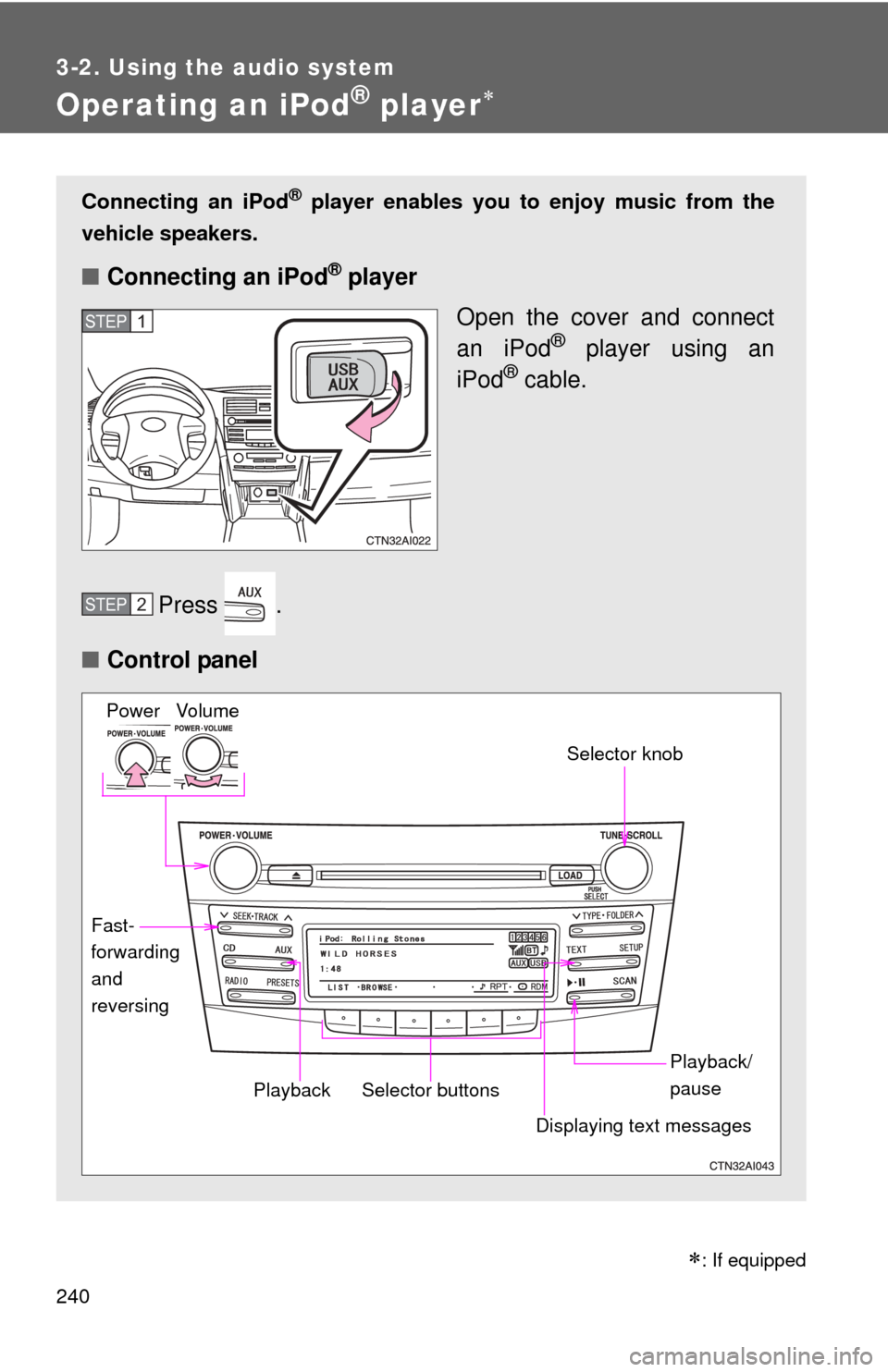
Connecting an iPod® player enables you to enjoy music from the
vehicle speakers.
■ Connecting an iPod® player
Open the cover and connect
an iPod
® player using an
iPod® cable.
Press .
■ Control panel
STEP1
STEP2
Vo lu m e
Power
Playback/
pause
Displaying text messages Selector knob
Selector buttons
Fast-
forwarding
and
reversingPlayback
: If equipped
Page 246 of 538
244 3-2. Using the audio system
Switching the displayPress .
Each time is pressed, the display changes in the following order:
Track title Track title/Artist name Track title/Album name Track
title/Elapsed time
■ About iPod®
iPod® is registered trademarks of Apple computer, Inc.
■ iPod
® player functions
● When an iPod
® player is connected and the audio source is changed to
iPod® player mode, the iPod® player will resume play from the same
point in which it was last used.
● Depending on the iPod
® player that is connected to the system, certain
functions may not be available. Disconnecting the device and reconnect-
ing it once again may resolve some malfunctions.
■ iPod
® player problems
To resolve most problems encountered when using your iPod
® player, dis-
connect your iPod® player from the vehicle iPod® player connection and
reset it.
For instructions on how to reset your iPod
® player, refer to your iPod® player
Owner's Manual.
■ Cable pass-through
P. 323
■ Error messages
“IPOD ERROR”: This indicates a problem in the iPod
® player, inside
the USB box or the connection between them.
“NO SONGS”: This indicates that there is no music data in the iPod
® player.
“UPDATE YOUR IPOD”: This indicates that the version of the iPod
® player
is not compatible.
Page 247 of 538
245
3-2. Using the audio system
3
Interior features
■
Compatible models
●iPod
® 5th generation Version 1.2 or later
● iPod
® nano 3rd generation Version 1.0 or later
● iPod
® nano 2nd generation Version 1.1.2 or later
● iPod
® nano Version 1.2 or later
● iPod
® touch Version 1.1 or later
● iPod
® classic Version 1.0 or later
iPhone
®, iPod® mini, iPod® shuffle, iPod® photo and 4th generation and ear-
lier models of iPod® are not compatible with this system.
Items related to standards and limitations are as follows:
● Maximum number of lists in device: 9999
● Maximum number of songs in device: 65,025
● Maximum number of songs per list: 65,025
CAUTION
■Caution while driving
Do not connect iPod
® players or operate the controls.
NOTICE
■To prevent damage to iPod® players
● Do not leave iPod
® players in the vehicle. The temperature inside may
become high, resulting in damage to the player.
● Do not push down on or apply unnecessary pressure to the iPod
® player
while it is connected as this may damage the iPod® player or its terminal.
● Do not insert foreign objects into the port as this may damage the iPod
®
player or its terminal.
Page 248 of 538
246
3-2. Using the audio system
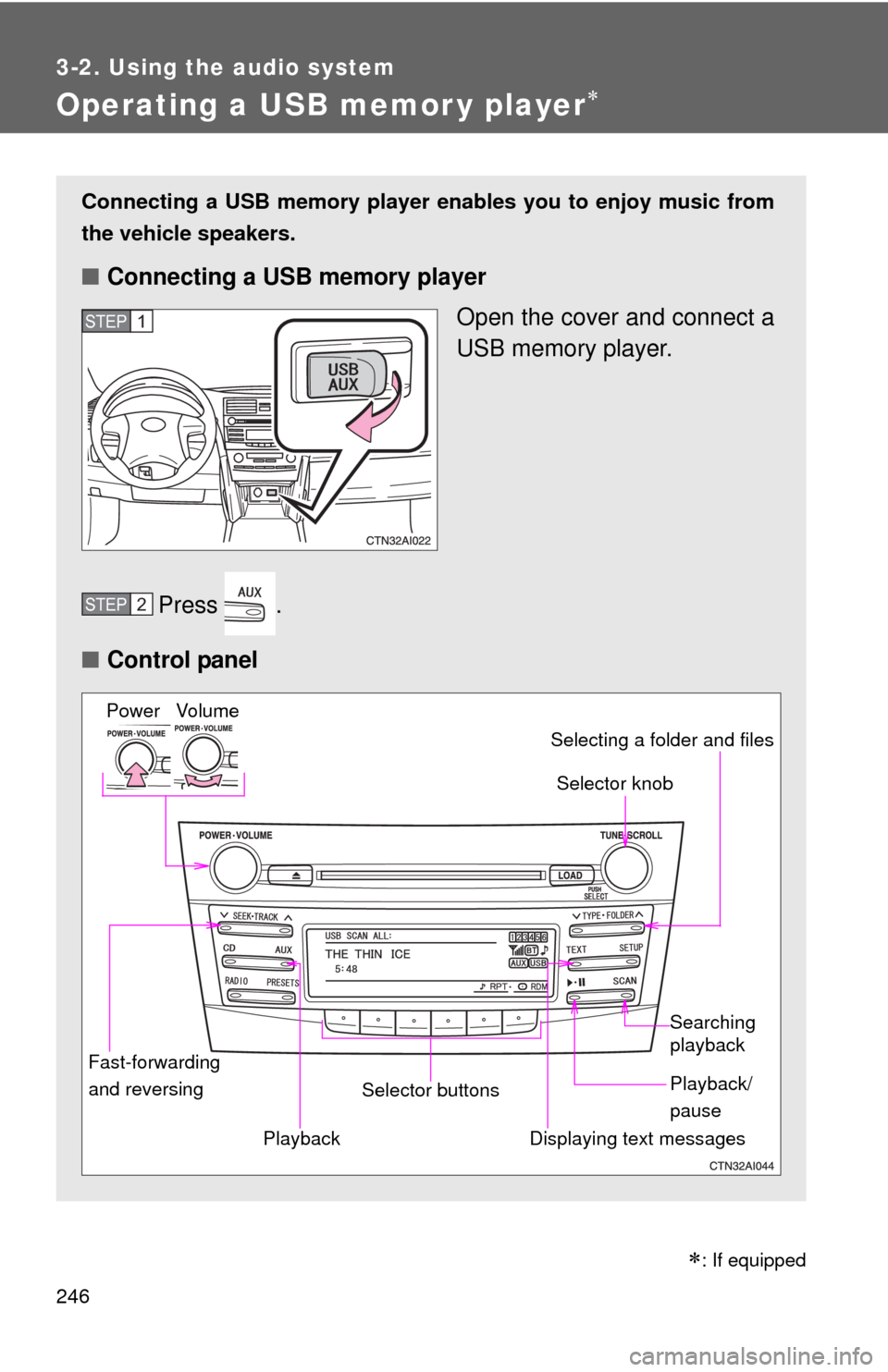
Operating a USB memor y player
Connecting a USB memory player enables you to enjoy music from
the vehicle speakers.
■ Connecting a USB memory player
Open the cover and connect a
USB memory player.
Press .
■ Control panel
STEP1
STEP2
Fast-forwarding
and reversing Selector knob
Vo lu m e
Power
Playback/
pause Searching
playback
Displaying text messages
Selector buttons Selecting a folder and files
Playback
: If equipped