Page 259 of 476
259
3-3. Using the hands-free system (for cellular phone)
3
Interior features
AVALON_U (OM41437U)
Setting a cellular phone
Registering a cellular phoneSelect “Pair Phone” by using a voice command or , and do the
procedure for registering a cellular phone. ( P. 249)
Registering a cellular phone in the hands-free system allows the
system to function. The following function can be used for regis-
tered cellular phones:
■ Functions and operation procedures
To enter menu for each function, follow the steps below by using
a voice command or .
●Registering a cellular phone
1. “Setup” 2. “Phone Setup” 3. “Pair Phone”
● Selecting a cellular phone to be used
1. “Setup” 2. “Phone Setup” 3. “Select Phone”
● Changing a registered name
1. “Setup” 2. “Phone Setup” 3. “Change Name”
● Listing the registered cellular phones
1. “Setup” 2. “Phone Setup” 3. “List Phones”
● Deleting a cellular phone
1. “Setup” 2. “Phone Setup” 3. “Delete”
● Changing the passkey
1. “Setup” 2. “Phone Setup” 3. “Set Passkey”
Page 263 of 476
263
3-3. Using the hands-free
system (for cellular phone)
3
Interior features
AVALON_U (OM41437U)
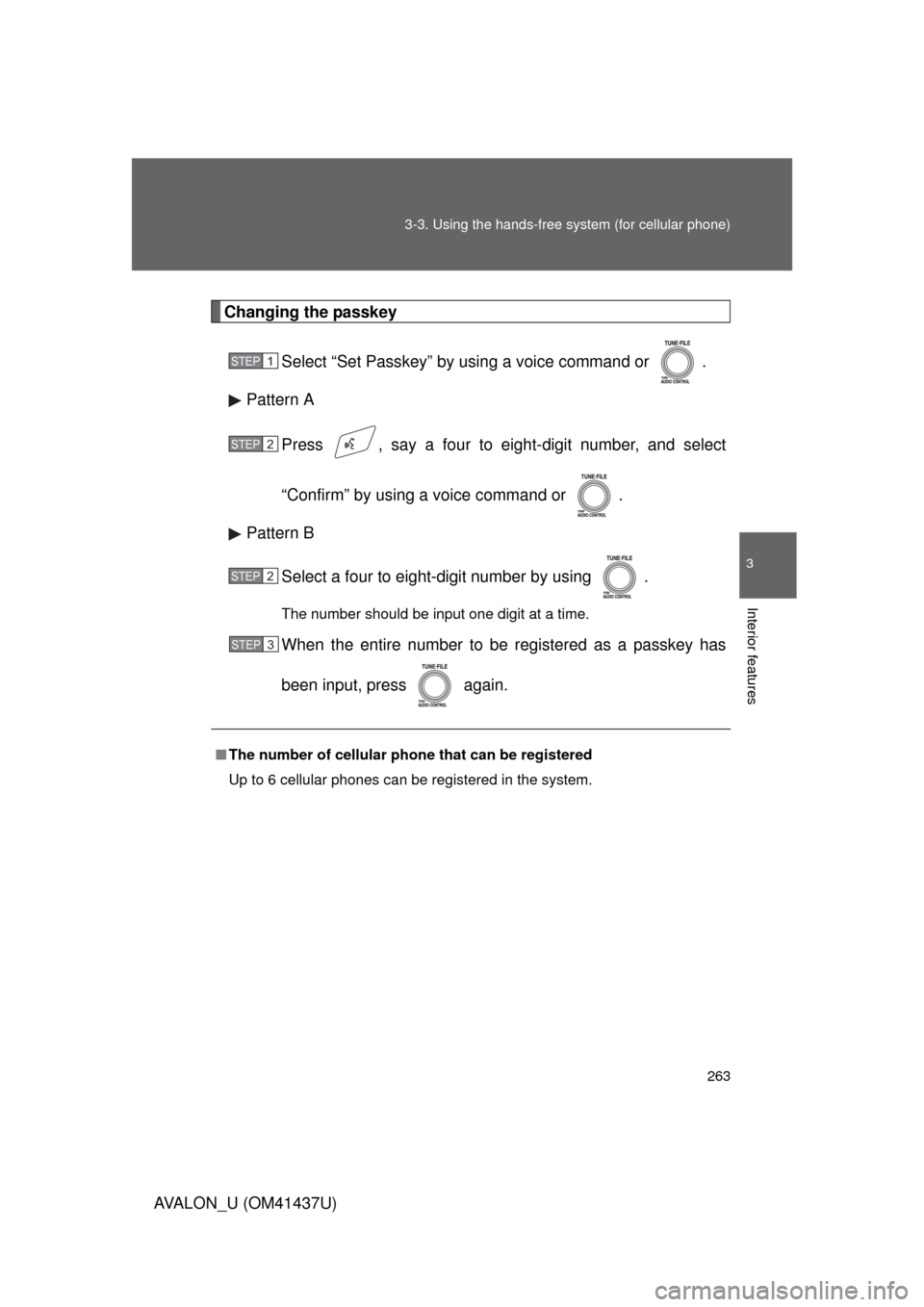
Changing the passkey
Select “Set Passkey” by using a voice command or .
Pattern A
Press , say a four to eight-digit number, and select
“Confirm” by using a voice command or .
Pattern B
Select a four to eight-digit number by using .
The number should be input one digit at a time.
When the entire number to be registered as a passkey has
been input, press again.
■The number of cellular phone that can be registered
Up to 6 cellular phones can be registered in the system.
STEP1
STEP2
STEP2
STEP3
Page 275 of 476
275
3
Interior features
AVALON_U (OM41437U)
3-4. Using the interior lights
Interior lights list
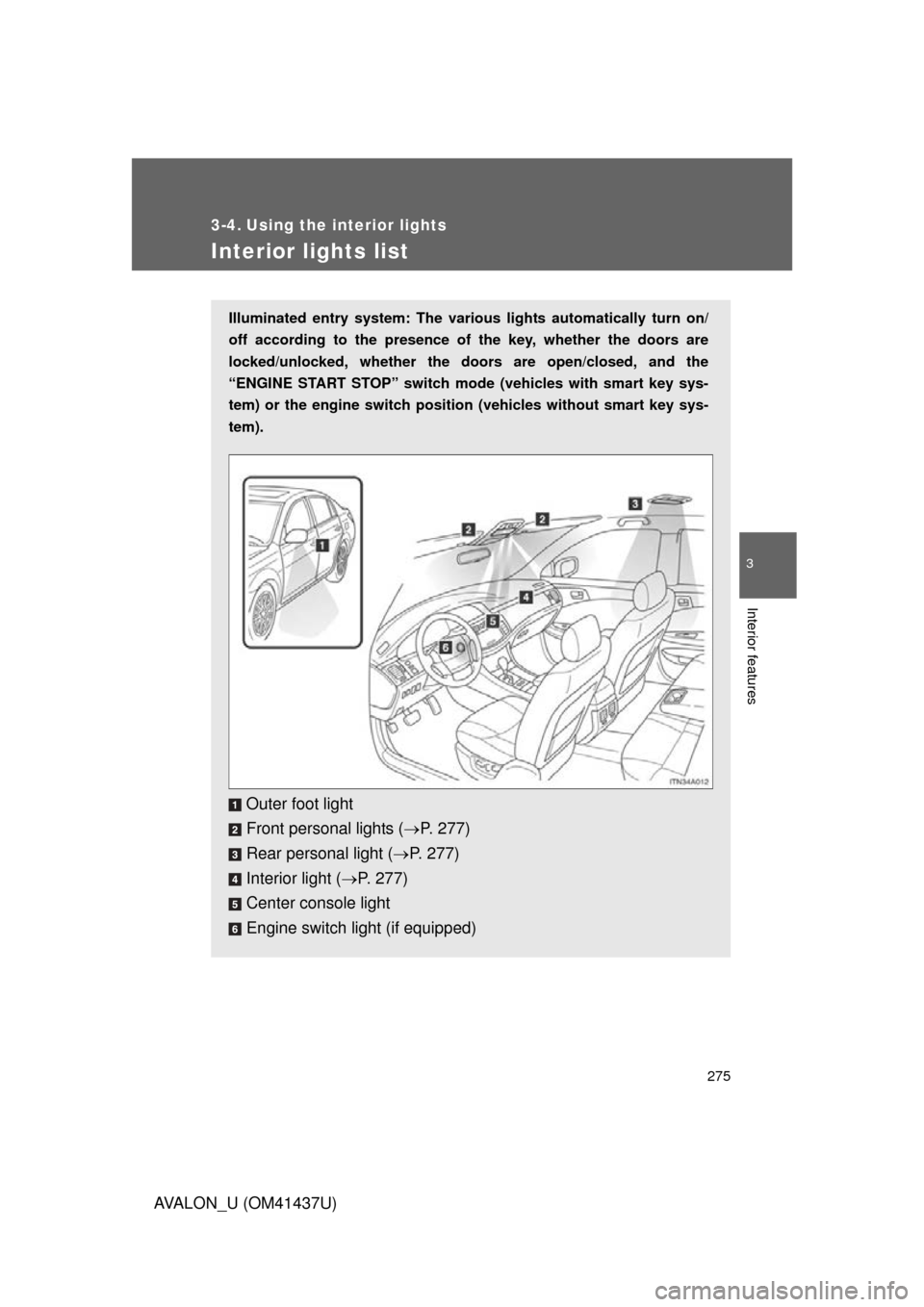
Illuminated entry system: The various lights automatically turn on/
off according to the presence of the key, whether the doors are
locked/unlocked, whether the doors are open/closed, and the
“ENGINE START STOP” switch mode (vehicles with smart key sys-
tem) or the engine switch position (vehicles without smart key sys-
tem).
Outer foot light
Front personal lights ( P. 277)
Rear personal light ( P. 277)
Interior light ( P. 277)
Center console light
Engine switch light (if equipped)
Page 279 of 476
279
3-5. Using the
storage features
3
Interior features
AVALON_U (OM41437U)
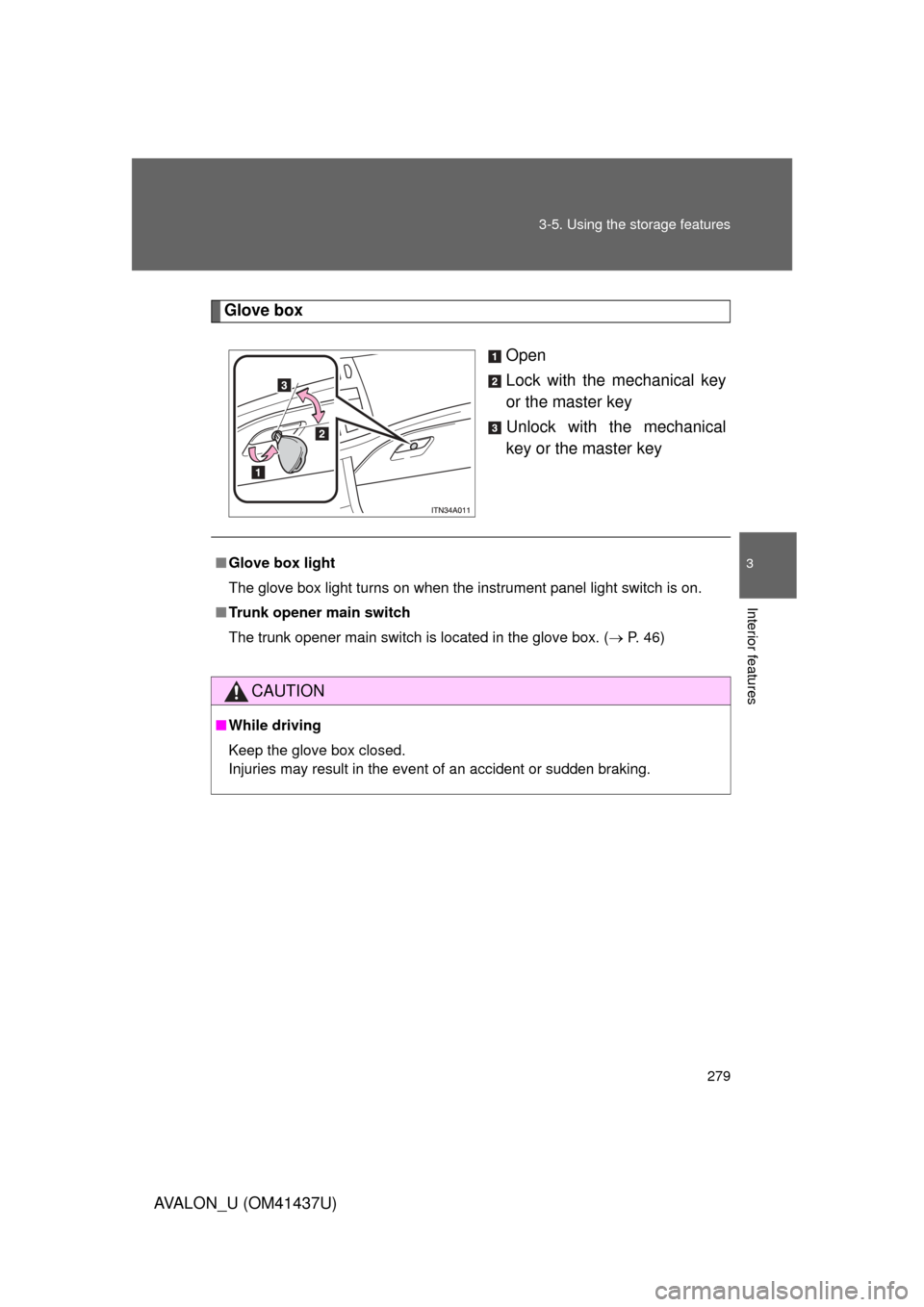
Glove box
Open
Lock with the mechanical key
or the master key
Unlock with the mechanical
key or the master key
■Glove box light
The glove box light turns on when the instrument panel light switch is on.
■ Trunk opener main switch
The trunk opener main switch is located in the glove box. ( P. 46)
CAUTION
■While driving
Keep the glove box closed.
Injuries may result in the event of an accident or sudden braking.
Page 288 of 476
288
3-6. Other interior features
AVALON_U (OM41437U)
Clock
■The clock is displayed when
Vehicles with smart key system
The “ENGINE START STOP” switch is in ACCESSORY or IGNITION ON
mode. Vehicles without smart key system
The engine switch is in the “ACC” or “ON” position.
■ When the battery is disconnected
The time display will automatically be set to 1:00.
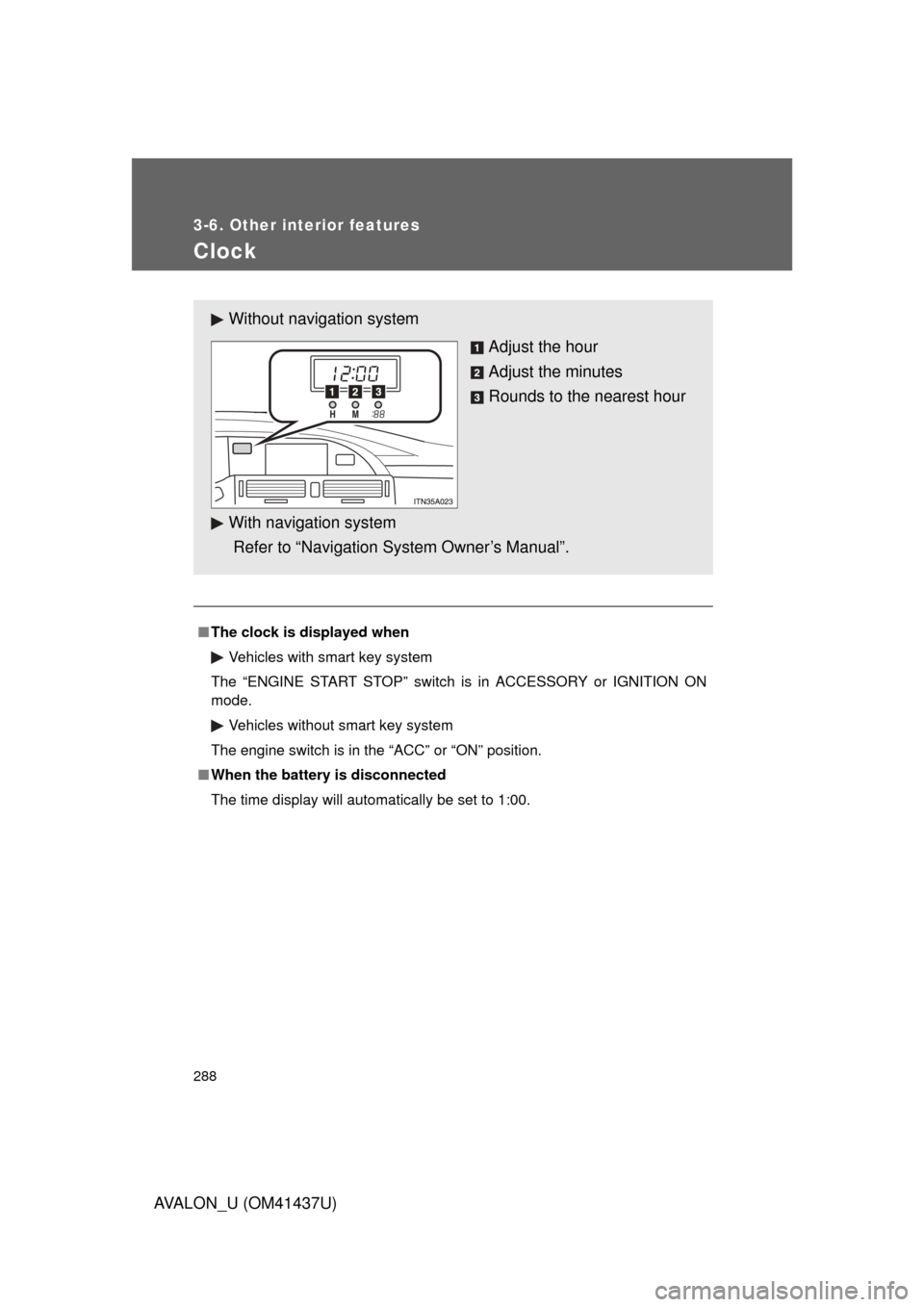
Without navig ation system
Adjust the hour
Adjust the minutes
Rounds to the nearest hour
With navigation system
Refer to “Navigation System Owner’s Manual”.
Page 289 of 476
289
3-6. Other interior features
3
Interior features
AVALON_U (OM41437U)
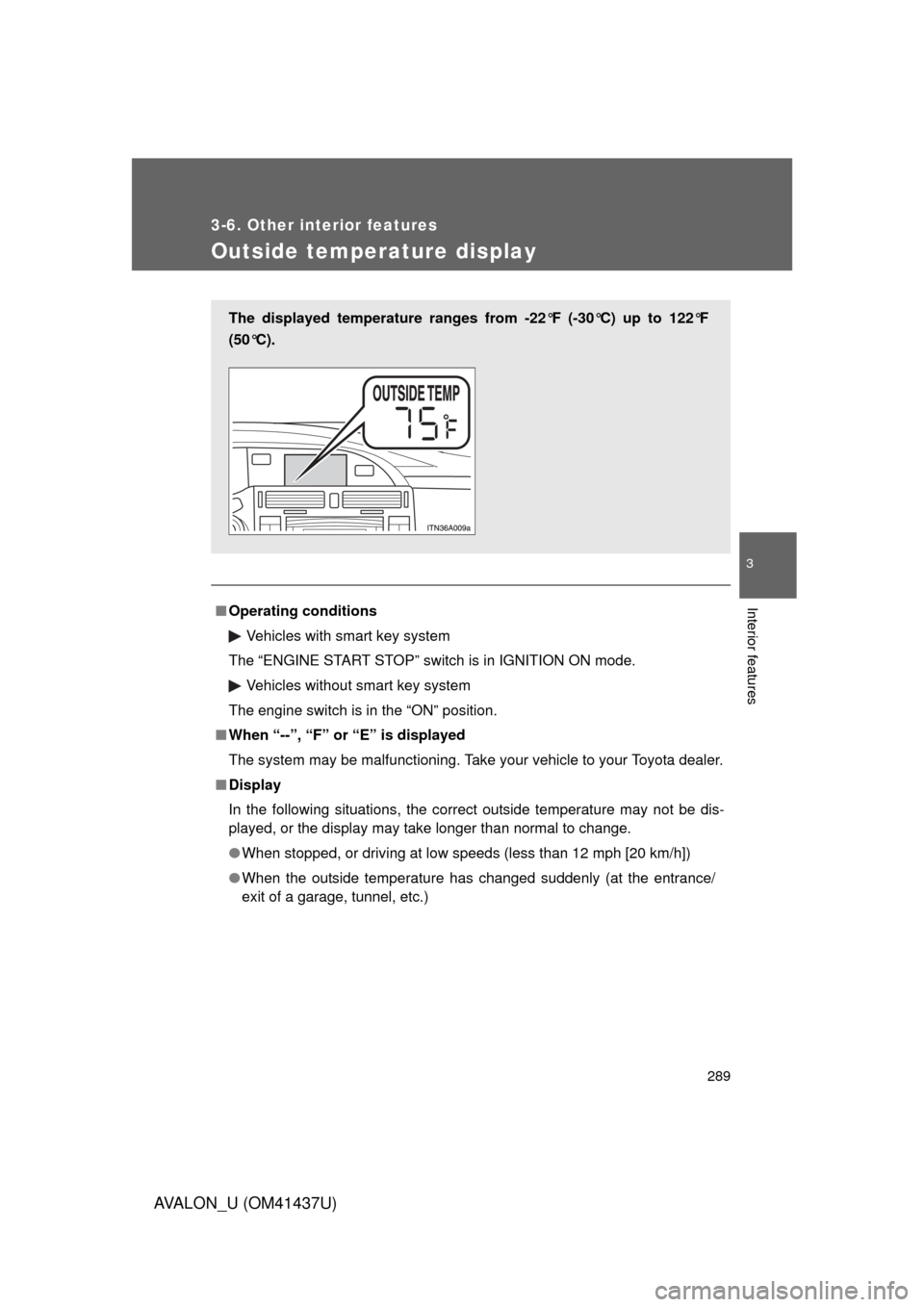
Outside temperature display
■Operating conditions
Vehicles with smart key system
The “ENGINE START STOP” switch is in IGNITION ON mode.
Vehicles without smart key system
The engine switch is in the “ON” position.
■ When “--”, “F” or “E” is displayed
The system may be malfunctioning. Take your vehicle to your Toyota dealer.
■ Display
In the following situations, the correct outside temperature may not be dis-
played, or the display may take longer than normal to change.
● When stopped, or driving at low speeds (less than 12 mph [20 km/h])
● When the outside temperature has changed suddenly (at the entrance/
exit of a garage, tunnel, etc.)
The displayed temperature ranges from -22°F (-30°C) up to 122°F
(50°C).
Page 291 of 476
291
3-6. Other interior features
3
Interior features
AVALON_U (OM41437U)
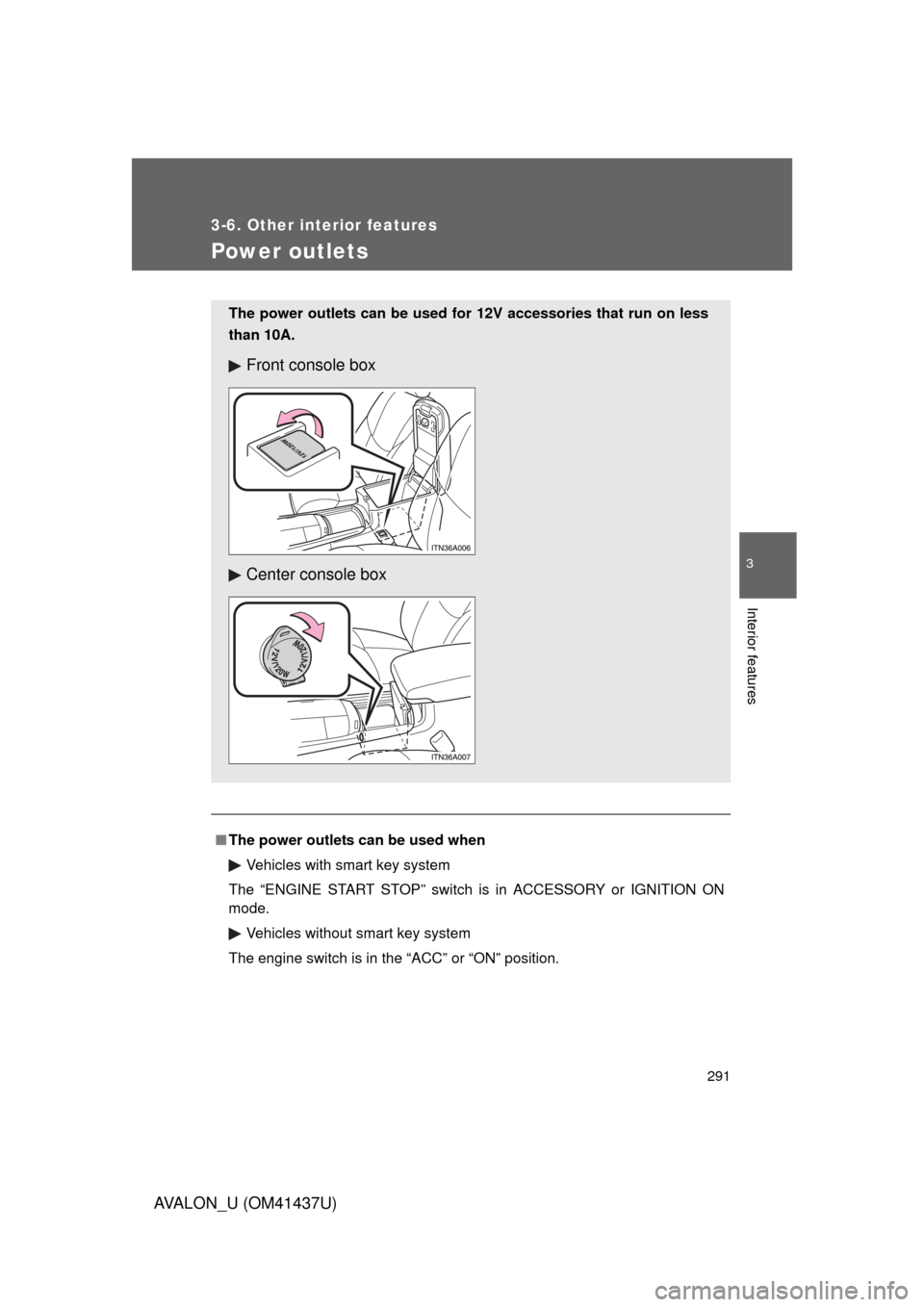
Power outlets
■The power outlets can be used when
Vehicles with smart key system
The “ENGINE START STOP” switch is in ACCESSORY or IGNITION ON
mode. Vehicles without smart key system
The engine switch is in the “ACC” or “ON” position.
The power outlets can be used fo r 12V accessories that run on less
than 10A.
Front console box
Center console box
Page 294 of 476
294 3-6. Other interior features
AVALON_U (OM41437U)
■The seat heaters and ventilators can be used when
Vehicles with smart key system
The “ENGINE START STOP” switch is in IGNITION ON mode. Vehicles without smart key system
The engine switch is in the “ON” position.
CAUTION
■ Burns
● Use caution when seating the following persons in a seat with the seat
heater on to avoid the possibility of burns:
• Babies, small children, the elderly, the sick and the disabled
• Persons with sensitive skin
• Persons who are fatigued
• Persons who have taken alcohol or drugs that induce sleep (sleeping
drugs, cold remedies, etc.)
● Do not cover the seat with anything when using the seat heater.
Using the seat heater with a blanket or cushion increases the temperature
of the seat and may lead to overheating.
NOTICE
■To prevent seat heater/ventilator damage
Do not put heavy objects on the seat and do not stick sharp objects (nee-
dles, nails, etc.) into the seat.
■ To prevent battery discharge
Turn the switches off when the engine is not running.