2010 SUZUKI KIZASHI information display
[x] Cancel search: information displayPage 140 of 388

3-9OPERATING YOUR VEHICLE
57L20-03E
CVT – If the gearshift lever is not in the
“P” (Park) position, shift it to “P”. Hold
the brake pedal fully depressed.
3) The PUSH START SWITCH. message
will appear on the information display in
the instrument cluster. Press the engine
switch (1).
4) Within about 10 seconds of flashing of the master warning light in the instru-
ment cluster, touch the engine switch
with the lock switch end of the remote
controller (2) for about 2 seconds.
NOTE:
If you still cannot start the engine after several attempts using the above
method, there may be a problem else-
where, such as a low battery. Contact
your SUZUKI dealer for inspection.
The immobilizer/keyless start system warning light will light for about 5 sec-
onds while the master warning light is
flashing. In addition, the information dis-
play will show a certain message during
this time. Refer to “Information Display”
in the “Before Driving” section for details.
You may customize the system to cause the interior buzzer to sound once for the
“remote controller ou t of sensing range”
warning. Please contact an authorized
SUZUKI dealer for the customization.
If the battery of the remote controller is about to be completely discharged, a
message warning this will appear on the
information display when the ignition
mode is changed to “ON” by pressing the engine switch. For details on replac-
ing the battery, refer to the “Keyless Start
System Remote Controller” section in
the “Before Driving” chapter.
Returning the ignition mode to
“LOCK” (OFF)CVT
– To ensure safety, the ignition mode
can be returned to “LOCK” (OFF) by
pressing the engine switch only when the
gearshift lever is placed in the “P” position.
NOTE:
Messages may appear on the informa- tion display in the instrument cluster
when you attempt to return the ignition
mode to “LOCK” (OFF) by pressing the
engine switch. Refer to “Information dis-
play” in the “Before Driving” section for
details.
In the case of a CVT model, the engine cannot be returned to the “LOCK” (OFF)
position if the gearshift lever is in any
other position than “P”.
Certain problems like a fault in engine
system may prevent the engine switch
from going back to the “LOCK” (OFF)
mode. If this happens, have the vehicle
inspected by an autohorized SUZUKI
dealer after doing the following:
– Lock the doors using the key to pre-
vent theft. (The request switches and
the keyless start system remote con-
troller cannot be used to lock them.) – Disconnect the negative cable from
the battery to prevent discharge.
“LOCK” (OFF) mode reminder buzzer
If the driver’s door is opened without
returning the ignition mode to “LOCK”
(OFF) by pressing the engine switch, a
buzzer sounds to warn you of this state.
If you open the driver’s door after press- ing the engine switch to change the igni-
tion mode to “ACC”, the interior buzzer
beeps intermittently.
The buzzer will stop sounding if you then push the engine switch twice, thus bring-
ing it back the ignition mode to “LOCK”
(OFF).
NOTE:
Whenever you leave the vehicle, make
sure you have returned the ignition mode
to “LOCK” (OFF) using the engine switch
and then lock the doors. Without returning
the ignition mode to “LOCK” (OFF), you
cannot use a request switch or keyless
start system remote controller to lock the
doors.
Page 147 of 388

3-16
OPERATING YOUR VEHICLE
57L20-03E
Use the gearshift lever positions as follows:
P (Park)
Use this position to lock the transaxle
when the vehicle is parked or when start-
ing the engine. Shift into Park only when
the vehicle is completely stationary.
R (Reverse)
Use this position to reverse the vehicle
from stop. Make sure that vehicle is com-
pletely stationary before shifting into
Reverse.
N (Neutral)
Use this position for starting the engine if
the engine stalls and you need to restart it
while the vehicle is moving. You may also
shift into Neutral and depress the brake
pedal to hold the vehicle stationary during
idling.D (Drive)
Use this position for all normal driving.
With the gearshift lever in “D” range you
can get an automatic downshift by press-
ing the accelerator pedal. The higher the
vehicle speed is, the more you need to
press the accelerator pedal to get a down-
shift.
M (manual mode)
Use this position for driving in the manual
mode.
Refer to “Manual mode” later in this section
for details on how to use the manual mode.Manual mode
The CVT can shift gears automatically.
When using the manual mode, you can
shift gears in the same manner as conven-
tional manual transaxle.
To use the manual mode, shift the gearshift
lever from “D” to “M”.
57L31011
57L31012
(1) Manual mode indicator
(2) Gear position
The information display shows the manual
mode indicator (1) and the current gear
position (2).
CAUTION
Do not shift the gearshift lever into
“R” while moving forward, or the
transaxle may be damaged. If you
shift into “R” when the vehicle speed
is over 6mph (10km/h), the transaxle
will not shift into reverse.
CAUTION
Be sure to take the following precau-
tions to help avoid damage to the
CVT:
Make sure that the vehicle is com-
pletely stationary before shifting
into “P” or “R”.
Do not shift from “P” or “N” to “R”,
“D” or “M” when the engine is run-
ning above idle speed.
Do not rev the engine with the tran-
saxle in a drive position (“R”, “D”
or “M”) and the front wheels not
moving.
Do not use the accelerator to hold
the vehicle on a hill. Use the vehi-
cle’s brakes.
(1)(2)
Page 149 of 388

3-18
OPERATING YOUR VEHICLE
57L20-03E
57L40011
To shift down, pull the “–” side shift paddle,
located on left side of the steering wheel,
toward you. When you remove your finger
from the switch, the switch will return to the
original position.
NOTE:
To shift gears continuously, remove your
finger from the shift paddle, then pull the
shift paddle again. You cannot shift
gears continuously while holding the
shift paddle toward you.
When you pull the both “+” and “–” shift
paddle simultaneously, the gear may not
shift.Canceling the manual mode
To cancel the manual mode, shift the gear-
shift lever from “M” to “D”.
Temporary manual mode
Pull the shift paddle (if equipped) toward
you when driving with the gearshift lever in
the “D” position. The information display
shows the manual mode indicator (1) and
the current gear position (2).
57L31012
(1) Manual mode indicator
(2) Gear position
The temporary manual mode will be can-
celed automatically in the following situa-
tions.
When you press and hold the accelera-
tor pedal for a certain period of time with-
out shifting gears.
When driving speed becomes slow.If You Cannot Shift CVT Gearshift Lever
Out of “P” (PARK)
57L31015
Vehicles with a CVT have an electrically
operated park-lock feature. If the vehicle’s
battery is discharged, or there is some
other electrical failure, the CVT cannot be
shifted out of Park in the normal way. Jump
starting may correct the condition. If not,
follow the procedure described below. This
procedure will permit changing the tran-
saxle out of Park.
1) Be sure the parking brake is firmly
applied.
2) If the engine is running, stop the
engine.
3) Remove the cover (1) over the button.
4) With pushing the release button by the
key or the flat end rod, shift the gear-
shift lever to the desired position.
(1)(2)
(1)
Page 151 of 388
3-20
OPERATING YOUR VEHICLE
57L20-03E
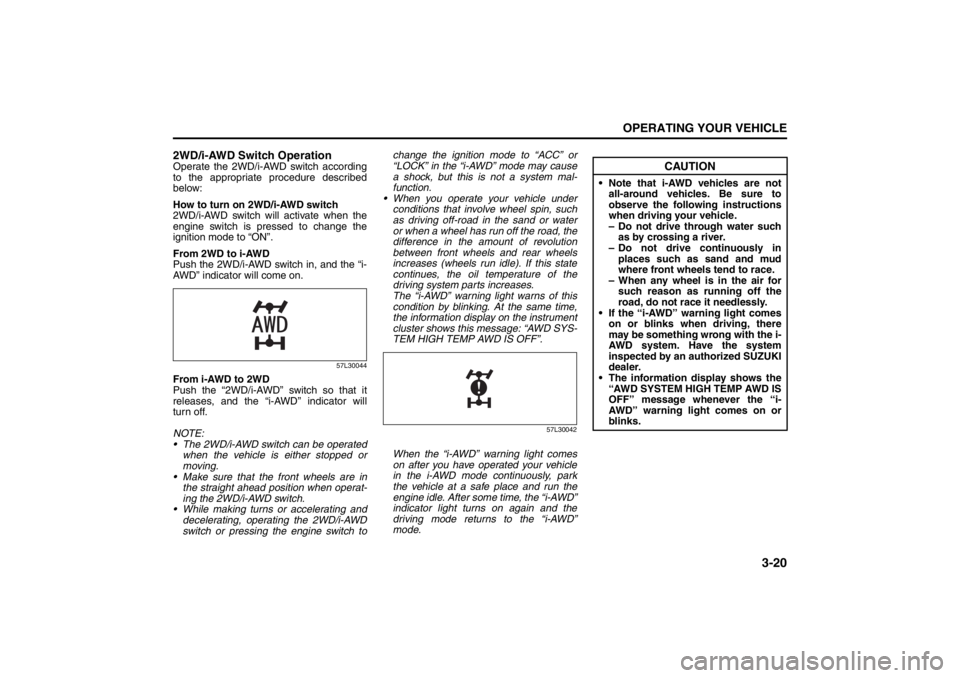
2WD/i-AWD Switch OperationOperate the 2WD/i-AWD switch according
to the appropriate procedure described
below:
How to turn on 2WD/i-AWD switch
2WD/i-AWD switch will activate when the
engine switch is pressed to change the
ignition mode to “ON”.
From 2WD to i-AWD
Push the 2WD/i-AWD switch in, and the “i-
AWD” indicator will come on.
57L30044
From i-AWD to 2WD
Push the “2WD/i-AWD” switch so that it
releases, and the “i-AWD” indicator will
turn off.
NOTE:
The 2WD/i-AWD switch can be operated
when the vehicle is either stopped or
moving.
Make sure that the front wheels are in
the straight ahead position when operat-
ing the 2WD/i-AWD switch.
While making turns or accelerating and
decelerating, operating the 2WD/i-AWD
switch or pressing the engine switch tochange the ignition mode to “ACC” or
“LOCK” in the “i-AWD” mode may cause
a shock, but this is not a system mal-
function.
When you operate your vehicle under
conditions that involve wheel spin, such
as driving off-road in the sand or water
or when a wheel has run off the road, the
difference in the amount of revolution
between front wheels and rear wheels
increases (wheels run idle). If this state
continues, the oil temperature of the
driving system parts increases.
The “i-AWD” warning light warns of this
condition by blinking. At the same time,
the information display on the instrument
cluster shows this message: “AWD SYS-
TEM HIGH TEMP AWD IS OFF”.
57L30042
When the “i-AWD” warning light comes
on after you have operated your vehicle
in the i-AWD mode continuously, park
the vehicle at a safe place and run the
engine idle. After some time, the “i-AWD”
indicator light turns on again and the
driving mode returns to the “i-AWD”
mode.
CAUTION
Note that i-AWD vehicles are not
all-around vehicles. Be sure to
observe the following instructions
when driving your vehicle.
– Do not drive through water such
as by crossing a river.
– Do not drive continuously in
places such as sand and mud
where front wheels tend to race.
– When any wheel is in the air for
such reason as running off the
road, do not race it needlessly.
If the “i-AWD” warning light comes
on or blinks when driving, there
may be something wrong with the i-
AWD system. Have the system
inspected by an authorized SUZUKI
dealer.
The information display shows the
“AWD SYSTEM HIGH TEMP AWD IS
OFF” message whenever the “i-
AWD” warning light comes on or
blinks.
Page 154 of 388

3-23OPERATING YOUR VEHICLE
57L20-03E
steadily increase. When you release the
switch, the new speed will be maintained.
To reset at a slower cruising speed, press
repeatedly or hold push down the “RES +/
SET –” switch (3) until the vehicle has
slowed to the desired speed, then release
the switch. The new speed will be main-
tained.
NOTE:
You can adjust the set speed by approxi-
mately 1.0 mph (1.6 km/h) by pushing a
cruise control switch quickly.
Cancellation of the Cruise Control
The “SET” indicator light will go off and the
cruise control will be canceled temporarily
with following procedures:
Push the “CANCEL” switch (2).
Depress the brake pedal.
For manual transaxle, depress the clutch
pedal.
For CVT, downshift from 3rd to 2nd in the
manual mode.
The vehicle speed falls more than about
20 percent from the set speed.
Any time the vehicle speed falls below
25 mph (40 km/h).
When the vehicle skids and ESP
® (if
equipped) is activated.
To resume the previously set speed, push
up the “RES +/SET –” switch (3) and turn
on the “SET” indicator light. Besides, the
vehicle speed has to be above 25 mph (40km/h) when the vehicle is not in the above
conditions.
To turn off the cruise control system, push
the “CRUISE” switch (1) and make sure
the “CRUISE” indicator light is off.
Also, if the malfunction indicator light in the
instrument cluster comes on or blinks, the
cruise control system will be turned off.
NOTE:
If you turn off the cruise control system, the
previously set speed in the memory is
cleared. Reset your cruising speed again.
Parking Sensors
(if equipped)
57L40019
(1) Symbol representing an obstacle
detected by parking sensor*
* This symbol represents an obstacle that
is located to the right rear at the vehicle.
The parking sensor system uses ultra-
sonic sensors to detect obstacles near
the rear bumper. If obstacles are sensed
while you are parking or moving the
vehicle slowly, the system warns you by
sounding a buzzer and displaying sym-
bols representing the obstacles on the
information display in the instrument
cluster.
The system emits an ultrasonic wave
and the relevant sensor detects the
return of the wave reflected by an obsta-
cle. The system measures the time
(1)
Page 157 of 388

3-26
OPERATING YOUR VEHICLE
57L20-03E
How to Use the Parking SensorParking Sensor Switch
57L31021
(1) Parking sensor switch
(2) Indicator
When you push the parking sensor
switch with the engine switch in the “ON”
mode, the switch releases to the ON
position and the indicator in the switch
comes on. If you then place the gearshift
lever in the “R” position, the parking sen-
sor system is activated.
Push the switch again and it stays in; this
is the OFF position. The indicator in the
switch goes out and the parking sensor
is deactivated.NOTE:
If you push the parking sensor switch from
the OFF to ON position when the ignition
mode has been changed to “ON” by press-
ing the engine switch, the inside buzzer
sounds once.
Obstacle Indication by Parking Sen-
sor
57L31020
(1) Obstacle detected by rear center sen-
sors
(2) Obstacle detected by rear corner sen-
sors
Upon detecting an obstacle, the parking
sensor causes an interior buzzer to sound
and a symbol representing the obstacle
appears an the information display in the
instrument cluster.
A different symbol is displayed depend-
ing on the direction and distance of the
obstacle.
A buzzer located behind the rear seat
sounds when a sensor at the rear
detects an obstacle.
(2) (1)
Switch
posi-
tionState
ON
The indicator lights up and
when all necessary condi-
tions are met, system
becomes ready for opera-
tion.
OFF
The system does not
operate. Place the switch
in this position if you do
not wish to use the park-
ing sensor.
(1) (2) (2)
Page 158 of 388

3-27OPERATING YOUR VEHICLE
57L20-03E
Warnings when obstacles are detected
by corner sensors Warnings when obstacles are detected
by center sensors
NOTE:
Symbols are displayed with a short delay
after the detection of obstacles.
If the system detects multiple obstacles
simultaneously, the display shows all of
their positions using the corresponding
symbols. However, the buzzers will
sound only for the nearest obstacles.
Warning and Indicator MessagesIf there is a problem or warning regarding
the parking sensor system, a message is
displayed on the information display in the
instrument cluster, and a symbol flashes
and the buzzer sounds. If a message is
displayed, follow its instruction. Distance
(approx.)Buzzer Symbol
37.5 – 60 cm
(15 – 24 in)Short beeps at
short intervalsThree
lines
25 – 37.5 cm
(10 – 25 in)Short beeps at
very short
intervalsTwo lines
Less than
25 cm
(10 in)Continuous
beepOne line
Distance
(approx.)Buzzer Symbol
60 – 150 cm
(24 – 59 in)Short beeps at
long intervals
Three
lines
45 – 60 cm
(18 – 24 in)Short beeps at
short intervals
35 – 45 cm
(14 – 18 in)Short beeps at
very short
intervalsTwo lines
Less than
35 cm
(14 in)Continuous
beepOne line
Message Symbol BuzzerProbable
cause and
remedy
Tw o
flashing
lines in a
sensor
location.Series
of dou-
ble
beepsThere may
be prob-
lem with
the park-
ing sensor
system.
Have your
vehicle
inspected
by an
authorized
SUZUKI
dealer.
One
flashing
line in a
sensor
location.Series
of sin-
gle
beepsThe indi-
cated sen-
sor is
contami-
nated.
Wipe it
clean with
a soft
cloth.
Page 164 of 388
3-33OPERATING YOUR VEHICLE
57L20-03E
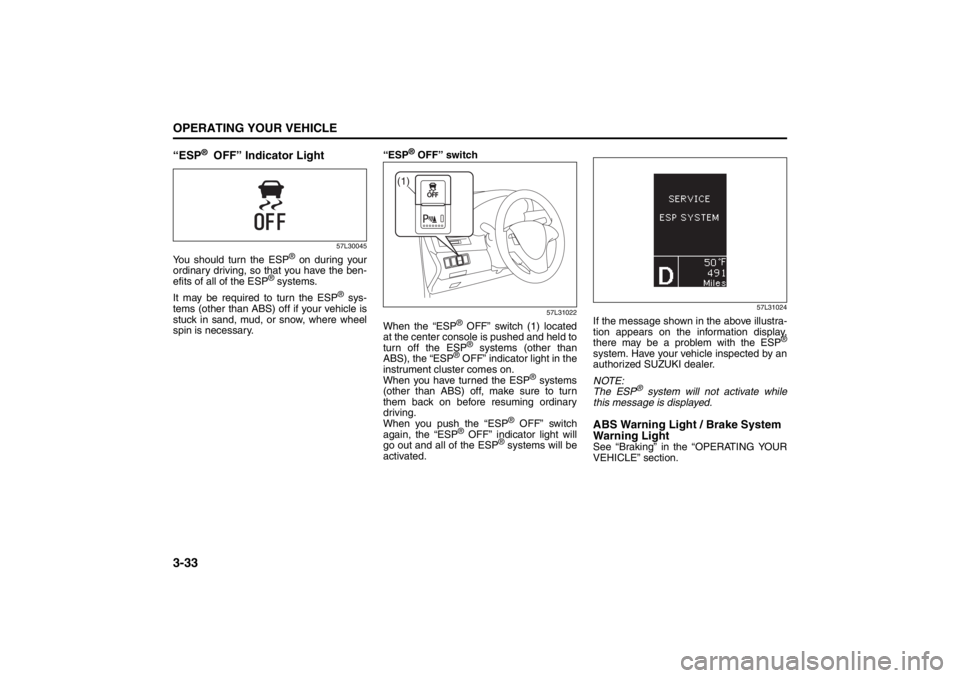
“ESP
® OFF” Indicator Light
57L30045
You should turn the ESP
® on during your
ordinary driving, so that you have the ben-
efits of all of the ESP
® systems.
It may be required to turn the ESP
® sys-
tems (other than ABS) off if your vehicle is
stuck in sand, mud, or snow, where wheel
spin is necessary.“ESP
® OFF” switch
57L31022
When the “ESP
® OFF” switch (1) located
at the center console is pushed and held to
turn off the ESP® systems (other than
ABS), the “ESP
® OFF” indicator light in the
instrument cluster comes on.
When you have turned the ESP
® systems
(other than ABS) off, make sure to turn
them back on before resuming ordinary
driving.
When you push the “ESP
® OFF” switch
again, the “ESP
® OFF” indicator light will
go out and all of the ESP
® systems will be
activated.
57L31024
If the message shown in the above illustra-
tion appears on the information display,
there may be a problem with the ESP
®
system. Have your vehicle inspected by an
authorized SUZUKI dealer.
NOTE:
The ESP
® system will not activate while
this message is displayed.
ABS Warning Light / Brake System
Warning LightSee “Braking” in the “OPERATING YOUR
VEHICLE” section.
(1)