2010 SUBARU FORESTER display
[x] Cancel search: displayPage 193 of 402

5-22Audio
format CD is playing. . The “F-RDM ”indication refers to the
random playback in the folder. It ran-
domly repeats the tracks in the folder. It
is possible to select the function when
an MP3/WMA format track is playing.. The “D-RDM ”indication refers to the
random playback of a disc. It randomly
repeats the tracks in the CD. It is
possible to select the function when
an MP3/WMA format track is playing.
To cancel the random playback mode,
press the “RPT ”button again and select
CANCEL. The “RDM ”indication will turn off, and the
normal playback mode will be resumed. NOTE
Random playback will be cancelled if
you perform any of the following steps. . Press the “RPT ”button and select
CANCEL . Press the “
”button
. Press the disc select button
. Press the “SCAN ”button
. Press the “LOAD ”button when
there is free space in the CD magazine &
Scan
The scan mode lets you listen to the first
10 seconds of each track/file in succes-
sion. Press the “SCAN ”button to start
scanning upward beginning with the track/
file(s) following the currently selected one.
After all track/file(s) in the disk/folder have
been scanned, normal playback will be
resumed. To cancel the scan mode, pressthe “SCAN ”button again.
NOTE
The scan mode will be cancelled if you
perform any of the following steps. . Press the “RPT ”button
. Turn the “TRACK ”dial
. Press the “
”or “”side of the
“ FOLDER ”button
. Press the “
”button .
Press the disc select button
. Select the radio or AUX mode
. Press the “LOAD ”button when
there is free space in the CD magazine . Turn off the power of the audio
equipment. Turntheignitionswitchtothe
“ LOCK ”position
& Display selection
If you press the “TEXT ”button during
playback, the indication will change to the
next one in the following sequence.
Page 194 of 402
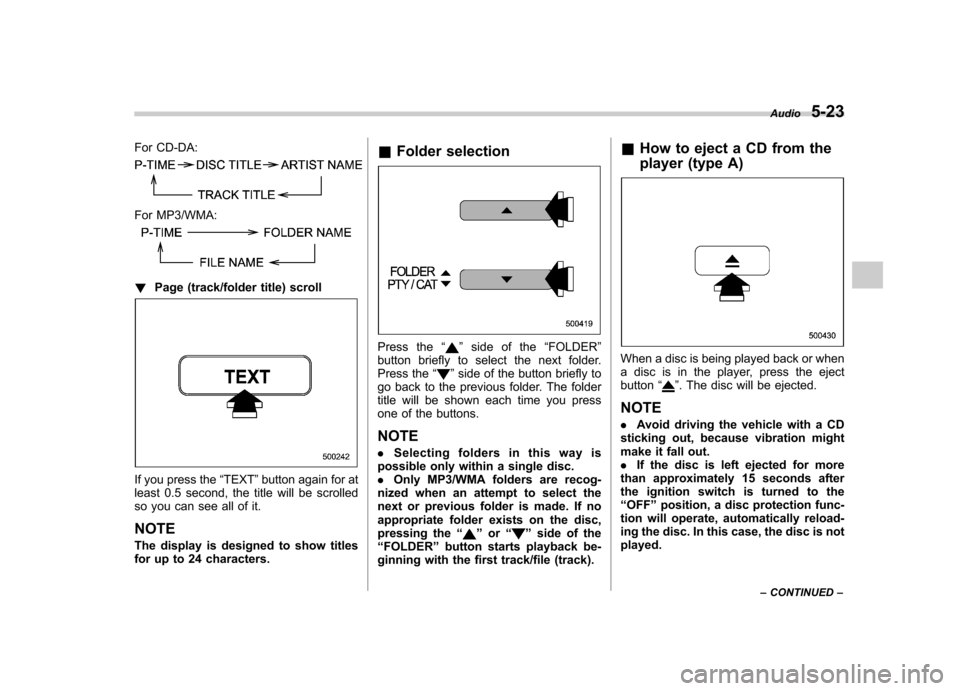
For CD-DA:
For MP3/WMA:
!Page (track/folder title) scroll
If you press the “TEXT ”button again for at
least 0.5 second, the title will be scrolled
so you can see all of it. NOTE
The display is designed to show titles
for up to 24 characters. &
Folder selection
Press the “”side of the “FOLDER ”
button briefly to select the next folder.
Press the “
”side of the button briefly to
go back to the previous folder. The folder
title will be shown each time you press
one of the buttons.
NOTE . Selecting folders in this way is
possible only within a single disc. . Only MP3/WMA folders are recog-
nized when an attempt to select the
next or previous folder is made. If no
appropriate folder exists on the disc,
pressing the “
”or “”side of the
“ FOLDER ”button starts playback be-
ginning with the first track/file (track). &
How to eject a CD from the
player (type A)
When a disc is being played back or when
a disc is in the player, press the ejectbutton “
”. The disc will be ejected.
NOTE . Avoid driving the vehicle with a CD
sticking out, because vibration might
make it fall out.. If the disc is left ejected for more
than approximately 15 seconds after
the ignition switch is turned to the“ OFF ”position, a disc protection func-
tion will operate, automatically reload-
ing the disc. In this case, the disc is not played. Audio
5-23
– CONTINUED –
Page 196 of 402
the player is in all disc ejection mode,
the mode will be cancelled following
ejection of the disc that is currently
being ejected..If you press the “CD ”button or
“ LOAD ”button while the player is in
all disc ejection mode, the player will
draw in the discs that have been
ejected and play them. & When the following mes-
sages are displayed
If one of the following messages is
displayed while operating the CD player,
determine the cause based on the follow-
ing information. If you cannot clear those
messages, please contact your SUBARU
dealer. ! When “PUSH EJECT ”is displayed
Press the eject button to unload the disc.
Check the disc for damage or deforma-
tion, and also check that the correct disc is
inserted. Do not try to unload the disc
forcibly. Single CDs (i.e., 8 cm/3 inch CDs)
are not supported, and if inserted, they will
be immediately ejected and this message
will be displayed. If the disc cannot be
unloaded or this message remains dis-
played, please contact your SUBARU
dealer. !
When “CHECK DISC ”is displayed
Press the eject button to unload the discs.
Check that the disc is not damaged or
scratched, and also check that the disc is
inserted correctly. This message may
appear when using some CD-RW discs.
Check that the disc type (i.e., 8 cm/3 inch
CDs are not supported) and data format
are correct. This player can only play MP3
and WMA data formats. If the disc cannot
be unloaded or this message remains
displayed, please contact your SUBARU
dealer. Auxiliary input jack (if
equipped)
By connecting a commercial audio pro-
duct to the vehicle, such as a portable
audio player, you can hear its sound via
the vehicle
’s speakers.
An auxiliary (AUX) input jack is present in
the center console. A stereo mini pin plug
(3.5ø) can be inserted in this jack. The
connection cable is available at electrical
appliance or similar stores.
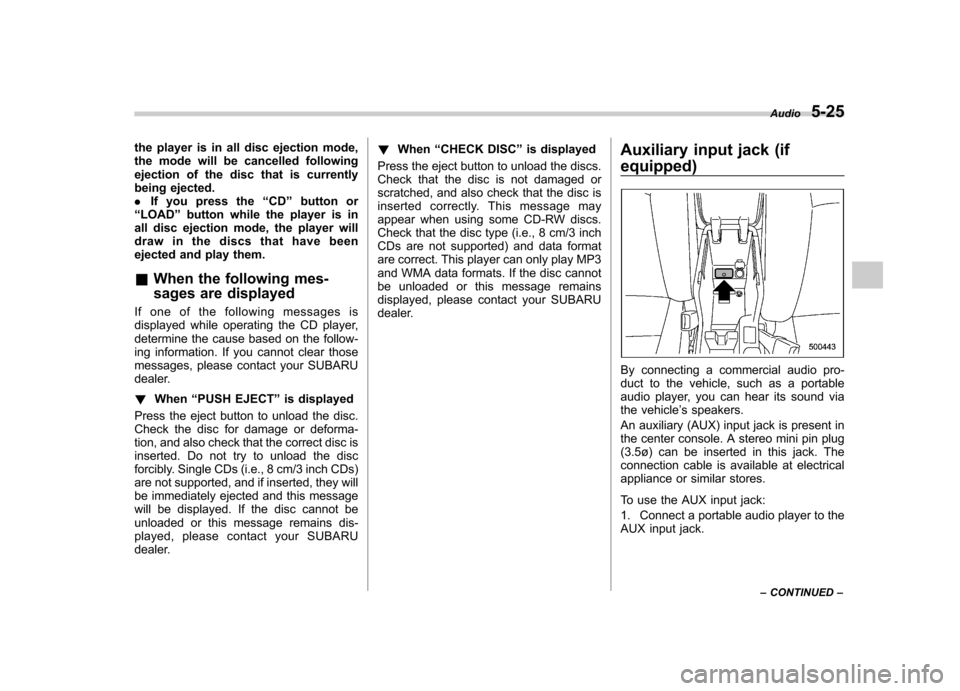
To use the AUX input jack:
1. Connect a portable audio player to the
AUX input jack. Audio
5-25
– CONTINUED –
Page 199 of 402
5-28Audio
Audio control buttons (if equipped)
These buttons are located on the steering
wheel. They allow the driver to control
audio functions without taking his/her
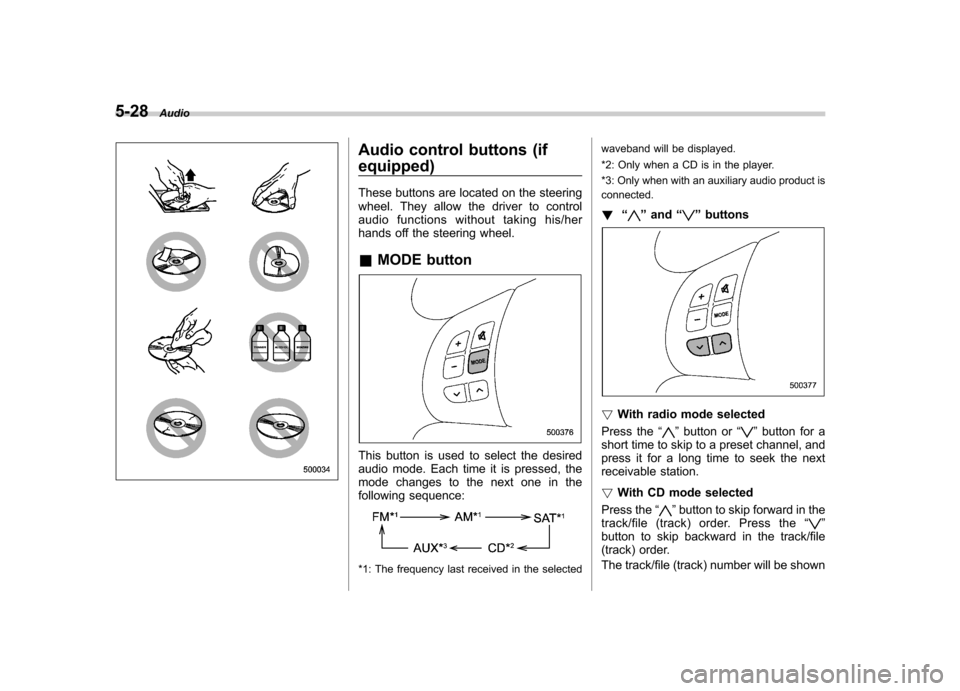
hands off the steering wheel. &MODE button
This button is used to select the desired
audio mode. Each time it is pressed, the
mode changes to the next one in the
following sequence:
*1: The frequency last received in the selected waveband will be displayed.
*2: Only when a CD is in the player.
*3: Only when with an auxiliary audio product is connected.
! “
”and “”buttons
! With radio mode selected
Press the “
”button or “”button for a
short time to skip to a preset channel, and
press it for a long time to seek the next
receivable station. ! With CD mode selected
Press the “
”button to skip forward in the
track/file (track) order. Press the “”
button to skip backward in the track/file
(track) order.
The track/file (track) number will be shown
Page 200 of 402
on the audio display. !With SAT mode selected
Press the “
”button to skip forward in the
channel order. Press the “”button to
skip backward in the channel order. The
channel will be shown on the audio
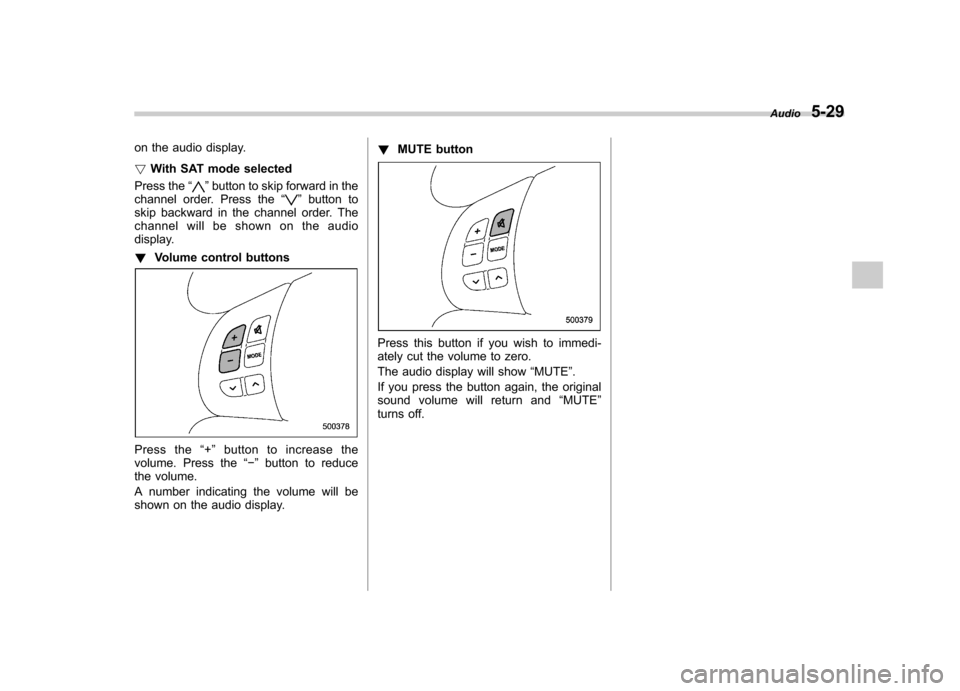
display. ! Volume control buttons
Press the “+ ” button to increase the
volume. Press the “ ” button to reduce
the volume.
A number indicating the volume will be
shown on the audio display. !
MUTE button
Press this button if you wish to immedi-
ately cut the volume to zero.
The audio display will show “MUTE ”.
If you press the button again, the original
sound volume will return and “MUTE ”
turns off. Audio
5-29
Page 316 of 402
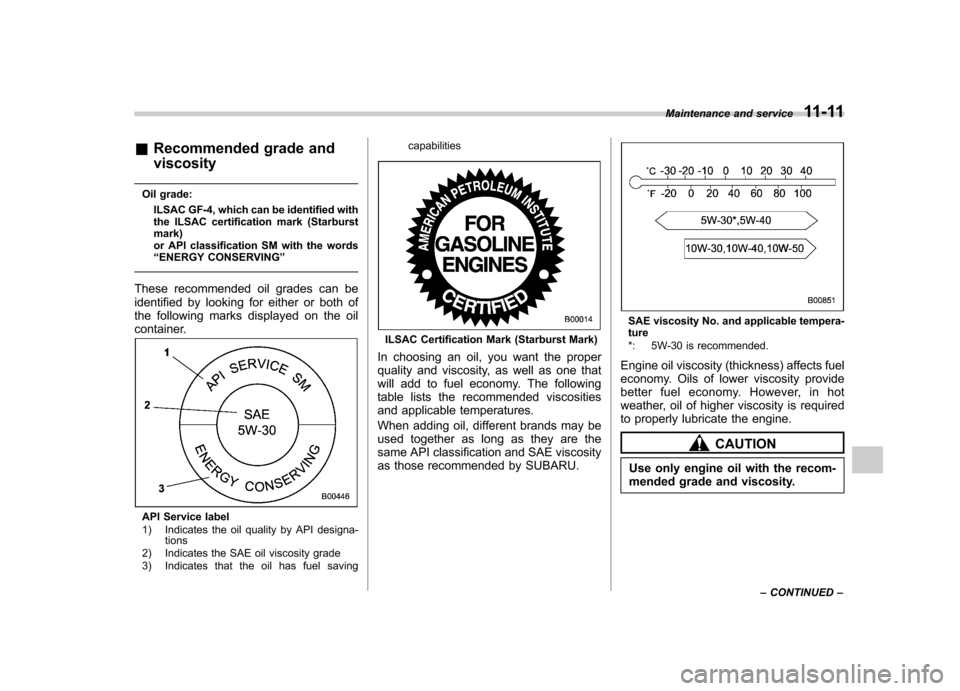
&Recommended grade and viscosity
Oil grade: ILSAC GF-4, which can be identified with
the ILSAC certification mark (Starburst mark)
or API classification SM with the words“ENERGY CONSERVING ”
These recommended oil grades can be
identified by looking for either or both of
the following marks displayed on the oil
container.
API Service label
1) Indicates the oil quality by API designa- tions
2) Indicates the SAE oil viscosity grade
3) Indicates that the oil has fuel saving capabilities
ILSAC Certification Mark (Starburst Mark)
In choosing an oil, you want the proper
quality and viscosity, as well as one that
will add to fuel economy. The following
table lists the recommended viscosities
and applicable temperatures.
When adding oil, different brands may be
used together as long as they are the
same API classification and SAE viscosity
as those recommended by SUBARU.
SAE viscosity No. and applicable tempera- ture
*: 5W-30 is recommended.
Engine oil viscosity (thickness) affects fuel
economy. Oils of lower viscosity provide
better fuel economy. However, in hot
weather, oil of higher viscosity is required
to properly lubricate the engine.
CAUTION
Use only engine oil with the recom-
mended grade and viscosity. Maintenance and service
11-11
– CONTINUED –
Page 395 of 402

14-6Index
Hill start assist warning light ................................ 3-18, 7-34
HomeLink
®................................................................ 3-34
Hook
Cargo tie-down ...................................................... 6-15
Coat ..................................................................... 6-13
Shopping bag ........................................................ 6-12
Towing and tie-down ............................................... 9-13
Horn ......................................................................... 3-43
Hose and connections ............................................... 11-12
I
Ignition switch .............................................................. 3-3
Light ....................................................................... 3-5
Illuminated entry .......................................................... 2-9
Illumination brightness control ...................................... 3-27
Immobilizer. ................................................................. 2-2
Indicator light (security indicator light) ................. 2-3, 3-20
Indicator light Coolant temperature low ......................................... 3-13
Cruise control ................................................ 3-21, 7-37
Cruise control set ........................................... 3-21, 7-38
Front fog light ........................................................ 3-21
Headlight .............................................................. 3-21
High beam ............................................................ 3-21
Immobilizer. ..................................................... 2-3, 3-20
Security .......................................................... 2-3, 3-20
Select lever/Gear position ....................................... 3-21
SPORT mode ........................................................ 3-20
Turn signal ............................................................ 3-21
Vehicle Dynamics Control OFF ........................ 3-19, 7-29
Vehicle Dynamics Control operation ................. 3-19, 7-27Information display
...................................................... 3-22
Inside mirror .............................................................. 3-32
Interior lights ............................................................... 6-2
J
Jack and jack handle ................................................... 9-5
Jack-up point .............................................................. 9-6
Jump starting ............................................................. 9-10
K
Key............................................................................ 2-2 Number .................................................................. 2-2
Reminder chime ...................................................... 3-5
Replacement. .......................................................... 2-4
Keyless entry system ................................................... 2-7
L
Leather seat materials ................................................. 10-5
License plate light ..................................................... 11-50
Light
Cargo area .................................................... 6-3, 11-50
Control switch ........................................................ 3-25
Dome ............................................................ 6-2, 11-50
Door step ............................................................ 11-50
Front fog ............................................................... 3-28
Ignition switch ......................................................... 3-5
License plate ....................................................... 11-50
Map .............................................................. 6-3, 11-50
Rear combination ................................................. 11-49
Turn signal .................................................. 3-27, 11-49
Loading your vehicle ................................................... 8-12