2010 SKODA OCTAVIA TOUR ESP
[x] Cancel search: ESPPage 4 of 12
Radio
2RadioRadio - Overview
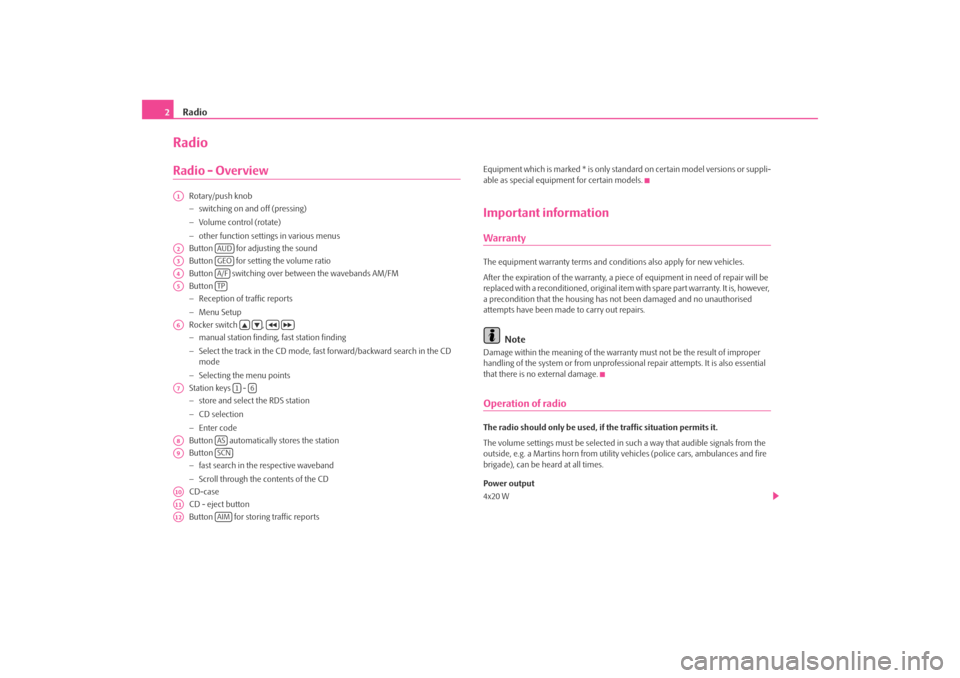
Rotary/push knob − switching on and off (pressing) − Volume control (rotate) − other function settin
gs in various menus
Button for adjusting the sound Button for setting the volume ratio Button switching over between the wavebands AM/FMButton − Reception of traffic reports − Menu Setup Rocker switch , − manual station finding, fast station finding − Select the track in the CD mode, fast forward/backward search in the CD mode − Selecting the menu points Station keys - − store and select the RDS station − CD selection − Enter code Button automatically stores the stationButton − fast search in the respective waveband − Scroll through the contents of the CD CD-caseCD - eject button Button for storing traffic reports
Equipment which is marked * is only stan
dard on certain model versions or suppli-
able as special equipment for certain models.Important informationWarrantyThe equipment warranty terms and conditions also apply for new vehicles. After the expiration of the warranty, a piec
e of equipment in need of repair will be
replaced with a reconditioned, original item with spare part warranty. It is, however, a precondition that the housing has
not been damaged and no unauthorised
attempts have been made
to carry out repairs.
Note
Damage within the meaning of the warranty must not be the result of improper handling of the system or from unprofession
al repair attempts. It is also essential
that there is no external damage.Operation of radioThe radio should only be used, if the traffic situation permits it. The volume settings must be selected in
such a way that audible signals from the
outside, e.g. a Martins horn from utility
vehicles (police cars,
ambulances and fire
brigade), can be heard at all times. Power output 4x20 W
A1A2
AUD
A3
GEO
A4
A/F
A5
TP
A6
A7
1
6
A8
AS
A9
SCN
A10A11A12
AIM
s1tk.book Page 2 Thursday, March 20, 2008 1:56 PM
Page 5 of 12
Radio
3
WARNING
Please concentrate fully at
all times on your driving! As the driver you are
fully responsible for road safety. Only use the functions of the radio in such a way that you are always in full co
ntrol of your vehicle in all traffic
situations!Using the displayCarefully handle the display because dent
s and scratches can occur through pres-
sure of the finger or contact with sharp objects. The display can be cleaned with a soft cl
oth and finger marks can be wiped away
with pure alcohol.
Note
Do not use solvent such as turpentine or
petrol as they will corrode the display
surface.Anti-theft protectionAnti-theft codingYour radio is equipped with a convenience co
ding. If the radio is being operated for
the first time, the safety code is not only
stored in the radio but also in the vehicle.
After disconnecting and reconnecting the batte
ry, first of all switch on the ignition
and then the radio. If you wish to install the radio in another vehicle, the safety code must be entered. In this case, please do not hesitate to
contact a Škoda Service Partner or a Škoda
importer. As the unit only functions after entering the
safety code, this practically excludes its
use after a theft - a contribution to increased anti-theft safety.
Note
•
The code is stored in the instrument cluster. This ensures that it is automatically
decoded (convenience coding). Manual inpu
t of the code is normally not neces-
sary.•
If the unit and the ignition is switched of
f, a flashing LED indicates the effective
anti-theft protection.Enter code– Switch on the radio if the ignition is on.
SAFE
is displayed and then
1000
.
– Enter the safety code using the station keys - . – Confirm the code by pressing the ke
y for a long time or by briefly
pressing the button .
If you have confirmed a wrongly entered co
de, you can repeat once again the entire
process. If the code number is entered incorrectl
y for the second time, the unit will be
blocked for approx. one hour. The safety co
de can only be entered again after one
hour has expired, with the uni
t switched on and the ignition key in the ignition lock.
The cycle - two attempts, blocked for
an hour - will continue to apply.
Basic settingSwitching the unit on and off– The system is switched on or off by turning / pressing the rotary / push
knob .
If the key is pulled out of the ignition lo
ck with the unit swit
ched on, the unit wil
switch off automatically. You can switch
on again the unit by pressing the
1
4
A1
s1tk.book Page 3 Thursday, March 20, 2008 1:56 PM
Page 9 of 12
Radio
7
recorded. During this display of five seco
nds, you can select another traffic infor-
mation station using the arrow keys
on the unit, which will be recorded.
If, when the vehicle is not in use, the reception of the set traffic information station is too poor because of external influences
, it will automatically search for another
traffic information station. A maximum of nine traffic announcements with
a total length of up to four minutes
can be recorded. The oldest traffic report
will always be overwritten if the memory
is full. Record for 2 hours If the TP range was selected before switch
ing off the radio, all the following traffic
reports are automatically recorded during th
e next 2 hours. “TIM 2 H” is shown in
the display. Record for 24 hours A 24 hour recording mode is activated in
the switched-off status by pressing the
button . The last heard program and “TIM 24 H” is shown in the display.
Note
•
The radio stations broadcasting this information are responsible for the content
of the traffic reports.•
A recording of traffic reports is only poss
ible, if the traffic information function
is switched on and a traffic information station is received (Display:
TP).
•
The oldest traffic report will always
be overwritten if the memory is full.
•
In case of a message of over four minut
es long, the beginning is overwritten.
•
If you switch on the radio while recording a message, the recording is
interrupted.Playing traffic reports– Press on the button , in order to listen to the stored traffic reports.
The play function starts with the last recorded traffic report and runs through to the oldest recorded traffic report.
– If you press the rocker switch , you can return to the beginning of
the currently replayed traffic report.
– If you press the rocker switch twic
e during the play function, you
can switch between the recorded messages by pressing the rocker switch or .
– You must keep the rocker switch or pressed for a fast reverse
or forwards replay of the announcements.
AIM
AIM
s1tk.book Page 7 Thursday, March 20, 2008 1:56 PM
Page 10 of 12
CD player
8CD playerUsing the systemInserting the CD– Carefully insert a CD into the CD case until it is automatically
drawn in. The play function begins automatically.
PLAY CD TR y
(y =
number of the current track) appears on the display.
Operating the CD playerSelect track – Press the rocker switch or during the play function of the CD, in
order to select the previous and/or the next title.
– Press the button or for fast replay of the track (reverse or
forward). The play function is co
ntinued after releasing the button.
Function SCAN – Press the button , in order to scroll through the CD. The first 10
seconds of each title are played.
SCAN CD TR y
appears on the
display.
– In order to return to the normal mode, press once again the button
.
Replay the track in random order – Press the button to start the play function of the tracks of the
current CD in random order.
End the play function of the CD – In order to end the play function of the CD and to activate the radio,
press the button or . The CD remains in the unit.
Ejecting CD – Press the button , the CD is ejected.
Note
•
If the ejected CD is not removed, it is drawn in again for safety reasons.
•
If the radio is functioning in the TP mode before changing to the CD mode, the
play function of the CD is interrupted during the traffic reports and the unit switches over to the radio mode. After the traffic reports have ended, the unit switches back once again to the CD mode.•
If the temperature in the radio exceeds 85°C, the CD player is switched off for
safety reasons. If the temperature drops be
low 85°C, the CD player is switched on
again.General information for MP3 operationRequirements for the MP3 data and data carrier •
650 MB and 700 MB CD-ROM, CD-R, CD-RW.
•
The CDs must correspond to the ISO 9660
Level 2 standard as well as the Joliet
data system (single and multi-session).•
Data names must be no longer than 64 characters.
•
The list structure is restricted
to a depth of 8 list levels.
•
Play lists are not supported.
Bit rate (data flow per time unit) •
The system supports MP3 data with bit rates of 32 to 256 KB/s as well as MP3
data with variable bit rates.
A10
SCN
SCN
AS
A/F
TP
CD
s1tk.book Page 8 Thursday, March 20, 2008 1:56 PM