2010 PONTIAC G6 warning
[x] Cancel search: warningPage 195 of 448

SERVICE ESC (ELECTRONIC STABILITY
CONTROL)
If your vehicle has Electronic Stability Control (ESC),
this message displays and a chime sounds if there has
been a problem detected with ESC. The ESC light
also appears on the instrument panel cluster. When this
message displays, the system is not working. Adjust
your driving accordingly. SeeElectronic Stability Control
(ESC) on page 5-5andElectronic Stability Control
Indicator Light on page 4-32for more information.
If this message turns on while you are driving, pull off
the road as soon as possible and stop carefully.
Try resetting the system by turning the ignition off and
then back on. If this message still stays on or turns back
on again while you are driving, your vehicle needs
service. Have the ESC inspected by your dealer/retailer
as soon as possible.
SERVICE TRACTION
If your vehicle has the Traction Control System (TCS),
this message displays and a chime sounds when
the system is not functioning properly. The TCS light
may also appears on the instrument panel cluster. When
this message displays, the system is not working.
Adjust your driving accordingly. SeeTraction Control
System (TCS) on page 5-6andTraction Off Light
on page 4-32for more information. Have the system
serviced by your dealer/retailer as soon as possible.
SVC (Service) TIRE MONITOR
On vehicles with the Tire Pressure Monitor System
(TPMS), this message displays if a part on the TPMS is
not working properly. The tire pressure light also
flashes and then remains on during the same ignition
cycle. SeeTire Pressure Light on page 4-33. Several
conditions may cause this message to appear. SeeTire
Pressure Monitor Operation on page 6-67for more
information. If the warning comes on and stays on, there
may be a problem with the TPMS. See your
dealer/retailer.
TIRE LEARN ON
On vehicles without the Remote Keyless Entry (RKE)
system, this message displays when the Tire Pressure
Monitor System (TPMS) is re-learning the tire
positions on your vehicle. The tire positions must be
re-learned after rotating the tires or after replacing a tire
or sensor. SeeTire Inspection and Rotation on
page 6-73,Tire Pressure Monitor System on page 6-66,
andInation - Tire Pressure on page 6-64for more
information.
4-45
Page 196 of 448

TIRE LOW ADD AIR
On vehicles with the Tire Pressure Monitor System
(TPMS), this message displays when the pressure in
one or more of the vehicle’s tires is low on air. The low
tire pressure warning light also comes on. SeeTire
Pressure Light on page 4-33. If this message appears
on the DIC, stop as soon as you can. Have the tire
pressures checked and set to those shown on the Tire
Loading Information label. SeeTires on page 6-56,
Loading the Vehicle on page 5-18, andInation - Tire
Pressure on page 6-64. The DIC also shows the
tire pressure values. SeeDIC Operation and Displays
on page 4-40.
TOP INOP (Inoperative) – TRUNK
If your vehicle has a retractable hardtop, this message
displays if the trunk lid is not completely closed
when operating the retractable hardtop. Make sure that
the trunk lid is closed when operating the retractable
hardtop. SeeTrunk on page 3-11,Lowering the
Retractable Hardtop on page 3-38, andRaising the
Retractable Hardtop on page 3-41for more information.
TOP MOVE COMPLT (Complete)
If your vehicle has a retractable hardtop, this message
displays when the retractable hardtop has lowered
or raised completely. SeeLowering the Retractable
Hardtop on page 3-38andRaising the Retractable
Hardtop on page 3-41for more information.
TOP NOT ALLOWED
If your vehicle has a retractable hardtop, this message
displays if the retractable hardtop button is pressed
while the vehicle is not in P (Park). Make sure that the
vehicle is in P (Park) when operating the retractable
hardtop. SeeLowering the Retractable Hardtop
on page 3-38andRaising the Retractable Hardtop on
page 3-41for more information.
TOP NOT SECURE
If your vehicle has a retractable hardtop, this message
displays when the retractable hardtop button is
released before the top open or close operation is
complete. Press and hold the retractable hardtop button
to fully open or close the top. SeeLowering the
Retractable Hardtop on page 3-38andRaising the
Retractable Hardtop on page 3-41for more information.
TOP OVER TEMP (Temperature)
If your vehicle has a retractable hardtop, this message
displays when the retractable hardtop button is
pressed and the hardtop pump motor temperature is too
hot. Wait for the hardtop pump motor to cool down
before using the retractable hardtop. SeeLowering the
Retractable Hardtop on page 3-38andRaising the
Retractable Hardtop on page 3-41for more information.
4-46
Page 198 of 448

To change feature settings, use the following procedure:
Entering Personalization Menu
1. Turn the ignition on while the vehicle is stopped.
To avoid excessive drain on the battery, it is
recommended that the headlamps are turned off.
2. Press and hold the information and reset buttons at
the same time for one second, then release to enter
the personalization menu.
If the vehicle speed is greater than 3 km/h (2 mph),
only the UNITS menu will be accessible.
3. Press the information button to scroll through the
available personalization menu modes.
Press the reset button to scroll through the available
settings for each mode.
If you do not make a selection within ten seconds,
the display will go back to the previous information
displayed.
Personalization Menu Modes
OIL LIFE RESET
When this feature is displayed, you can reset the engine
oil life system. To reset the system, seeEngine Oil
Life System on page 6-24. See “OIL LIFE” underDIC
Operation and Displays on page 4-40for more
information.
UNITS
This feature allows you to select the units of
measurement in which the DIC will display the vehicle
information. When UNITS appears on the display, press
and hold the reset button for at least one second to
scroll through the available settings:
ENGLISH (default in United States):All information
will be displayed in English units.
METRIC (default in Canada):All information will be
displayed in metric units.
To select a setting and move on to the next feature,
press the information button while the desired setting is
displayed on the DIC.
TIRE LEARN?
If your vehicle has the Tire Pressure Monitor System
(TPMS) and does not have Remote Keyless Entry
(RKE), this feature allows the TPMS to relearn the tire
positions. After rotating the tires or after replacing a
tire or sensor, the TPMS must re-learn the tire positions.
To re-learn the tire positions, seeTire Pressure
Monitor Operation on page 6-67,Tire Inspection and
Rotation on page 6-73, andDIC Warnings and
Messages on page 4-42for more information.
4-48
Page 203 of 448

Audio System(s)
Determine which radio the vehicle has and read the
following pages to become familiar with its features.
{WARNING:
Taking your eyes off the road for extended periods
could cause a crash resulting in injury or death to
you or others. Do not give extended attention to
entertainment tasks while driving.
This system provides access to many audio and non
audio listings.
To minimize taking your eyes off the road while driving,
do the following while the vehicle is parked:
•Become familiar with the operation and controls of
the audio system.
•Set up the tone, speaker adjustments, and preset
radio stations.
For more information, seeDefensive Driving on
page 5-2.Notice:Contact your dealer/retailer before adding
any equipment.
Adding audio or communication equipment could
interfere with the operation of the vehicle’s engine,
radio, or other systems, and could damage them.
Follow federal rules covering mobile radio and
telephone equipment.
The vehicle has Retained Accessory Power (RAP). With
RAP, the audio system can be played even after the
ignition is turned off. SeeRetained Accessory Power
(RAP) on page 3-21for more information.
Setting the Clock
To set the time and date:
1. Turn the ignition key to ACC/ACCESSORY or
ON/RUN. Press
Oto turn the radio on.
2. Press
Hand the HR, MIN, MM, DD, YYYY (hour,
minute, month, day, and year) displays.
3. Press the softkey located below any one of the tabs
that you want to change.
4-53
Page 236 of 448

Your Driving, the Road, and
the Vehicle
Defensive Driving
Defensive driving means “always expect the
unexpected.” The first step in driving defensively
is to wear your safety belt — SeeSafety Belts: They
Are for Everyone on page 2-14.
{WARNING:
Assume that other road users (pedestrians,
bicyclists, and other drivers) are going to be
careless and make mistakes. Anticipate what
they might do and be ready. In addition:
•Allow enough following distance between you
and the driver in front of you.
•Focus on the task of driving.
Driver distraction can cause collisions resulting in
injury or possible death. These simple defensive
driving techniques could save your life.
Drunk Driving
{WARNING:
Drinking and then driving is very dangerous. Your
reflexes, perceptions, attentiveness, and judgment
can be affected by even a small amount of alcohol.
You can have a serious — or even fatal — collision
if you drive after drinking. Do not drink and drive or
ride with a driver who has been drinking. Ride home
in a cab; or if you are with a group, designate a
driver who will not drink.
Death and injury associated with drinking and driving is
a global tragedy.
Alcohol affects four things that anyone needs to drive a
vehicle: judgment, muscular coordination, vision, and
attentiveness.
Police records show that almost 40 percent of all motor
vehicle-related deaths involve alcohol. In most cases,
these deaths are the result of someone who was drinking
and driving. In recent years, more than 17,000 annual
motor vehicle-related deaths have been associated with
the use of alcohol, with about 250,000 people injured.
5-2
Page 237 of 448

For persons under 21, it is against the law in every
U.S. state to drink alcohol. There are good medical,
psychological, and developmental reasons for
these laws.
The obvious way to eliminate the leading highway
safety problem is for people never to drink alcohol
and then drive.
Medical research shows that alcohol in a person’s
system can make crash injuries worse, especially
injuries to the brain, spinal cord, or heart. This means
that when anyone who has been drinking — driver
or passenger — is in a crash, that person’s chance
of being killed or permanently disabled is higher than
if the person had not been drinking.
Control of a Vehicle
The following three systems help to control the vehicle
while driving — brakes, steering, and accelerator.
At times, as when driving on snow or ice, it is easy to
ask more of those control systems than the tires and road
can provide. Meaning, you can lose control of the vehicle.
SeeTraction Control System (TCS) on page 5-6and
Electronic Stability Control (ESC) on page 5-5.
Adding non-dealer/non-retailer accessories can affect
vehicle performance. SeeAccessories and Modications
on page 6-4.
Braking
SeeBrake System Warning Light on page 4-30.
Braking action involves perception time and reaction
time. Deciding to push the brake pedal is perception
time. Actually doing it is reaction time.
Average reaction time is about three-fourths of a
second. But that is only an average. It might be less
with one driver and as long as two or three seconds or
more with another. Age, physical condition, alertness,
coordination, and eyesight all play a part. So do alcohol,
drugs, and frustration. But even in three-fourths of a
second, a vehicle moving at 100 km/h (60 mph) travels
20 m (66 feet). That could be a lot of distance in an
emergency, so keeping enough space between
the vehicle and others is important.
And, of course, actual stopping distances vary greatly
with the surface of the road, whether it is pavement or
gravel; the condition of the road, whether it is wet, dry,
or icy; tire tread; the condition of the brakes; the weight
of the vehicle; and the amount of brake force applied.
Avoid needless heavy braking. Some people drive
in spurts — heavy acceleration followed by heavy
braking — rather than keeping pace with traffic.
5-3
Page 238 of 448

This is a mistake. The brakes might not have time to cool
between hard stops. The brakes will wear out much faster
with a lot of heavy braking. Keeping pace with the traffic
and allowing realistic following distances eliminates a lot
of unnecessary braking. That means better braking and
longer brake life.
If the engine ever stops while the vehicle is being driven,
brake normally but do not pump the brakes. If the brakes
are pumped, the pedal could get harder to push down.
If the engine stops, there will still be some power brake
assist but it will be used when the brake is applied. Once
the power assist is used up, it can take longer to stop and
the brake pedal will be harder to push.
Adding non-dealer/non-retailer accessories can affect
vehicle performance. SeeAccessories and Modications
on page 6-4.Antilock Brake System (ABS)
This vehicle has the Antilock Brake System (ABS), an
advanced electronic braking system that helps prevent
a braking skid.
When the engine is started and the vehicle begins to
drive away, ABS checks itself. A momentary motor
or clicking noise might be heard while this test is going
on, and it might even be noticed that the brake pedal
moves a little. This is normal.
If there is a problem with
ABS, this warning light
stays on. SeeAntilock
Brake System (ABS)
Warning Light on
page 4-31.
Let us say the road is wet and you are driving safely.
Suddenly, an animal jumps out in front of you. You slam
on the brakes and continue braking. Here is what
happens with ABS:
A computer senses that the wheels are slowing down.
If one of the wheels is about to stop rolling, the computer
will separately work the brakes at each wheel.
5-4
Page 241 of 448
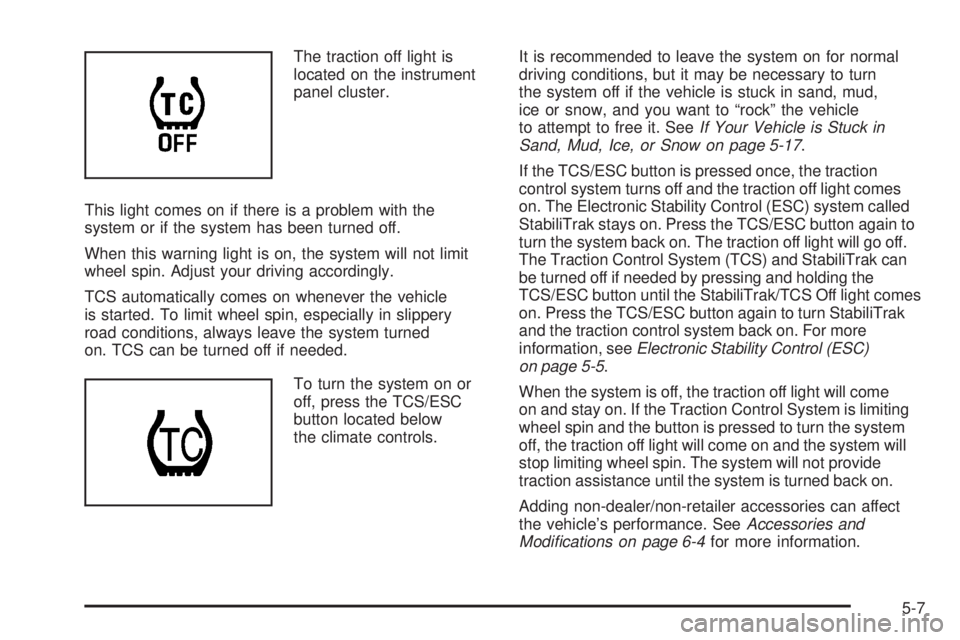
The traction off light is
located on the instrument
panel cluster.
This light comes on if there is a problem with the
system or if the system has been turned off.
When this warning light is on, the system will not limit
wheel spin. Adjust your driving accordingly.
TCS automatically comes on whenever the vehicle
is started. To limit wheel spin, especially in slippery
road conditions, always leave the system turned
on. TCS can be turned off if needed.
To turn the system on or
off, press the TCS/ESC
button located below
the climate controls.It is recommended to leave the system on for normal
driving conditions, but it may be necessary to turn
the system off if the vehicle is stuck in sand, mud,
ice or snow, and you want to “rock” the vehicle
to attempt to free it. SeeIf Your Vehicle is Stuck in
Sand, Mud, Ice, or Snow on page 5-17.
If the TCS/ESC button is pressed once, the traction
control system turns off and the traction off light comes
on. The Electronic Stability Control (ESC) system called
StabiliTrak stays on. Press the TCS/ESC button again to
turn the system back on. The traction off light will go off.
The Traction Control System (TCS) and StabiliTrak can
be turned off if needed by pressing and holding the
TCS/ESC button until the StabiliTrak/TCS Off light comes
on. Press the TCS/ESC button again to turn StabiliTrak
and the traction control system back on. For more
information, seeElectronic Stability Control (ESC)
on page 5-5.
When the system is off, the traction off light will come
on and stay on. If the Traction Control System is limiting
wheel spin and the button is pressed to turn the system
off, the traction off light will come on and the system will
stop limiting wheel spin. The system will not provide
traction assistance until the system is turned back on.
Adding non-dealer/non-retailer accessories can affect
the vehicle’s performance. SeeAccessories and
Modications on page 6-4for more information.
5-7