Page 17 of 422
Steering Wheel Adjustment
The lever is located on the left side of the steering
column.1. Pull the lever down to unlock the steering wheel.
2. Move the steering wheel up or down into a comfortable position.
3. Pull the lever up to lock the steering wheel in place.
See Tilt Wheel on page 4-3.
Interior Lighting
Dome Lamp
The vehicle may have a dome lamp.
Move the lever near the dome lamp to the following
positions:
9:Turns the lamp off, even when a door is opened.
1:Turns the lamp on whenever a door is opened.
+:Turns the dome lamp on.
Mirror Reading Lamp
The vehicle may have reading lamps on the rearview
mirror. Press the button near each lamp to turn the
reading lamps on and off.
For more information on interior lighting, see:
•Entry/Exit Lighting on page 4-12 .
•Instrument Panel Brightness on page 4-11 .
1-11
Page 21 of 422

f:Select radio stations.
©¨:Seek or scan stations.
4:Press4to display additional text information related
to the current FM-RDS or XM station; or CD, MP3,
WMA song. Song title information will be displayed on
the top line of the display while the artist information will
be displayed on the bottom line, it the information is
available during XM, CD, MP3, or WMA playback. When
information is not available, “No Info” displays.
For more information about these and other radio
features, see Radio(s) on page 4-51 .
Storing a Favorite Station
Depending on which radio the vehicle has, radio
stations are stored as either favorites or presets.
For radios with a FAV button, a maximum of 36 stations
can be stored as favorites using the six softkeys
located below the radio station frequency tabs and by
using the radio FAV button. Press FAV to go through up
to six pages of favorites, each having six favorite
stations available per page. Each page of favorites can
contain any combination of AM, FM, or XM stations. For radios without a FAV button, up to 18 stations
(six FM1, six FM2, and six AM), can be programmed on
the six numbered buttons.
For more information, see
Radio(s) on page 4-51.
Setting the Clock
To set the time and date for the Radio with CD (MP3)
and USB port or the Radio with CD (MP3) player:
1. Turn the ignition key to ACC/ACCESSORY or ON/RUN.
2. Press
Oto turn the radio on.
3. Press
Hand the HR, MIN, MM, DD, YYYY (hour,
minute, month, day, and year) displays.
4. Press the softkey located below any one of the tabs that you want to change.
5. Increase or decrease the time or date by turning
f
clockwise or counterclockwise.
For detailed instructions on setting the clock for your
specific audio system, see Setting the Clock on
page 4-50.
1-15
Page 26 of 422

You may notice during cooler conditions that the low tire
pressure warning light will appear when the vehicle is
first started and then turn off as you drive. This may be
an early indicator that your tire pressures are getting
low and the tires need to be inflated to the proper
pressure.
Note:The Tire Pressure Monitor can alert you about
low tire pressure, but it does not replace normal monthly
tire maintenance. It is the driver’s responsibility to
maintain correct tire pressures.
See Tire Pressure Monitor System on page 6-56 and
Tire Pressure Monitor Operation on page 6-58 .
Tire Sealant and Compressor Kit
This vehicle may come with a jack and spare tire or a
tire sealant and compressor kit. The kit can be used
to seal small punctures in the tread area of the tire.
SeeTire Sealant and Compressor Kit on page 6-72 for
complete operating information.
Engine Oil Life System
The engine oil life system calculates engine oil life
based on vehicle use and displays a DIC message when
it is necessary to change the engine oil and filter. The
oil life system should be reset to 100% only following an
oil change.
Resetting the Oil Life System
1. Turn the ignition to ON/RUN, with the engine off.
2. Press the DIC information and reset buttons at the same time to enter the personalization menu.
3. Press the information button until the DIC display shows OIL-LIFE RESET.
4. Press and hold the reset button until the DIC display shows ACKNOWLEDGED.
5. Turn the key to LOCK/OFF.
See Engine Oil Life System on page 6-16 .
1-20
Page 28 of 422
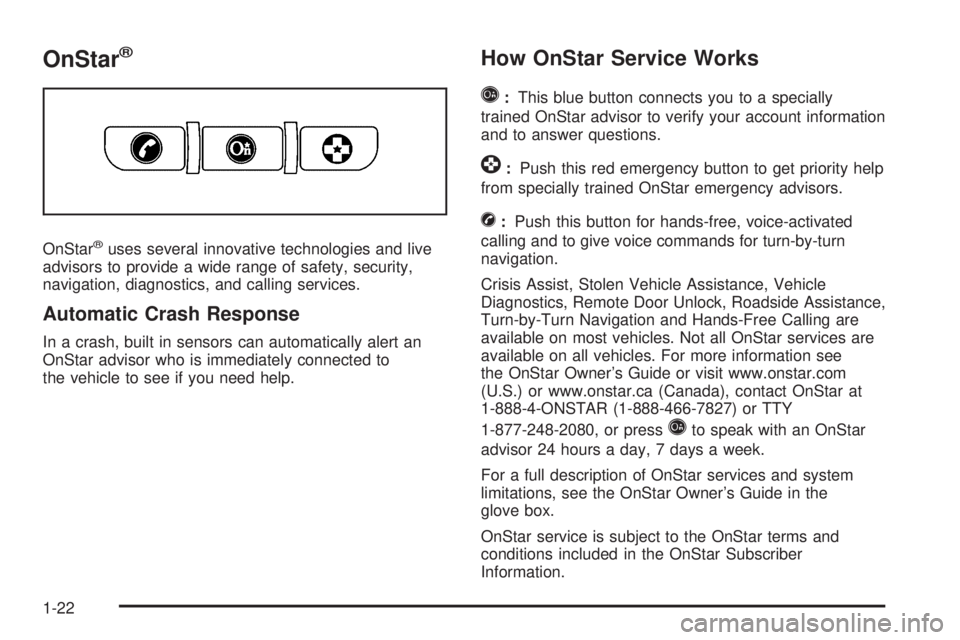
OnStar®
OnStar®uses several innovative technologies and live
advisors to provide a wide range of safety, security,
navigation, diagnostics, and calling services.
Automatic Crash Response
In a crash, built in sensors can automatically alert an
OnStar advisor who is immediately connected to
the vehicle to see if you need help.
How OnStar Service Works
Q
: This blue button connects you to a specially
trained OnStar advisor to verify your account information
and to answer questions.
]: Push this red emergency button to get priority help
from specially trained OnStar emergency advisors.
X: Push this button for hands-free, voice-activated
calling and to give voice commands for turn-by-turn
navigation.
Crisis Assist, Stolen Vehicle Assistance, Vehicle
Diagnostics, Remote Door Unlock, Roadside Assistance,
Turn-by-Turn Navigation and Hands-Free Calling are
available on most vehicles. Not all OnStar services are
available on all vehicles. For more information see
the OnStar Owner’s Guide or visit www.onstar.com
(U.S.) or www.onstar.ca (Canada), contact OnStar at
1-888-4-ONSTAR (1-888-466-7827) or TTY
1-877-248-2080, or press
Qto speak with an OnStar
advisor 24 hours a day, 7 days a week.
For a full description of OnStar services and system
limitations, see the OnStar Owner’s Guide in the
glove box.
OnStar service is subject to the OnStar terms and
conditions included in the OnStar Subscriber
Information.
1-22
Page 32 of 422
Front Seats
Manual Seats
{WARNING:
You can lose control of the vehicle if you try to
adjust a manual driver’s seat while the vehicle is
moving. The sudden movement could startle and
confuse you, or make you push a pedal when you
do not want to. Adjust the driver’s seat only when
the vehicle is not moving.If the vehicle has a manual seat, it can be moved
forward or rearward.
1. Lift the bar to unlockthe seat.
2. Slide the seat to the desired position and
release the bar.
Try to move the seat with your body to be sure the seat
is locked in place.
2-2
Page 33 of 422
Seat Height Adjuster
The driver’s seat height adjuster is located on the
outboard side of the seat.
To raise the seat, move the lever upward repeatedly
until the seat is at the desired height. To lower the seat,
move the lever downward repeatedly until the seat is
at the desired height.
Manual Lumbar
On vehicles with this
feature, the knob is
located on the front of the
driver seat lower cushion
on the inboard side.
Turn the knob clockwise or counterclockwise to increase
or decrease the lumbar support.
2-3
Page 34 of 422

Heated Seats
Your vehicle may have heated front seats. The switches
are located on the instrument panel above the climate
control system.Press the side of the
switch with the double
indicator lights to turn on
the heated seat at the
highest setting.
Both indicator lights will be lit to indicate that the setting
is on high. Press the side of the switch with the single
indicator light to go to the low setting. The indicator light
will be lit to indicate that the setting is on low. Return
the switch to the center to turn off the heated seat.
If your vehicle has been turned off, the last heated seat
setting will be retained when the vehicle is started
again.
Reclining Seatbacks
{WARNING:
You can lose control of the vehicle if you try to
adjust a manual driver’s seat while the vehicle is
moving. The sudden movement could startle and
confuse you, or make you push a pedal when you
do not want to. Adjust the driver’s seat only when
the vehicle is not moving.
{WARNING:
If either seatback is not locked, it could move
forward in a sudden stop or crash. That could
cause injury to the person sitting there. Always
push and pull on the seatbacks to be sure they
are locked.
Your seats have manual reclining seatbacks. The lever
used to operate them is located on the outboard
side of the seats.
Driver’s Switch Shown,
Passenger’s Switch Similar
2-4
Page 35 of 422
To recline the seatback, do the following:1. Lift the recline lever.
2. Move the seatback to the desired position, then release the lever to lock the seatback in place.
3. Push and pull on the seatback to make sure it is locked. To return the seatback to an upright position, do the
following:
1. Lift the lever fully without applying pressure to the seatback and the seatback will return to the upright
position.
2. Push and pull on the seatback to make sure it is locked.
2-5


