Page 84 of 212
78 Instruments
Picture no: 16711t.tif
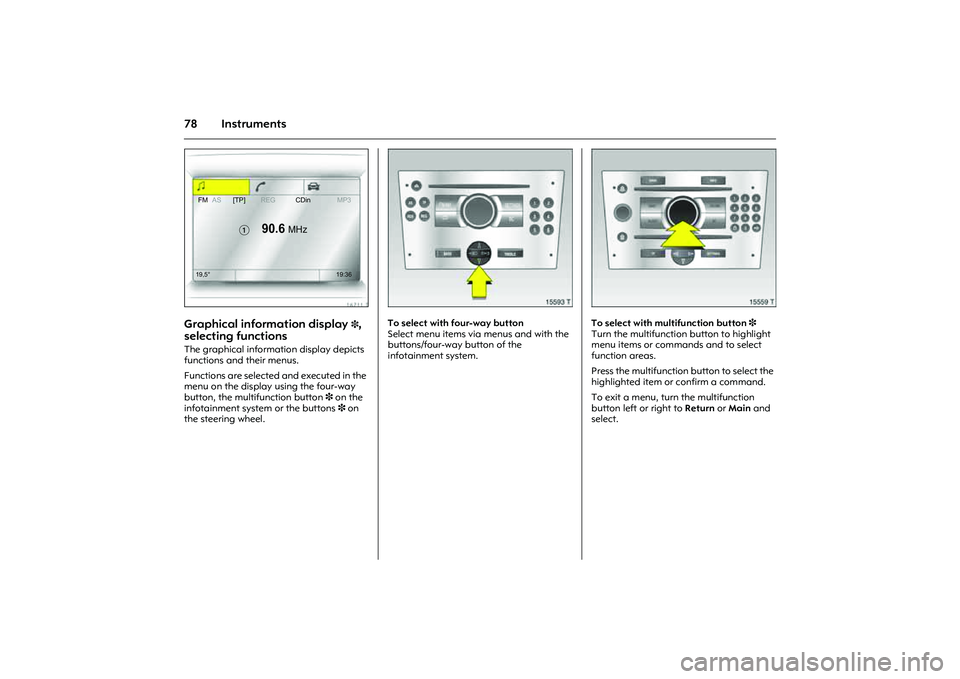
Graphical information display
3,
selecting functions
The graphical information display depicts
functions and their menus.
Functions are selected and executed in the
menu on the display using the four-way
button, the multifunction button 3 on the
infotainment system or the buttons 3 on
the steering wheel.
Picture no: 15593t.tif
To select with four-way button
Select menu items via menus and with the
buttons/four-way button of the
infotainment system.
Picture no: 15559t.tif
To select with multifunction button 3
Turn the multifunction button to highlight
menu items or commands and to select
function areas.
Press the multifunction button to select the
highlighted item or confirm a command.
To exit a menu, turn the multifunction
button left or right to Return or Main and
select.
FMAS[TP]REGCDinMP3
�
90.6
MHz
19,5° 19:36
Page 85 of 212
79
Instruments
Picture no: 14034s.tif
To select with steering wheel buttons 3
Select menu options via the menus using
the buttons.
Picture no: 16711t.tif
Function ranges
Each function has a main page, which is
selected from the upper row of the display
(not in Infotainment system CD 30):
zAudio,
zNavigation 3,
zTelephone 3.
For audio, navigation 3 and telephone
functions 3, see infotainment system
instructions.
Picture no: 16712t.tif
System settings
The settings are accessed via the
Settingsmenu.
Press the Main button 3 (not found on all
infotainment systems) on the infotainment
system (call up main display).
Press the Settings button on the
infotainment system. For Infotainment
system CD 30, no menu may be selected.
The Settings menu opens.
FMAS[TP]REGCDinMP3
�
90.6
MHz
19,5° 19:36
7
Settings 19,5° 19:36
Time, Date19:36
Language
Units 10 . 07 . 2004
Contrast
Day / Night
6 Ign. logic
Page 89 of 212
83
Instruments
Adjustable wiper interval
To set the wiper interval to a value between
2 and 15 seconds:
Lever to interval operation $, lever to §,
wait for required interval delay, Level to
interval operation again $.
The selected interval will remain stored
until the next time it is changed or until the
ignition is switched off.
After switching on the ignition and moving
the lever up, $ the interval is set to
7seconds.
Picture no: 14056h.tif
Windscreen washer system
Pull the lever towards the steering wheel.
Washer fluid sprays onto the windscreen
and the windscreen wipers switch on for a
few sweep movements.
Picture no: 14057h.tif
Rear window wiper 3 and rear window
washer system 3
Push the lever forwards. The rear window
wiper swipes in timed interval mode. Switch
off by pulling the lever towards the steering
wheel.
If the stalk is held forwards, washer fluid is
sprayed on the rear window.
Page 91 of 212
85
Lighting
Picture no: 18475s.tif
Main beam, headlamp flash Push stalk forward to switch from dipped
beam to main beam.
To switch to dipped beam, push lever down
again.
To operate the headlamp flash, pull stalk
towards steering wheel. The main beam is
switched on for as long as the the stalk is
held in this position.
Picture no: 14054h.tif
Turn signal lamps If the stalk is moved past the resistance
point, the turn signal lamp remains on.
When the steering wheel moves back
toward the straight-ahead position, the
turn signal lamp is automatically
deactivated.
Touch turn signal operation: press lever
until resistance can be felt and release
again.
The turn signal lamps are switched off
manually by moving the lever back to the
middle position.
Reversing lamps The reversing lamps come on when the
ignition is on and reverse gear is engaged.
Lever upwards = Right turn signal
Lever downwards = Left turn signal
Page 96 of 212
90 Infotainment systemInfotainment system
Radio reception
3
Radio reception may be disrupted by
static, noise, distortion or loss of reception
due to
zChanges in distance from the
transmitter,
zmulti-path reception due to reflection
and
zshadowing. Infotainment system
3
The infotainment system is operated as
described in the operating instructions.
Picture no: 14034s.tif
Steering wheel remote control
3
The functions of the infotainment system3
and the information display can be
operated on the steering wheel.
Further information 378 and the
infotainment system instructions. Radio reception 3................................ 90
Infotainment system 3........................ 90
Steering wheel remote control 3........ 90
AUX input 3......................................... 91
Mobile telephones and radio
equipment (CB) 3............................. 91
Page 112 of 212

106 Driving and operationDriving hints The first 1000 km
Drive your vehicle at various speeds. Do
not use full throttle. Never allow the engine
to labour at low revs.
Change gear frequently. Do not press the
accelerator pedal more than approx.
3/4 in
all gears.
Do not drive faster than three quarters of
maximum speed.
Do not brake unnecessarily hard for the
first 200 km.
During the first drive, smoke may develop
because of wax and oil evaporating off the
exhaust system. Park the vehicle in the
open for a while after the first drive and
avoid inhaling the fumes.
Fuel and engine oil consumption is higher
than normal during the running-in period.
Never coast with engine not running
Many units will not function in this situation
(e.g. brake servo unit, power steering3).
Driving in this manner is a danger to
yourself and others. Brake servo unit
When the engine is not running, the brake
servo unit is no longer effective once the
brake pedal has been depressed once or
twice. Braking effect is not reduced, but
significantly greater force is required for
braking.
Electric power steering 3
If the power-assisted steering fails when
being towed with the engine switched off –
the vehicle can still be steered, but
considerably more force is required.
Driving in mountainous terrain or with a
trailer/caravan
The cooling fan is electrically operated. Its
cooling power is therefore independent of
the engine speed.
Since a considerable amount of heat is
generated at high engine speeds and less
at slower speeds, do not shift down when
climbing hills whilst the vehicle is still coping
with the gradient in the higher gear.
Diesel engines: On gradients of 10 % or
more, do not drive faster than 30 km/h in
first gear or 50 km/h in second gear. Driving with a roof load
Do not exceed the permissible roof load,
3189. For reasons of safety, distribute the
load evenly and strap it down firmly using
retaining straps so that it cannot slip.
Check the tyre pressure when the vehicle is
loaded. Do not travel faster than 120 km/h.
Check and re-tighten the straps frequently.
Observe country-specific regulations.
Switching off the engine
When you switch off, fans in the engine
compartment may continue running for a
time to cool the engine.
If the engine temperature is very high, e.g.
after driving in mountainous terrain: allow
the engine to idle for approximately two
minutes in order to prevent heat
accumulation.
Vehicles with turbocharged engine
After running at high engine speeds or high
engine loads, operate the engine briefly at
a low load or run in neutral for approx.
30 seconds before switching off in order
to protect the turbocharger.
Page 133 of 212

127
Driving and operation
Picture no: 13228s.tif
Driving characteristics, towing tips
In the case of trailers/caravans with brakes,
attach breakaway stopping cable to eye.
Before attaching the trailer/caravan,
lubricate the ball of the trailer/caravan
towing device. However, do not lubricate
the ball if a stabiliser, which acts on the
coupling ball, is being used to damp
hunting.
Check caravan/trailer lighting before
starting to drive. The fog tail lamps on the
vehicle are deactivated when towing a
caravan or trailer. Caravans/trailers with LED turn signals
require a provision that make bulb
replacement as with standard bulbs
possible.
Handling is greatly influenced by the
loading of the trailer/caravan. Loads
should therefore be secured so that they
cannot slip and be placed in the centre of
the trailer/caravan if possible, i.e. above
the axle.
In the case of trailers with low driving
stability, do not exceed a speed of
80 km/h; the use of a friction-type
stabiliser is highly recommended.
If the trailer/caravan starts to sway, drive
more slowly, do not attempt to correct the
steering and brake sharply if necessary.
If it is necessary to apply the brakes fully,
depress the brake pedal as hard as
possible.
Remember that the braking distance for
vehicles towing caravans/trailers with and
without brake is always greater than that
for vehicles not towing a caravan/trailer. When driving downhill, drive in the same
gear as if driving uphill and drive at a
similar speed.
Adjust tyre pressure to the value specified
for full load 3121, 3191.
Page 138 of 212
132 Self-help, vehicle care
Picture no: 18109s.tif
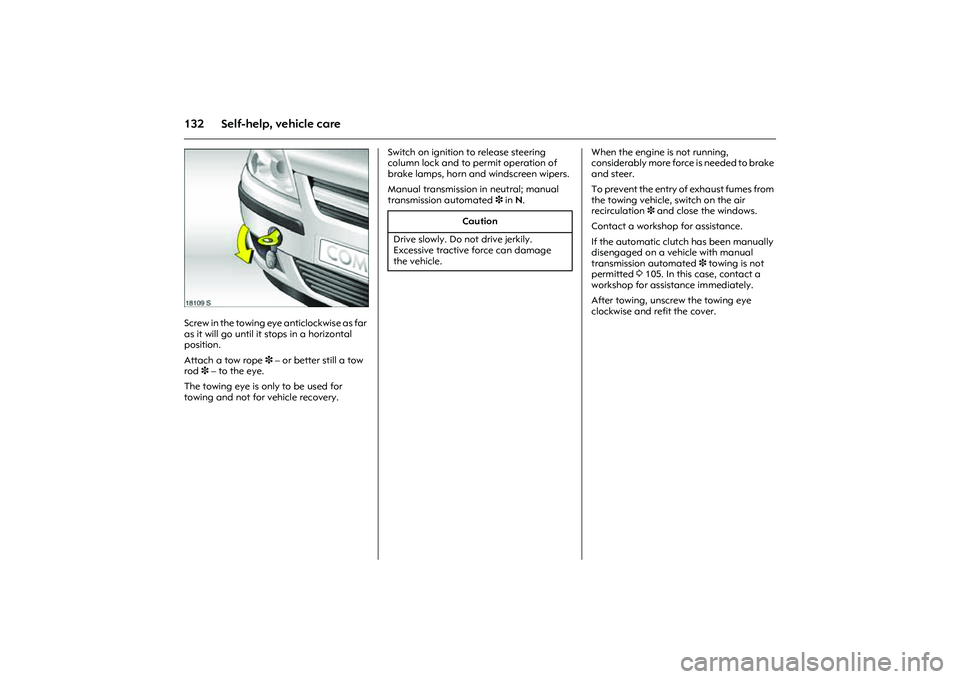
Screw in the towing eye anticlockwise as far
as it will go until it stops in a horizontal
position.
Attach a tow rope 3 – or better still a tow
rod3 – to the eye.
The towing eye is only to be used for
towing and not for vehicle recovery. Switch on ignition to release steering
column lock and to permit operation of
brake lamps, horn and windscreen wipers.
Manual transmission in neutral; manual
transmission automated 3 in N. When the engine is not running,
considerably more force is needed to brake
and steer.
To prevent the entry of exhaust fumes from
the towing vehicle, switch on the air
recirculation 3 and close the windows.
Contact a workshop for assistance.
If the automatic clutch has been manually
disengaged on a vehicle with manual
transmission automated 3 towing is not
permitted 3105. In this case, contact a
workshop for assistance immediately.
After towing, unscrew the towing eye
clockwise and refit the cover.
Caution
Drive slowly. Do not drive jerkily.
Excessive tractive force can damage
the vehicle.